Front desk

Keep arrivals and departures moving without queues or manual workload

Run arrivals, stays, and departures without the usual queues or end-of-day corrections. Documents get issued right away, payments can be processed without manual steps, upgrades and changes are handled properly.

Keep arrivals and departures moving without queues or manual workload

Trusted by independent hotels worldwide

Alamo Inn Elegancia Four Sisters Collection Golden Tulip Greenstar hotel Grifid 1 Hampshire 1 HappyCulture Mitland Popinns Prinsenhof Relais&Chateaux Gambino Hotels
4.7 / 5

Based on 483+ reviews across

See your day clearly

View every arrival, departure, and in-house guest in one live dashboard. Identify returning guests, online check-ins, or upgrades at a glance.
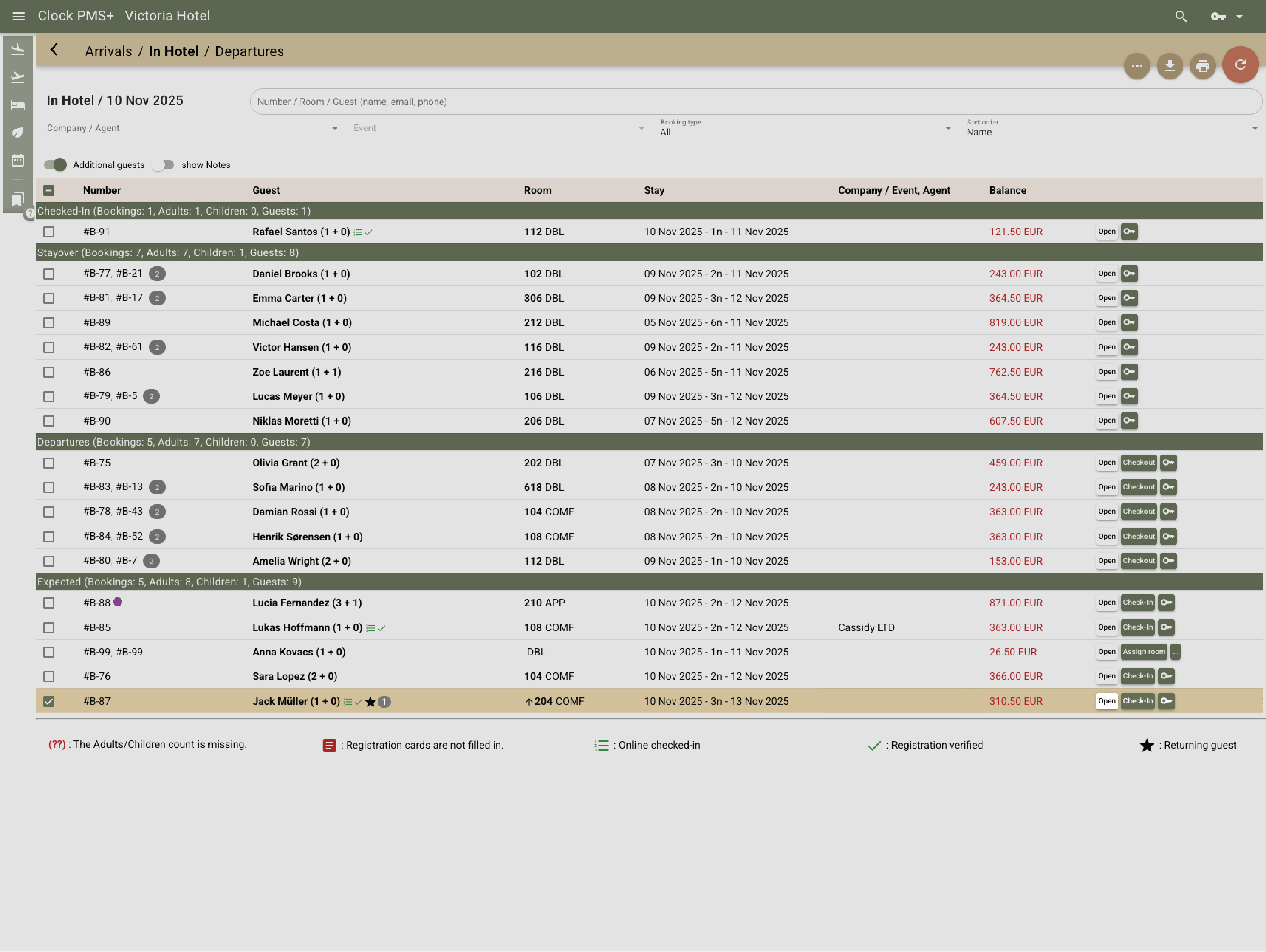
Example:
When a guest arrives, Clock automatically identifies returning visitors and highlights any upgrades — like a move to APP. You’ll also see all online check-ins at a glance, so you can complete their check-in with a single click.
See your day clearly

Assign rooms guests actually want

Room allocation in Clock helps match guests to the right room — automatically or manually — using filters like view, floor, or balcony.

Example:
A returning guest prefers a high-floor room with a sea view. You see it instantly in the arrivals list, reassign with one click, and housekeeping updates automatically.
Assign rooms guests actually want

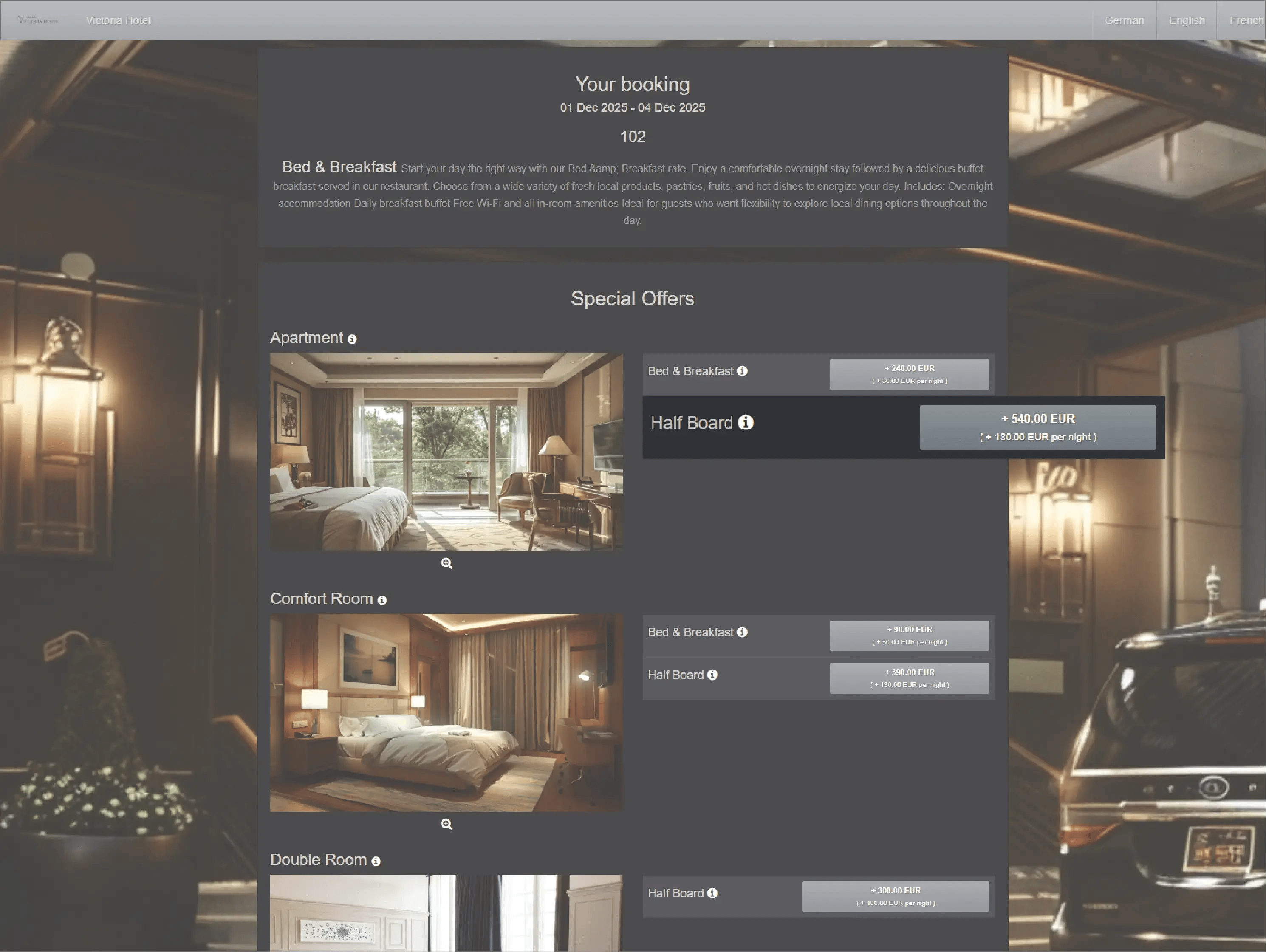
Manage room upgrades effortlessly

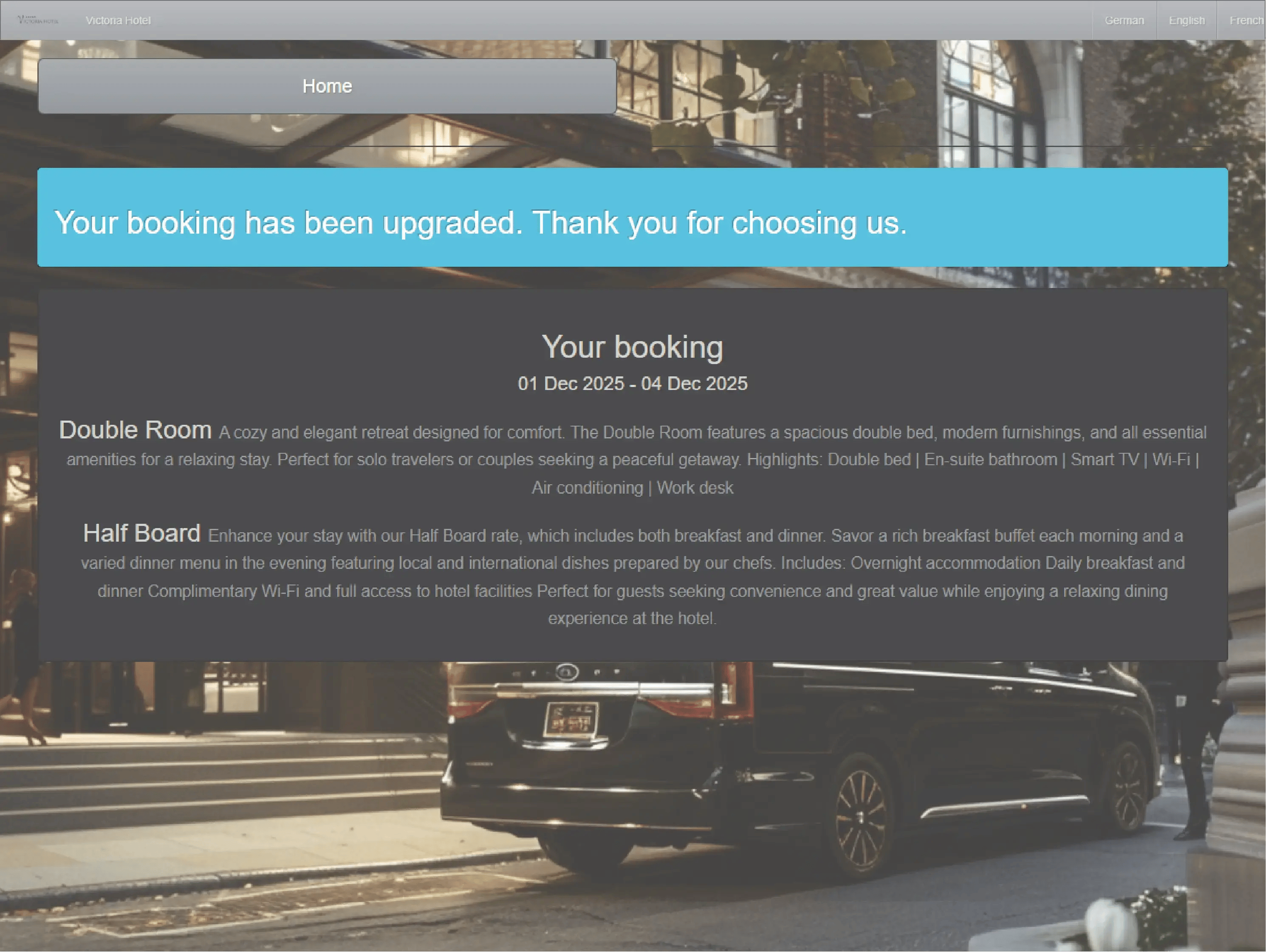
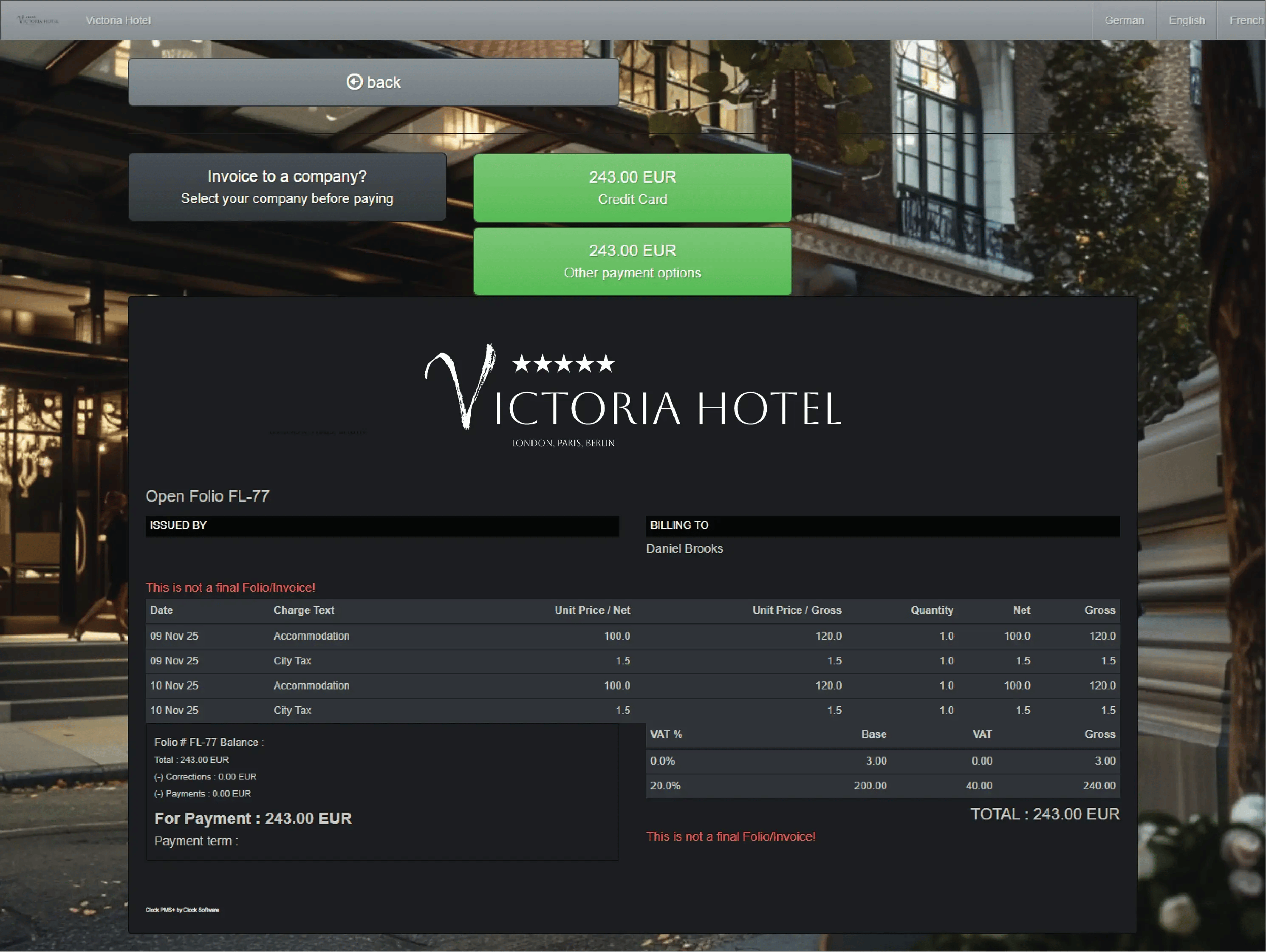
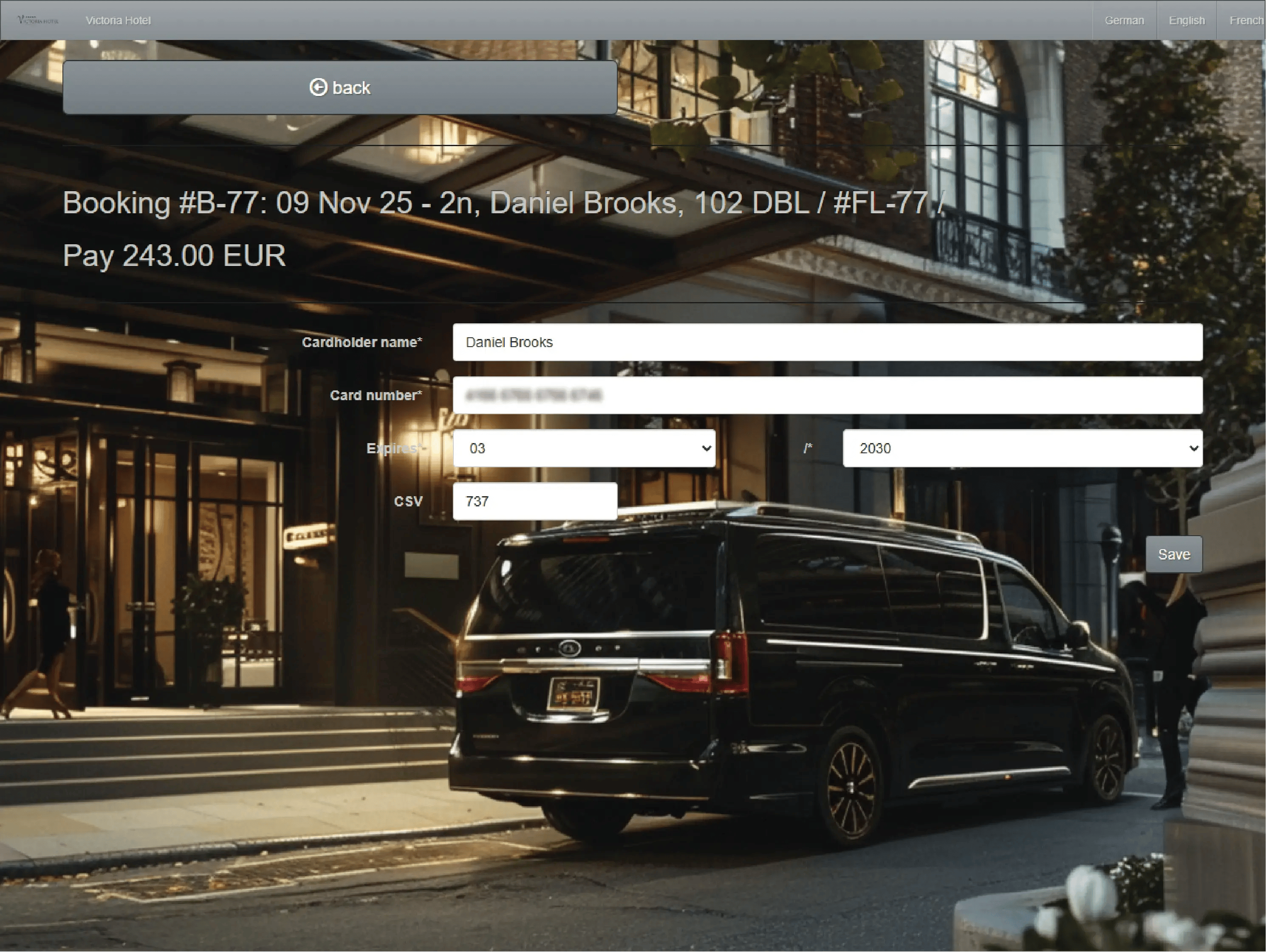
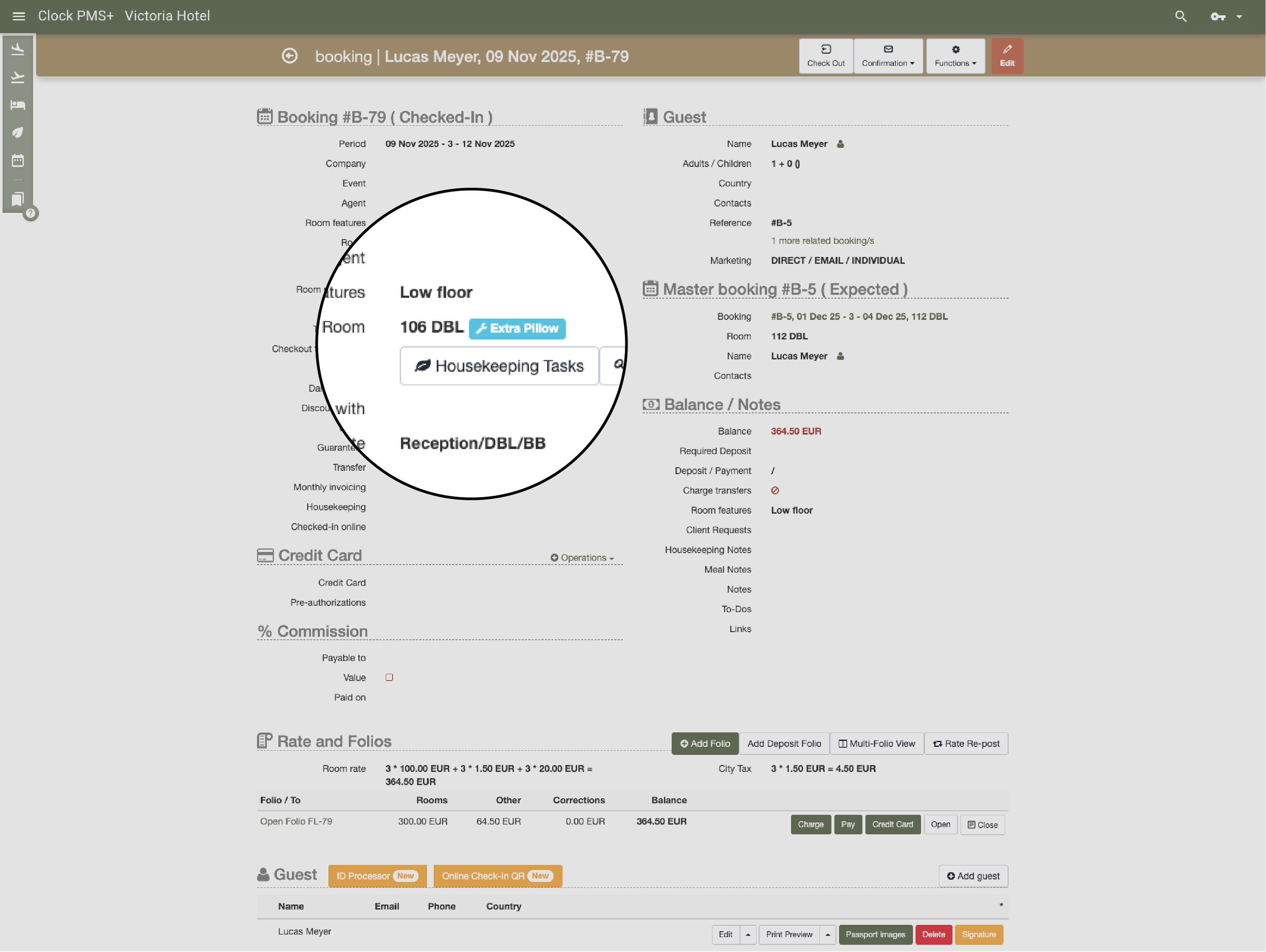
Leverage upgrade opportunities  — offered in person at reception or requested by guests during online check-in. Clock automatically adjusts rates for paid upgrades, updates housekeeping, and syncs folios.
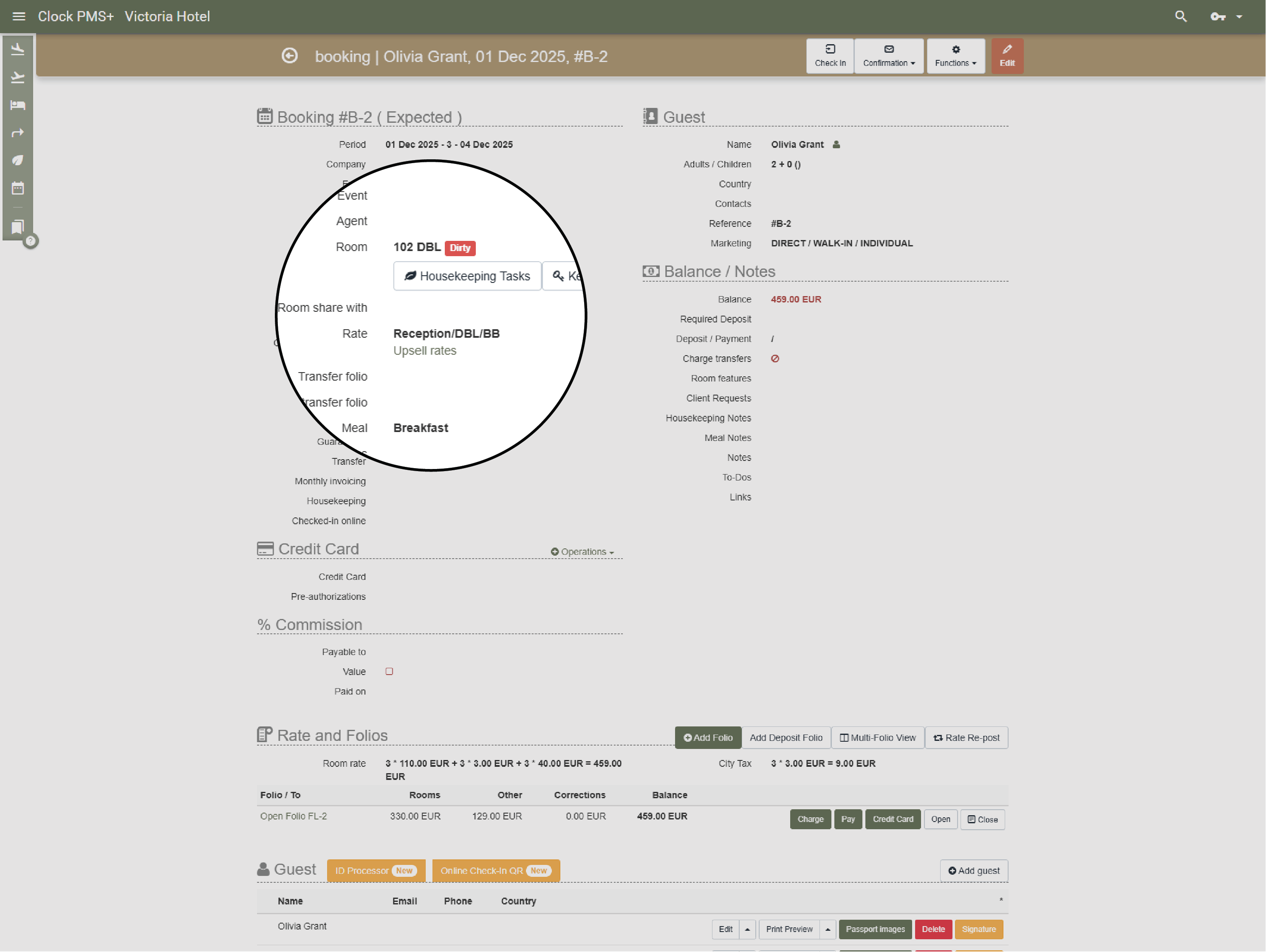
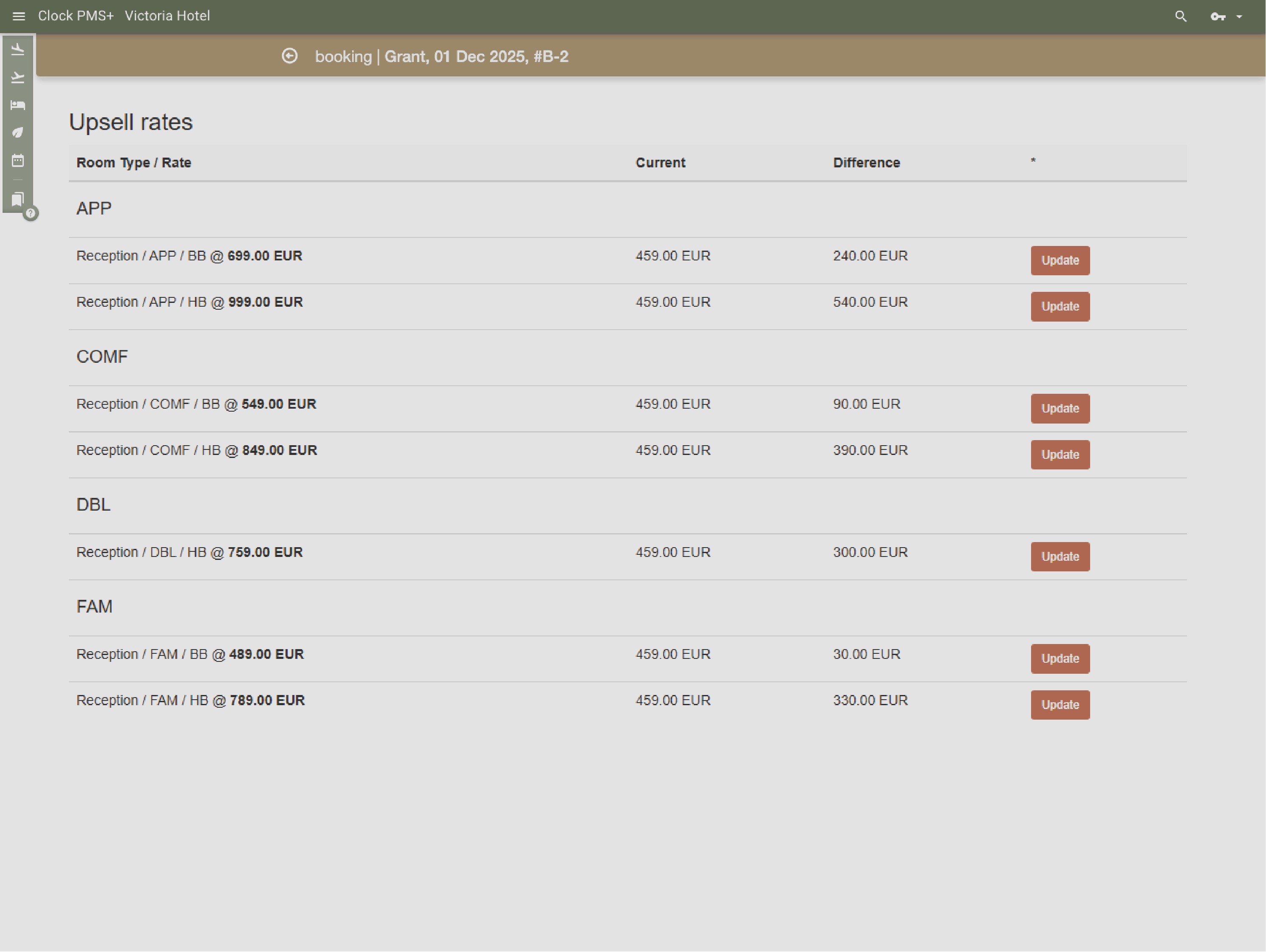
Example:
You upgrade a loyal guest to a suite. Clock adjusts the rate, and updates folios automatically — no manual edits required.
  • Manage room upgrades effortlessly (1)
  • Manage room upgrades effortlessly (2)
  • Manage room upgrades effortlessly (3)
  • Manage room upgrades effortlessly (4)
  • Manage room upgrades effortlessly (5)

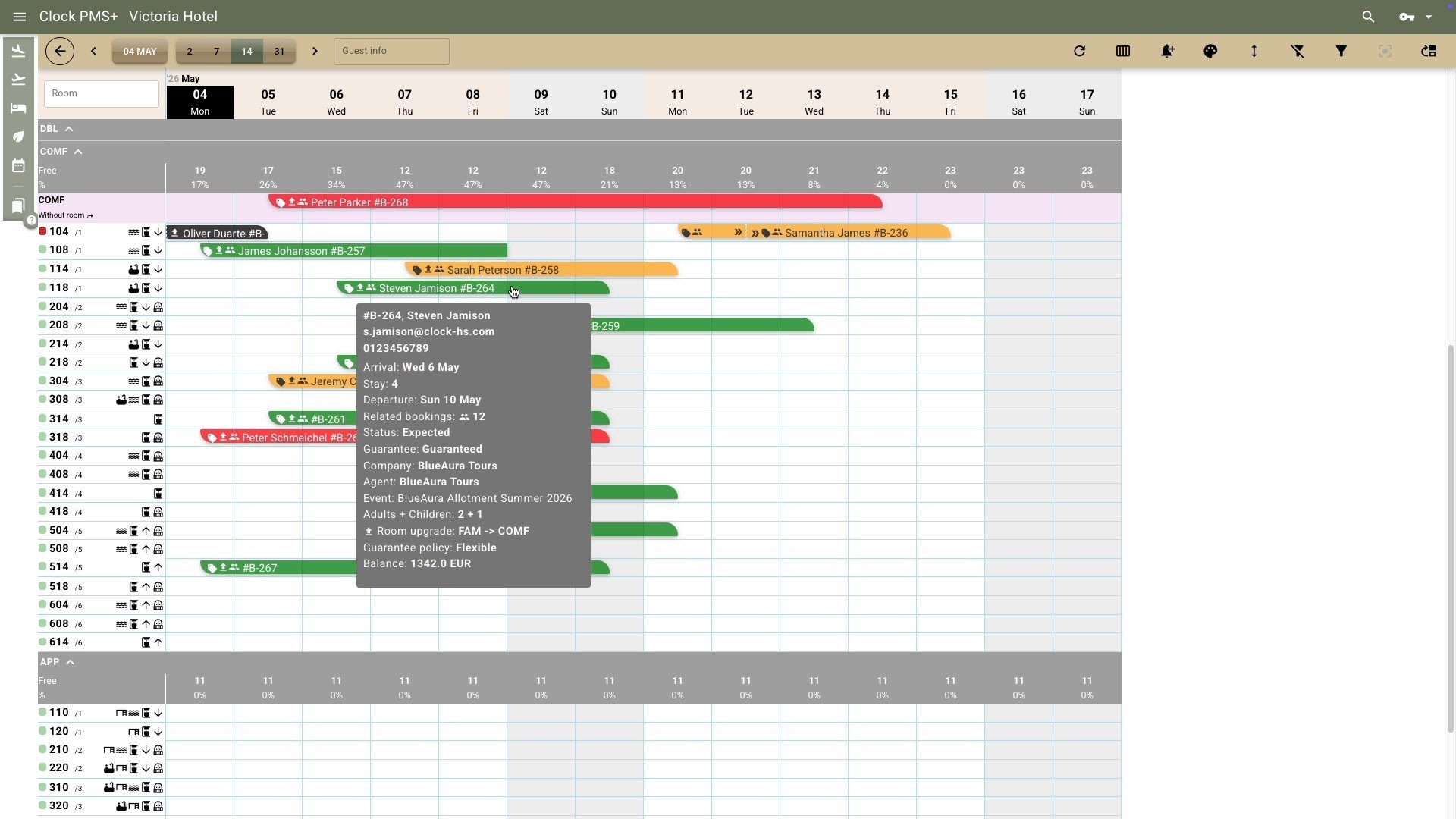
    Run your day from the room calendar

    Your visual command center for occupancy, room attributes, readiness, and rates — complete with indicators for online check-ins, repeat guests, and upgrades. Easily handle room moves when needed, keeping every detail in sync.
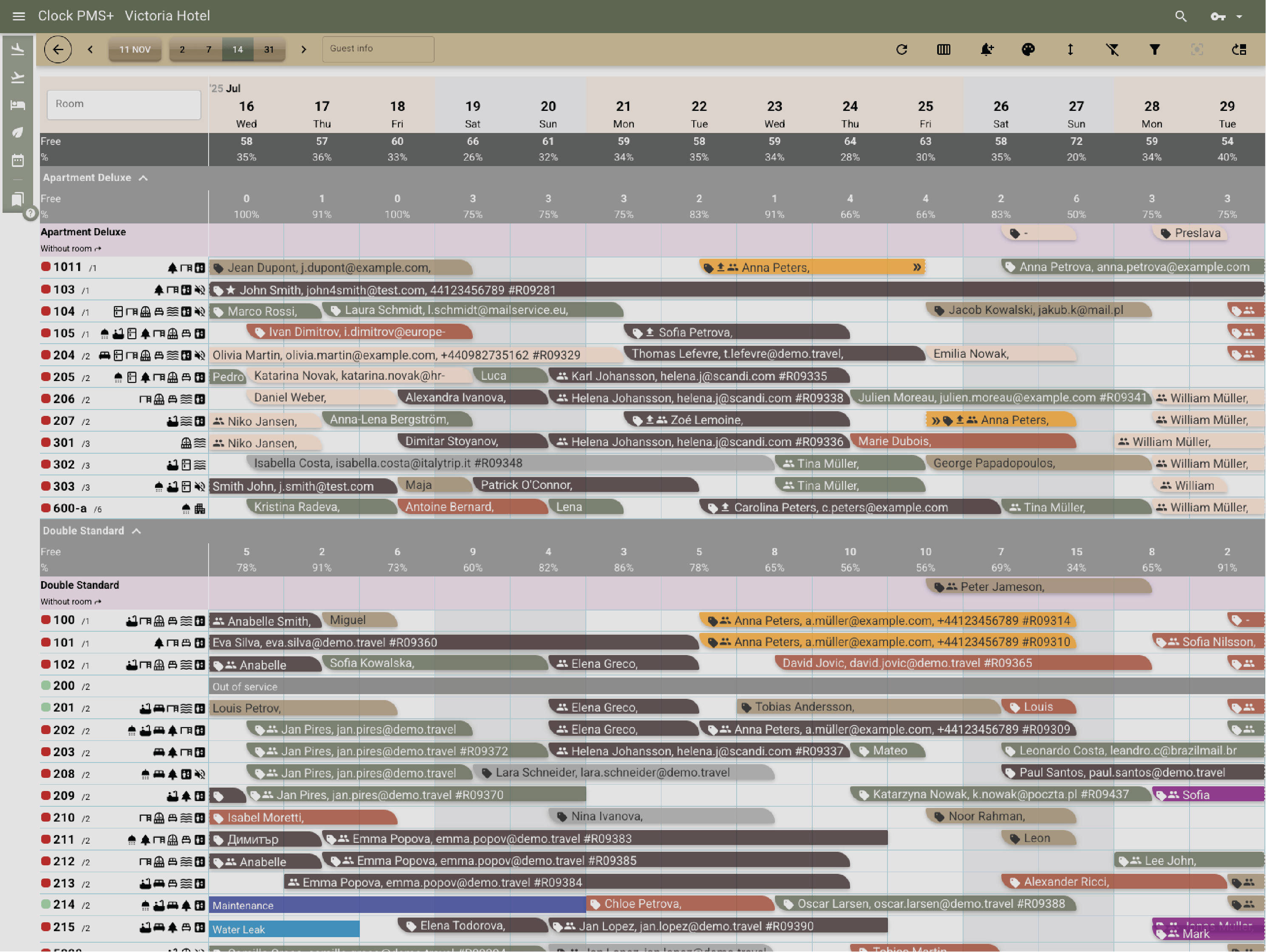
    Example:
    A guest requests a different room mid-stay. You move their booking on the calendar with couple of clicks.
    Run your day from the room calendar

    Post and schedule extra services easily

    Reception staff can post, correct, or void any charge instantly — late checkout, parking, spa treatment, yoga class, or any add-on. Guests can also order and schedule services through their Guest Portal, saving staff time.
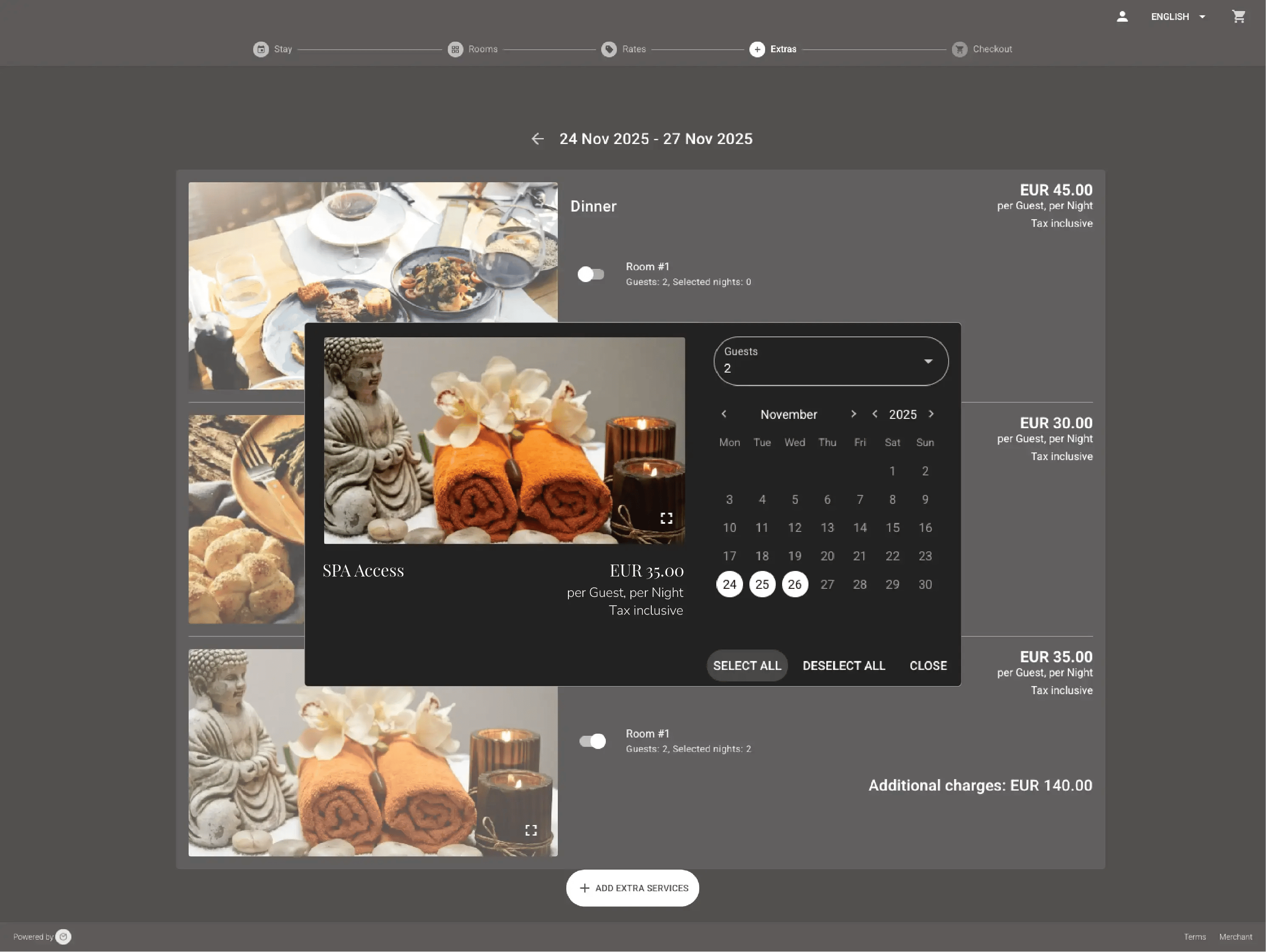
    Example:
    A guest books breakfast for their second and third day through the Guest Portal — it appears in Clock instantly. Another requests a yoga session at reception and gets it confirmed with one click.
    Post and schedule extra services easily

    Check in and check out without friction

    From counter, to kiosk, to mobile — check-ins and check-outs happen in one flow. Collect or pre-verify cards, have guests sign custom registration cards, scan IDs, issue keys, and send invoices — all connected.
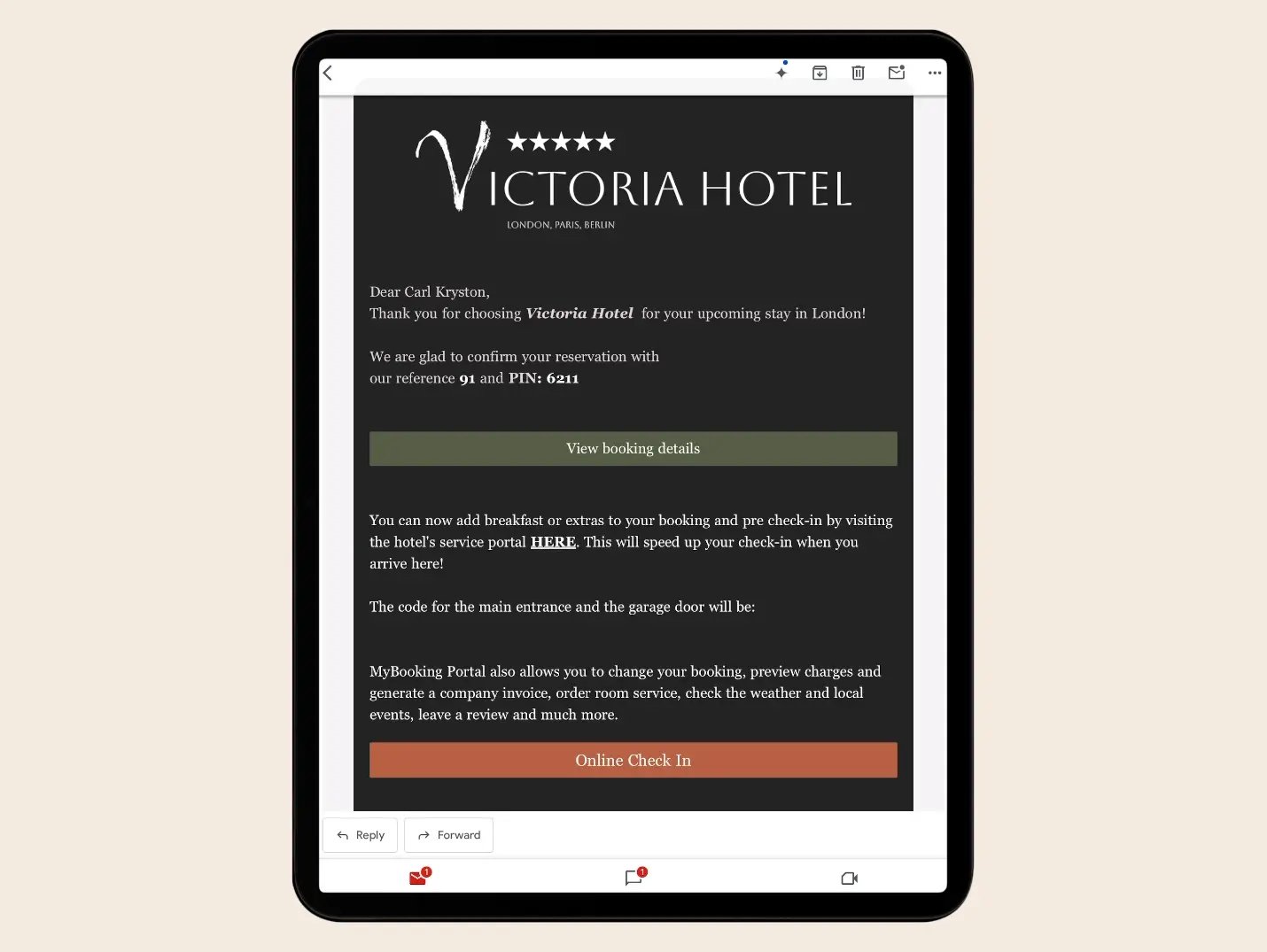
    Example:
    A guest completes online check-in before arrival. You verify their card, hand over the key, and spend time greeting them instead of handling paperwork.
    Check in and check out without friction

    Streamline checkouts

    Simplify departures with automated invoice creation, payment collection, and digital folio delivery.
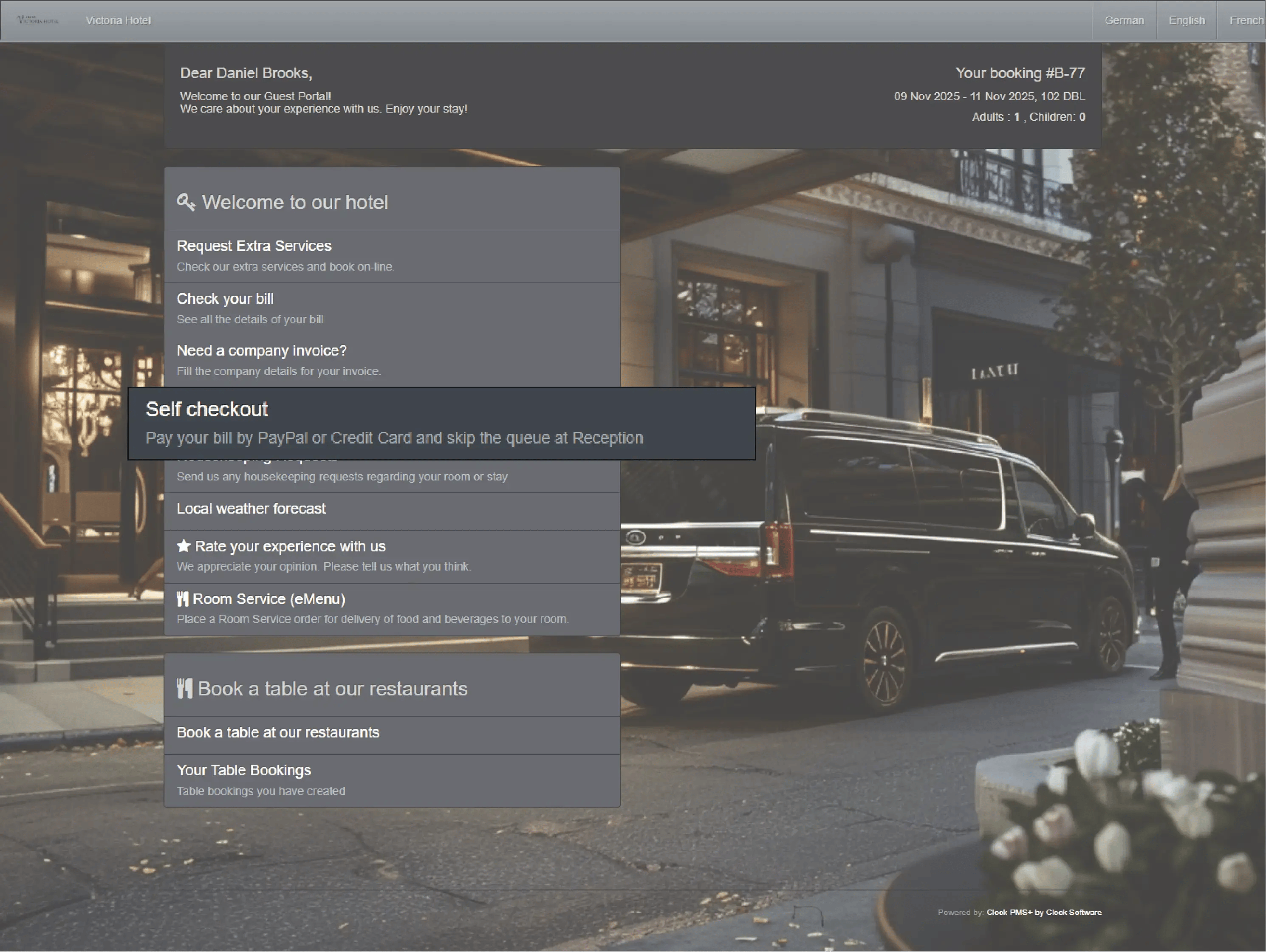
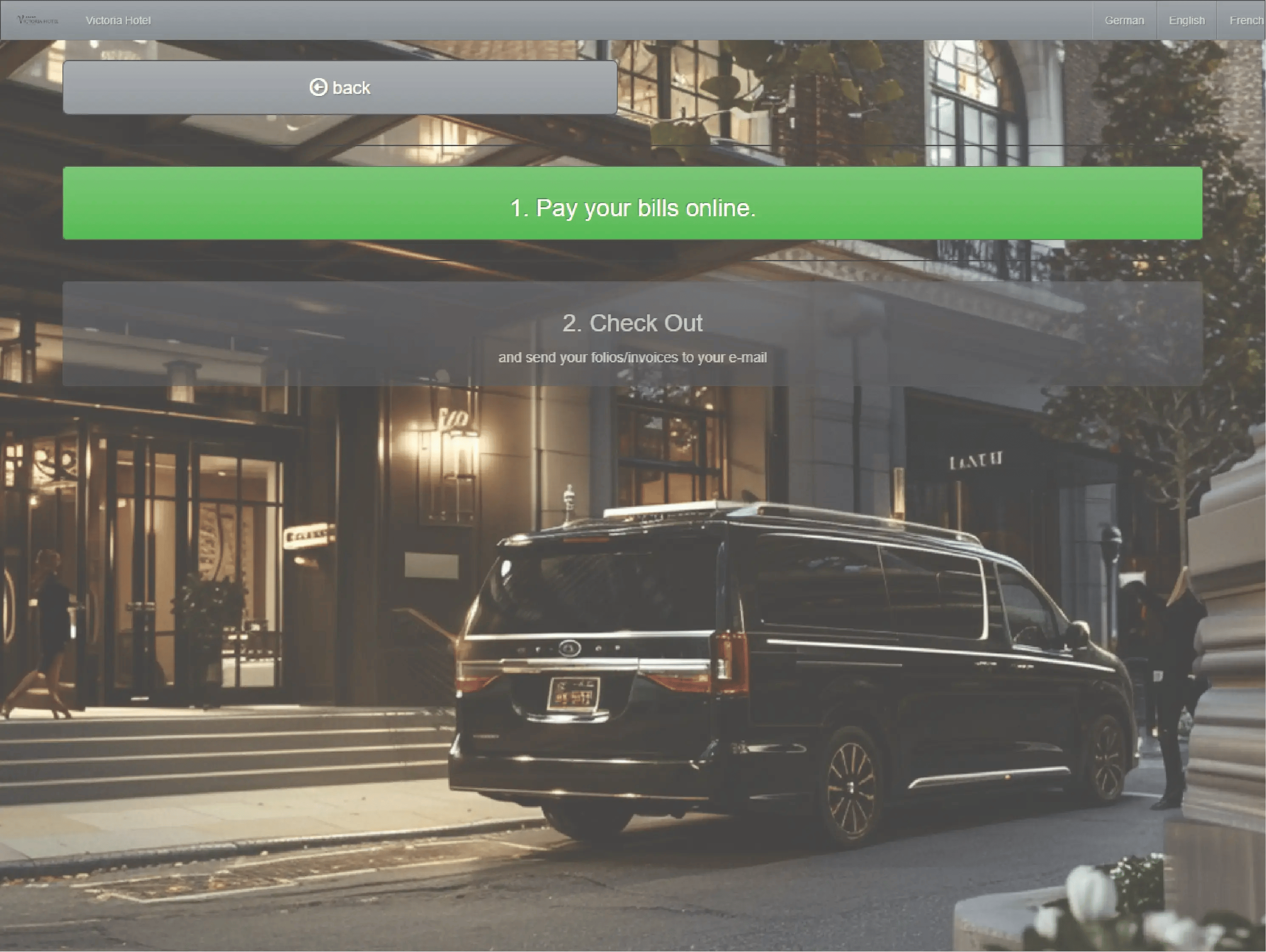
    Example:
    A guest checks out at 6 a.m. using their phone. Payment is processed automatically, and the invoice lands in their inbox before they leave the lobby.
    • Streamline checkouts (1)
    • Streamline checkouts (2)
    • Streamline checkouts (3)
    • Streamline checkouts (4)

      Flexible billing that fits every case

      Split folios, transfer and route charges to companies or between bookings, and collect payments automatically. Front desk, billing, and accounting all stay aligned.
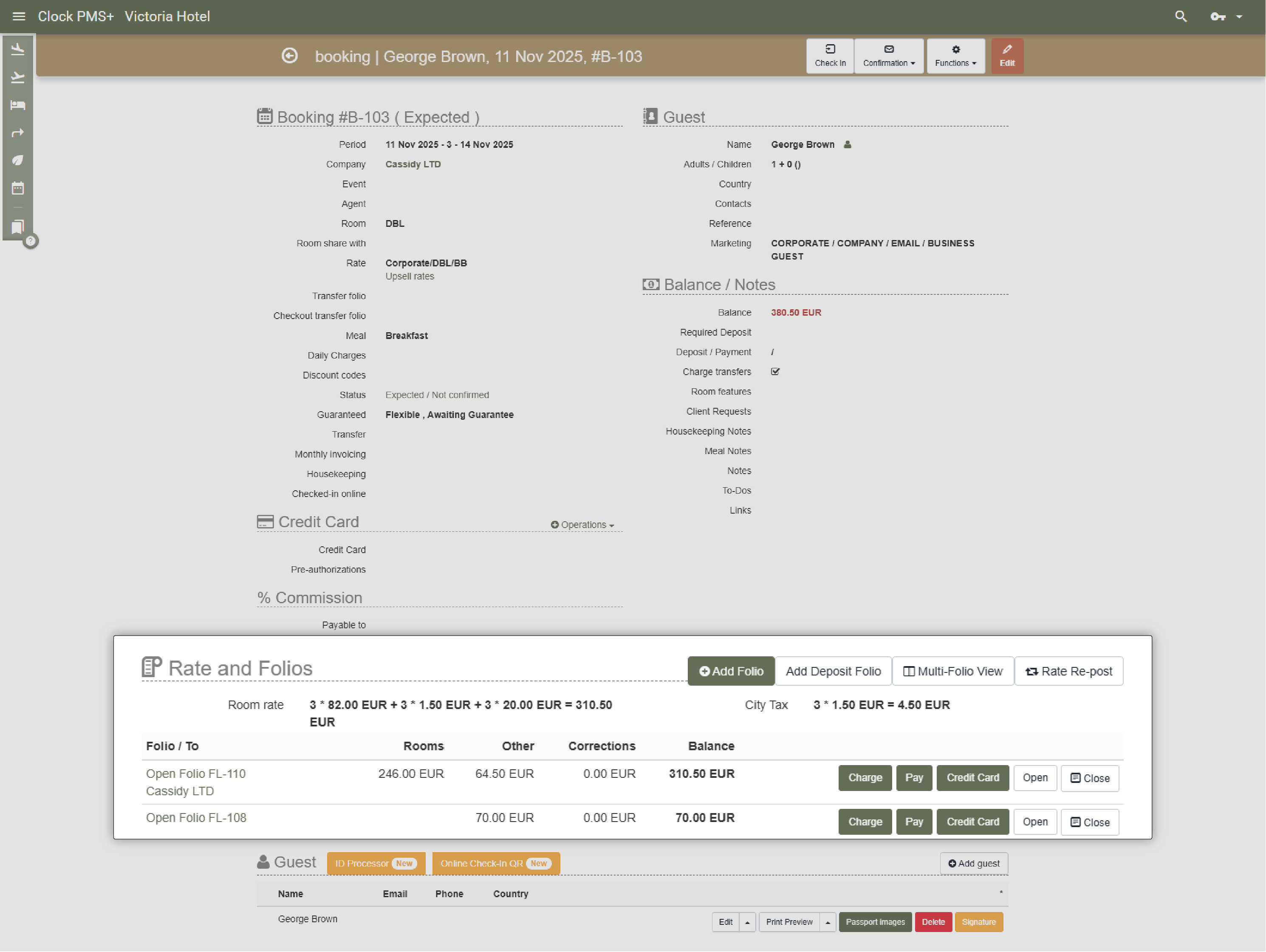
      Example:
      A guest’s accommodation is billed to the company, while minibar and spa charges stay personal — all handled automatically.
      Flexible billing that fits every case

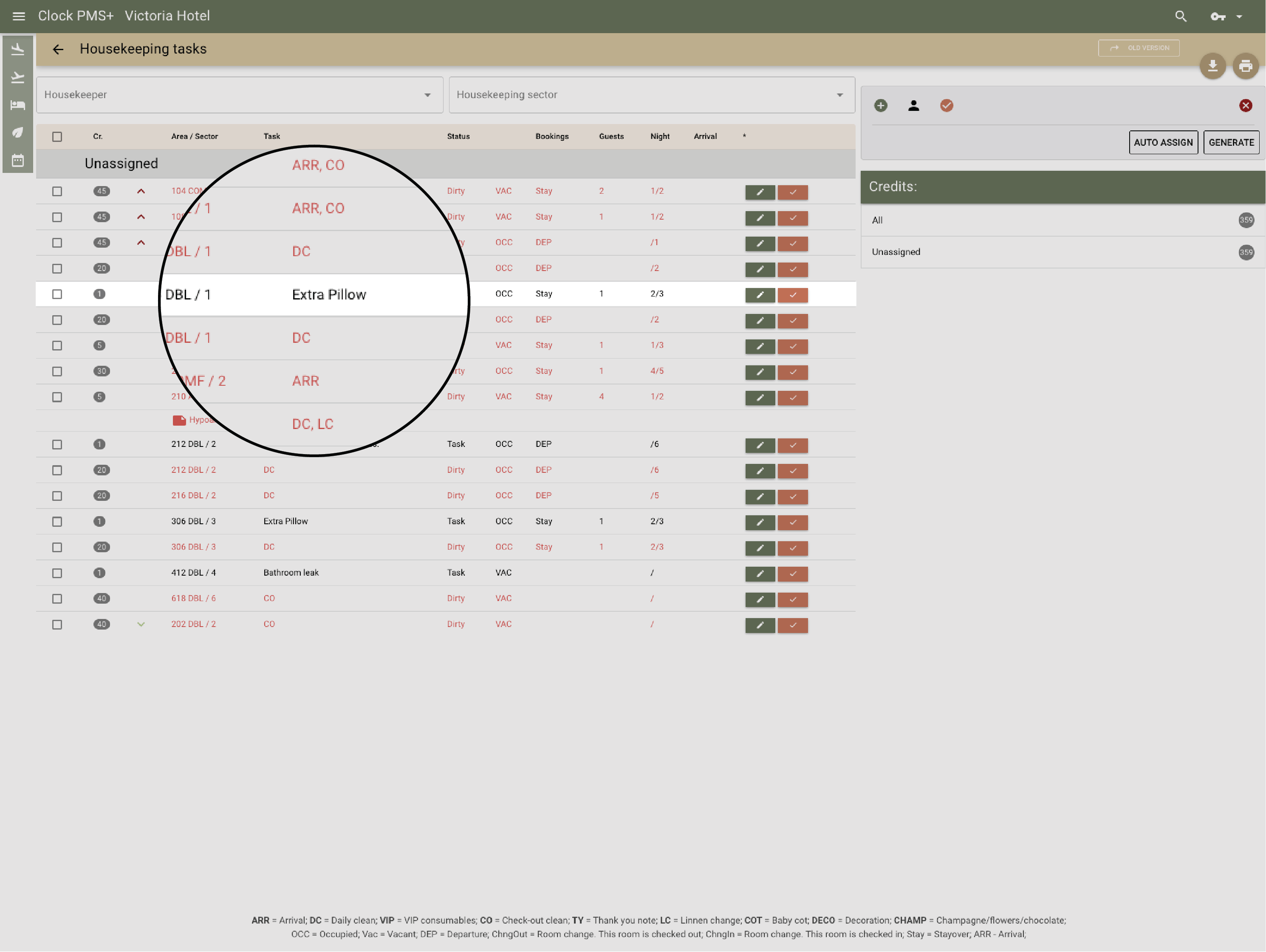
      Keep housekeeping in sync

      Real-time coordination between front desk and cleaning teams. See room readiness instantly and assign cleaning or inspection tasks directly.

      Example:
      As soon as housekeeping marks a room as ready, it turns green on your screen — and the next guest can check in immediately.
      Keep housekeeping in sync

      Handle groups without stress

      Check in, assign rooms, and route charges for dozens of guests in bulk. Import rooming lists, pre-post charges, and print registration cards in one go.
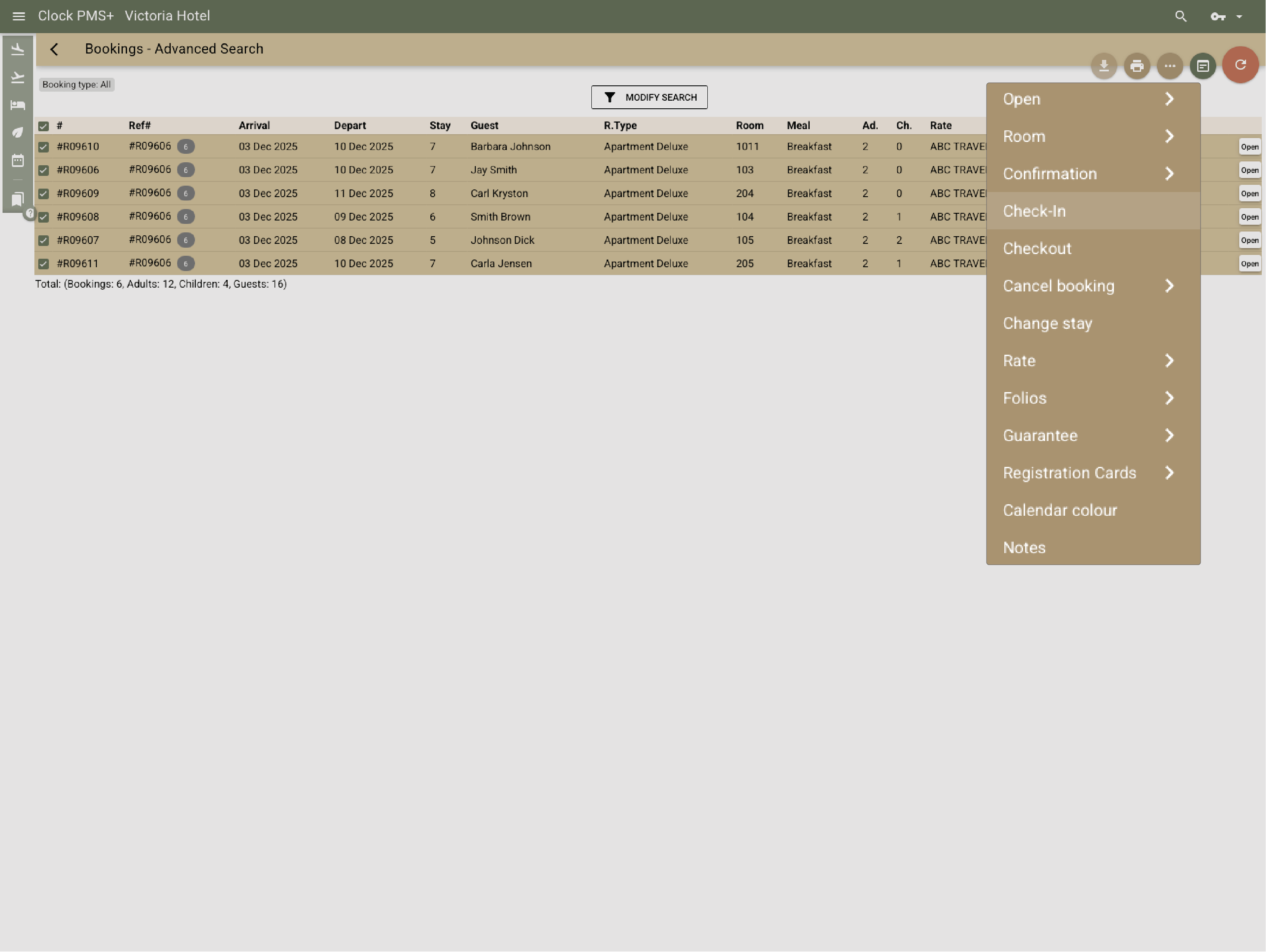
      Example:
      A 40-person group arrives — rooms pre-assigned, details imported, reg cards printed, and check-in completed in a few clicks.
      Handle groups without stress

      Personalize every stay

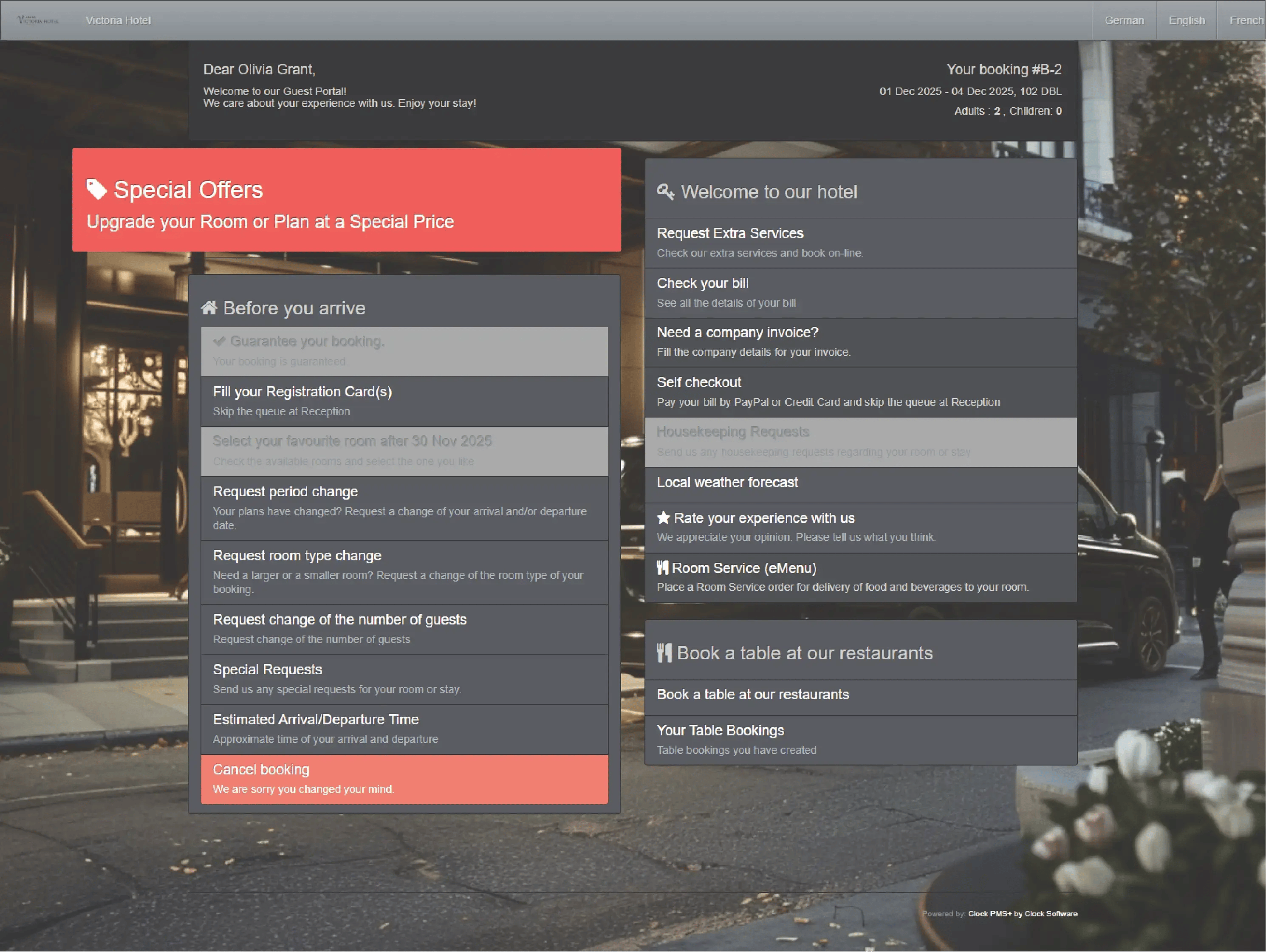
      Add guest notes, custom housekeeping instructions, or To-dos for any team. Guests can submit requests and schedule extras through their Guest Portal — everything flows into Clock automatically.
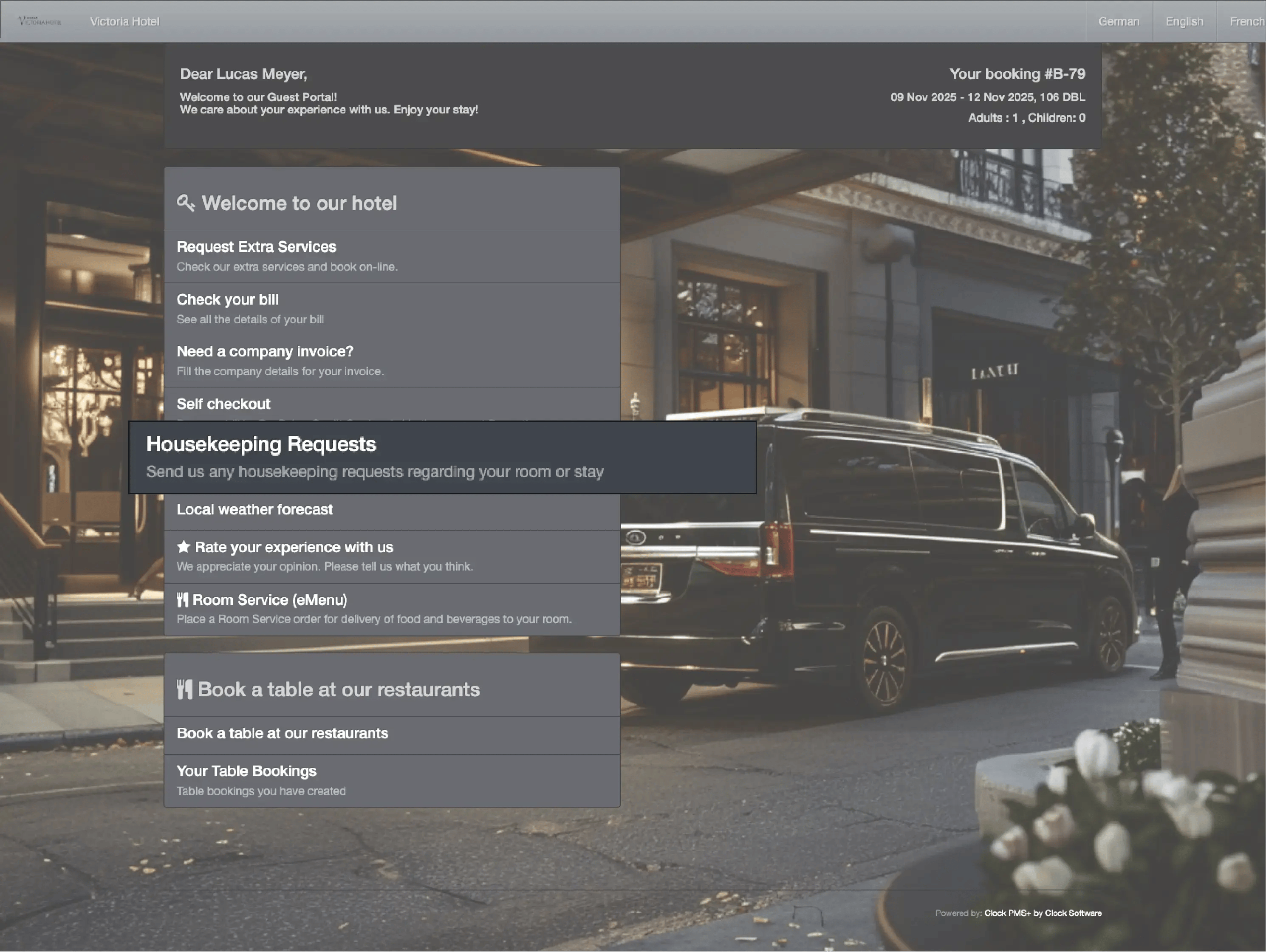
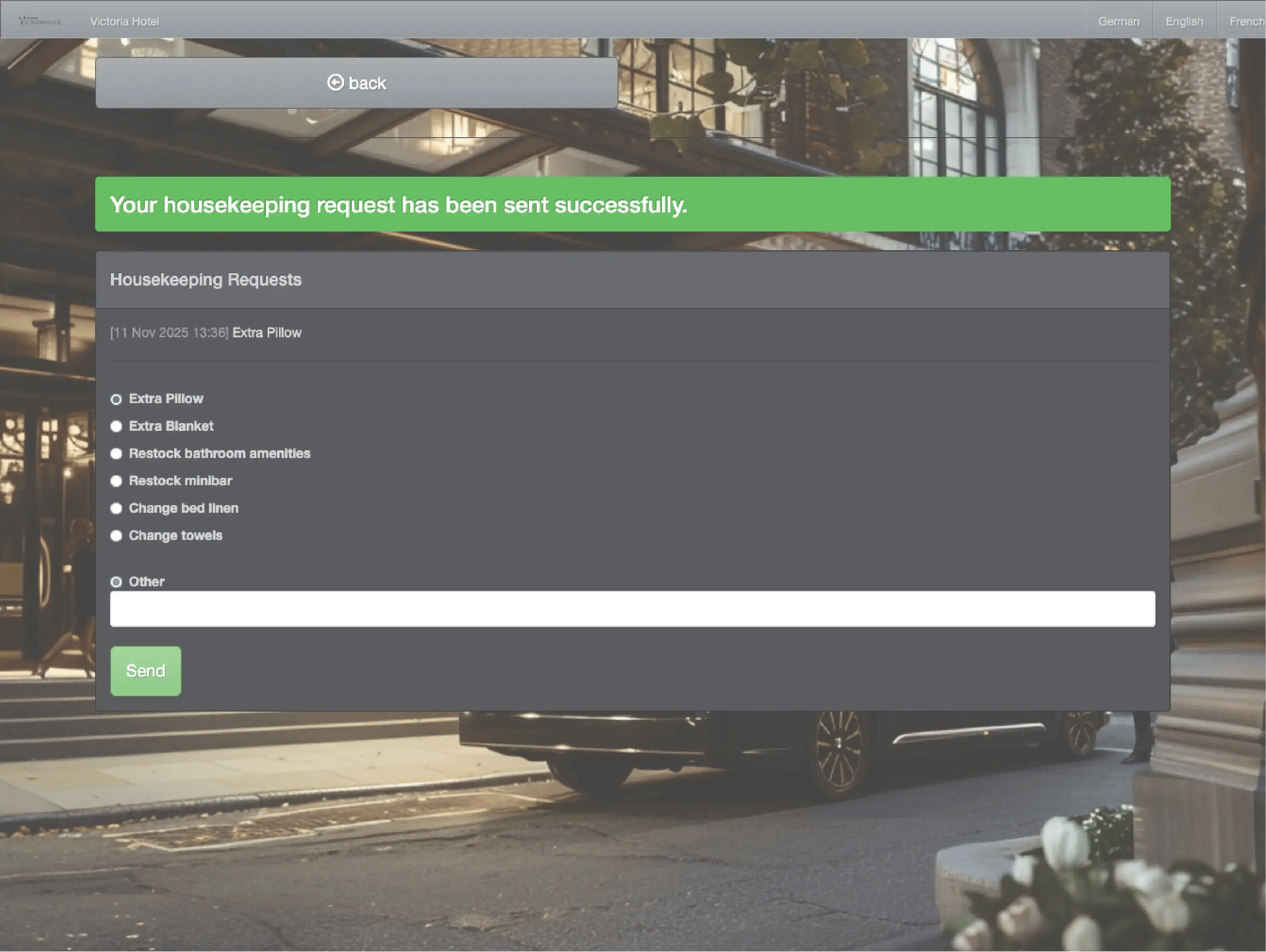
      Example:
      A guest adds a birthday surprise request online. Reception creates tasks for housekeeping and catering — tracked and completed without reminders.
      • Personalize every stay (1)
      • Personalize every stay (2)
      • Personalize every stay (3)
      • Personalize every stay (4)

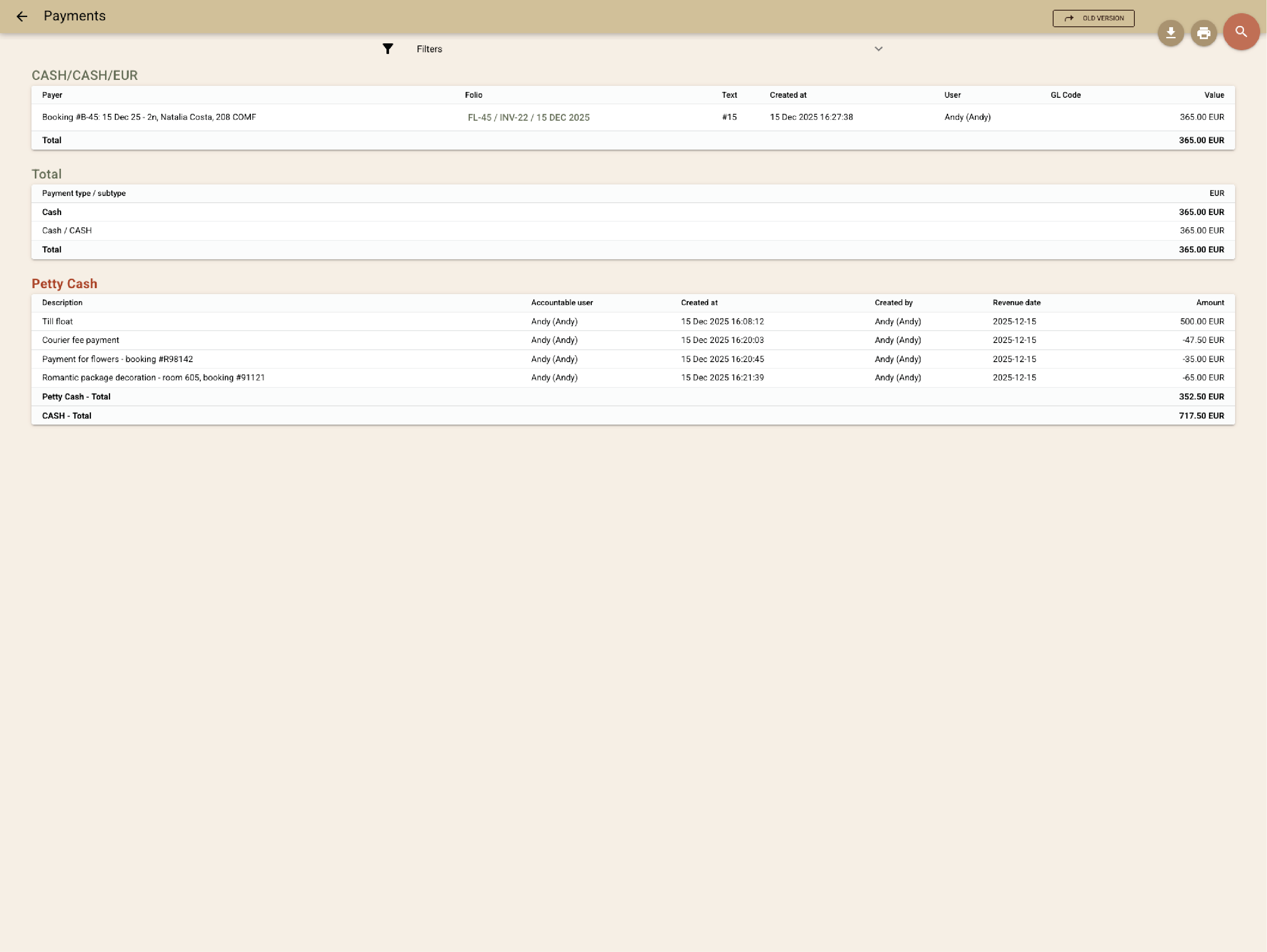
        Track and reconcile cash balances

        Monitor daily cash inflows and outflows with full transparency by recording each transaction and the responsible staff member. Get all cash transactions in a single report.
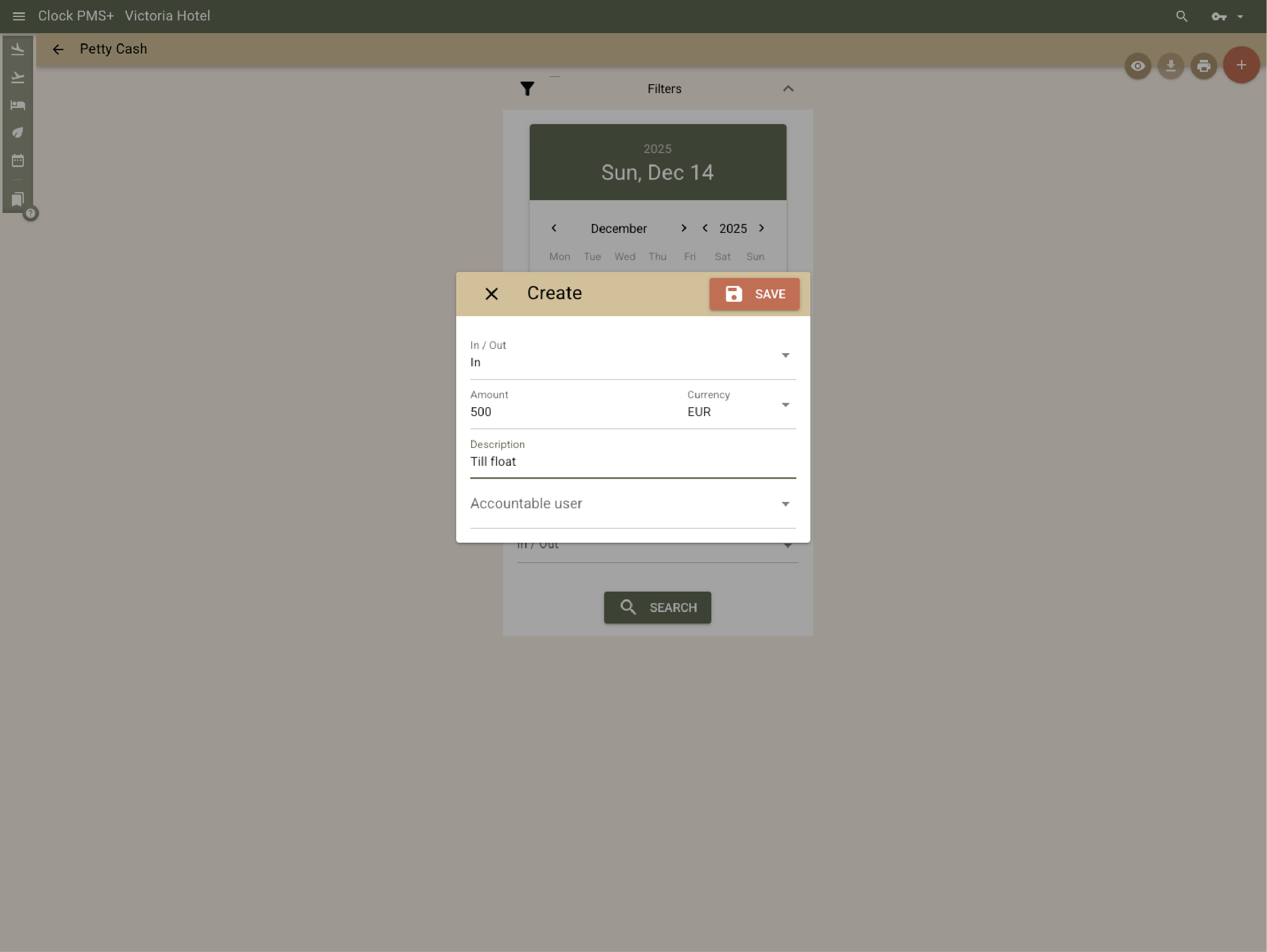
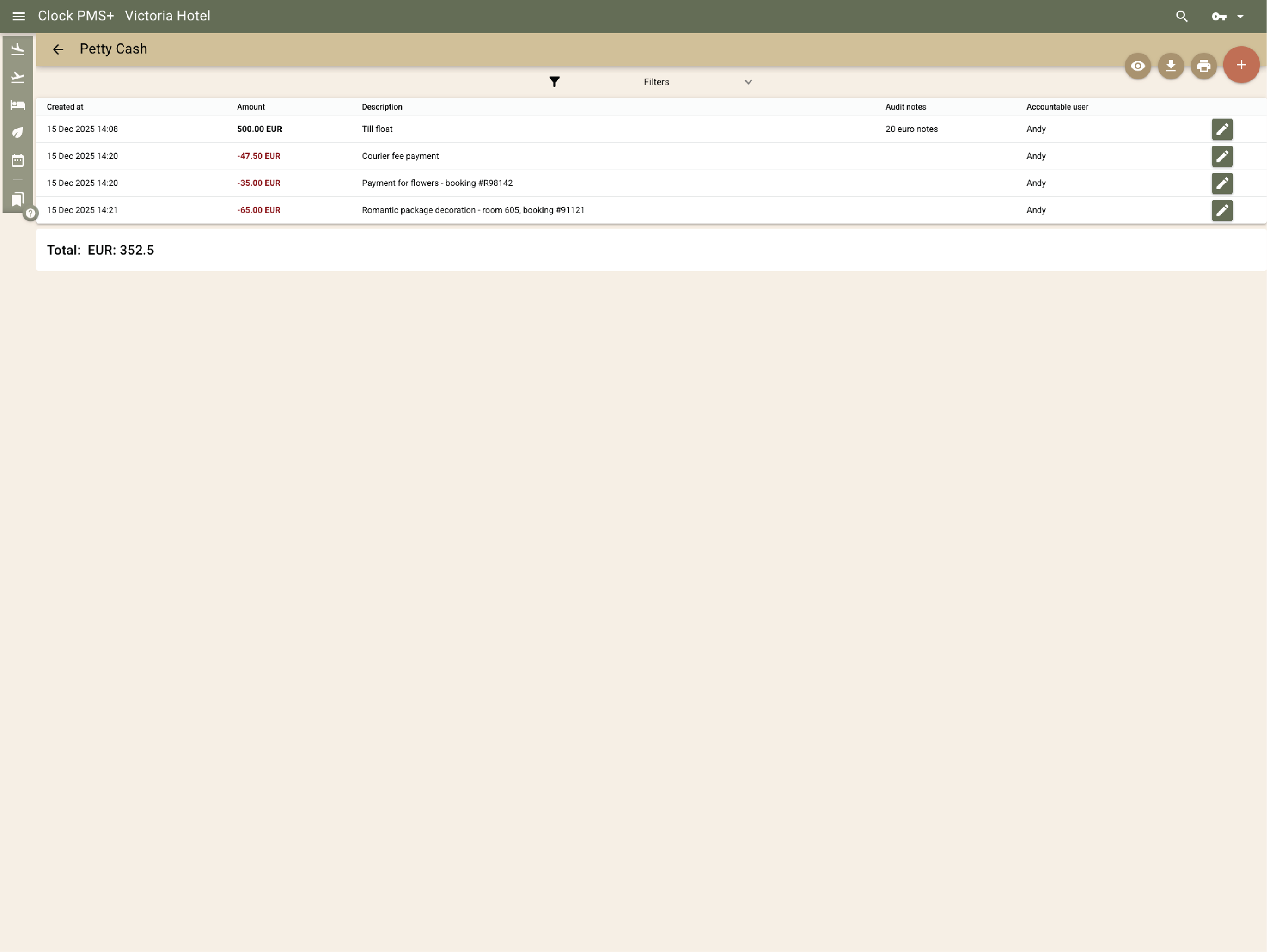
        Example:
        Start with € 500, register € 30 for the florist, track every payment, and know your exact balance by day’s end.
        • Track and reconcile cash balances (1)
        • Track and reconcile cash balances (2)
        • Track and reconcile cash balances (3)

          Stay in control

          Granular user rights, audit trails, and activity logs keep every action transparent and secure.
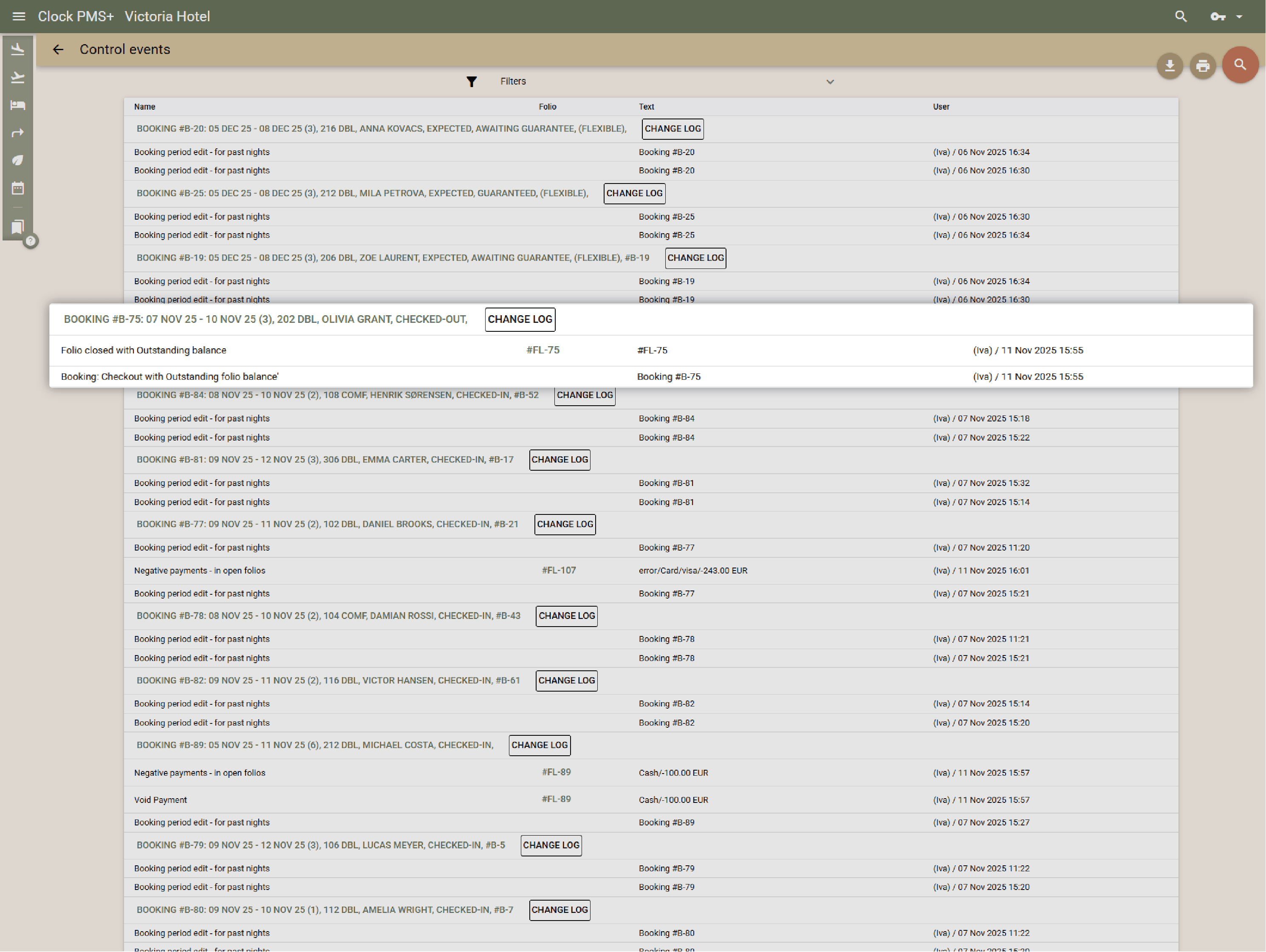
          Example:
          A manager reviews who changed a rate, approved a discount, or processed a late check-out — all logged automatically.
          Stay in control
          Global customers

          Explore the countries where hospitality teams use Clock to run smoother operations and better guest journeys.

          Customer stories

          How do customers feel after switching to Clock

          We asked our customers: What changed for the better since you switched to Clock? Thousands responded, here’s some of what they said…

          Use the previous and next buttons or the left and right arrow keys to move through reviews.

          Slider position

          1. We chose Clock because of the tool's flexibility, its ability to integrate with our entire IT ecosystem, and also for its multi-property management, which is really the strong point for us.
            Marine Bossanne Project Manager Operations and Quality at Elegancia
          2. The strength of Clock is that it brings everything together in one system. What we previously had to accomplish using multiple tools, we can now do with a single solution.
            Ruggero Carpino Head of Customer Service & Training at Algilà Ortigia Charme Hotel, Syracuse
          3. It was very important for us to look at the stability and the future proofness of the system. And Clock is a company that has the knowledge and the expertise.
            Steff de Groot Owner & General Manager, WICC Hotel & Congress Centre
          4. Faster processes, faster training, more time for staff, to focus on the guests, and tasks that used to be done manually are now automated.
            Carsten Werblow Head of Operations Gambino Group
          5. Better price management, a comprehensive system API, and a dynamic company that continually develops the software.
            Marco Coppola Owner & Chief Navigator Officer, The YellowSquare
          6. By automating routine processes with Clock, we were able to completely restructure how our staff spends their time. Now, the efforts are focused on more meaningful and more profitable activities.
            Lyubomir Stamboliyski Commercial Director of St. Constantine & Helena Holding
          7. Technologies are advancing, and it's normal to move our data to the cloud. I was firmly convinced that this is the right path, and I think we made the right decision.
            Elena Ivanova Founder & Owner, Hi Hotels Group

          Think Clock might fit your hotel?

          Use this module for shared intro content patterns that need eyebrow, heading, supporting copy, and a compact CTA area.

          “Easy to use” “Fast, intuitive, and reliable” “Saves a lot of time” “New staff learn it quickly” “Accessible from any device” “Less manual work” “Fewer booking mistakes” “Responsive and helpful support”