Housekeeping

Keep rooms ready and your housekeeping work clear and coordinated

Clock keeps rooms ready, teams coordinated, and every task in sync — automatically. From check-outs to inspections, nothing gets lost between housekeeping, front desk, or maintenance. Less chasing, fewer lists, more time for real service.

Keep rooms ready and your housekeeping work clear and coordinated

Trusted by independent hotels worldwide

Alamo Inn Elegancia Four Sisters Collection Golden Tulip Greenstar hotel Grifid 1 Hampshire 1 HappyCulture Mitland Popinns Prinsenhof Relais&Chateaux Gambino Hotels
4.7 / 5

Based on 483+ reviews across

Plan the day automatically

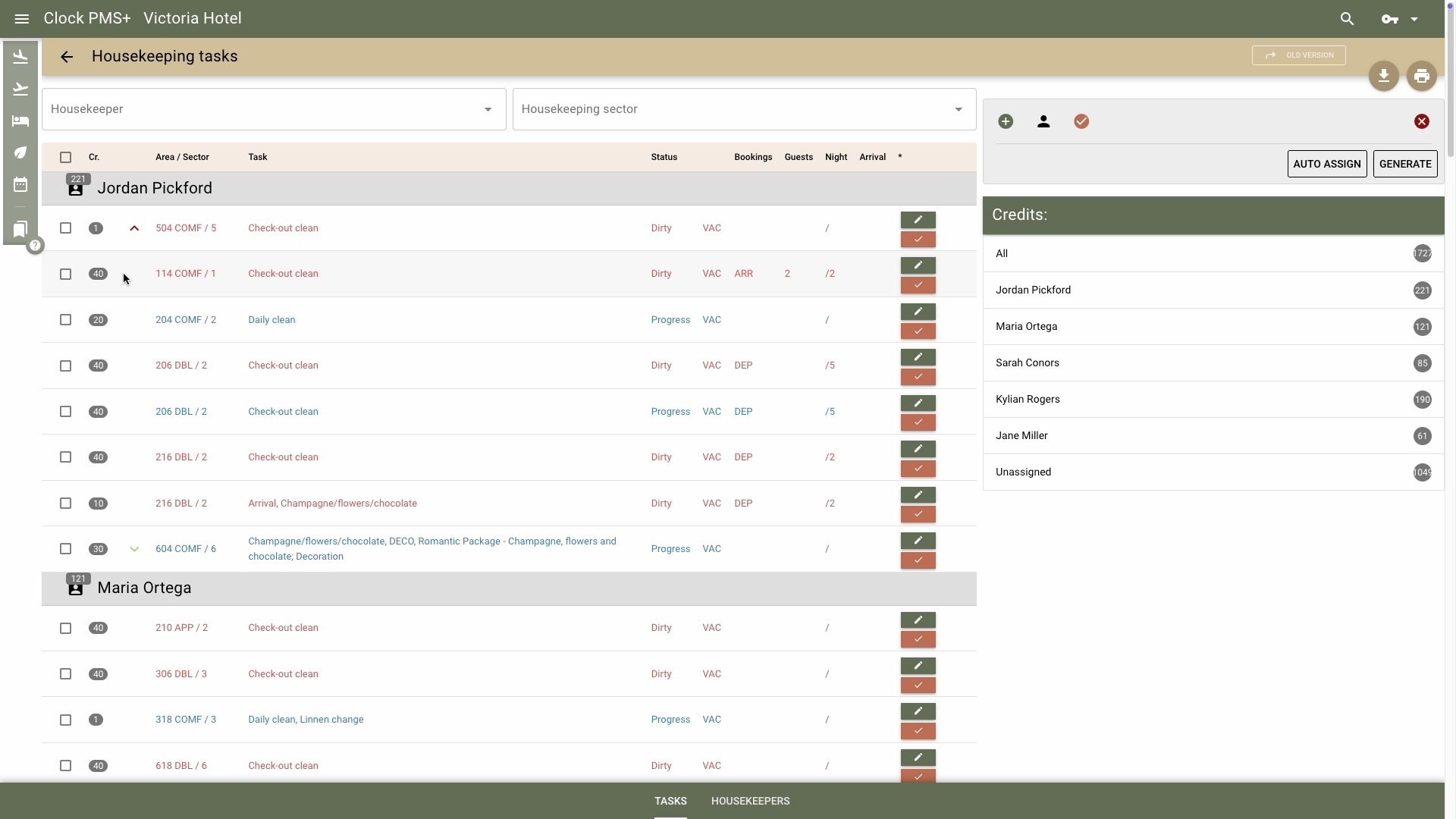
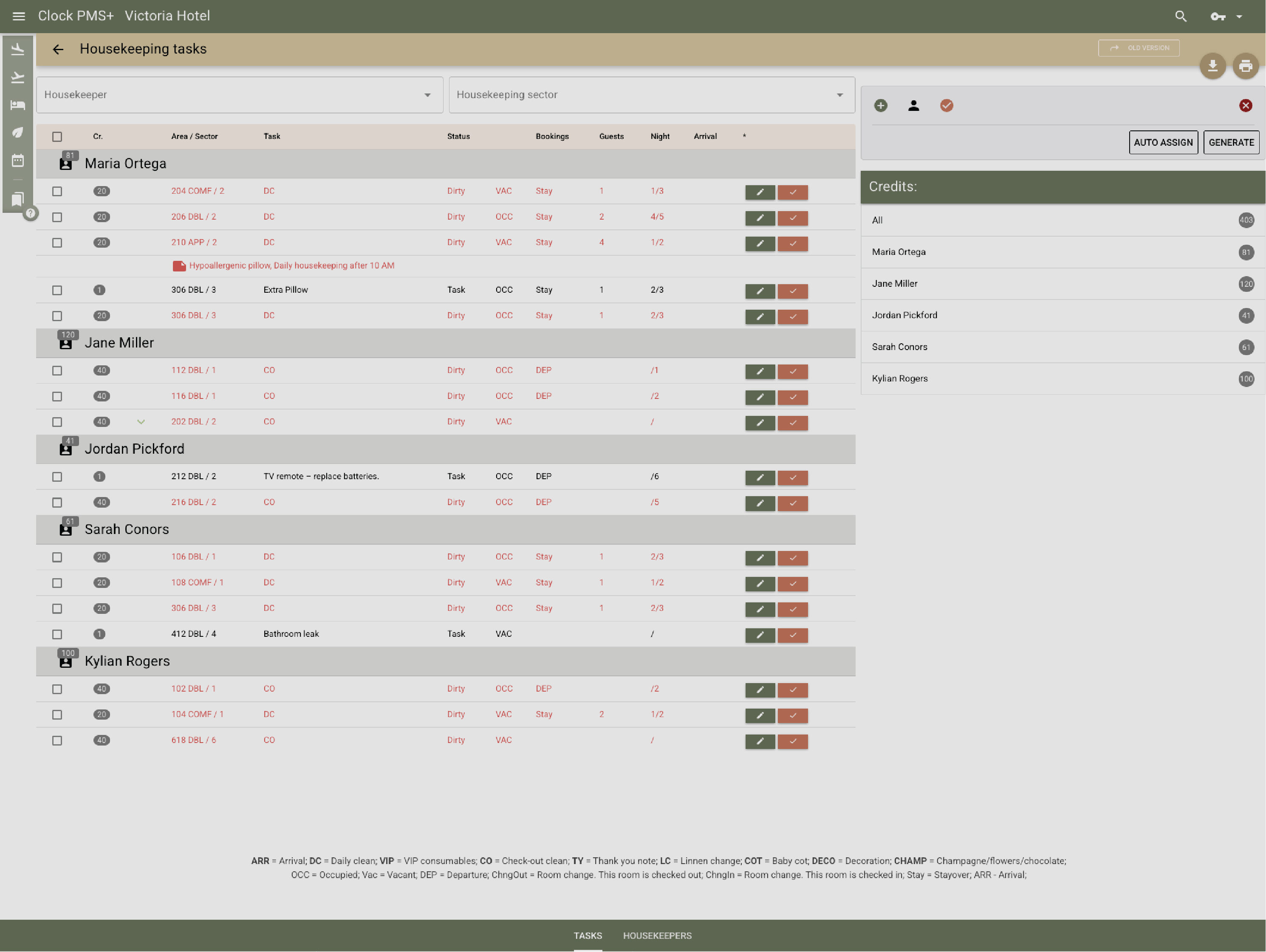
Generate daily tasks from arrivals, departures, and stay-overs. Clock assigns work by zone, shift, or team, balancing workloads without manual lists.
Example:
Morning comes — the system already knows 12 departures, 6 stay-overs, and 2 early check-ins. Everyone gets their tasks instantly.
Plan the day automatically

Work mobile, stay live

Housekeepers use the mobile app to see tasks, mark rooms, post minibar charges, or flag issues — all synced in real time.

Example:
A housekeeper marks Room 203 as clean; reception sees it go green immediately and checks the next guest in seconds later.
Work mobile, stay live

Keep front desk and housekeeping in sync

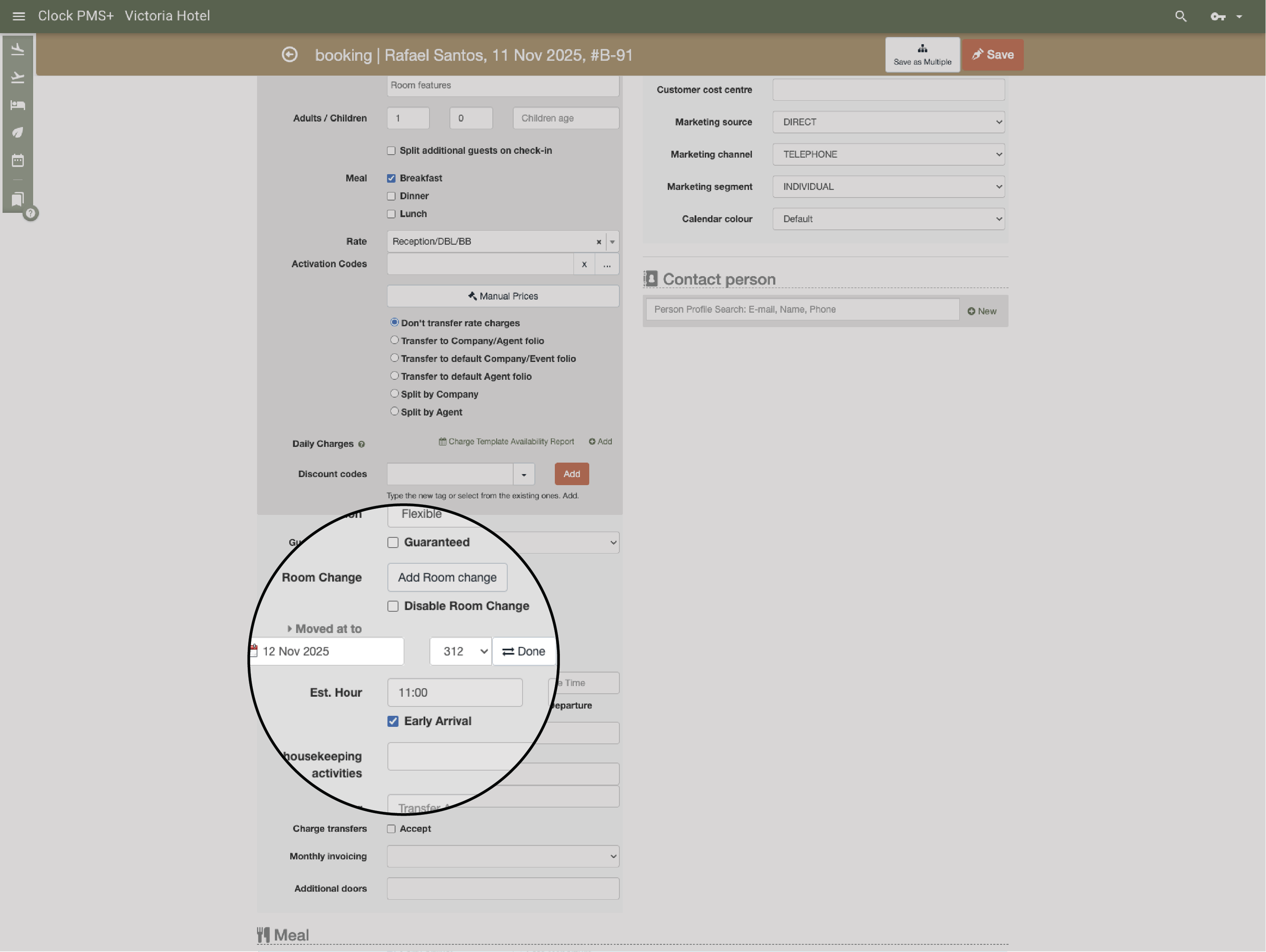
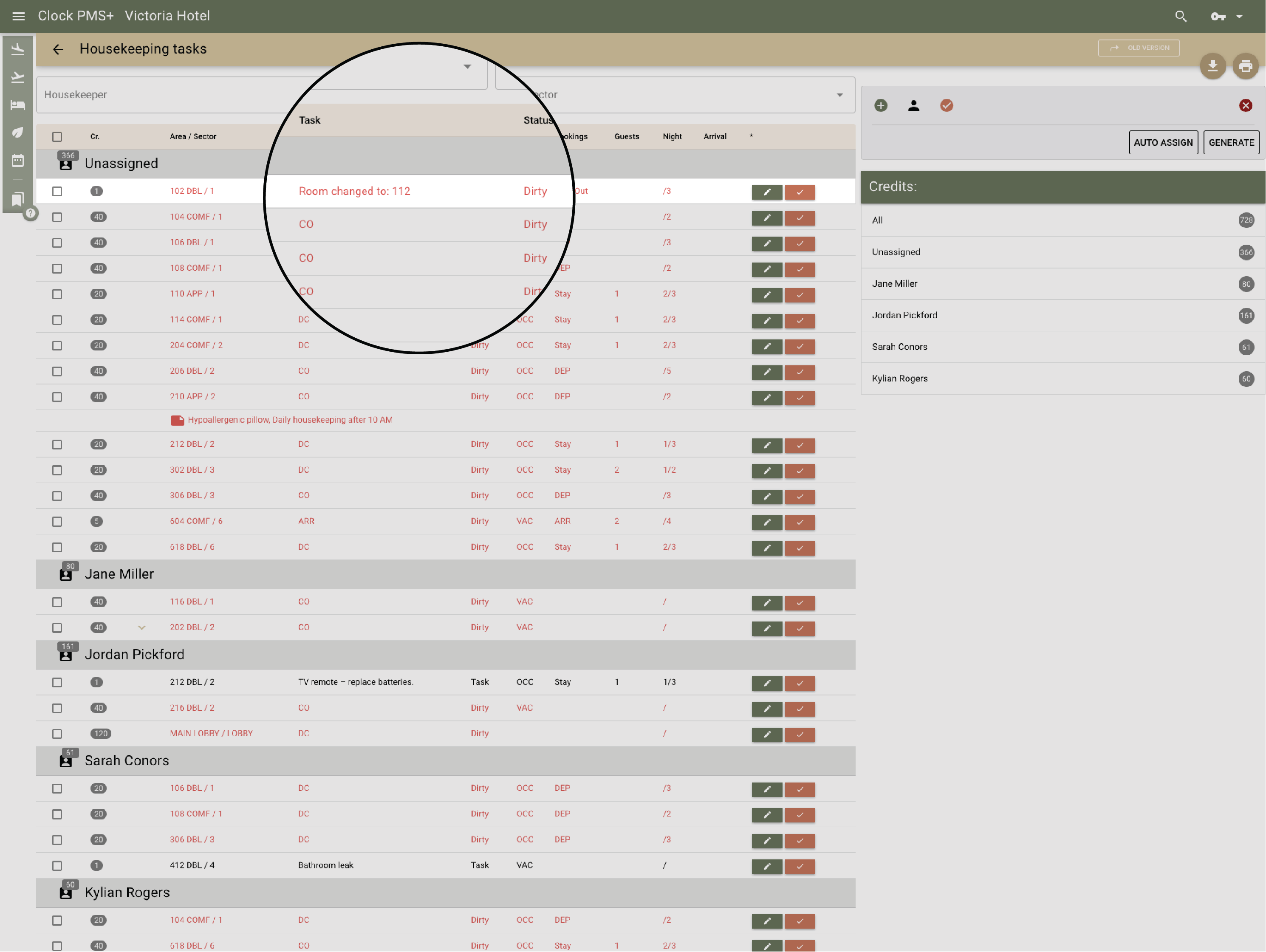
Two-way communication means no guessing. Early arrivals, room moves, or late check-outs trigger instant updates and new tasks.
Example:
When a guest requests a room change, the reception simply moves them to a new room — and housekeeping is instantly notified that the previous one needs cleaning. No calls, no delays — just smooth, automated communication.
  • Keep front desk and housekeeping in sync (1)
  • Keep front desk and housekeeping in sync (2)

    Use smart assignment and cleaning schemes

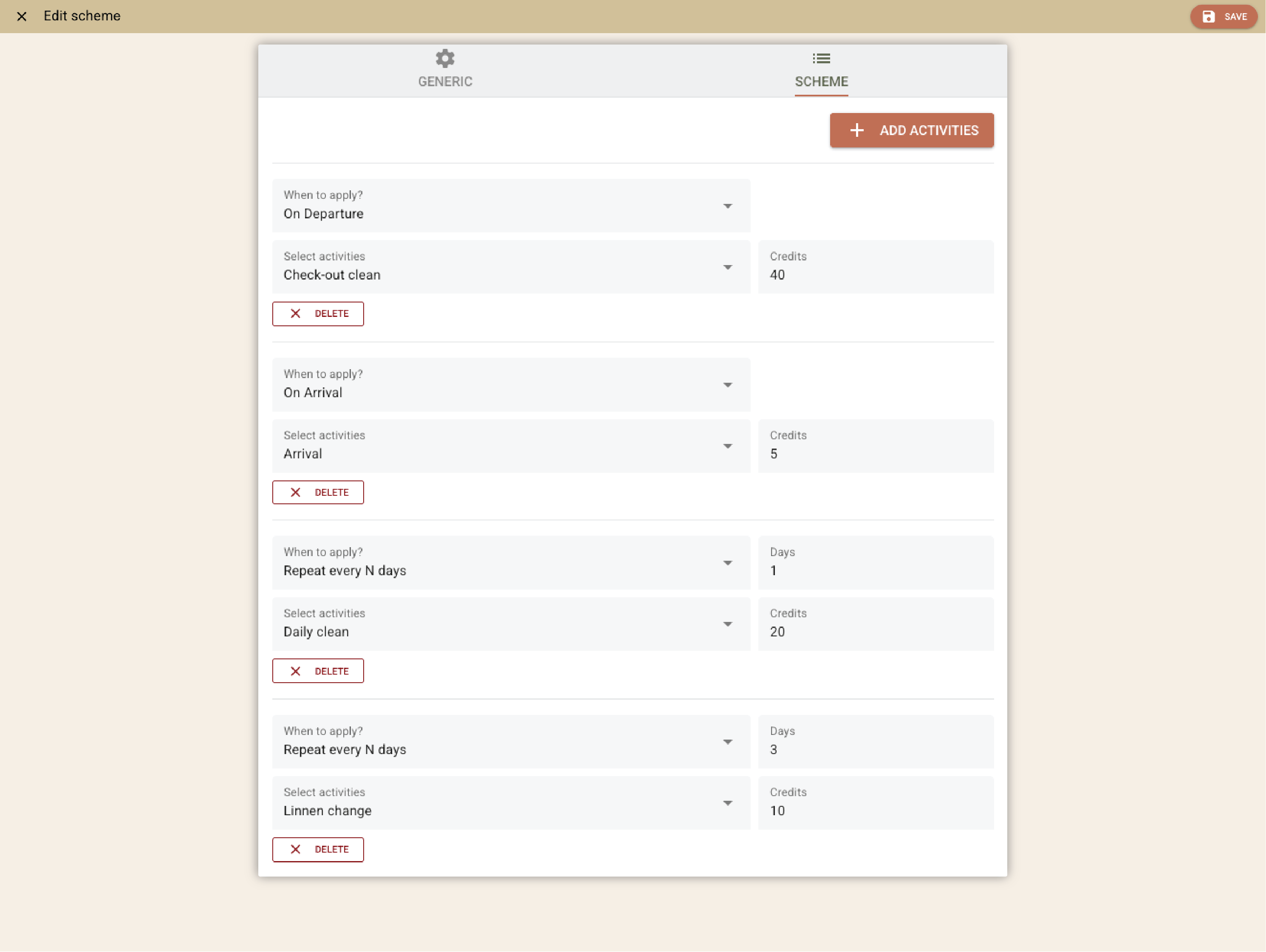
    Define cleaning types (departure, stay-over, deep, inspection) and let Clock apply them by booking type or day.
    Example:
    Long-stay guests get linen change every third day.
    Use smart assignment and cleaning schemes

    Add custom housekeeping loads from rate plans or packages

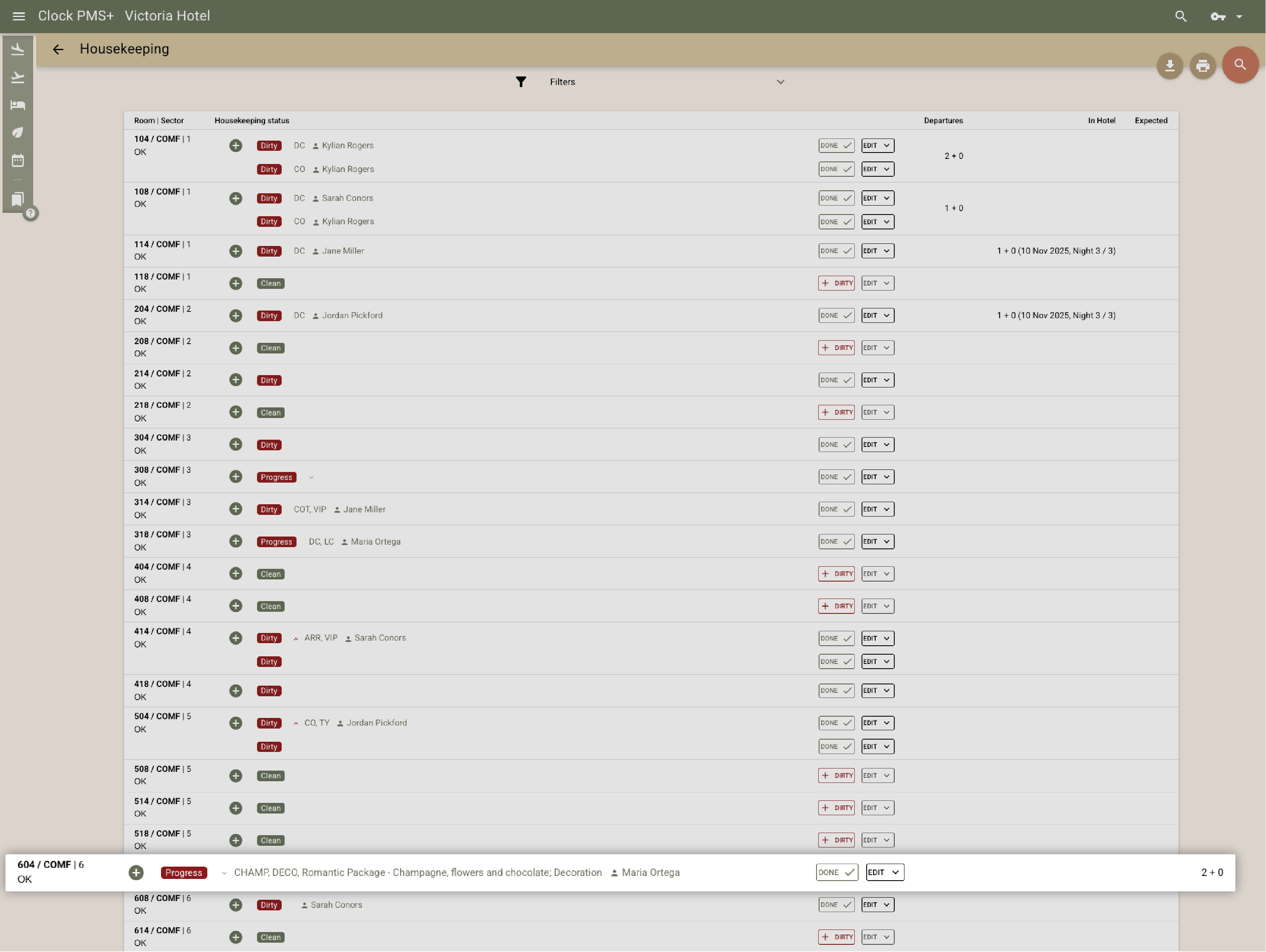
    Include special setups directly in the housekeeping plan — from romantic turndowns to corporate welcome amenities.
    Example:
    A guest books the Romantic Package — Clock automatically adds a “deliver champagne & pastries” task before arrival, visible to the housekeeping team and logged for completion.
    Add custom housekeeping loads from rate plans or packages

    Cover every space — not just rooms

    Manage public areas, meeting rooms, and restaurants with the same precision.
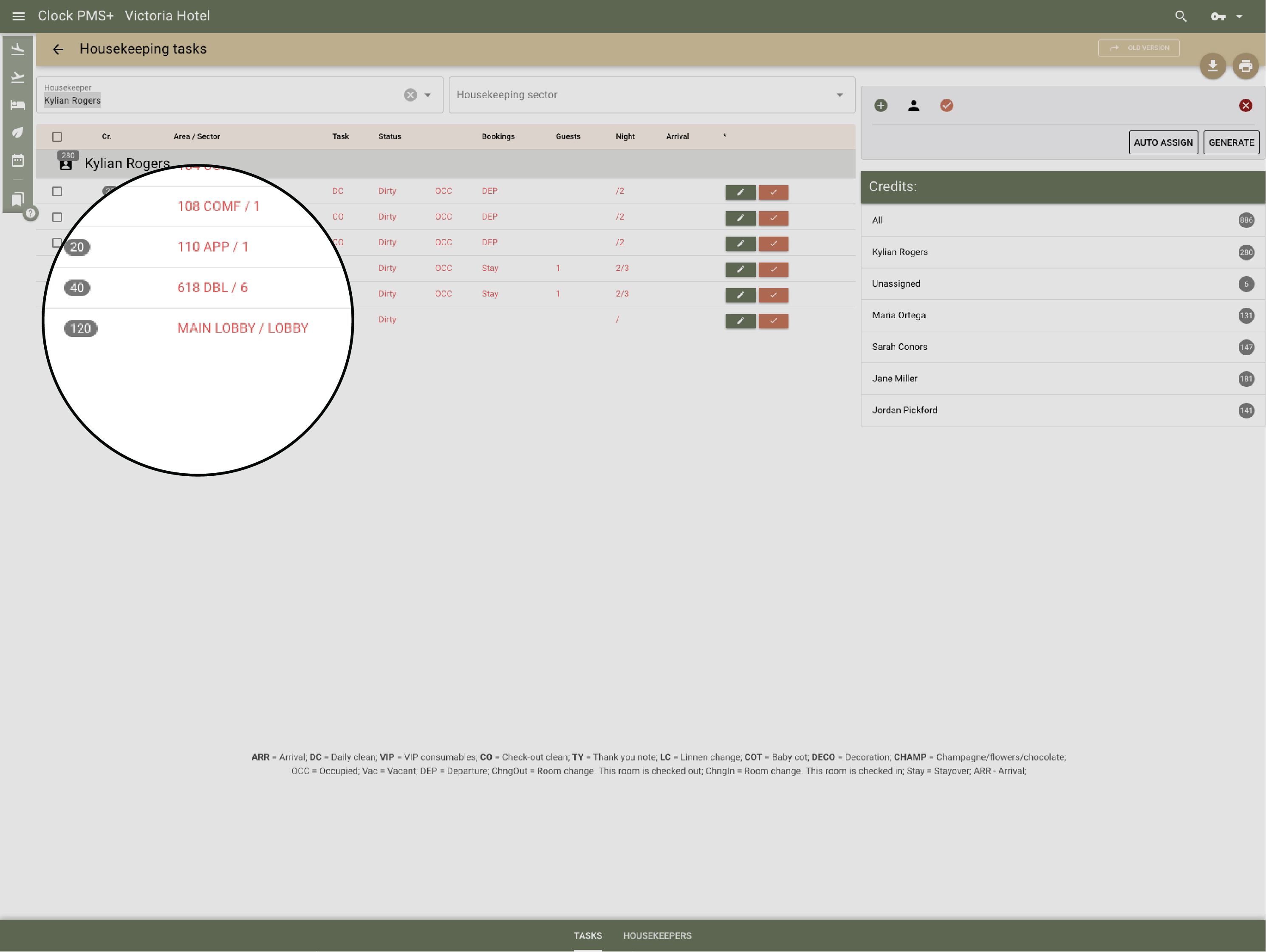
    Example:
    After a wedding reception, a deep clean for the ballroom is scheduled and assigned to the responsible team for the following day. Housekeeping and the events team work from the same task list.
    Cover every space — not just rooms

    Post minibar and chargeable tasks on the spot

    No notes, no delays — housekeepers record minibar use or billable extras right from the app, and the charges appear instantly in folios.
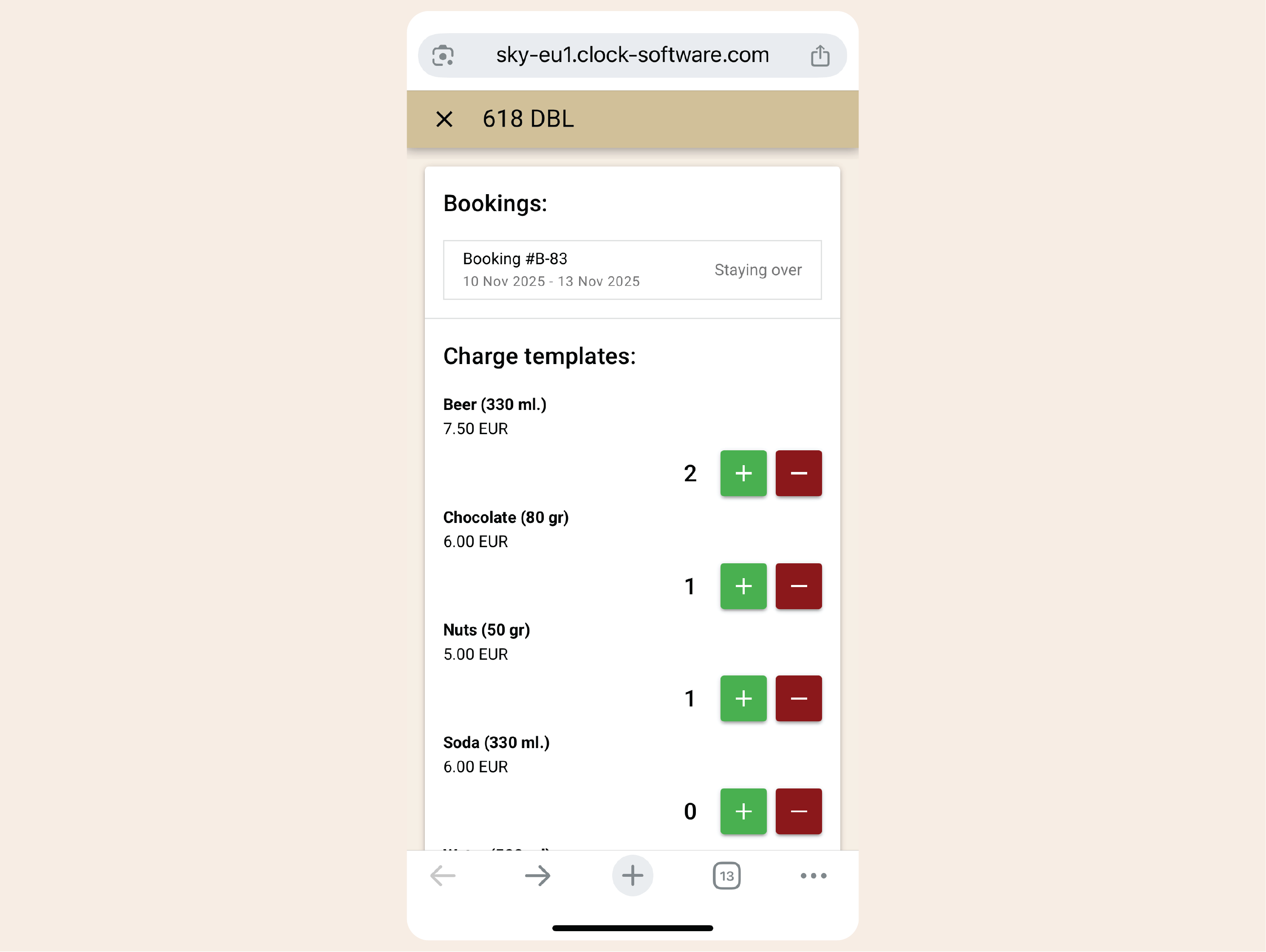
    Example:
    Two drinks and a snack are added during cleaning; by checkout, the invoice is already correct.
    Post minibar and chargeable tasks on the spot

    Track lost & found properly

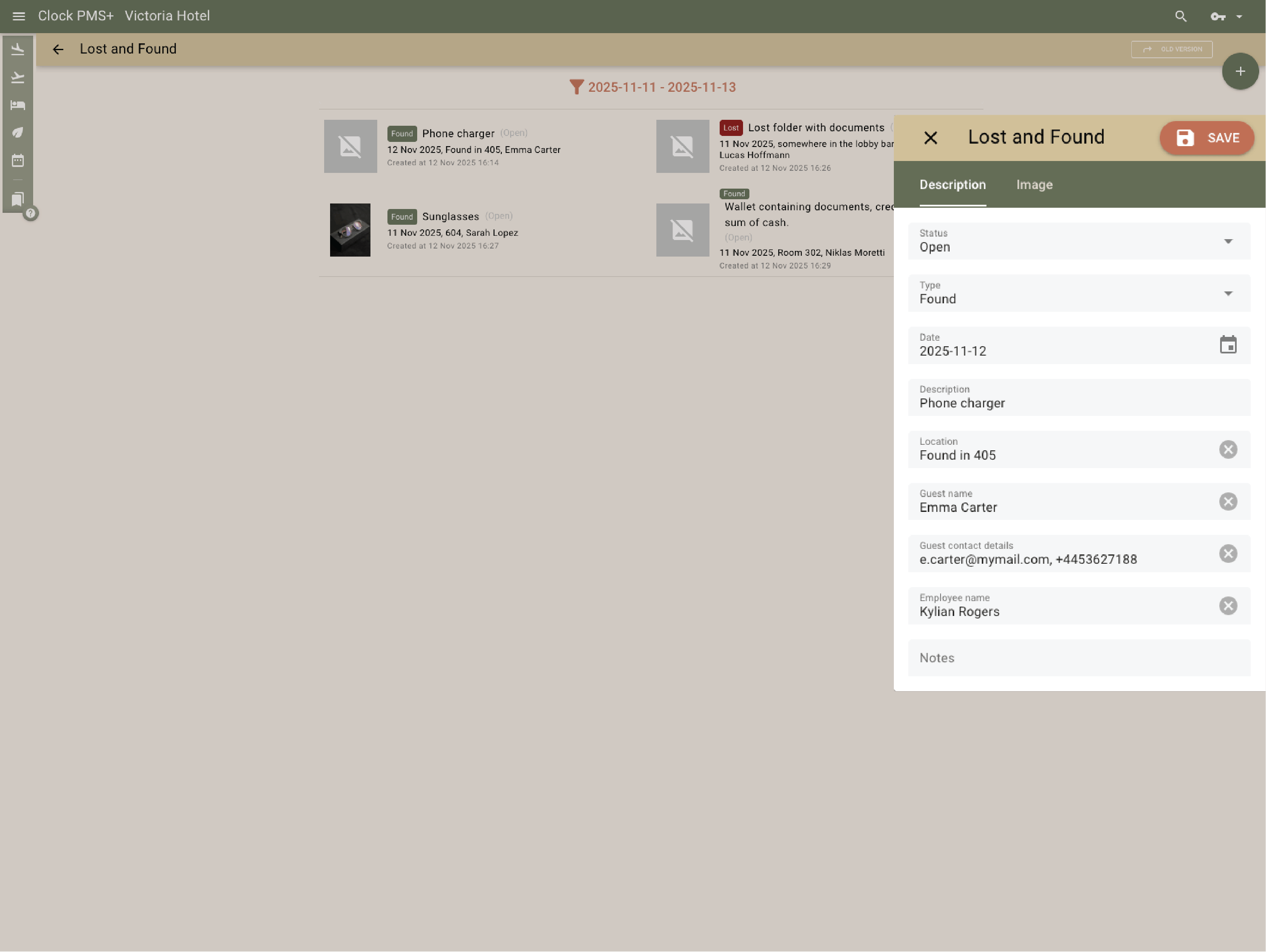
    Items are logged with photos, finder, and location — traceable until returned or archived.
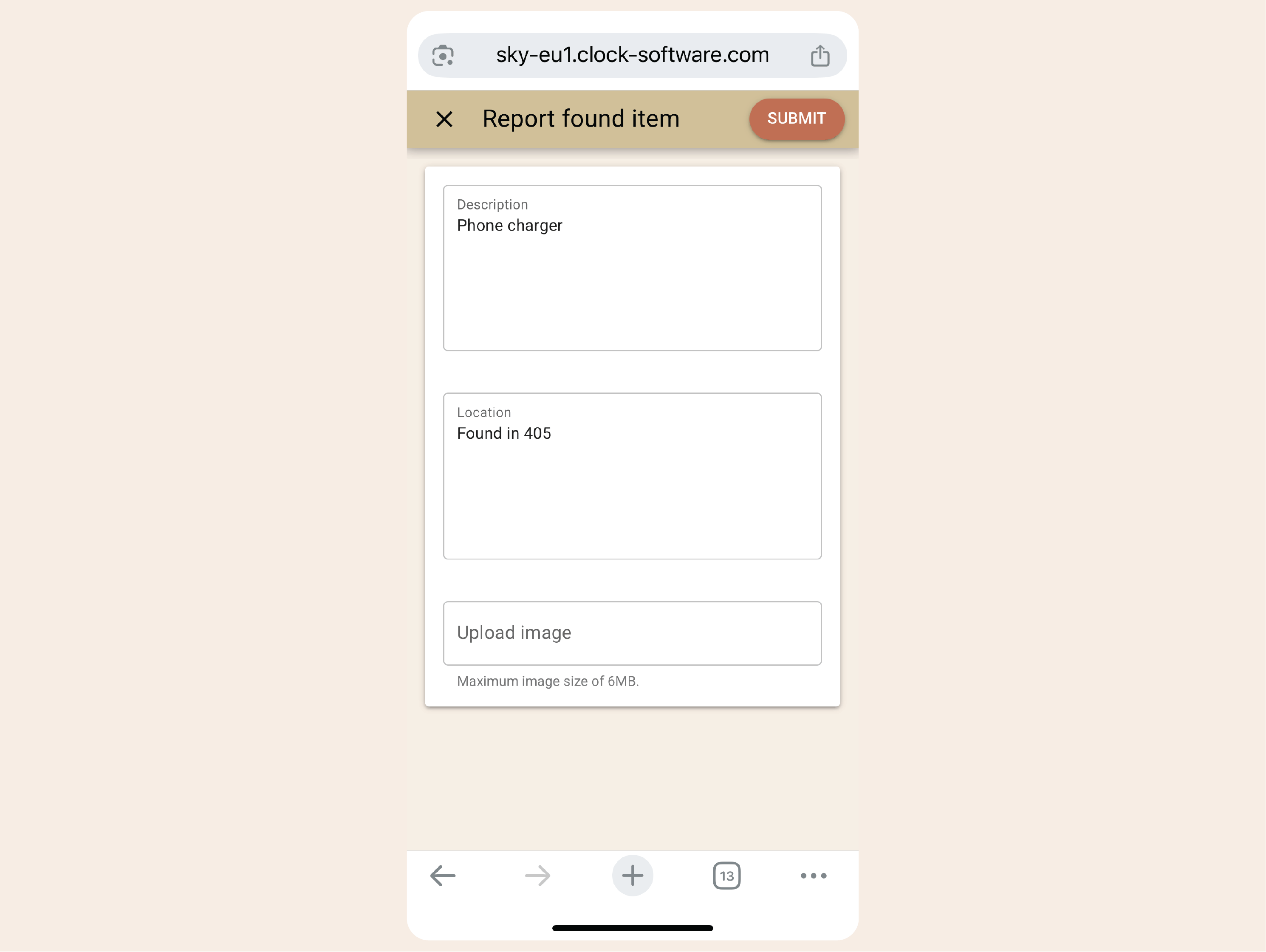
    Example:
    A charger found in Room 405 gets recorded in Clock and marked “Returned” when the guest collects it.
    • Track lost & found properly (1)
    • Track lost & found properly (2)

      Report room issues instantly

      From broken lamps to missing kettles — staff add notes or photos, creating automatic maintenance tasks.
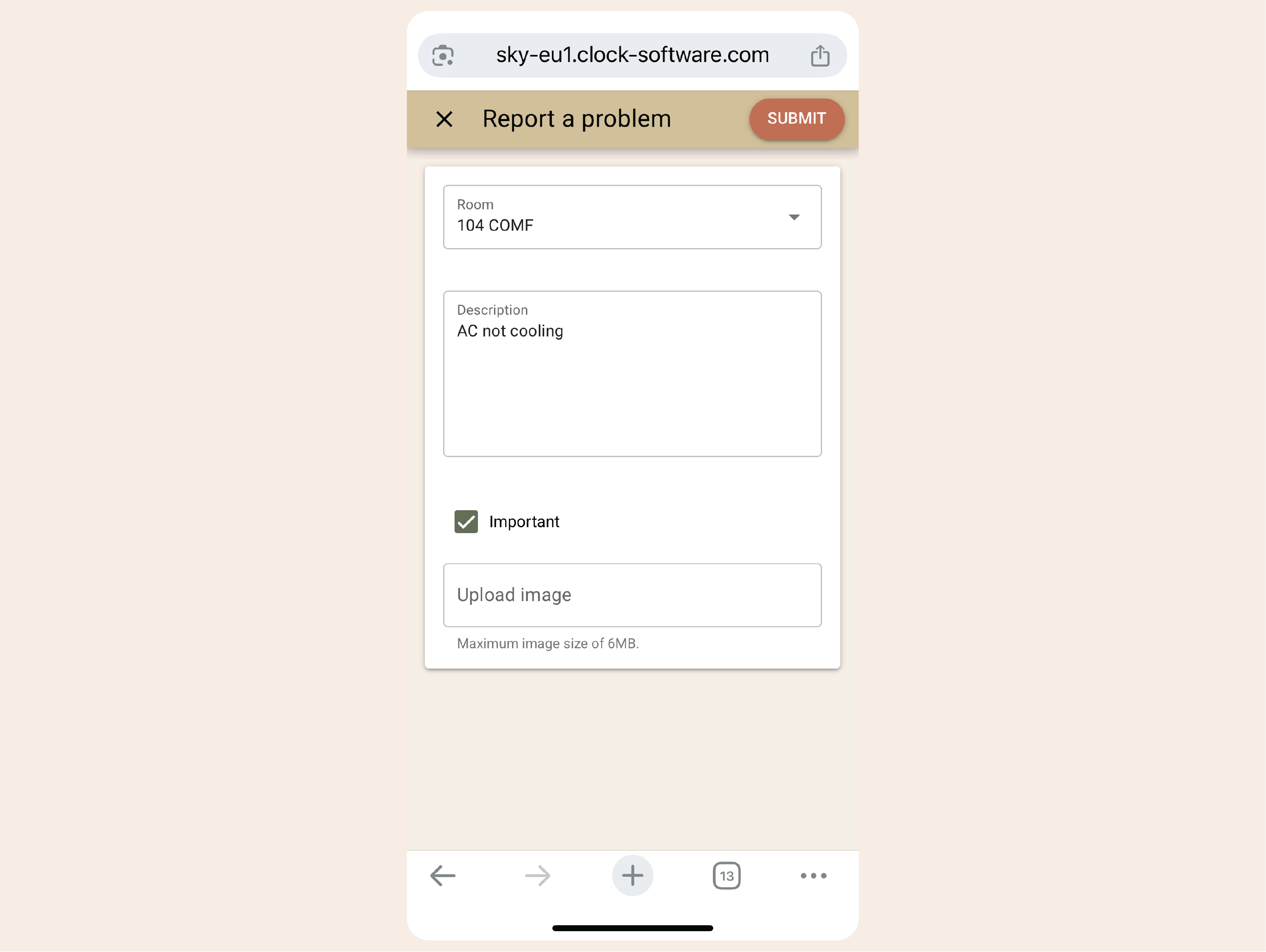
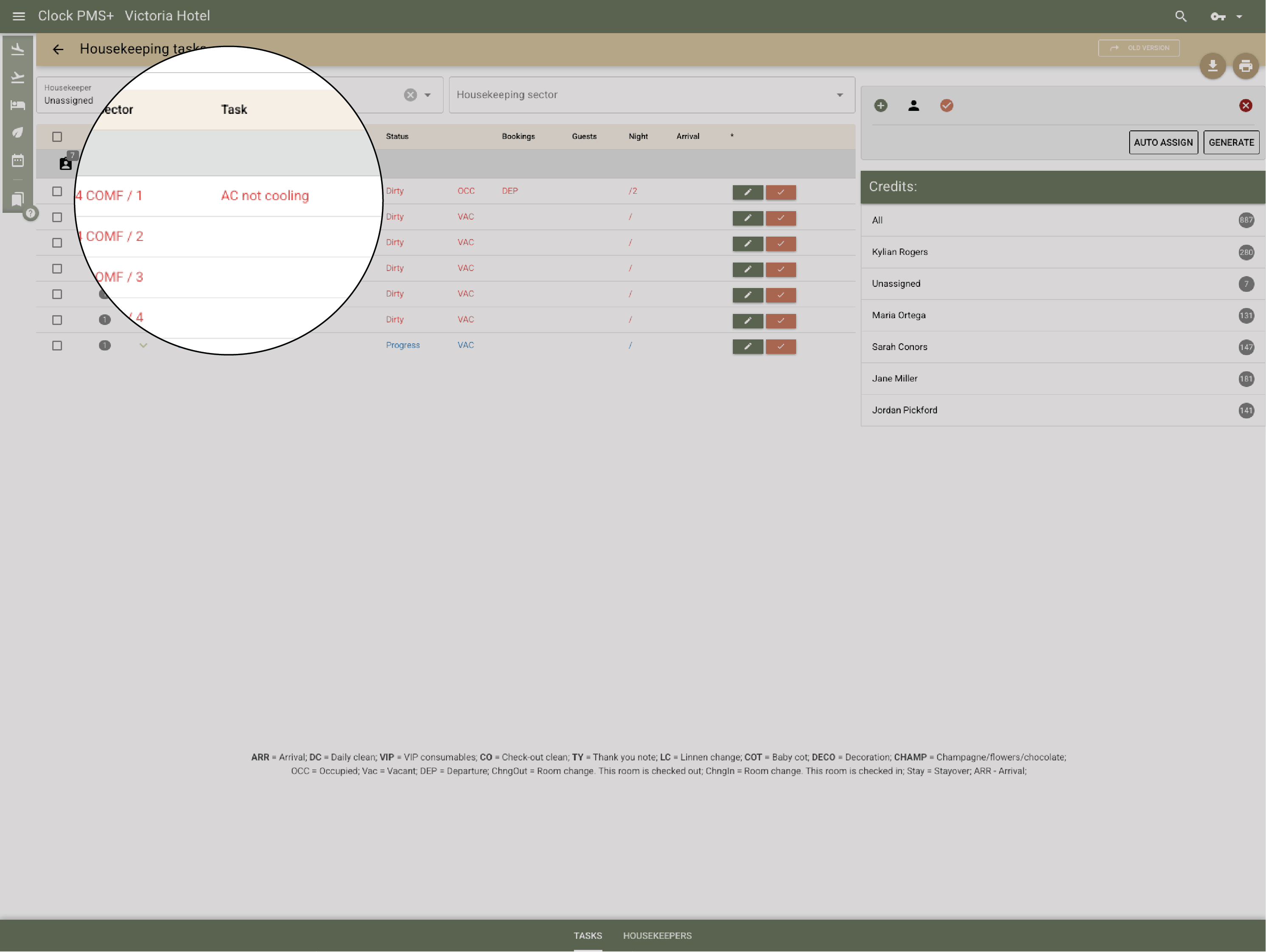
      Example:
      A housekeeper flags “AC not cooling.” Engineering sees it instantly and fixes it before the next arrival.
      • Report room issues instantly (1)
      • Report room issues instantly (2)

        Add incidental tasks anytime

        Supervisors can insert ad-hoc cleans, turndowns, or quick setups on the fly, without breaking the plan.
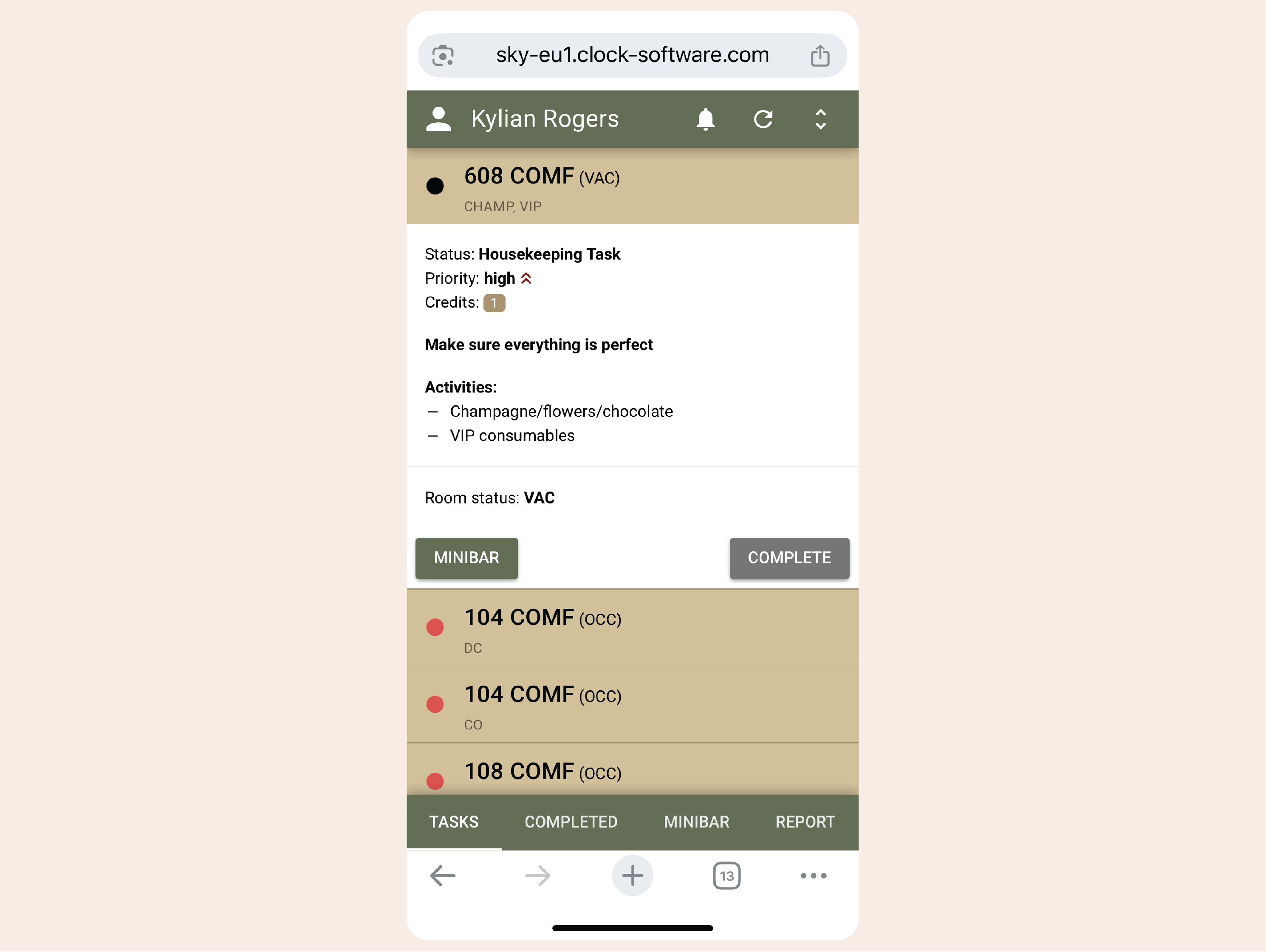
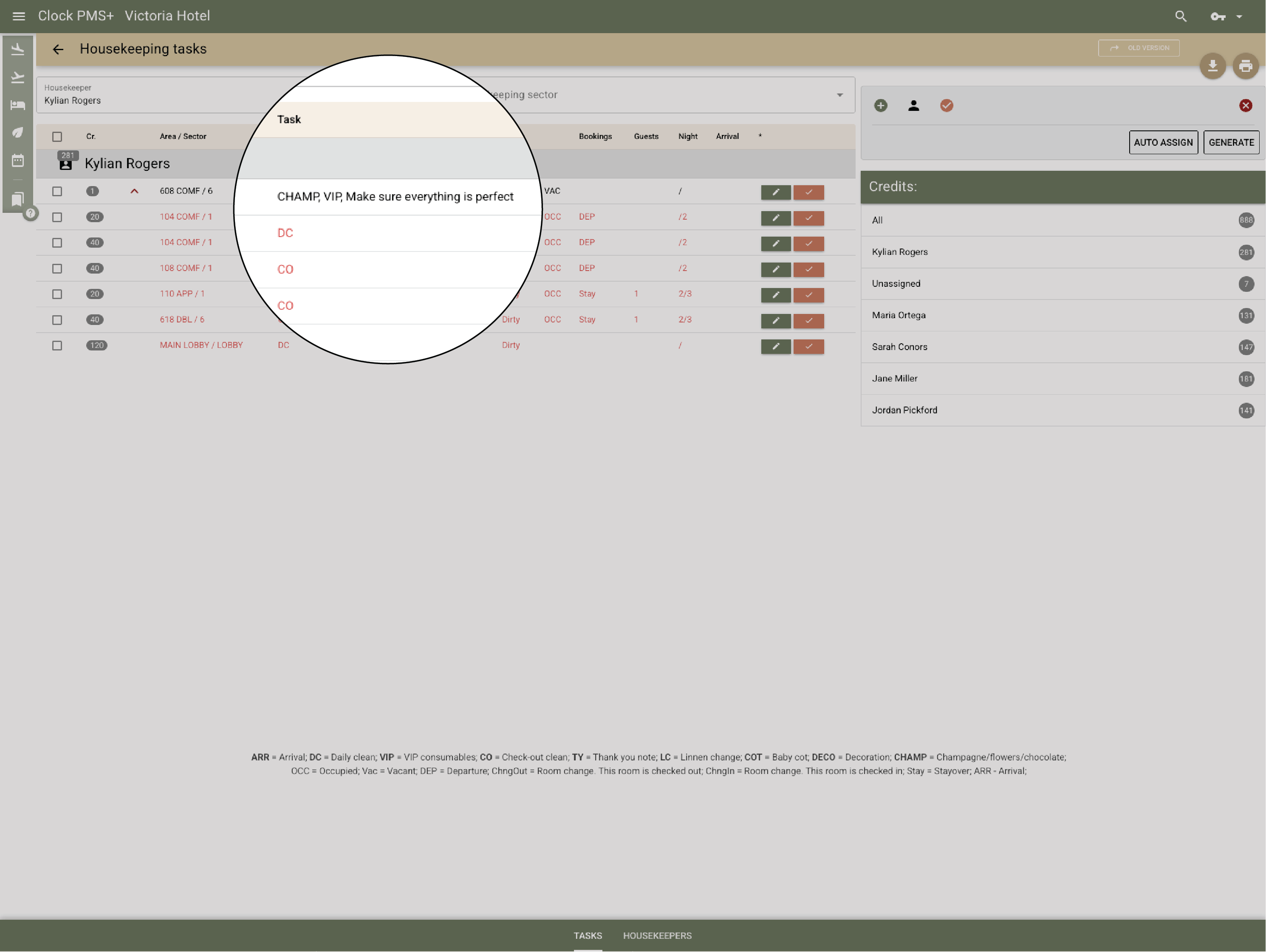
        Example:
        A VIP arrival is confirmed — a new “pre-arrival inspection” task appears for that room immediately.
        • Add incidental tasks anytime (1)
        • Add incidental tasks anytime (2)

          Forecast workload and staffing needs

          The live report shows cleans per sector, staff load, and upcoming peaks, helping supervisors plan ahead.

          Clock also forecasts workload several days in advance based on occupancy and expected departures, so you can plan shifts or request outsourced help on time.
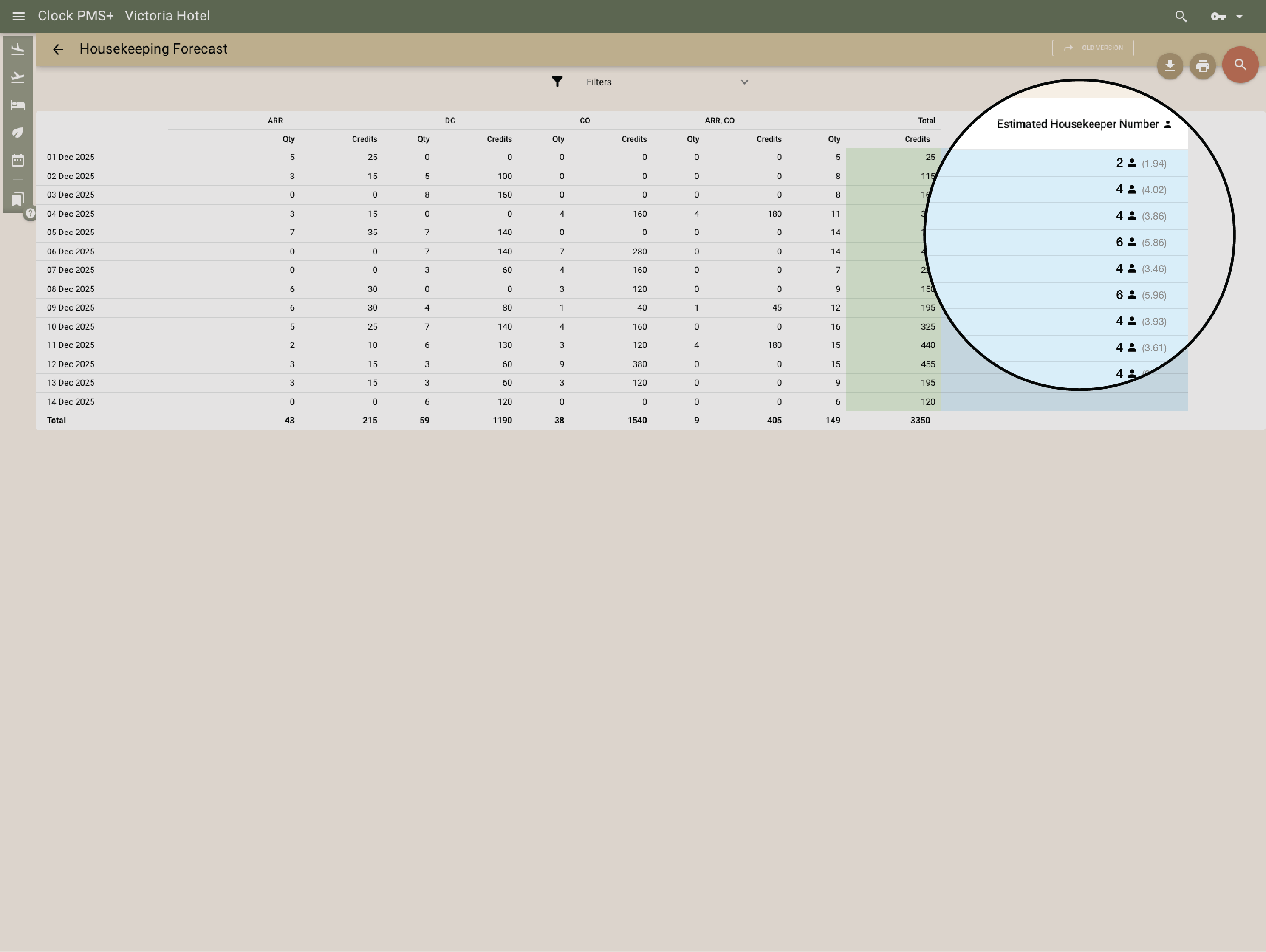
          Example:
          Three days before a turnover weekend, the system projects 60 rooms to clean — showing which sectors will be busiest and recommending six full-time plus two outsourced housekeepers.
          Forecast workload and staffing needs
          Global customers

          Explore the countries where hospitality teams use Clock to run smoother operations and better guest journeys.

          Customer stories

          How do customers feel after switching to Clock

          We asked our customers: What changed for the better since you switched to Clock? Thousands responded, here’s some of what they said…

          Use the previous and next buttons or the left and right arrow keys to move through reviews.

          Slider position

          1. We chose Clock because of the tool's flexibility, its ability to integrate with our entire IT ecosystem, and also for its multi-property management, which is really the strong point for us.
            Marine Bossanne Project Manager Operations and Quality at Elegancia
          2. The strength of Clock is that it brings everything together in one system. What we previously had to accomplish using multiple tools, we can now do with a single solution.
            Ruggero Carpino Head of Customer Service & Training at Algilà Ortigia Charme Hotel, Syracuse
          3. It was very important for us to look at the stability and the future proofness of the system. And Clock is a company that has the knowledge and the expertise.
            Steff de Groot Owner & General Manager, WICC Hotel & Congress Centre
          4. Faster processes, faster training, more time for staff, to focus on the guests, and tasks that used to be done manually are now automated.
            Carsten Werblow Head of Operations Gambino Group
          5. Better price management, a comprehensive system API, and a dynamic company that continually develops the software.
            Marco Coppola Owner & Chief Navigator Officer, The YellowSquare
          6. By automating routine processes with Clock, we were able to completely restructure how our staff spends their time. Now, the efforts are focused on more meaningful and more profitable activities.
            Lyubomir Stamboliyski Commercial Director of St. Constantine & Helena Holding
          7. Technologies are advancing, and it's normal to move our data to the cloud. I was firmly convinced that this is the right path, and I think we made the right decision.
            Elena Ivanova Founder & Owner, Hi Hotels Group

          Think Clock might fit your hotel?

          Use this module for shared intro content patterns that need eyebrow, heading, supporting copy, and a compact CTA area.

          “Easy to use” “Fast, intuitive, and reliable” “Saves a lot of time” “New staff learn it quickly” “Accessible from any device” “Less manual work” “Fewer booking mistakes” “Responsive and helpful support”