











Invoicing

Right charges, at the right price, to the right guest or company

Set how stays, services, and company bookings are charged so amounts always go where they should. When something changes, update it once and the billing stays clear for your team and for the guest.

Right charges, at the right price, to the right guest or company

Trusted by independent hotels worldwide

Alamo Inn Elegancia Four Sisters Collection Golden Tulip Greenstar hotel Grifid 1 Hampshire 1 HappyCulture Mitland Popinns Prinsenhof Relais&Chateaux Gambino Hotels
4.7 / 5

Based on 483+ reviews across

Save hours with automatic charging

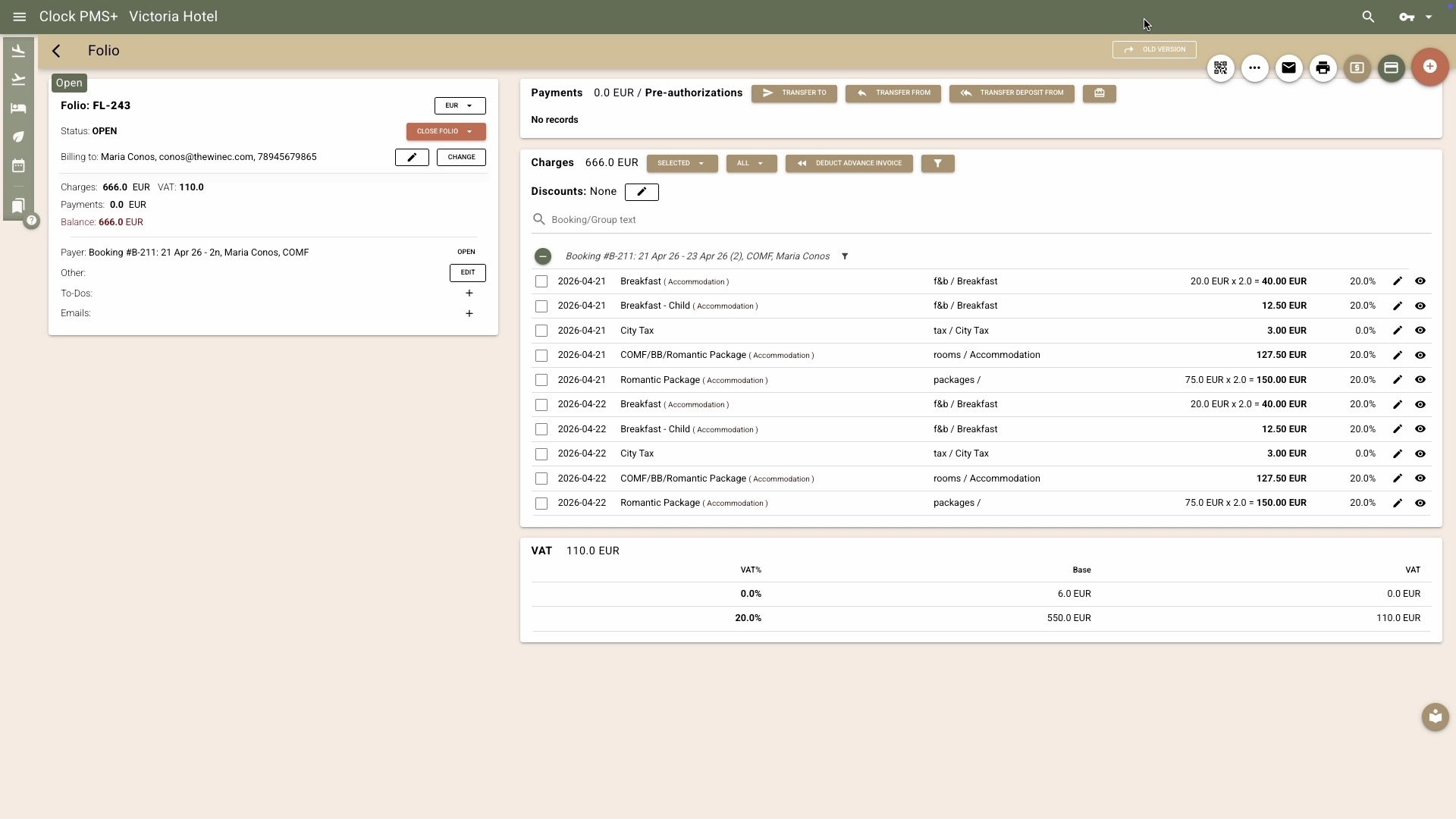
Get room charges and payments handled without manual steps. Clock posts room and package charges automatically, applies even the most complex rate rules, and updates folios in real time — so your team focuses on guests, not numbers.
Example:
Night audit isn’t needed anymore — all daily charges are posted instantly and correctly, yet revenue is properly recognized.
Save hours with automatic charging

Keep every folio organized and accurate

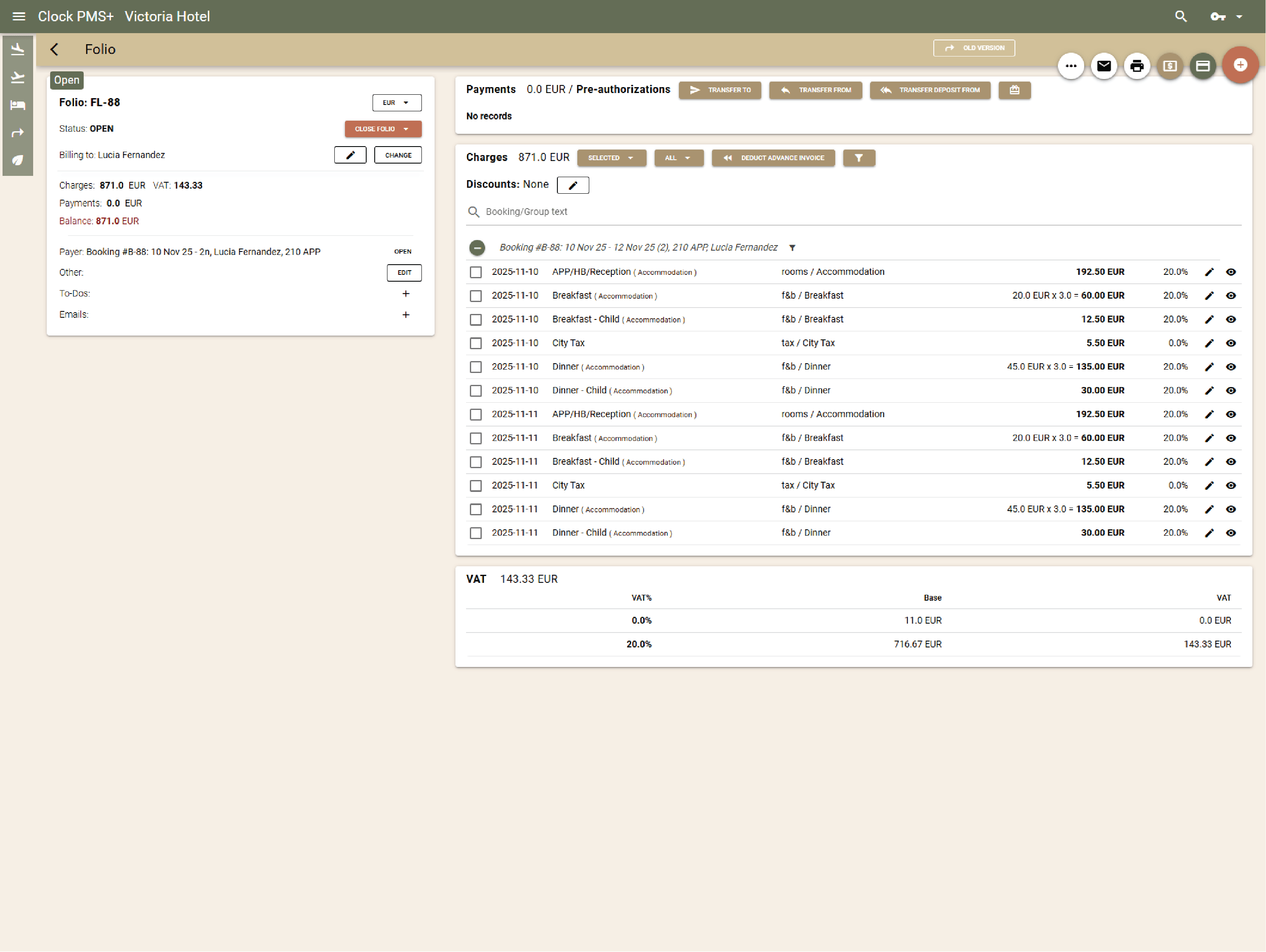
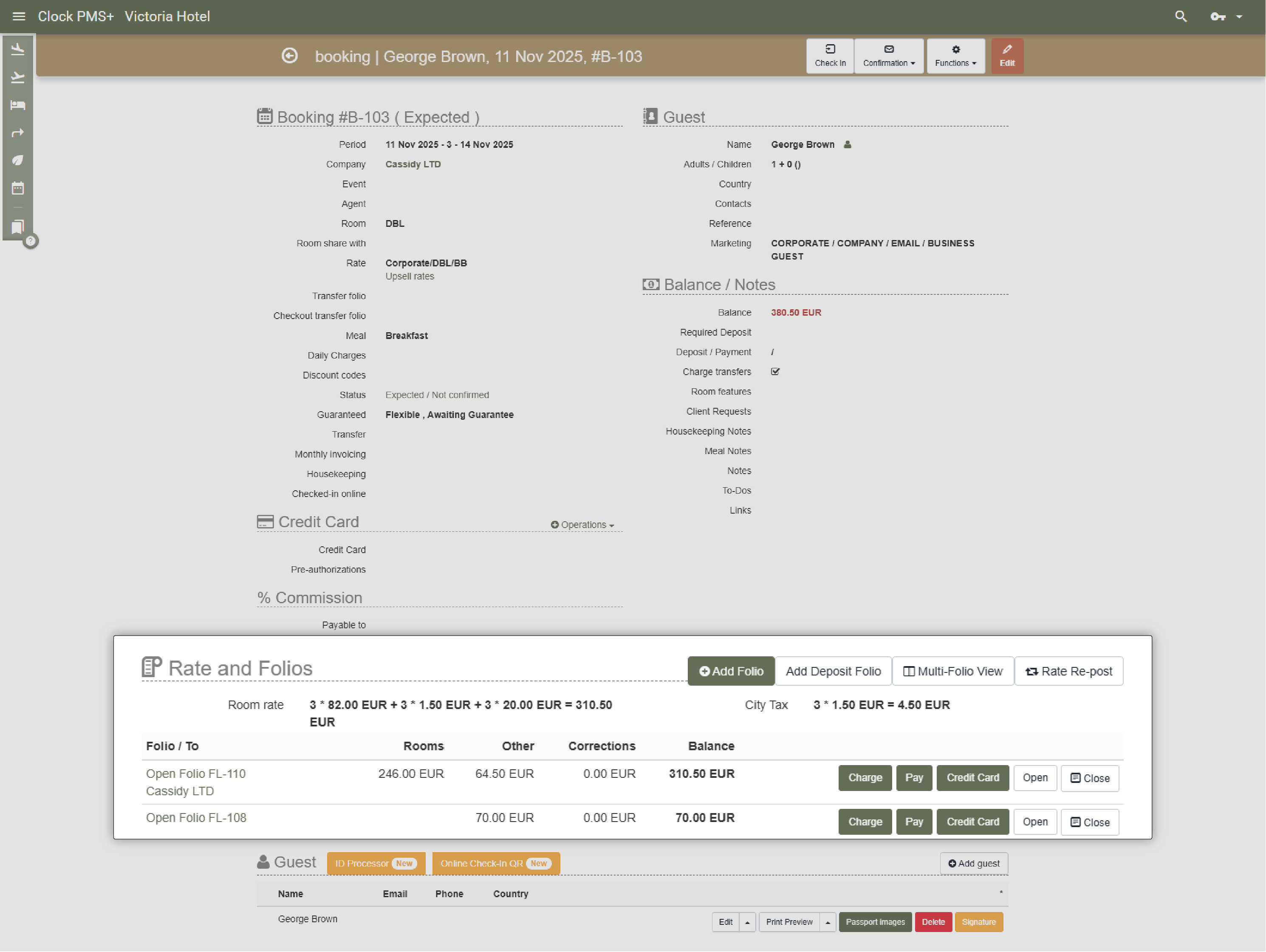
Manage unlimited folios per booking or event and route charges where they belong. Smart tools let you split, merge, or transfer charges easily between guests, organizers, or companies.

Example:
A guest’s room goes to the company invoice, while minibar and spa are transferred to a personal folio.
Keep every folio organized and accurate

Bill companies and organizers precisely

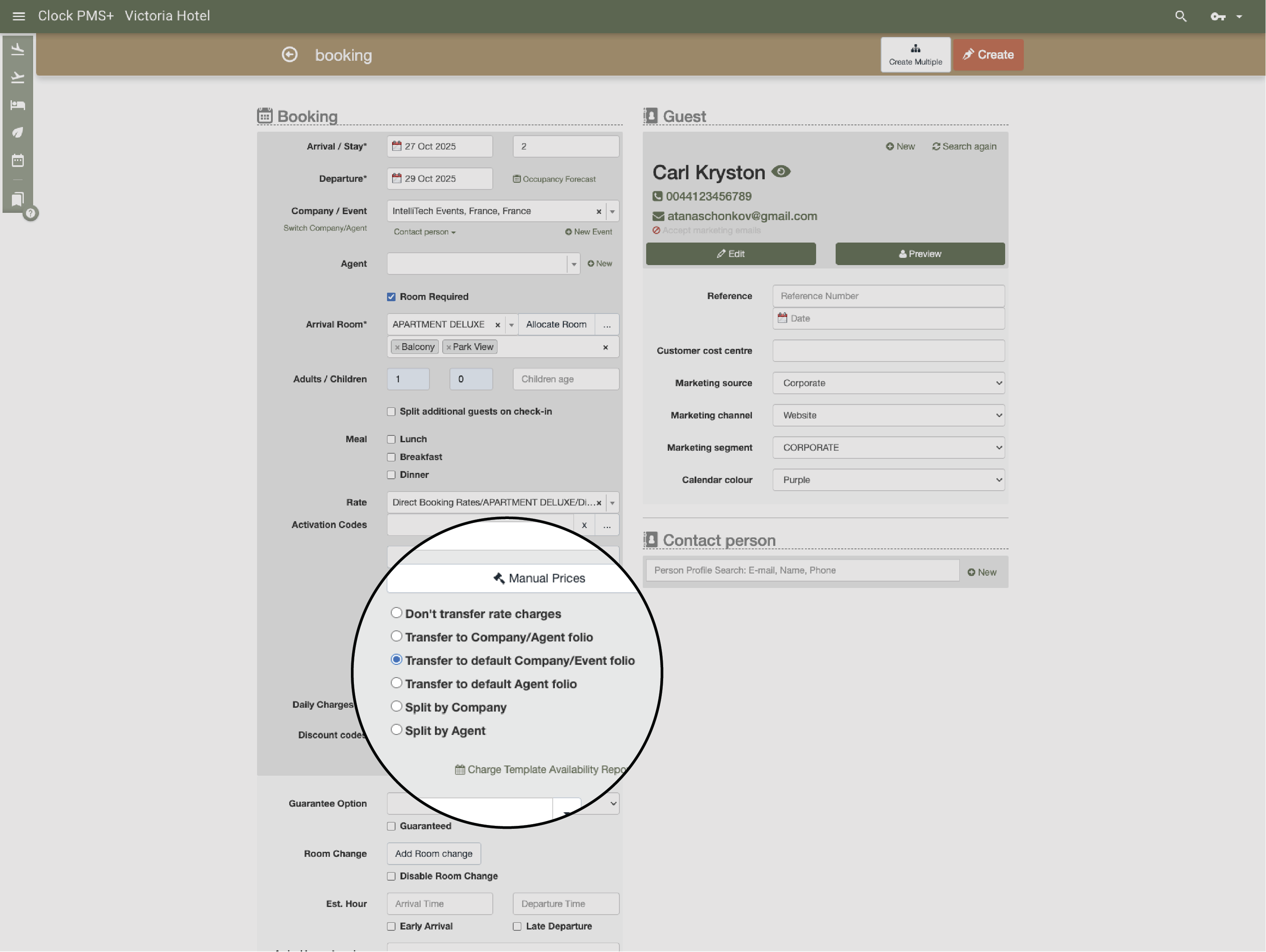
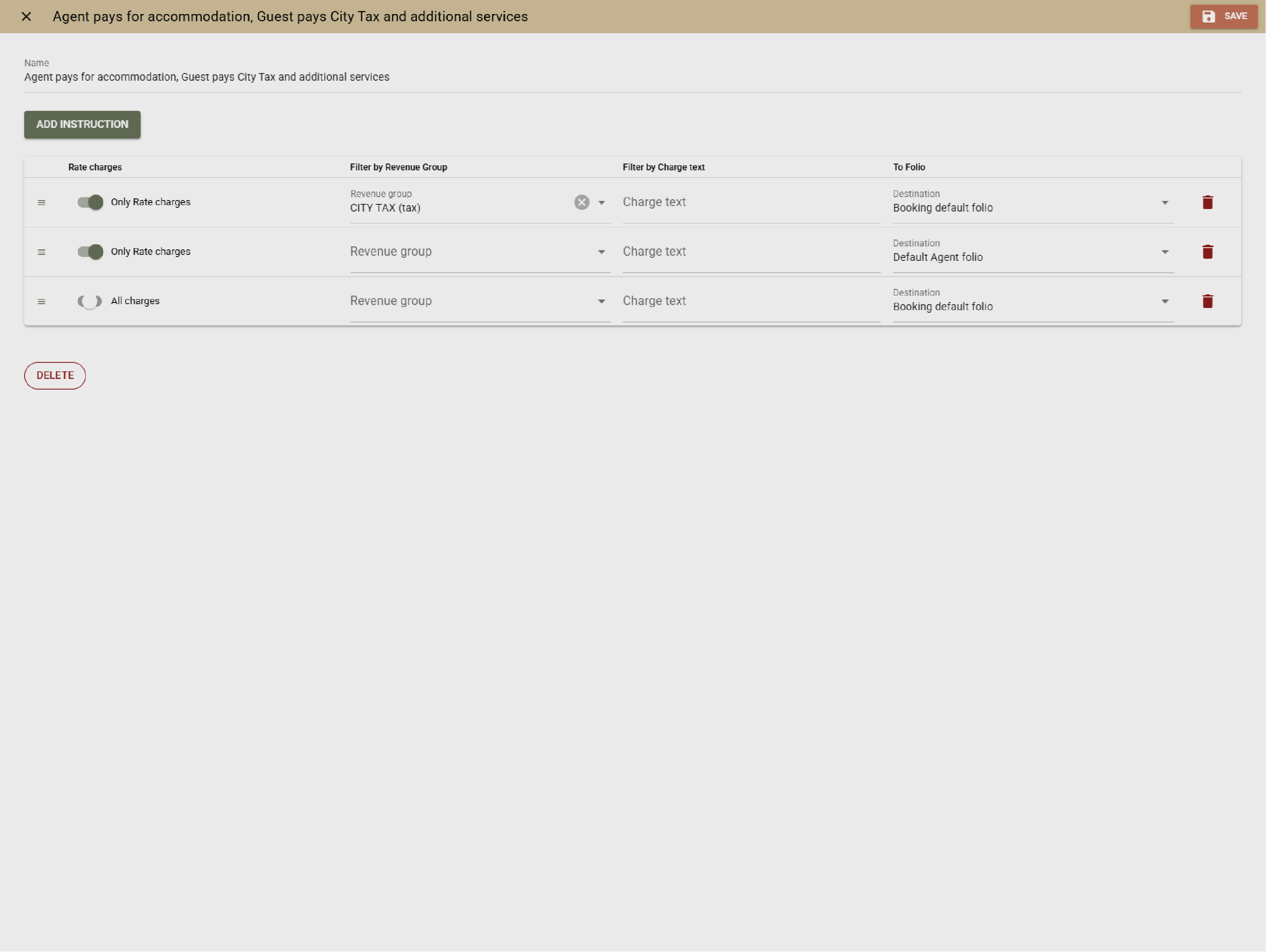
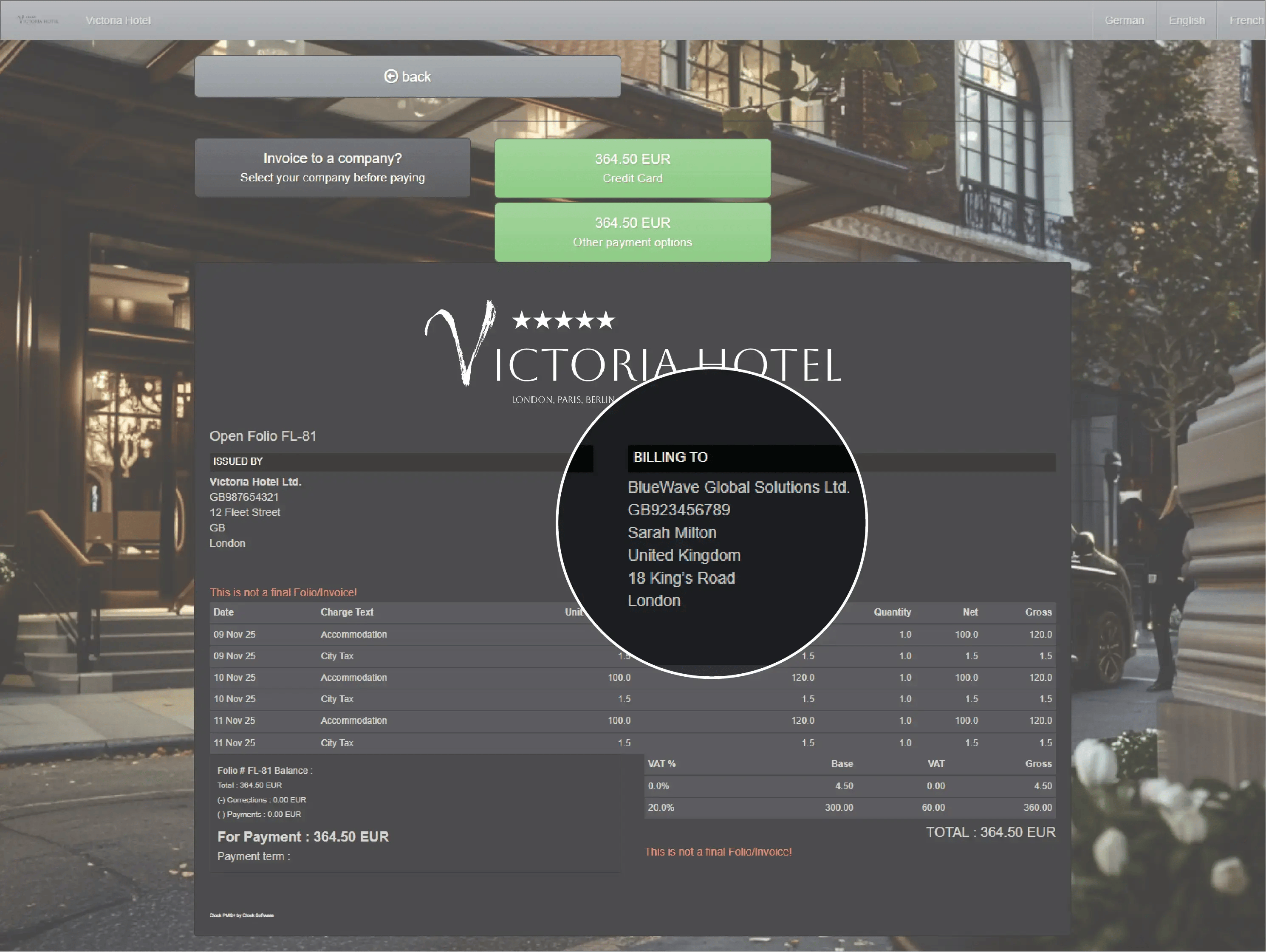
Avoid confusion between guest and organizer invoices. Pre-set routing and group billing rules ensure each charge lands in the right folio. Perfect for corporate clients, conferences, and long stays.

Example:
Room and parking fees go to the organizer; extras go to guests — automatically.
  • Bill companies and organizers precisely (1)
  • Bill companies and organizers precisely (2)

    Get paid automatically and securely

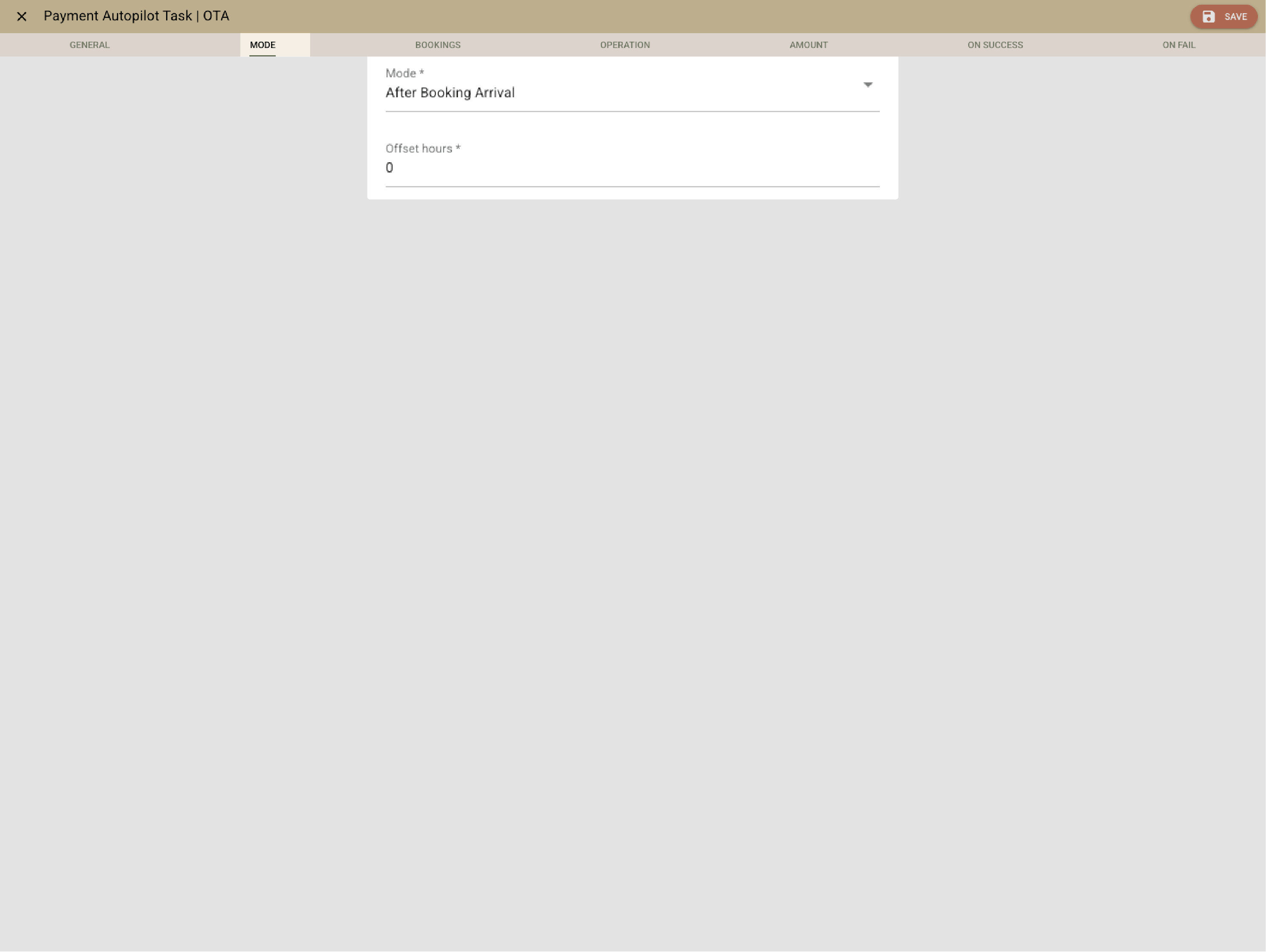
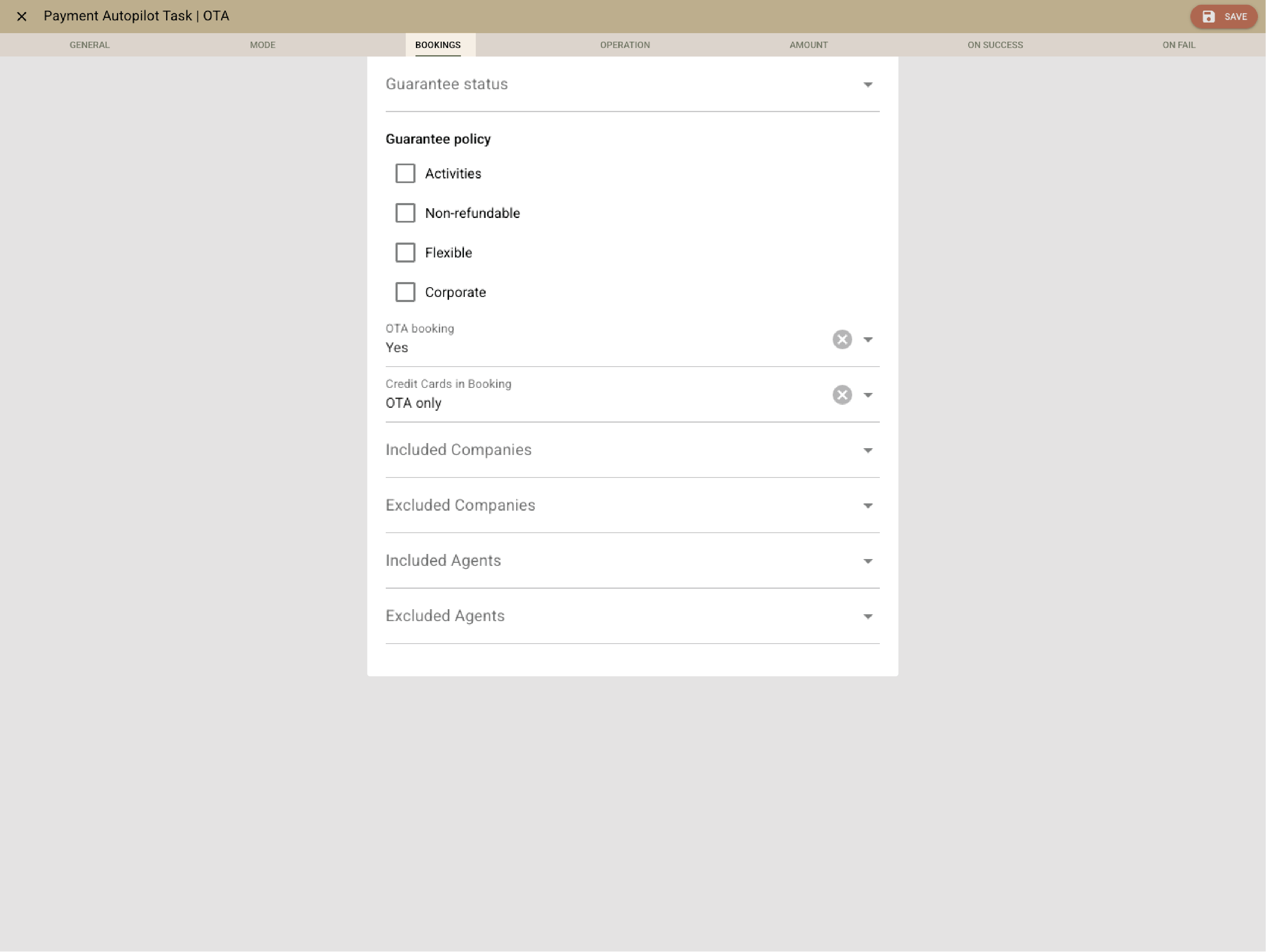
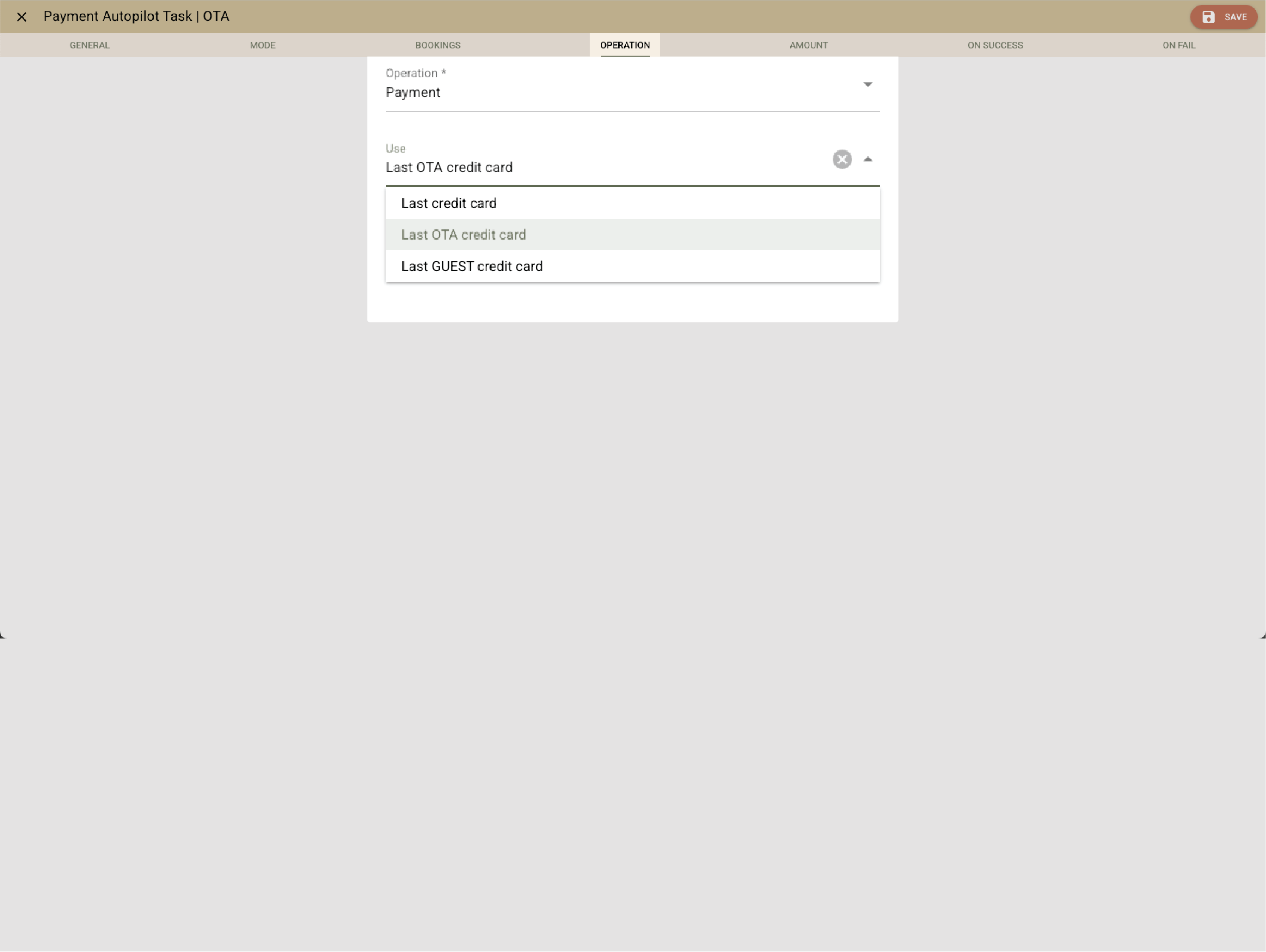
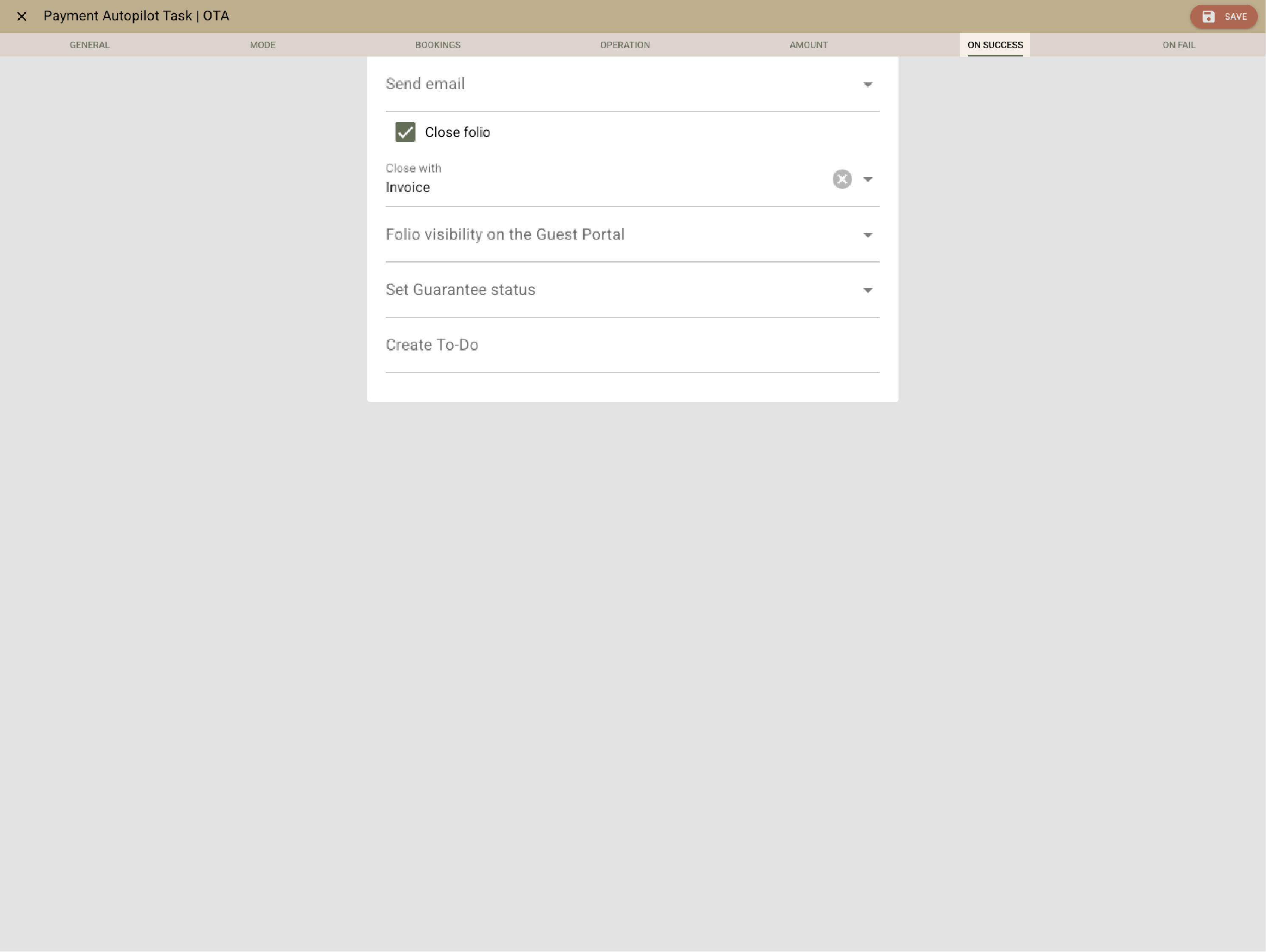
    Clock’s Payment Autopilot takes care of advance payments and cancellations exactly when they’re due — according to your booking rules. Cards are stored securely, terminals connect directly, and deposits can be blocked or released automatically.

    Example:
    Clock collects advances automatically — from OTA cards on arrival day and 50% deposits two days before check-in for direct bookings.
    • Get paid automatically and securely (1)
    • Get paid automatically and securely (2)
    • Get paid automatically and securely (3)
    • Get paid automatically and securely (4)

      Send professional invoices in seconds

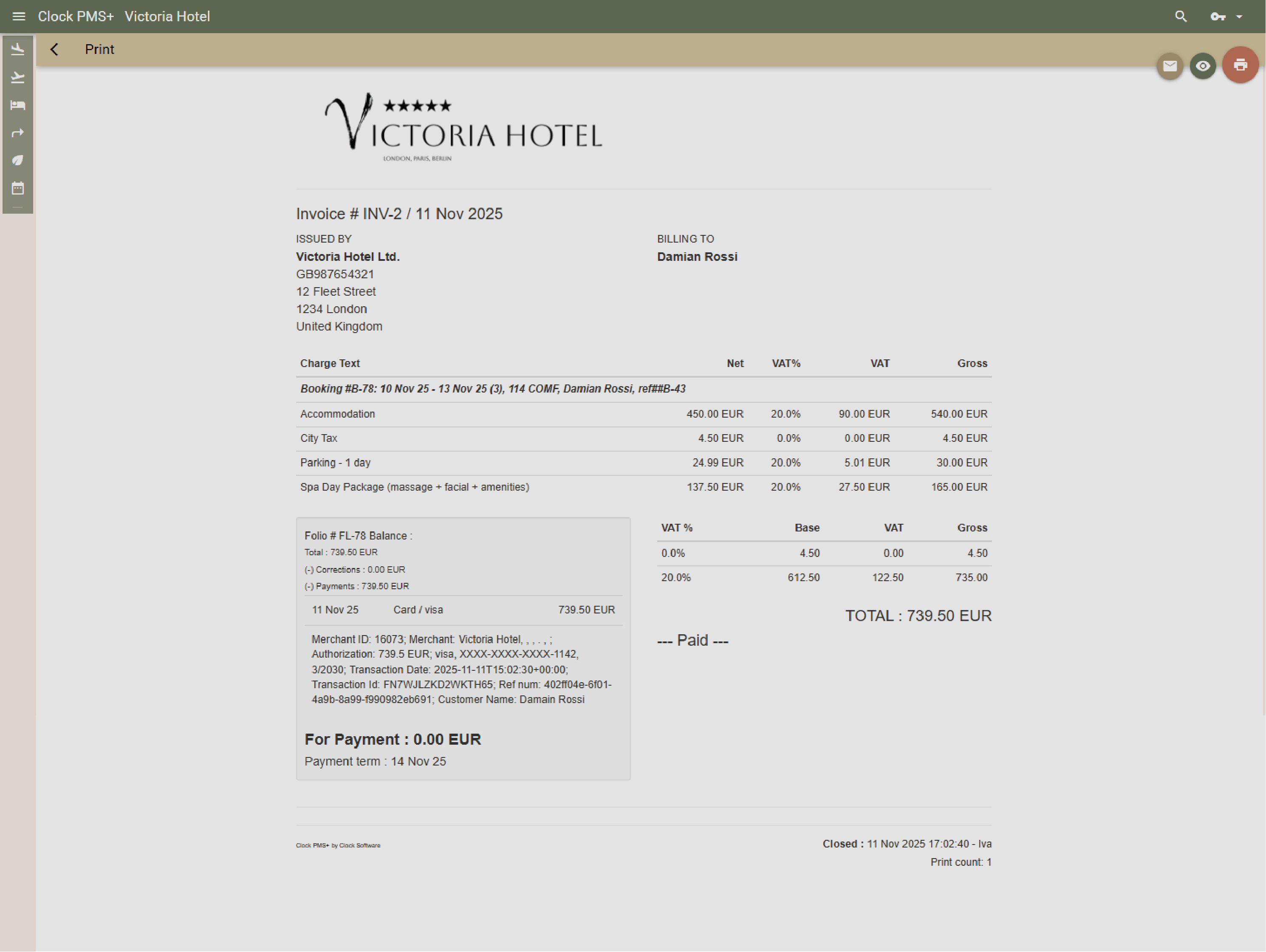
      Email or print invoices instantly with your brand and layout. Templates and view modes meet fiscal and e-invoicing rules automatically, so you always stay compliant.

      Example:
      Email or print invoices instantly with your brand and layout. Templates and view modes meet fiscal and e-invoicing rules automatically, so you always stay compliant.
      Send professional invoices in seconds

      Correct mistakes without chaos

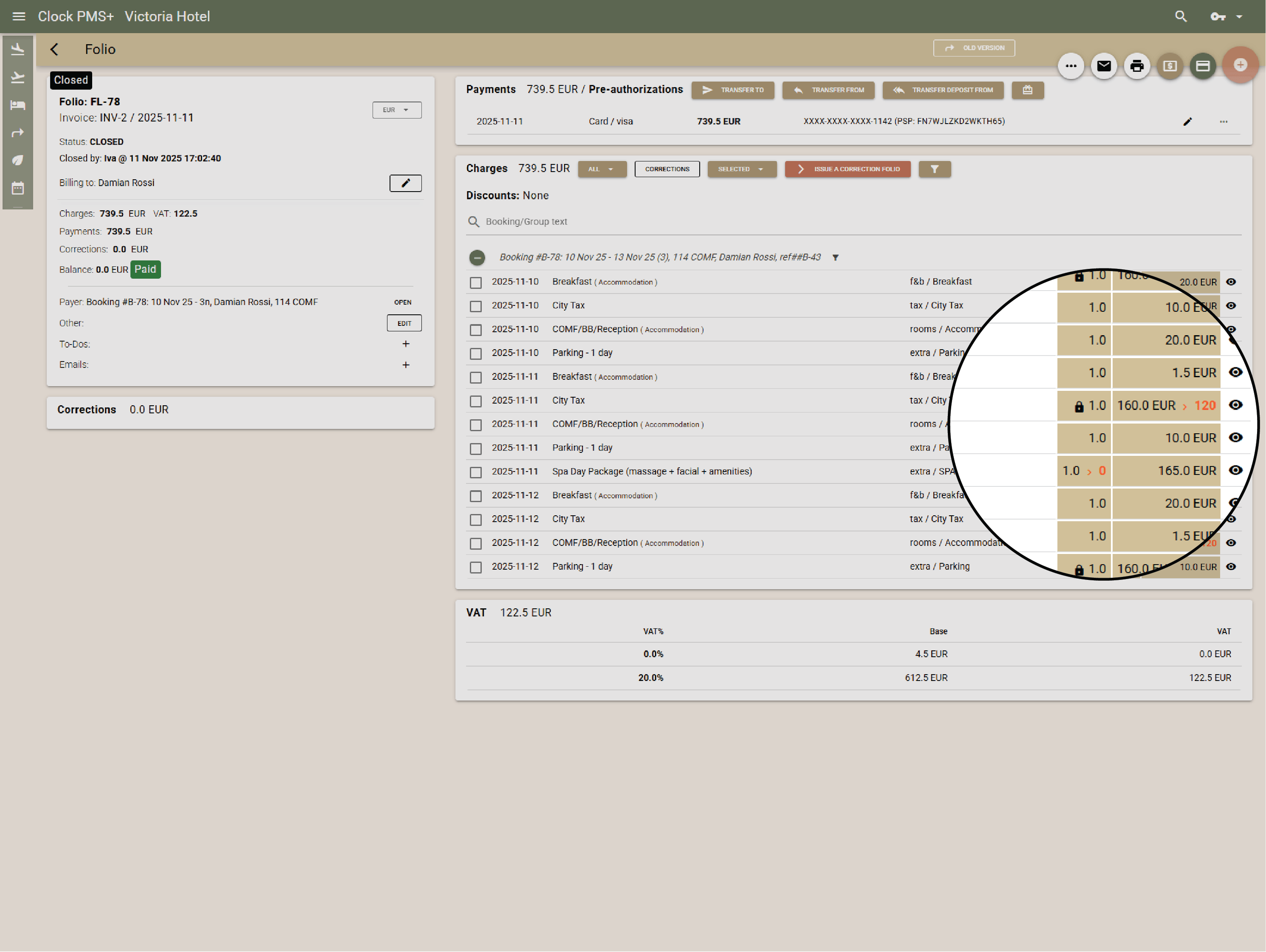
      Issue corrections, debit notes, or reopens safely without breaking your audit trail. User rights let you control who can do what.

      Example:
      You discover a wrong rate after invoicing — issue a correction, and Clock creates the debit note in one click.
      Correct mistakes without chaos

      Simplify monthly billing

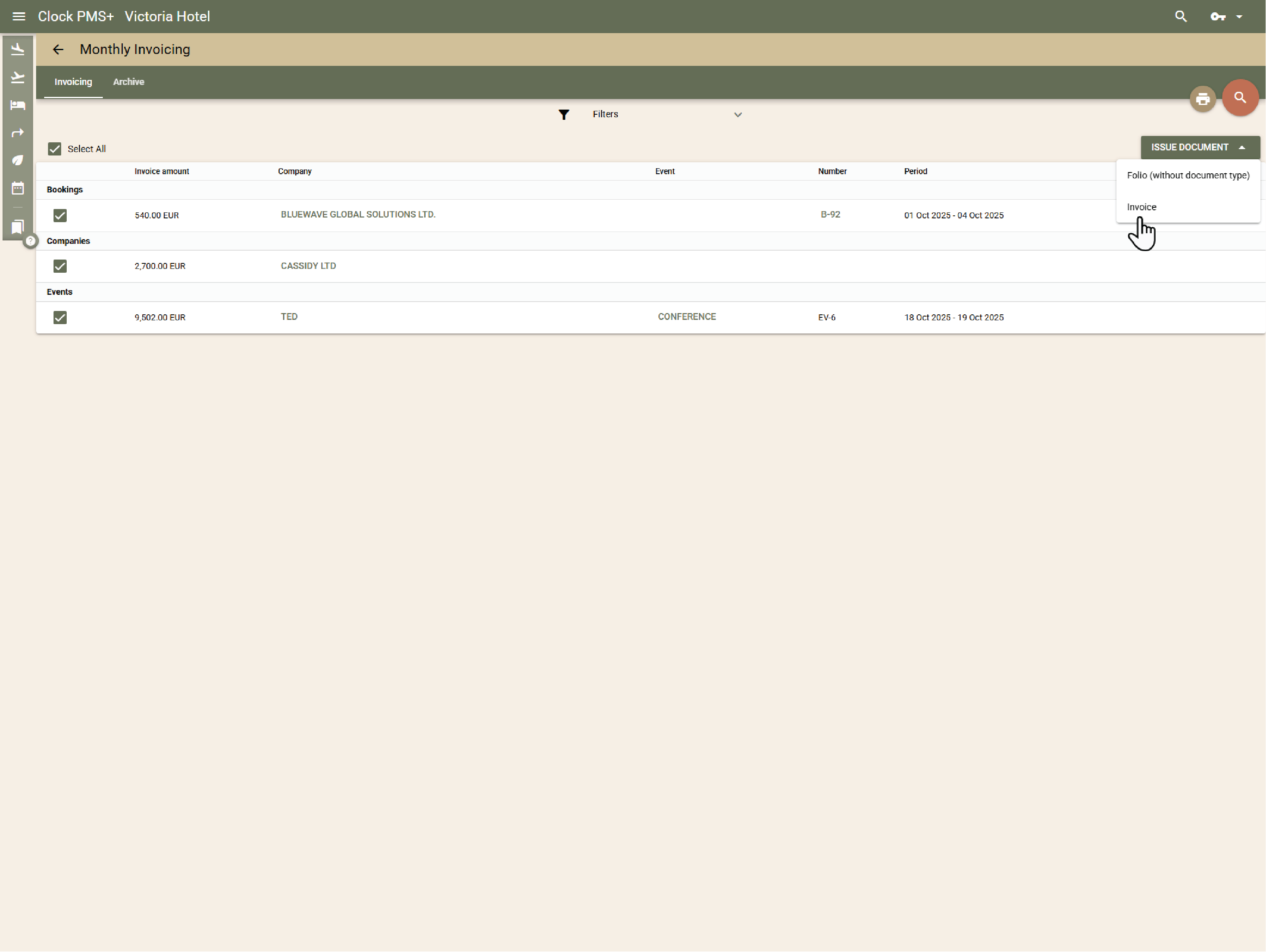
      Bill companies, agencies, or long-stay guests monthly. Clock consolidates all charges, issues invoices, and collects card payments automatically for all parties on monthly billing.

      Example:
      You run one monthly billing procedure — Clock invoices and charges every company automatically.
      Simplify monthly billing

      Always know who owes what

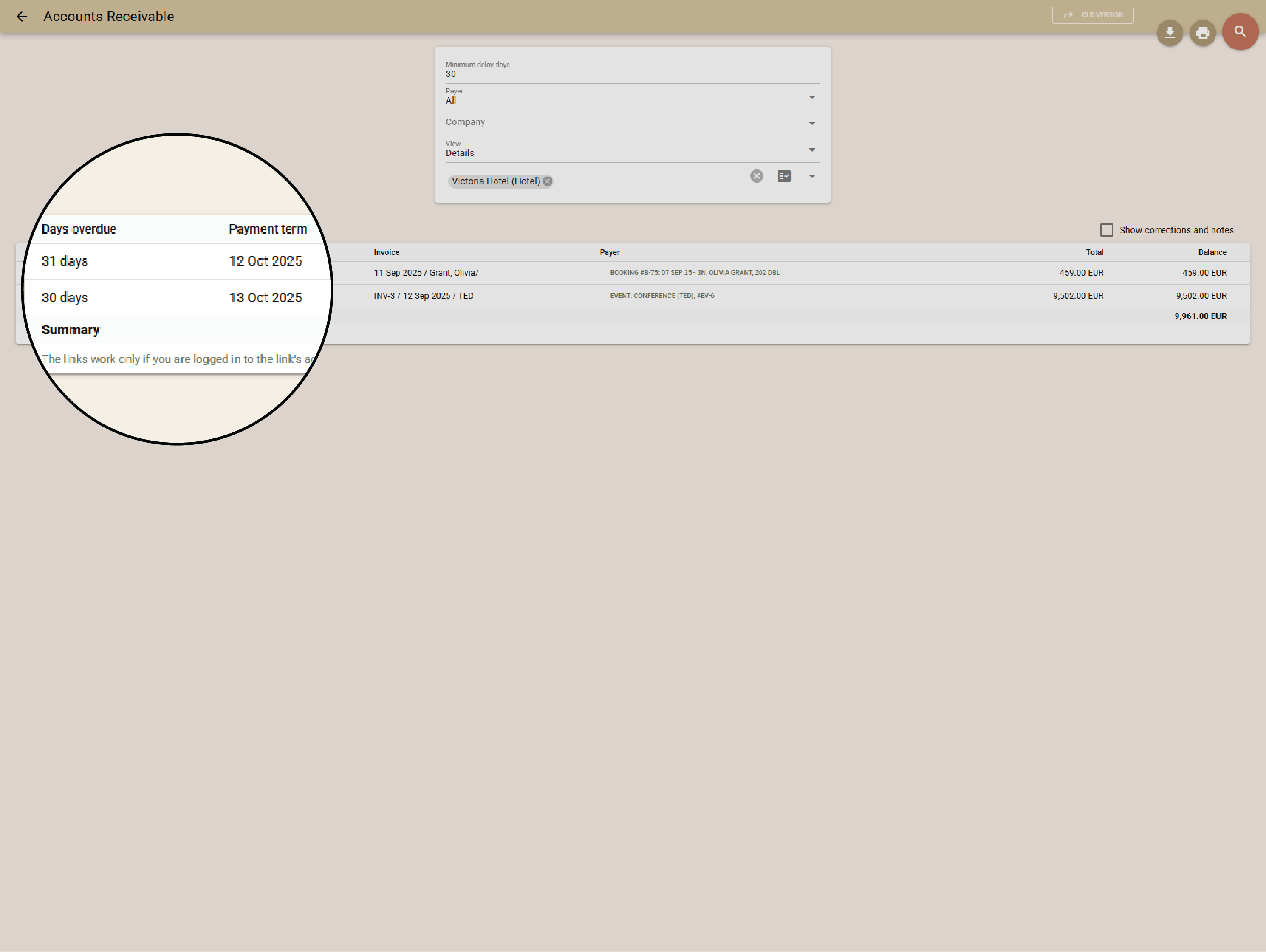
      Monitor outstanding balances in real time. Aging reports, reminders, and receivables tracking help you stay on top — or sync directly with your accounting software.

      Example:
      A Net-30 company invoice appears automatically on the 31st day in the receivables list until paid.
      Always know who owes what

      Let guests handle their billing

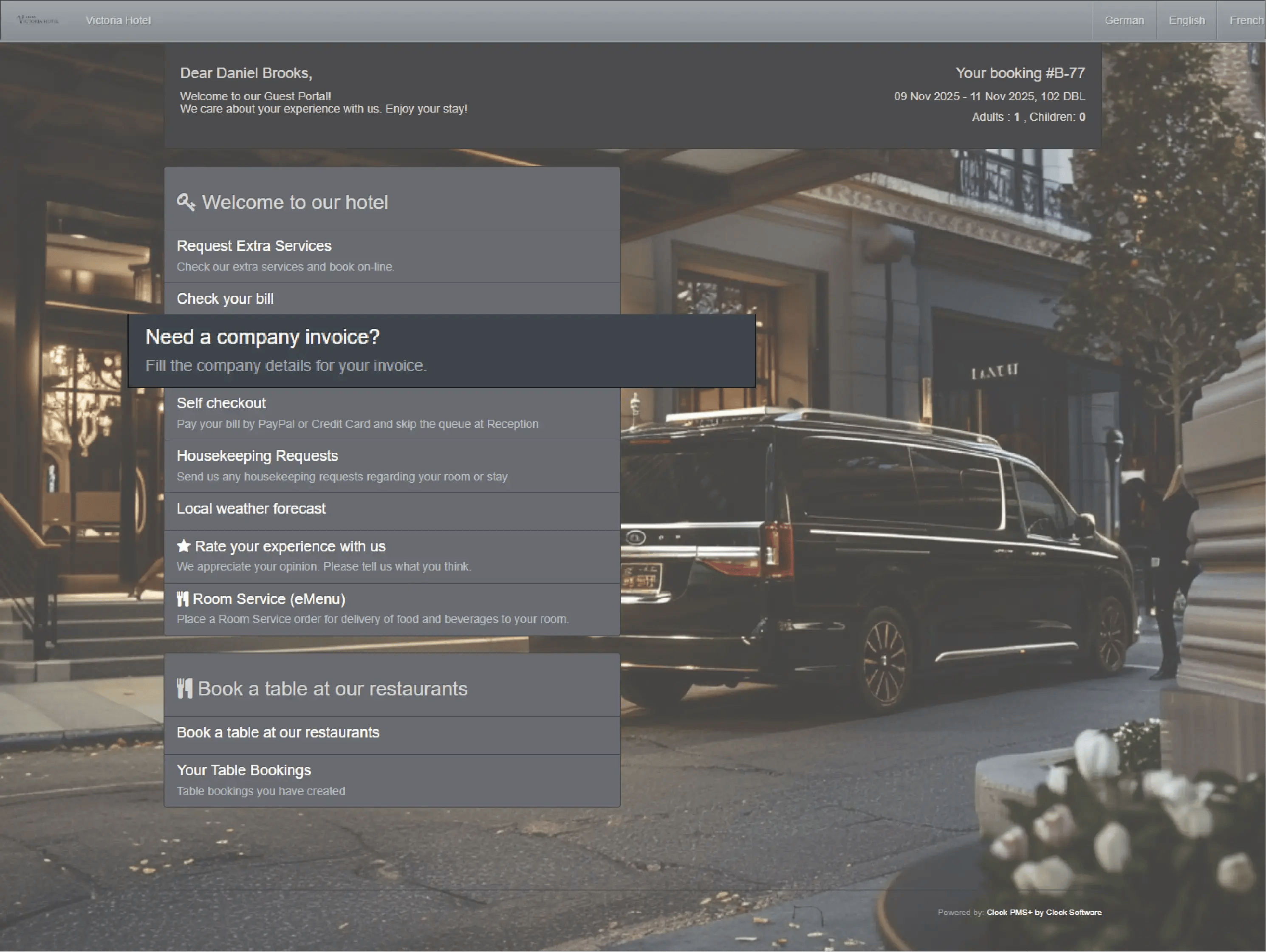
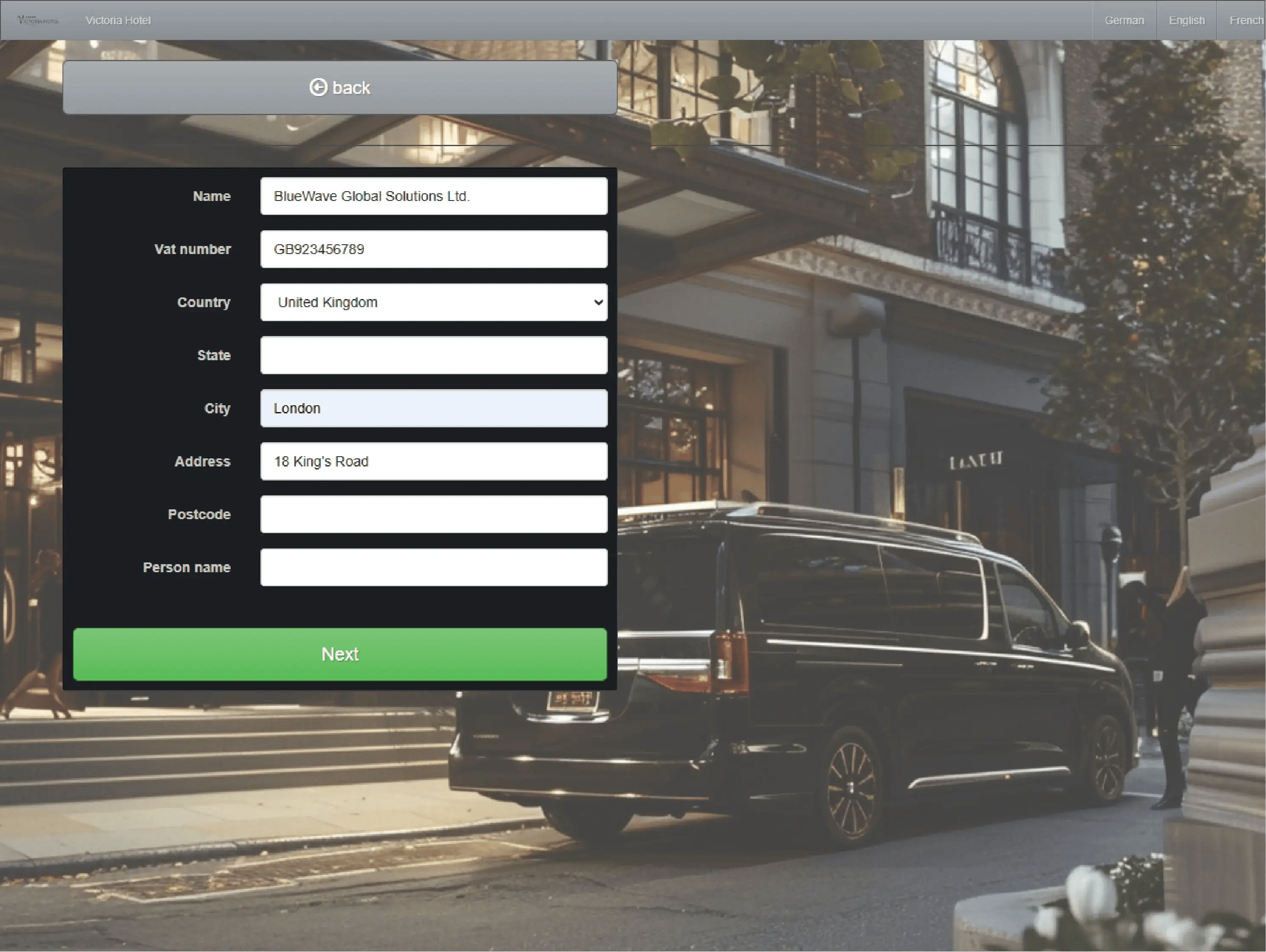
      Guests can view folios, edit billing details, or pay online through the Guest Portal. Hidden folios protect confidential rates or agency payments.

      Example:
      A business traveller pays from their phone before dawn checkout and receives the invoice by email.
      • Let guests handle their billing (1)
      • Let guests handle their billing (2)
      • Let guests handle their billing (3)

        Monitor front desk cash activity beyond guest payments

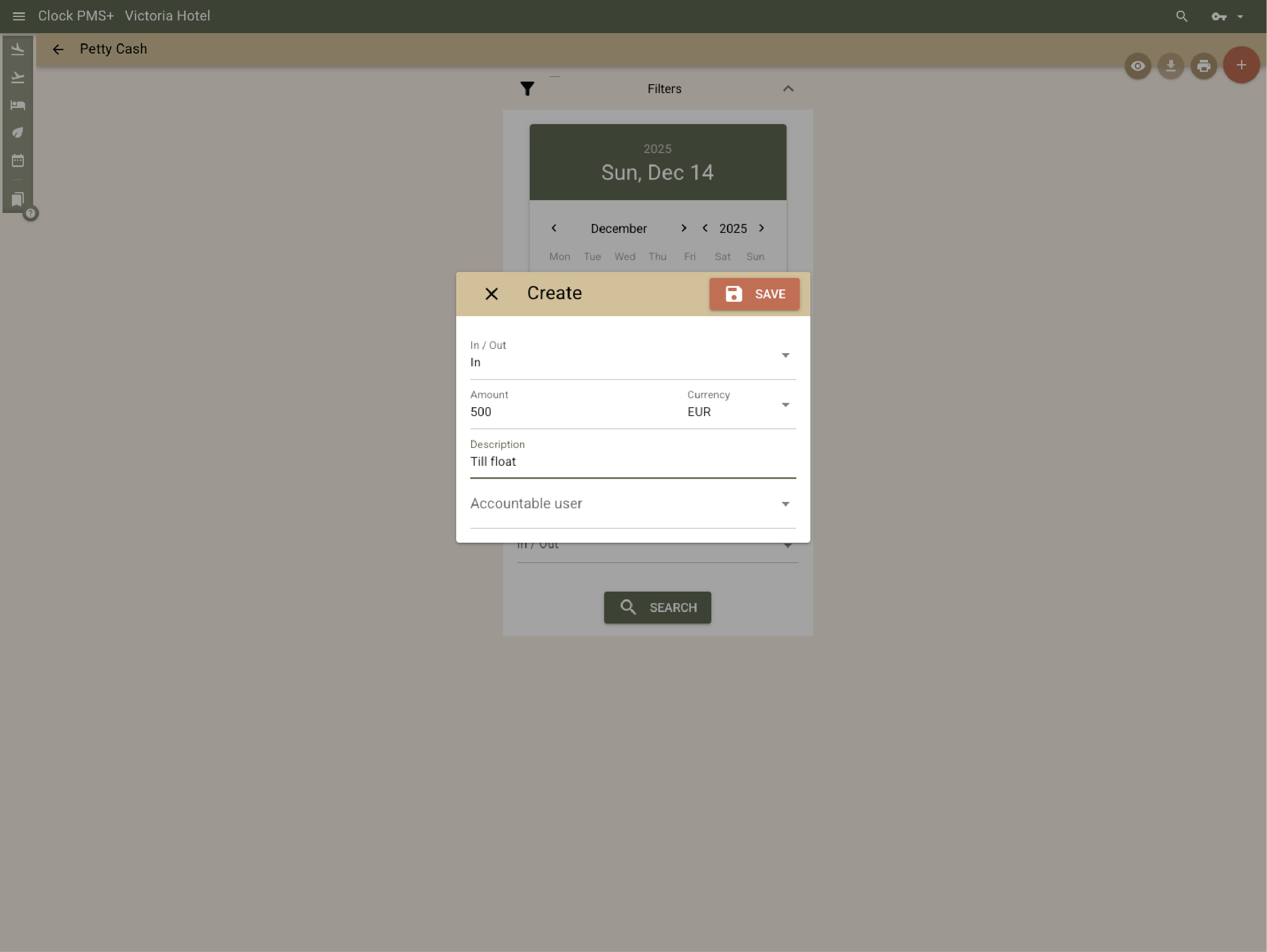
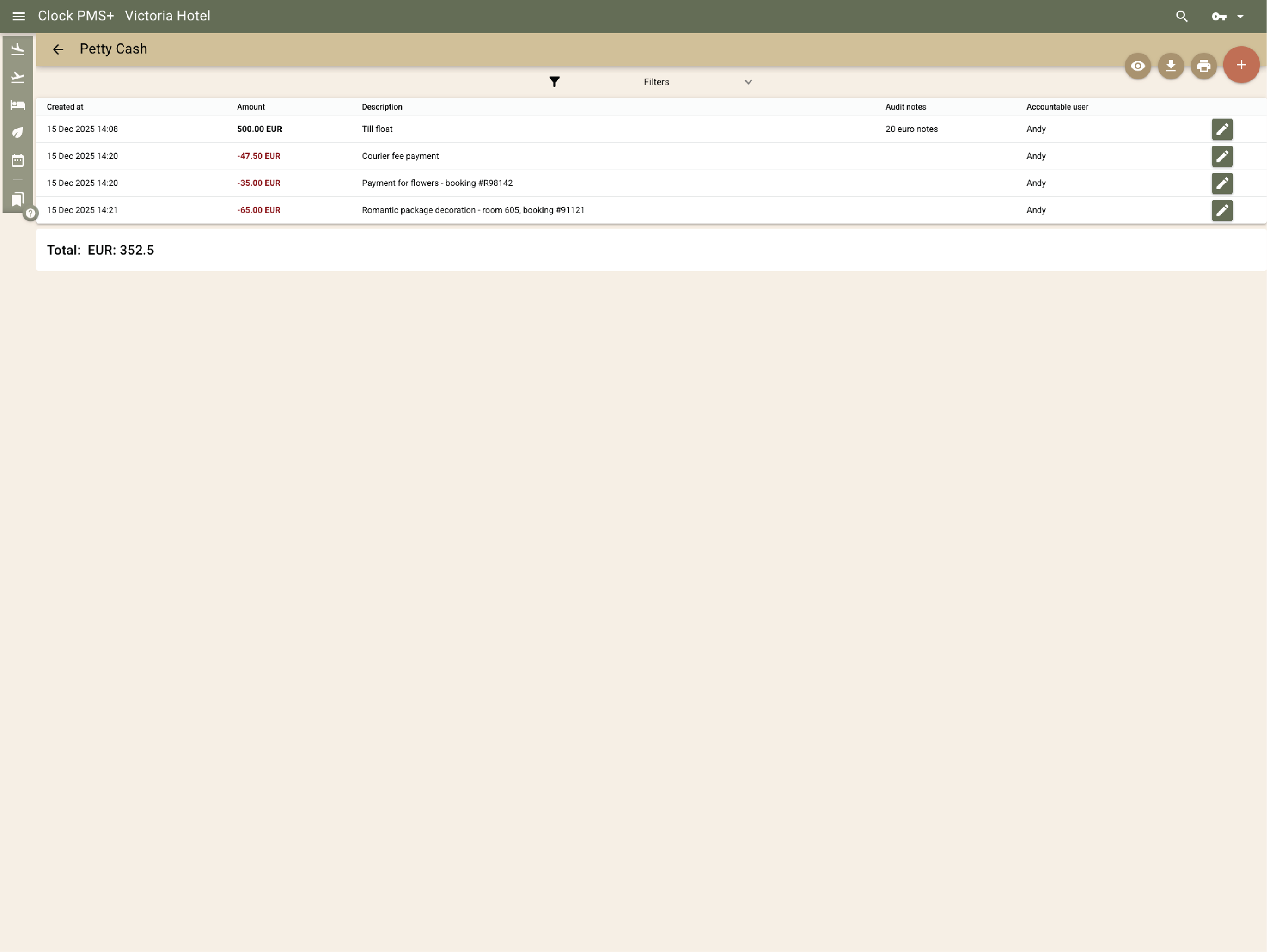
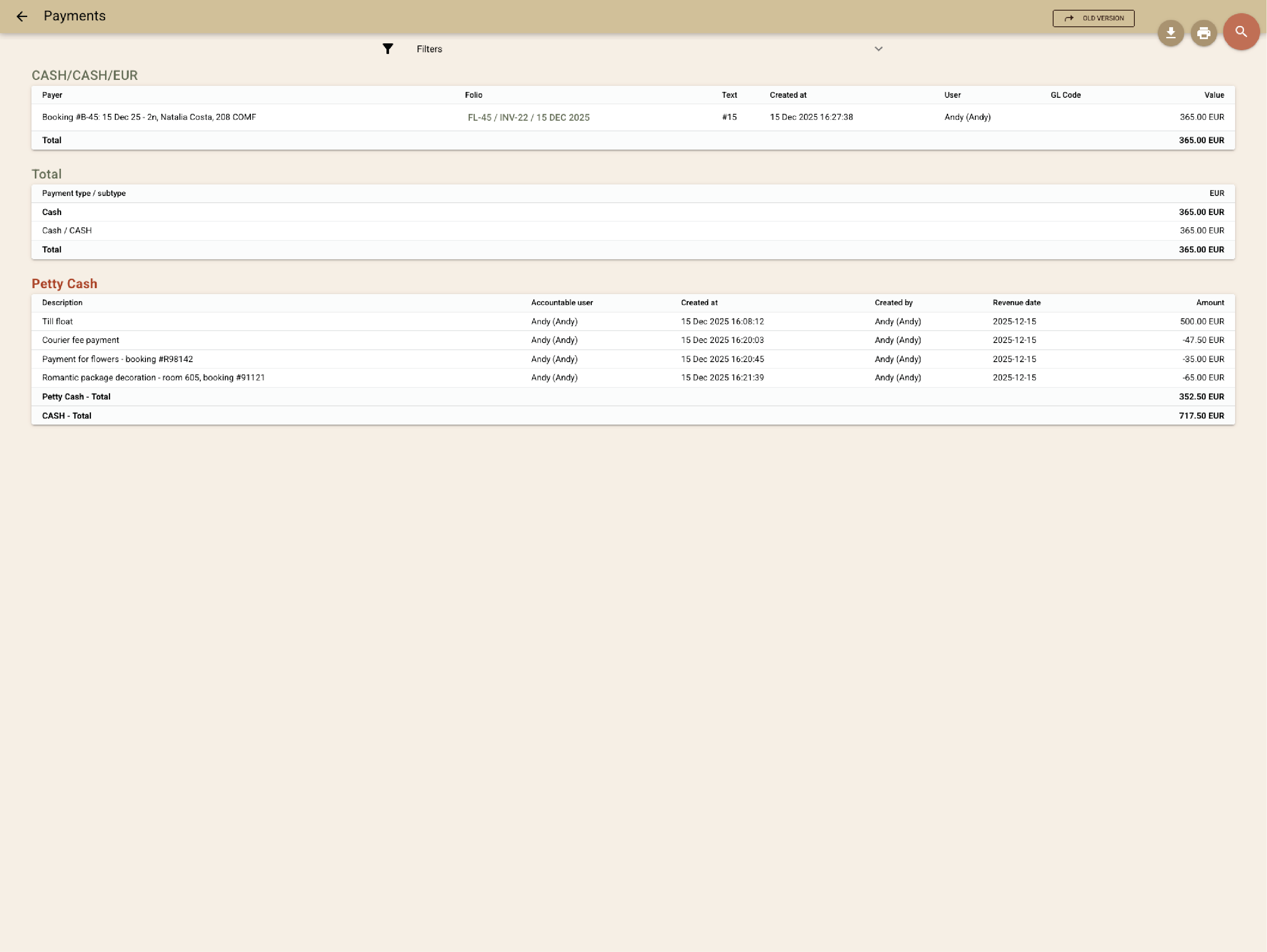
        The Petty Cash feature lets your team log internal cash movements — such as adding float at the start of a shift or withdrawing cash for incidentals. Each entry is traceable and locked against edits, and the system provides a combined report of guest payments and internal cash operations.

        Example:
        A receptionist records the opening float and later withdraws cash to pay a local supplier — both actions are tracked and reflected in the final cash report.
        • Monitor front desk cash activity beyond guest payments (1)
        • Monitor front desk cash activity beyond guest payments (2)
        • Monitor front desk cash activity beyond guest payments (3)

          Keep revenue and ledgers always right

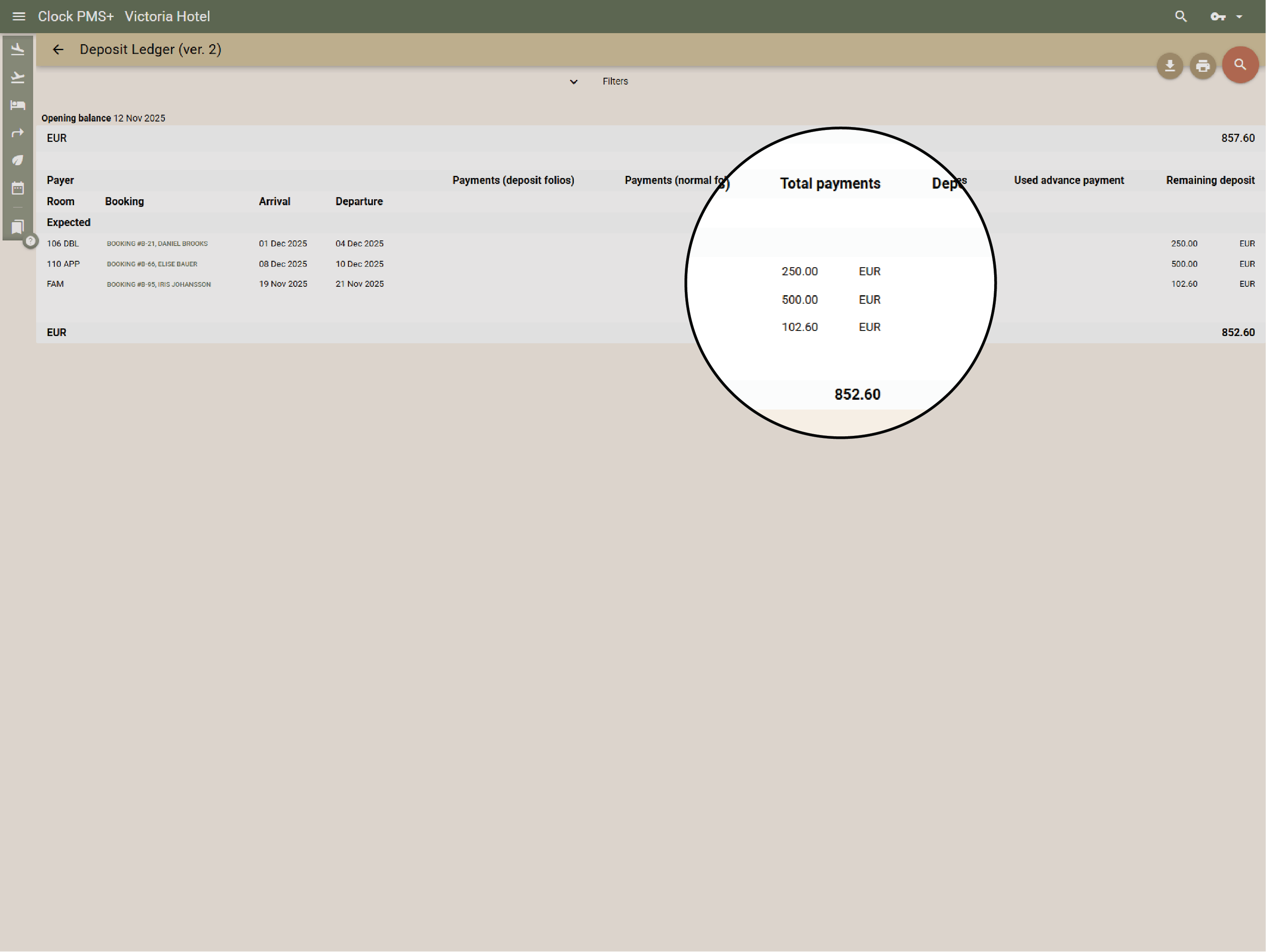
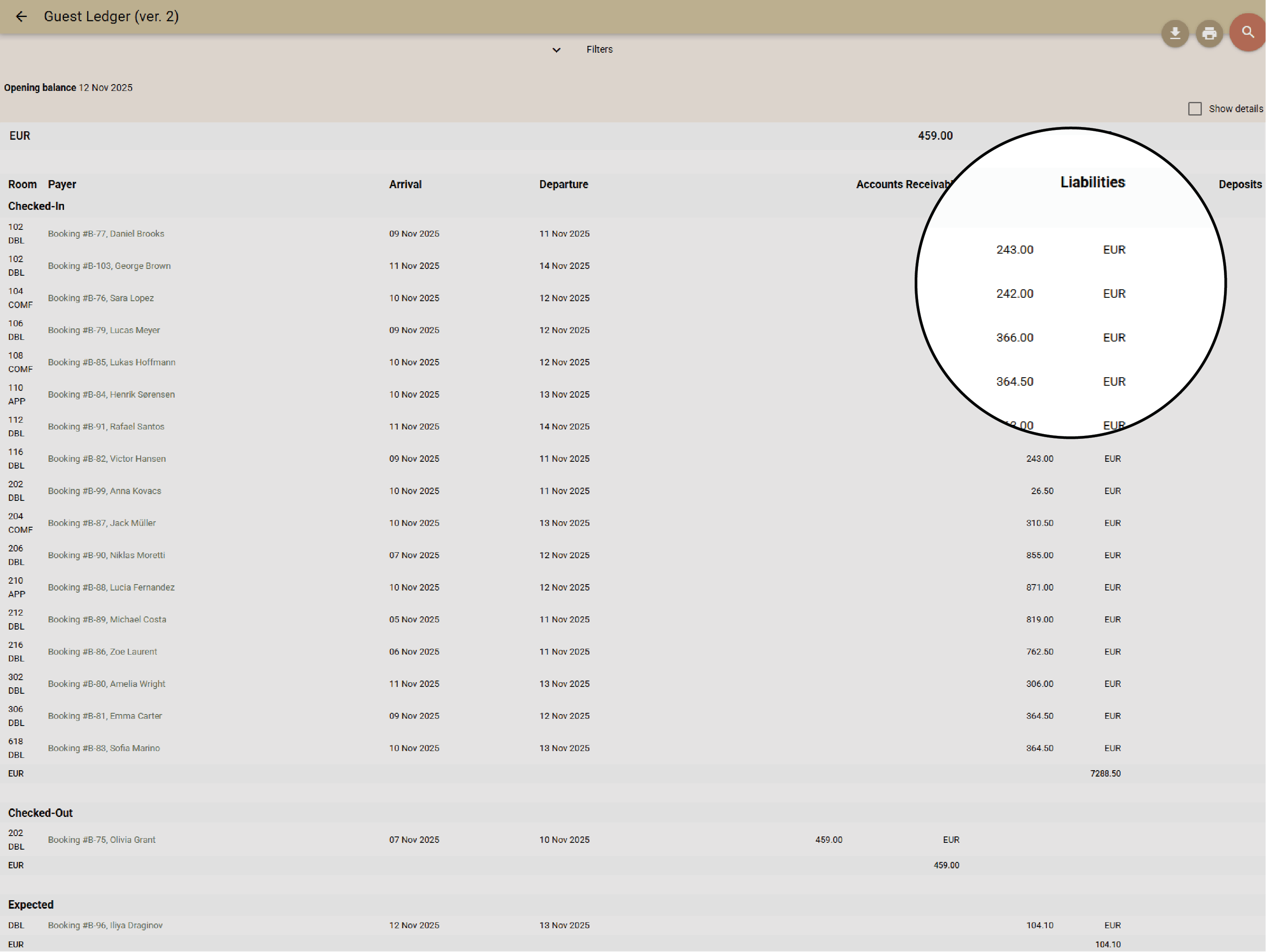
          Clock recognizes revenue at the right time — on stay or delivery — while deposits move between ledgers automatically. No night audit needed; everything stays balanced and export-ready.

          Example:
          Deposits remain in the ledger until check-in, then move to guest revenue automatically.
          • Keep revenue and ledgers always right (1)
          • Keep revenue and ledgers always right (2)

            Control and reporting that builds confidence

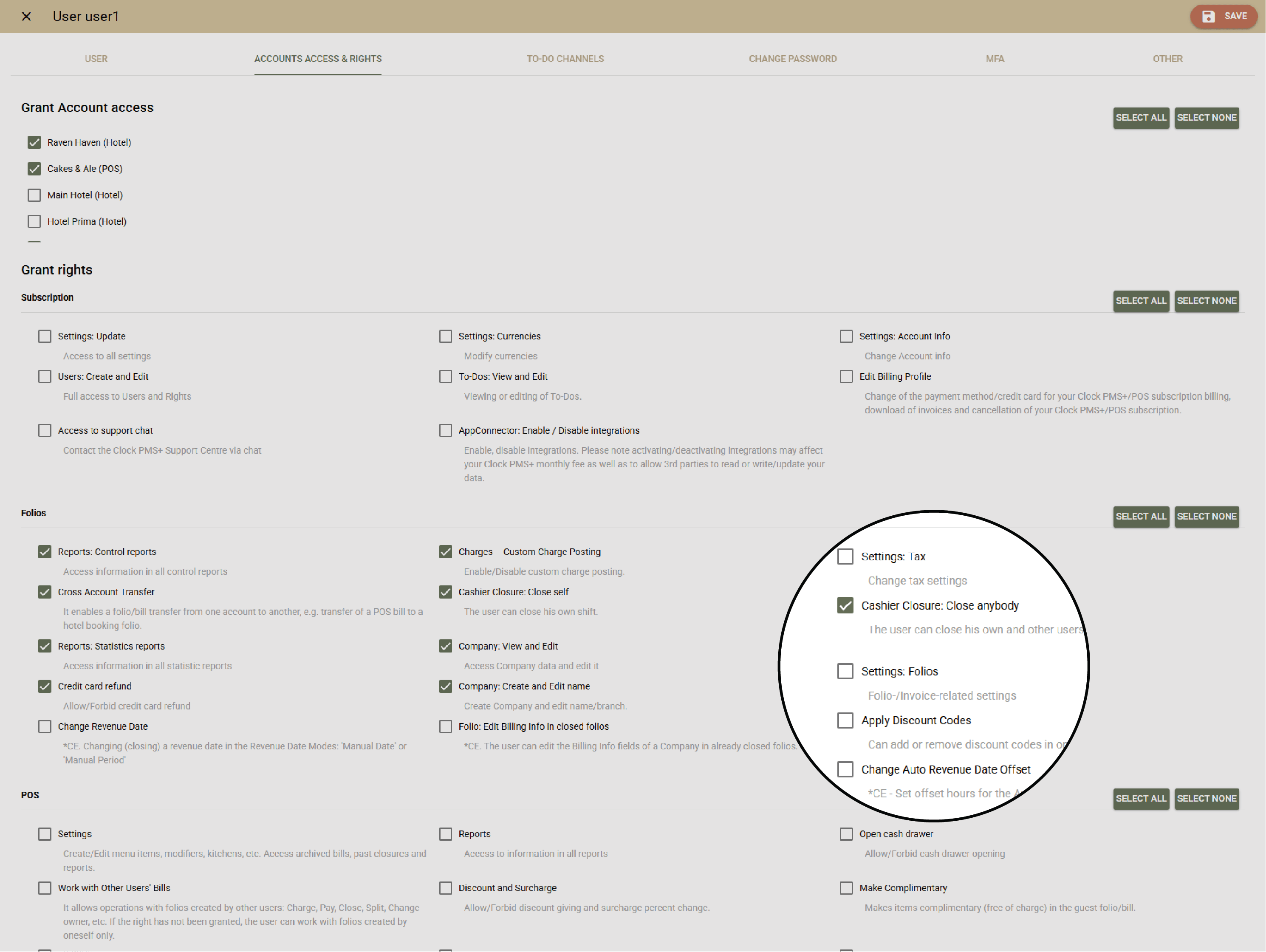
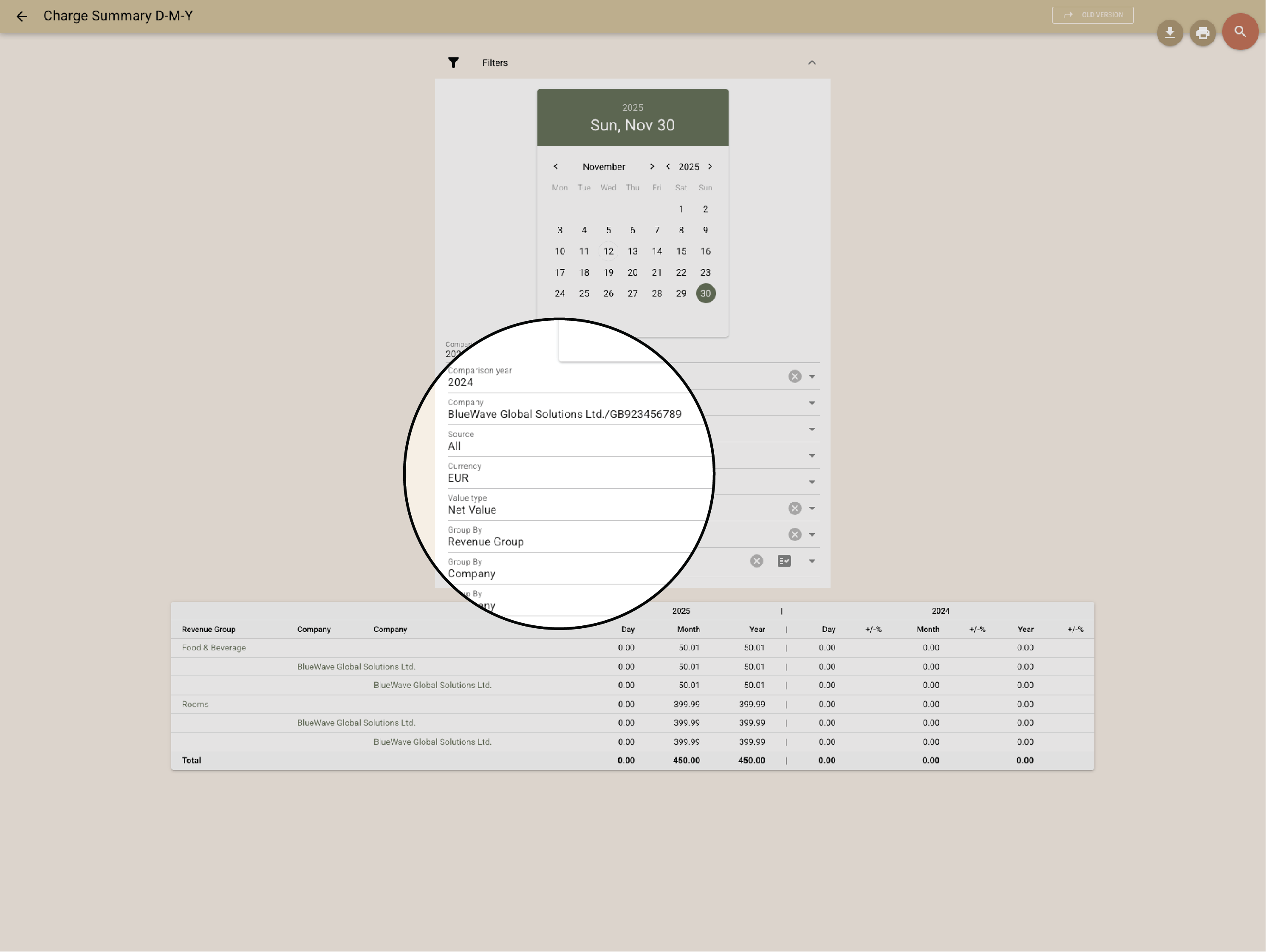
            Granular user rights, detailed transaction logs, and audit reports make control effortless. See who voided, corrected, or checked out with open balances — instantly.

            Example:
            The manager reviews all corrections for the week in one clean report.
            • Control and reporting that builds confidence (1)
            • Control and reporting that builds confidence (2)
              Global customers

              Explore the countries where hospitality teams use Clock to run smoother operations and better guest journeys.

              Customer stories

              How do customers feel after switching to Clock

              We asked our customers: What changed for the better since you switched to Clock? Thousands responded, here’s some of what they said…

              Use the previous and next buttons or the left and right arrow keys to move through reviews.

              Slider position

              1. We chose Clock because of the tool's flexibility, its ability to integrate with our entire IT ecosystem, and also for its multi-property management, which is really the strong point for us.
                Marine Bossanne Project Manager Operations and Quality at Elegancia
              2. The strength of Clock is that it brings everything together in one system. What we previously had to accomplish using multiple tools, we can now do with a single solution.
                Ruggero Carpino Head of Customer Service & Training at Algilà Ortigia Charme Hotel, Syracuse
              3. It was very important for us to look at the stability and the future proofness of the system. And Clock is a company that has the knowledge and the expertise.
                Steff de Groot Owner & General Manager, WICC Hotel & Congress Centre
              4. Faster processes, faster training, more time for staff, to focus on the guests, and tasks that used to be done manually are now automated.
                Carsten Werblow Head of Operations Gambino Group
              5. Better price management, a comprehensive system API, and a dynamic company that continually develops the software.
                Marco Coppola Owner & Chief Navigator Officer, The YellowSquare
              6. By automating routine processes with Clock, we were able to completely restructure how our staff spends their time. Now, the efforts are focused on more meaningful and more profitable activities.
                Lyubomir Stamboliyski Commercial Director of St. Constantine & Helena Holding
              7. Technologies are advancing, and it's normal to move our data to the cloud. I was firmly convinced that this is the right path, and I think we made the right decision.
                Elena Ivanova Founder & Owner, Hi Hotels Group

              Think Clock might fit your hotel?

              Use this module for shared intro content patterns that need eyebrow, heading, supporting copy, and a compact CTA area.

              “Easy to use” “Fast, intuitive, and reliable” “Saves a lot of time” “New staff learn it quickly” “Accessible from any device” “Less manual work” “Fewer booking mistakes” “Responsive and helpful support”