Resorts

A single system for rooms, services, and experiences

Clock is used by resorts that combine accommodation with on‑site services such as restaurants, activities, spa, and events. It connects reservations, capacity‑based services, billing, and guest interaction in one system, so all departments work with the same data across the guest journey.

By automating routine processes with Clock, we were able to completely restructure how our staff spends their time. Now, the efforts are focused on more meaningful and more profitable activities.

Lyubomir Stamboliyski Commercial Director of St. Constantine & Helena Holding
Featured customer media

Trusted by independent hotels worldwide

Alamo Inn Elegancia Four Sisters Collection Golden Tulip Greenstar hotel Grifid 1 Hampshire 1 HappyCulture Mitland Popinns Prinsenhof Relais&Chateaux Gambino Hotels
4.7 / 5

Based on 483+ reviews across

Book rooms, services, and experiences in one flow

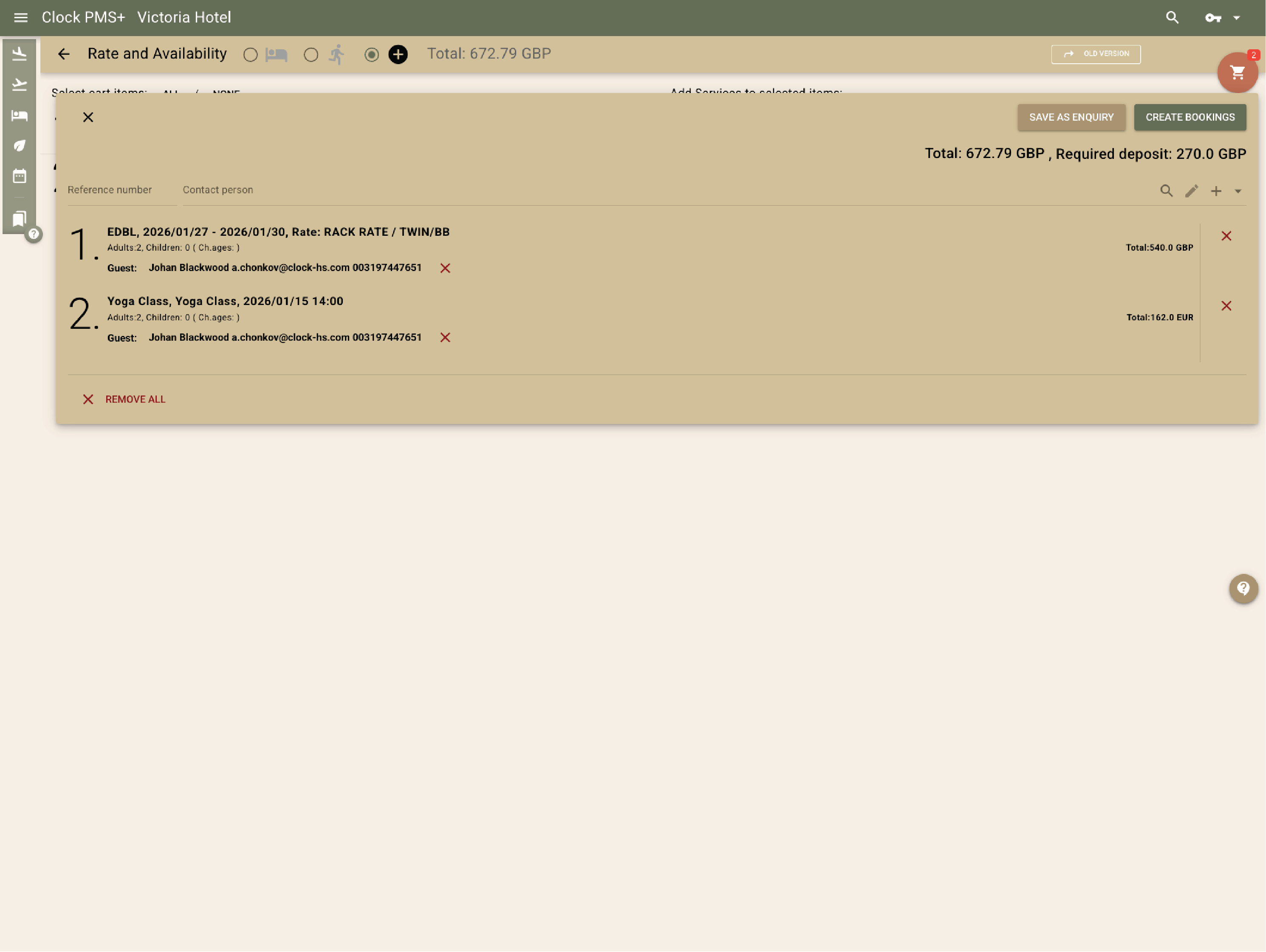
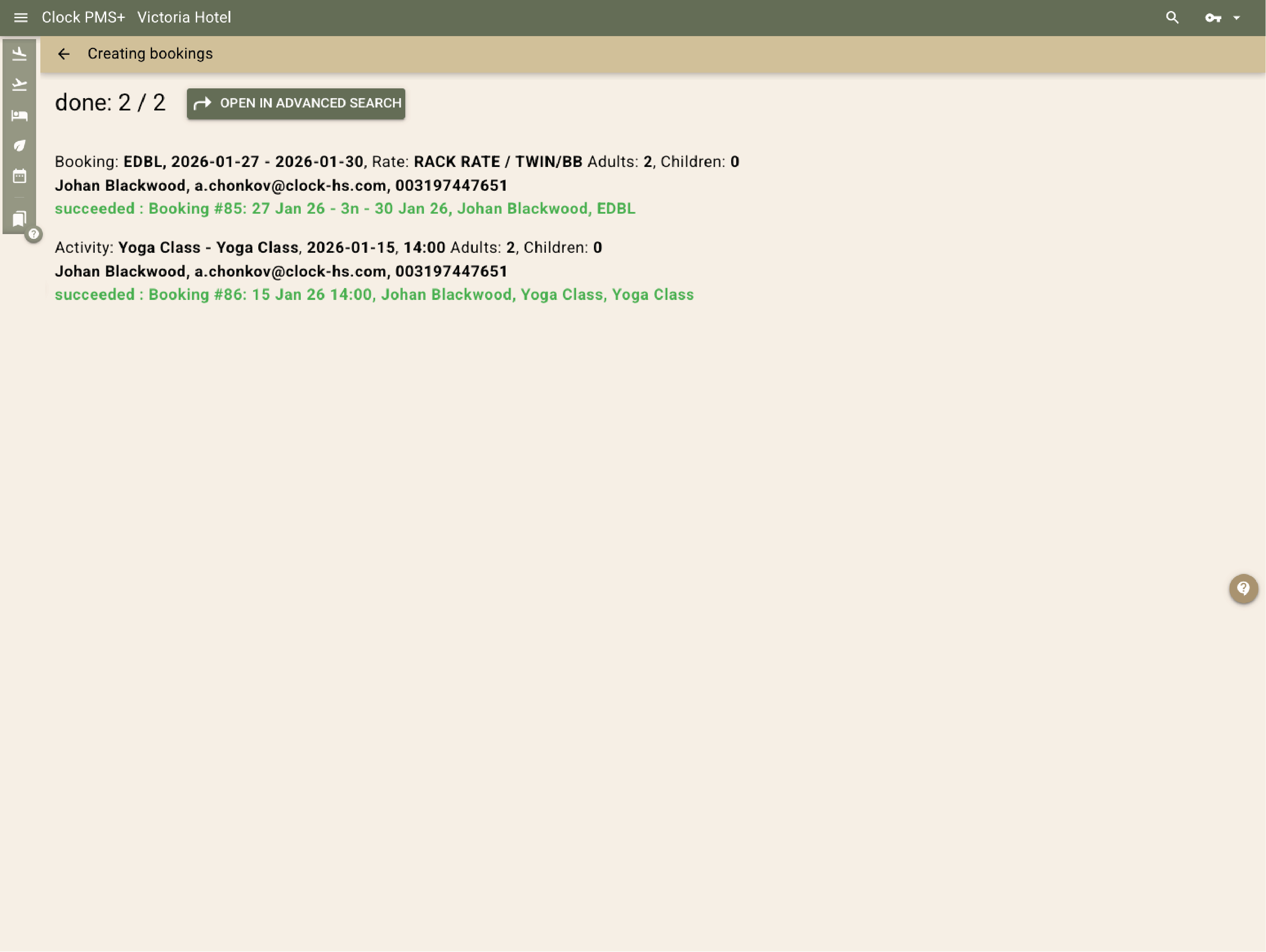
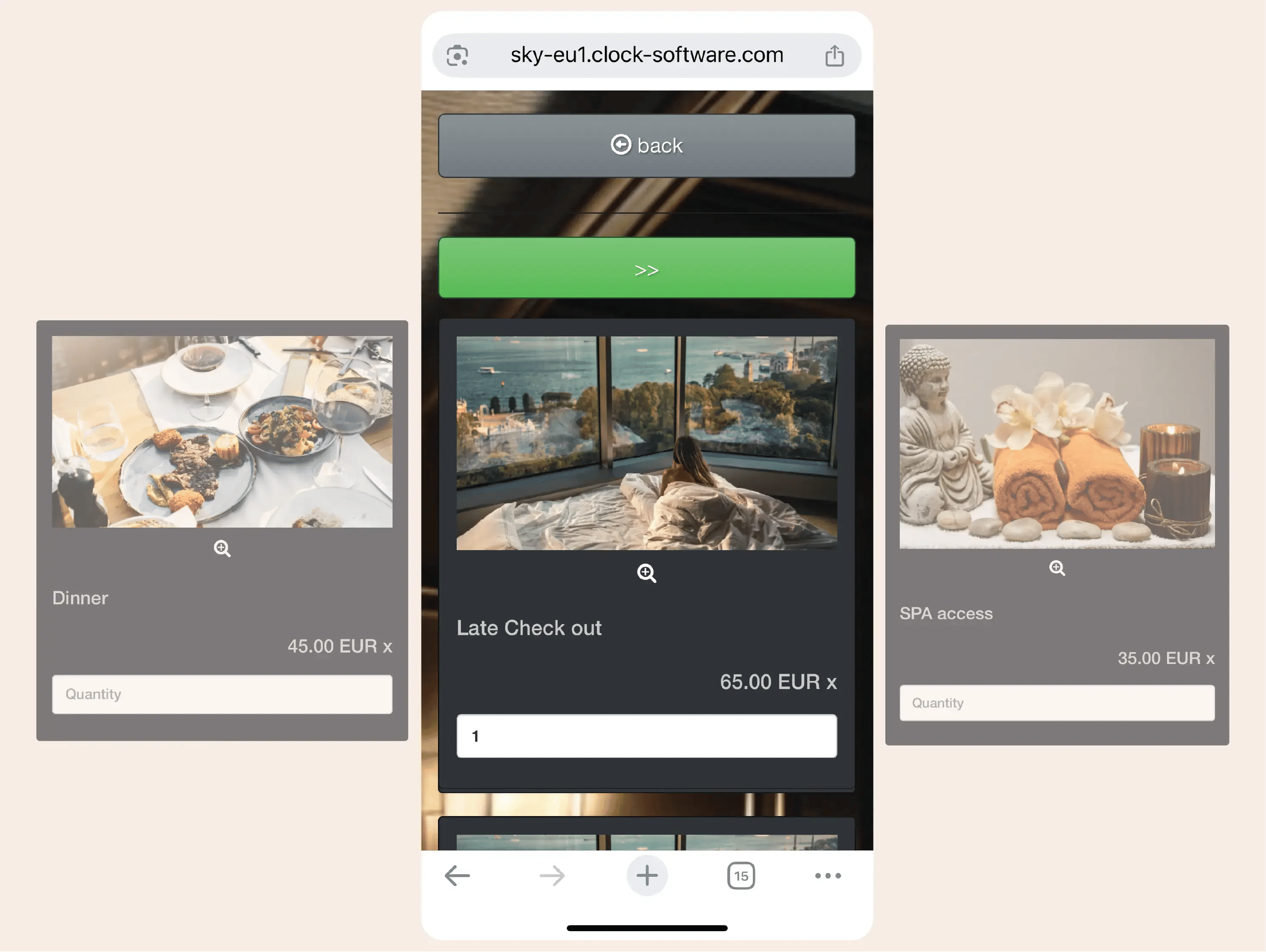
Clock supports selling accommodation together with services and activities in a single booking process. Availability, capacity, and pricing are managed centrally and reflected consistently at each step.
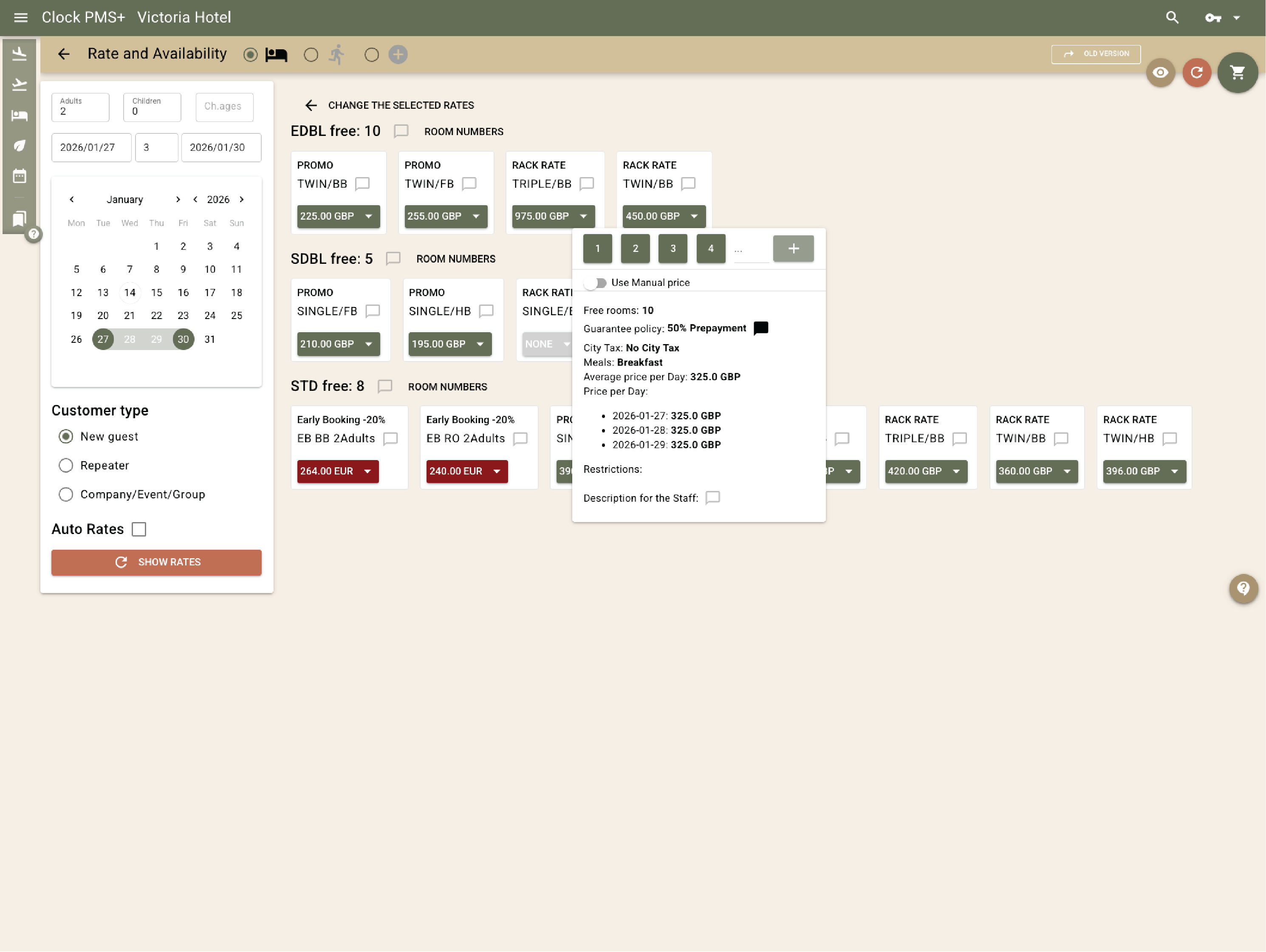
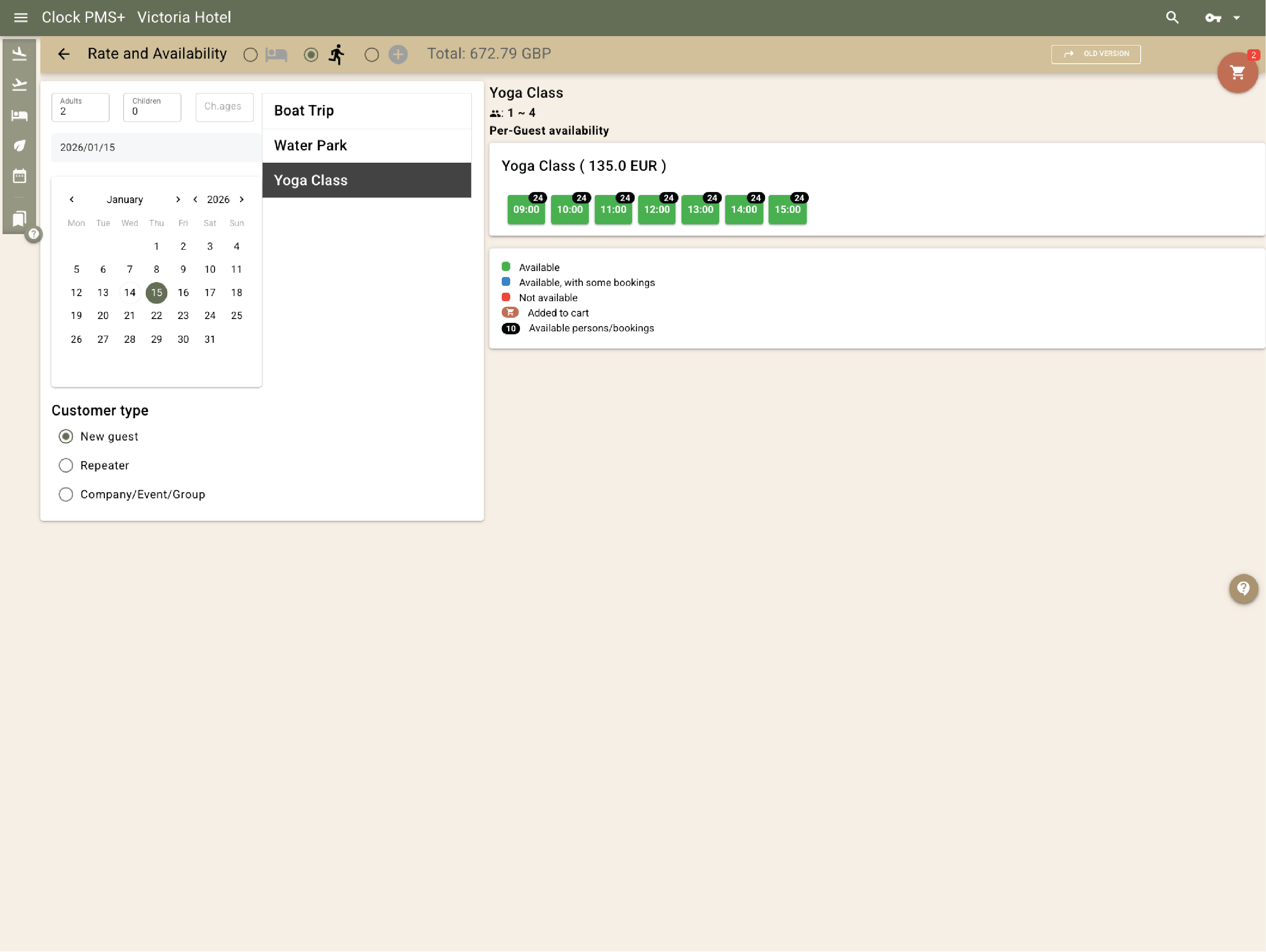
Example:
A guest books a room, adds a yoga class and parking, and all items are confirmed on the same reservation.
  • Book rooms, services, and experiences in one flow (1)
  • Book rooms, services, and experiences in one flow (2)
  • Book rooms, services, and experiences in one flow (3)
  • Book rooms, services, and experiences in one flow (4)

    Manage activities and services with real capacity control

    Activities are defined with time slots and limited capacity. Availability updates automatically as bookings are made by staff or online, and activities can be booked together with accommodation or added later.
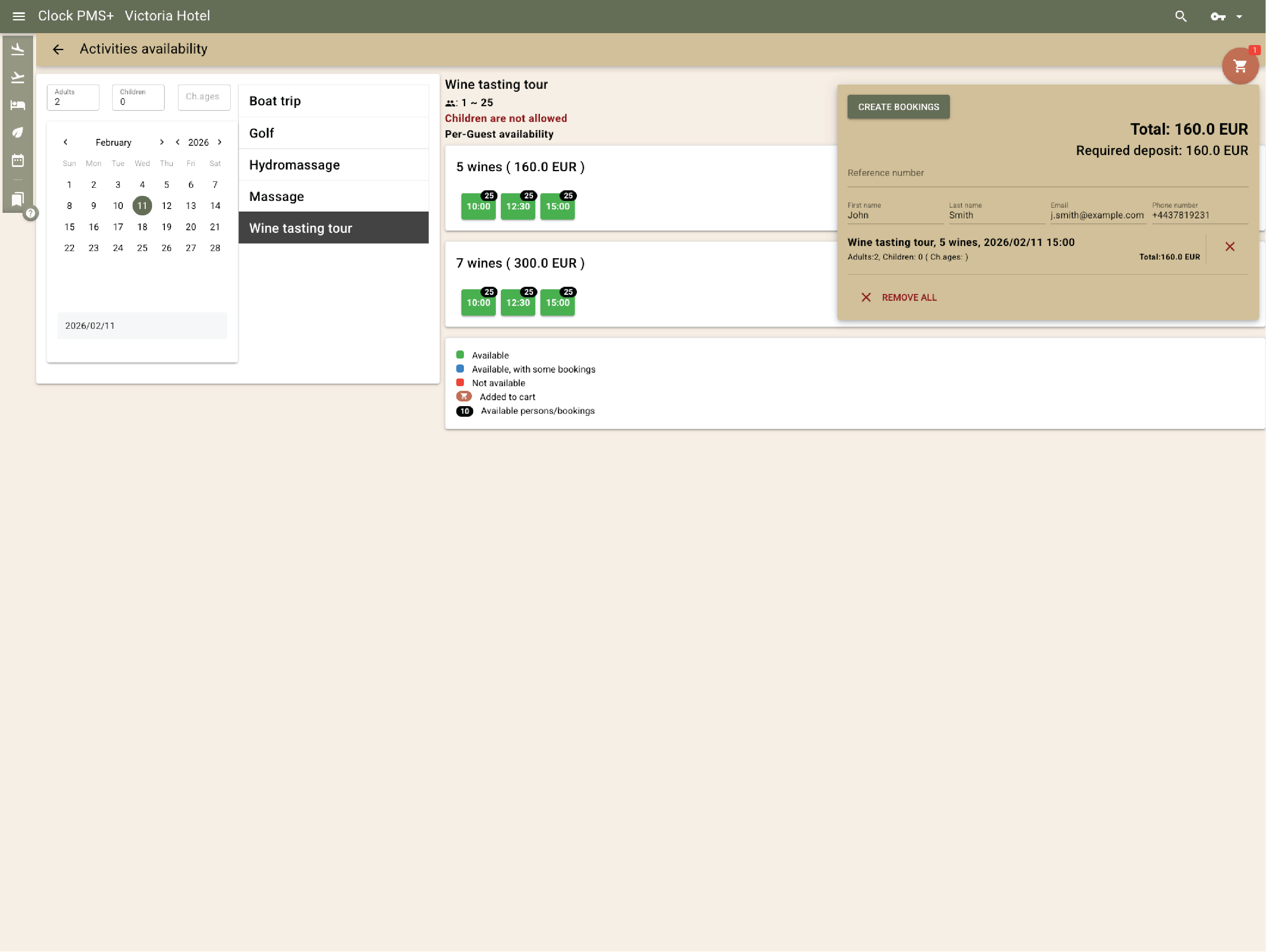
    Example:
    Parents book a morning kids’ tour to a nearby water park while already staying at the resort.
    Manage activities and services with real capacity control

    Build and manage boards and packages

    Packages can combine accommodation, meal boards, activities, or facilities access. Posting rules remain linked to the package, while time slots for included activities can be scheduled later.
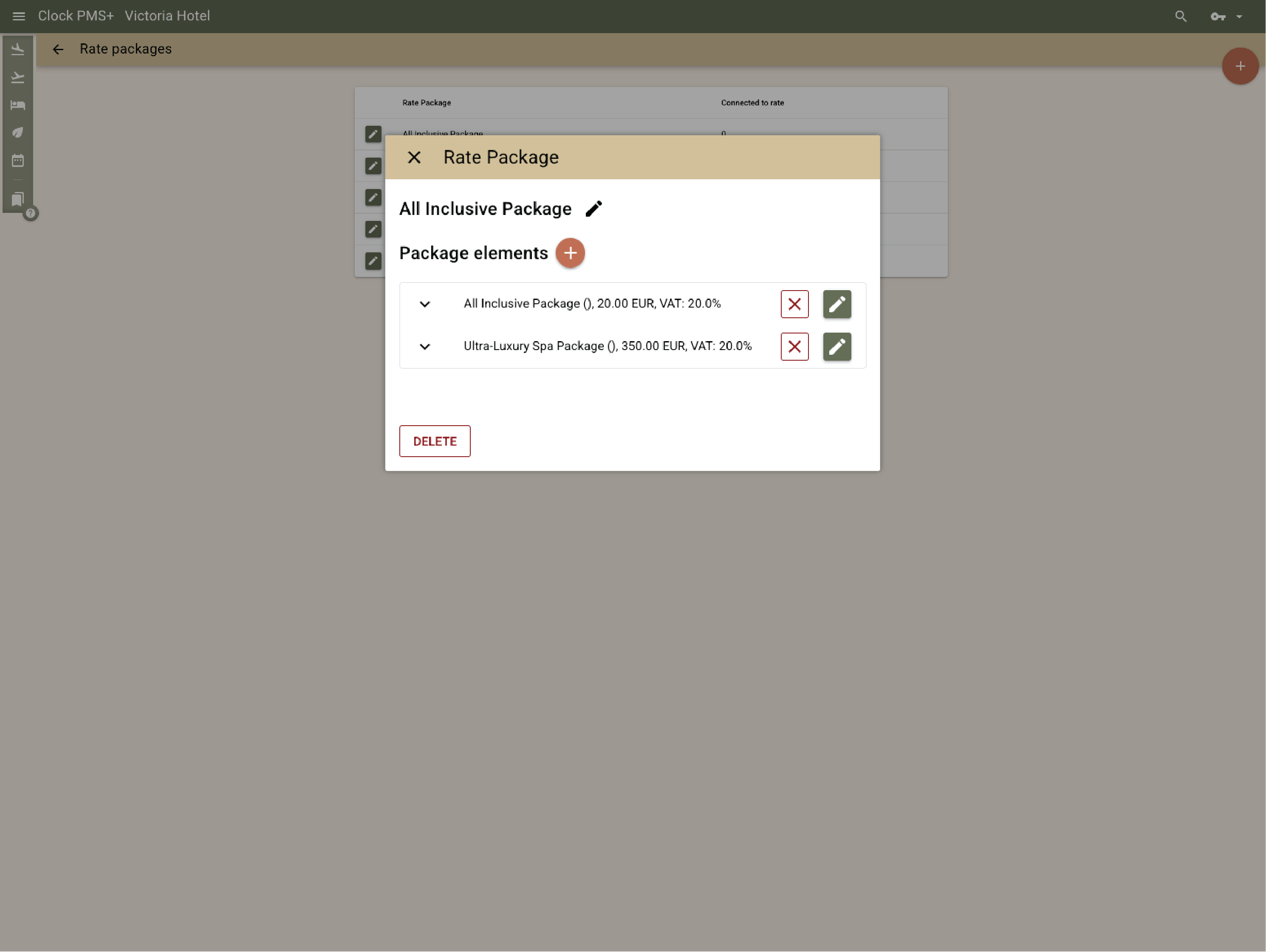
    Example:
    An all‑inclusive package includes full board and a spa treatment; the spa slot is booked later while the entitlement remains linked to the stay.
    Build and manage boards and packages

    Manage package entitlements and access control

    Clock manages package entitlements across dining, activities, and facilities. Identity tags, such as RFID wristbands, are supported and linked to the guest's reservation for posting additional charges via the POS and facilitating access validation based on stay and package type.
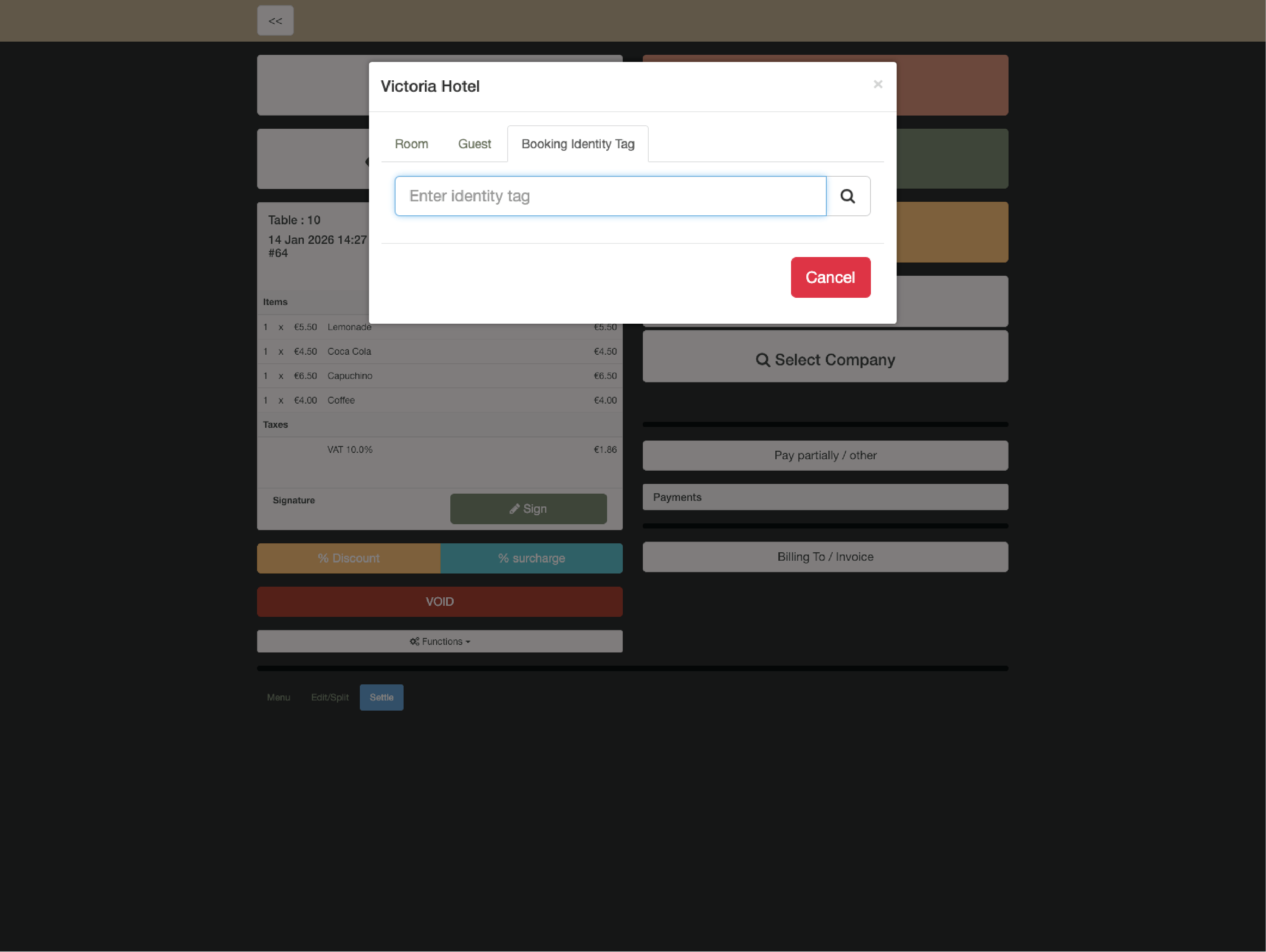
    Example:
    A guest uses an RFID wristband to access the SPA zone, the included fitness classes, while premium treatments are posted separately.
    Manage package entitlements and access control

    Run weddings, events, and group stays in one system

    Group stays and events are handled alongside individual reservations. Room blocks, pickup and release rules, rooming lists, and billing logic remain linked to reservations, while event handling covers function spaces, schedules, services, and required resources — all planned against overall resort availability.
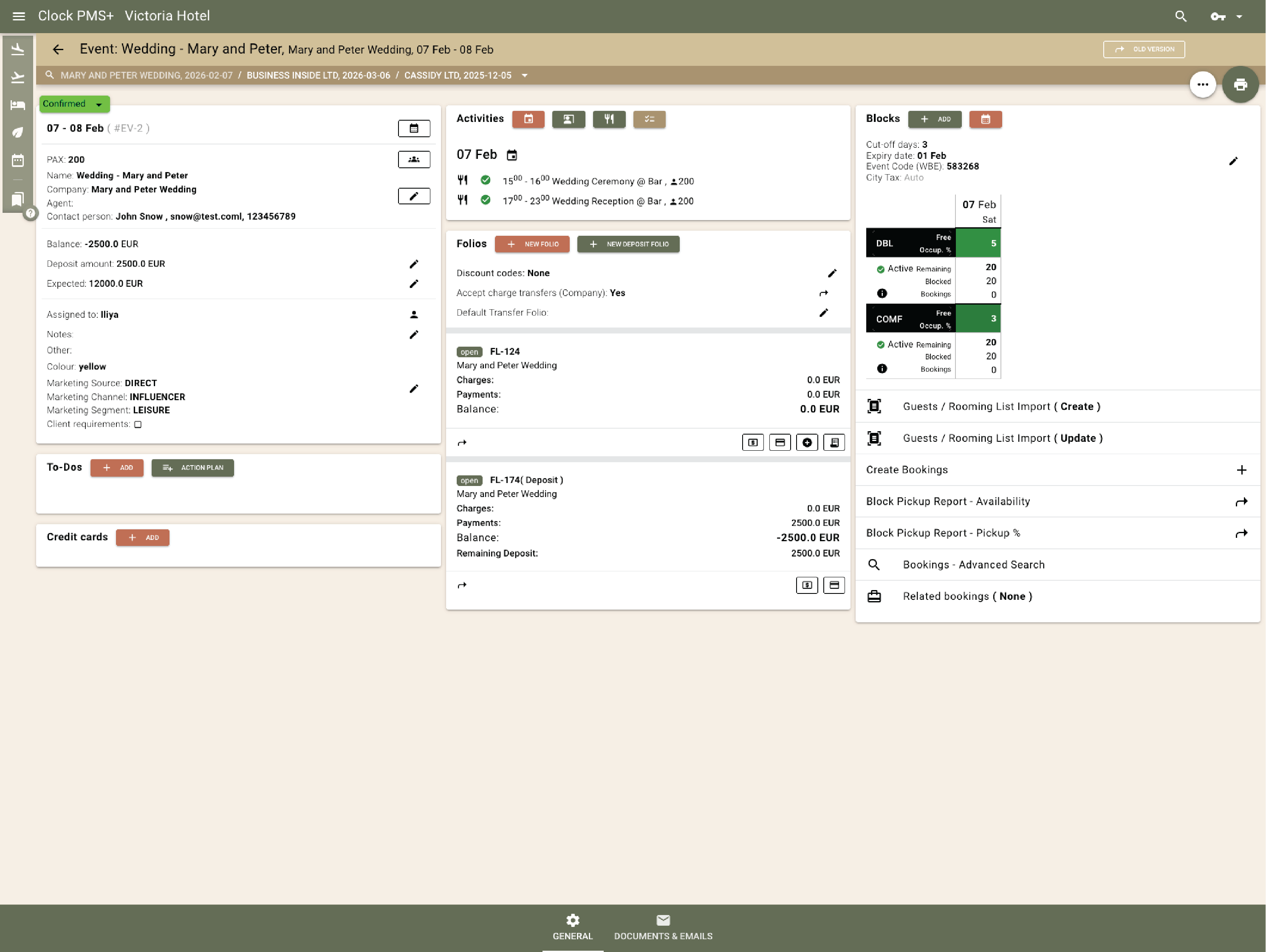
    Example:
    A wedding group reserves 40 rooms with staged release dates, while ceremony space, banquet setup, and catering services are scheduled in the same system.
    Run weddings, events, and group stays in one system

    Manage tour‑operator, company, and agent contracts

    Contracts support seasonal pricing, age‑based rates, occupancy rules, booking windows (voucher dates), promotional discounts (eg. 7=10) or marketing discounts. Terms are applied automatically to linked reservations and invoices.
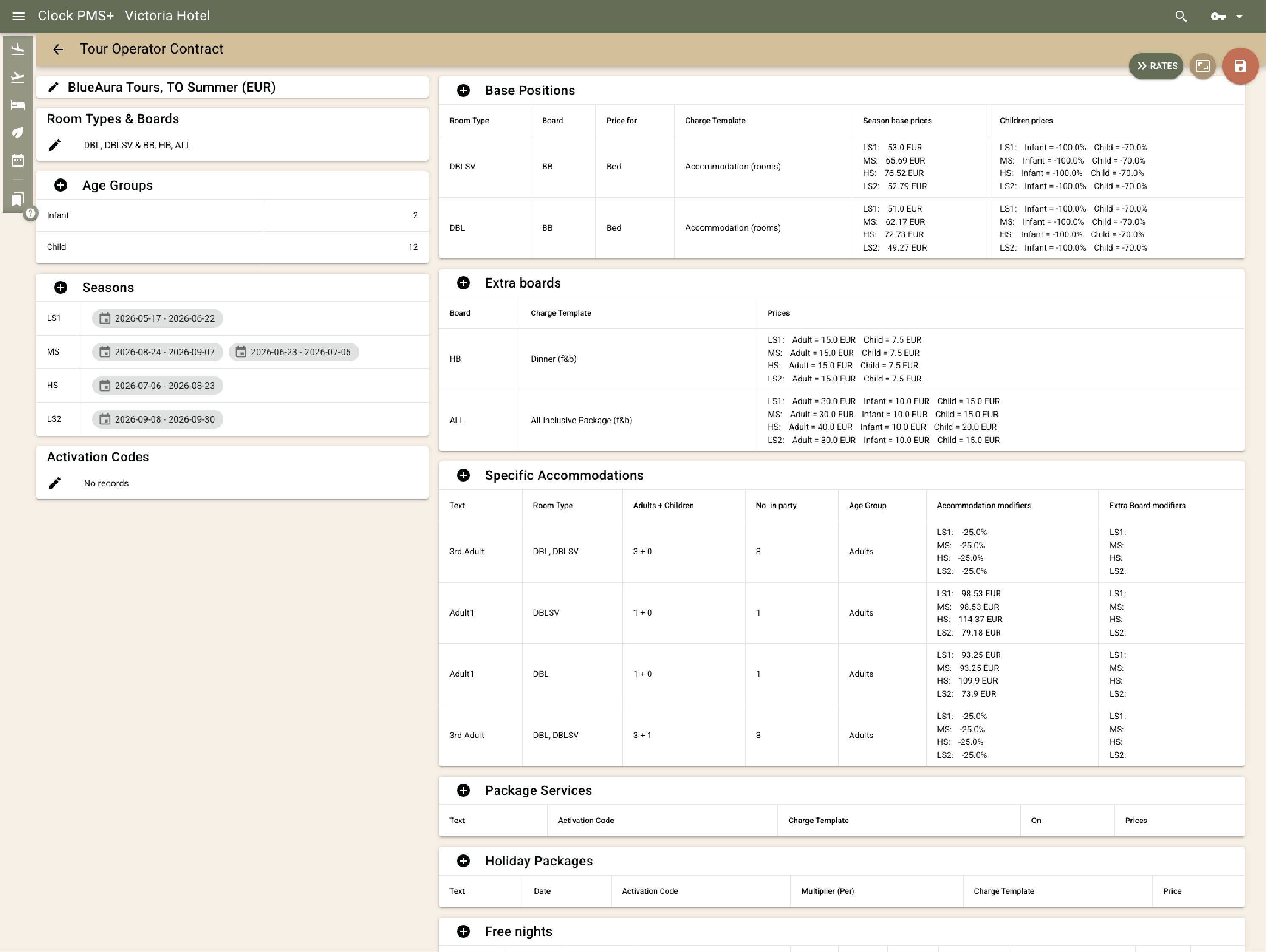
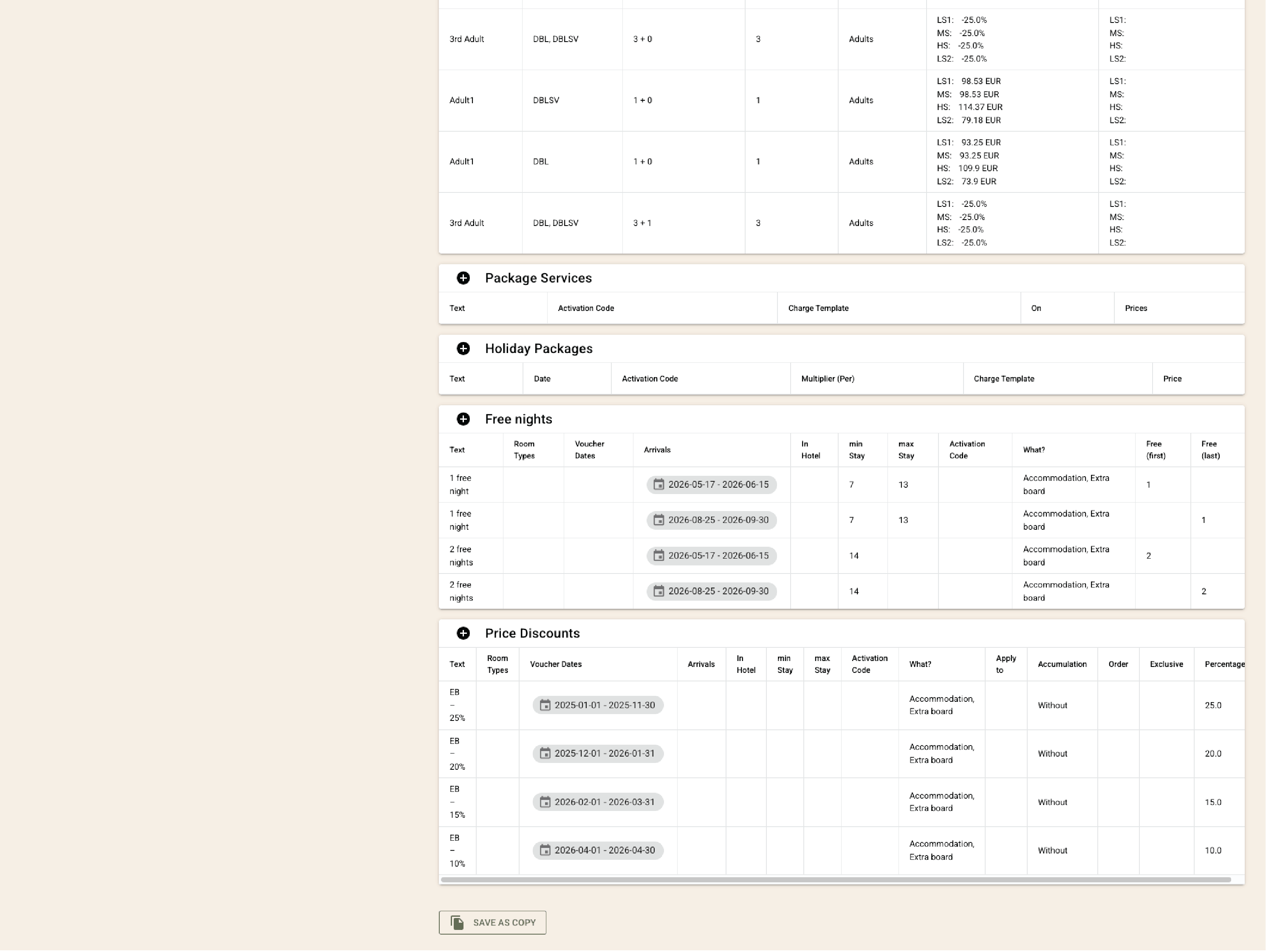
    Example:
    A tour‑operator contract applies seasonal adult and child pricing, 7=10 discount, calculates charges automatically and the invoice is ready to be issued.
    • Manage tour‑operator, company, and agent contracts (1)
    • Manage tour‑operator, company, and agent contracts (2)

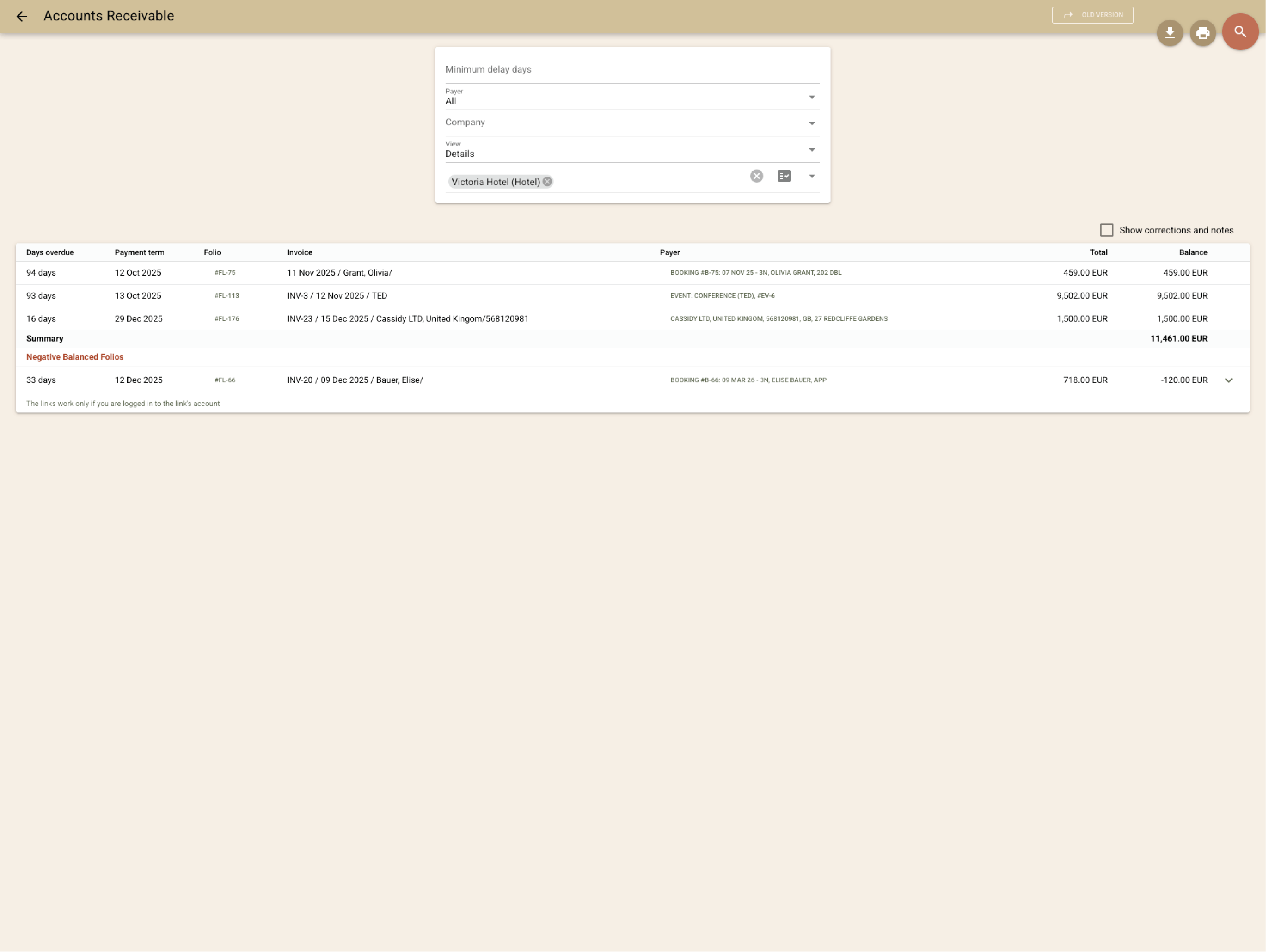
      Manage complex billing and invoicing scenarios

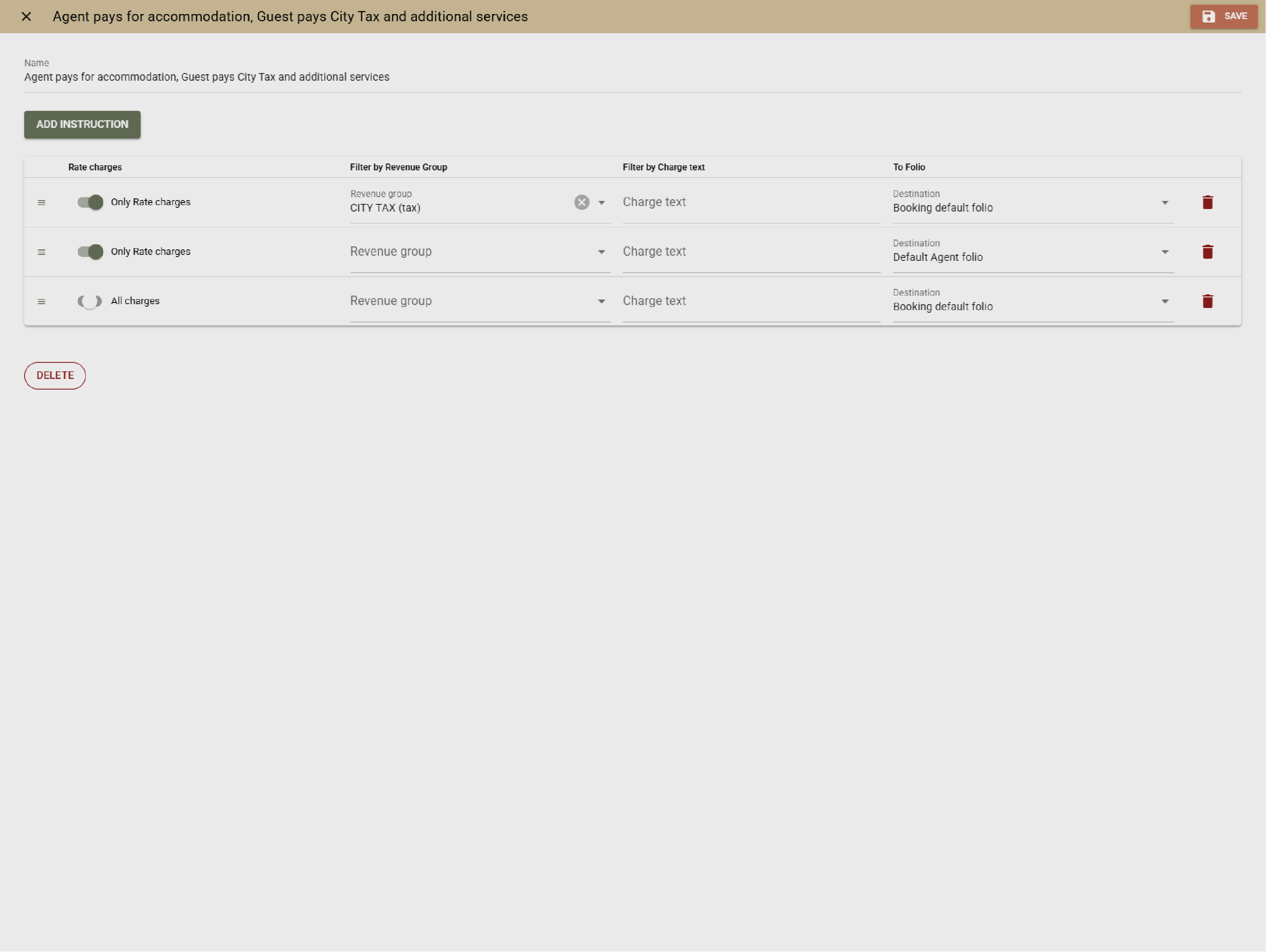
      Clock supports split charges, deposits, advance payments, and multiple invoice types. Charges can be routed to guest, company, or group folios with clear audit trails - manually or automatically.
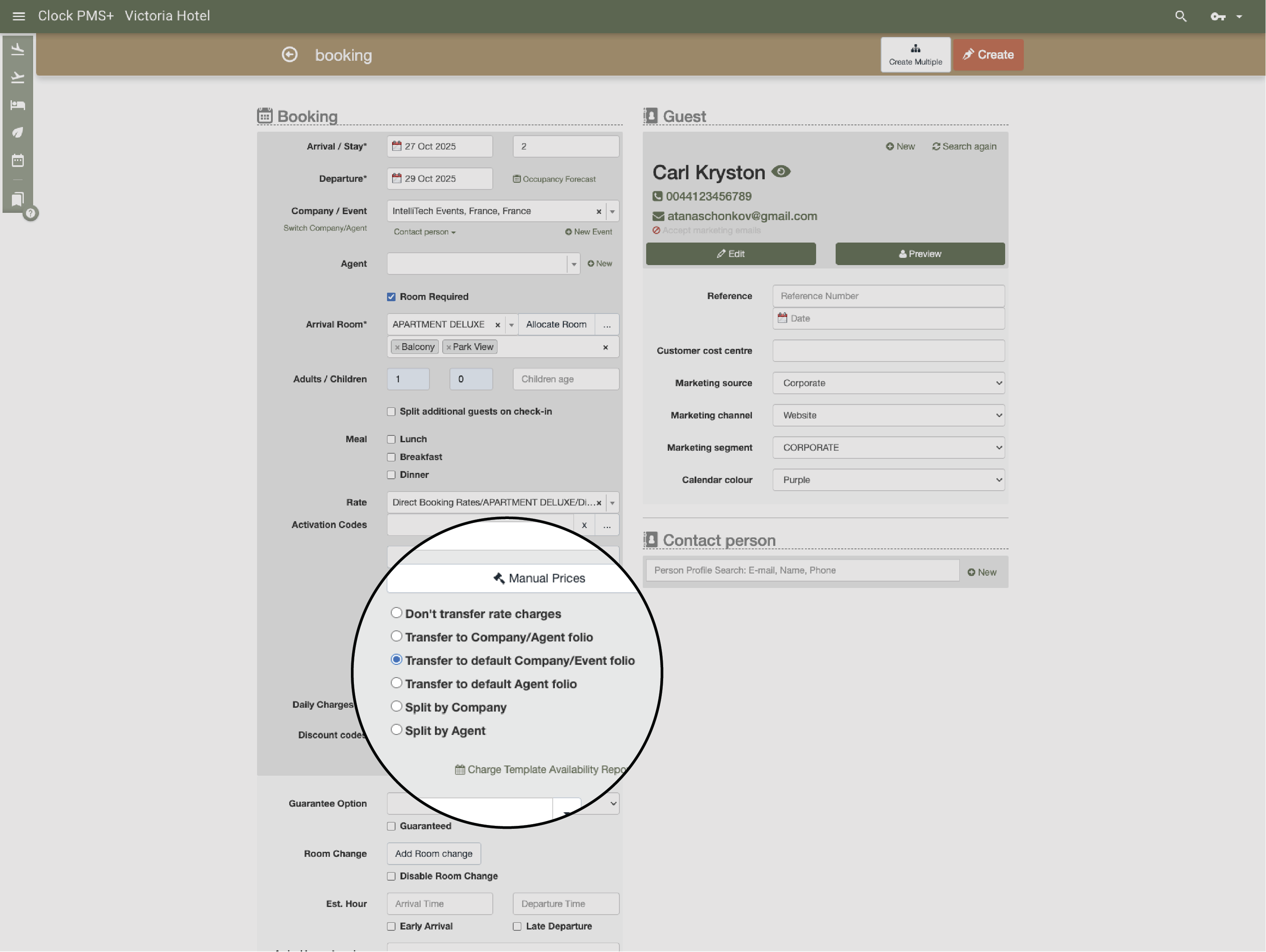
      Example:
      Guest accommodation is billed individually, while event services are invoiced to a company account.
      • Manage complex billing and invoicing scenarios (1)
      • Manage complex billing and invoicing scenarios (2)

        Manage digital guest interaction and arrivals at scale

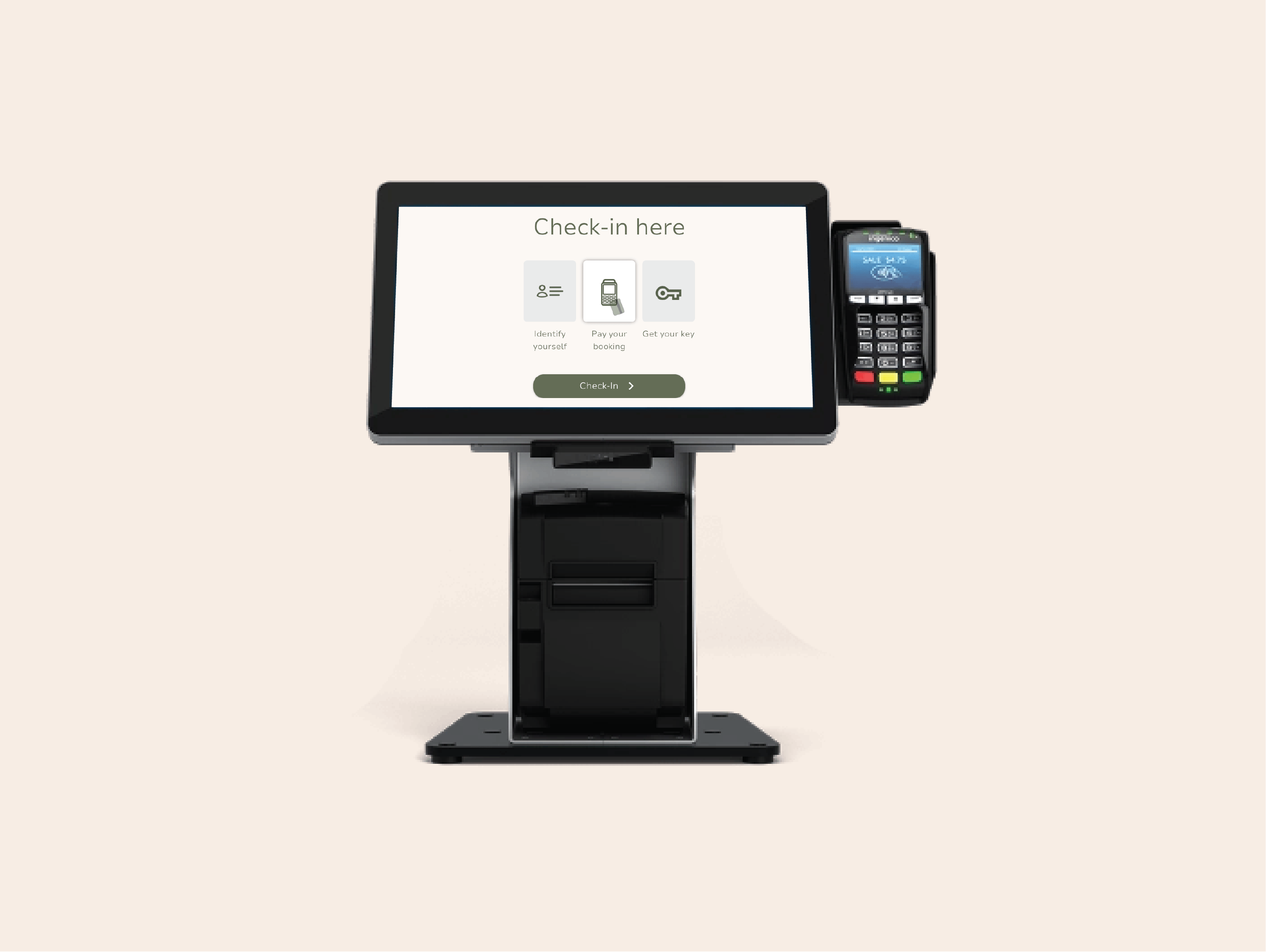
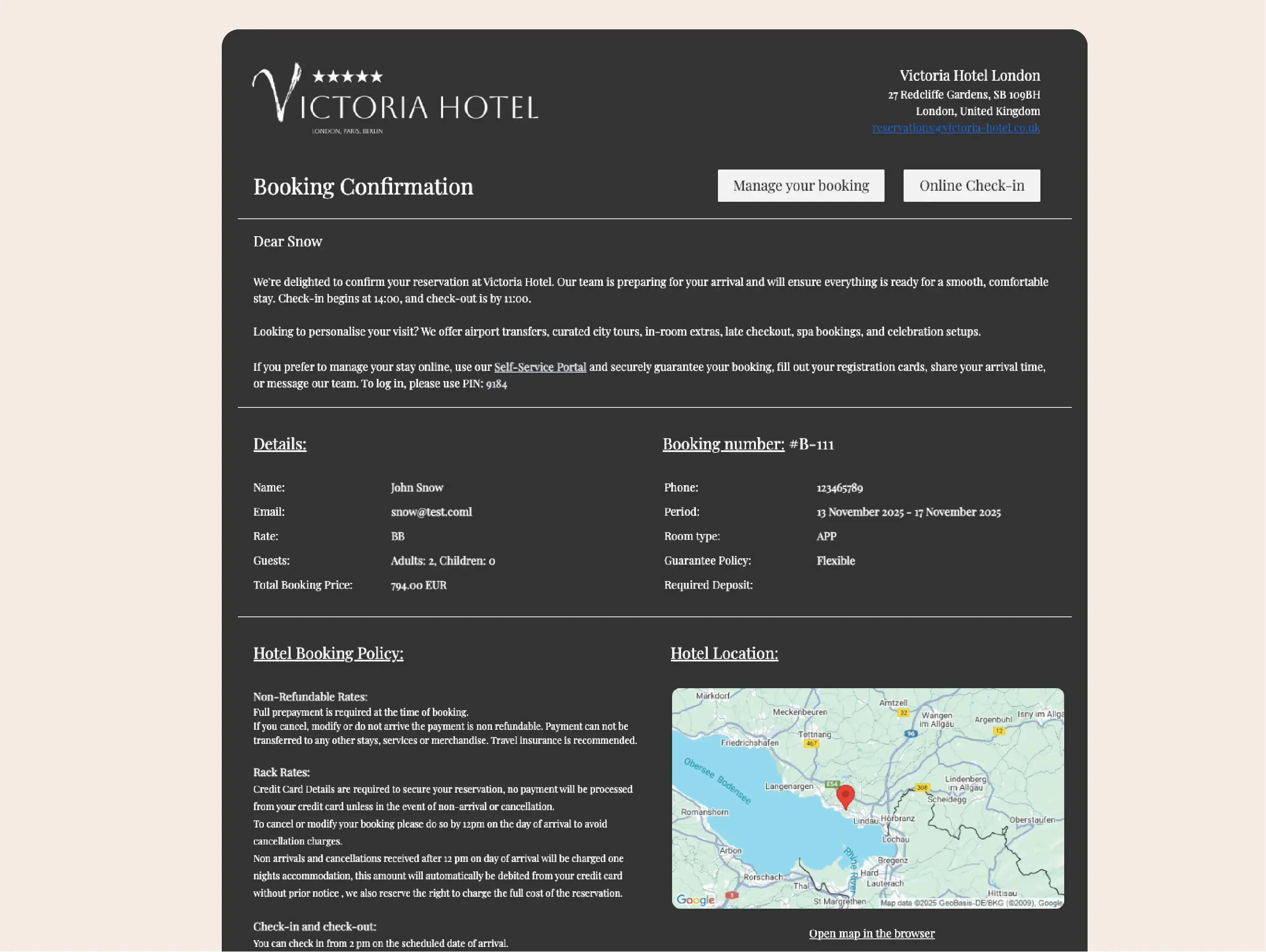
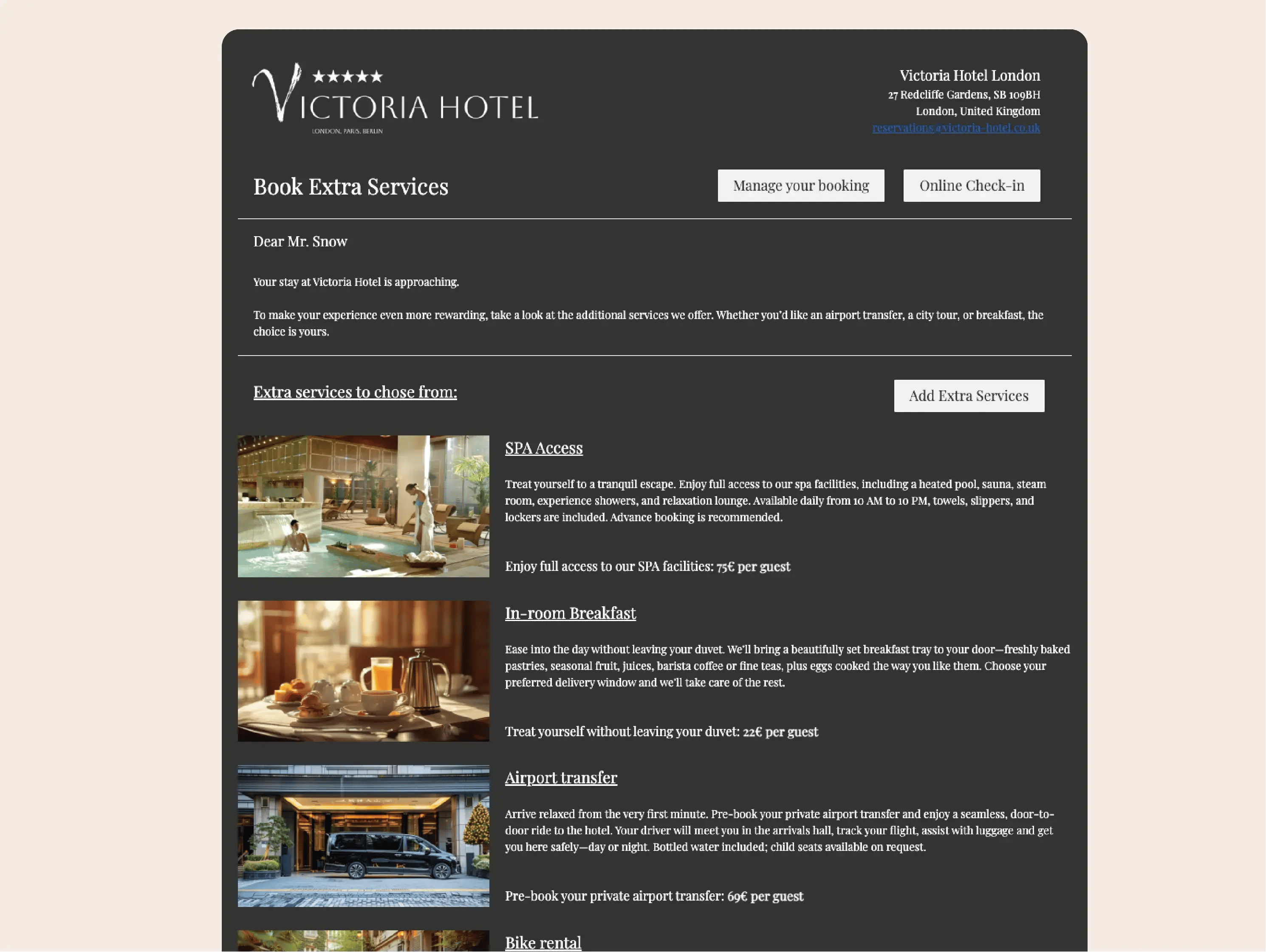
        Online check‑in, guest messaging, the guest portal, and kiosks reduce front‑desk workload during peak periods. Guests complete registration, upgrades, and payments in advance, while staff focus on welcoming and service.
        Example:
        During peak arrivals, reception focuses on orientation instead of administrative check‑in steps.
        • Manage digital guest interaction and arrivals at scale (1)
        • Manage digital guest interaction and arrivals at scale (2)
        • Manage digital guest interaction and arrivals at scale (3)
        • Manage digital guest interaction and arrivals at scale (4)

          Keep complete guest and company profiles

          Guest and company profiles store stay history, booked services, billing data, and notes. Duplicate profiles* can be automatically matched and merged to maintain a single, reliable record.

          Example:
          Staff recognize a returning guest despite bookings coming from different channels.

          *Automatic smart profile deduplication is coming soon

          Keep complete guest and company profiles

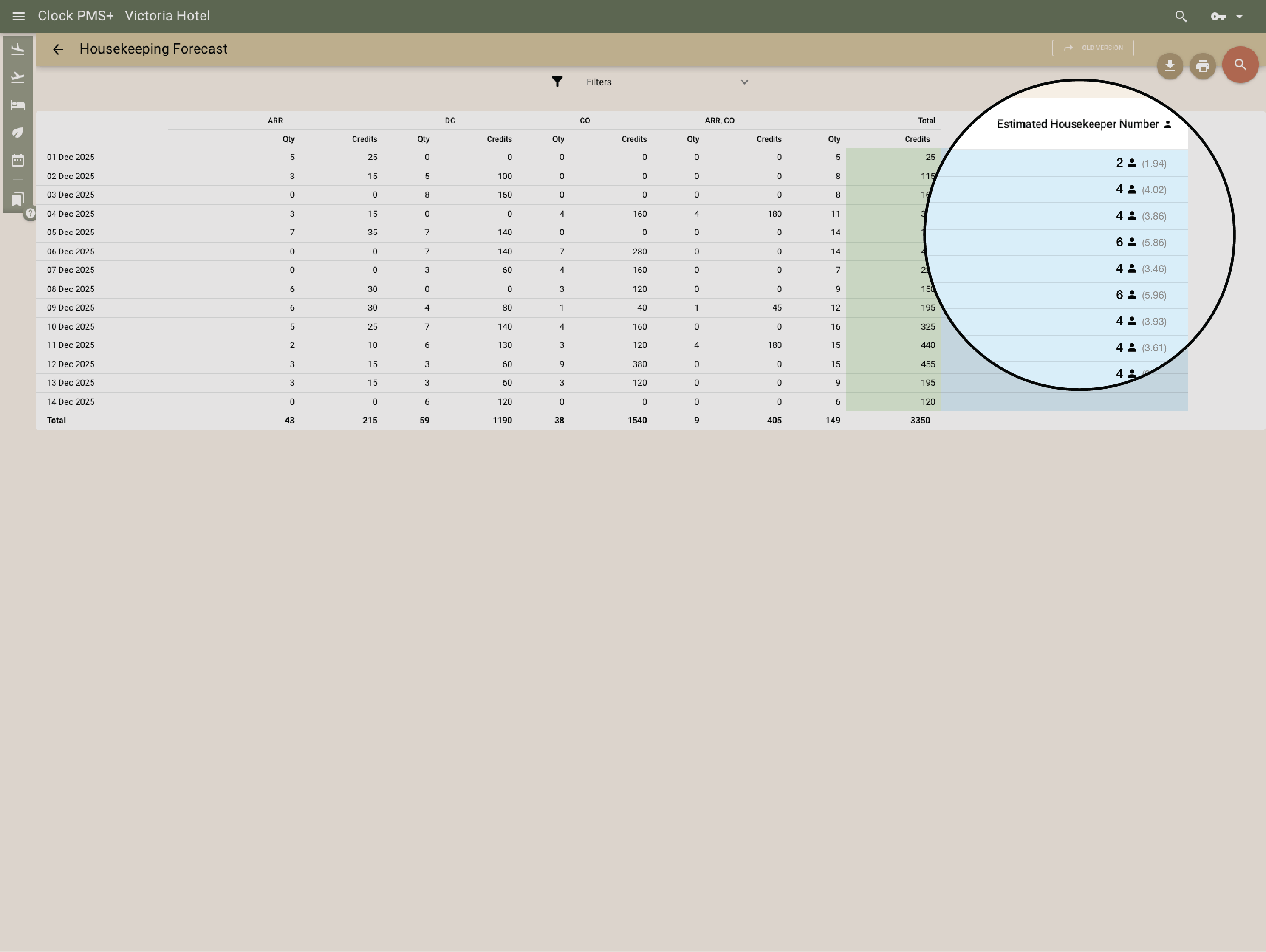
          Coordinate tasks across departments

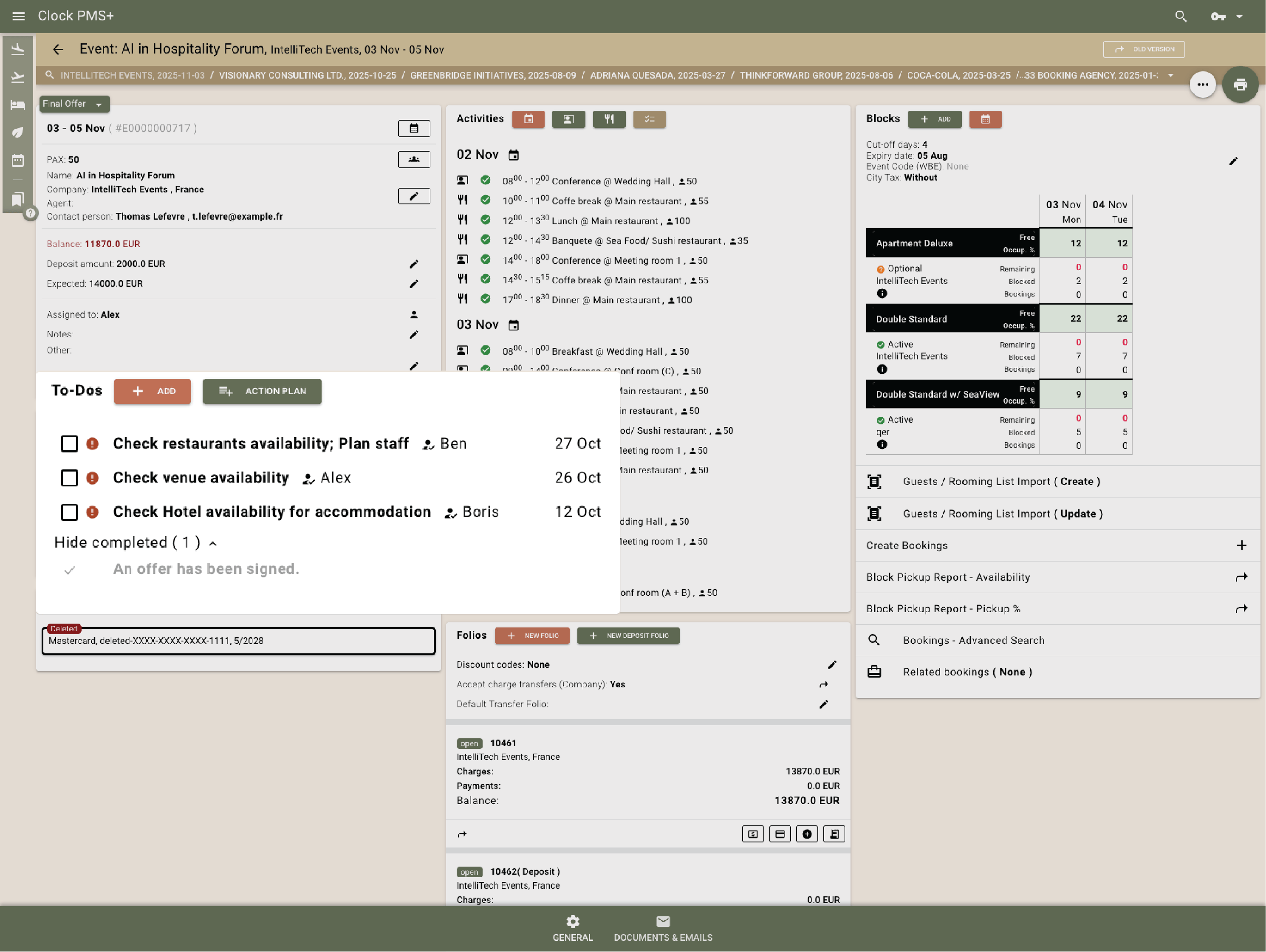
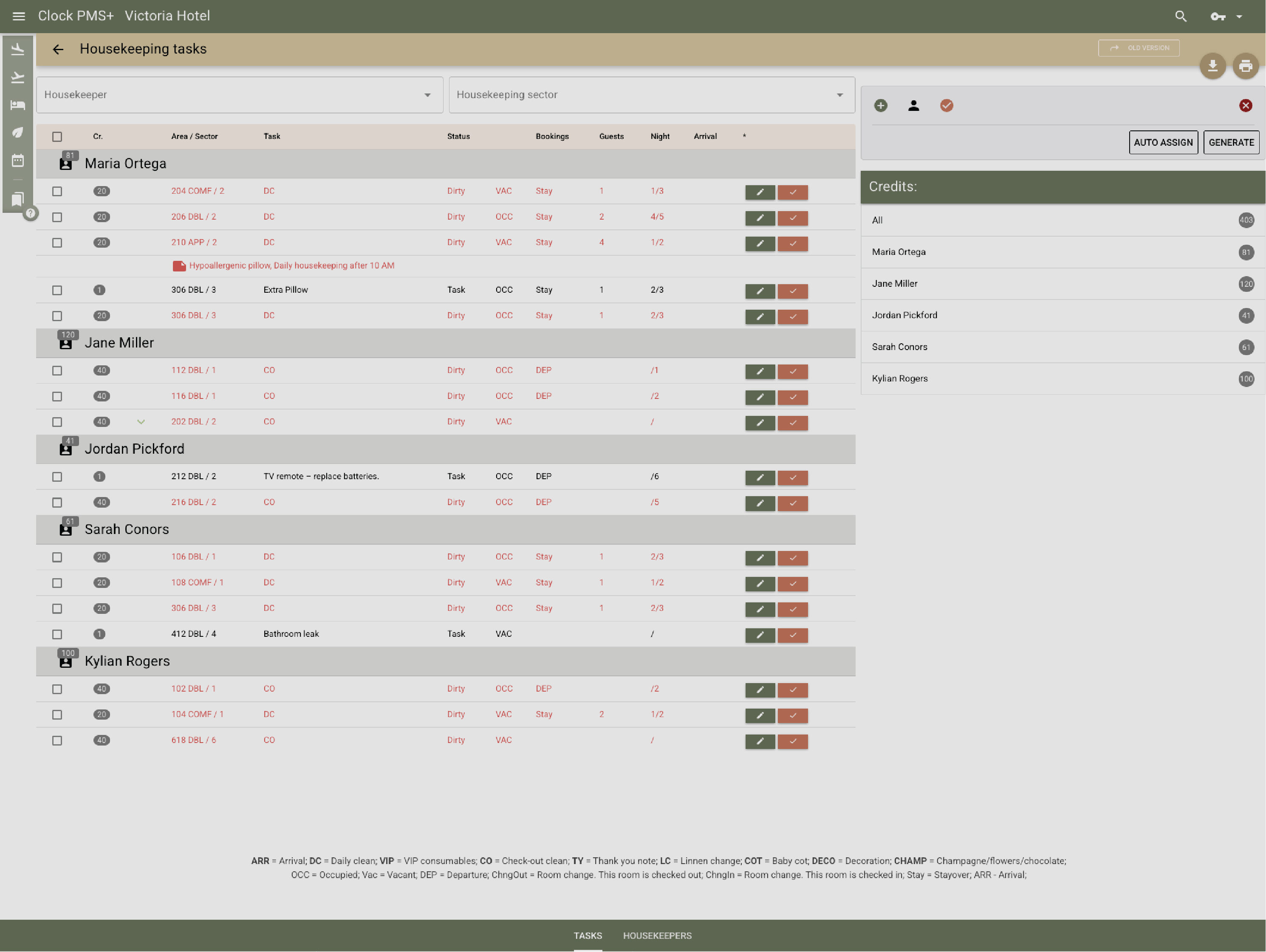
          Clock provides a shared task framework for front office, housekeeping and maintenance, sales, and events. Tasks and action plans can be created, assigned, and tracked with clear ownership and status, helping teams stay aligned during high occupancy or large events.
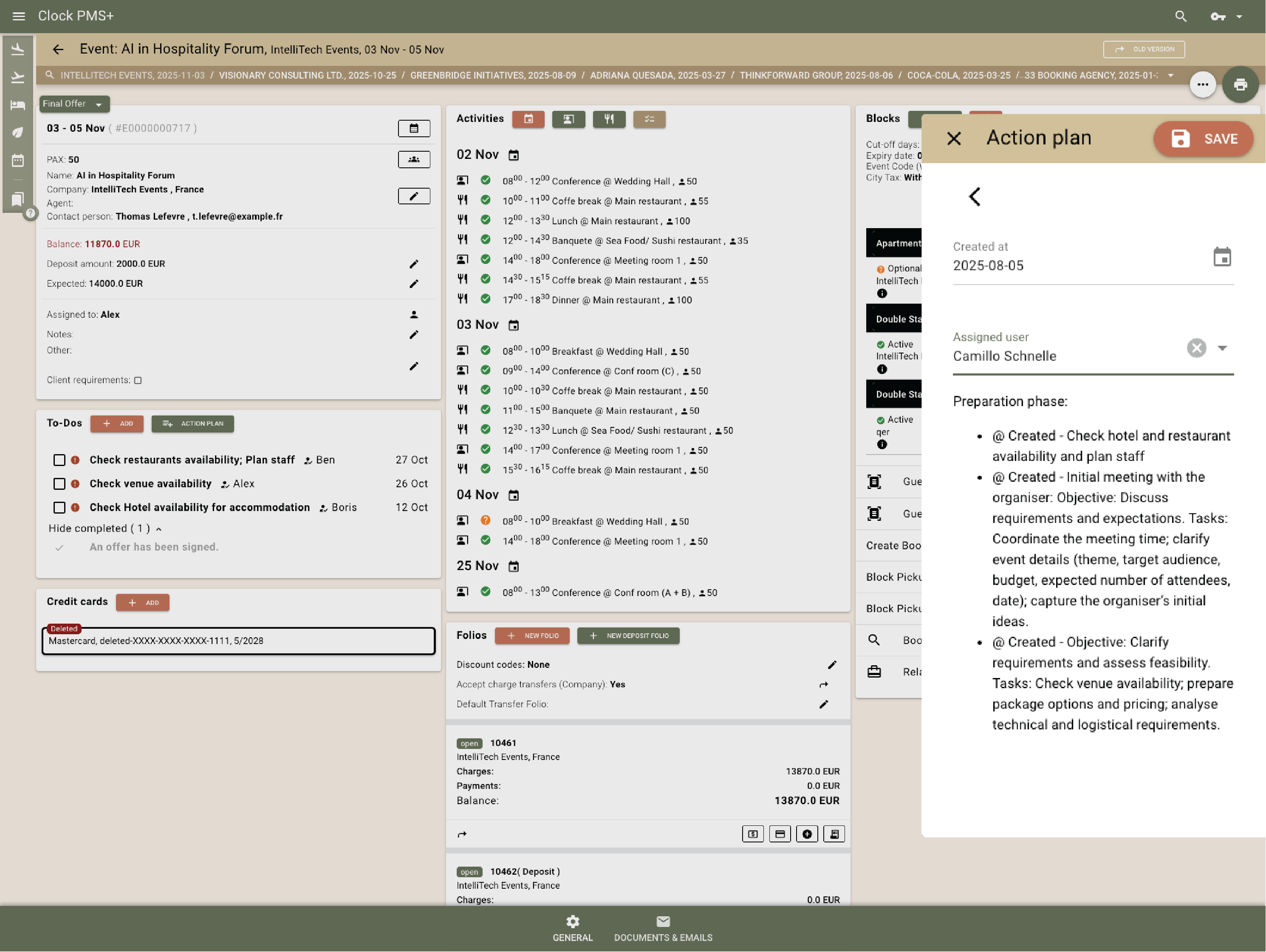
          Example:
          Housekeeping updates room status in real time, while sales uses To‑dos and action plans to track deals and deliver group or special guest requirements.
          • Coordinate tasks across departments (1)
          • Coordinate tasks across departments (2)
          • Coordinate tasks across departments (3)

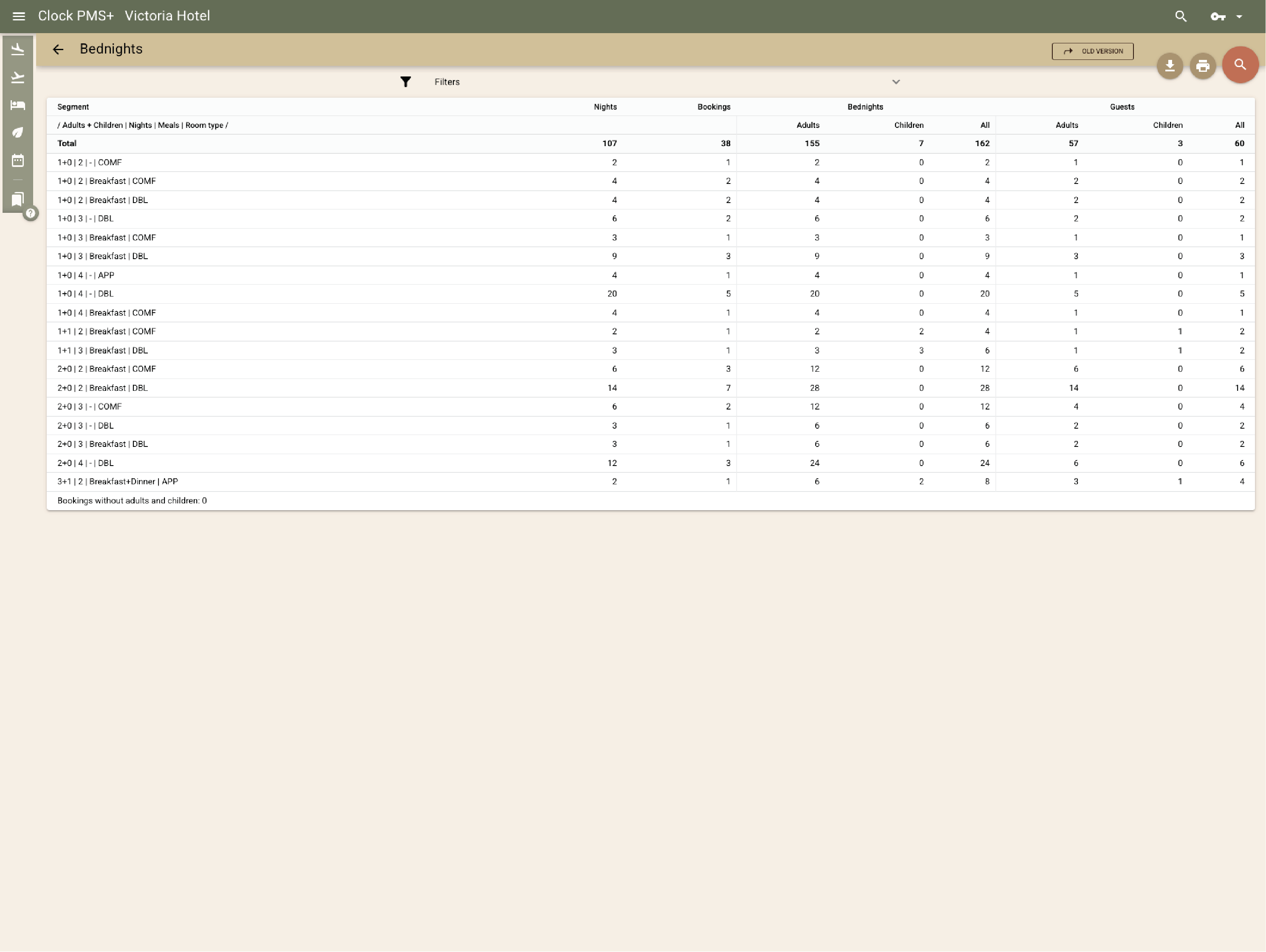
            Use reporting that reflects resort operations

            Standard reports cover reservations, occupancy, revenue, charges, invoices, housekeeping, and KPIs. Custom dashboards can be created to reflect resort structure or seasonal operations.
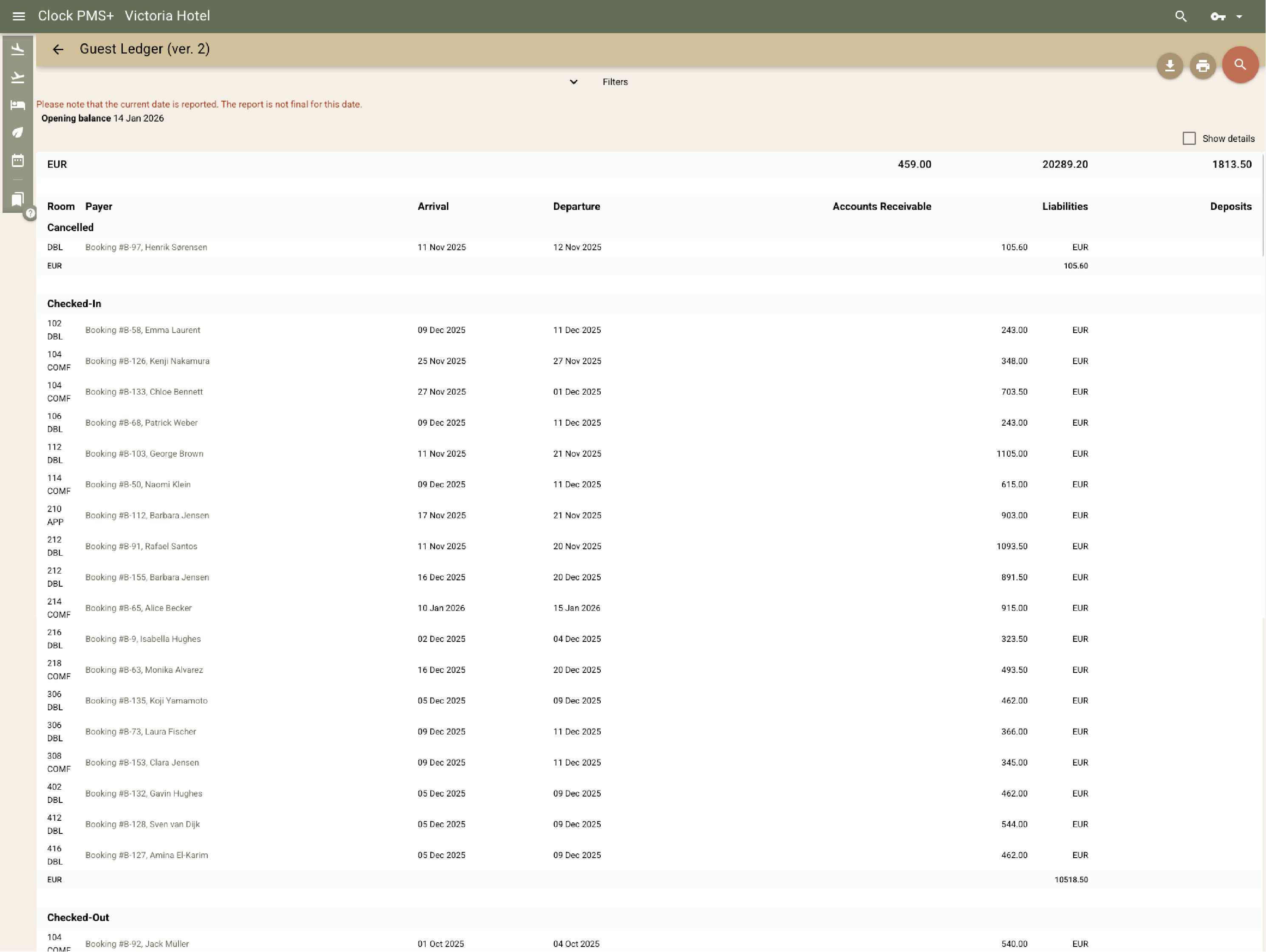
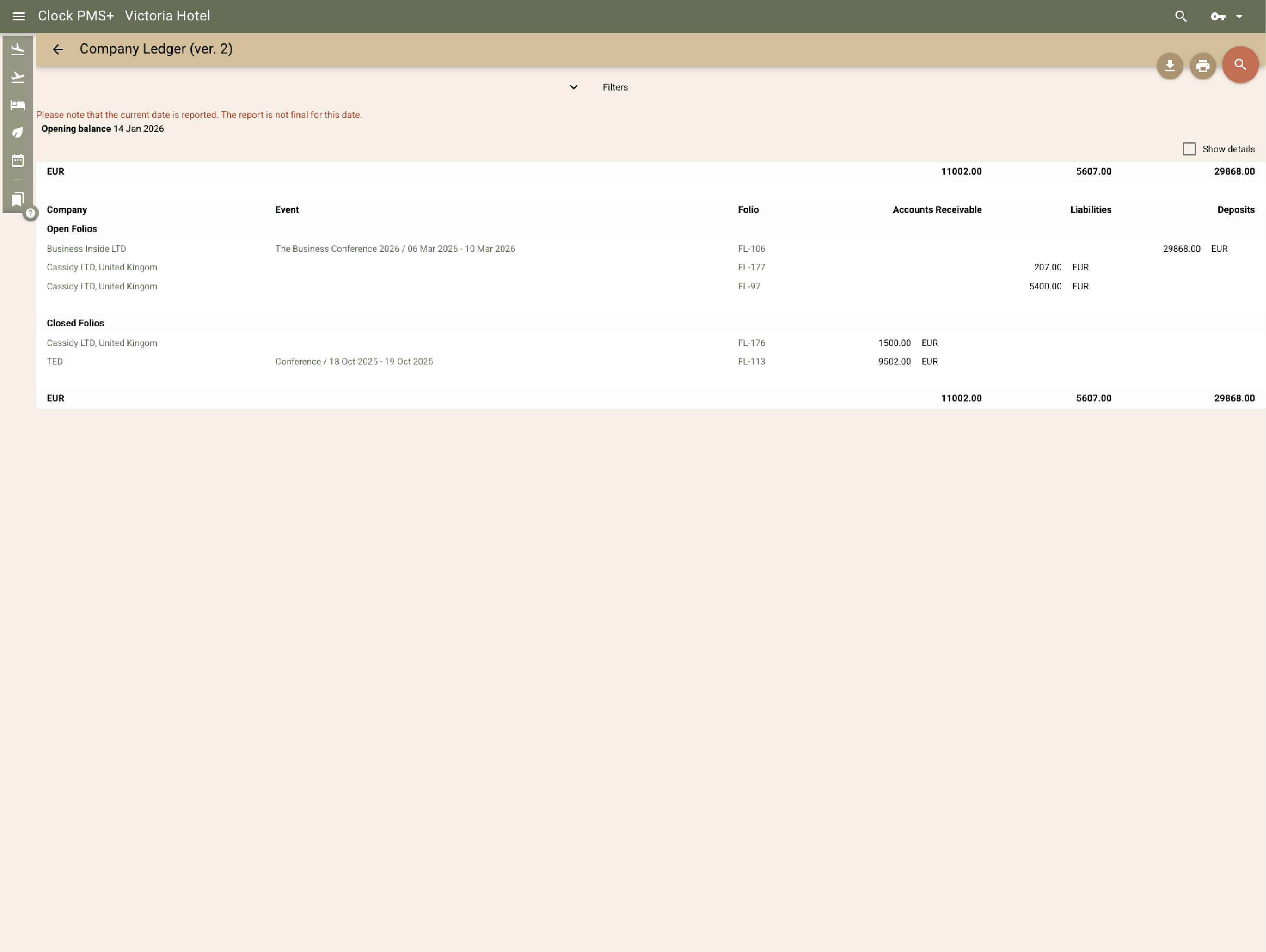
            Example:
            Management reviews room revenue, spa sales, and event income together in a single custom-built monthly dashboard.
            • Use reporting that reflects resort operations (1)
            • Use reporting that reflects resort operations (2)
            • Use reporting that reflects resort operations (3)
            • Use reporting that reflects resort operations (4)
            • Use reporting that reflects resort operations (5)

              Support seasonal resort operations

              Clock supports seasonal operations through a simple interface for fast onboarding, role‑based access to limit actions, and automation that reduces manual work. Performance‑based pricing aligns fees with annual revenue rather than fixed room counts.

              Platform overview

              One platform for connected hospitality operations

              Move through the core capability groups that keep property, revenue, guest, and finance workflows in one connected system.

              Use the previous and next buttons or the left and right arrow keys to move through capabilities.

              Slider position

              1. PMS

                Run the core property workflow from reservations to stay management and billing context.

                What is included

                • Room and folio management
                • Guest profiles
                • Company accounts
                • Operational notes and tasks
                • Rate and availability context
                • Stay history
              2. Reservations

                Manage direct, group, and channel reservations without losing guest or revenue context.

                What is included

                • Individual bookings
                • Group reservations
                • Availability view
                • Booking modifications
                • Guest and company details
                • Deposits and guarantees
              3. Rates

                Keep pricing logic connected to occupancy, restrictions, packages, and connected sales channels.

                What is included

                • Rate plans
                • Restrictions
                • Packages
                • Channel-ready pricing
                • Occupancy rules
                • Seasonal adjustments
              4. Invoicing

                Give finance and front desk teams the billing tools they need inside the same operational flow.

                What is included

                • Guest invoices
                • Company billing
                • Deposits and prepayments
                • Tax and payment records
                • Folio routing
                • Credit notes
              5. Front desk

                Support fast arrival, stay, and departure workflows for the people working the desk.

                What is included

                • Arrivals and departures
                • Room moves
                • Guest requests
                • Live operational status
                • Check-in and check-out
                • Desk handover notes
              6. Housekeeping

                Connect room status and housekeeping activity directly to the property workflow.

                What is included

                • Room status
                • Cleaning assignments
                • Maintenance flags
                • Team visibility
                • Out-of-order rooms
                • Daily task tracking
              7. Guest messaging

                Keep guest communication close to the reservation and stay record.

                What is included

                • Pre-arrival messages
                • Stay communication
                • Automated notifications
                • Guest context
                • Template messages
                • Post-stay follow-up
              8. Booking.com & OTA sync

                Keep availability, reservations, and channel updates aligned with the property system.

                What is included

                • OTA reservations
                • Availability sync
                • Rate updates
                • Channel status
                • Restriction updates
                • Reservation import
              9. Events

                Manage meetings, functions, and hospitality event context alongside hotel operations.

                What is included

                • Event records
                • Spaces and schedules
                • Guest and company context
                • Operational notes
                • Function details
                • Event billing context
              10. Activity bookings

                Sell and manage add-on experiences as part of the wider guest journey.

                What is included

                • Bookable activities
                • Guest add-ons
                • Capacity visibility
                • Connected billing
                • Time slot management
                • Activity confirmations
              11. Restaurant POS

                Connect restaurant charges and outlet activity to the guest and property record.

                What is included

                • Outlet sales
                • Room charges
                • Receipts
                • Revenue context
                • Table service flow
                • Payment posting
              12. Booking engine

                Bring direct booking conversion into the same platform that manages the stay.

                What is included

                • Direct reservations
                • Packages and extras
                • Availability and rates
                • Guest details
                • Promo codes
                • Mobile booking flow
              13. Online check-in & kiosk

                Offer self-service arrival options while keeping staff in control of the workflow.

                What is included

                • Online check-in
                • Kiosk flow
                • Guest verification
                • Arrival status
                • Digital registration
                • Self-service payments
              14. Guest portal

                Give guests a self-service space connected to their booking and stay.

                What is included

                • Booking details
                • Guest requests
                • Upsells and services
                • Stay information
                • Profile updates
                • Payment access
              15. Card payment automation

                Automate payment steps while keeping charges tied to the correct reservation and folio.

                What is included

                • Card capture
                • Payment requests
                • Pre-authorizations
                • Automated charging rules
                • Secure card storage
                • Failed payment handling

              How it fits different teams

              IT

              AWS hosting, open API, integrations, role‑based access, and high‑availability setup.

              Finance

              Invoicing, deposits, payment workflows, and accounting integrations.

              Operations

              One connected setup for rooms, services, events, housekeeping, and tasks.

              Sales / Revenue

              Live availability, packages, contracts, events and group sales, and sales to-dos and action plans.

              Around the world

              Reservations, rooms, guests, payments, housekeeping, messages — there’s a lot to keep straight. Clock gives hotels one clear place to stay on top of it all.

              In their words

              How do customers feel after switching to Clock?

              We asked our customers: What changed for the better since you switched to Clock? Here’s some of what they said…

              Use the previous and next buttons or the left and right arrow keys to move through reviews.

              Slider position

              1. We chose Clock because of the tool's flexibility, its ability to integrate with our entire IT ecosystem, and also for its multi-property management, which is really the strong point for us.
                Marine Bossanne Project Manager Operations and Quality at Elegancia
              2. The strength of Clock is that it brings everything together in one system. What we previously had to accomplish using multiple tools, we can now do with a single solution.
                Ruggero Carpino Head of Customer Service & Training at Algilà Ortigia Charme Hotel, Syracuse
              3. It was very important for us to look at the stability and the future proofness of the system. And Clock is a company that has the knowledge and the expertise.
                Steff de Groot Owner & General Manager, WICC Hotel & Congress Centre
              4. Faster processes, faster training, more time for staff, to focus on the guests, and tasks that used to be done manually are now automated.
                Carsten Werblow Head of Operations Gambino Group
              5. Better price management, a comprehensive system API, and a dynamic company that continually develops the software.
                Marco Coppola Owner & Chief Navigator Officer, The YellowSquare
              6. By automating routine processes with Clock, we were able to completely restructure how our staff spends their time. Now, the efforts are focused on more meaningful and more profitable activities.
                Lyubomir Stamboliyski Commercial Director of St. Constantine & Helena Holding
              7. Technologies are advancing, and it's normal to move our data to the cloud. I was firmly convinced that this is the right path, and I think we made the right decision.
                Elena Ivanova Founder & Owner, Hi Hotels Group

              Think Clock might fit your hotel?

              Use this module for shared intro content patterns that need eyebrow, heading, supporting copy, and a compact CTA area.

              “Easy to use” “Fast, intuitive, and reliable” “Saves a lot of time” “New staff learn it quickly” “Accessible from any device” “Less manual work” “Fewer booking mistakes” “Responsive and helpful support”