











Reservations

Faster reservations, better offers, fewer mistakes.

Availability, rates, guest details, packages, and activities are all in one place, which makes answers faster and good offers easy to suggest. Contracts, blocks, restrictions, and payments follow their rules automatically in the background, so the flow stays steady and mistakes are much less likely.

Faster reservations, better offers, fewer mistakes.

Trusted by independent hotels worldwide

Alamo Inn Elegancia Four Sisters Collection Golden Tulip Greenstar hotel Grifid 1 Hampshire 1 HappyCulture Mitland Popinns Prinsenhof Relais&Chateaux Gambino Hotels
4.7 / 5

Based on 483+ reviews across

Find the right availability — fast

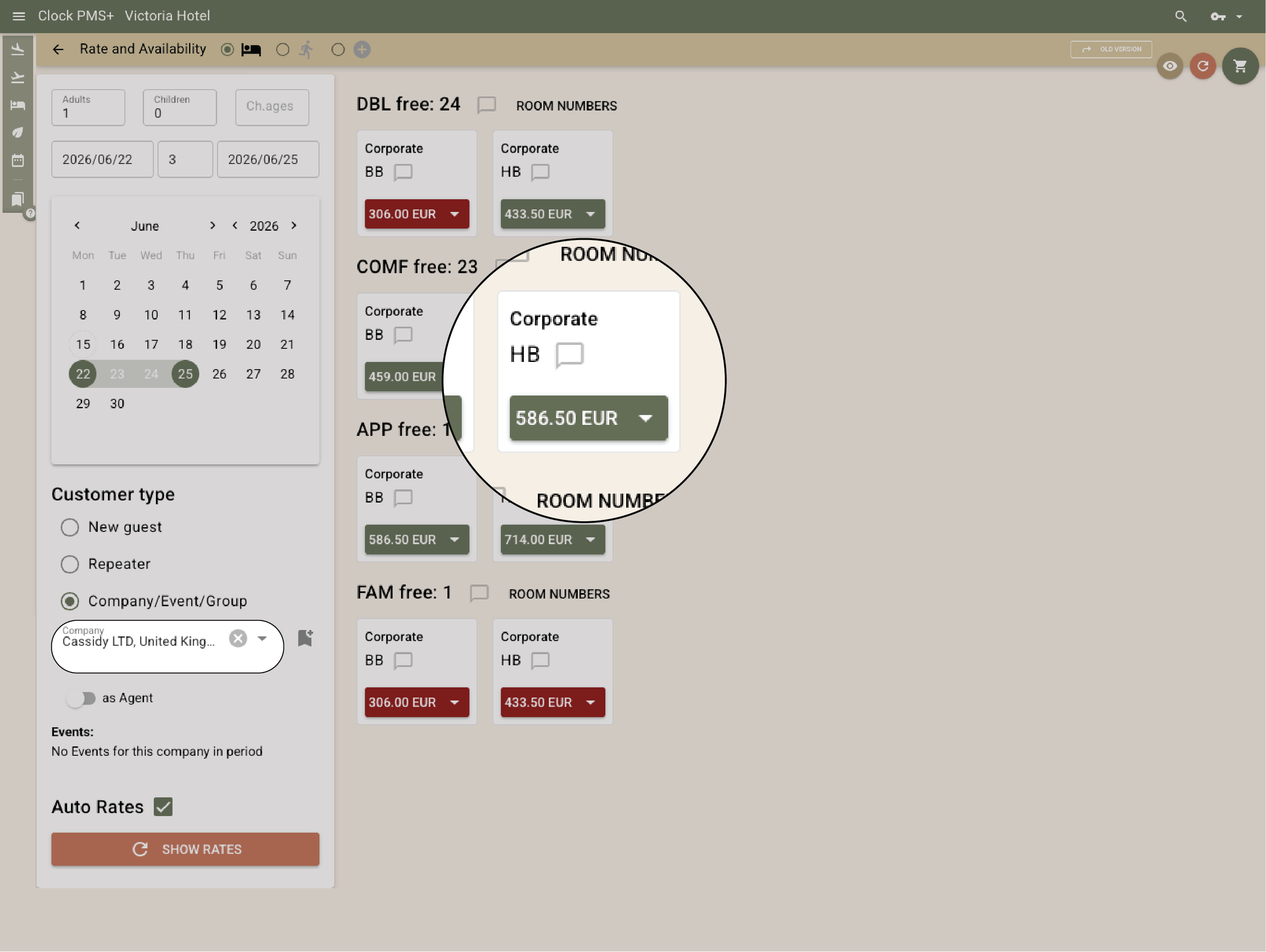
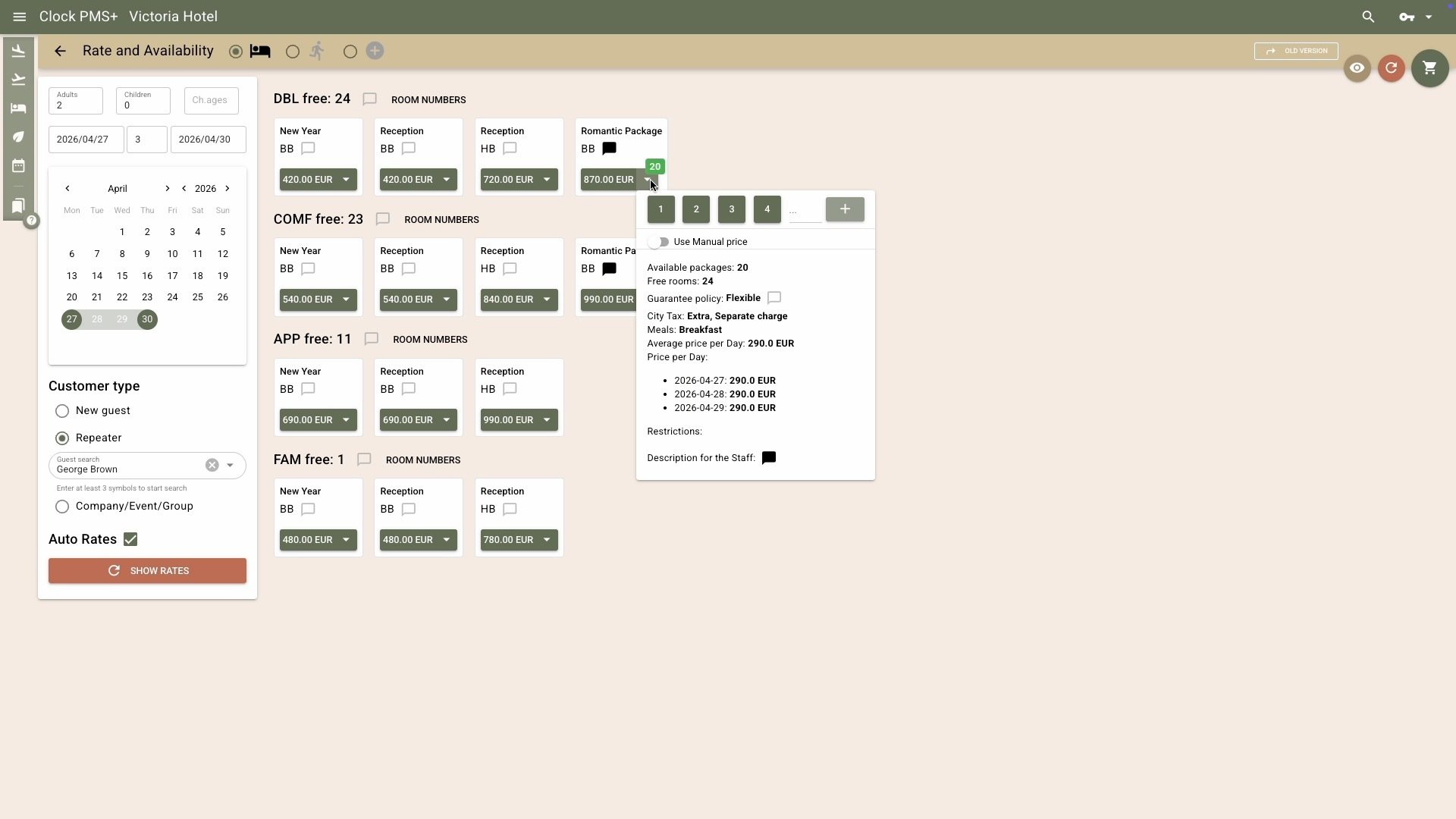
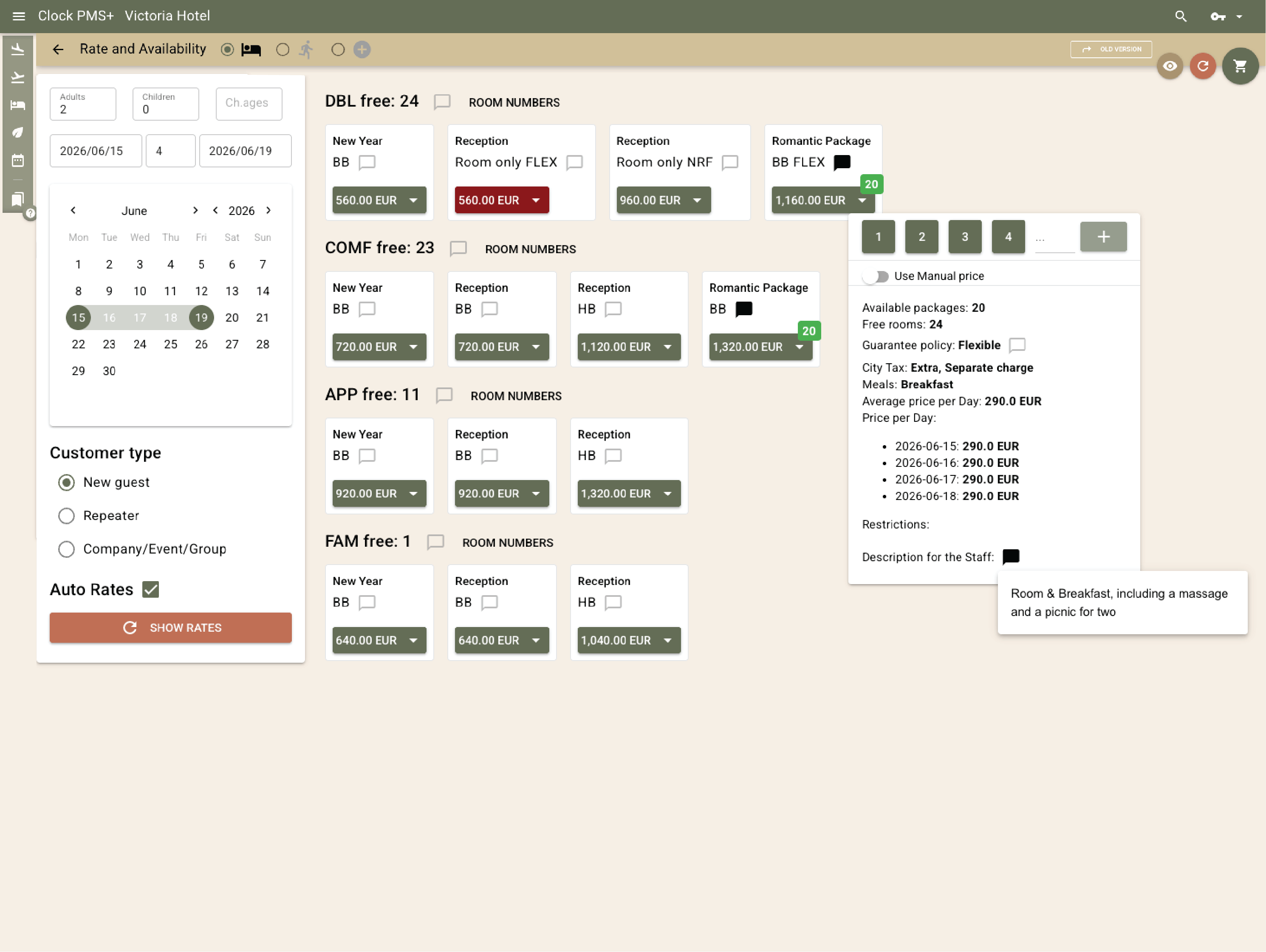
See what’s open, at what rate, and under what terms — all in one clean view. The Rate & Availability screen shows live inventory, rates, and details that help your team answer questions instantly. Switch dates, compare offers, or check restrictions without jumping between tabs.
Example:
A guest wants a weekend room with breakfast and a shower, not a tub. Your agent opens the room description to confirm, spots the Romantic Package beside Room + Breakfast, sees it includes a massage and picnic for two, and offers it right away. The guests love it — easy upsell.
  • Find the right availability — fast (1)
  • Find the right availability — fast (2)

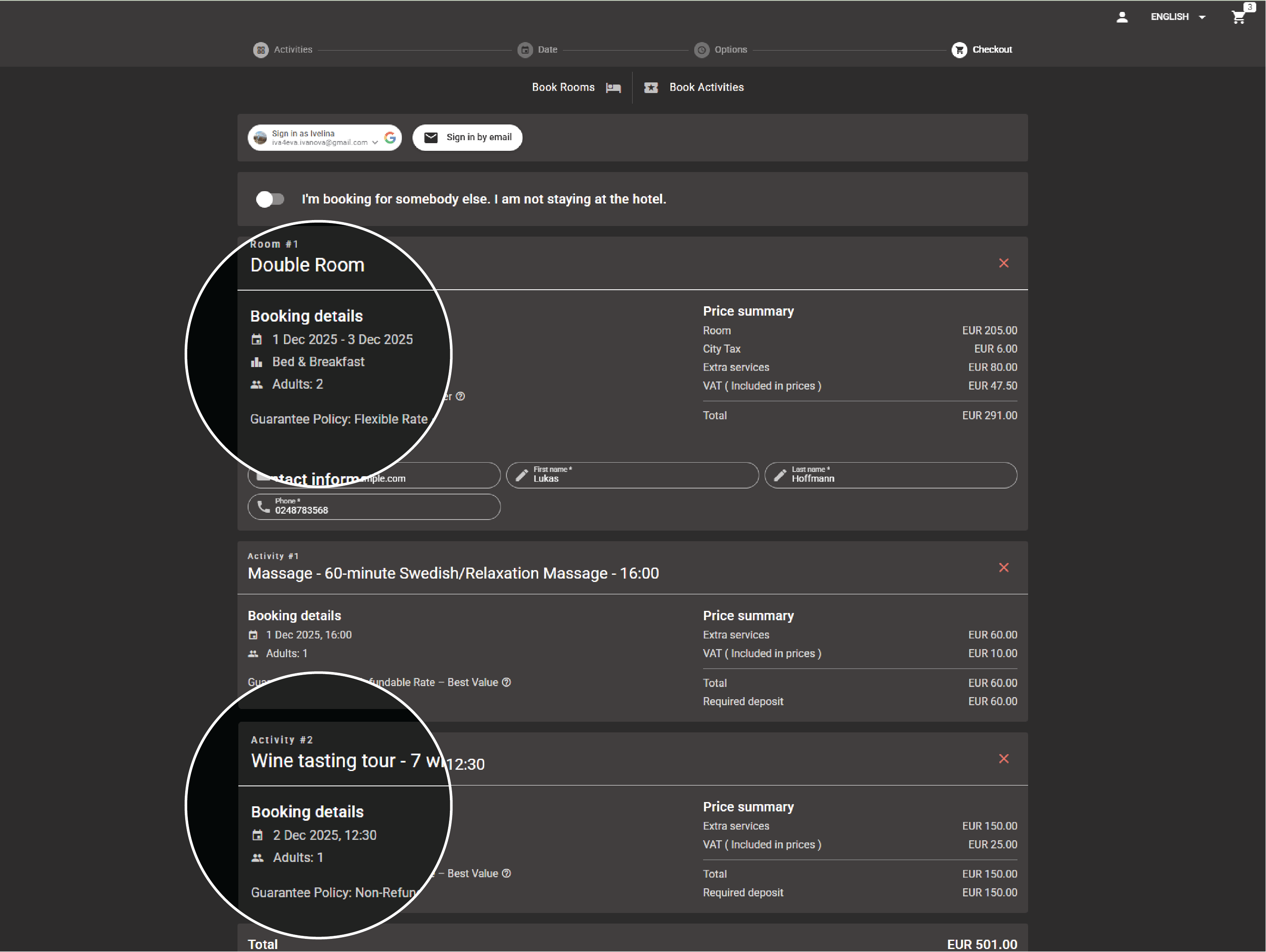
    Book a room, a few, and add activities — one basket, one confirmation

    Whether it’s one stay, several rooms for friends, or a mix of rooms and activities, drop everything into one basket and confirm together. Mix rates, add extras, or adjust dates — Clock updates totals and availability instantly.

    Example:
    A guest books two nights and adds a SPA treatment and cocktail workshop. Clock confirms the extras, allocates slots, and charges them automatically.
    Book a room, a few, and add activities — one basket, one confirmation

    Company, agent, and contracted bookings

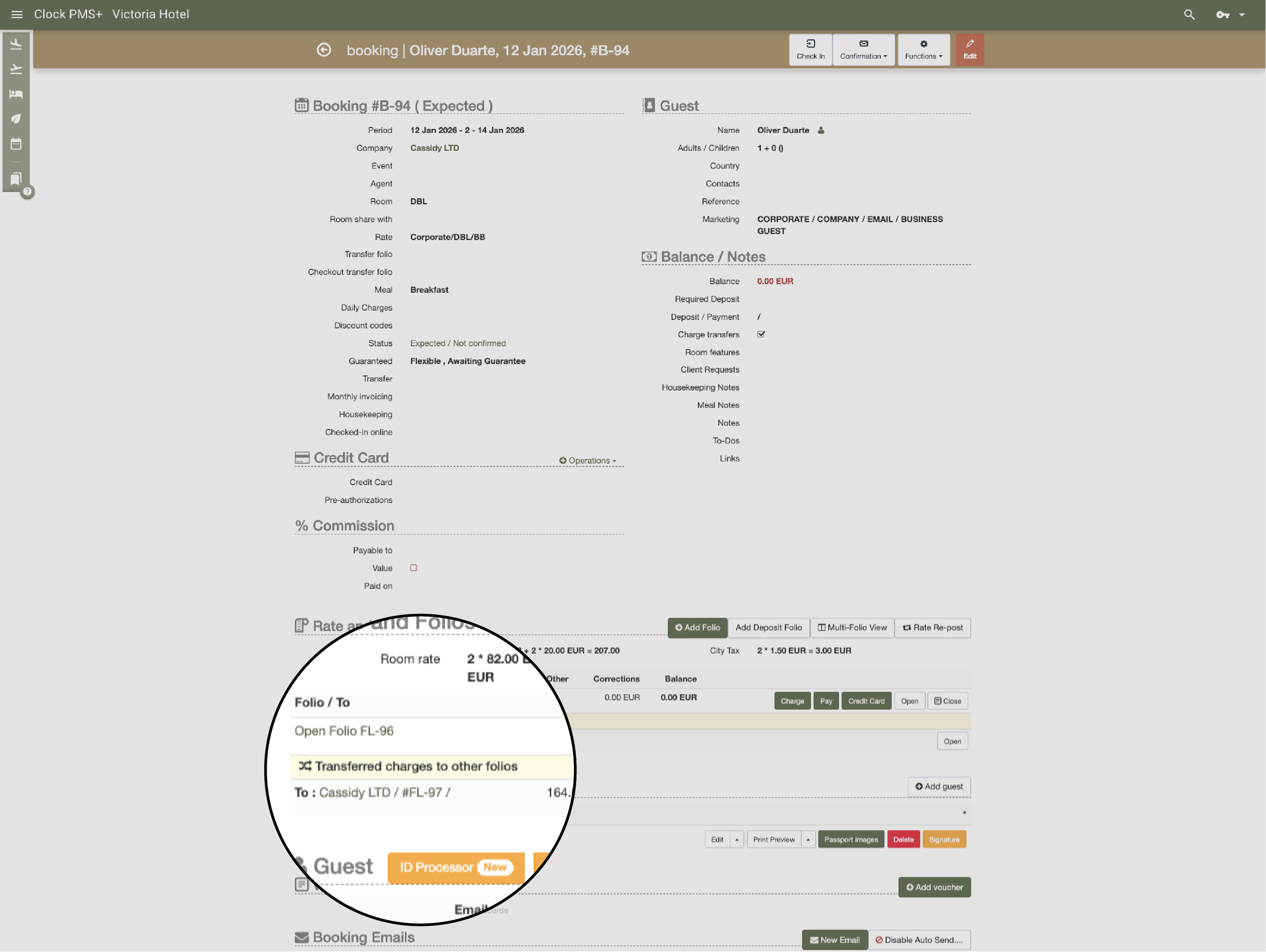
    Corporate or agency client? Select their profile, and Clock applies the right rates, routing, and billing rules automatically — no searching or manual work.

    Example:
    Company X books two rooms. Corporate rates apply, room charges go to one folio, extras to another. A tour operator books five rooms — guests see only vouchers while contracted rates stay hidden in a private folio.
    • Company, agent, and contracted bookings (1)
    • Company, agent, and contracted bookings (2)

      Groups, events & allotments — built-in control

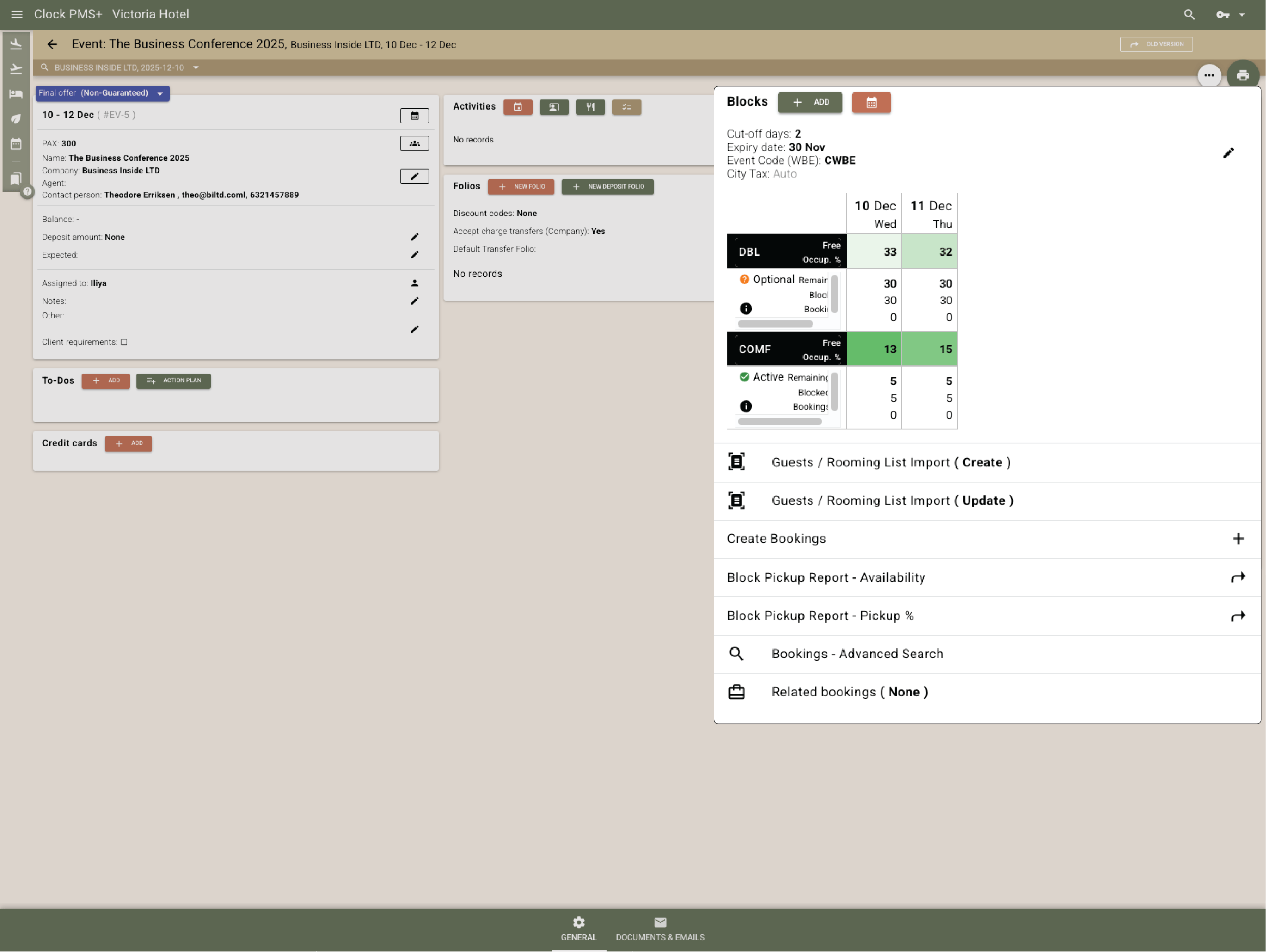
      Create blocks with statuses, release and cut-off periods, and rates. Clock enforces every rule automatically and reopens unused rooms across all channels. Import rooming lists and confirm entire groups in minutes.

      Example:
      A conference books five guaranteed rooms and 30 optional. Two days before arrival, unused rooms are released and reopened for sale automatically.
      Groups, events & allotments — built-in control

      Add activities and extras — because stays are more than rooms

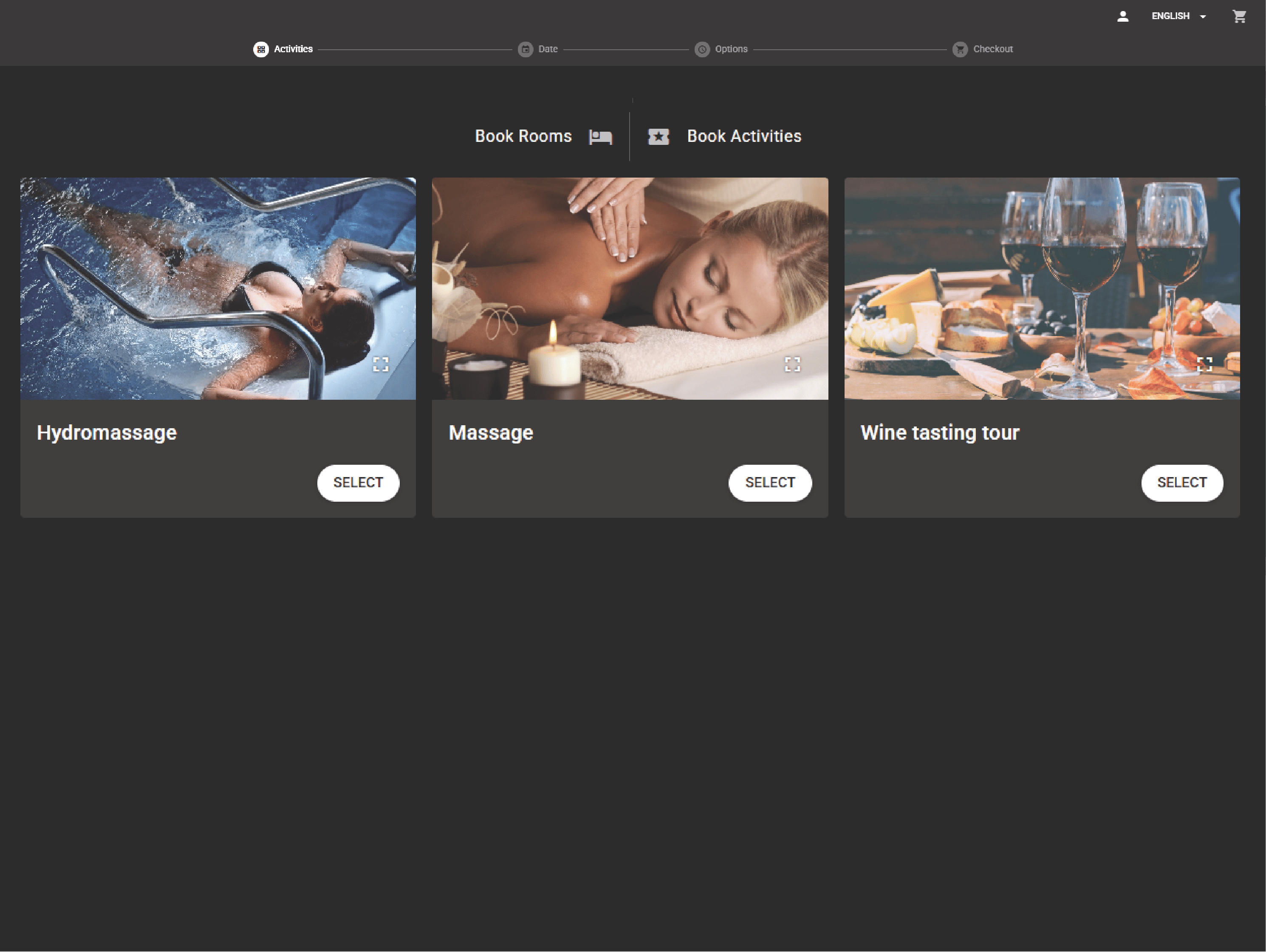
      Book spa sessions, rentals, or dinners with the room — or on their own. Each service checks capacity and appears in the guest’s itinerary and folio. Perfect for resorts and retreats.

      Example:
      A guest books two nights and adds a SPA treatment and cocktail workshop. Clock confirms the extras, allocates slots, and charges them automatically.
      Add activities and extras — because stays are more than rooms

      Booking enquiries & confirmations

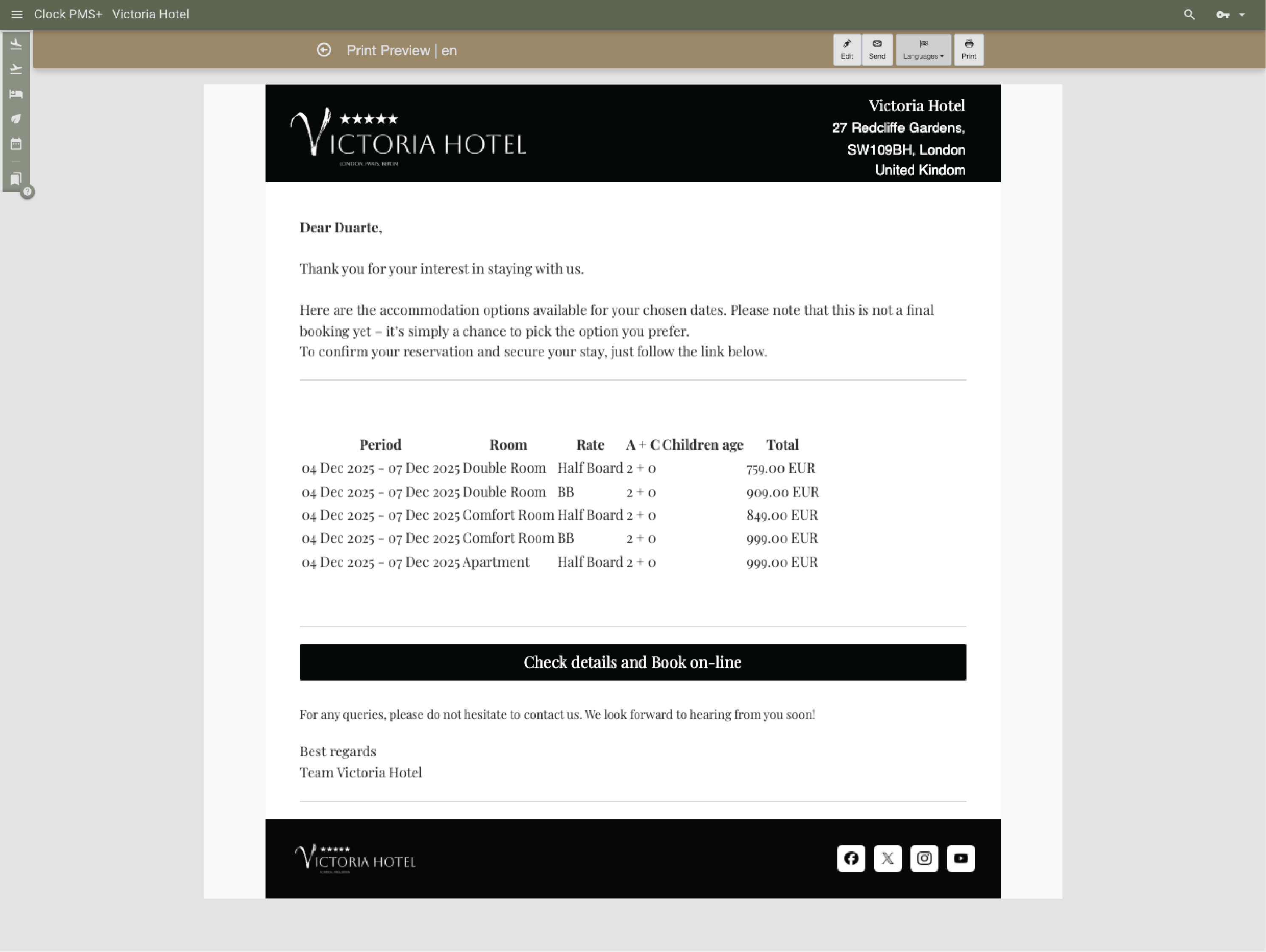
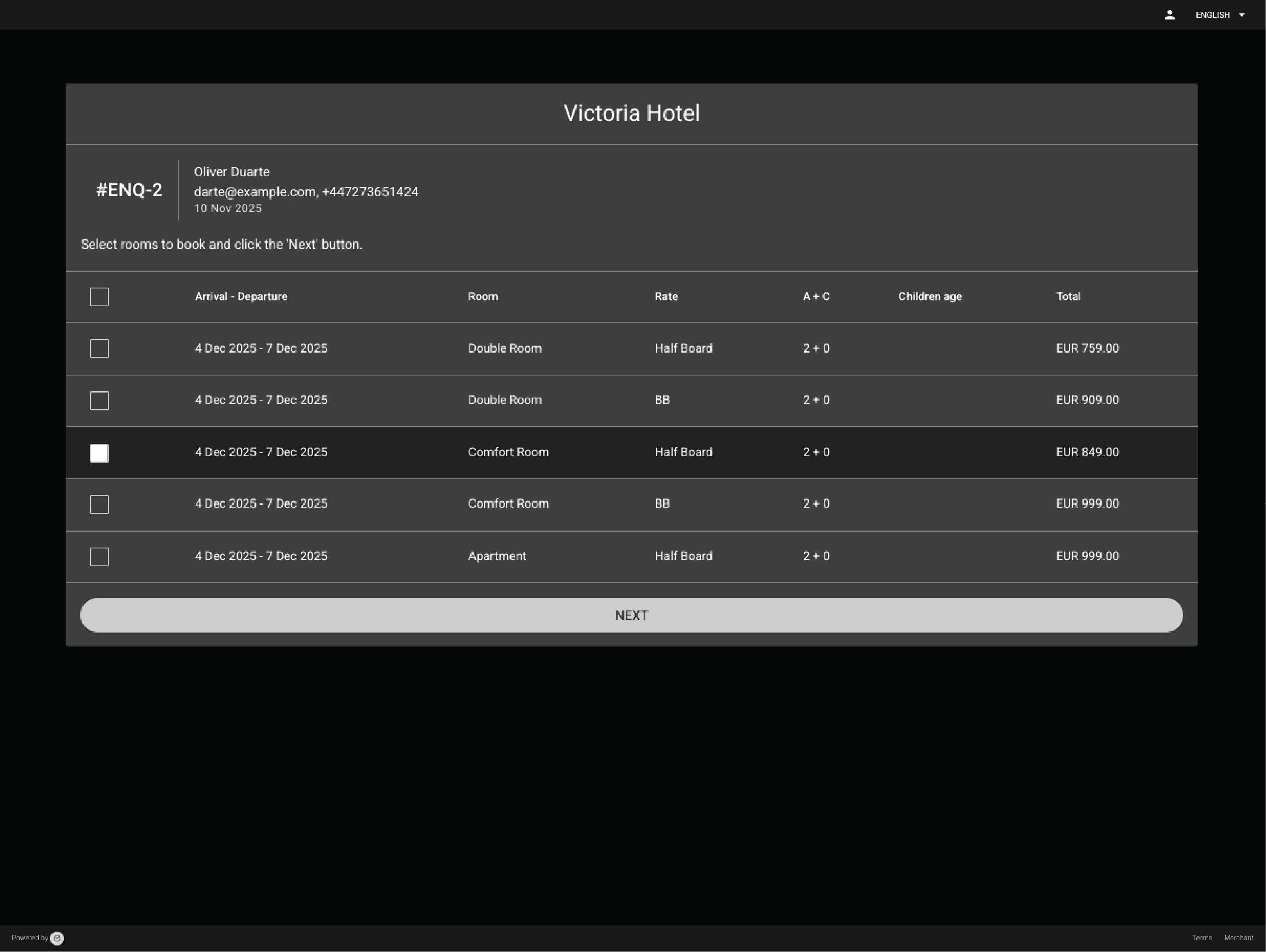
      If guests aren’t ready to confirm, send a booking enquiry — they get a branded email with a link to finish later. Ready to confirm? Add guest details, arrival times, and To-dos for the team (“birthday cake in room 204”). Send a branded confirmation in one click.

      Example:
      A guest calls to request availability for three rooms but needs to confirm with friends. You send a personalized, on-brand proposal with links to several room options. A few hours later, the guest finalizes the booking and pays the deposit directly from the link.
      • Booking enquiries & confirmations (1)
      • Booking enquiries & confirmations (2)

        Special requests & stay customisation

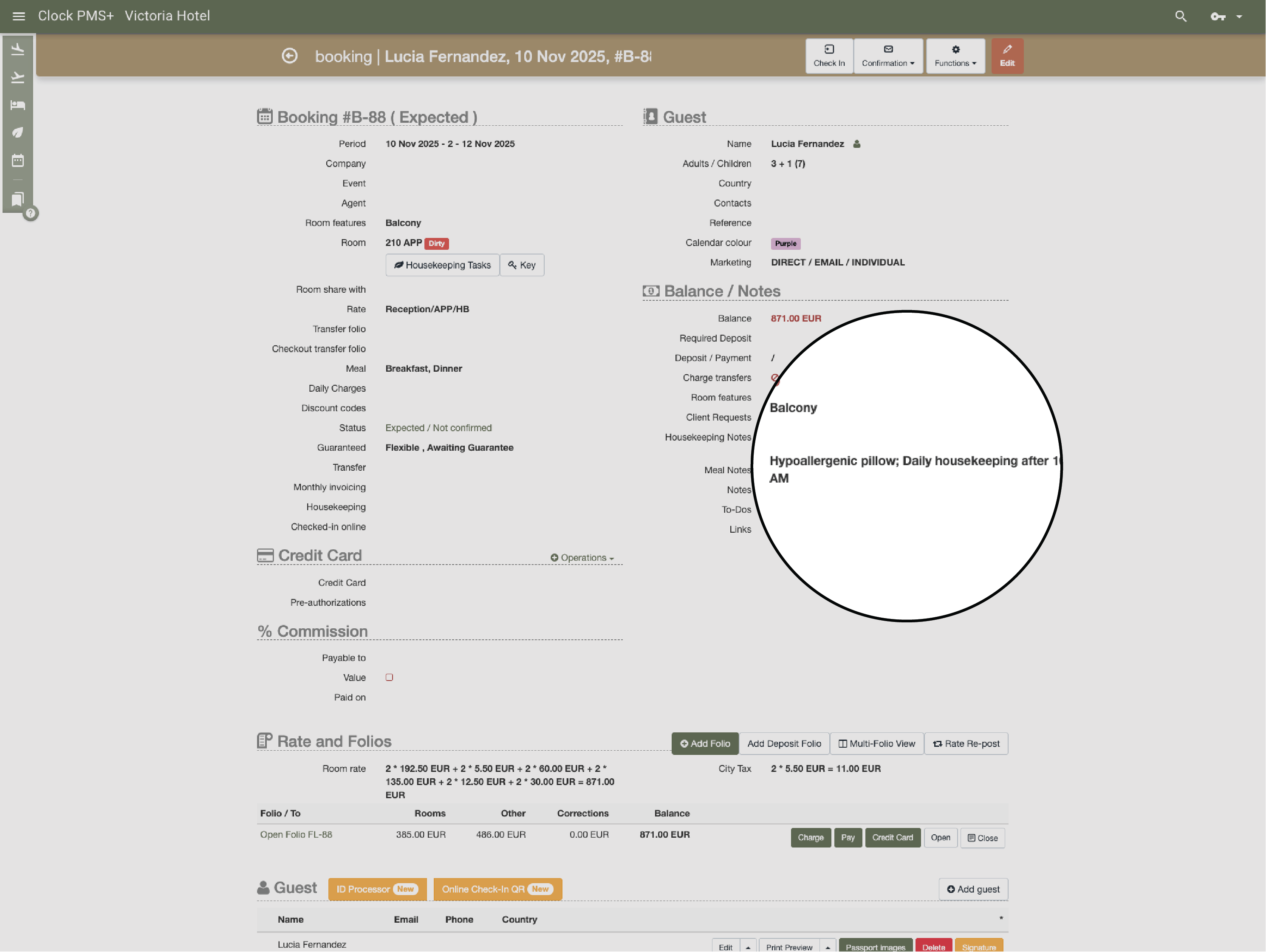
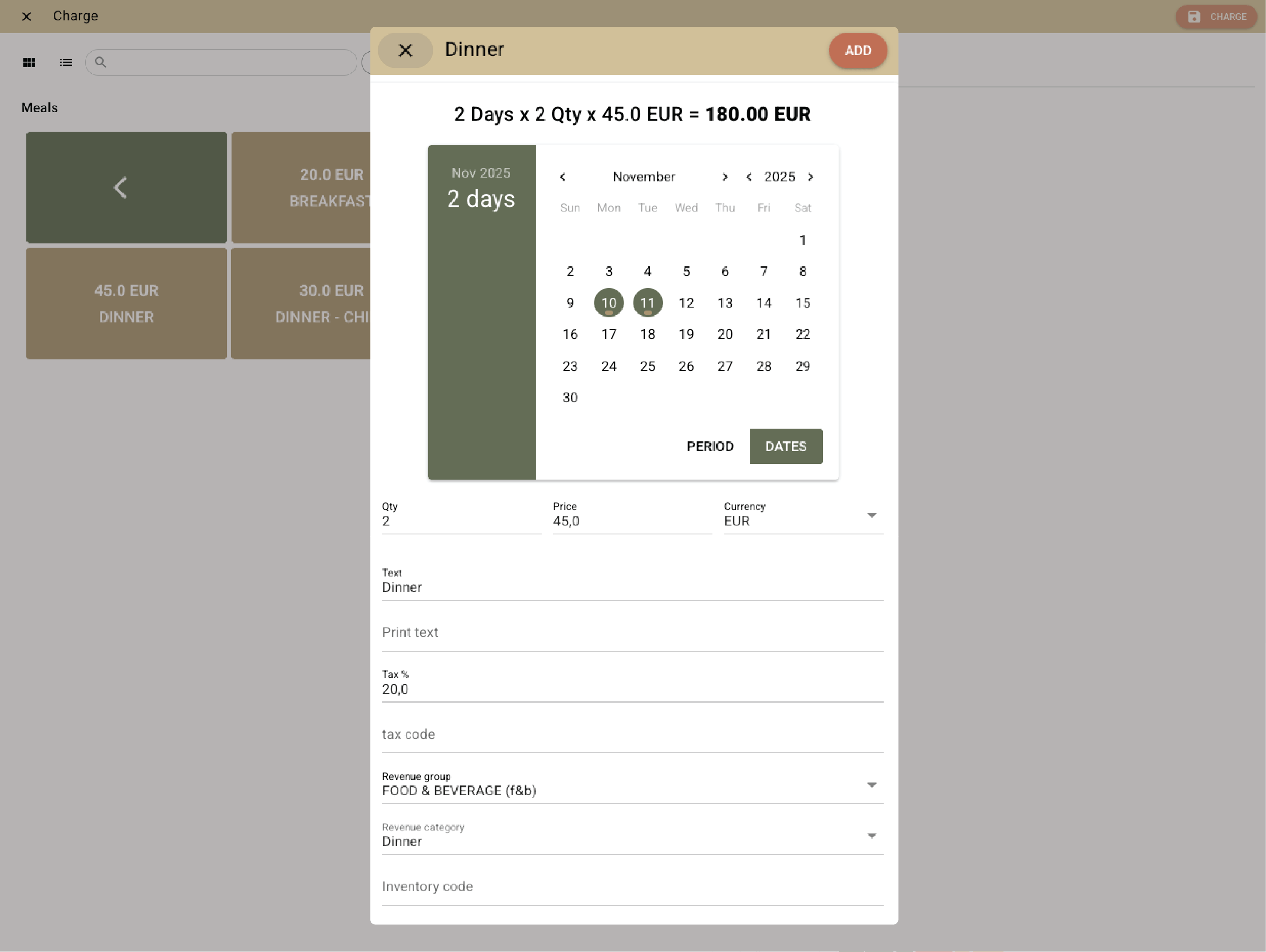
        Add detailed notes or create To-dos for specific staff or departments. Include housekeeping instructions, schedule extra services for certain days, or let guests handle it themselves through the guest portal. Everything stays visible and organized.

        Example:
        A guest requests a hypoallergenic pillow, daily housekeeping after 10 a.m., and dinner for two on the second night. You add all details with one click — Clock shares them automatically with the right teams. Meanwhile, the guest books parking through the guest portal and adds breakfast for two only for the second and third day.
        • Special requests & stay customisation (1)
        • Special requests & stay customisation (2)

          Secure guarantees, deposits, and automation

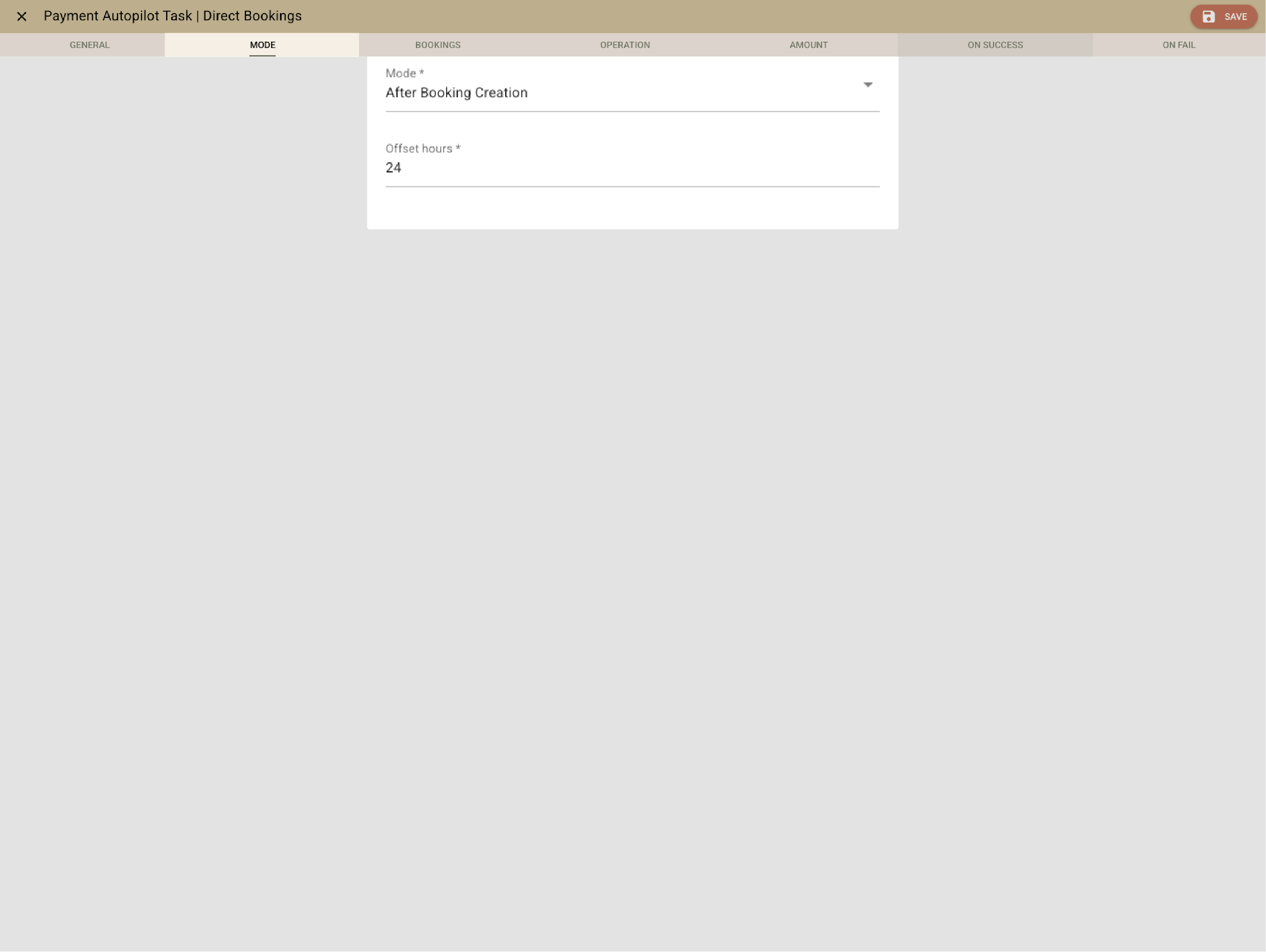
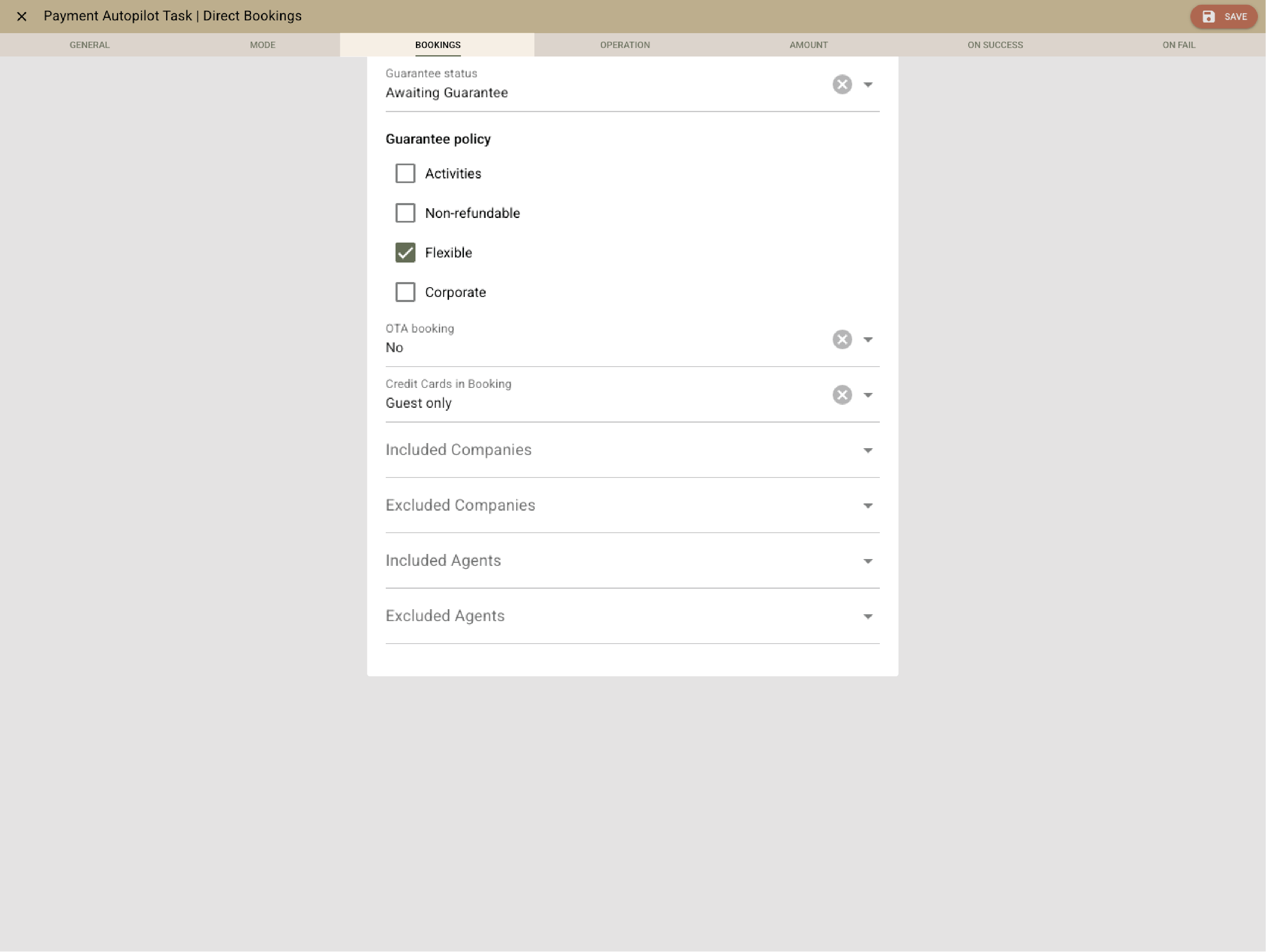
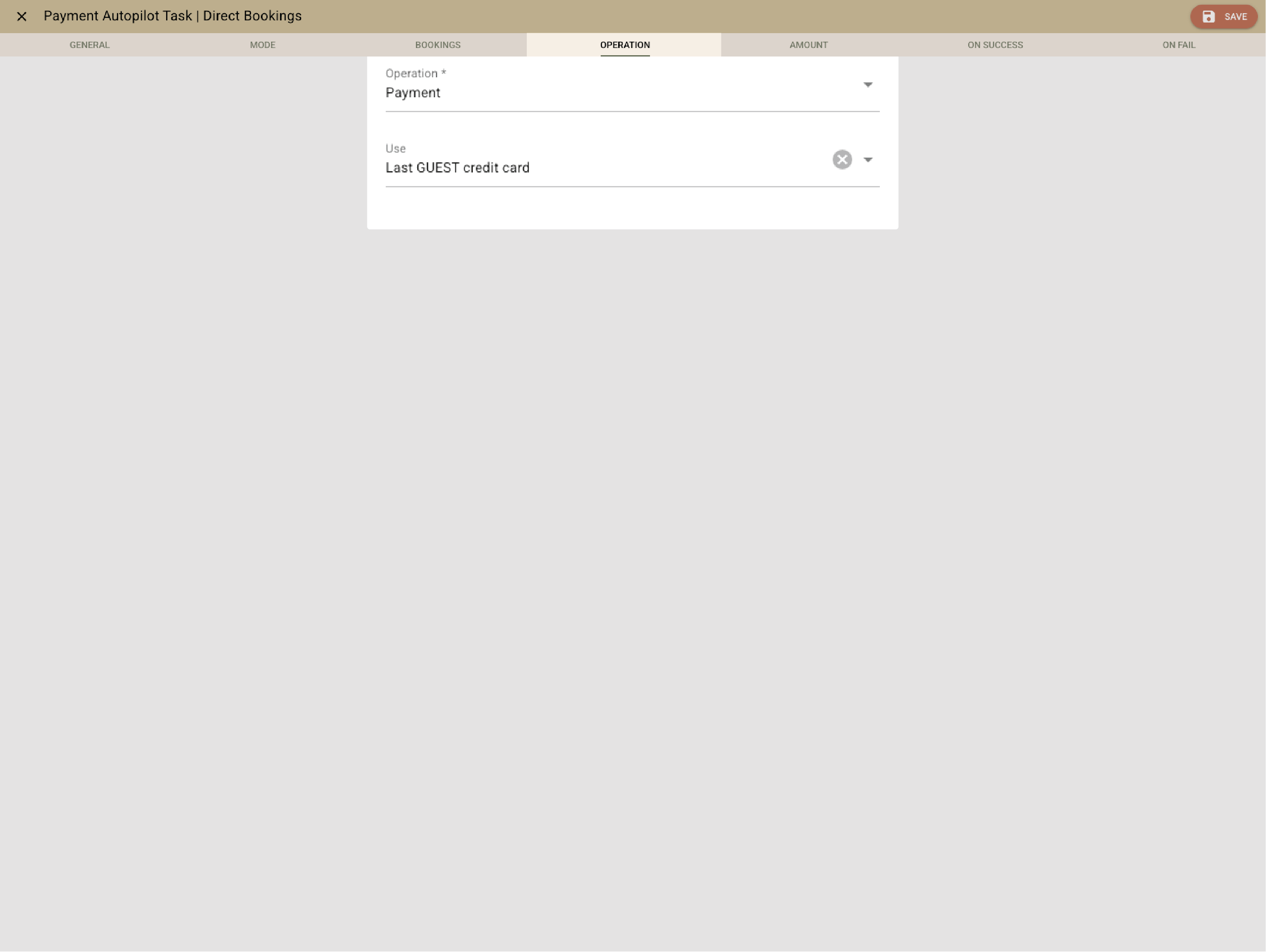
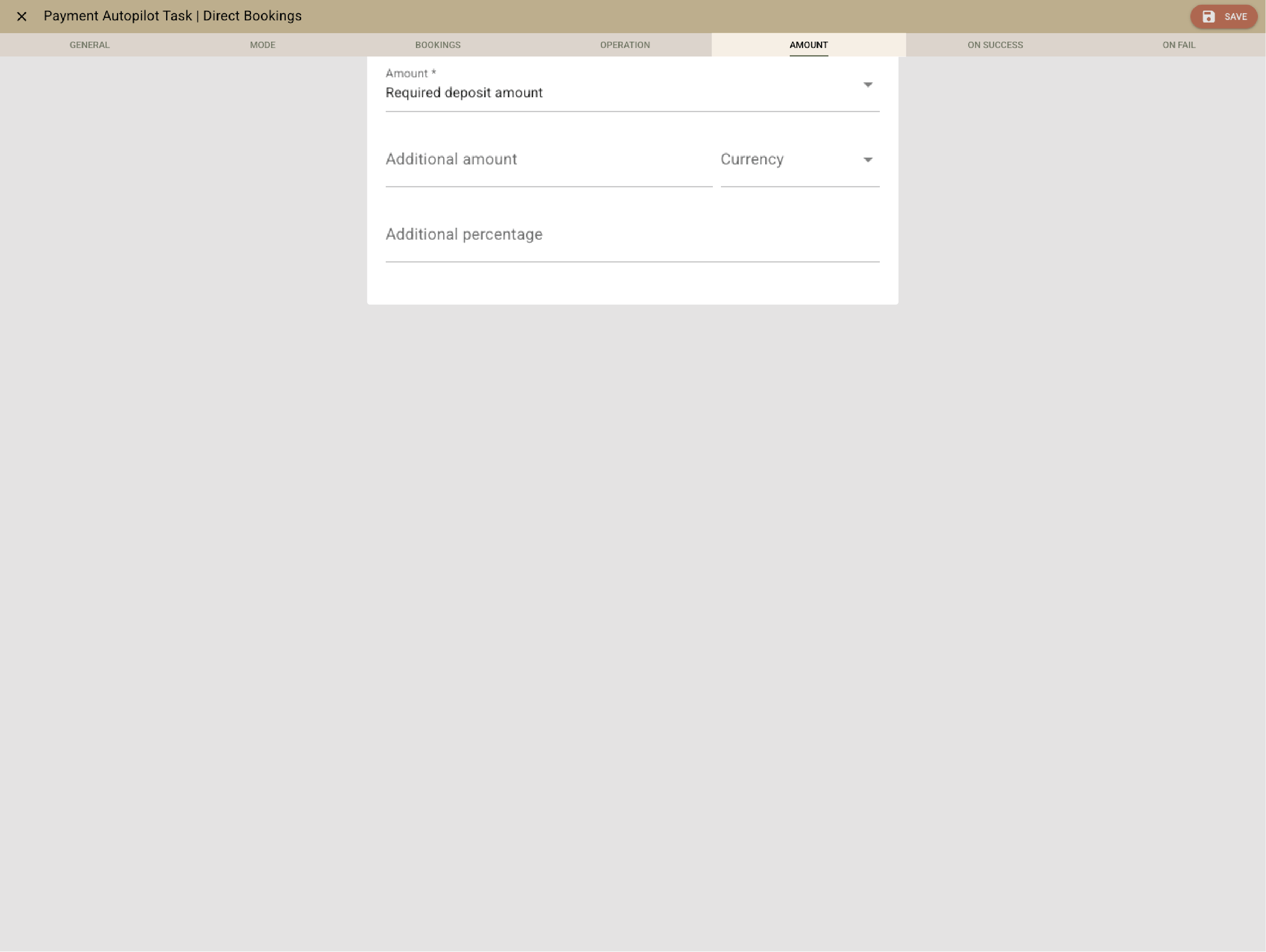
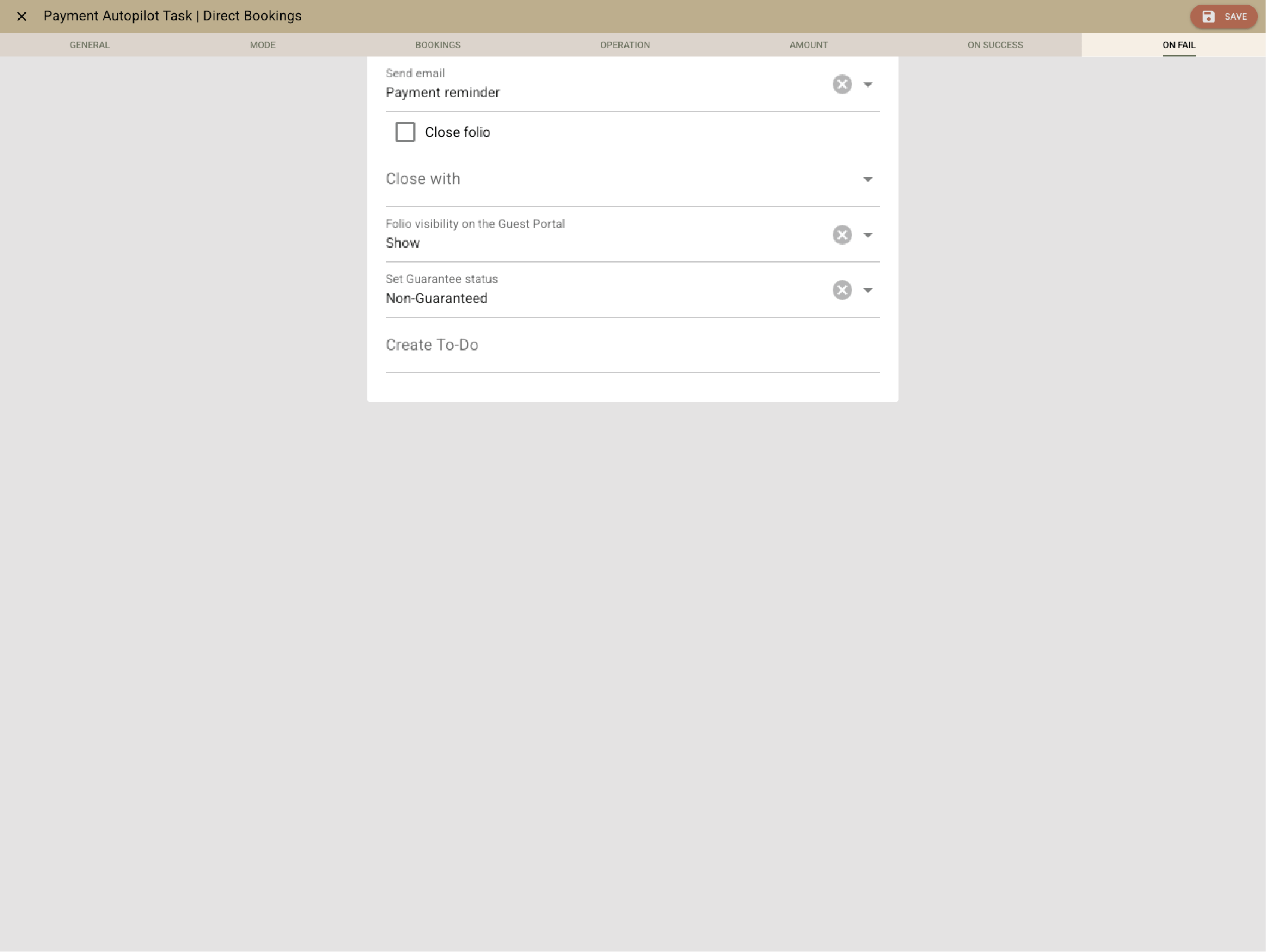
          Need a card to secure a stay? Clock sends a PCI-secure form. Deposits, cancellation fees, and OTA virtual cards are charged automatically by rule. Failed payments trigger guest notifications and To-dos — no manual chasing.

          Example:
          A guest provides a card via a secure link. Payment fails; Clock retries automatically, notifies the guest, and updates booking status if it fails again. OTA cards are billed automatically when released.
          • Secure guarantees, deposits, and automation (1)
          • Secure guarantees, deposits, and automation (2)
          • Secure guarantees, deposits, and automation (3)
          • Secure guarantees, deposits, and automation (4)
          • Secure guarantees, deposits, and automation (5)

            Channels that stay perfectly in sync

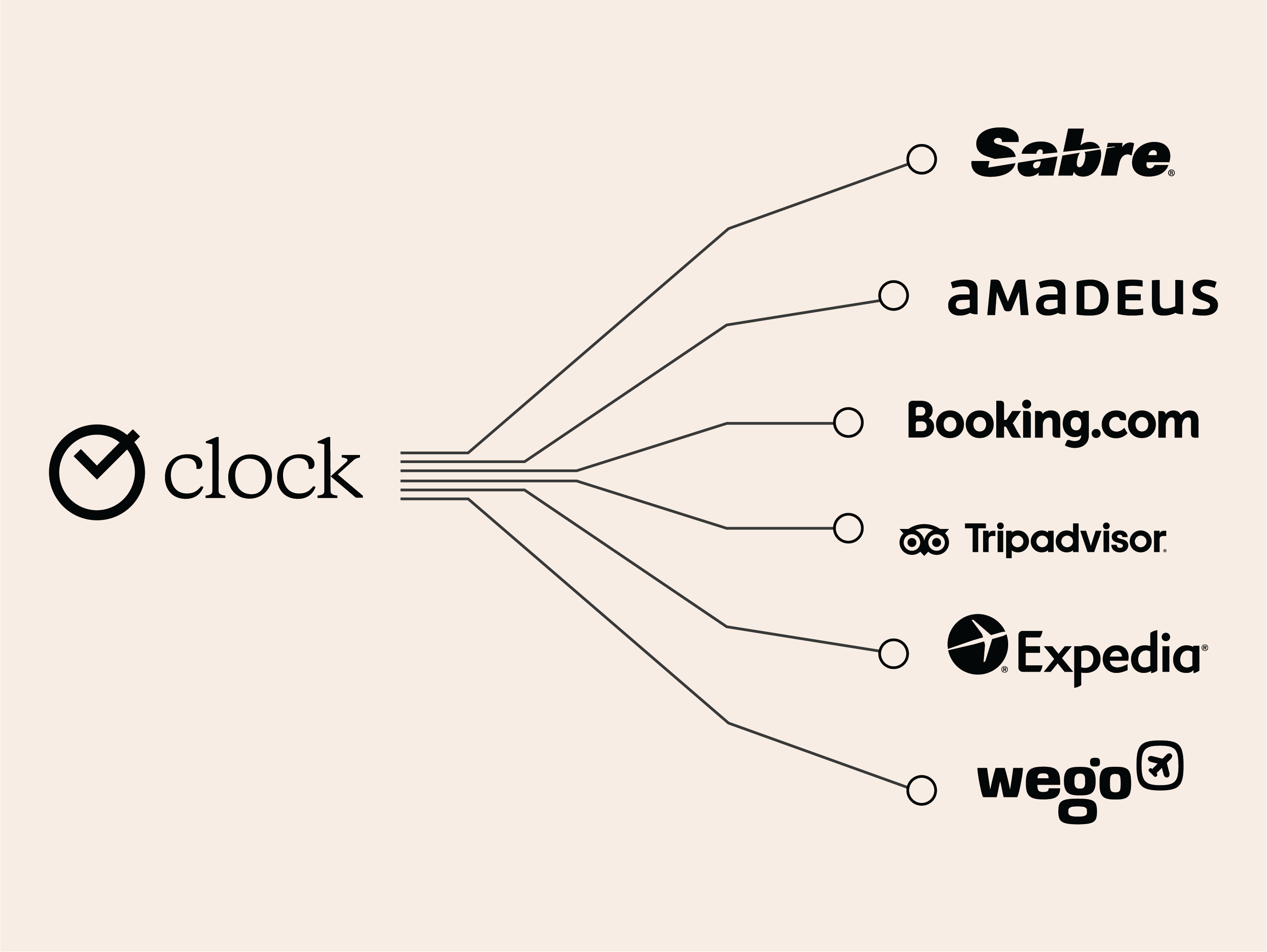
            Clock connects directly to Booking.com, OTAs, GDSs, and channel managers. Rates, availability, and bookings sync both ways, instantly. For your Booking.com connection, invalid cards and no-shows trigger automatic notifications — helping you stay on top of every reservation. Your team focuses on guests, not admin.

            Example:
            A no-show from Booking.com is reported automatically — no lost time, no unnecessary commission.
            Channels that stay perfectly in sync

            Repeat guests & loyalty recognition (coming soon)

            Clock spots returning guests, merges profiles, and remembers preferences automatically. Loyalty discounts apply themselves, and AI will suggest personal touches like “Red wine for Mr. Rossi again.”

            Example:
            A regular guest books again. Clock recognizes their profile, merges duplicates, recalls their pillow preference, and adds their loyalty discount automatically.
            Repeat guests & loyalty recognition (coming soon)

            Rates that fit your strategy — not the other way around

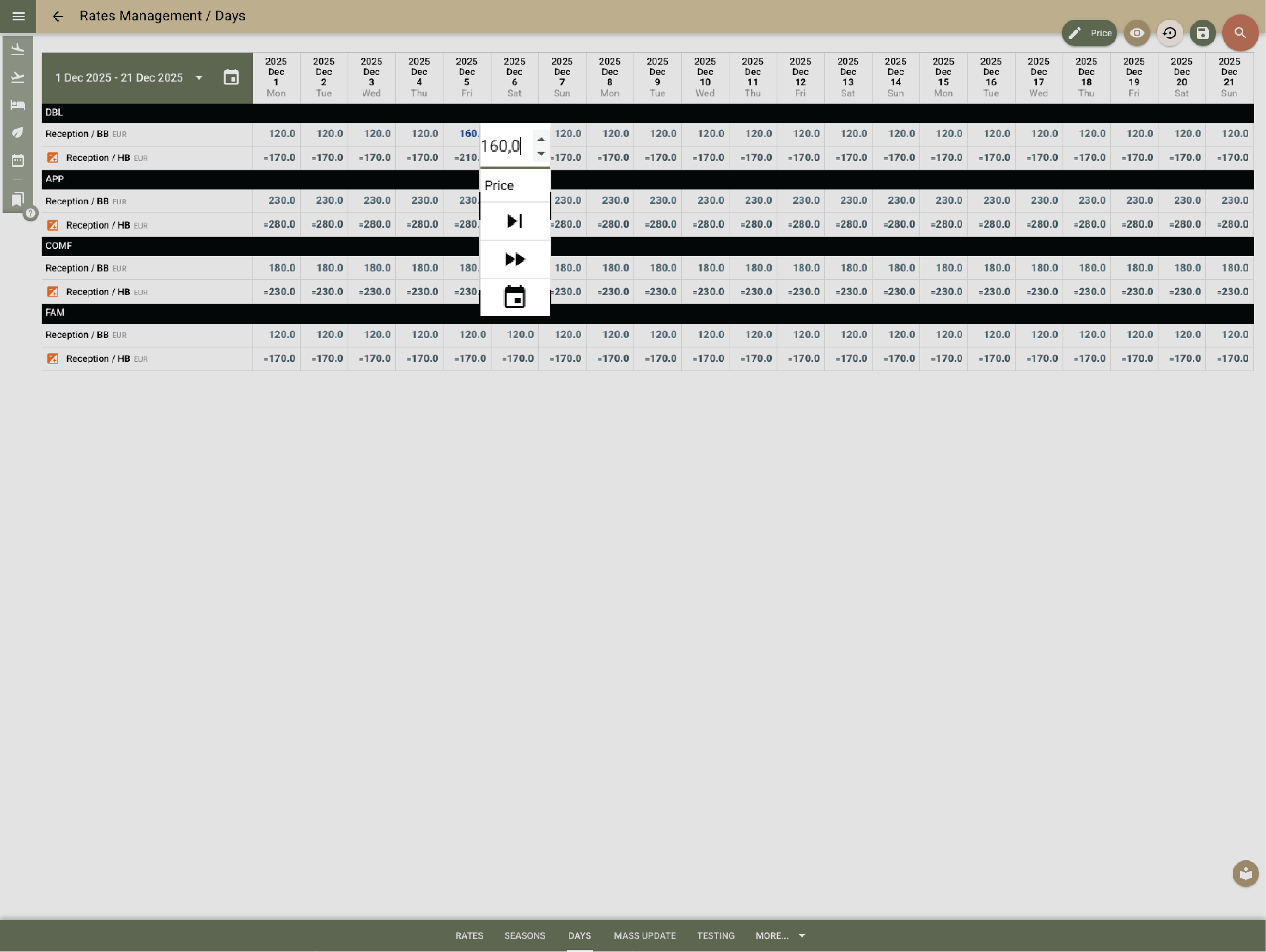
            Set up standalone or derived rates, per room or per guest. Add restrictions, occupancy triggers, or connect to your revenue management system. Create packages that post items daily or on special dates. Update prices in bulk, protect margins with hurdle rates, and keep it all in sync — without spreadsheets.

            Example:
            You adjust weekend rates when occupancy hits 80%, create a family package with breakfast and parking included, and apply a hurdle rate to avoid underpricing. One update applies across all channels.
            Rates that fit your strategy — not the other way around

            Virtual rooms & bunks — flexible by design

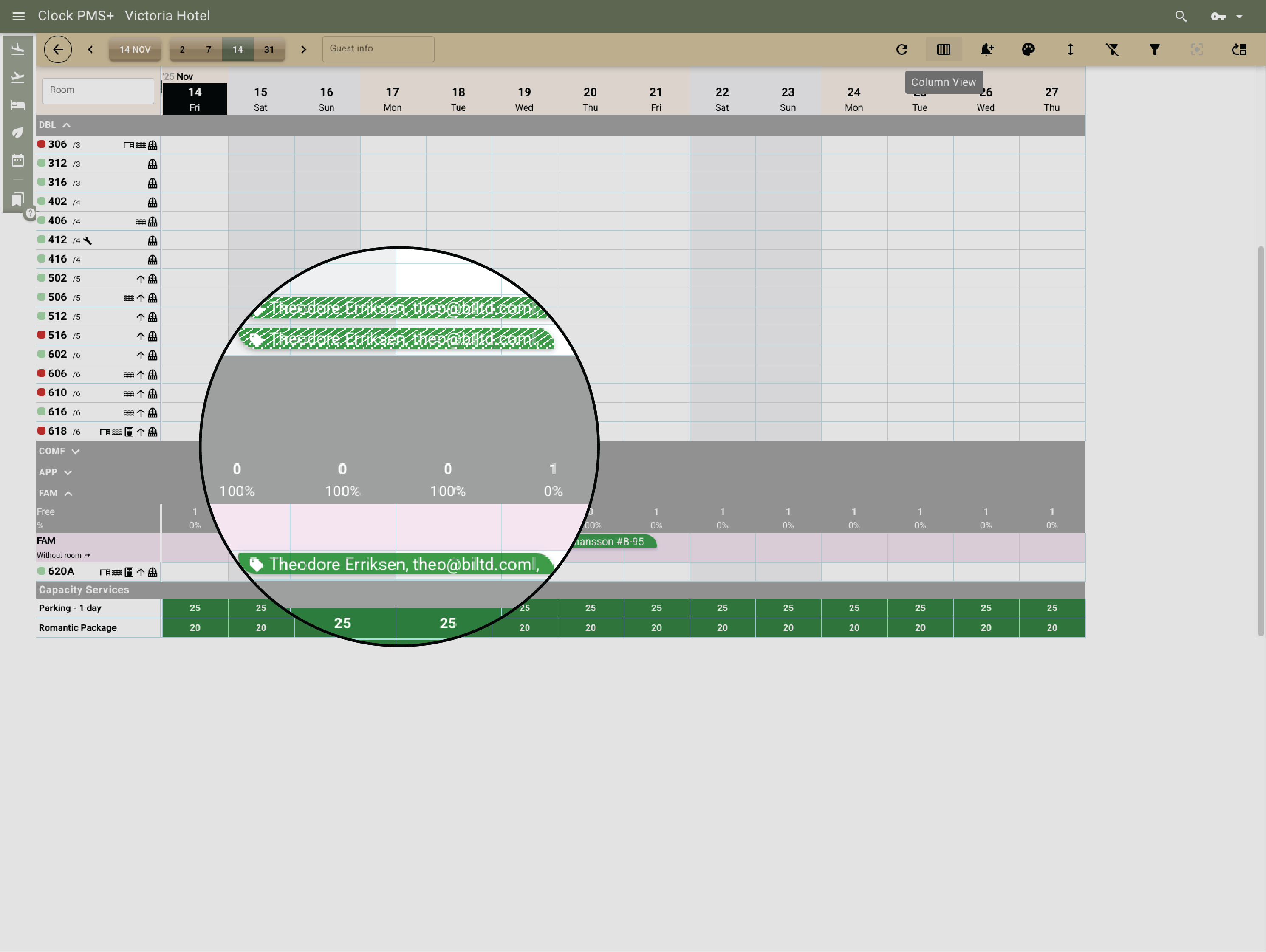
            Sell the same physical space in multiple ways. With virtual rooms, you can offer a family apartment as two standard rooms, or sell hostel bunks and private rooms from the same space — Clock handles the logic. When one version is booked, the other is blocked automatically, keeping your occupancy accurate.

            Example:
            Book a DBL room part of a FAM room, and Clock blocks the entire FAM room. Book the FAM room, and both connected DBL Rooms close instantly. No double bookings. No mix-ups. Just seamless room management.
            Virtual rooms & bunks — flexible by design

            Forecast & performance views

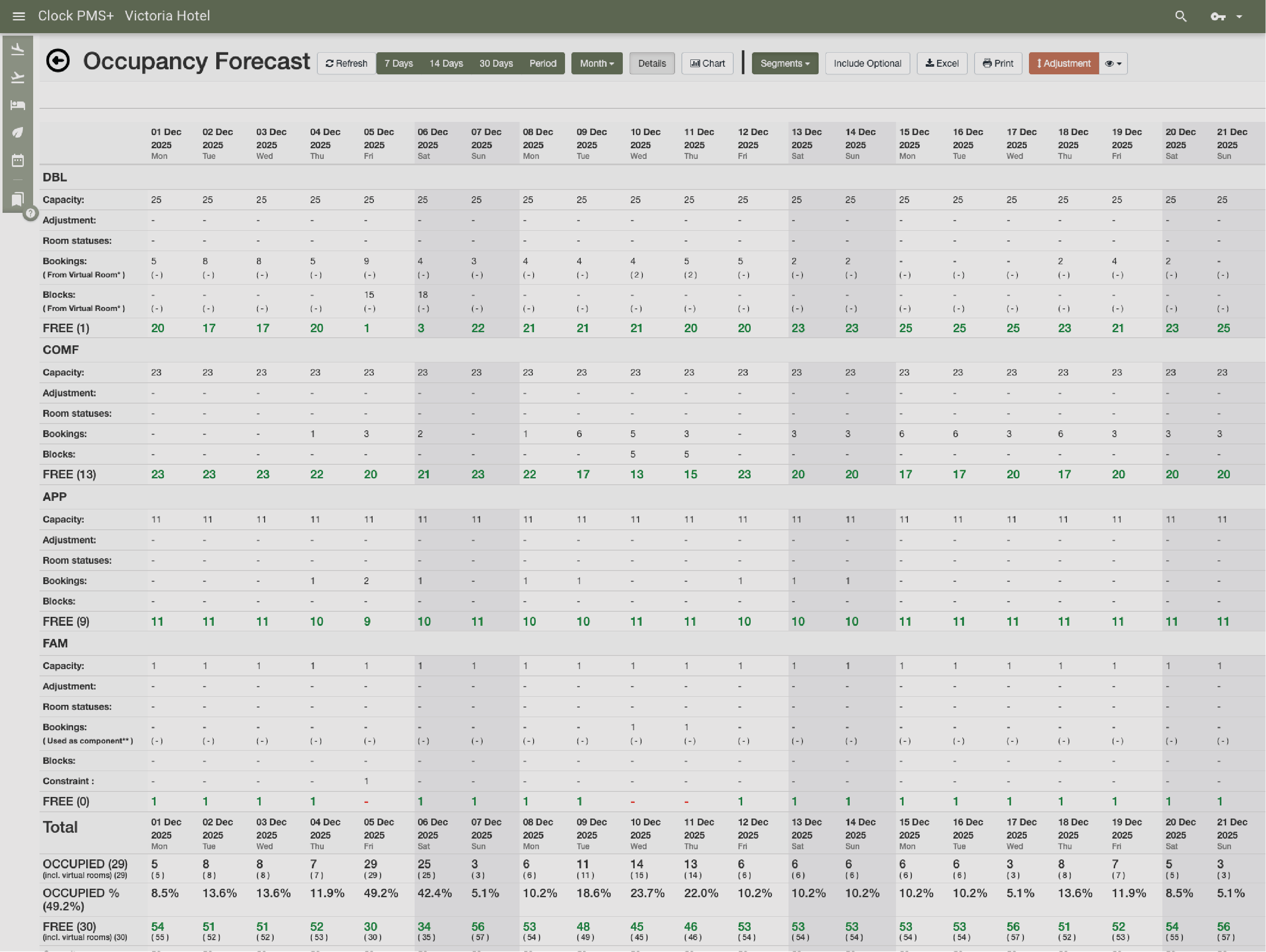
            Get a live snapshot of your occupancy and potential. Forecasts show confirmed, optional, and blocked rooms in color-coded clarity, helping you decide where to push sales or open space.

            Example:
            You test different scenarios for a new 30-room event. Clock shows guaranteed, optional, and released blocks in one view so you can plan confidently.
            Forecast & performance views
            Global customers

            Explore the countries where hospitality teams use Clock to run smoother operations and better guest journeys.

            Customer stories

            How do customers feel after switching to Clock

            We asked our customers: What changed for the better since you switched to Clock? Thousands responded, here’s some of what they said…

            Use the previous and next buttons or the left and right arrow keys to move through reviews.

            Slider position

            1. We chose Clock because of the tool's flexibility, its ability to integrate with our entire IT ecosystem, and also for its multi-property management, which is really the strong point for us.
              Marine Bossanne Project Manager Operations and Quality at Elegancia
            2. The strength of Clock is that it brings everything together in one system. What we previously had to accomplish using multiple tools, we can now do with a single solution.
              Ruggero Carpino Head of Customer Service & Training at Algilà Ortigia Charme Hotel, Syracuse
            3. It was very important for us to look at the stability and the future proofness of the system. And Clock is a company that has the knowledge and the expertise.
              Steff de Groot Owner & General Manager, WICC Hotel & Congress Centre
            4. Faster processes, faster training, more time for staff, to focus on the guests, and tasks that used to be done manually are now automated.
              Carsten Werblow Head of Operations Gambino Group
            5. Better price management, a comprehensive system API, and a dynamic company that continually develops the software.
              Marco Coppola Owner & Chief Navigator Officer, The YellowSquare
            6. By automating routine processes with Clock, we were able to completely restructure how our staff spends their time. Now, the efforts are focused on more meaningful and more profitable activities.
              Lyubomir Stamboliyski Commercial Director of St. Constantine & Helena Holding
            7. Technologies are advancing, and it's normal to move our data to the cloud. I was firmly convinced that this is the right path, and I think we made the right decision.
              Elena Ivanova Founder & Owner, Hi Hotels Group

            Think Clock might fit your hotel?

            Use this module for shared intro content patterns that need eyebrow, heading, supporting copy, and a compact CTA area.

            “Easy to use” “Fast, intuitive, and reliable” “Saves a lot of time” “New staff learn it quickly” “Accessible from any device” “Less manual work” “Fewer booking mistakes” “Responsive and helpful support”