Hostels

A single system for beds, rooms, guest self-service, payments, and activities

Clock is used by hostels that combine dormitory beds, private rooms, and shared facilities in one operation. It supports hybrid inventory models, high booking volumes, activities and extra services, digital guest services, and automated payments, allowing lean teams to manage complex availability and frequent changes efficiently.

Better price management, a comprehensive system API, and a dynamic company that continually develops the software.

Marco Coppola Owner & Chief Navigator Officer, The YellowSquare
Featured customer media

Trusted by independent hotels worldwide

Alamo Inn Elegancia Four Sisters Collection Golden Tulip Greenstar hotel Grifid 1 Hampshire 1 HappyCulture Mitland Popinns Prinsenhof Relais&Chateaux Gambino Hotels
4.7 / 5

Based on 483+ reviews across

Manage bunks, private rooms, and hybrid inventory with virtual rooms

Clock supports hostels that sell both individual beds and entire rooms. Beds and rooms are linked through virtual rooms, allowing availability to be managed in parallel without manual blocking or duplication.
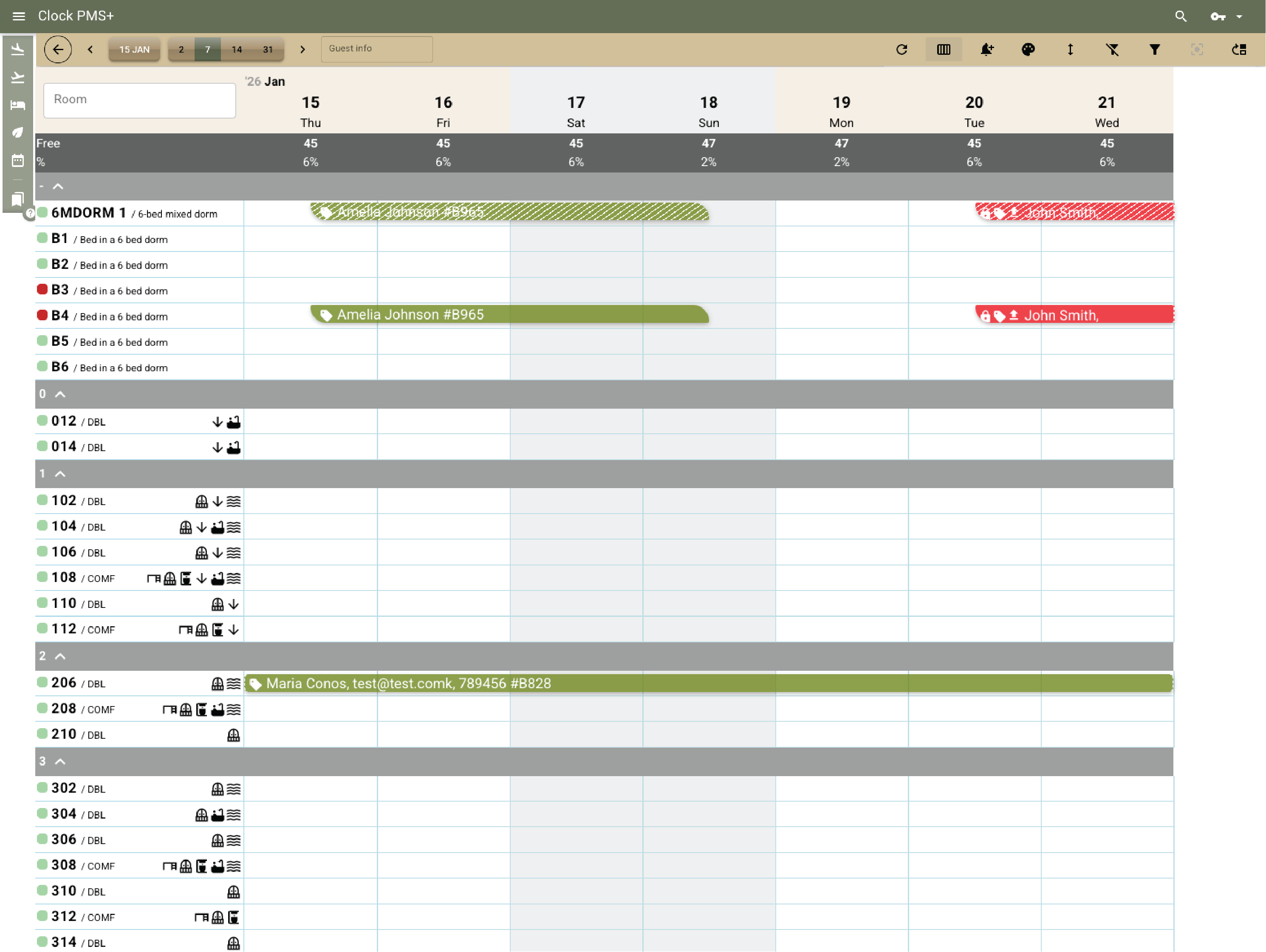
Example:
A bed is sold in a 6-bed dorm, and the system automatically blocks the room from being sold as a private unit for those dates.
Manage bunks, private rooms, and hybrid inventory with virtual rooms

Sell beds, rooms, and combinations through one booking engine

The booking engine supports direct reservations for beds, private rooms, or combinations of both. Rates can be defined per bed or per room, with clear pricing and availability shown to guests.
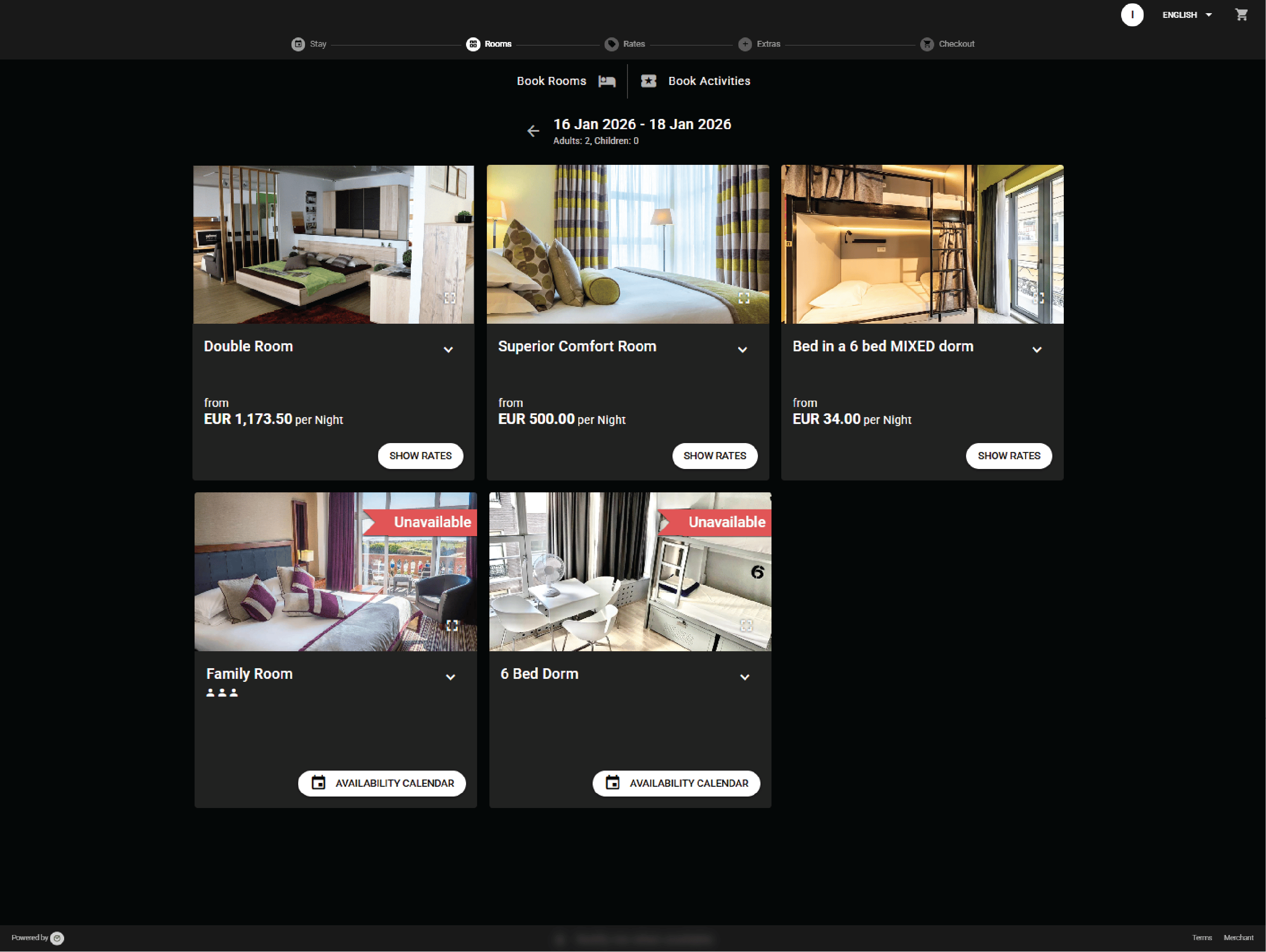
Example:
A group books three beds in a dorm and one private room in a single direct booking.
Sell beds, rooms, and combinations through one booking engine

Synchronize rates and availability with Booking.com, Hostelworld, and OTAs

Availability, rates, and restrictions are synchronized automatically with Hostelworld, Booking.com, and other connected channels. Changes in bed or room availability are reflected across all channels.
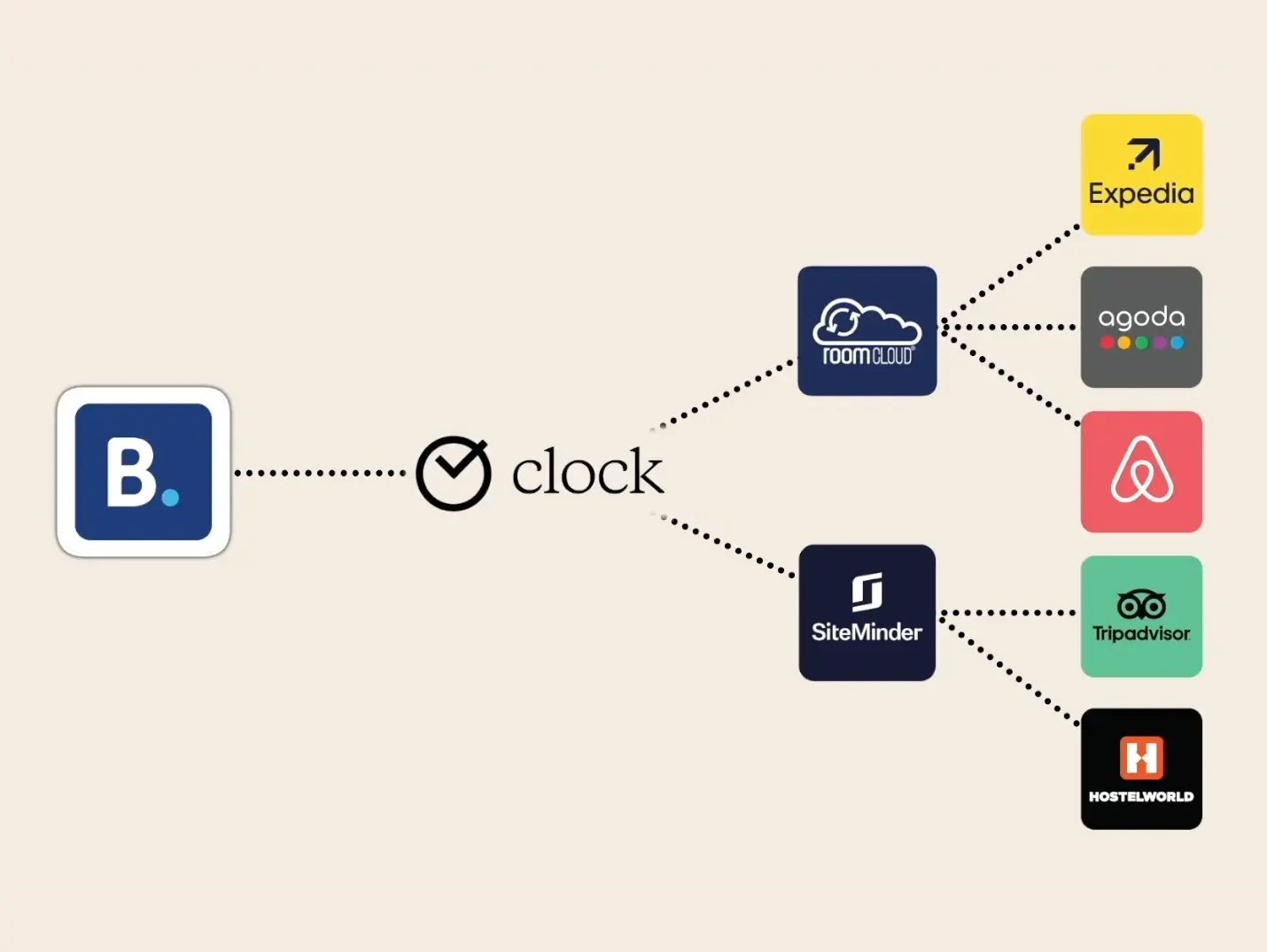
Example:
A last available bed in a female dorm is sold on Hostelworld and removed immediately from all other channels.
Synchronize rates and availability with Booking.com, Hostelworld, and OTAs

Automate payments and reduce manual workload

Clock supports card tokenization and automated payment handling. Outstanding balances, no-shows, or add-on charges can be collected automatically using Payments Autopilot.
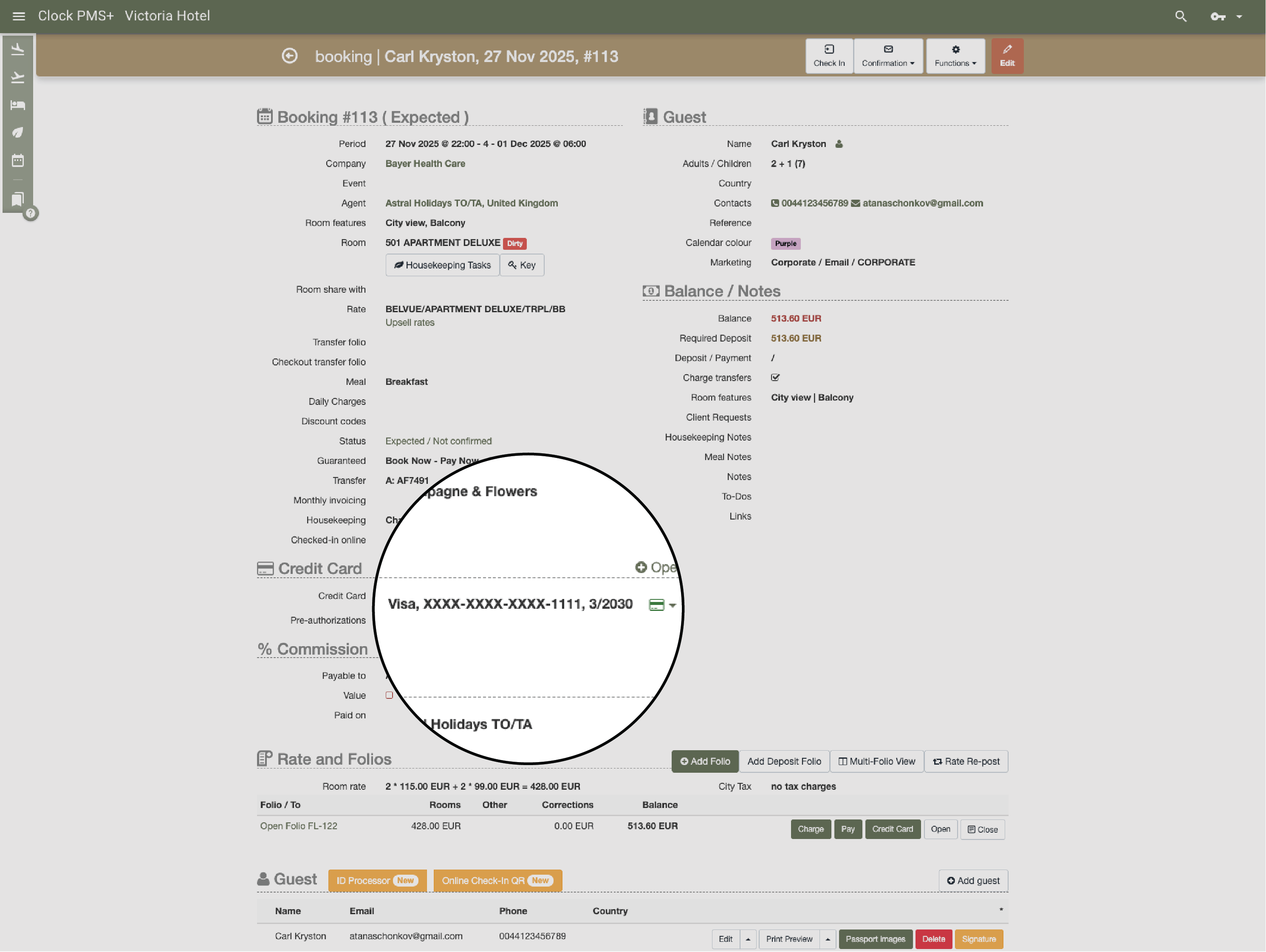
Example:
A guest’s card is stored securely at booking, and remaining charges are collected automatically after check-in.
Automate payments and reduce manual workload

Enable digital guest communication and self-service

Guest messaging, online check-in, and the guest portal reduce front-desk workload and support self-service workflows preferred by younger travelers.
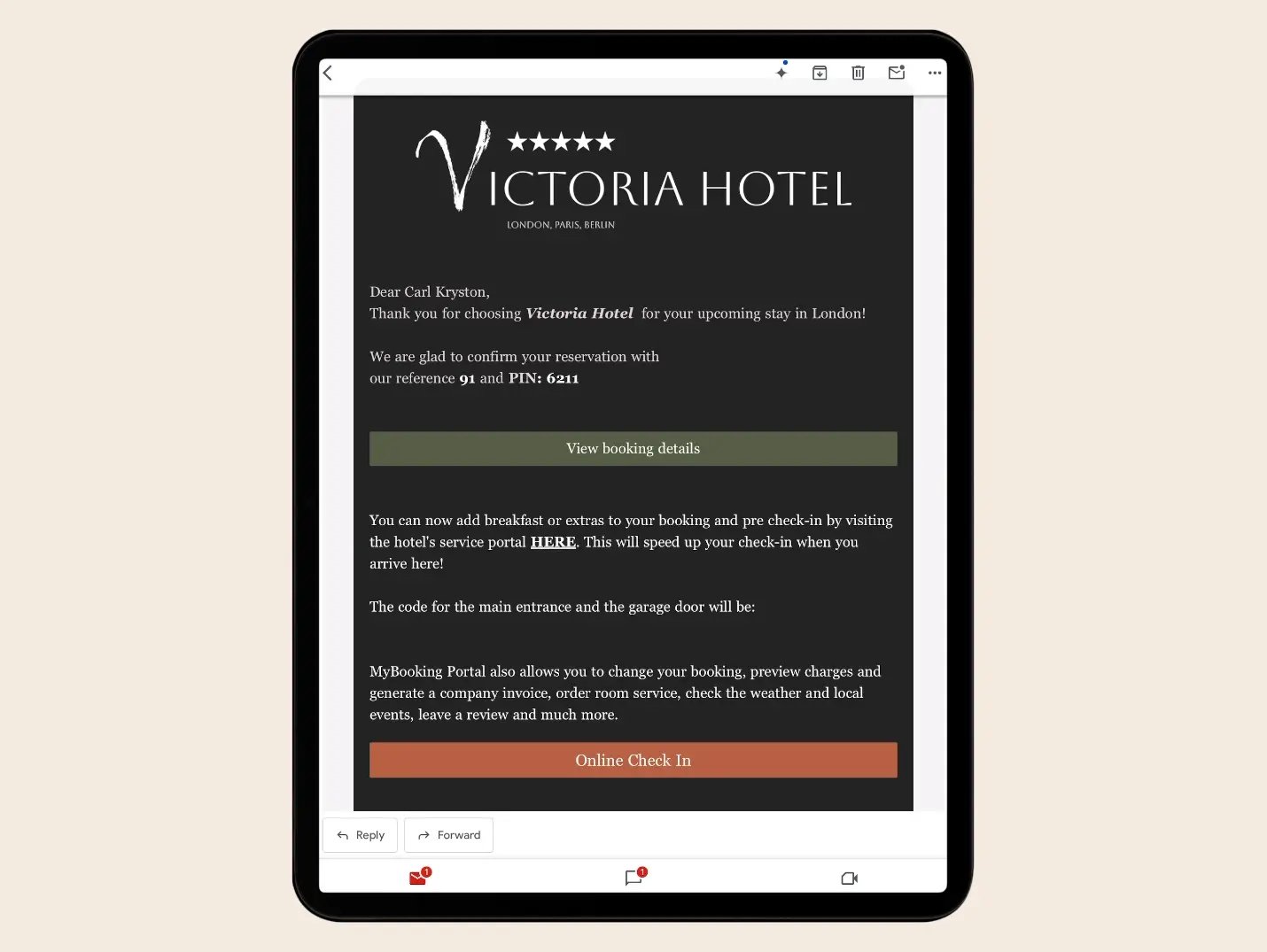
Example:
A guest receives an online check-in invitation by email, provides their ID and payment card, checks and signs digitally the house rules and chooses a room upgrade.
Enable digital guest communication and self-service

Support kiosk, card, or PIN-based access

Depending on the access control setup, Clock supports digital keys via PIN codes, kiosks, or card issuance. Keys can be delivered digitally or collected on arrival.
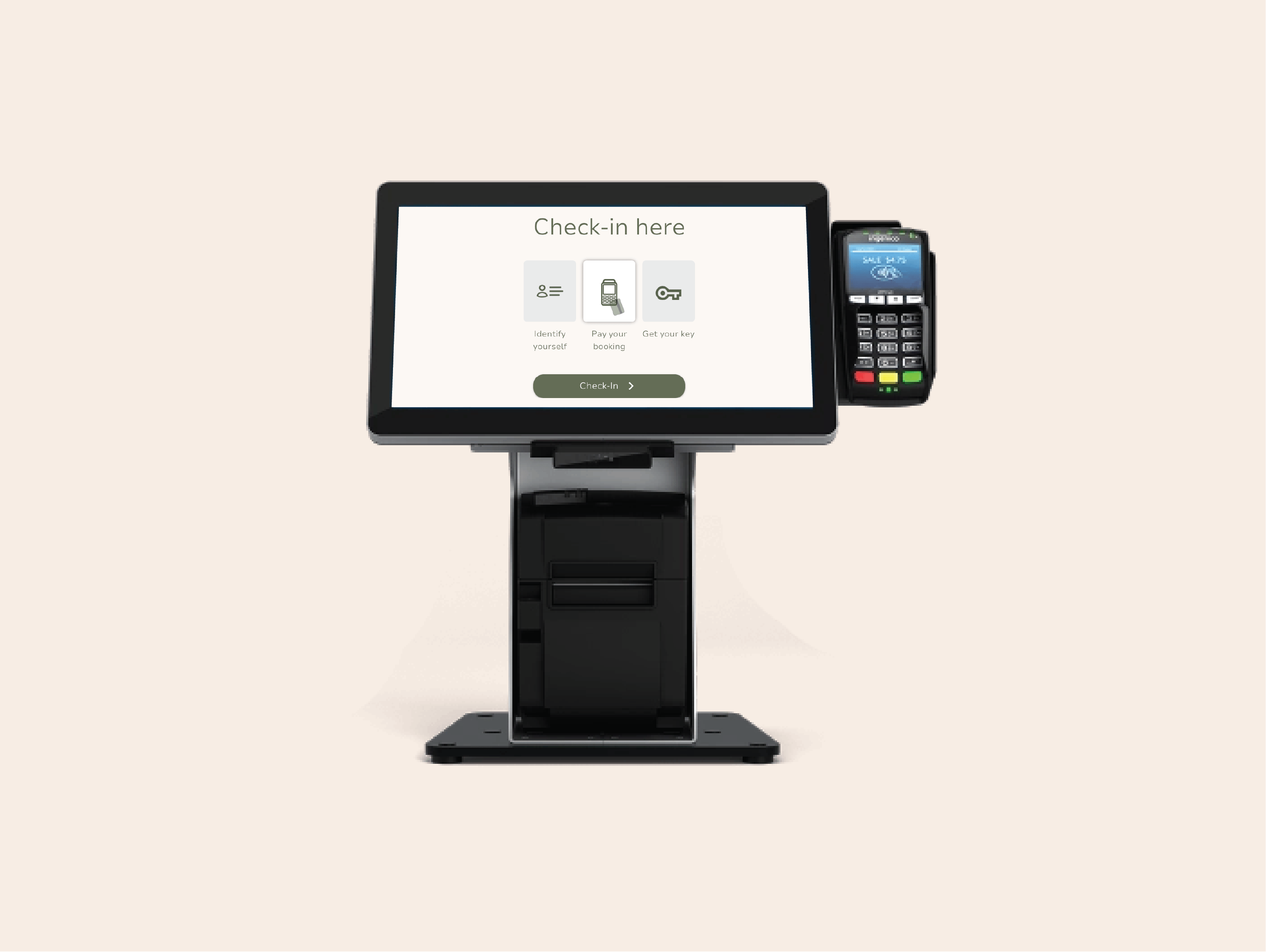
Example:
After online check-in, a guest receives a PIN code by message that grants access to the building and dorm room.
Support kiosk, card, or PIN-based access

Manage room attributes and bed-level preferences

Room and bed attributes such as female-only dorms, upper or lower bunks, or quiet rooms can be defined and managed. Availability can be assigned on the Arrivals screen or through the room calendar.
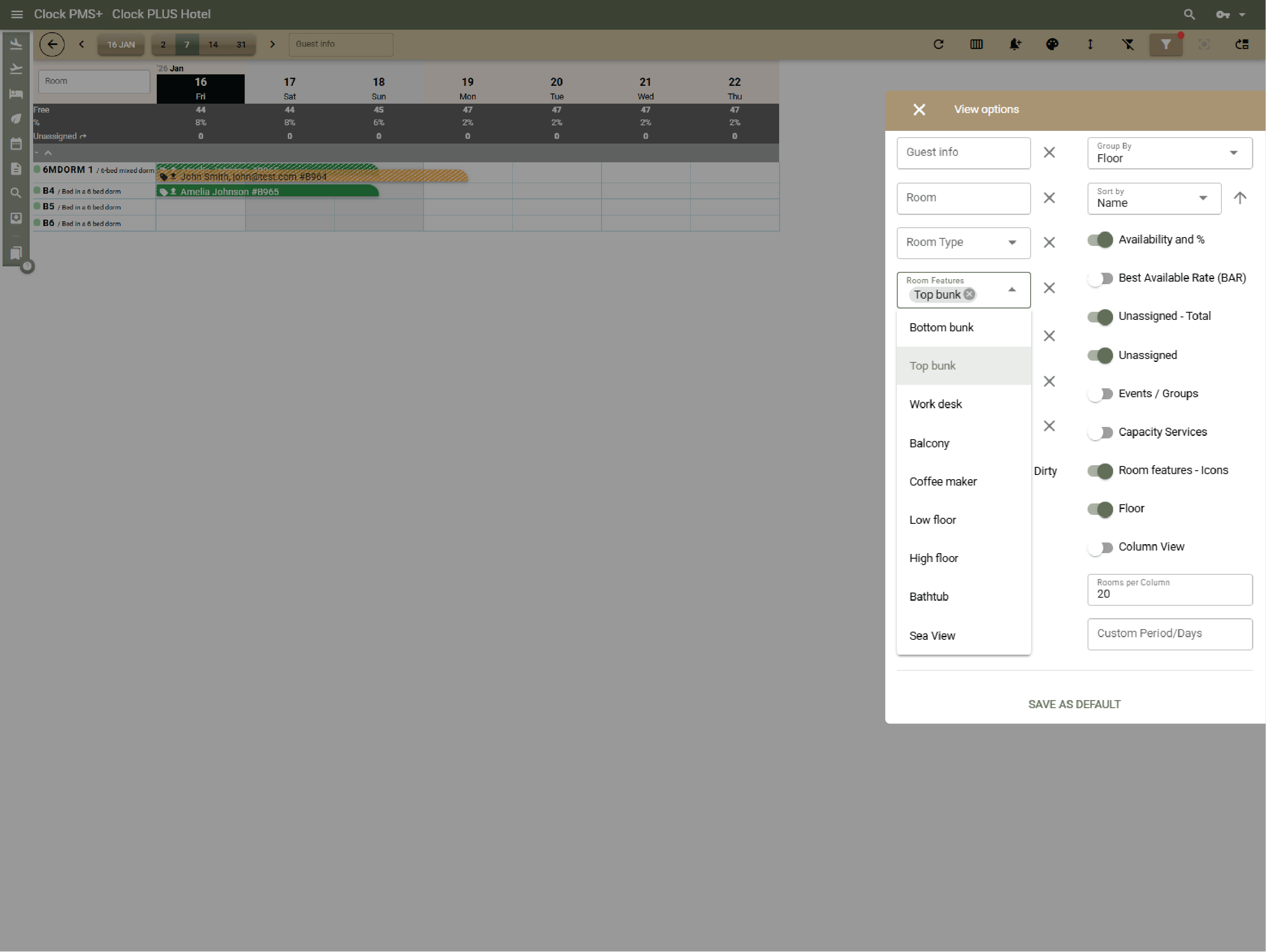
Example:
A guest selects a female-only dorm, and an upper bunk is assigned during room allocation.
Manage room attributes and bed-level preferences

Offer attribute-based upgrades and add-ons

Optional upgrades and attributes can be offered during booking or online check-in, allowing guests to select preferences for an additional charge.
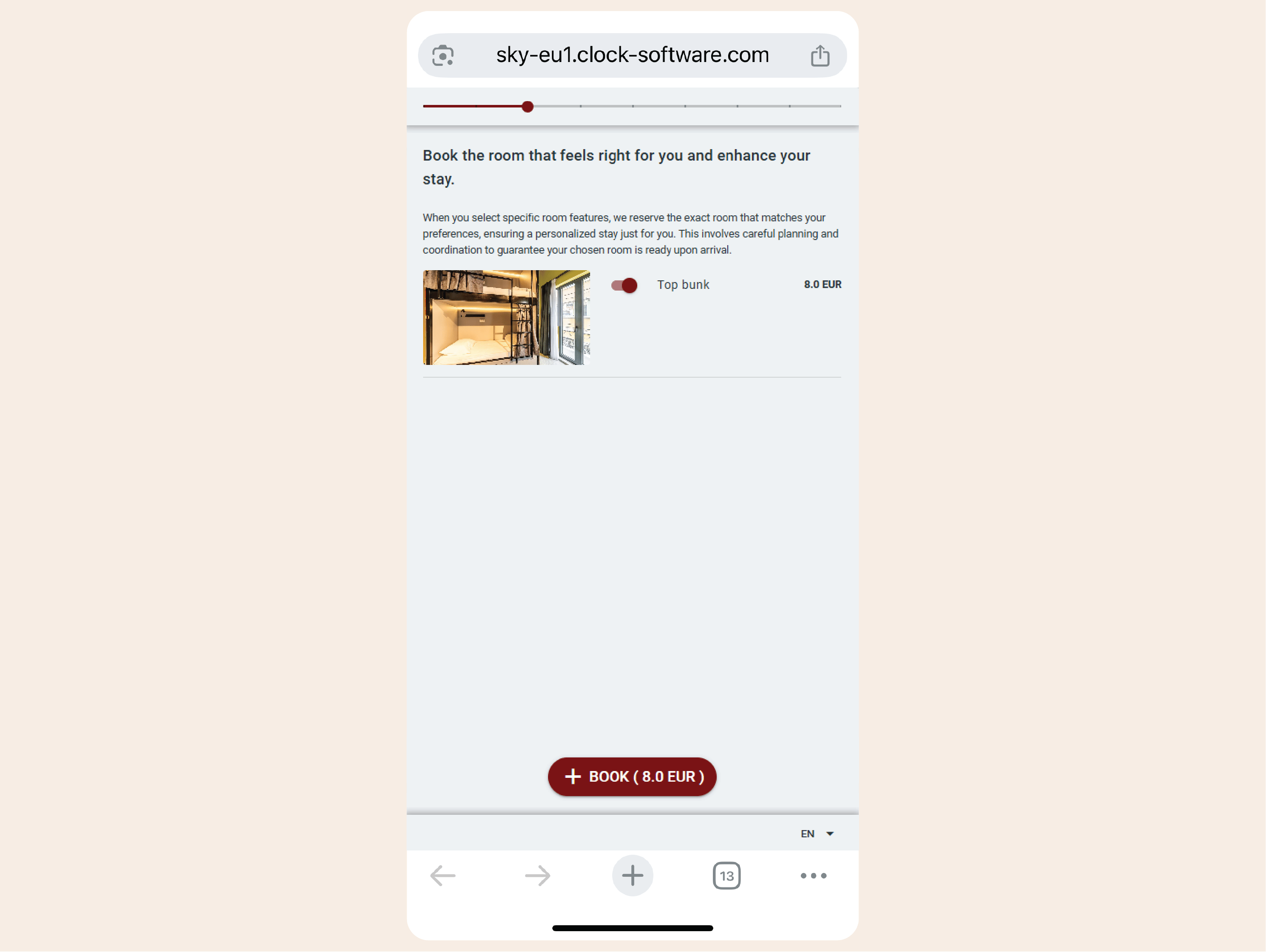
Example:
During online check-in, a guest upgrades to an upper bunk for a small surcharge.
Offer attribute-based upgrades and add-ons

Coordinate housekeeping for high-turnover beds

Housekeeping tasks can follow turnover at bed level or room level, depending on how accommodation is sold. This allows hostels to manage cleaning accurately for shared dorms while still supporting full-room stays.
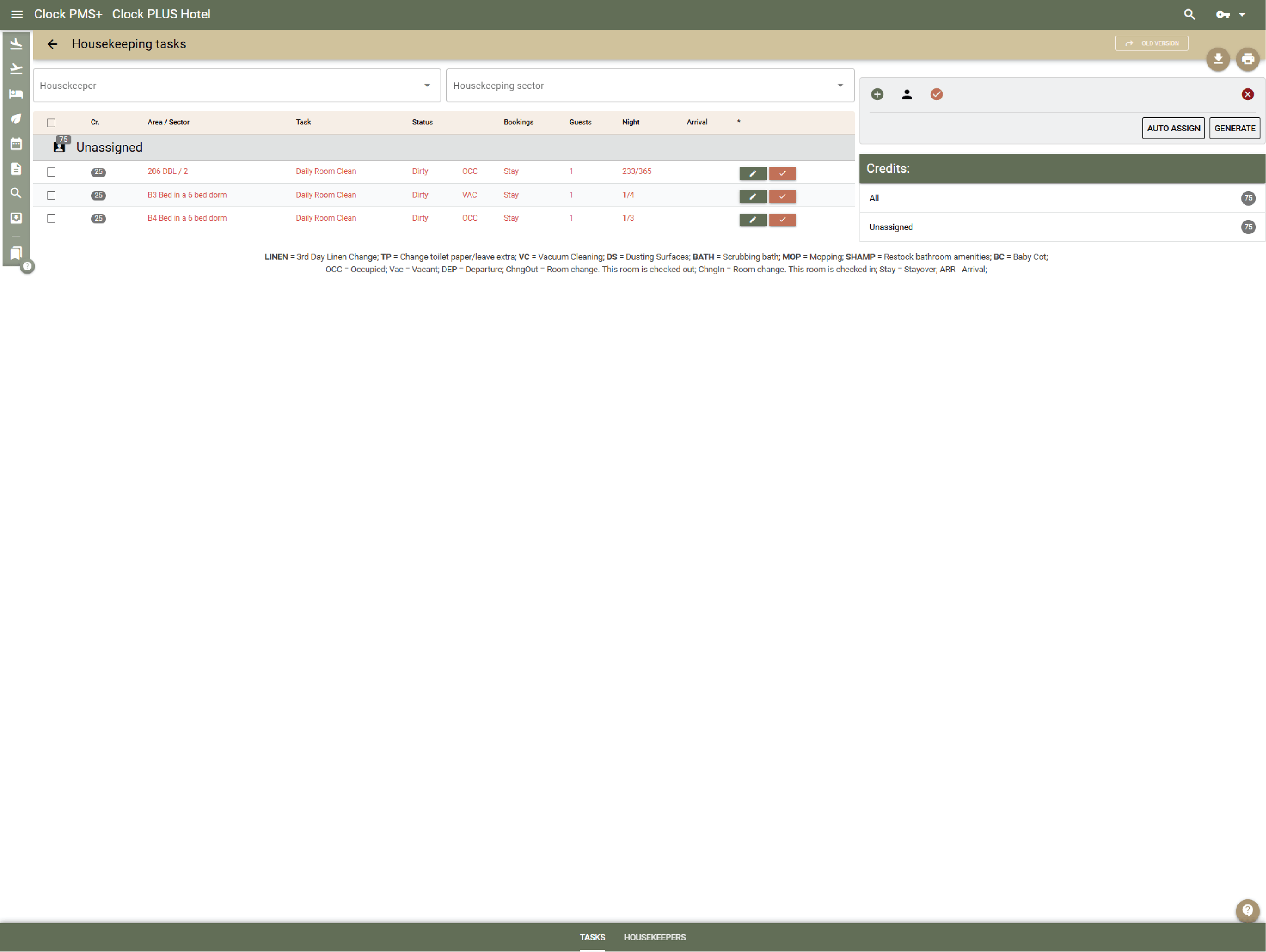
Example:
In shared dorms, beds are cleaned and marked ready individually, while private rooms are cleaned and handled as a whole.
Coordinate housekeeping for high-turnover beds

Sell activities and social experiences with capacity control

Hostels can offer tours, classes, or social activities with time slots and limited capacity. Activities can be booked together with accommodation or added later.
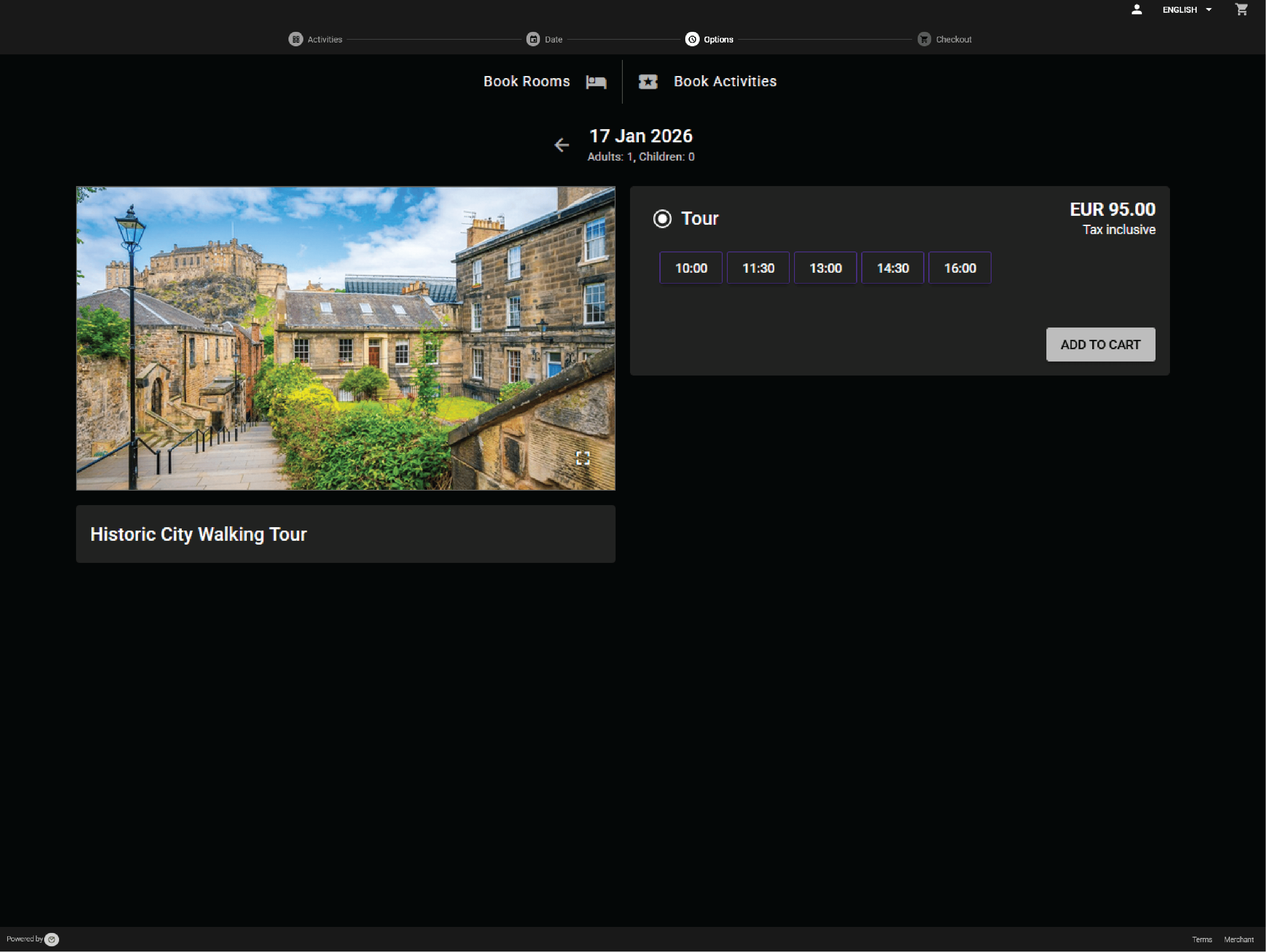
Example:
A guest books a walking tour for the next day online from their room, reducing available spots automatically.
Sell activities and social experiences with capacity control

Report on beds, rooms, and operational volume

Reports cover occupancy at bed and room level, booking volume, payments, and operational KPIs. Data reflects the hybrid nature of hostel operations.
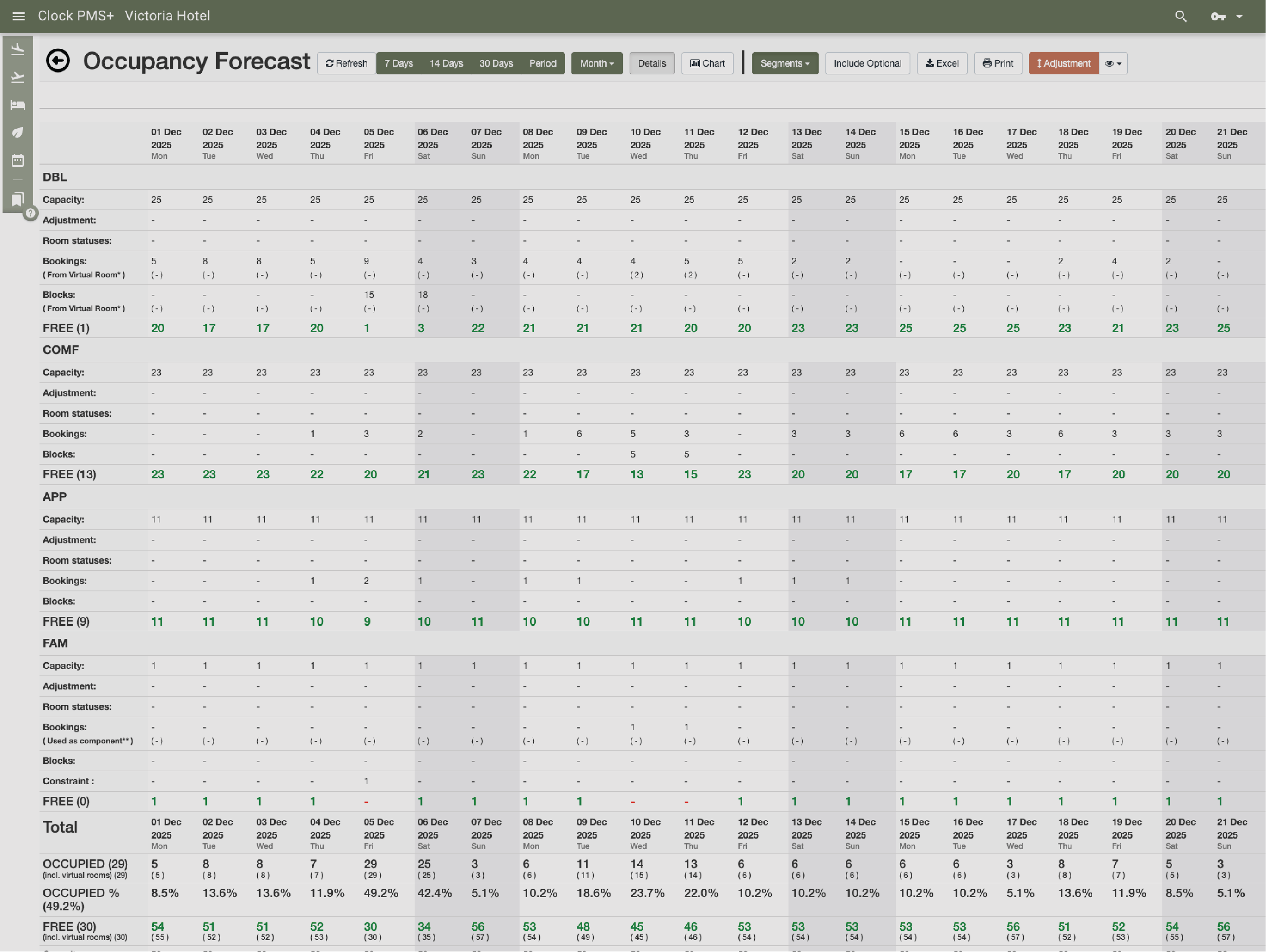
Example:
Management reviews bed occupancy and average length of stay across dorm types.
Report on beds, rooms, and operational volume
Platform overview

One platform for connected hospitality operations

Move through the core capability groups that keep property, revenue, guest, and finance workflows in one connected system.

Use the previous and next buttons or the left and right arrow keys to move through capabilities.

Slider position

  1. PMS

    Run the core property workflow from reservations to stay management and billing context.

    What is included

    • Room and folio management
    • Guest profiles
    • Company accounts
    • Operational notes and tasks
    • Rate and availability context
    • Stay history
  2. Reservations

    Manage direct, group, and channel reservations without losing guest or revenue context.

    What is included

    • Individual bookings
    • Group reservations
    • Availability view
    • Booking modifications
    • Guest and company details
    • Deposits and guarantees
  3. Rates

    Keep pricing logic connected to occupancy, restrictions, packages, and connected sales channels.

    What is included

    • Rate plans
    • Restrictions
    • Packages
    • Channel-ready pricing
    • Occupancy rules
    • Seasonal adjustments
  4. Invoicing

    Give finance and front desk teams the billing tools they need inside the same operational flow.

    What is included

    • Guest invoices
    • Company billing
    • Deposits and prepayments
    • Tax and payment records
    • Folio routing
    • Credit notes
  5. Front desk

    Support fast arrival, stay, and departure workflows for the people working the desk.

    What is included

    • Arrivals and departures
    • Room moves
    • Guest requests
    • Live operational status
    • Check-in and check-out
    • Desk handover notes
  6. Housekeeping

    Connect room status and housekeeping activity directly to the property workflow.

    What is included

    • Room status
    • Cleaning assignments
    • Maintenance flags
    • Team visibility
    • Out-of-order rooms
    • Daily task tracking
  7. Guest messaging

    Keep guest communication close to the reservation and stay record.

    What is included

    • Pre-arrival messages
    • Stay communication
    • Automated notifications
    • Guest context
    • Template messages
    • Post-stay follow-up
  8. Booking.com & OTA sync

    Keep availability, reservations, and channel updates aligned with the property system.

    What is included

    • OTA reservations
    • Availability sync
    • Rate updates
    • Channel status
    • Restriction updates
    • Reservation import
  9. Events

    Manage meetings, functions, and hospitality event context alongside hotel operations.

    What is included

    • Event records
    • Spaces and schedules
    • Guest and company context
    • Operational notes
    • Function details
    • Event billing context
  10. Activity bookings

    Sell and manage add-on experiences as part of the wider guest journey.

    What is included

    • Bookable activities
    • Guest add-ons
    • Capacity visibility
    • Connected billing
    • Time slot management
    • Activity confirmations
  11. Restaurant POS

    Connect restaurant charges and outlet activity to the guest and property record.

    What is included

    • Outlet sales
    • Room charges
    • Receipts
    • Revenue context
    • Table service flow
    • Payment posting
  12. Booking engine

    Bring direct booking conversion into the same platform that manages the stay.

    What is included

    • Direct reservations
    • Packages and extras
    • Availability and rates
    • Guest details
    • Promo codes
    • Mobile booking flow
  13. Online check-in & kiosk

    Offer self-service arrival options while keeping staff in control of the workflow.

    What is included

    • Online check-in
    • Kiosk flow
    • Guest verification
    • Arrival status
    • Digital registration
    • Self-service payments
  14. Guest portal

    Give guests a self-service space connected to their booking and stay.

    What is included

    • Booking details
    • Guest requests
    • Upsells and services
    • Stay information
    • Profile updates
    • Payment access
  15. Card payment automation

    Automate payment steps while keeping charges tied to the correct reservation and folio.

    What is included

    • Card capture
    • Payment requests
    • Pre-authorizations
    • Automated charging rules
    • Secure card storage
    • Failed payment handling

How it fits different teams

Operations

Lean workflows for high booking volumes, fast turnovers, and shared spaces.

Front desk

Digital check-in, rapid arrivals, and reduced manual handling.

Finance

Automated payments, reduced cash handling, and simplified reconciliation.

Management

Clear visibility into occupancy, revenue per bed, and operational performance.

Around the world

Reservations, rooms, guests, payments, housekeeping, messages — there’s a lot to keep straight. Clock gives hotels one clear place to stay on top of it all.

In their words

How do customers feel after switching to Clock?

We asked our customers: What changed for the better since you switched to Clock? Here’s some of what they said…

Use the previous and next buttons or the left and right arrow keys to move through reviews.

Slider position

  1. We chose Clock because of the tool's flexibility, its ability to integrate with our entire IT ecosystem, and also for its multi-property management, which is really the strong point for us.
    Marine Bossanne Project Manager Operations and Quality at Elegancia
  2. The strength of Clock is that it brings everything together in one system. What we previously had to accomplish using multiple tools, we can now do with a single solution.
    Ruggero Carpino Head of Customer Service & Training at Algilà Ortigia Charme Hotel, Syracuse
  3. It was very important for us to look at the stability and the future proofness of the system. And Clock is a company that has the knowledge and the expertise.
    Steff de Groot Owner & General Manager, WICC Hotel & Congress Centre
  4. Faster processes, faster training, more time for staff, to focus on the guests, and tasks that used to be done manually are now automated.
    Carsten Werblow Head of Operations Gambino Group
  5. Better price management, a comprehensive system API, and a dynamic company that continually develops the software.
    Marco Coppola Owner & Chief Navigator Officer, The YellowSquare
  6. By automating routine processes with Clock, we were able to completely restructure how our staff spends their time. Now, the efforts are focused on more meaningful and more profitable activities.
    Lyubomir Stamboliyski Commercial Director of St. Constantine & Helena Holding
  7. Technologies are advancing, and it's normal to move our data to the cloud. I was firmly convinced that this is the right path, and I think we made the right decision.
    Elena Ivanova Founder & Owner, Hi Hotels Group

Think Clock might fit your hotel?

Use this module for shared intro content patterns that need eyebrow, heading, supporting copy, and a compact CTA area.

“Easy to use” “Fast, intuitive, and reliable” “Saves a lot of time” “New staff learn it quickly” “Accessible from any device” “Less manual work” “Fewer booking mistakes” “Responsive and helpful support”