









Restaurant POS

POS for hotel restaurants, bars and room service — fully synced with your PMS

Take orders at the table on any staff device and send them to the kitchen instantly. Switch to bar mode when needed. Guests can also order from their room on their own phone. Every bill can be posted to a room, event or company, or paid on the spot. Your team serves faster, charges correctly, and keeps all accounts clean and synced with the PMS.

Trusted by independent hotels worldwide

Alamo Inn Elegancia Four Sisters Collection Golden Tulip Greenstar hotel Grifid 1 Hampshire 1 HappyCulture Mitland Popinns Prinsenhof Relais&Chateaux Gambino Hotels
4.7 / 5

Based on 483+ reviews across

Serve faster — anywhere

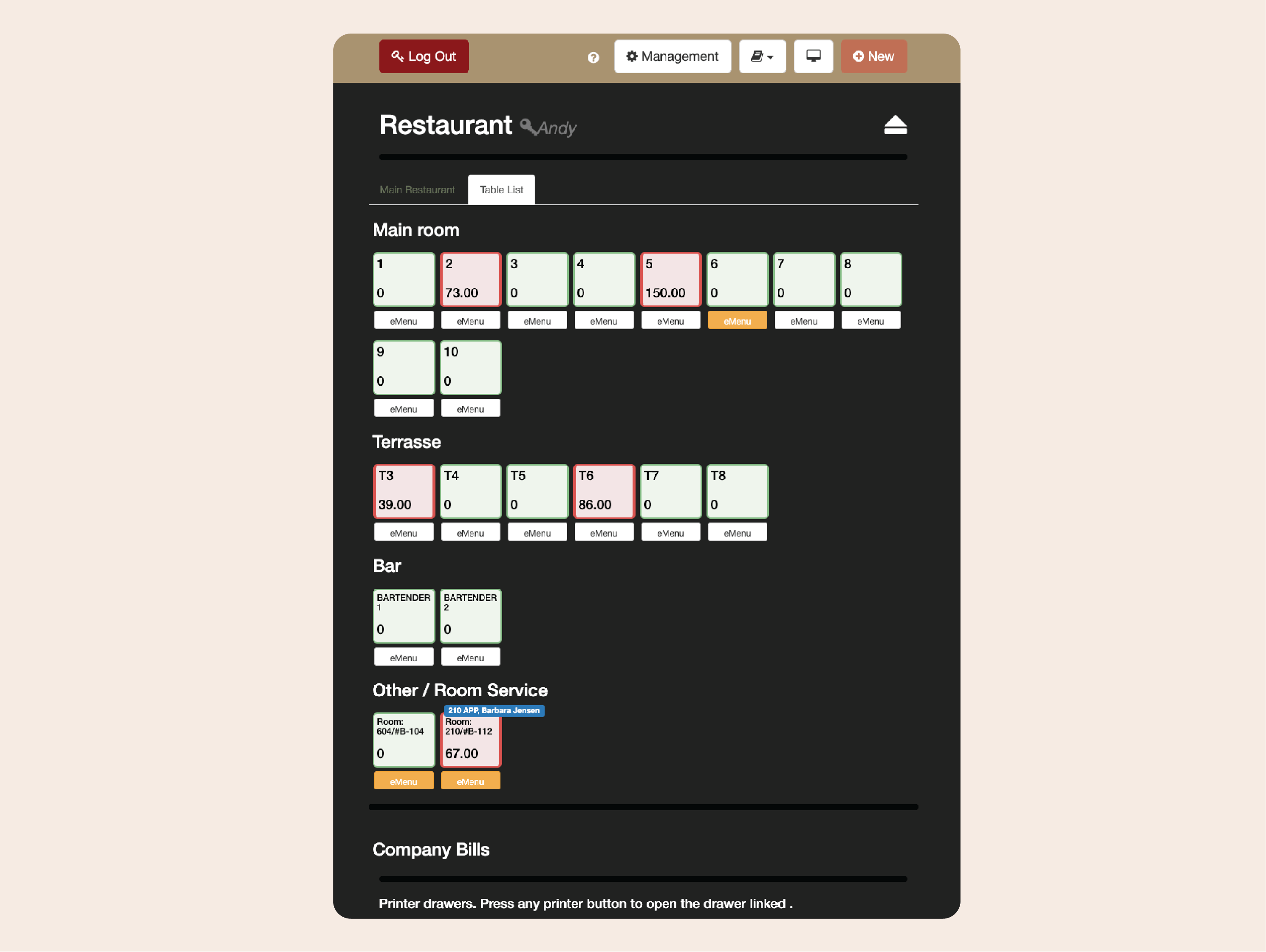
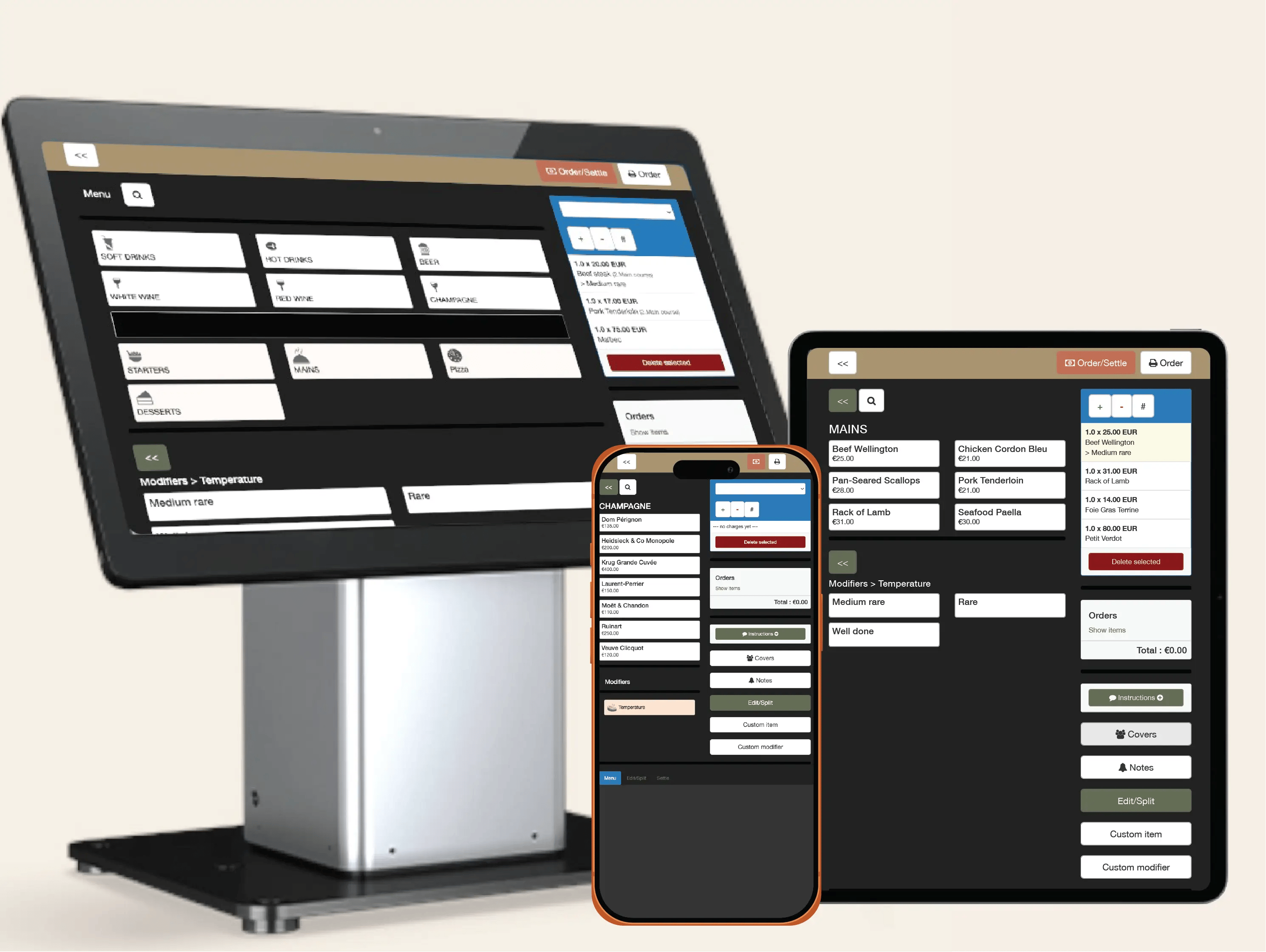
Take orders right at the table, on the terrace, or by the pool. With Clock’s mobile-first POS, staff can use every tablet or phone to record and send orders instantly — speeding up service, cutting errors, and keeping operations fluid during peak hours.
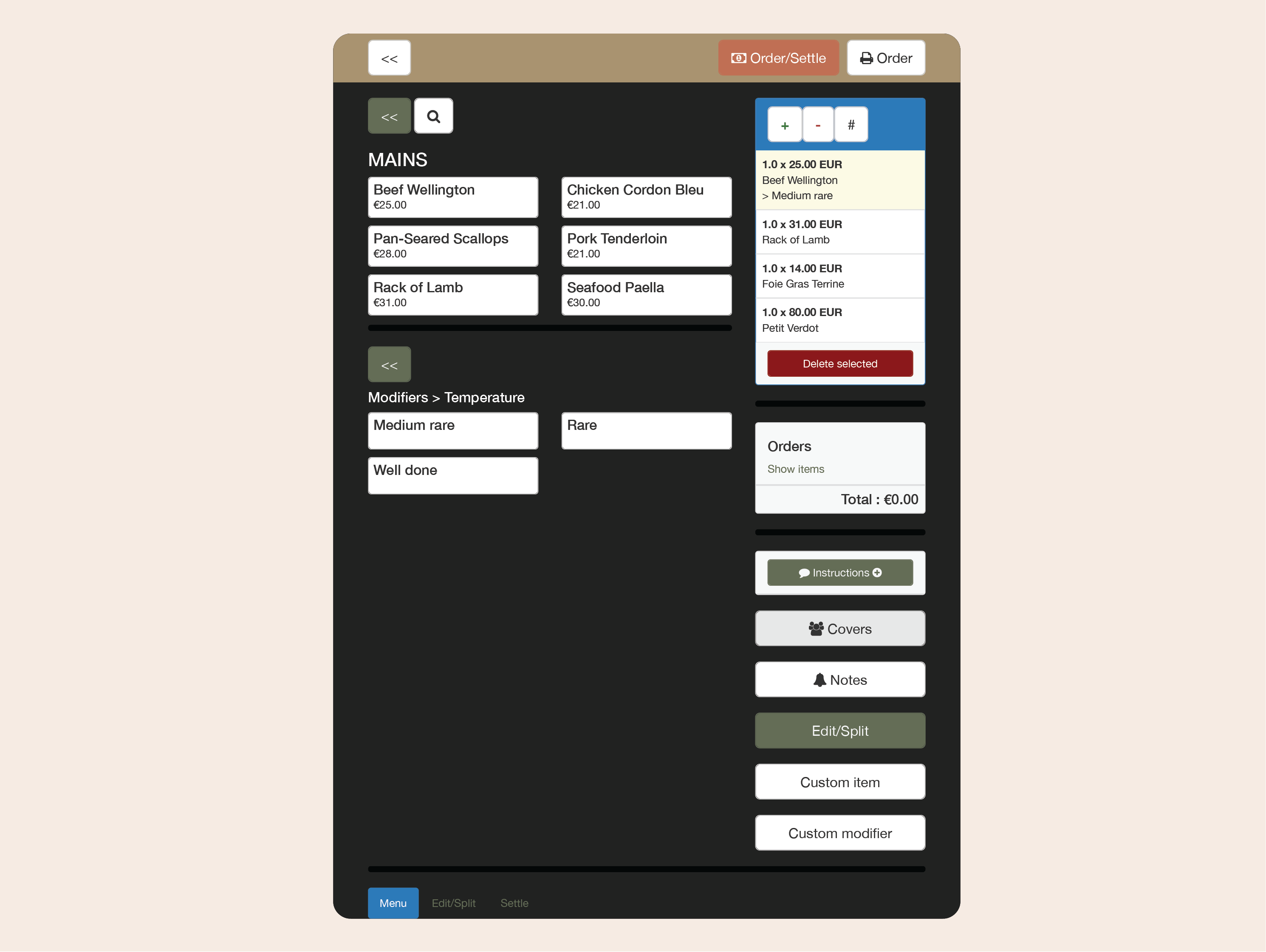
Example:
A waiter takes a table order for two mains and drinks on a tablet — the kitchen and bar receive the tickets instantly, and the guests get their order faster.
  • Serve faster — anywhere (1)
  • Serve faster — anywhere (2)

    Manage tables and bookings with ease

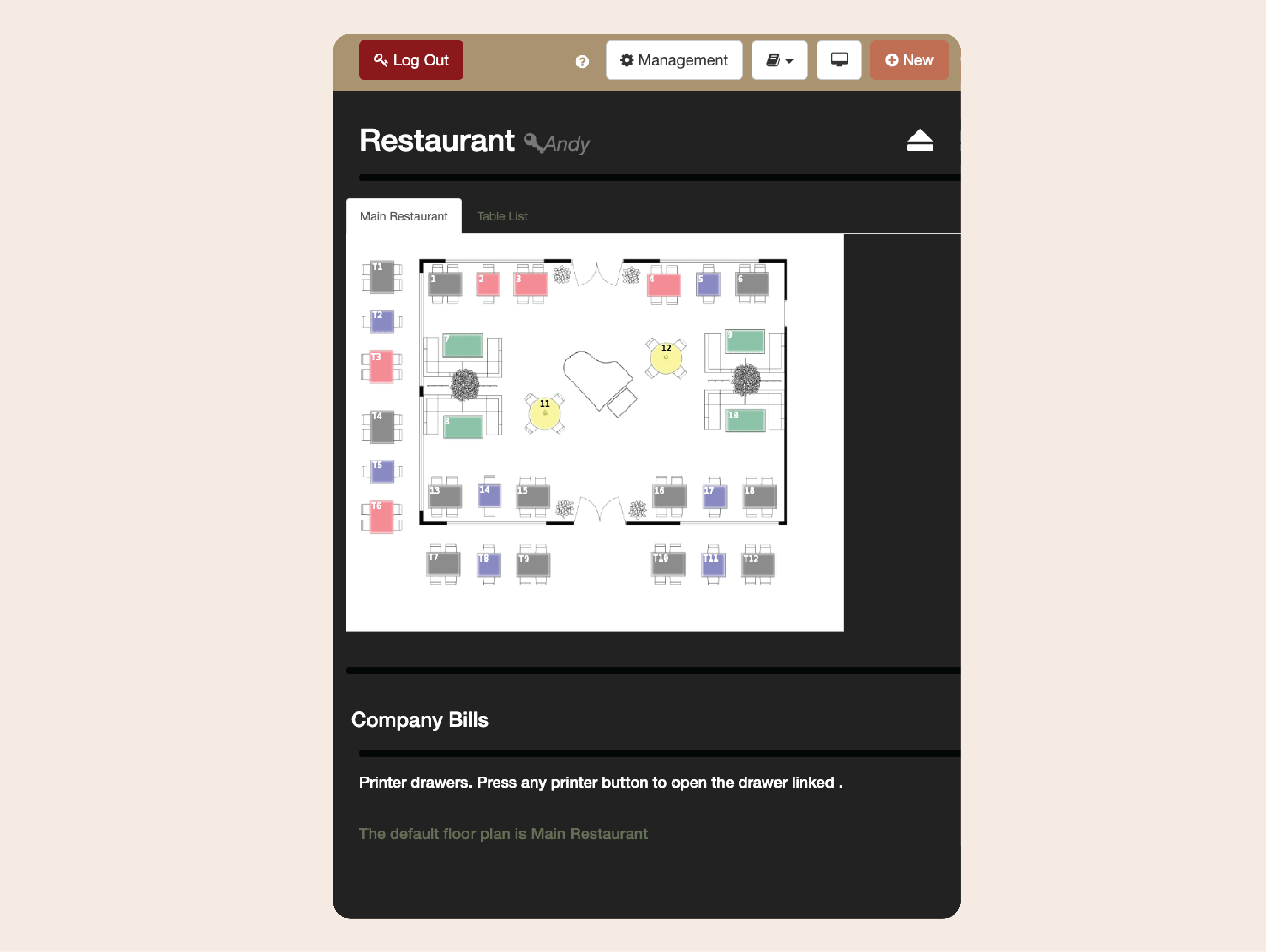
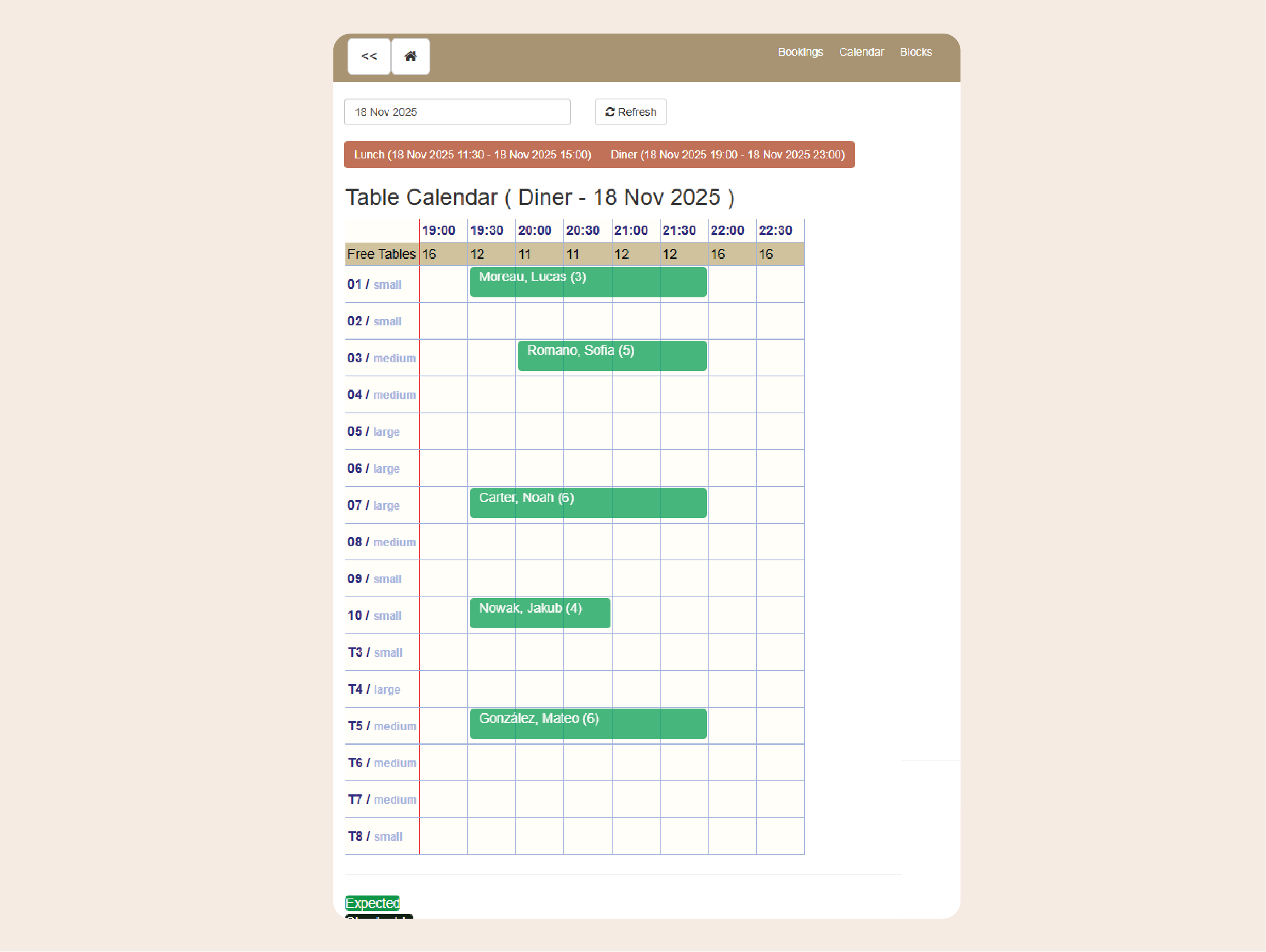
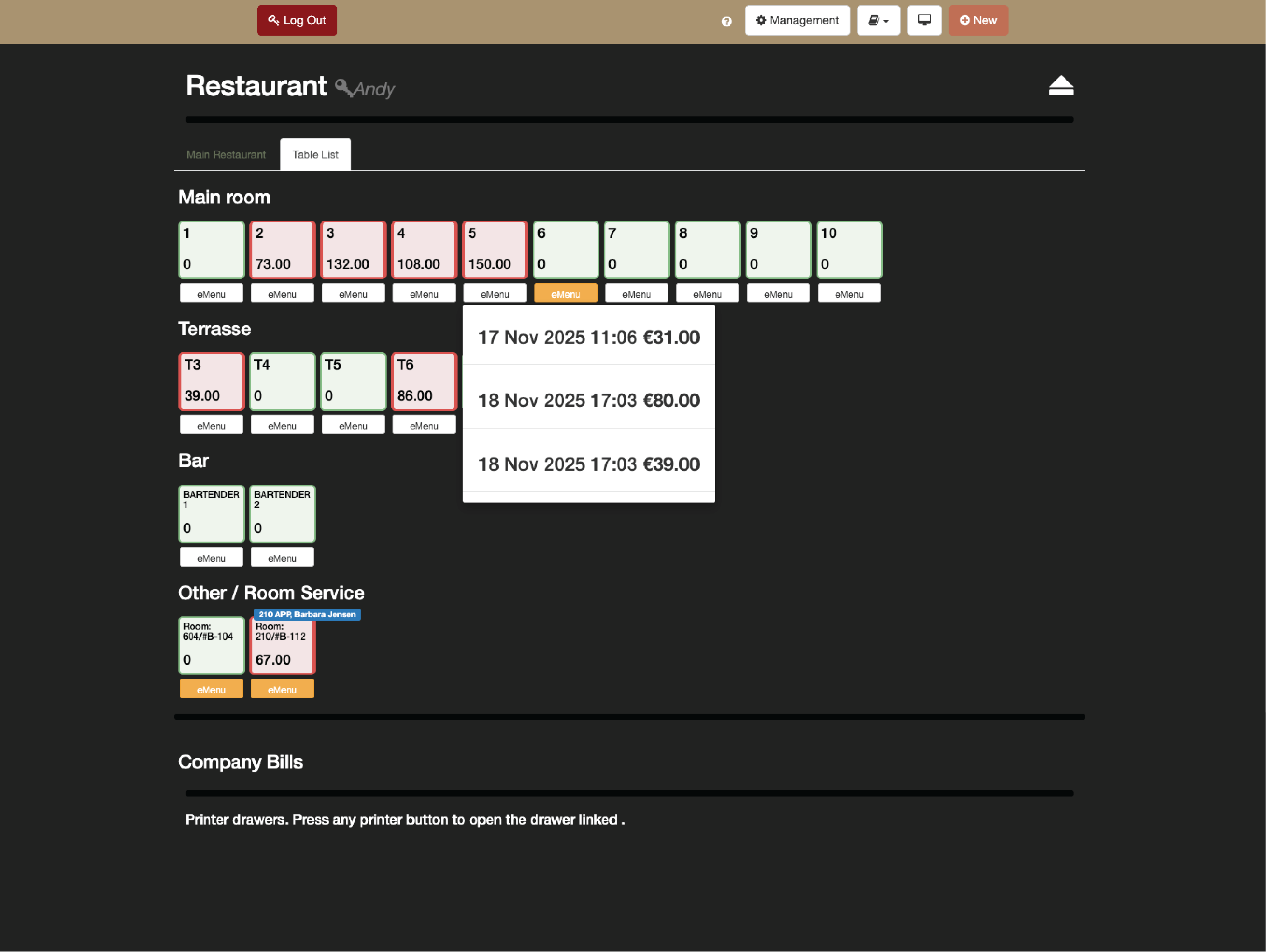
    Create custom table layouts with simplicity and manage reservations directly from the POS by Clock. Hosts can see what’s available, what’s booked, and what’s coming next, ensuring smooth seating and no double bookings.

    Example:
    When a walk-in arrives at 7 p.m., the host can quickly see which tables are free and whether any are already booked.
    • Manage tables and bookings with ease (1)
    • Manage tables and bookings with ease (2)
    • Manage tables and bookings with ease (3)

      Adapt to any outlet — restaurant or bar mode

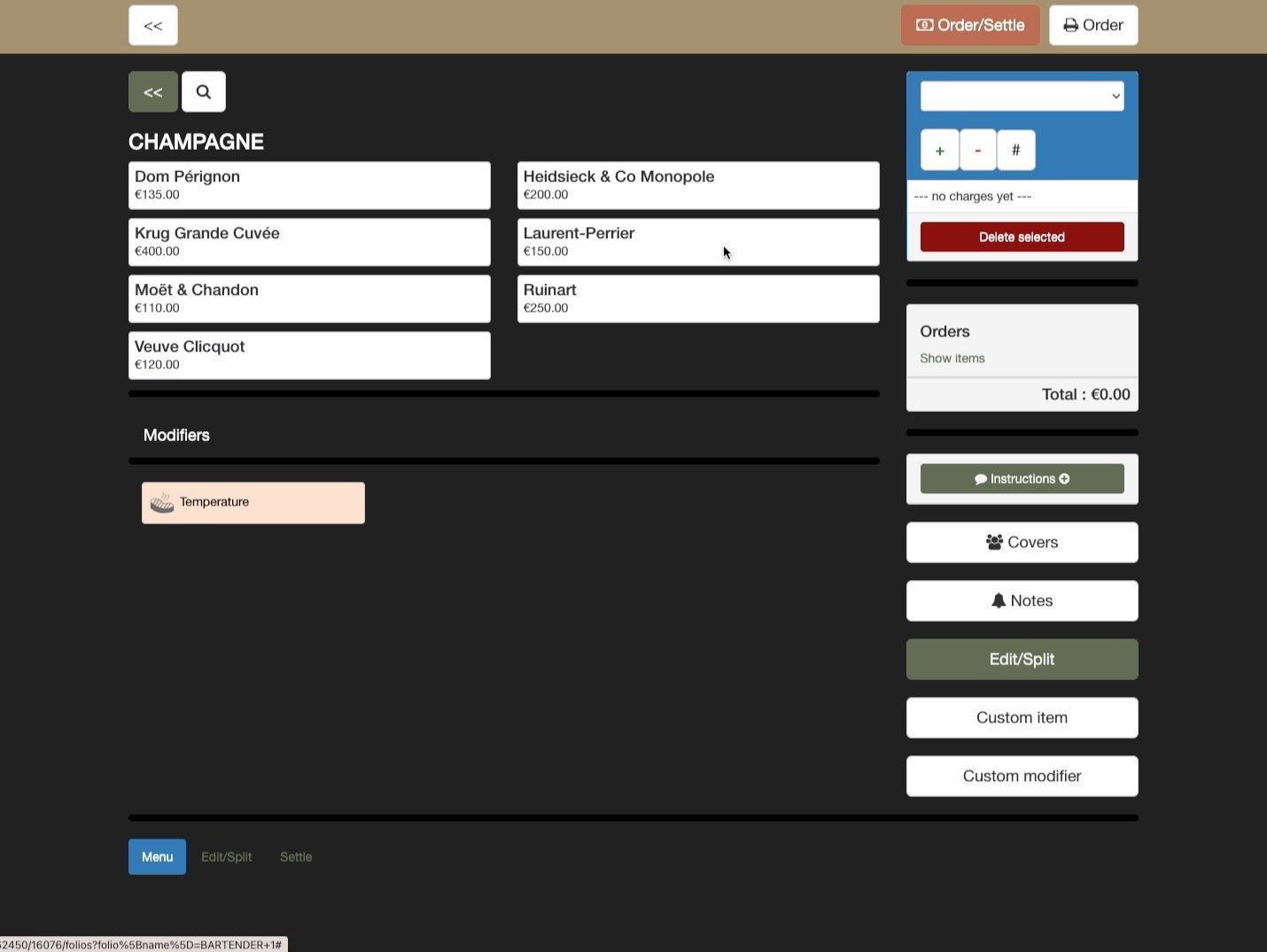
      The POS by Clock adjusts to how your team works. In restaurant mode, servers can keep multiple tables open with running bills, while in bar mode every order closes automatically after posting.

      Example:
      During dinner in the French restaurant, waiters manage open tables across the dining room, while the Martini bar runs bar‑service mode where each order closes instantly after payment — both perfectly in sync.
      Adapt to any outlet — restaurant or bar mode

      Keep the kitchen in sync

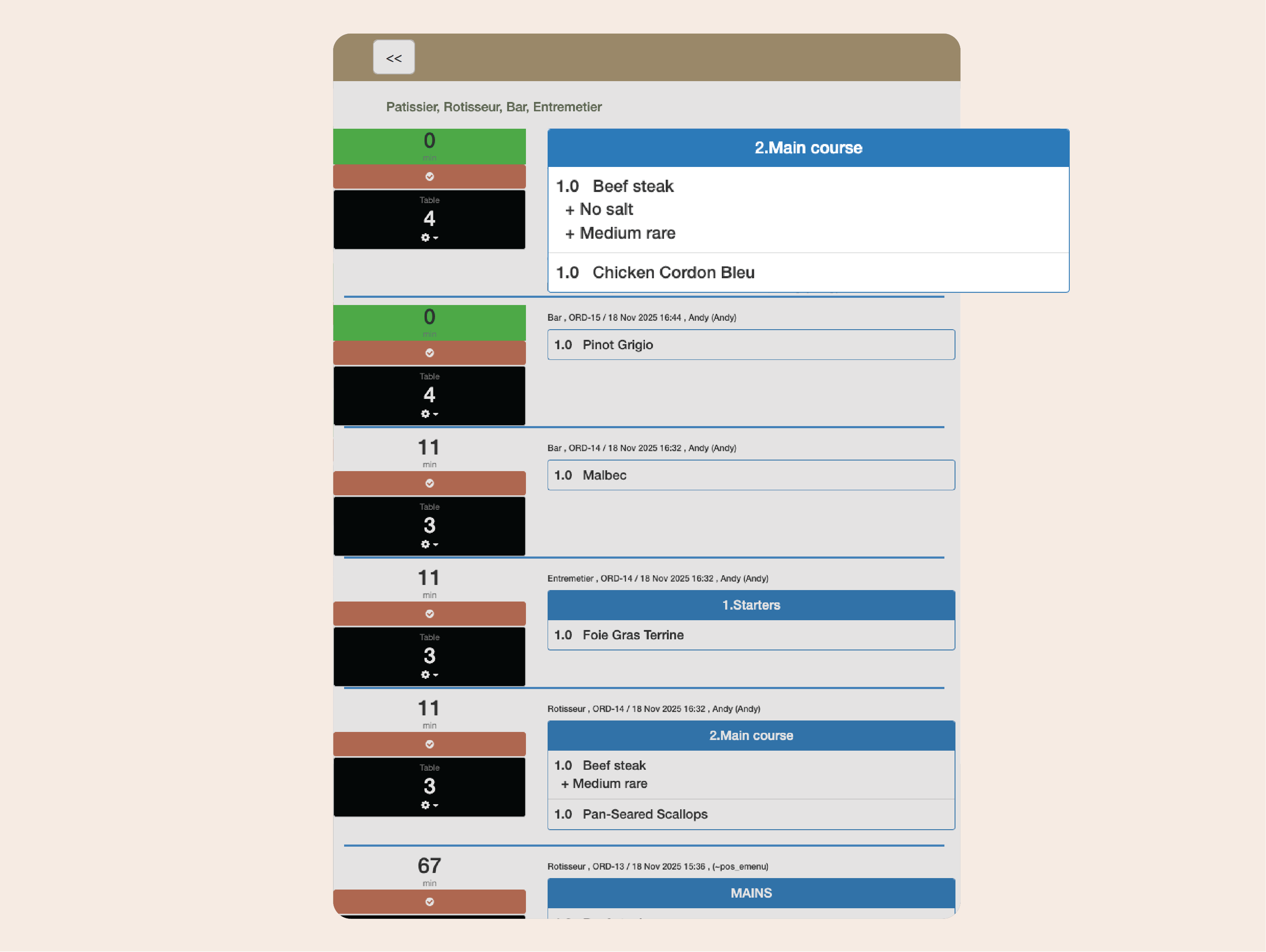
      Send orders straight to kitchen printers or digital monitors, complete with modifiers, notes, and timing instructions. No more shouting across the pass — chefs see every detail exactly as entered, reducing mistakes and wait times.

      Example:
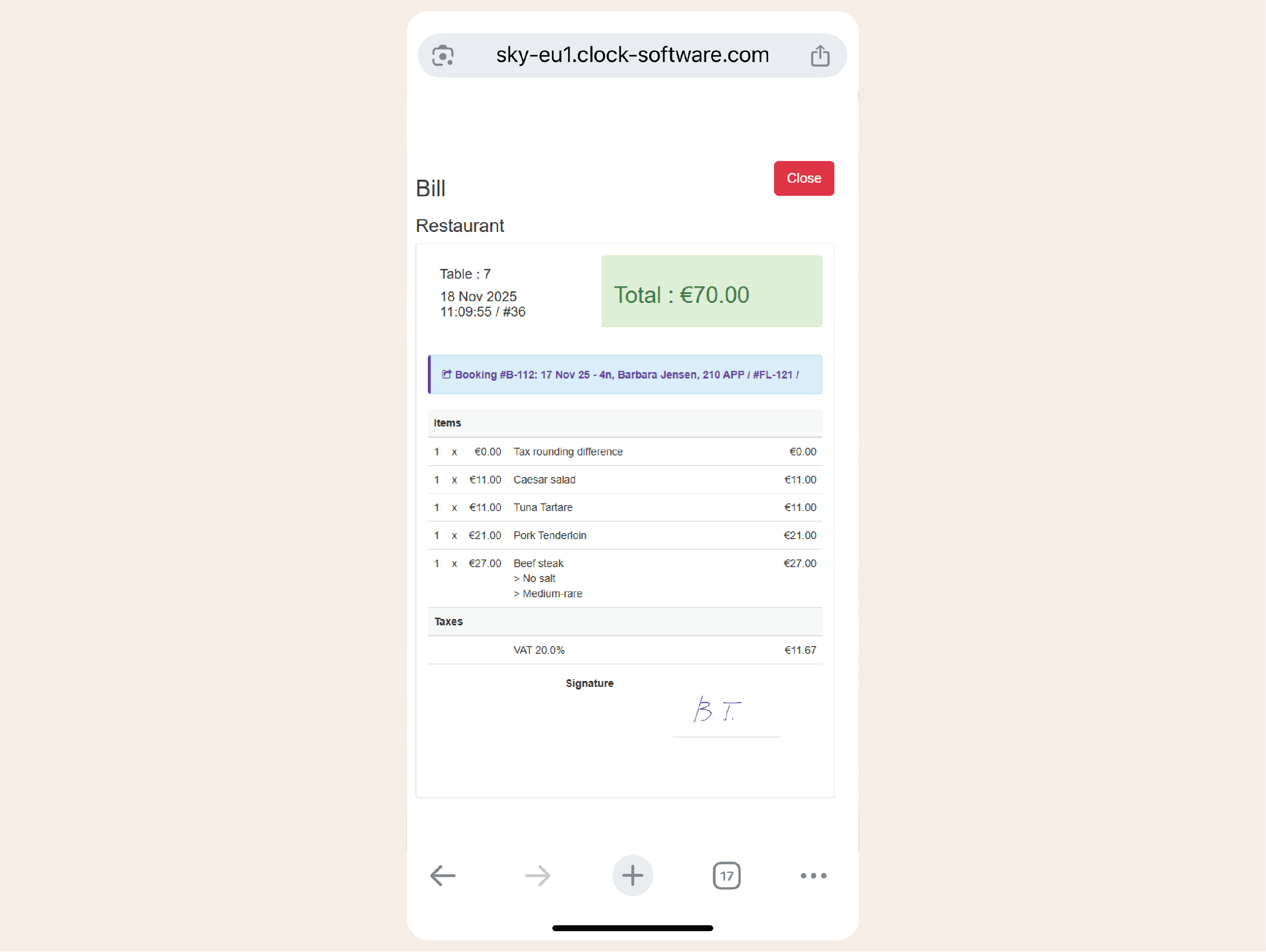
      A guest orders “medium-rare steak, no salt” — the request appears instantly on the grill station monitor with precise details.
      Keep the kitchen in sync

      Adapt menus and prices in real time

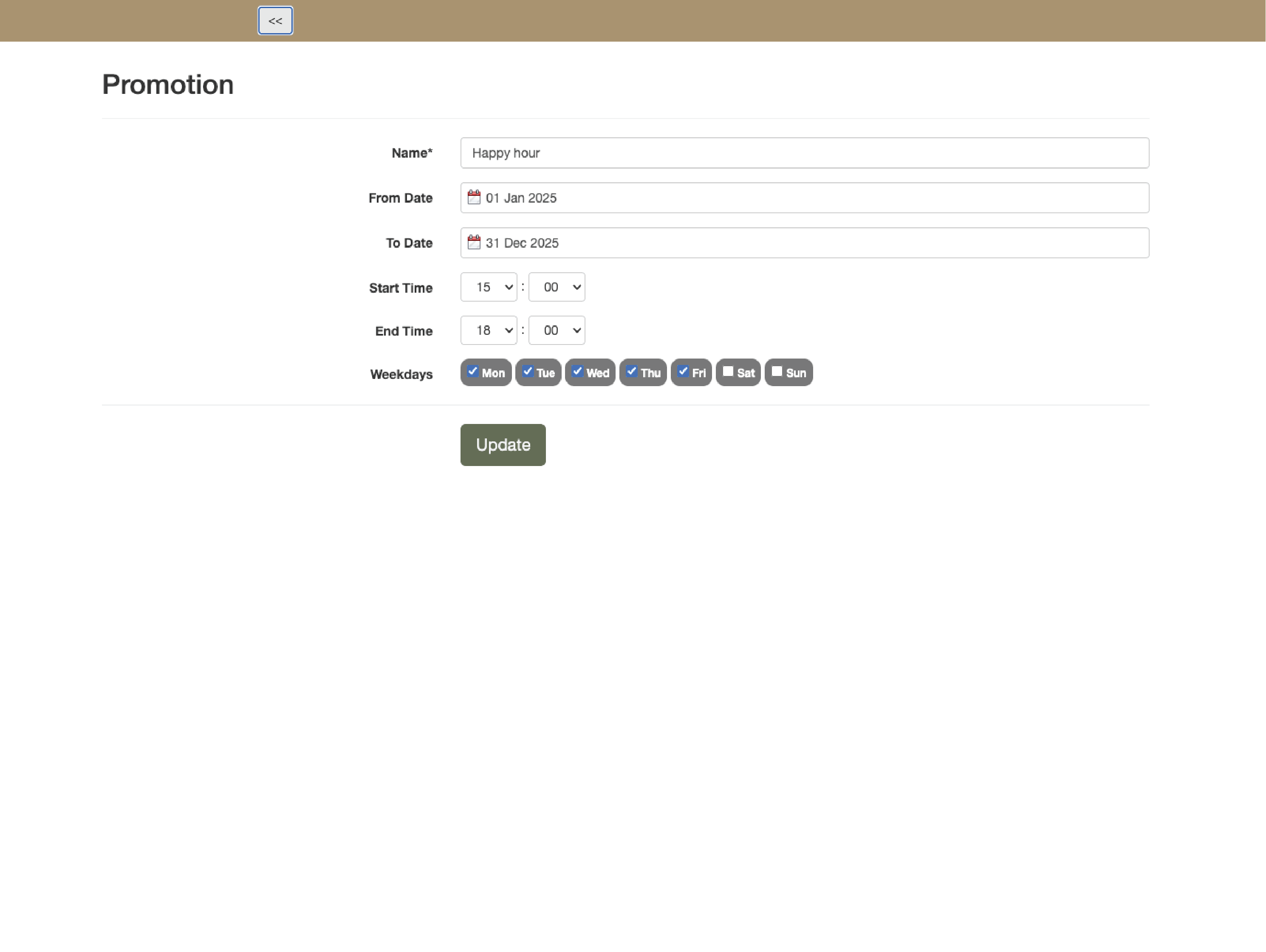
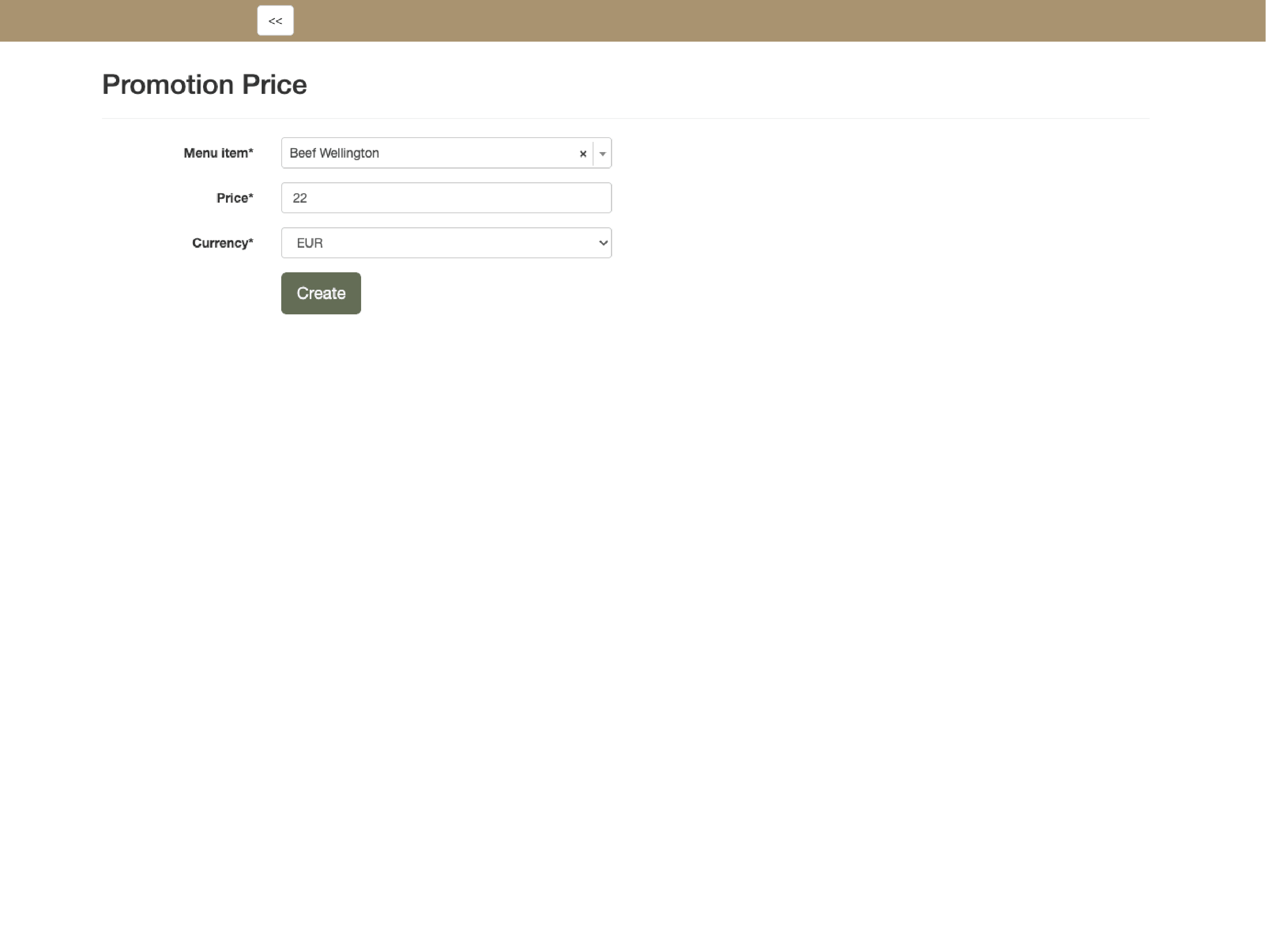
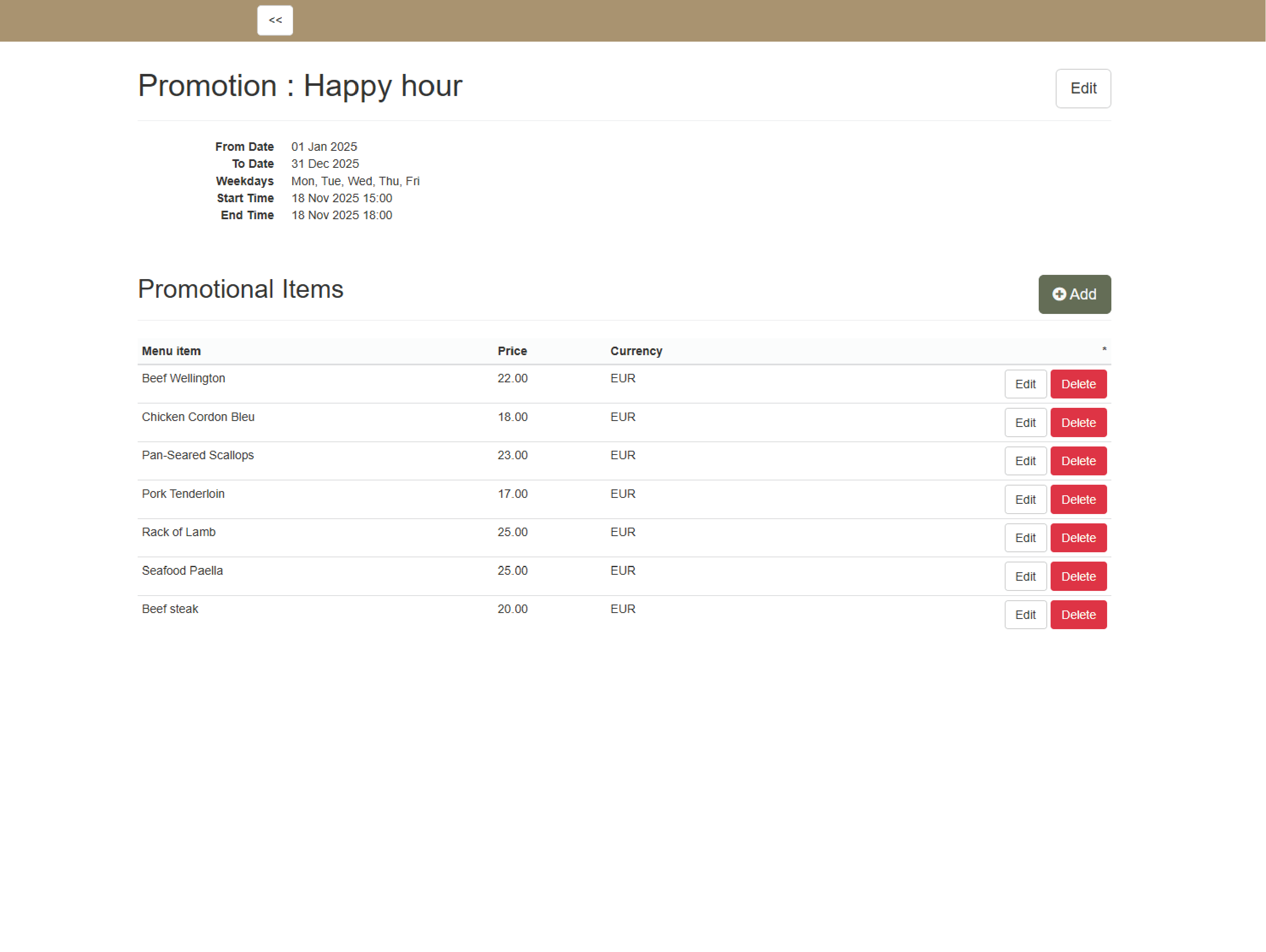
      Create custom menus per outlet or time slot price modifications — happy hour— and adjust prices  to automatically apply discounts. offer complimentary items, or manage service fees without manual changes.

      Example:
      At 5 p.m., the POS automatically activates happy-hour pricing — no need for staff intervention.
      • Adapt menus and prices in real time (1)
      • Adapt menus and prices in real time (2)
      • Adapt menus and prices in real time (3)

        Bill any way guests prefer

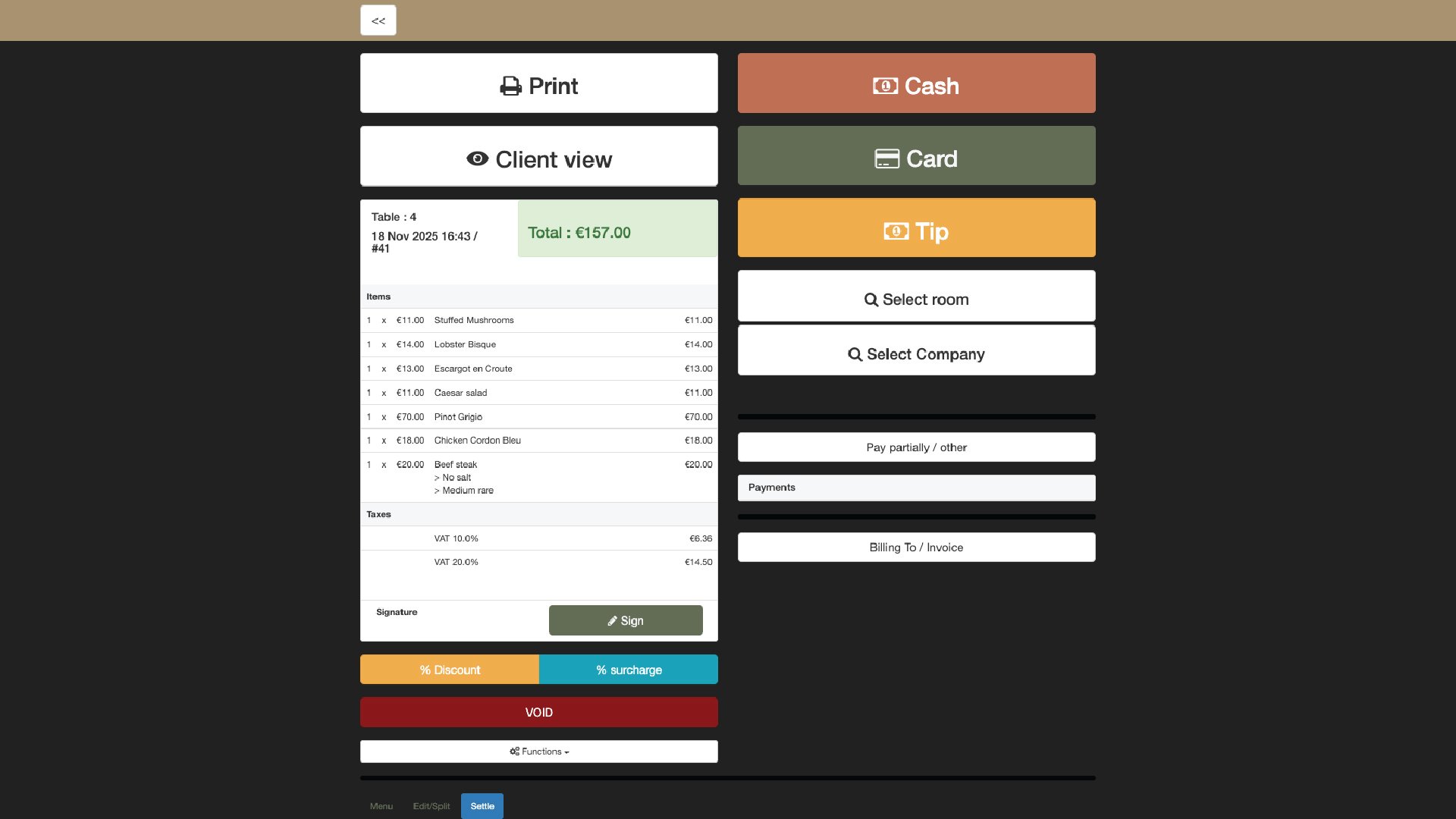
        Split bills by guest or item, move charges between tables, and combine payments across methods — cash, card, voucher, or room charge. Generate invoices instantly and handle tips or surcharges with full transparency.

        Example:
        Four friends pay for dinner: two by card, one in cash, and one to the room. Each payment posts automatically to the right place.
        • Bill any way guests prefer (1)
        • Bill any way guests prefer (2)
        • Bill any way guests prefer (3)
        • Bill any way guests prefer (4)

          Post directly to rooms and events

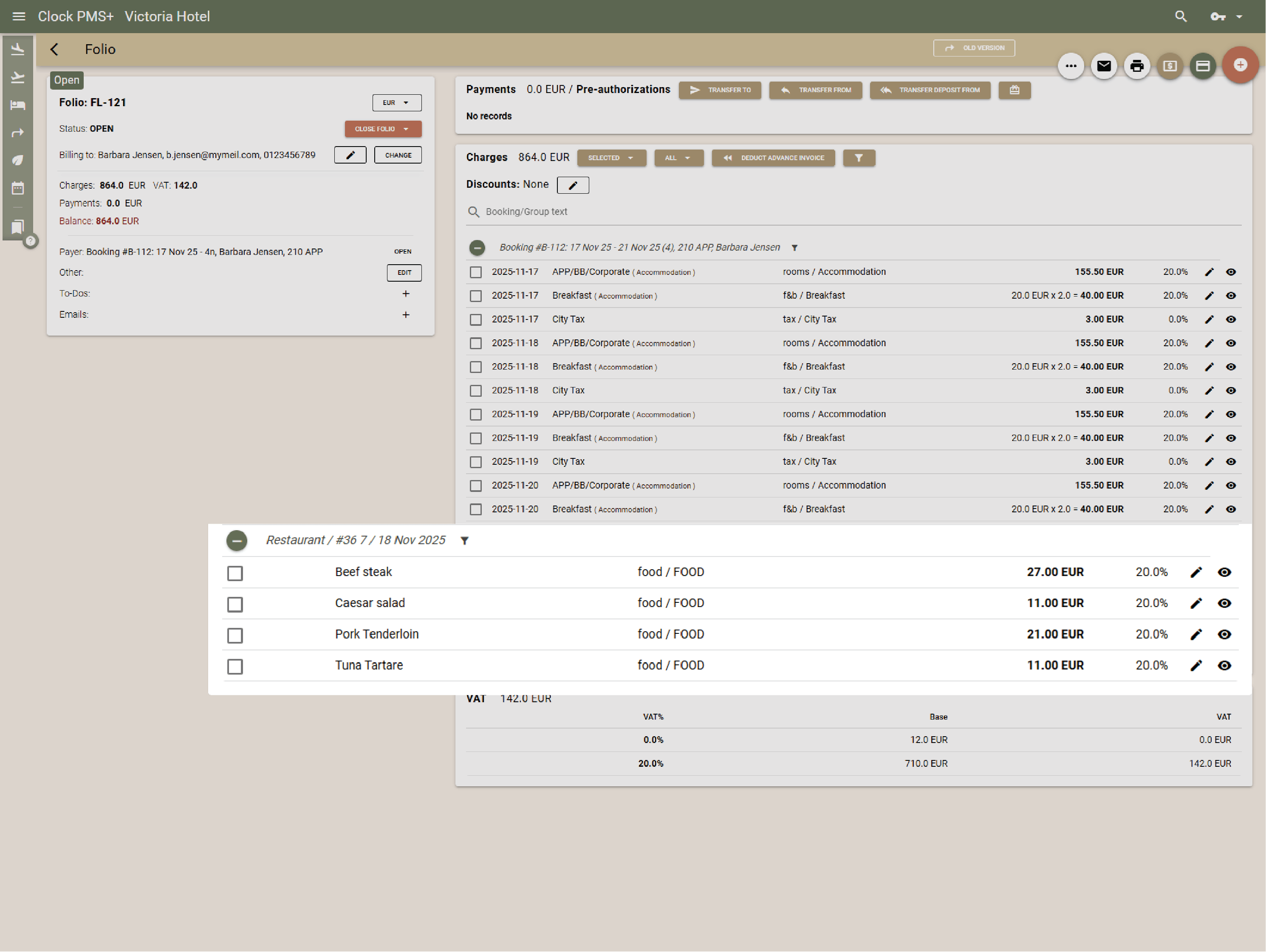
          Link every charge securely to a room, company, or event folio. Room and event charges appear instantly in the PMS with digital signature capture for approvals — fewer disputes, no delays.

          Example:
          A guest at the pool bar signs for their drinks on a tablet — the amount posts straight to their room folio in real time.
          • Post directly to rooms and events (1)
          • Post directly to rooms and events (2)

            Let guests order room service digitally

            Offer digital menus and ordering via QR codes* or Guest Portal. Guests browse, order in-room dining from their mobile—charges auto-link to folios for precise billing. Waiter comes and brings the bill ready for digital signing on their device.

            Example:
            A guest goes to their Guest portal, orders a dinner, and the restaurant receives it instantly — no TV screen browsing, no phone calls, no paper bills to sign and send to the front desk later on.
            • Let guests order room service digitally (1)
            • Let guests order room service digitally (2)
            • Let guests order room service digitally (3)
            • Let guests order room service digitally (4)

              Stay in control of your stock

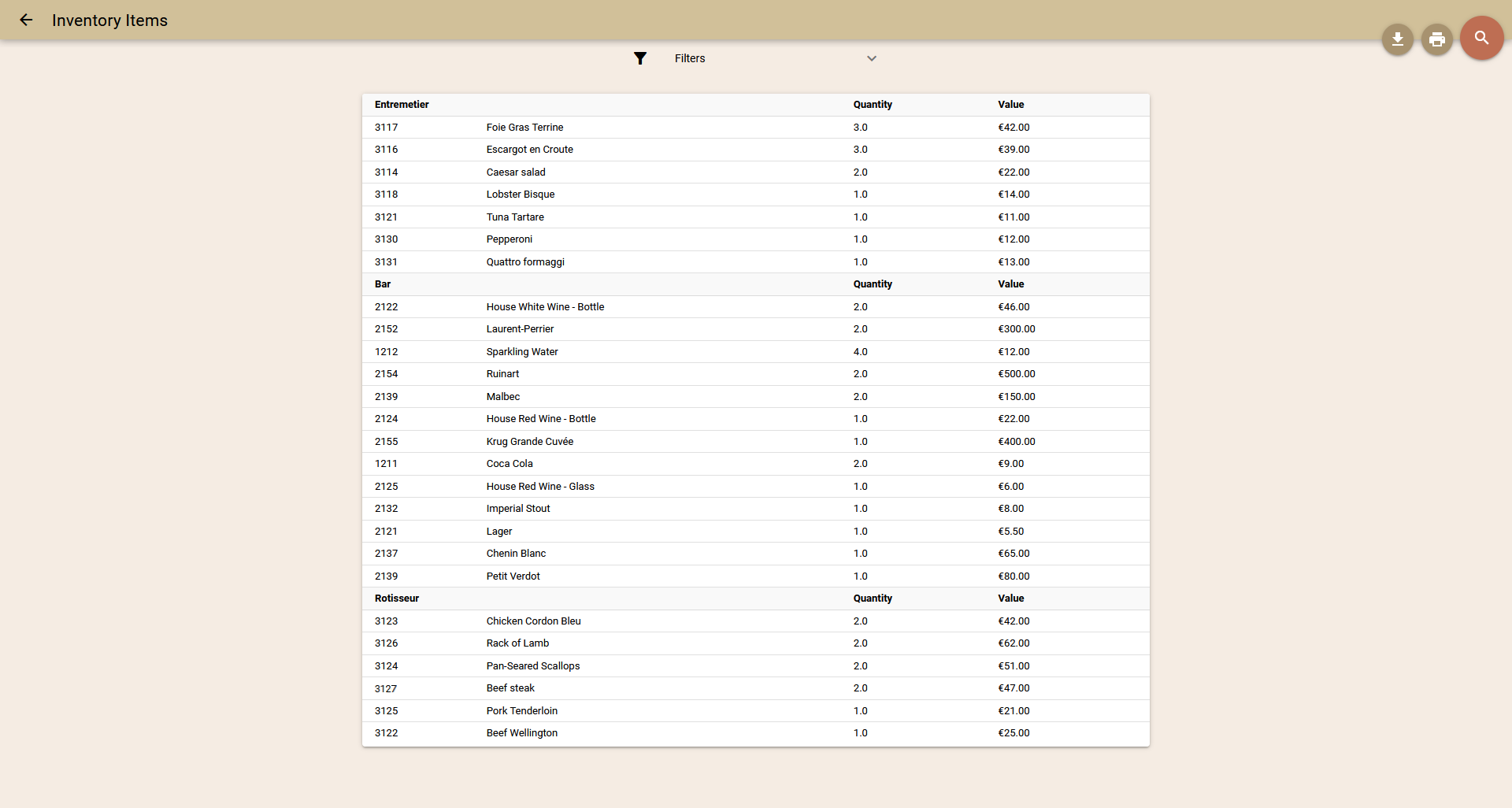
              Connect 3rd party apps to track ingredient use per dish, monitor real-time stock levels, and get alerts before you run out.

              Example:
              At the end of the day or even more frequently Clock sends the aggregated sales, the 3rd party system breaks them to components based on recipes, reduces the stock and generates purchasing orders.
              Stay in control of your stock

              See what’s selling and shining

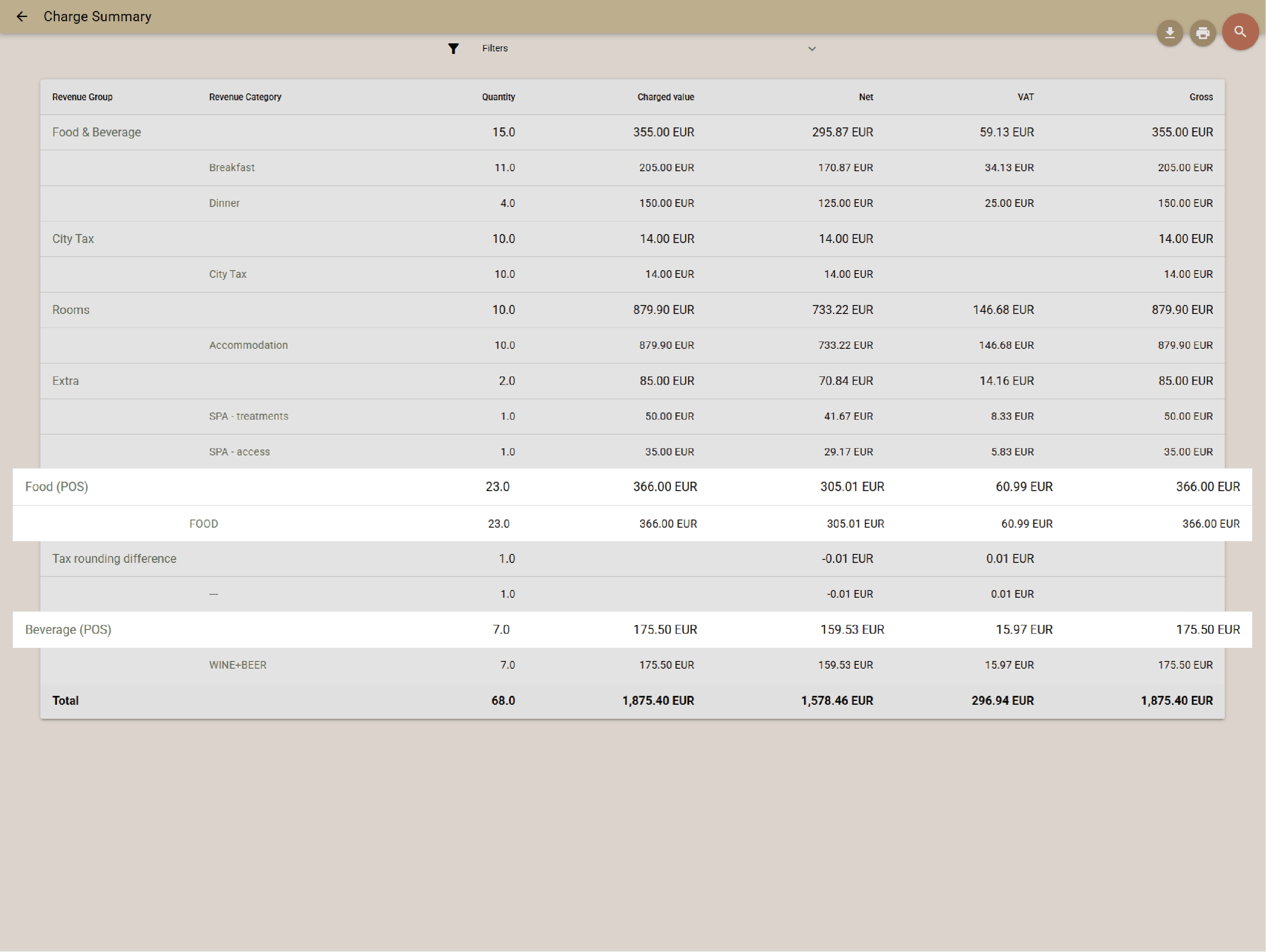
              Analyze outlet performance and item sales. View trends, track top sellers, and adjust menus to maximize profit and efficiency.

              Example:
              The restaurant manager can track the most sought-after meals at different times of the day.
              See what’s selling and shining

              Keep everything at one

              Fully unified with the rest of the Clock platform, the POS transfers natively to rooms, companies, and events,  — no syncs to fail, no data gaps. Charges post instantly, updates flow in real time, and you get aggregated revenue and payments reports across PMS and POS in one view.

              Example:
              The bar closes at 2 a.m., and the system automatically includes all charges from that night in the previous business day’s aggregated revenue report—accurately consolidating hotel, restaurant, and bar revenue.
              Keep everything at one

              Run without expensive hardware, licenses or lock-ins

              Clock’s POS runs on any mobile or desktop device—no expensive proprietary hardware required. License covers unlimited devices (countertop or mobile), so staff can use tablets, phones, or touchscreens they already own—even personal ones. Clock's all-inclusive pricing saves you on 3rd-party POS licenses/subscriptions.

              Example:
              All waiters use standard smartphones, while the bar supervisor closes checks on their personal phone during peak hours—everything syncs seamlessly under one license. The hotelier stops using third-party POS software, saving costs since Clock's is included in the all-inclusive fee.
              Run without expensive hardware, licenses or lock-ins
              Global customers

              Explore the countries where hospitality teams use Clock to run smoother operations and better guest journeys.

              Customer stories

              How do customers feel after switching to Clock

              We asked our customers: What changed for the better since you switched to Clock? Thousands responded, here’s some of what they said…

              Use the previous and next buttons or the left and right arrow keys to move through reviews.

              Slider position

              1. We chose Clock because of the tool's flexibility, its ability to integrate with our entire IT ecosystem, and also for its multi-property management, which is really the strong point for us.
                Marine Bossanne Project Manager Operations and Quality at Elegancia
              2. The strength of Clock is that it brings everything together in one system. What we previously had to accomplish using multiple tools, we can now do with a single solution.
                Ruggero Carpino Head of Customer Service & Training at Algilà Ortigia Charme Hotel, Syracuse
              3. It was very important for us to look at the stability and the future proofness of the system. And Clock is a company that has the knowledge and the expertise.
                Steff de Groot Owner & General Manager, WICC Hotel & Congress Centre
              4. Faster processes, faster training, more time for staff, to focus on the guests, and tasks that used to be done manually are now automated.
                Carsten Werblow Head of Operations Gambino Group
              5. Better price management, a comprehensive system API, and a dynamic company that continually develops the software.
                Marco Coppola Owner & Chief Navigator Officer, The YellowSquare
              6. By automating routine processes with Clock, we were able to completely restructure how our staff spends their time. Now, the efforts are focused on more meaningful and more profitable activities.
                Lyubomir Stamboliyski Commercial Director of St. Constantine & Helena Holding
              7. Technologies are advancing, and it's normal to move our data to the cloud. I was firmly convinced that this is the right path, and I think we made the right decision.
                Elena Ivanova Founder & Owner, Hi Hotels Group

              Think Clock might fit your hotel?

              Use this module for shared intro content patterns that need eyebrow, heading, supporting copy, and a compact CTA area.

              “Easy to use” “Fast, intuitive, and reliable” “Saves a lot of time” “New staff learn it quickly” “Accessible from any device” “Less manual work” “Fewer booking mistakes” “Responsive and helpful support”