Events

Make selling and running events feel easy

Manage event details, bookings, tasks, and changes in one workflow, so nothing gets lost between teams. Meeting room setups, spaces, activities, services, accommodation, and billing stay aligned as the event changes, and everyone knows what comes next.

hero-video-thumb-1

Trusted by independent hotels worldwide

Alamo Inn Elegancia Four Sisters Collection Golden Tulip Greenstar hotel Grifid 1 Hampshire 1 HappyCulture Mitland Popinns Prinsenhof Relais&Chateaux Gambino Hotels
4.7 / 5

Based on 483+ reviews across

Find availability for everything in one place

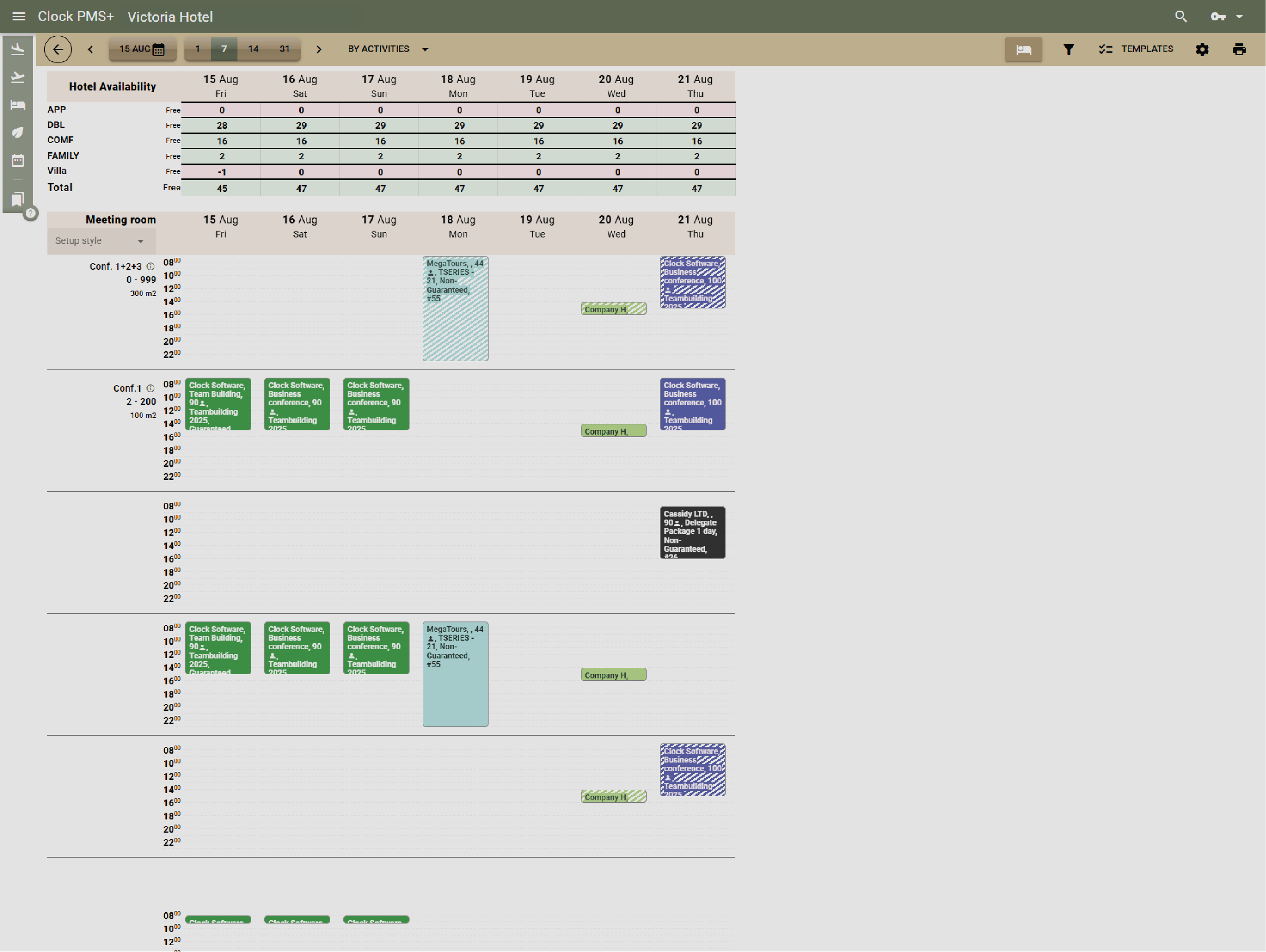
See live availability for all event essentials — meeting rooms, restaurants, venues, hotel rooms, rental equipment, — together on one screen. No switching tabs or juggling tools.
Example:
A coordinator plans a corporate retreat and, in minutes, books the meeting room, evening restaurant slot, guest rooms — all in one view.
Find availability for everything in one place

See every event in one complete view

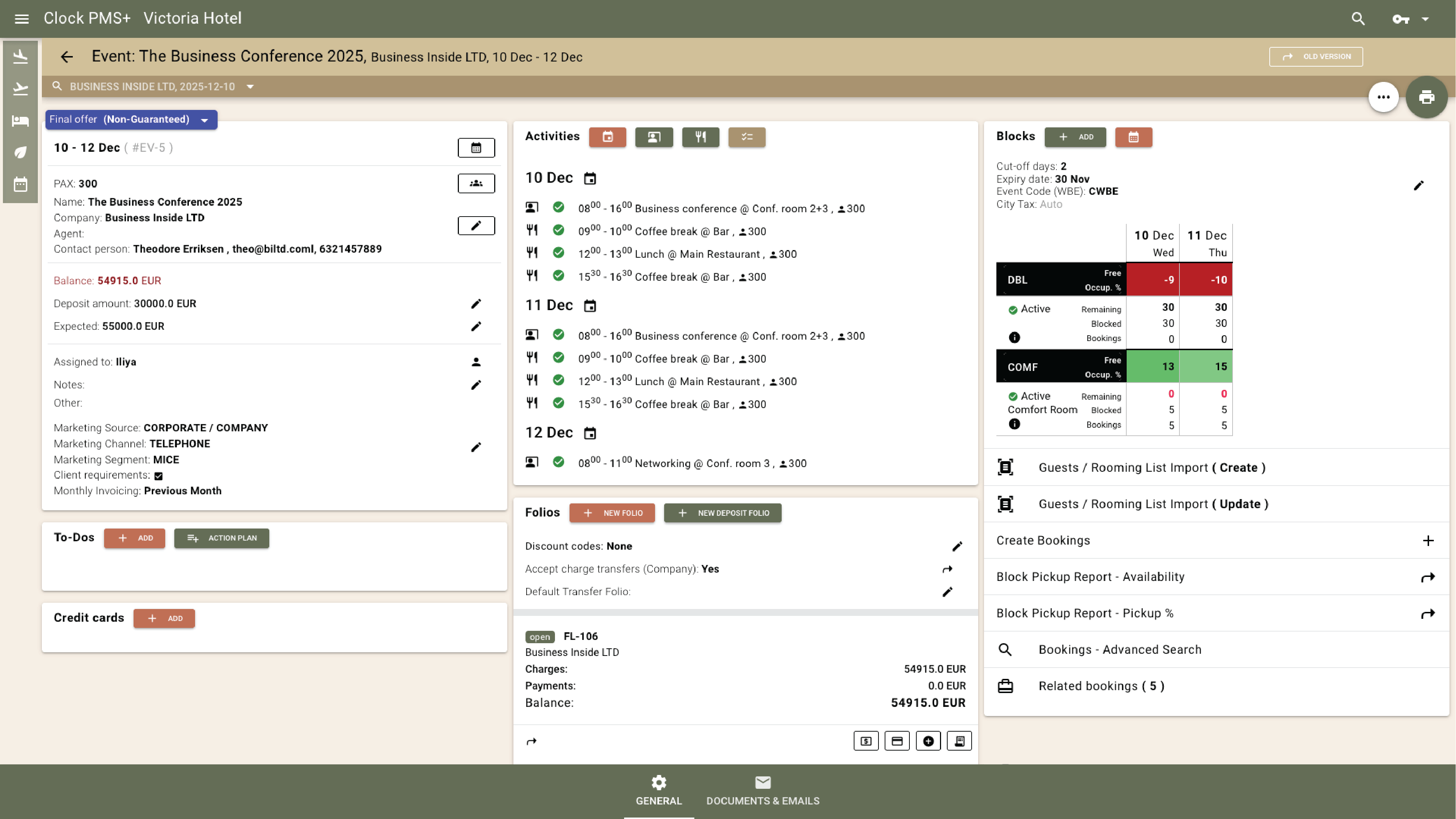
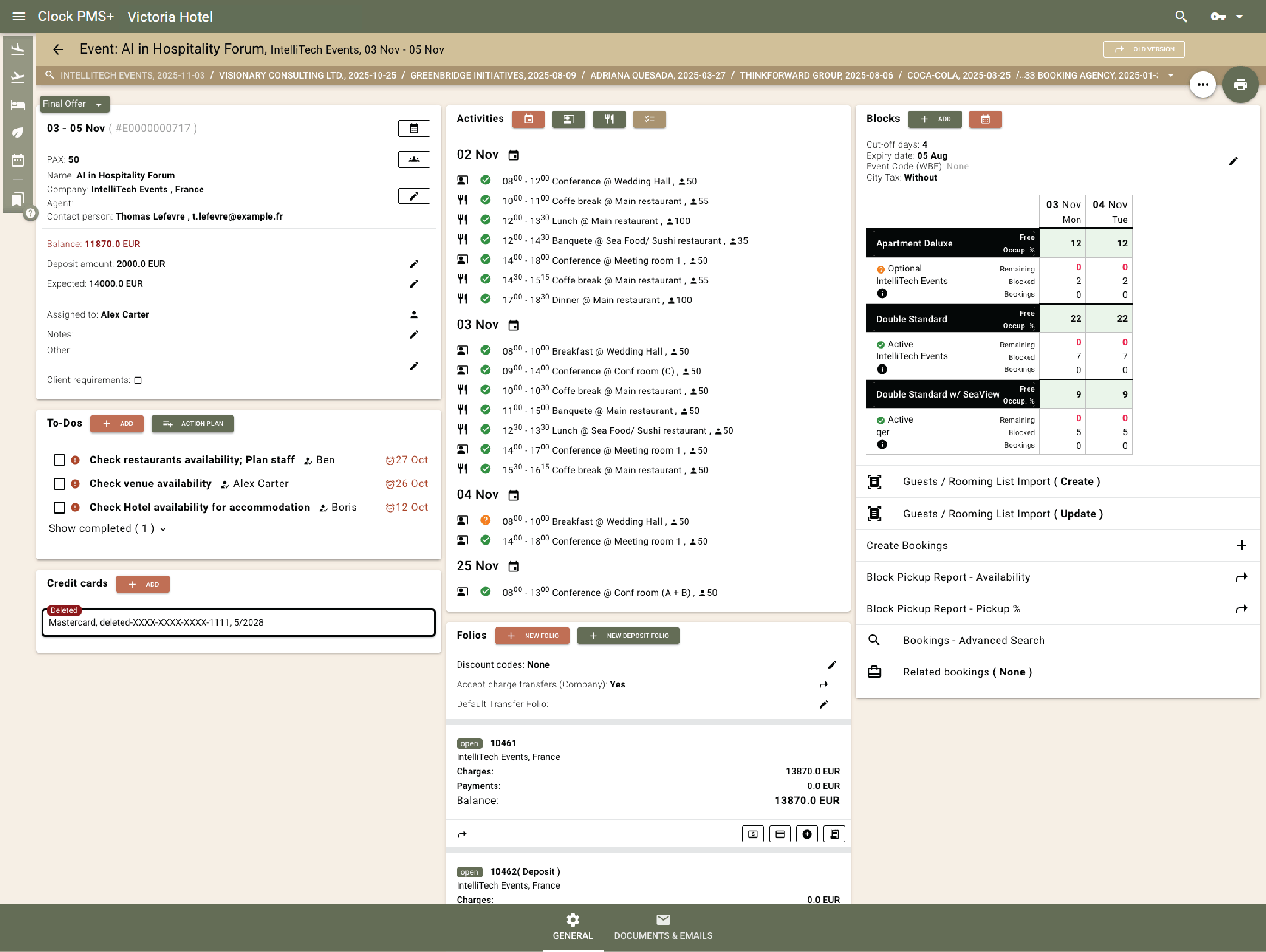
Each event has one record showing spaces, bookings, folios, charges, deposits, and To-dos — all live and linked.
Example:
The planner opens a wedding record and sees room pickups, catering charges, and pending tasks, all connected in one place.
See every event in one complete view

Plan setups and layouts with confidence

Choose from layouts like U-shape, classroom, theatre, or banquet. Clock shows capacities and auto-selects the best match.
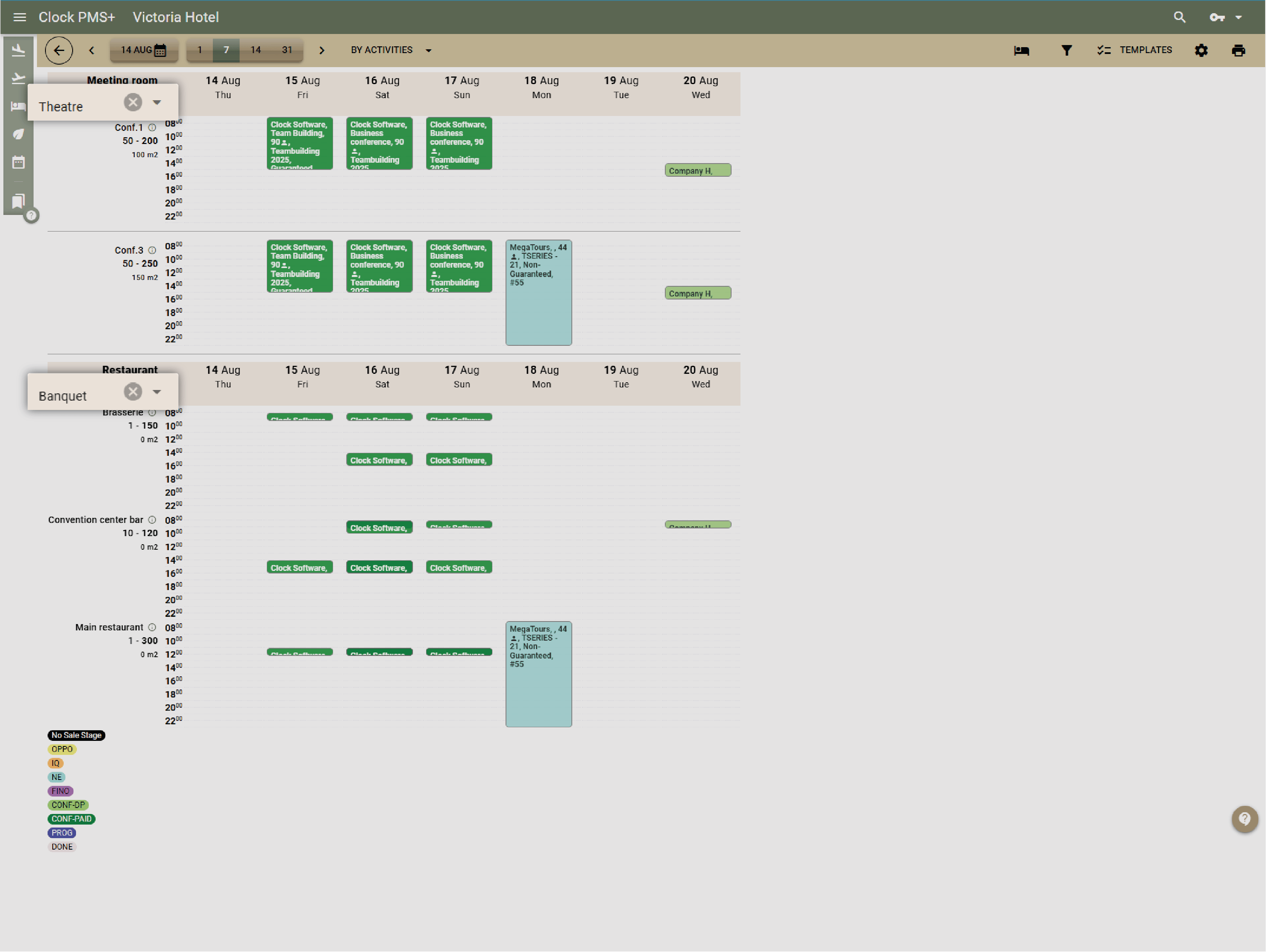
Example:
A 60-person workshop fits in Room A in theatre style; tomorrow it switches to U-shape for 40 — function sheets update instantly.
Plan setups and layouts with confidence

Manage modular and shared venues

Combine or split composite rooms with ease. Shared spaces like restaurants track capacity and prevent overbooking.
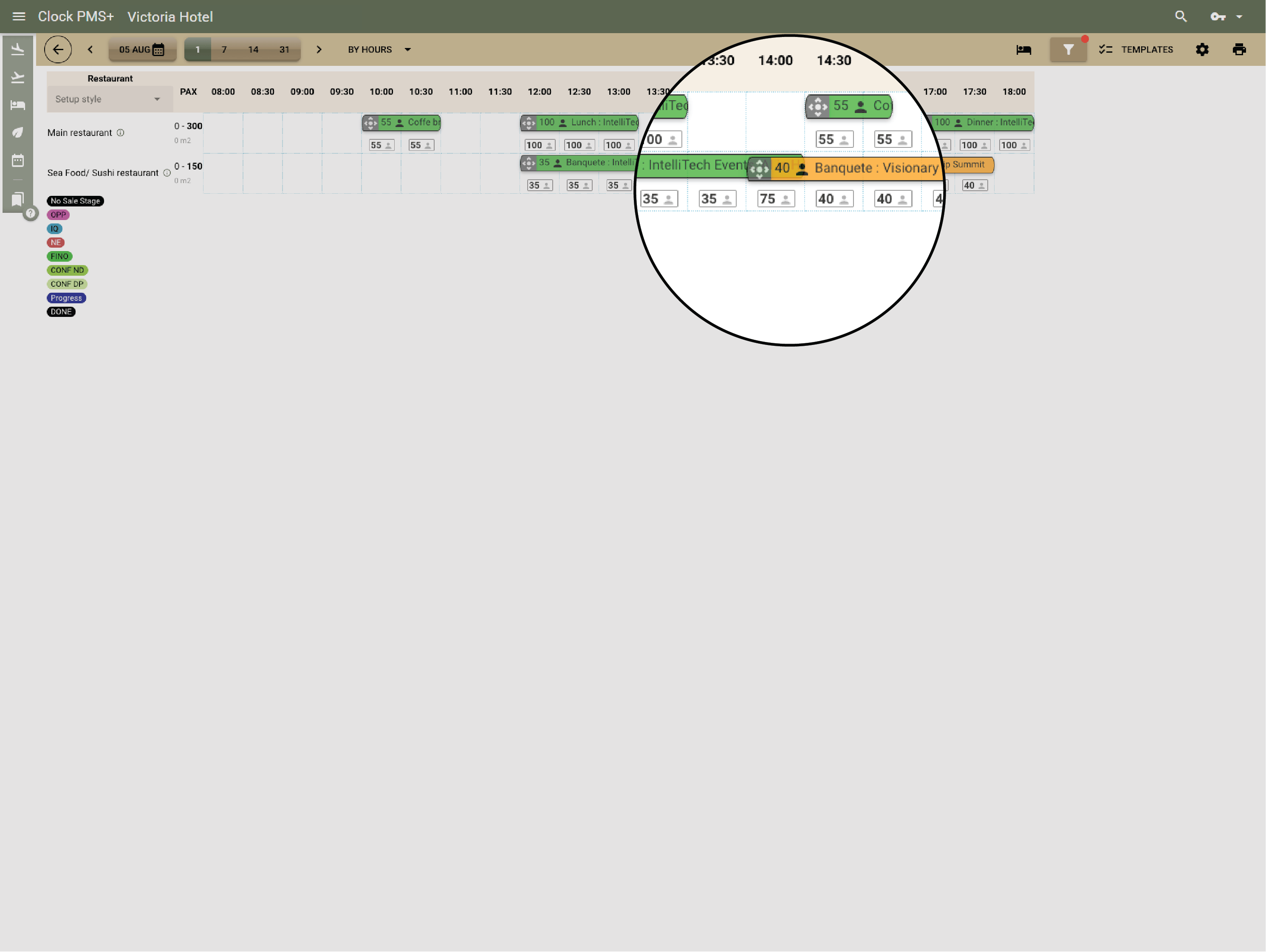
Example:
Today the whole ballroom hosts a big event for 300 people. Tomorrow, it is split to 3 smaller rooms — Clock keeps both bookings conflict-free.
Manage modular and shared venues

Start faster with event templates

Reuse pre-set templates for conferences, weddings, or dinners — including layouts, menus, and pricing.
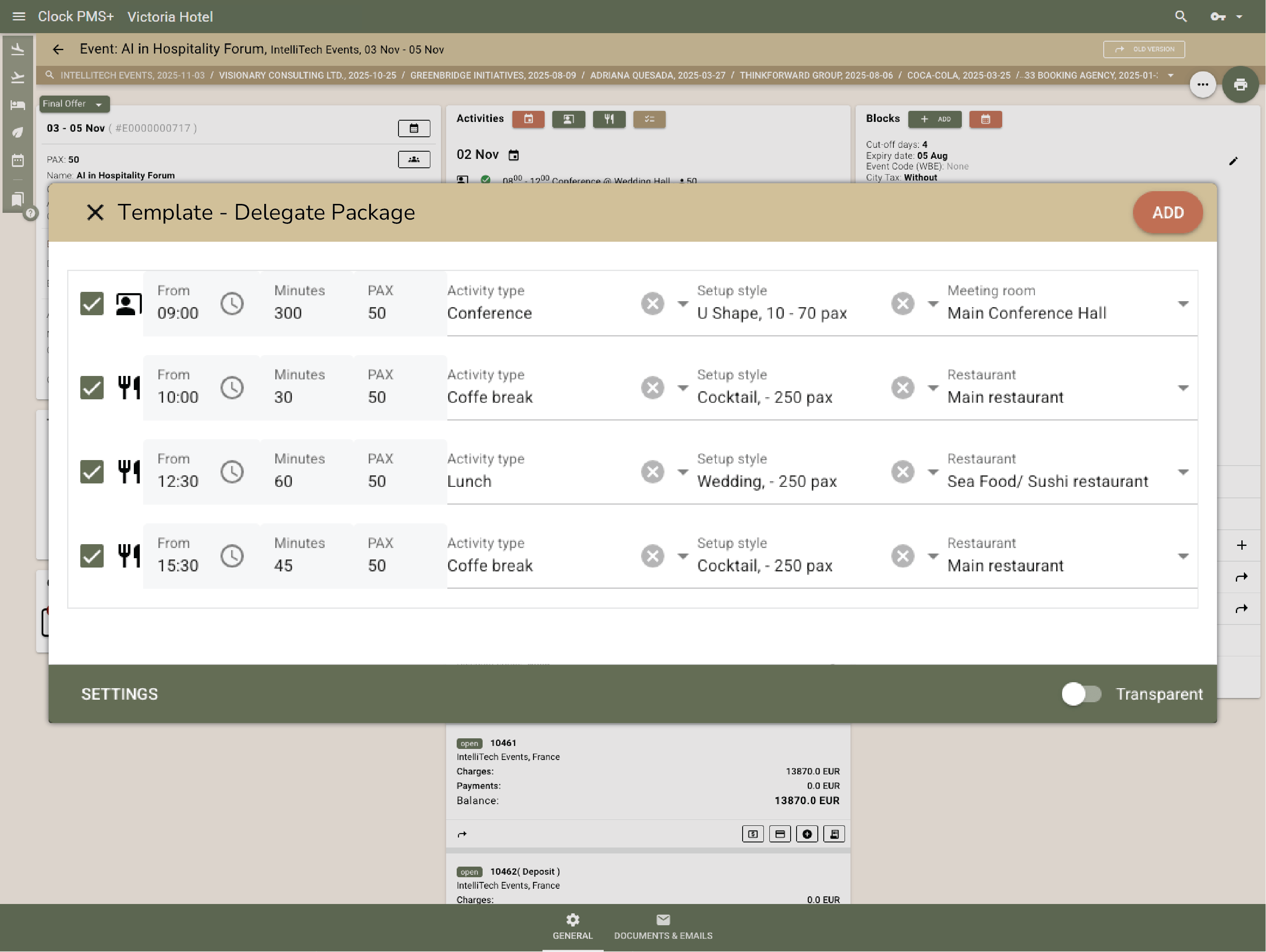
Example:
Selecting the “Conference Attendee Package” adds the hall, catering, audio-video equipment rental, and deposit plan in seconds.
Start faster with event templates

Track your sales pipeline

Switch between list and visual views to see all enquiries, quotes, and confirmed events. Each deal card shows value, date, and stage.
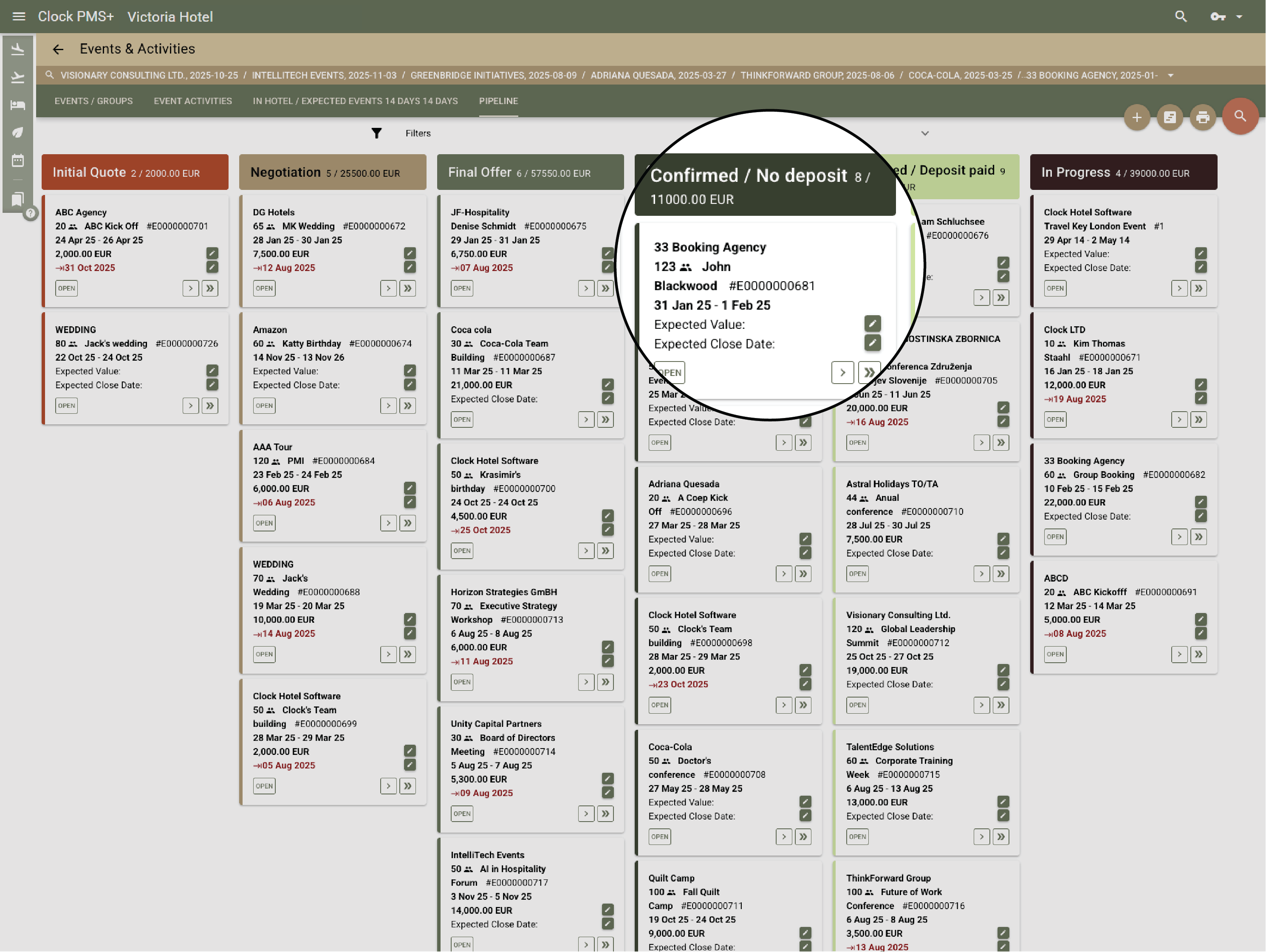
Example:
The sales manager reviews the pipeline, spots two high-value corporate leads, and assigns follow-ups instantly.
Track your sales pipeline

Respond fast with on-brand documents

Send quick, branded responses straight from Clock. Share brochures, venue details, or sample menus without searching or attaching files.
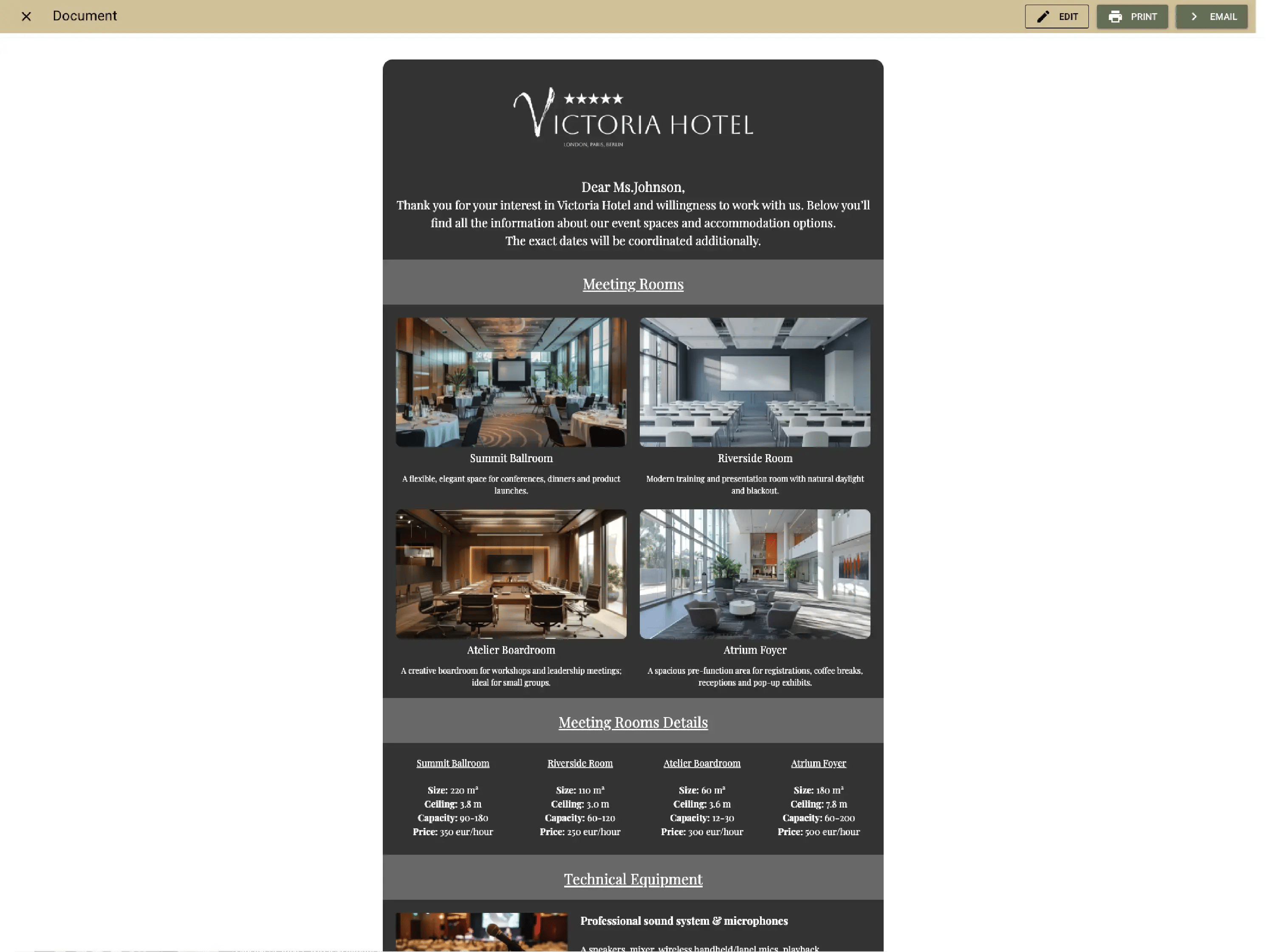
Example:
A new enquiry arrives — the team sends a pre-made, branded brochure with room capacities and menus in seconds.
Respond fast with on-brand documents

Create and update proposals easily

Generate and update branded proposals or BEOs in minutes using saved on brand templates. Updates apply live for every department.
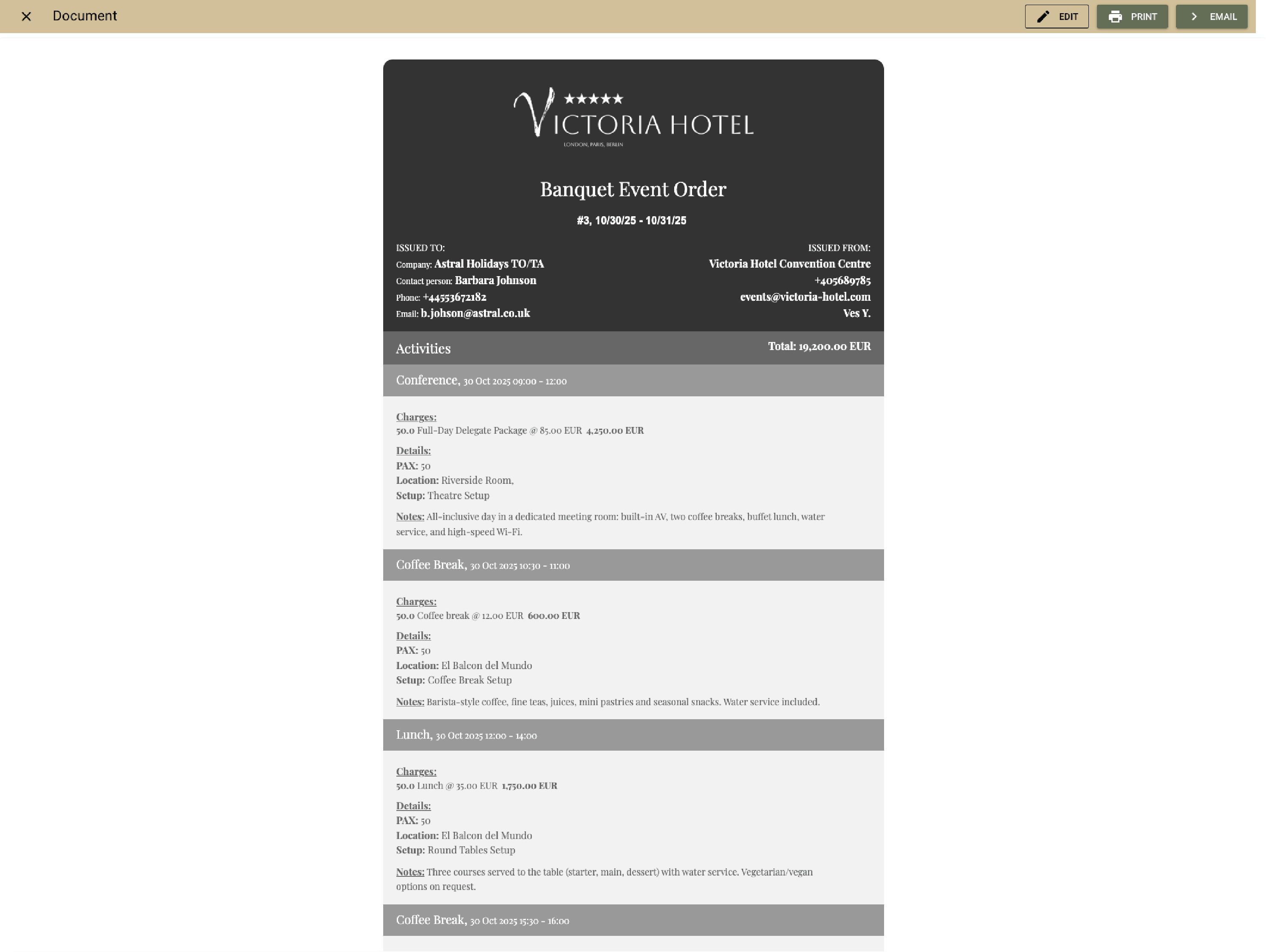
Example:
The organizer asks to change timing — the new BEO is ready and shared instantly, no rework when the time is updated.
Create and update proposals easily

Get digital signatures and advance payments

Let organizers sign and pay online through the Event Confirmation App. Clock marks the event “Guaranteed” and posts payments automatically.
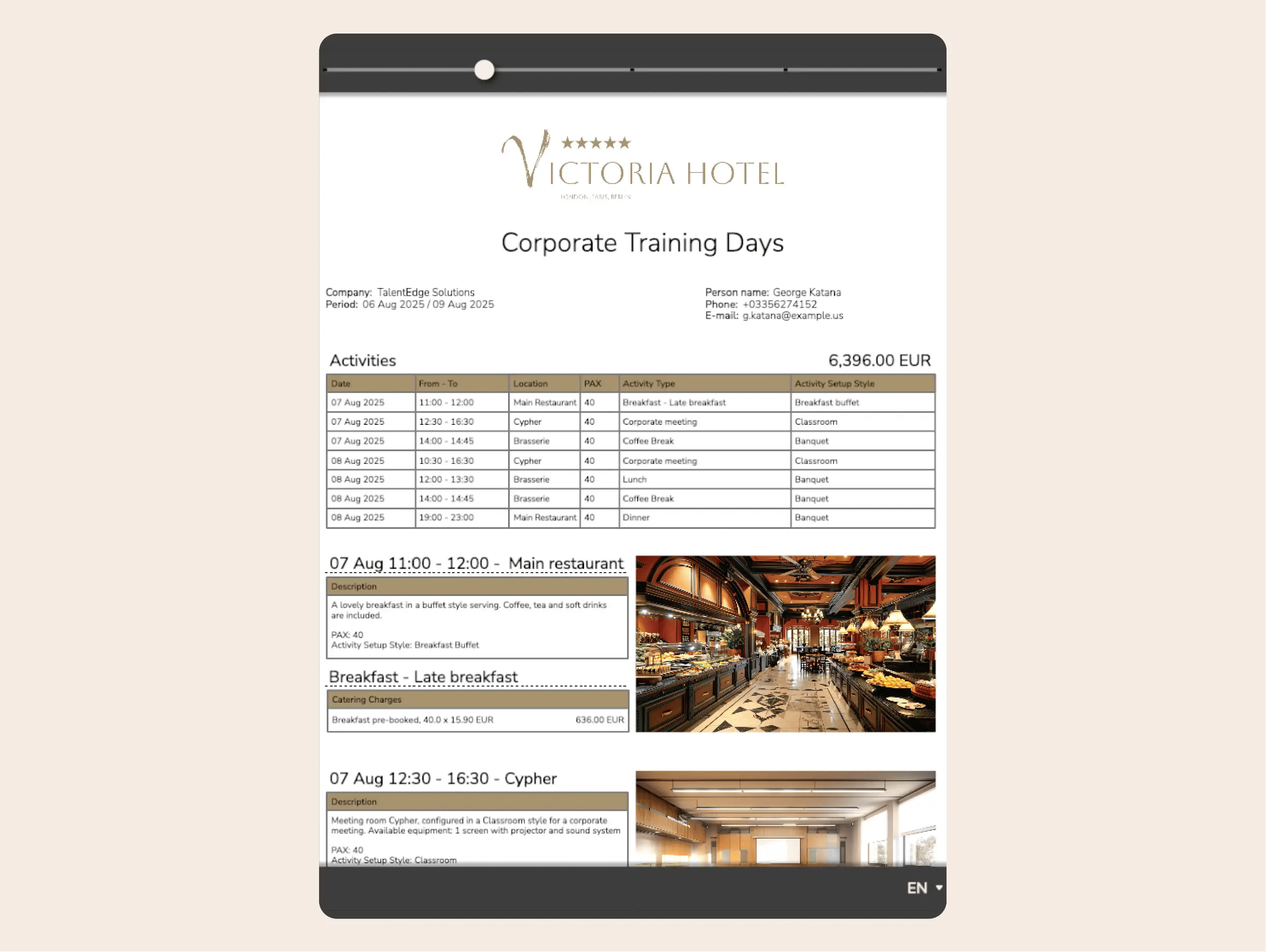
Example:
The client signs on mobile, pays instantly, and every team is notified — no chasing signatures or deposits.
Get digital signatures and advance payments

Stay aligned with function sheets

Function sheets update live with every change — menus, timings, or setups. Every department sees the same version.
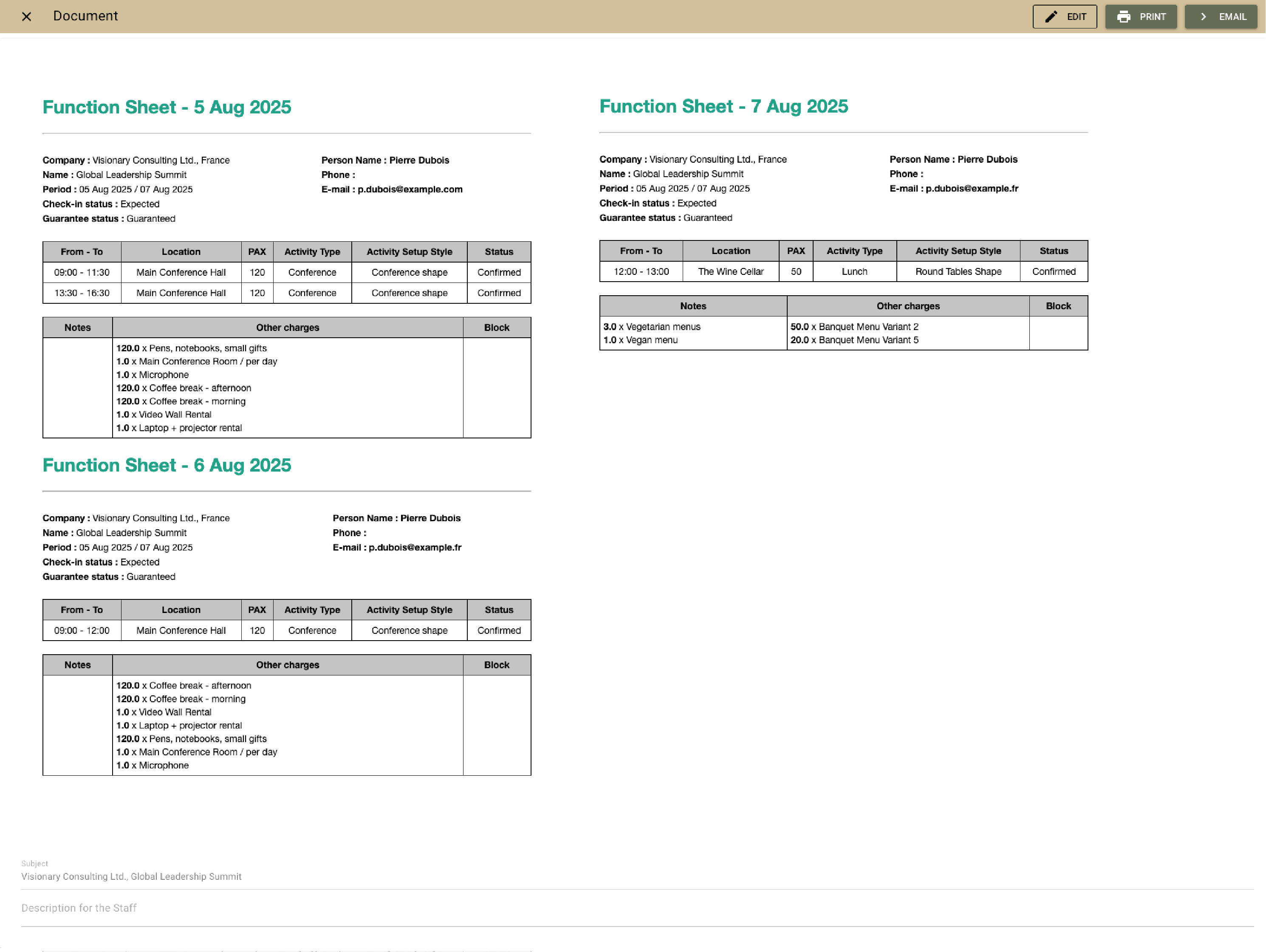
Example:
The events team adjusts the catering timing, and the front desk and service see it instantly—no reprints or confusion.
Stay aligned with function sheets

Coordinate with To-dos and action plans

You can add To-dos and action plans to every event— a few automated tasks triggered before or after the event. They keep prep and follow-up perfectly timed.
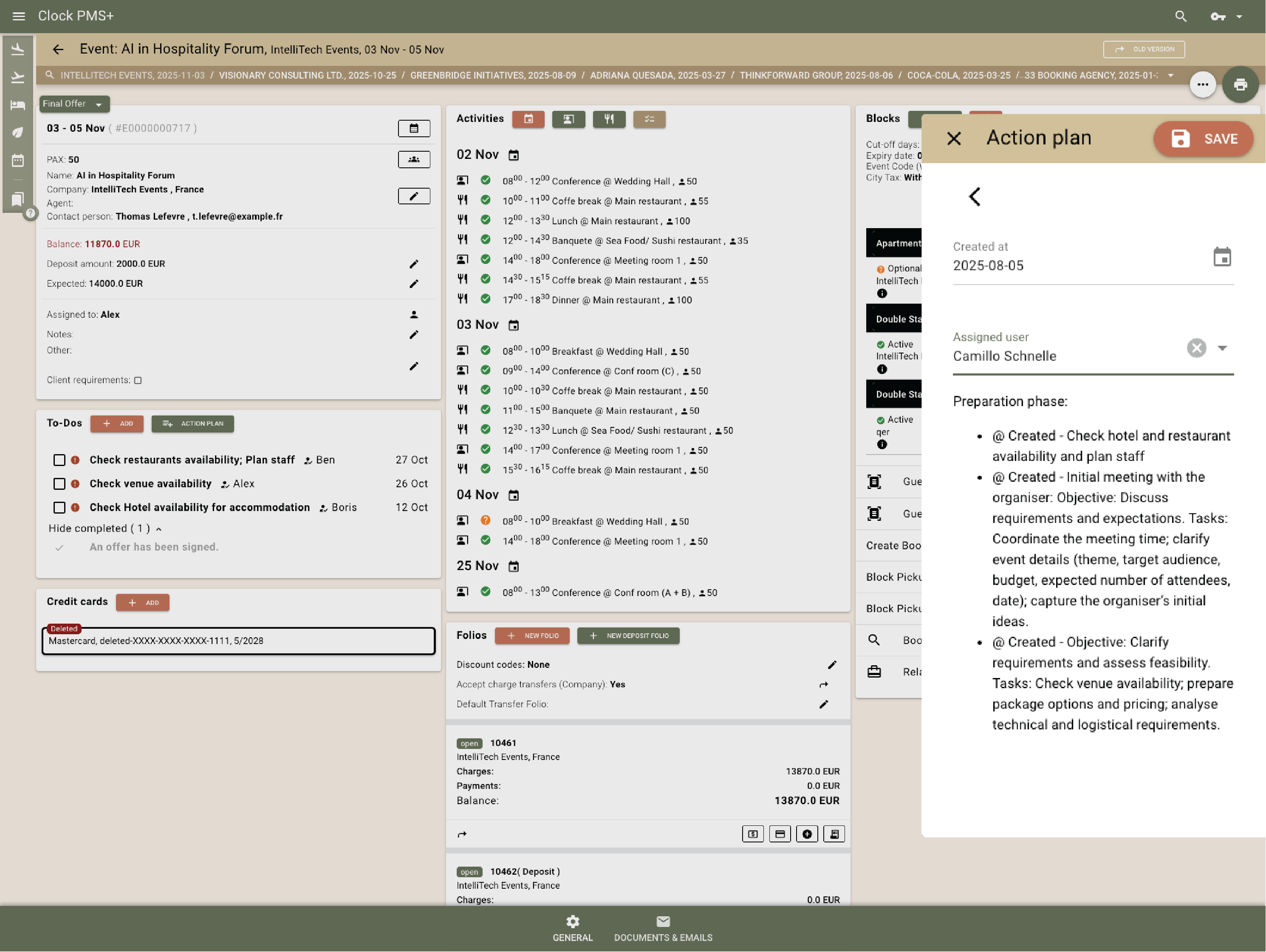
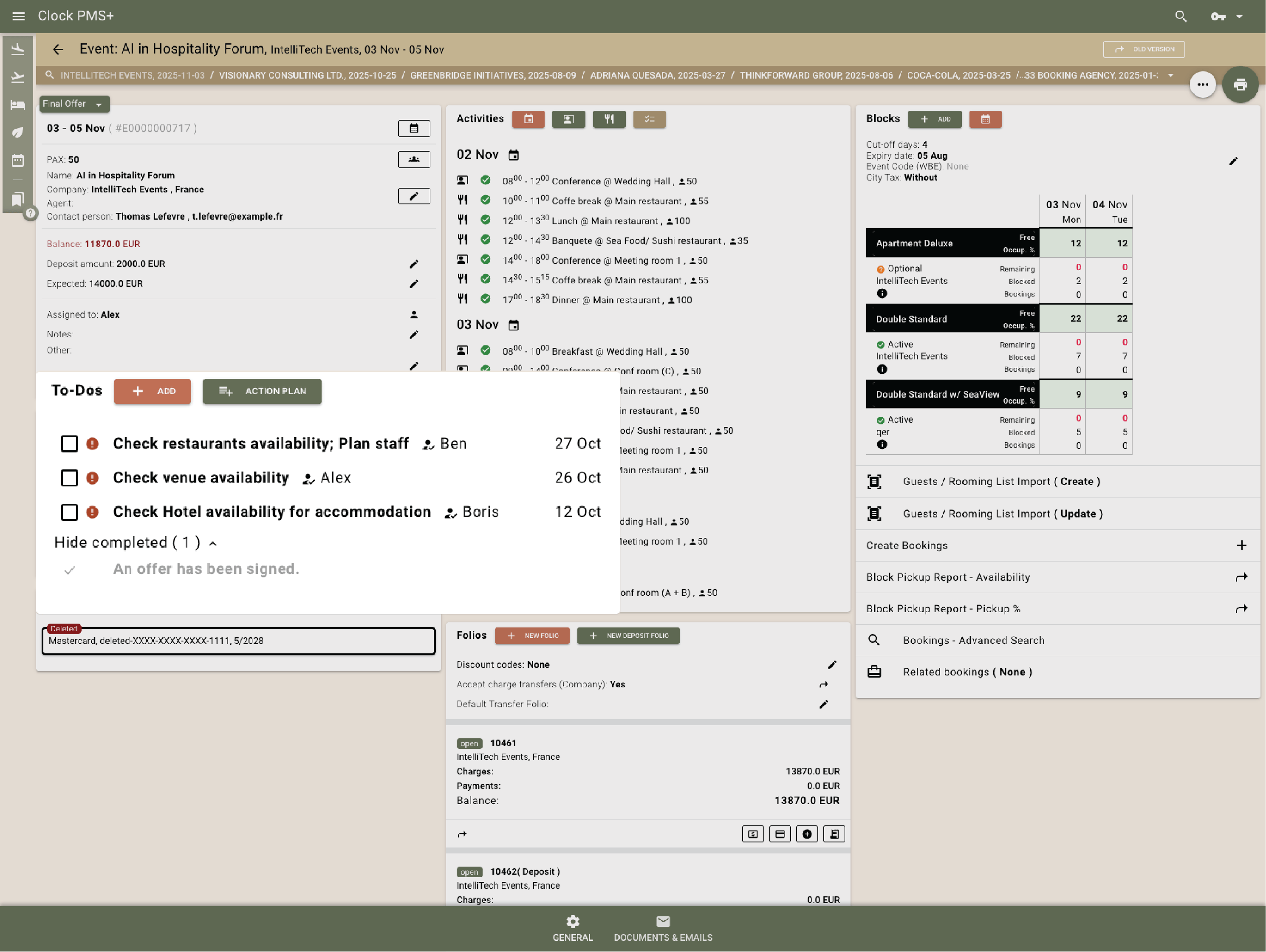
Example:
Two weeks before the event, the system is set to automatically create a To-Do reminding the events team to request the final attendee list from the client.
  • Coordinate with To-dos and action plans (1)
  • Coordinate with To-dos and action plans (2)

    Manage room blocks easily

    Create blocks with pickup tracking, release dates, and booking codes. Guests book directly and updates reflect instantly.
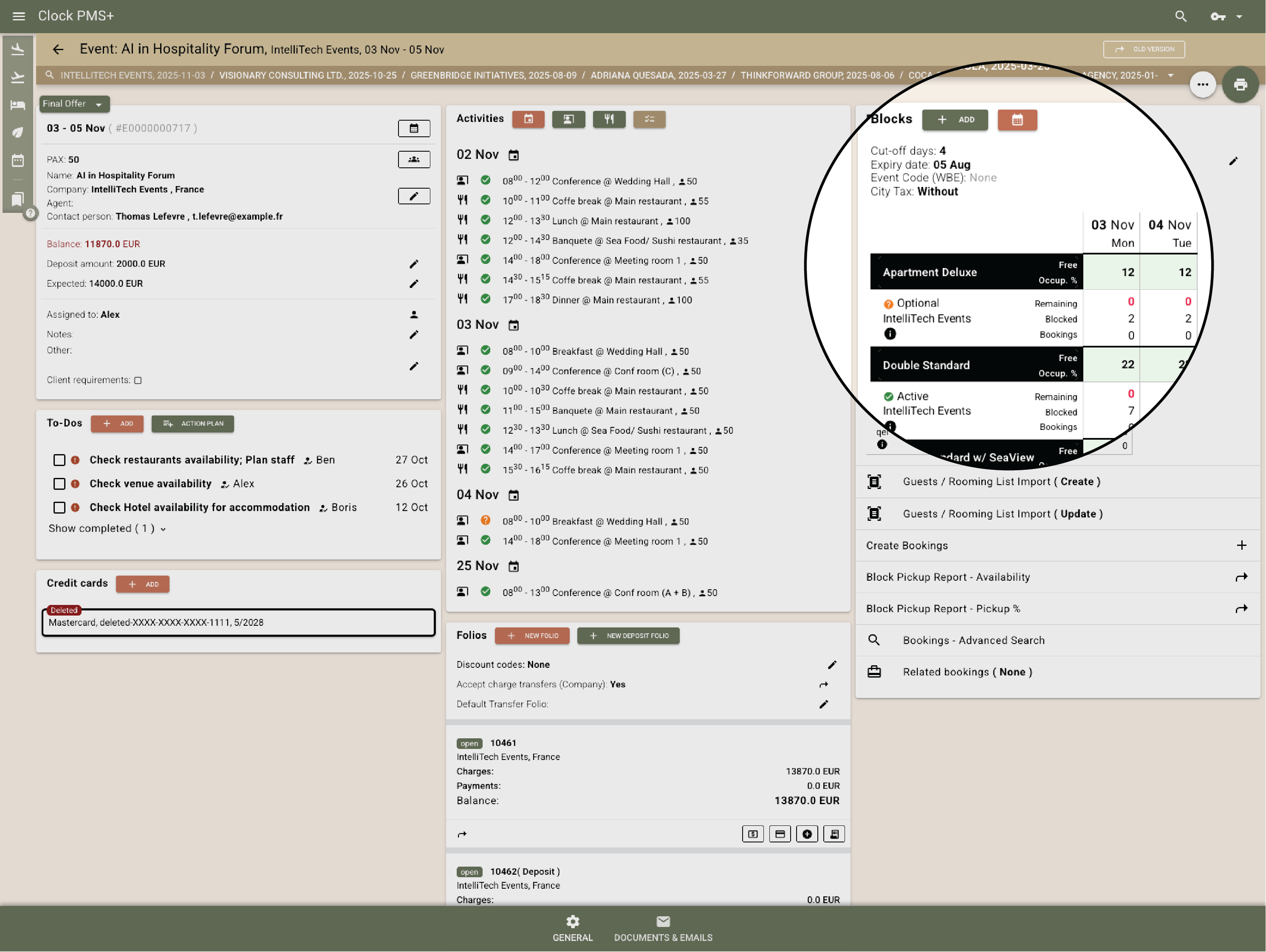
    Example:
    A 100-person conference block releases unused rooms three days before arrival — no manual edits needed.
    Manage room blocks easily

    Route charges automatically

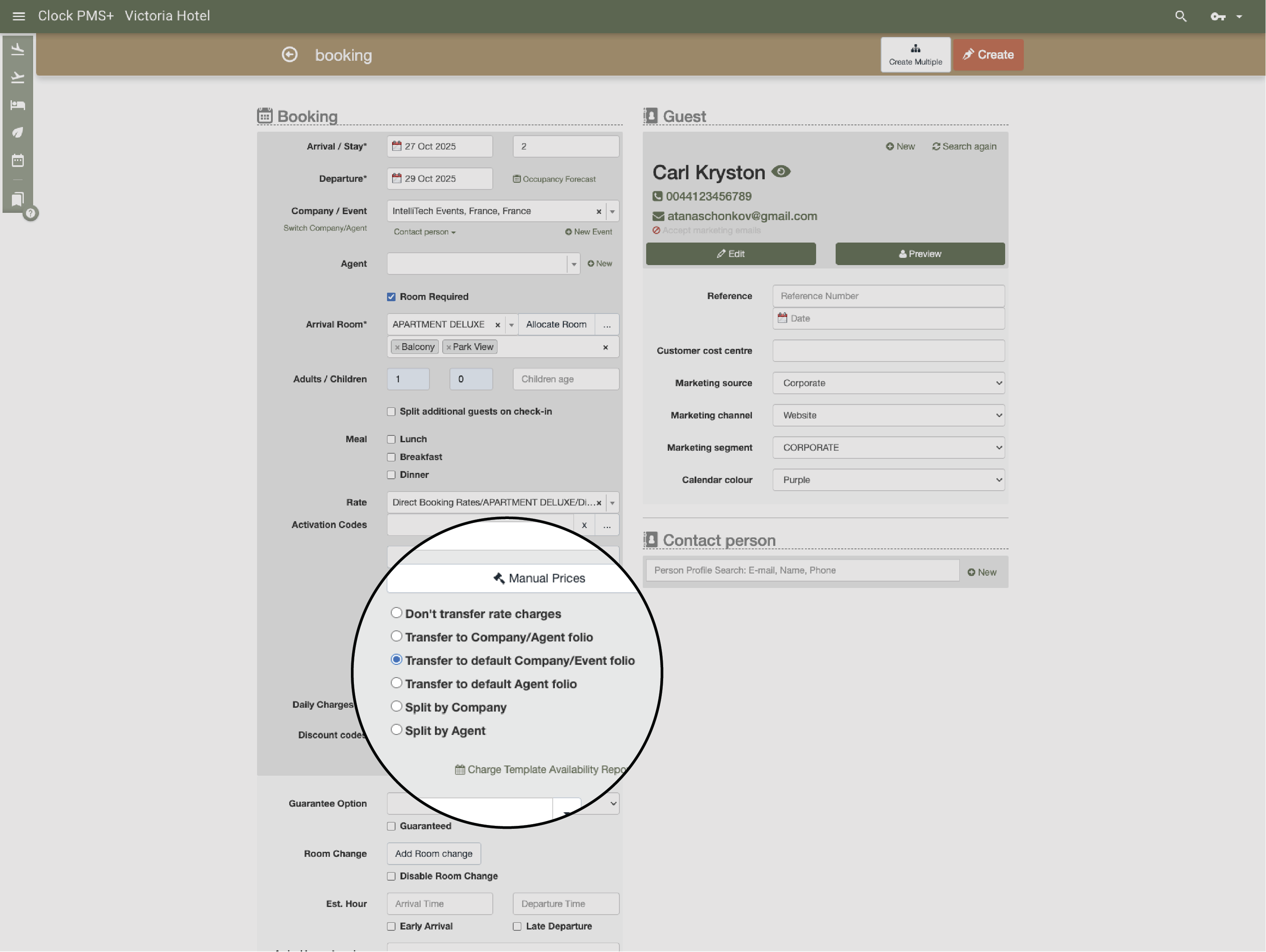
    Catering, venue, and extras route to the right folio — organizer, company, or guest — with manual instructions or automatically, based on rules.
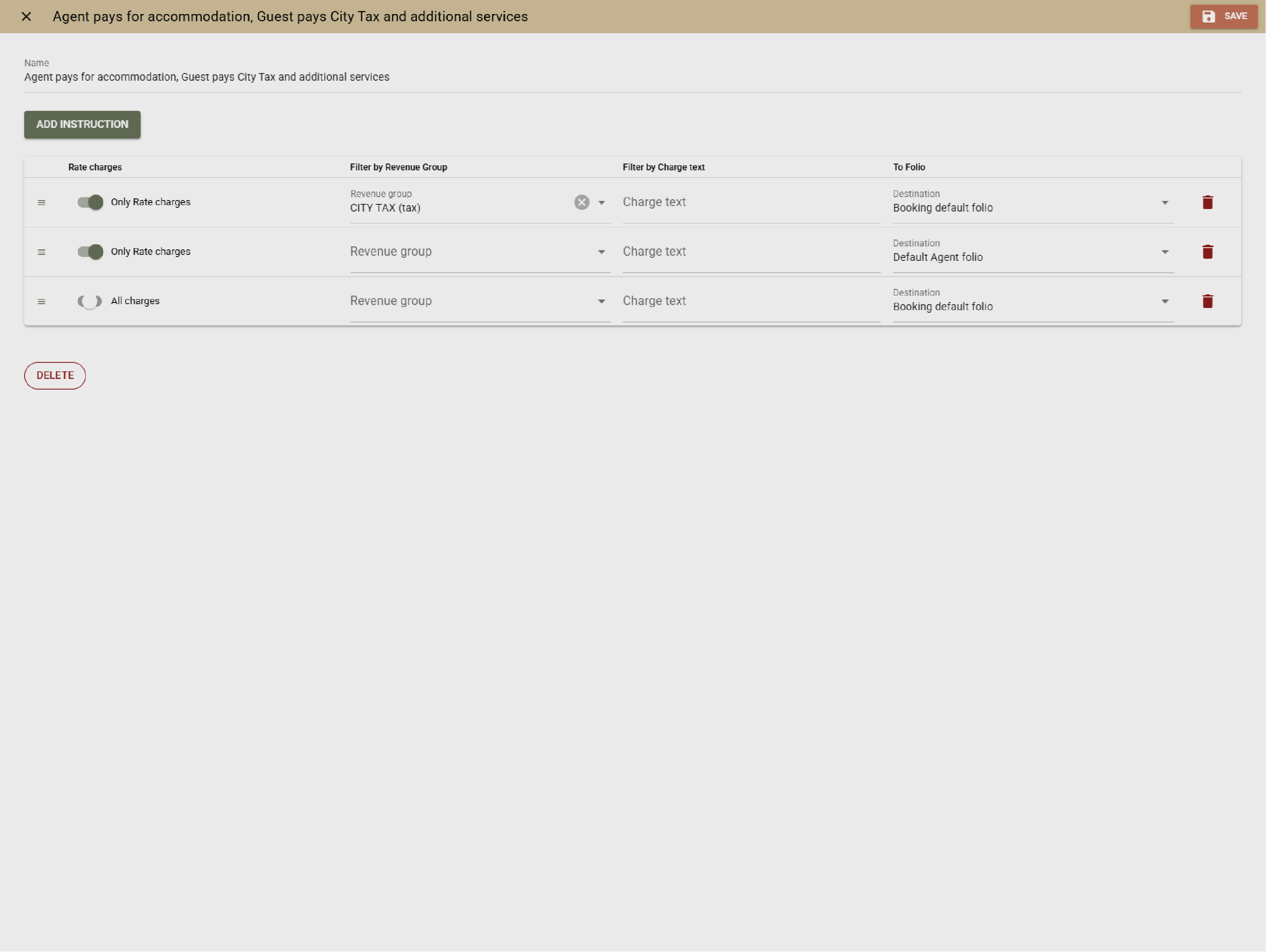
    Example:
    All meeting room and coffee break expenses are charged to the organizer. Accommodation fees are likewise billed to the organizer, whereas city taxes are to be settled directly by the guests.
    • Route charges automatically (1)
    • Route charges automatically (2)

      Invoice and settle without stress

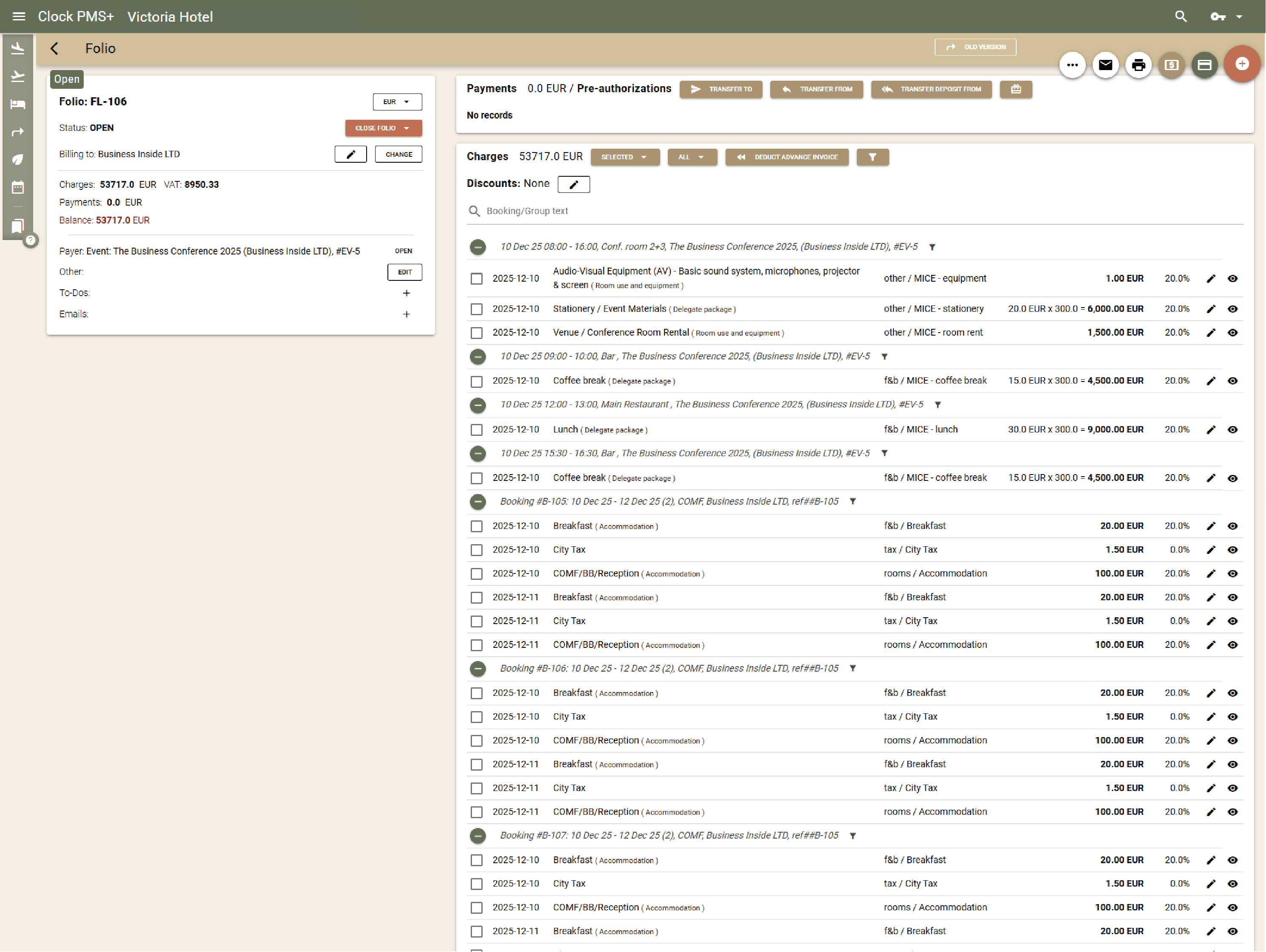
      Send one invoice or split and transfer by service type. Deposits, corrections, and payments sync automatically with audit-safe logs.
      Example:
      After a multi-day event, Clock issues the organizer invoice, handles adjustments, and posts payments instantly.
      Invoice and settle without stress

      See performance clearly

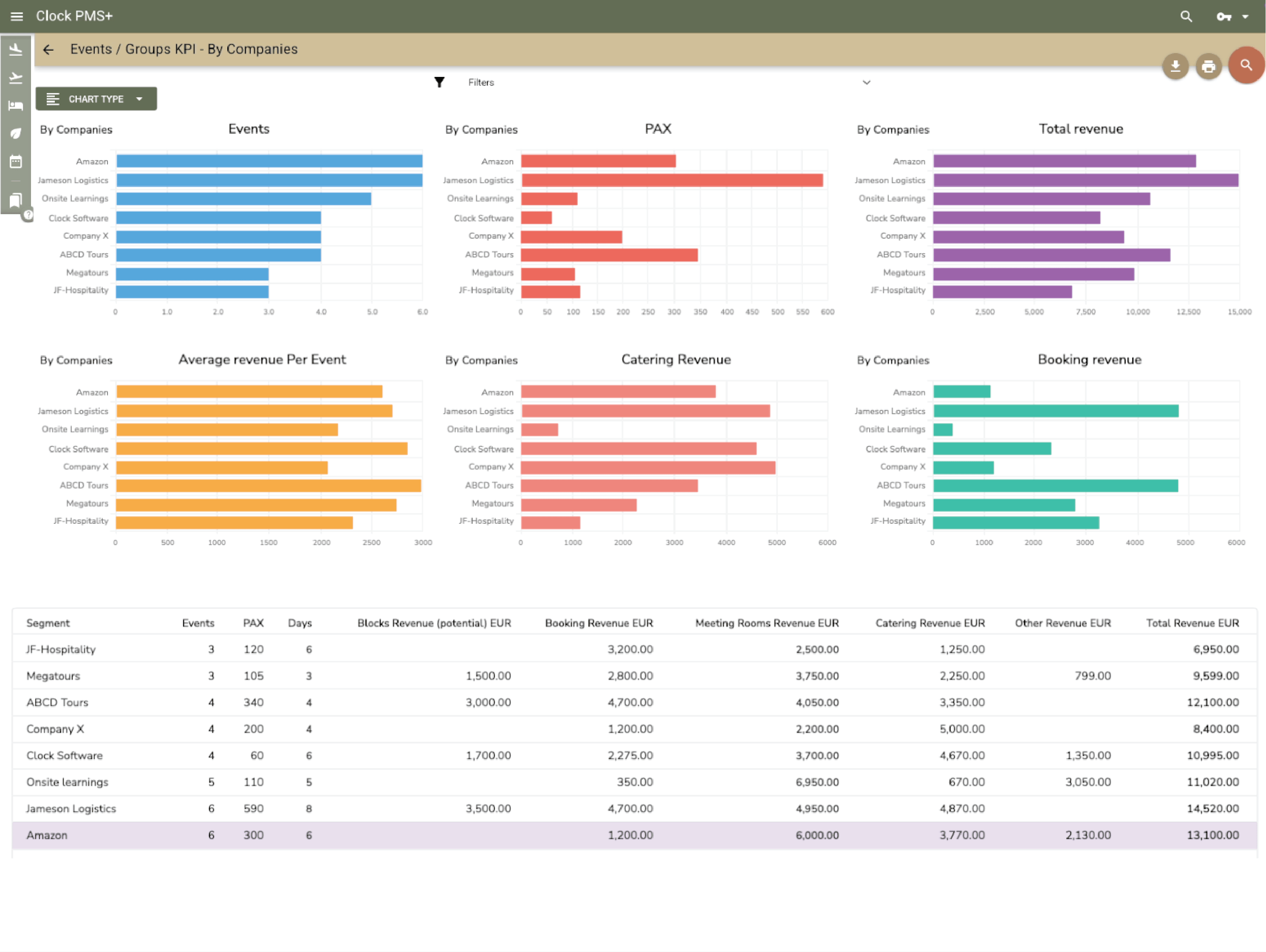
      Use dashboards to track sales, occupancy, and space utilisation. Reports reveal your most profitable event types and clients.
      Example:
      Data shows weddings bring 30% higher spend per guest than corporate events — marketing focus adjusted accordingly.
      See performance clearly
      Global customers

      Explore the countries where hospitality teams use Clock to run smoother operations and better guest journeys.

      Customer stories

      How do customers feel after switching to Clock

      We asked our customers: What changed for the better since you switched to Clock? Thousands responded, here’s some of what they said…

      Use the previous and next buttons or the left and right arrow keys to move through reviews.

      Slider position

      1. We chose Clock because of the tool's flexibility, its ability to integrate with our entire IT ecosystem, and also for its multi-property management, which is really the strong point for us.
        Marine Bossanne Project Manager Operations and Quality at Elegancia
      2. The strength of Clock is that it brings everything together in one system. What we previously had to accomplish using multiple tools, we can now do with a single solution.
        Ruggero Carpino Head of Customer Service & Training at Algilà Ortigia Charme Hotel, Syracuse
      3. It was very important for us to look at the stability and the future proofness of the system. And Clock is a company that has the knowledge and the expertise.
        Steff de Groot Owner & General Manager, WICC Hotel & Congress Centre
      4. Faster processes, faster training, more time for staff, to focus on the guests, and tasks that used to be done manually are now automated.
        Carsten Werblow Head of Operations Gambino Group
      5. Better price management, a comprehensive system API, and a dynamic company that continually develops the software.
        Marco Coppola Owner & Chief Navigator Officer, The YellowSquare
      6. By automating routine processes with Clock, we were able to completely restructure how our staff spends their time. Now, the efforts are focused on more meaningful and more profitable activities.
        Lyubomir Stamboliyski Commercial Director of St. Constantine & Helena Holding
      7. Technologies are advancing, and it's normal to move our data to the cloud. I was firmly convinced that this is the right path, and I think we made the right decision.
        Elena Ivanova Founder & Owner, Hi Hotels Group

      Think Clock might fit your hotel?

      Use this module for shared intro content patterns that need eyebrow, heading, supporting copy, and a compact CTA area.

      “Easy to use” “Fast, intuitive, and reliable” “Saves a lot of time” “New staff learn it quickly” “Accessible from any device” “Less manual work” “Fewer booking mistakes” “Responsive and helpful support”