Event hotels

Keep your event hotel organized — from the first enquiry to the final bill

Independent event hotels run weddings, corporate meetings, social gatherings and individual bookings frequently with small teams and busy calendars. Clock connects individual bookings, event enquiries, room blocks, event planning, F&B, guest stays and billing in one system, so your team stays coordinated and nothing needs to be tracked twice.

It was very important for us to look at the stability and the future proofness of the system. And Clock is a company that has the knowledge and the expertise.

Steff de Groot Owner & General Manager, WICC Hotel & Congress Centre
Featured customer media

Trusted by independent hotels worldwide

Alamo Inn Elegancia Four Sisters Collection Golden Tulip Greenstar hotel Grifid 1 Hampshire 1 HappyCulture Mitland Popinns Prinsenhof Relais&Chateaux Gambino Hotels
4.7 / 5

Based on 483+ reviews across

Event sales & enquiry management

Track all event enquiries in a clear sales pipeline

Manage weddings, corporate events, and social gatherings in a single visual pipeline that shows status, next steps, and workload at a glance.
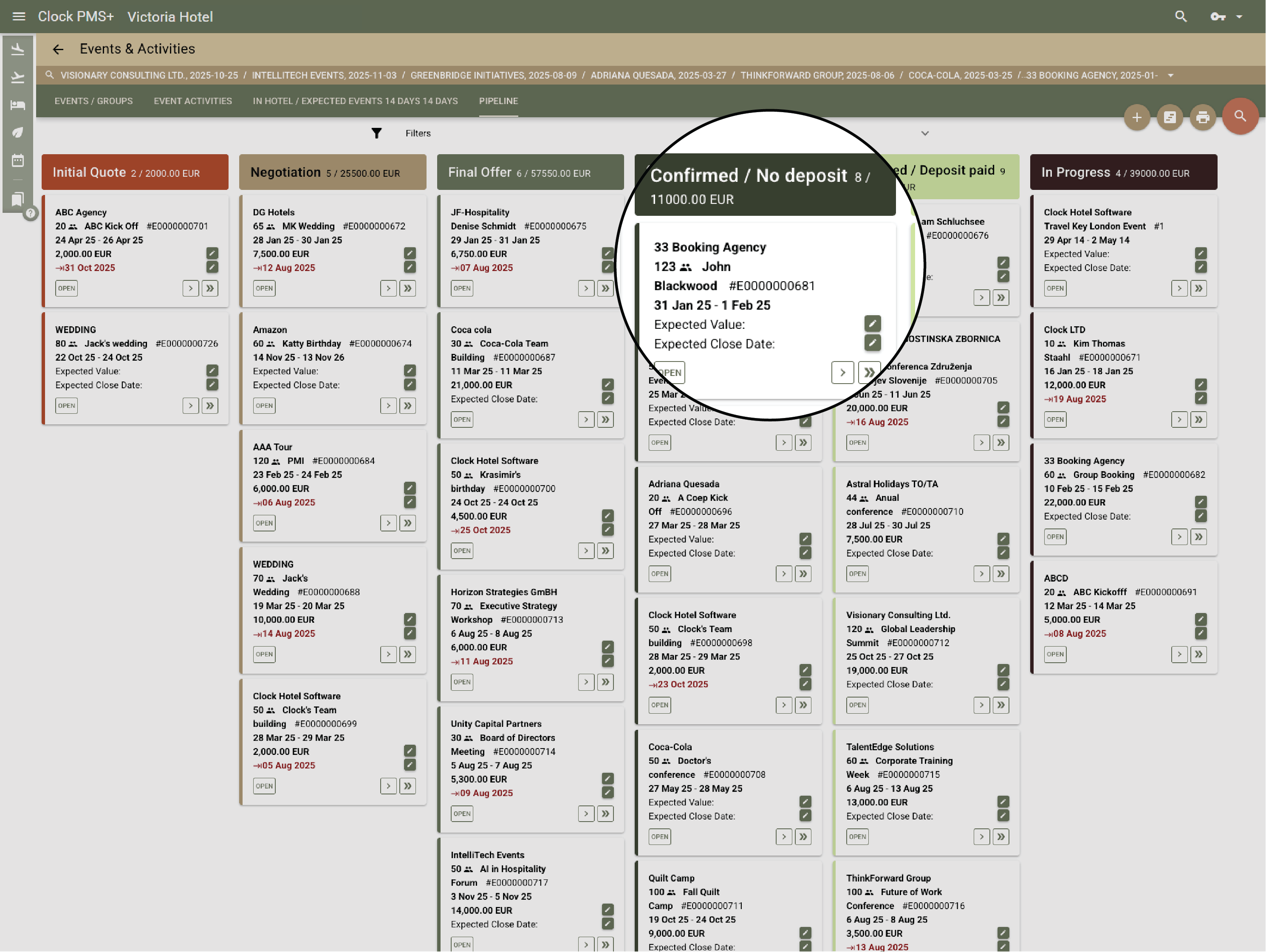
Example:
A phone enquiry is added in a few clicks and immediately appears in the pipeline alongside all other active events.
Track all event enquiries in a clear sales pipeline

Prepare proposals quickly and consistently

Create clear proposals and agreements using templates, and always know when follow-up is needed.
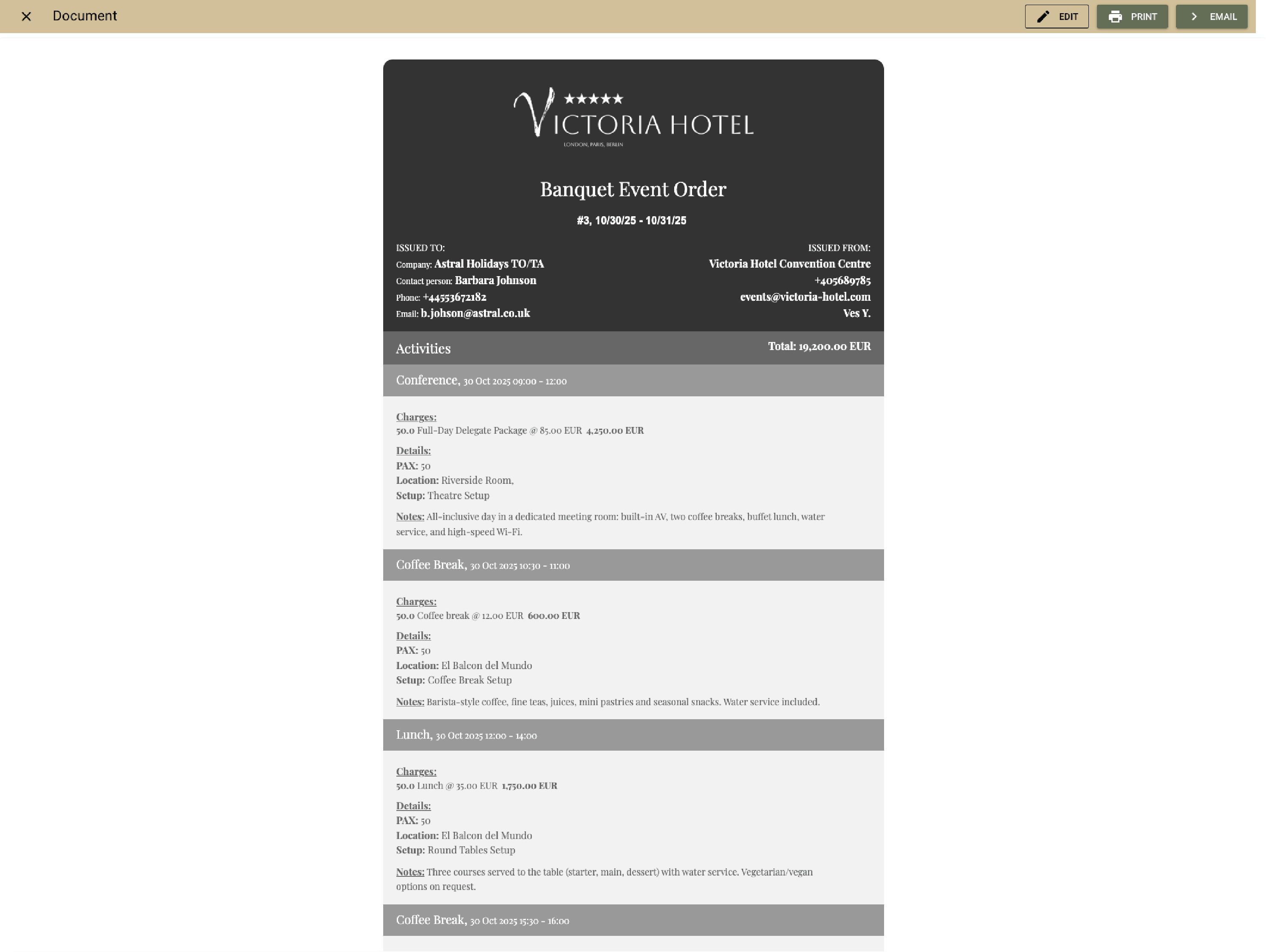
Example:
You create a wedding proposal using a saved template with menus, packages, and estimated costs, and send it to the client in minutes instead of rebuilding it from scratch.
Prepare proposals quickly and consistently

Keep all communication linked to the enquiry

All incoming and outgoing messages, along with internal notes, stay connected to the enquiry for full context and history. Send on-brand documents like brochures, venue details or sample menus straight from Clock.
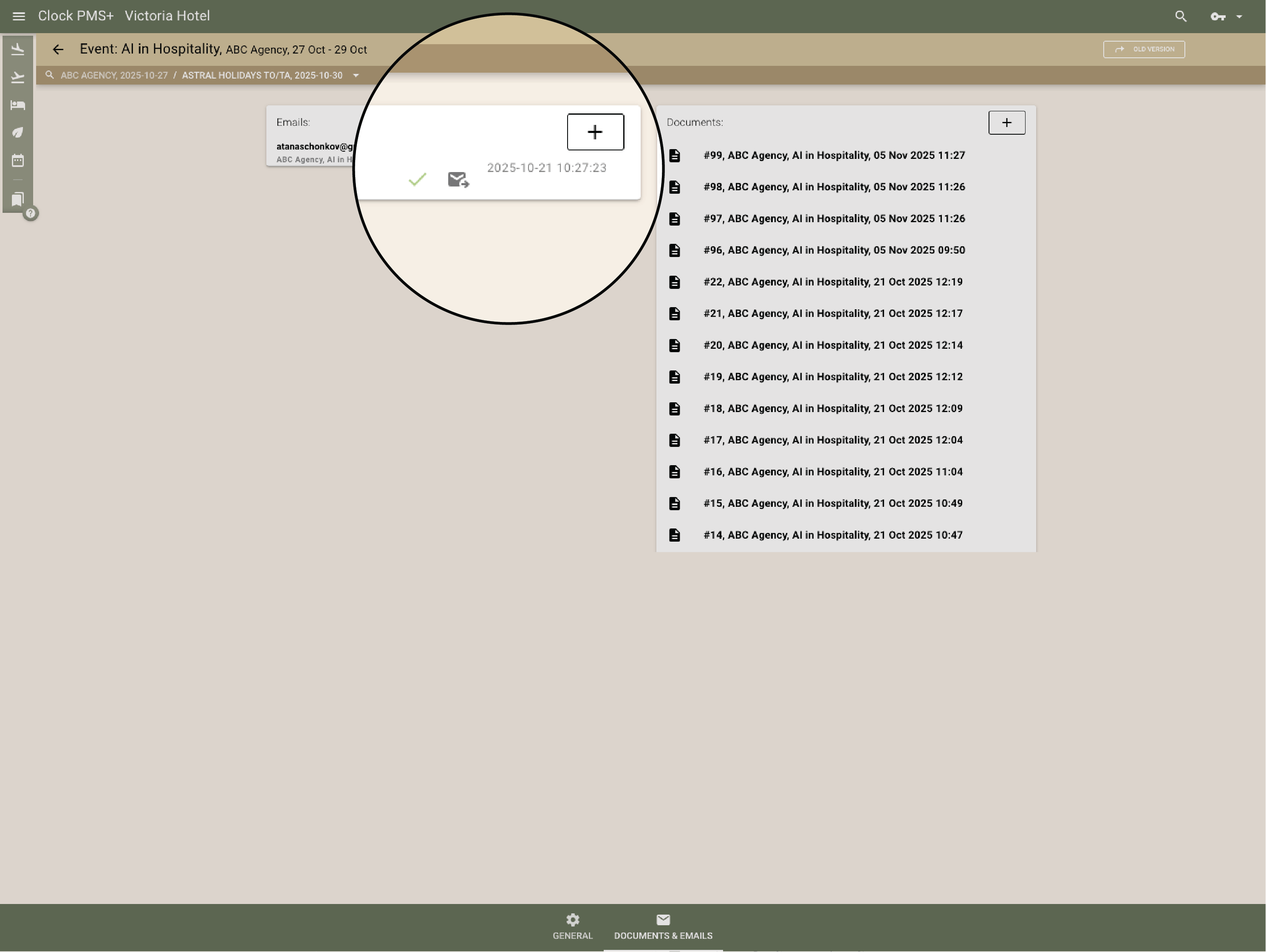
Example:
Menu questions, schedule updates, and internal comments are visible directly within the event enquiry.
Keep all communication linked to the enquiry

Group, individual & online bookings

Manage event room blocks with clear availability control

Create room blocks for corporate events and groups with release dates, pickup tracking, and the ability to import rooming lists for fast, accurate room assignments — all with full visibility into remaining inventory.
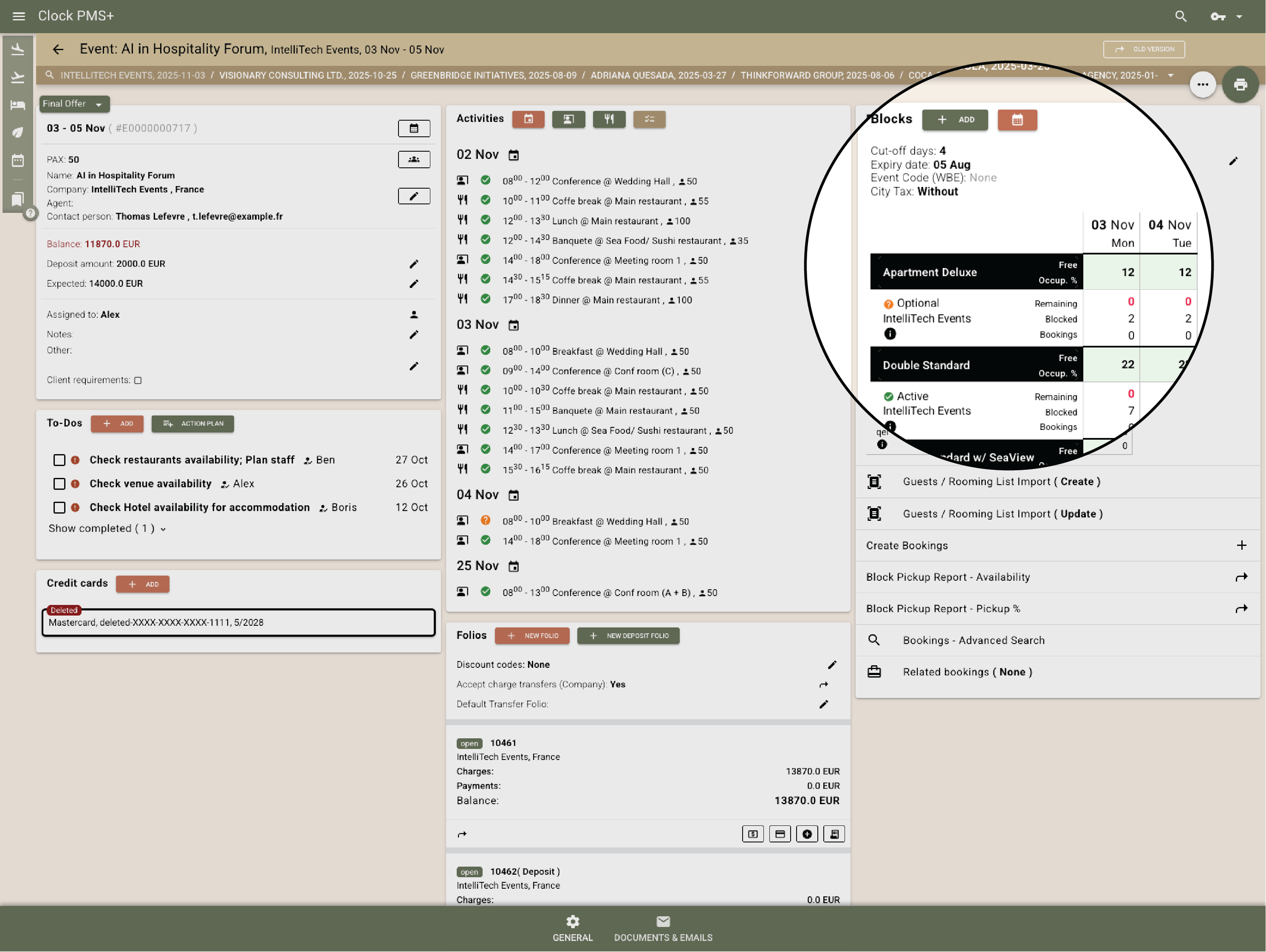
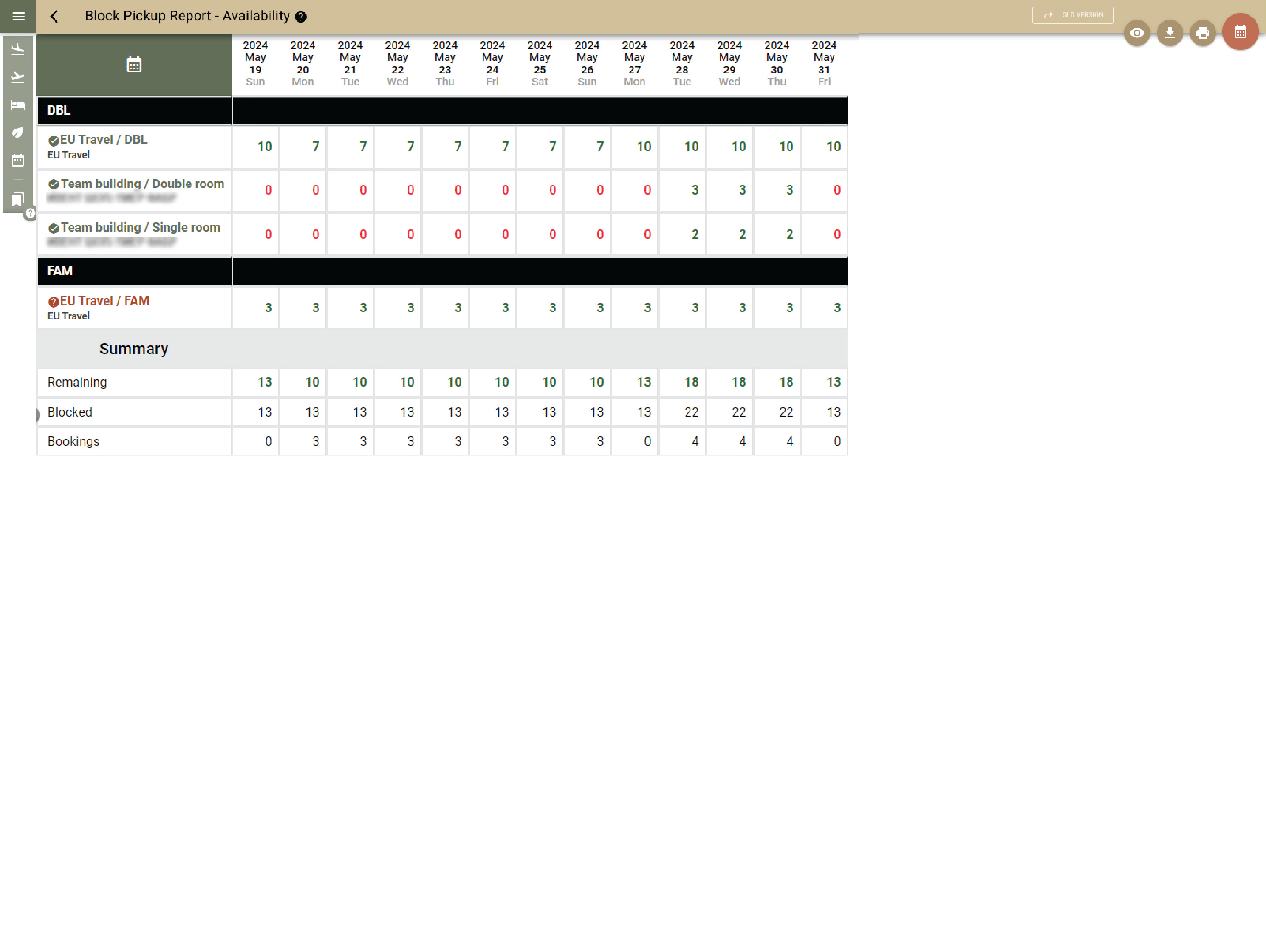
Example:
You block 40 rooms for a seminar and track pickup. When the organizer sends an updated rooming list, you import it and reservations are created automatically from the blocked rooms.
  • Manage event room blocks with clear availability control (1)
  • Manage event room blocks with clear availability control (2)

    Handle individual reservations alongside event bookings

    Individual stays use live inventory, aligning all guests. The system features centralized rates & availability, flexible rates for guest and company bookings, automating advance payments, and booking enquiries.
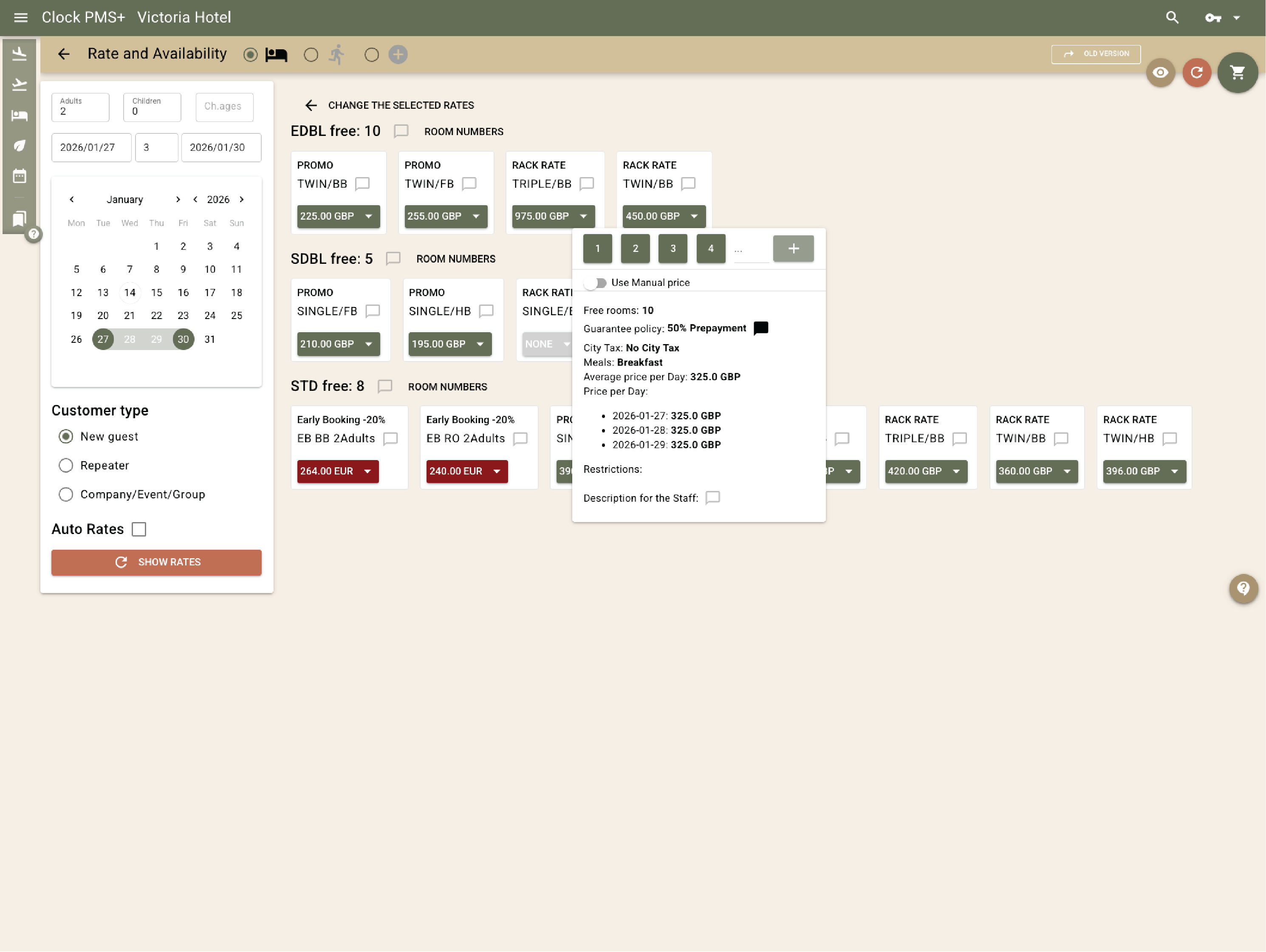
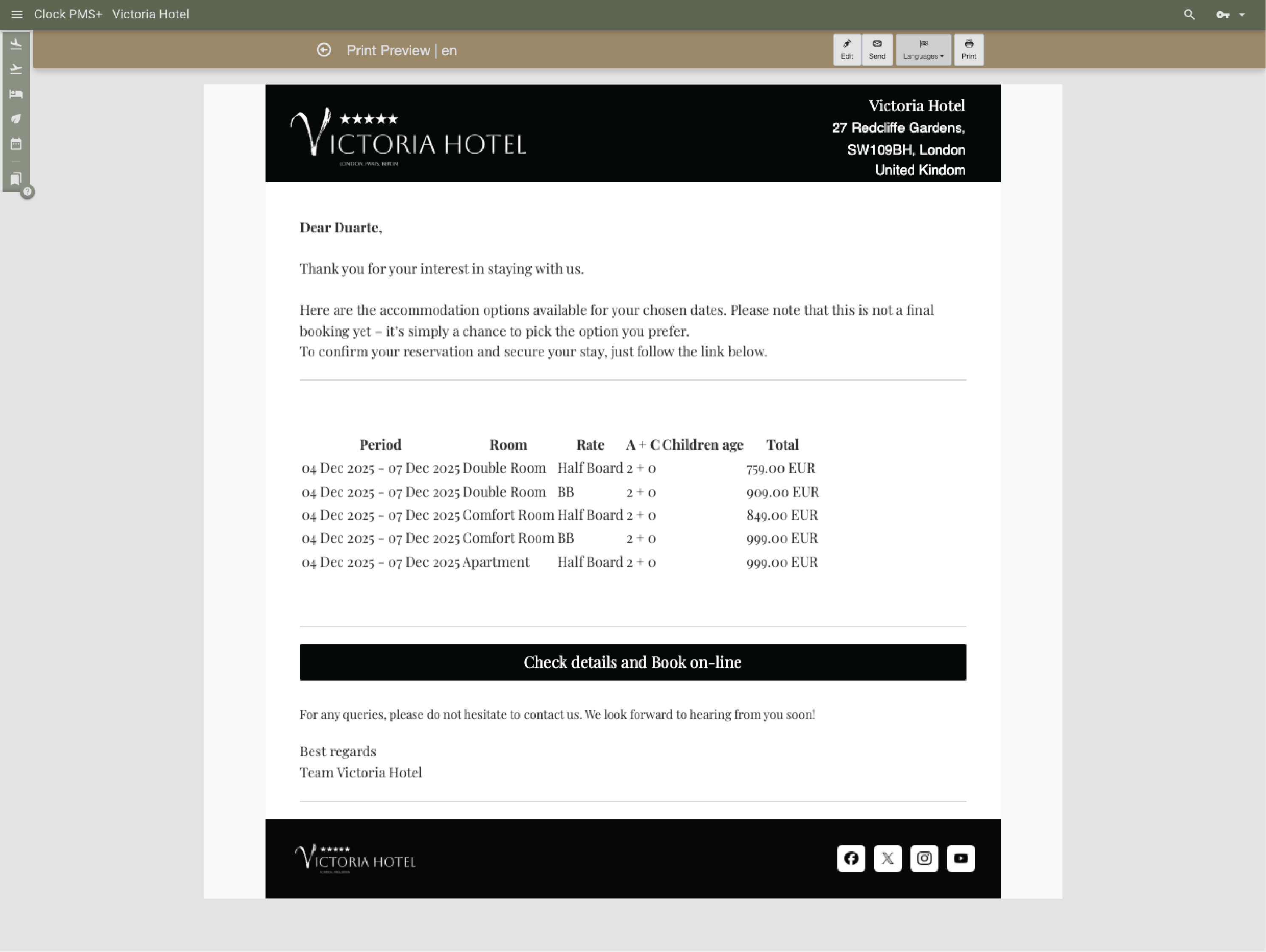
    Example:
    While rooms are allocated to a corporate event, remaining availability is still sold as individual reservations without manual adjustments.
    • Handle individual reservations alongside event bookings (1)
    • Handle individual reservations alongside event bookings (2)
    • Handle individual reservations alongside event bookings (3)

      Keep direct online and OTA bookings in sync with events

      Direct online bookings via your website and Booking.com and other OTA channels automatically respect event room blocks, preventing overbooking and lost revenue.
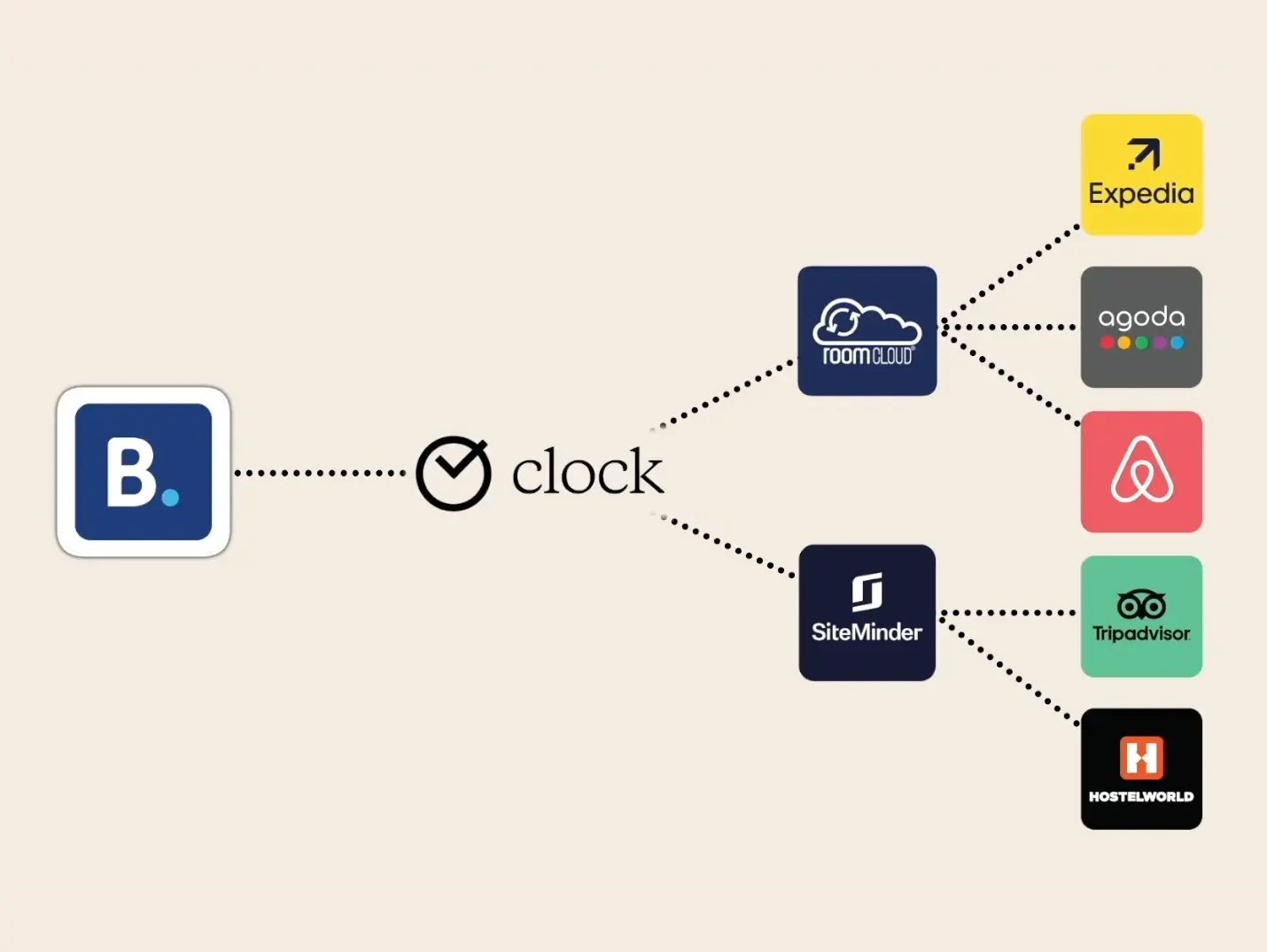
      Example:
      Released rooms from an event block return to live availability and are immediately bookable directly online or through connected OTAs.
      Keep direct online and OTA bookings in sync with events

      Event planning & on-site coordination

      Coordinate event spaces, setups, and resources

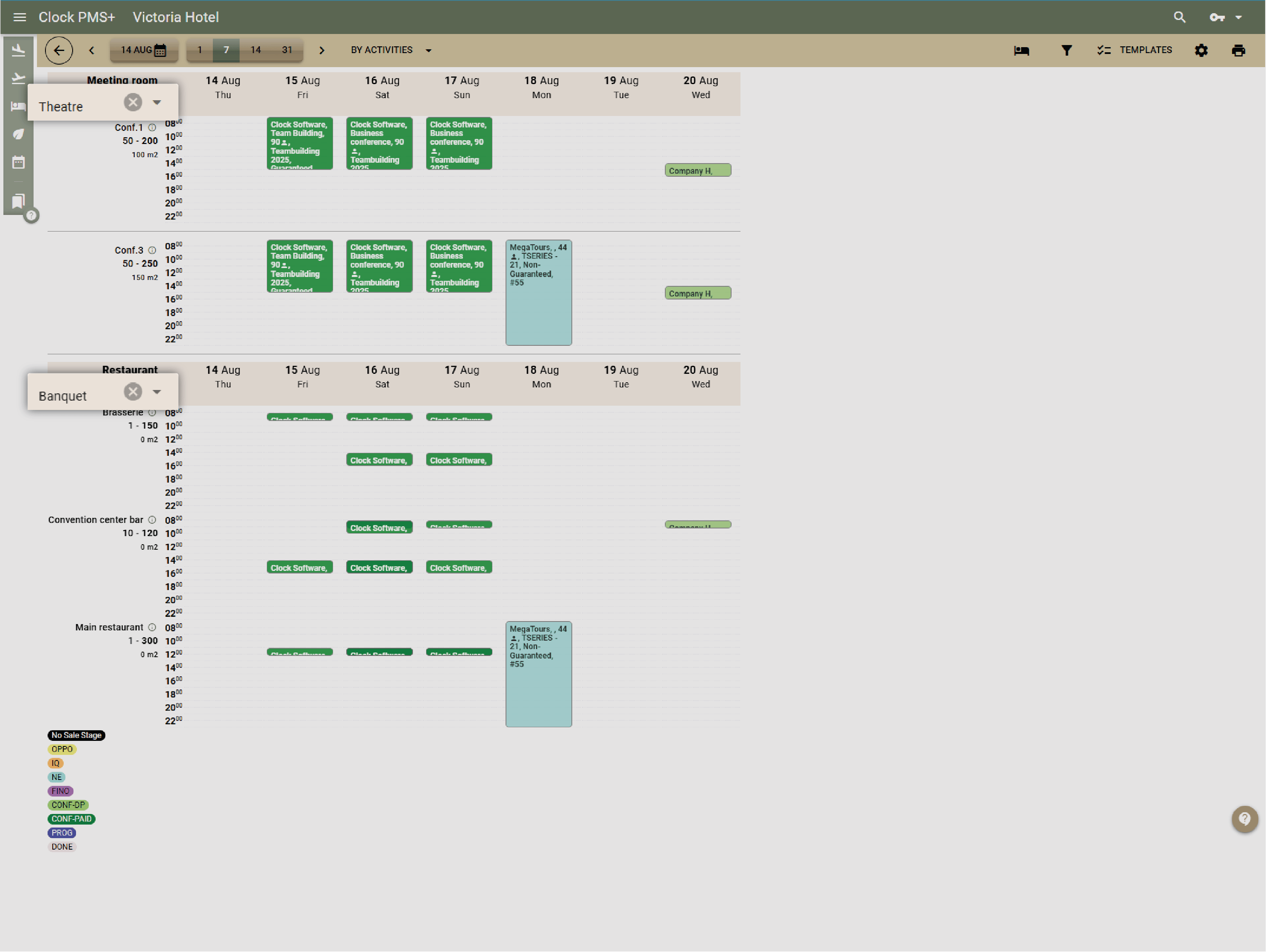
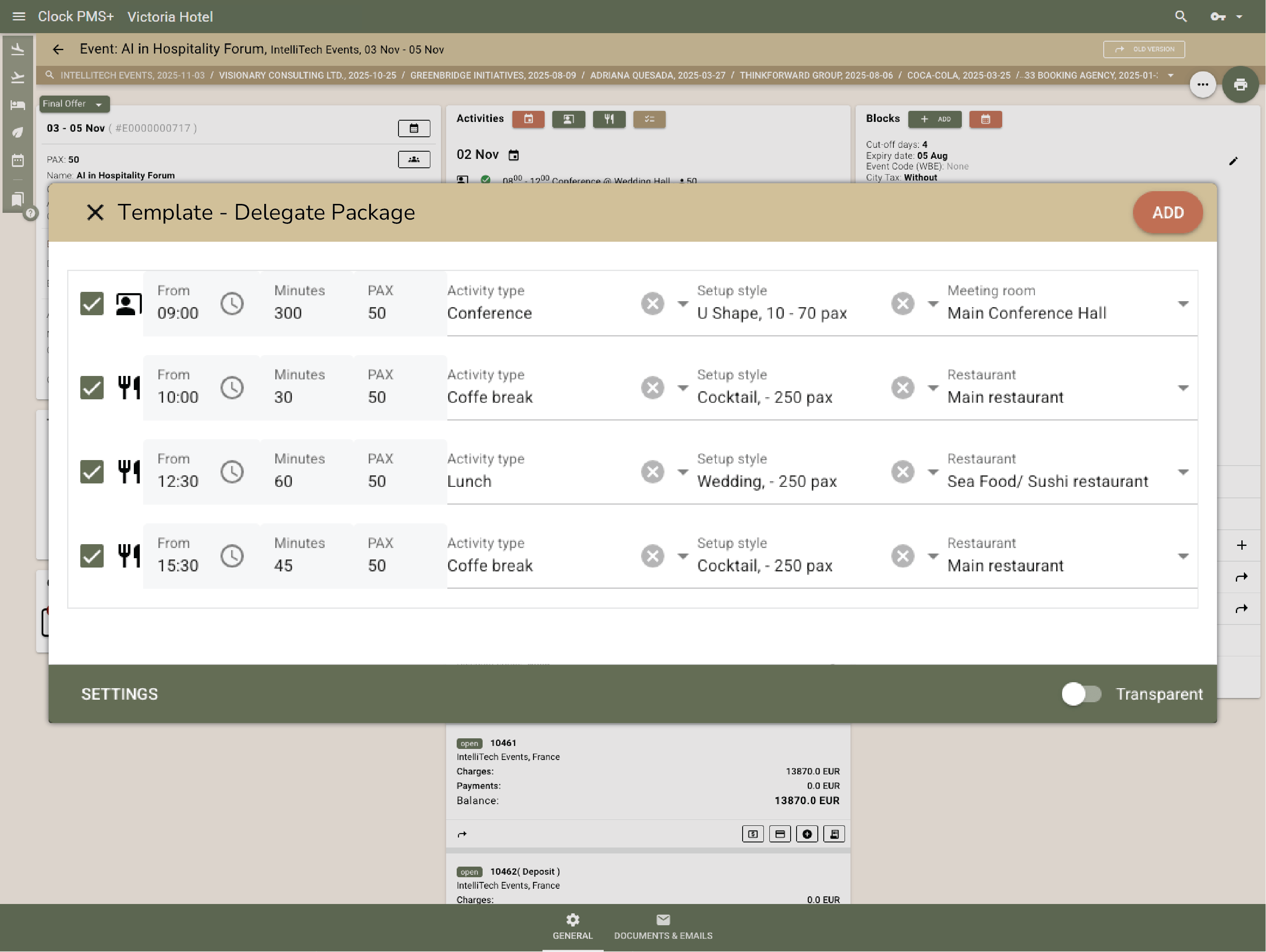
      Manage conference spaces, setup styles, capacities, and required equipment in one place to avoid overlaps and last-minute confusion.
      Example:
      You assign a conference room in theater setup with a defined capacity for a seminar and reserve the required equipment — AV equipment, microphones, and a projector — for the event.
      • Coordinate event spaces, setups, and resources (1)
      • Coordinate event spaces, setups, and resources (2)

        See every event in one complete view

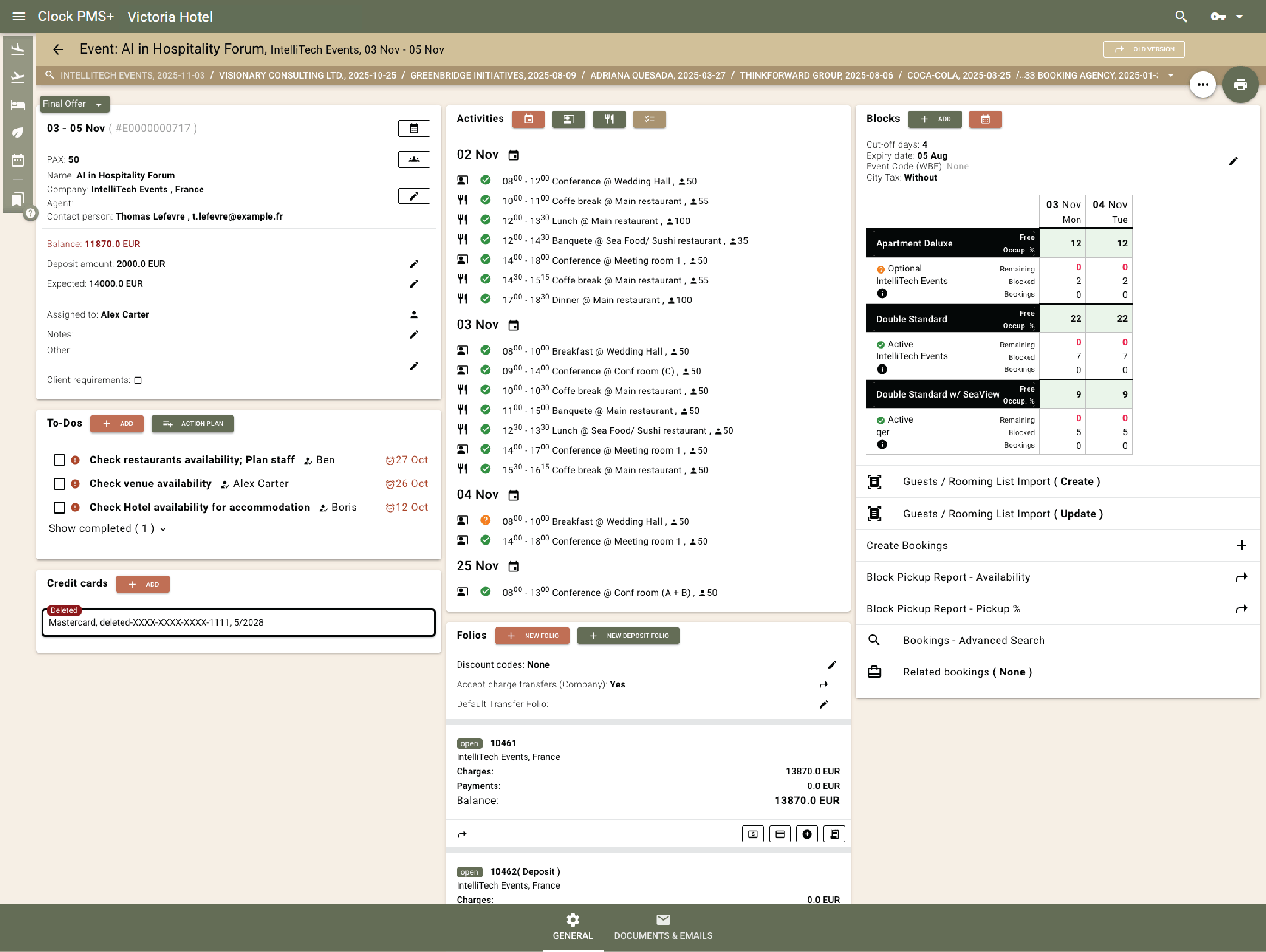
        Each event has one record showing spaces, bookings, folios, charges, deposits, and To-dos — all live and linked.
        Example:
        The planner opens a wedding record and sees room pickups, catering charges, and pending tasks, all connected in one place.
        See every event in one complete view

        Keep the entire event program aligned with live function sheets

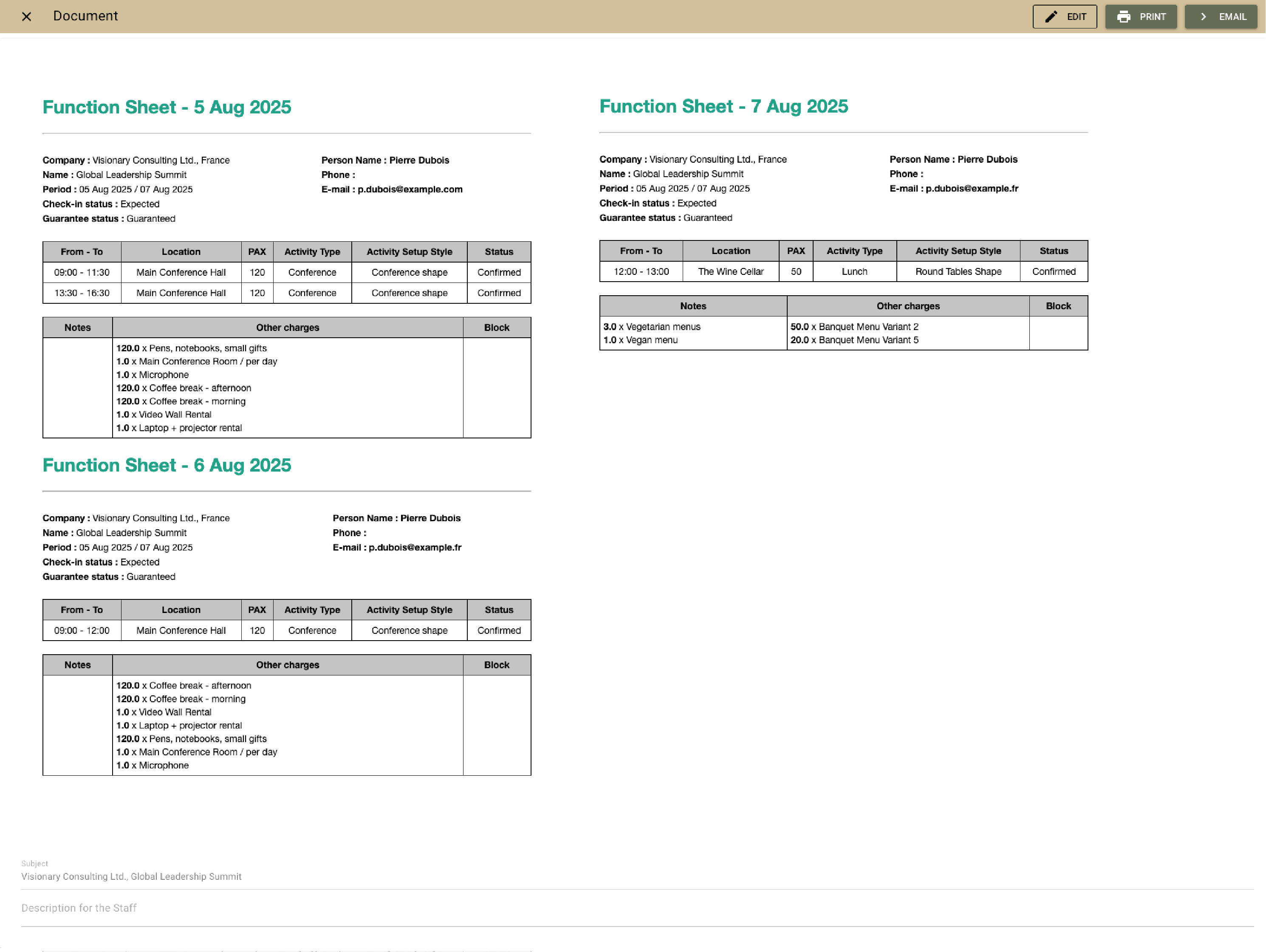
        Live function sheets hold the full operational plan — schedules, menus, setups, equipment, and notes — and update automatically with every change, so all teams work from the same, always current version.
        Example:
        A seminar includes coffee breaks and lunch with notes for vegetarian or vegan meals. When the program changes, the update appears instantly for the kitchen, service, and front desk.
        Keep the entire event program aligned with live function sheets

        Assign tasks and share event details across teams

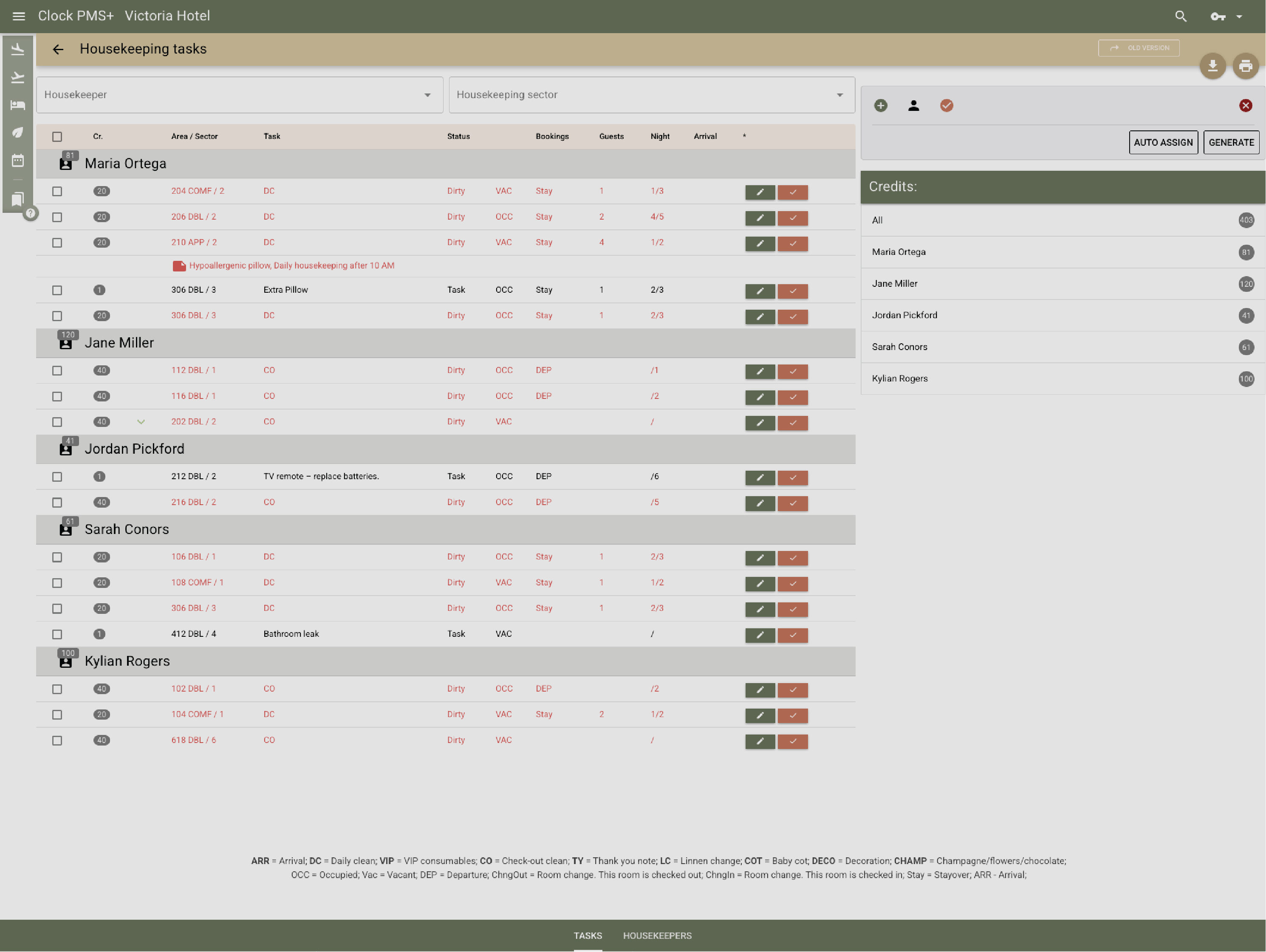
        Sales, front desk, housekeeping, kitchen, and service teams access the same event details, ToDos, and notes.
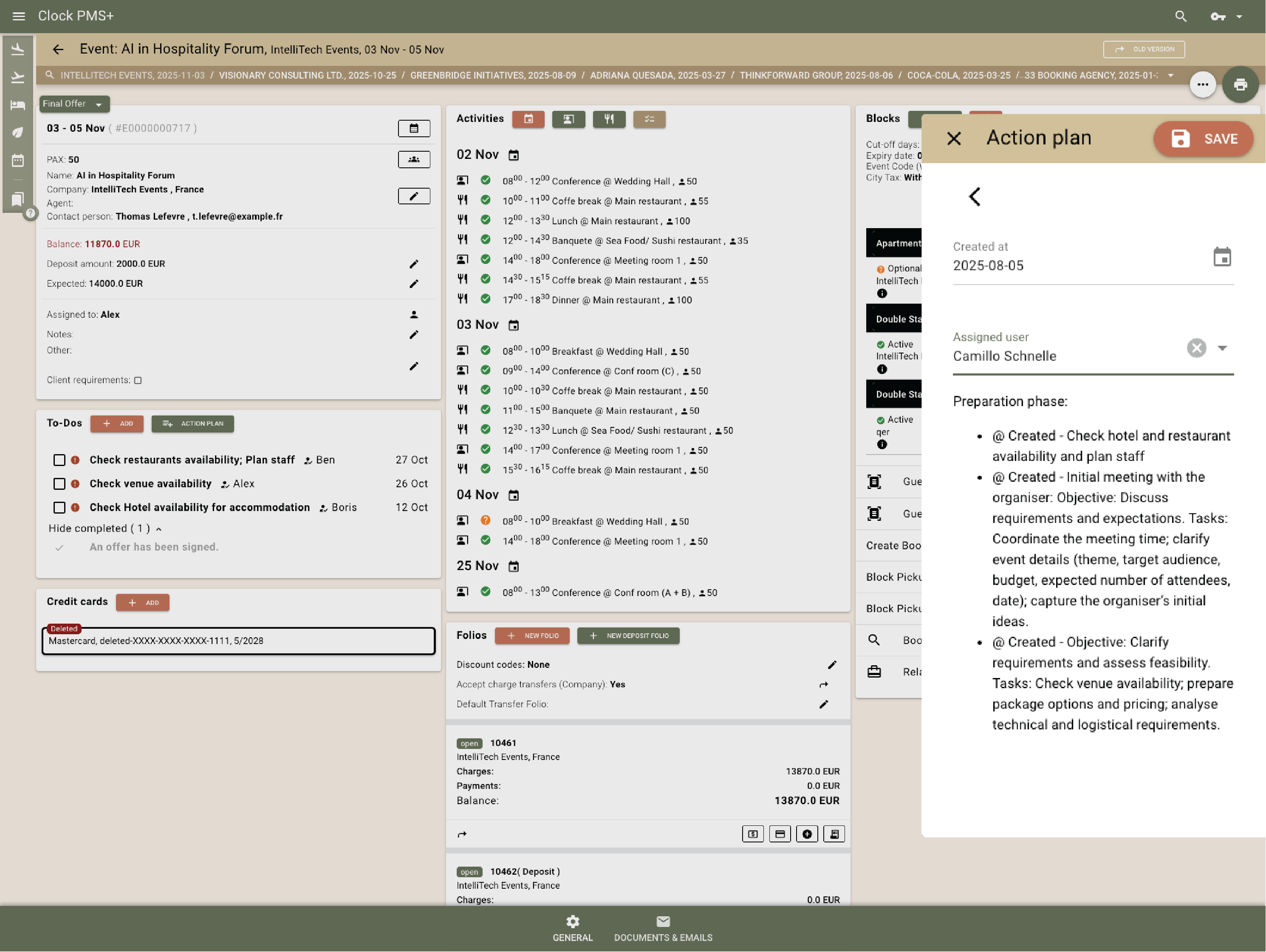
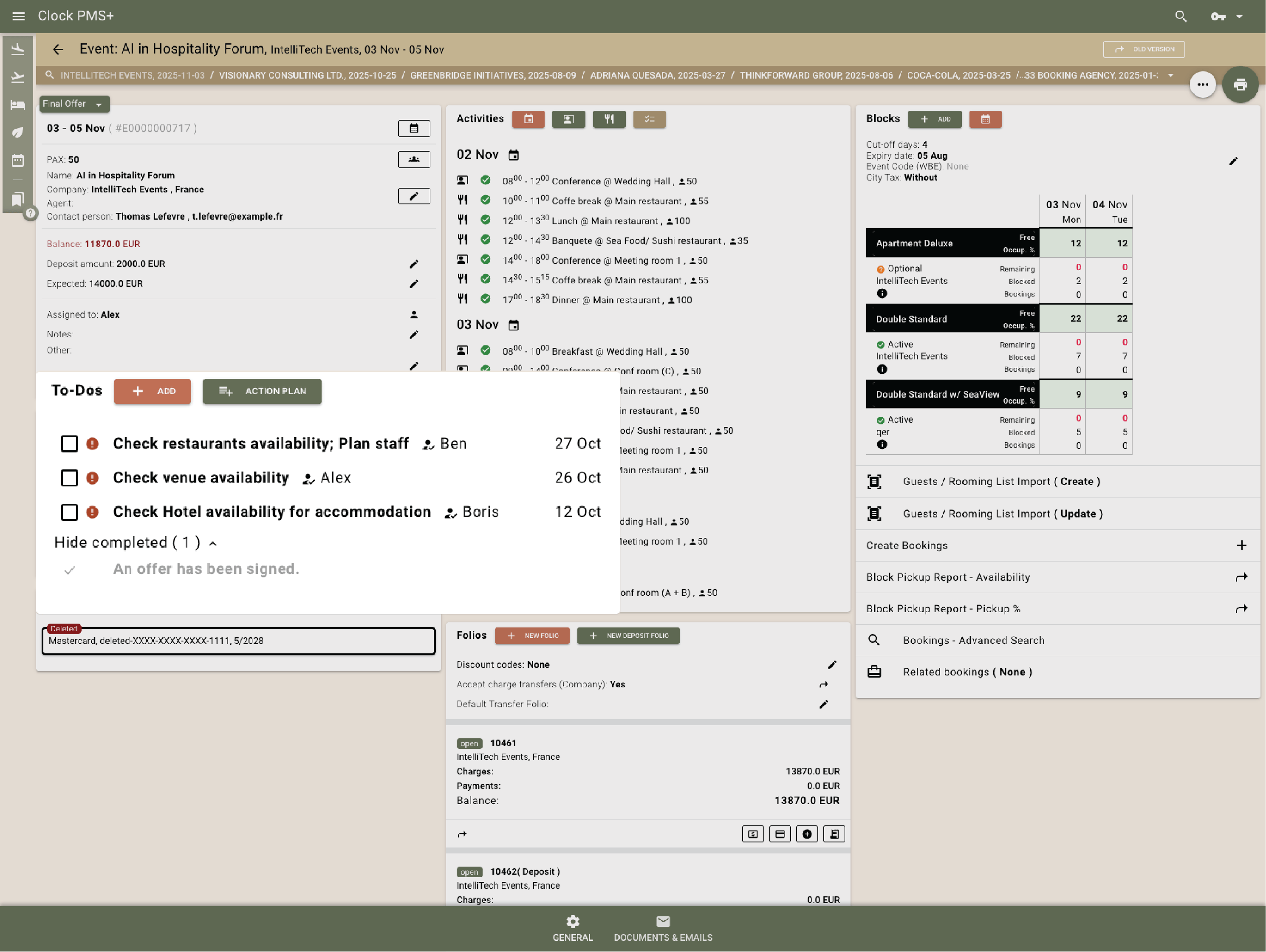
        Example:
        The sales teams see all tasks reminding them of follow-ups and important milestones, the event team gets todos to rent 3rd party equipment and to prepare their own AV equipment and the front desk has visibility into special todos related to special requirements.
        • Assign tasks and share event details across teams (1)
        • Assign tasks and share event details across teams (2)

          Event billing & payments

          Track all event charges and payments in one place

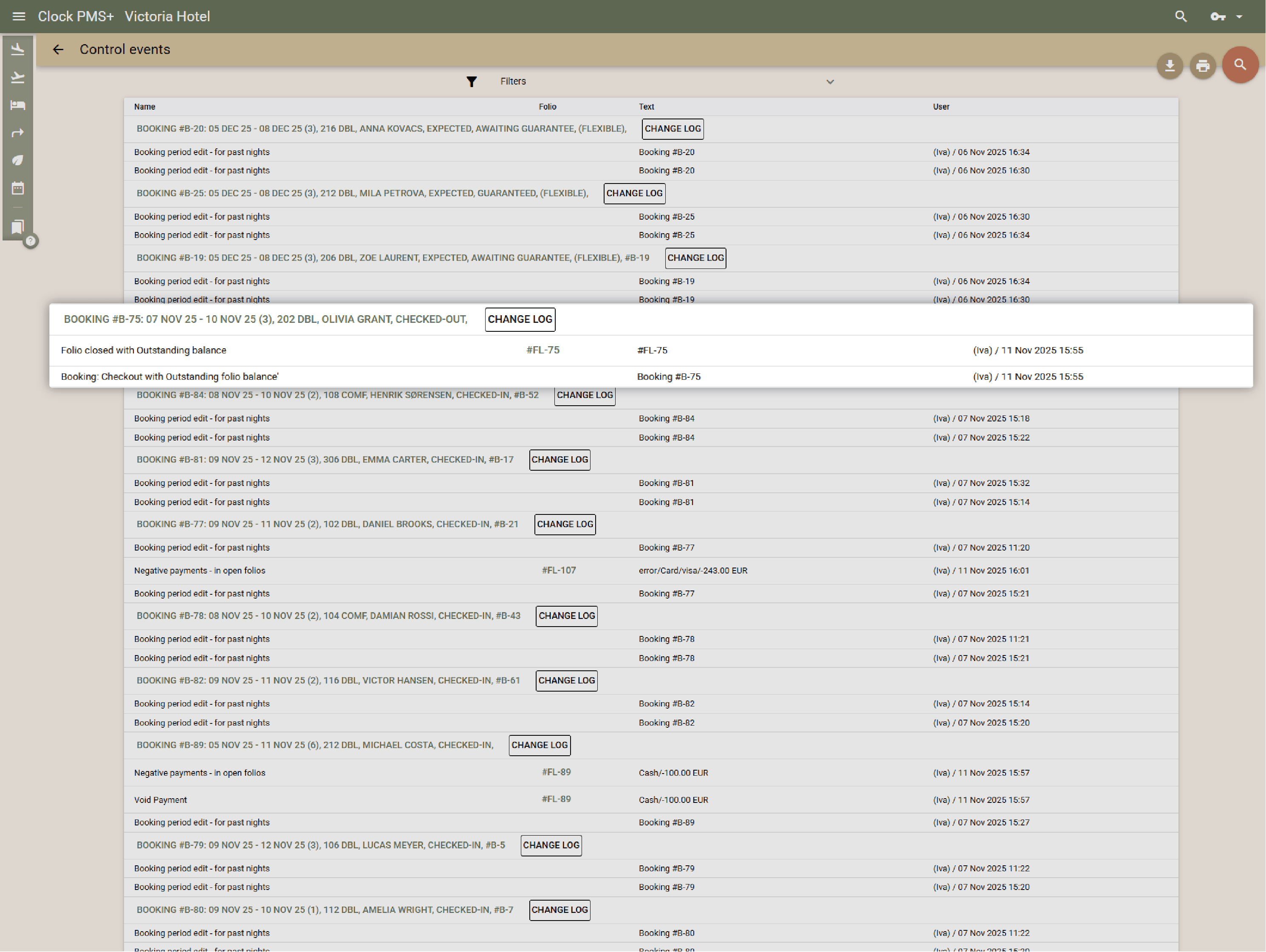
          All posted services, payments, invoices and the remaining balance are visible together in a single view.
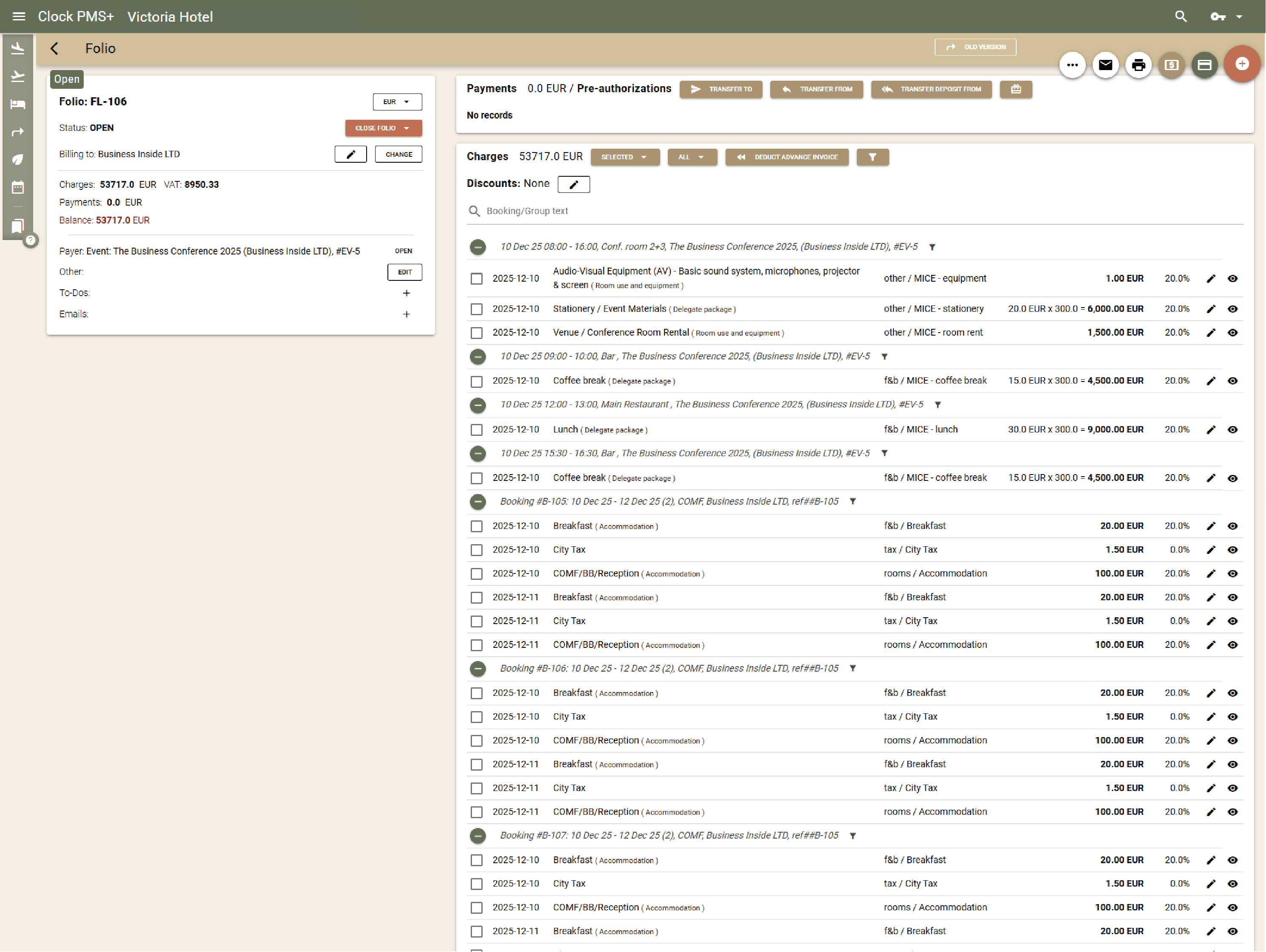
          Example:
          At any time, you can see all event charges, completed payments, and the current outstanding balance in the event folio.
          Track all event charges and payments in one place

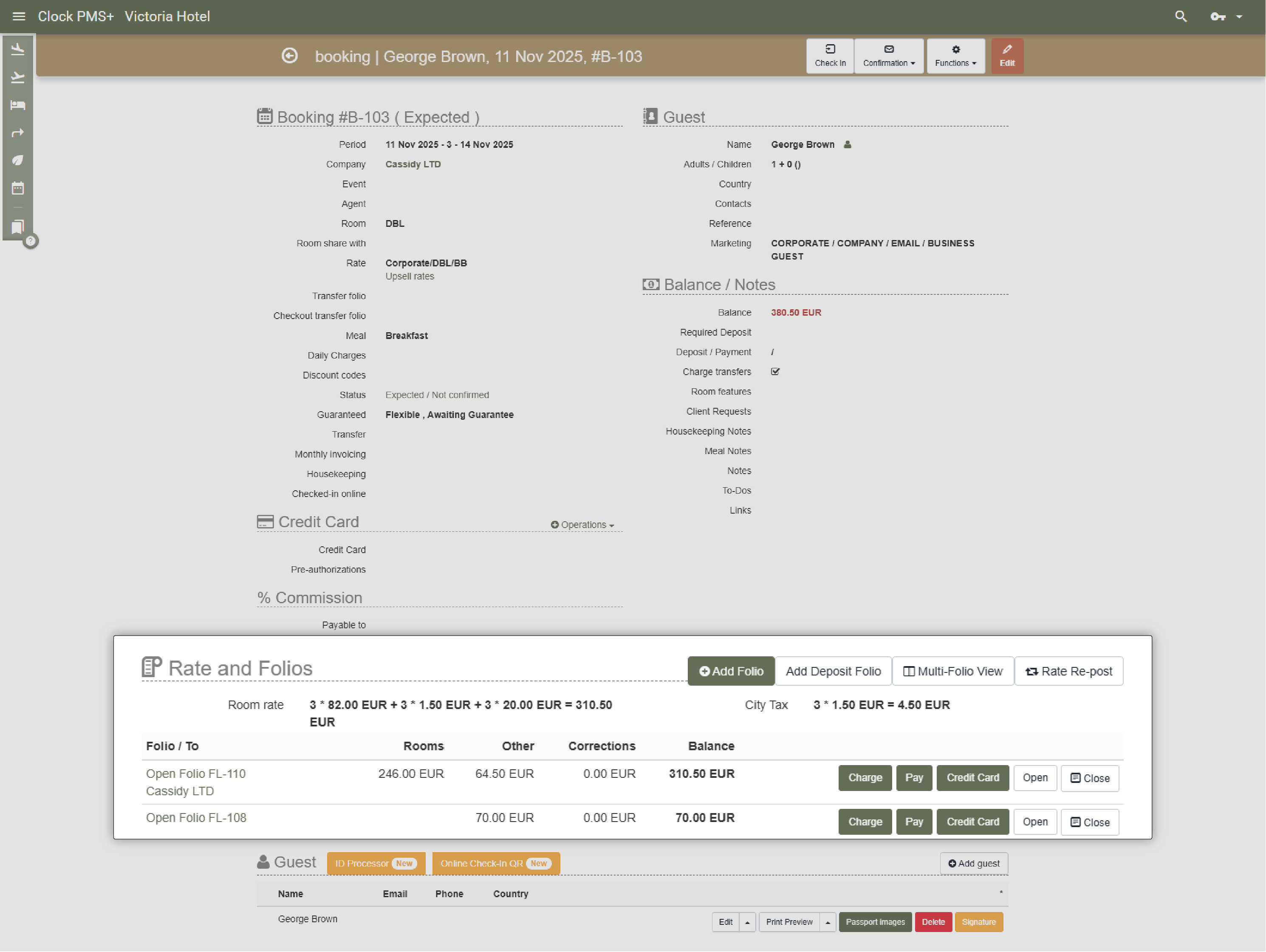
          Clearly separate event costs from individual guest stays

          All event-related services are posted to the event folio. Guest charges related to the event can be transferred or routed (manually or automatically) to the event folio, to a company folio, or remain on the guest’s own reservation, depending on the agreed billing setup.
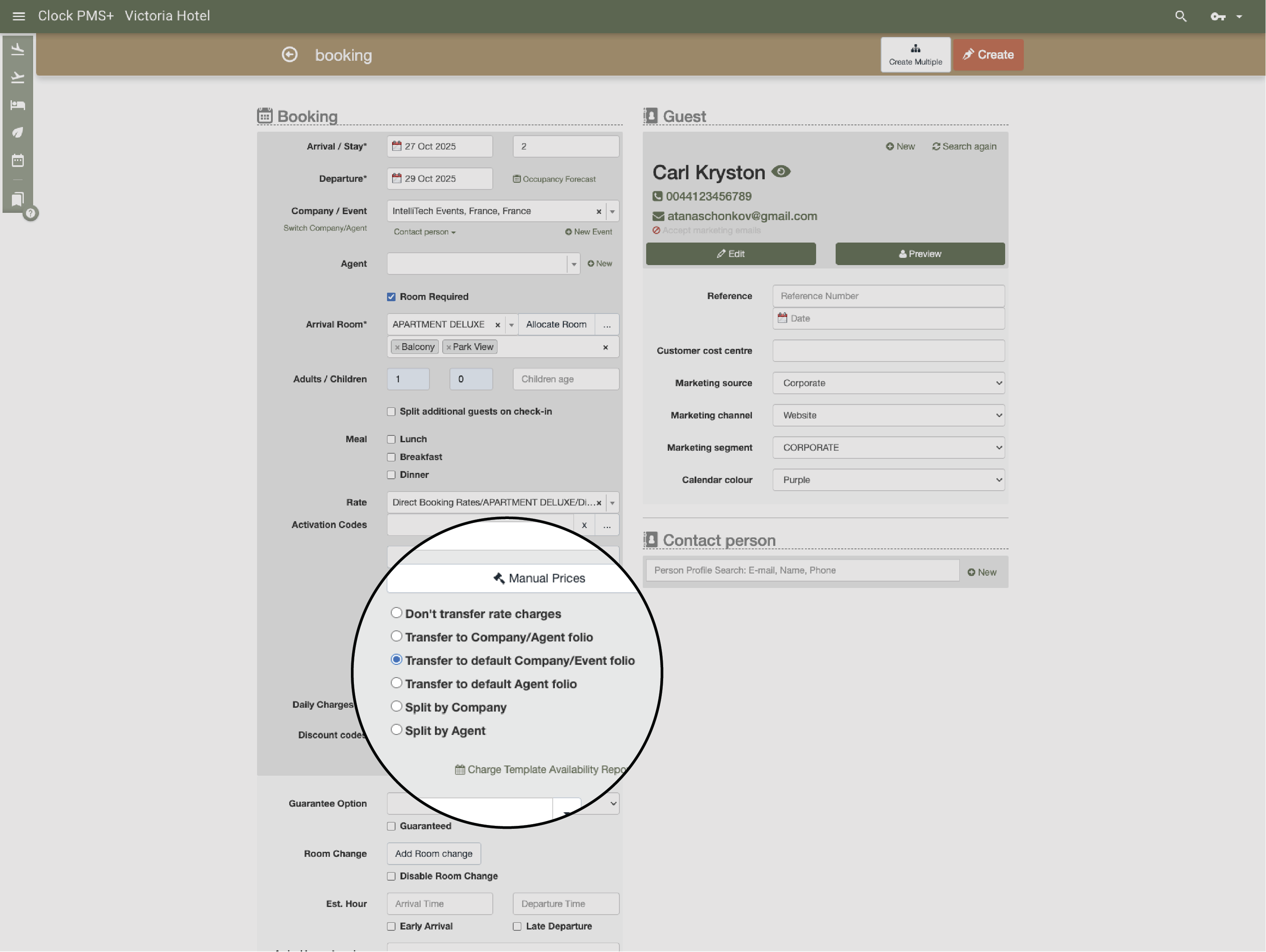
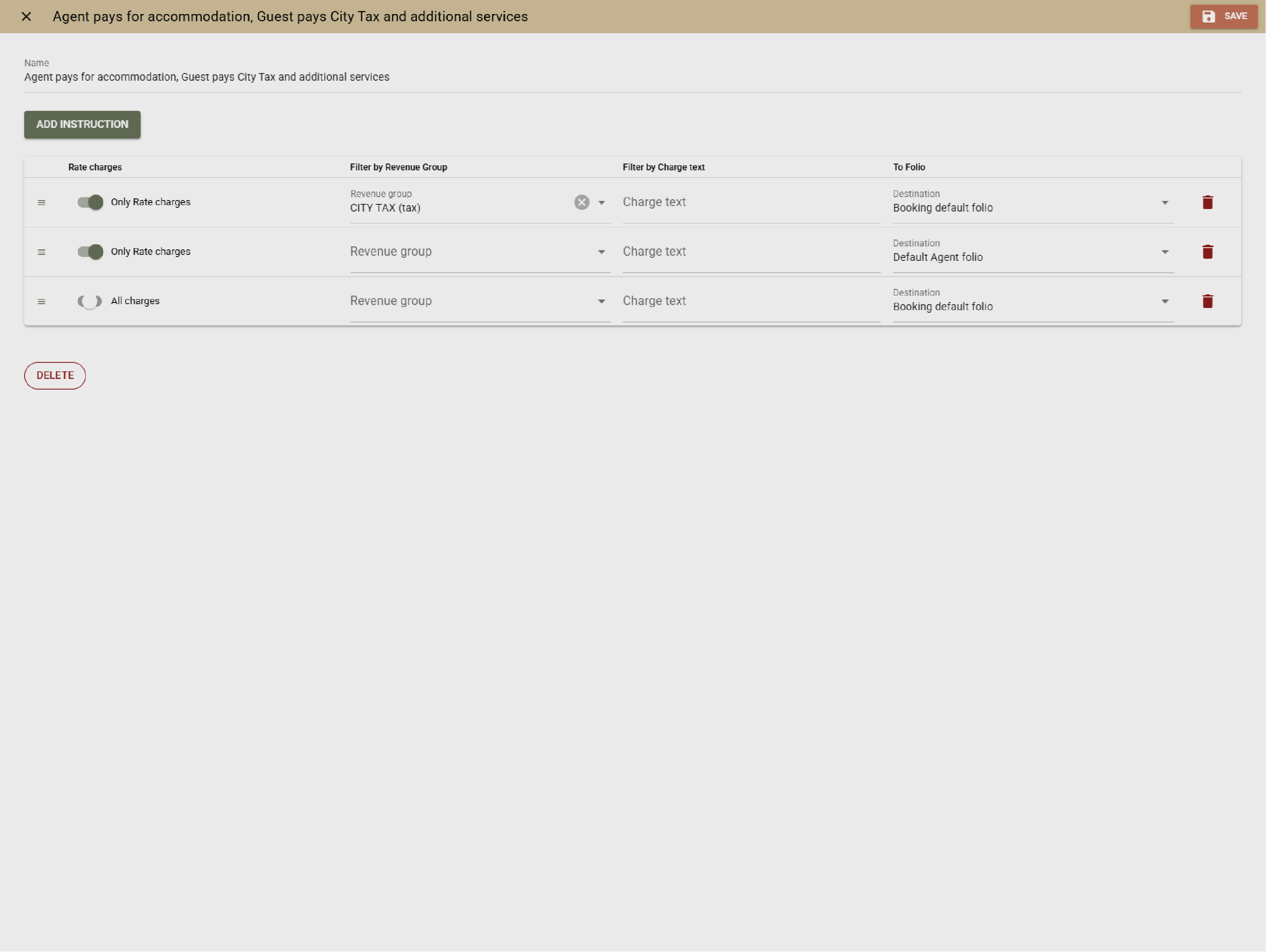
          Example:
          Room rental, equipment, and coffee breaks for a seminar are posted to the event folio, while participants’ overnight stays remain on their individual hotel reservations.
          • Clearly separate event costs from individual guest stays (1)
          • Clearly separate event costs from individual guest stays (2)

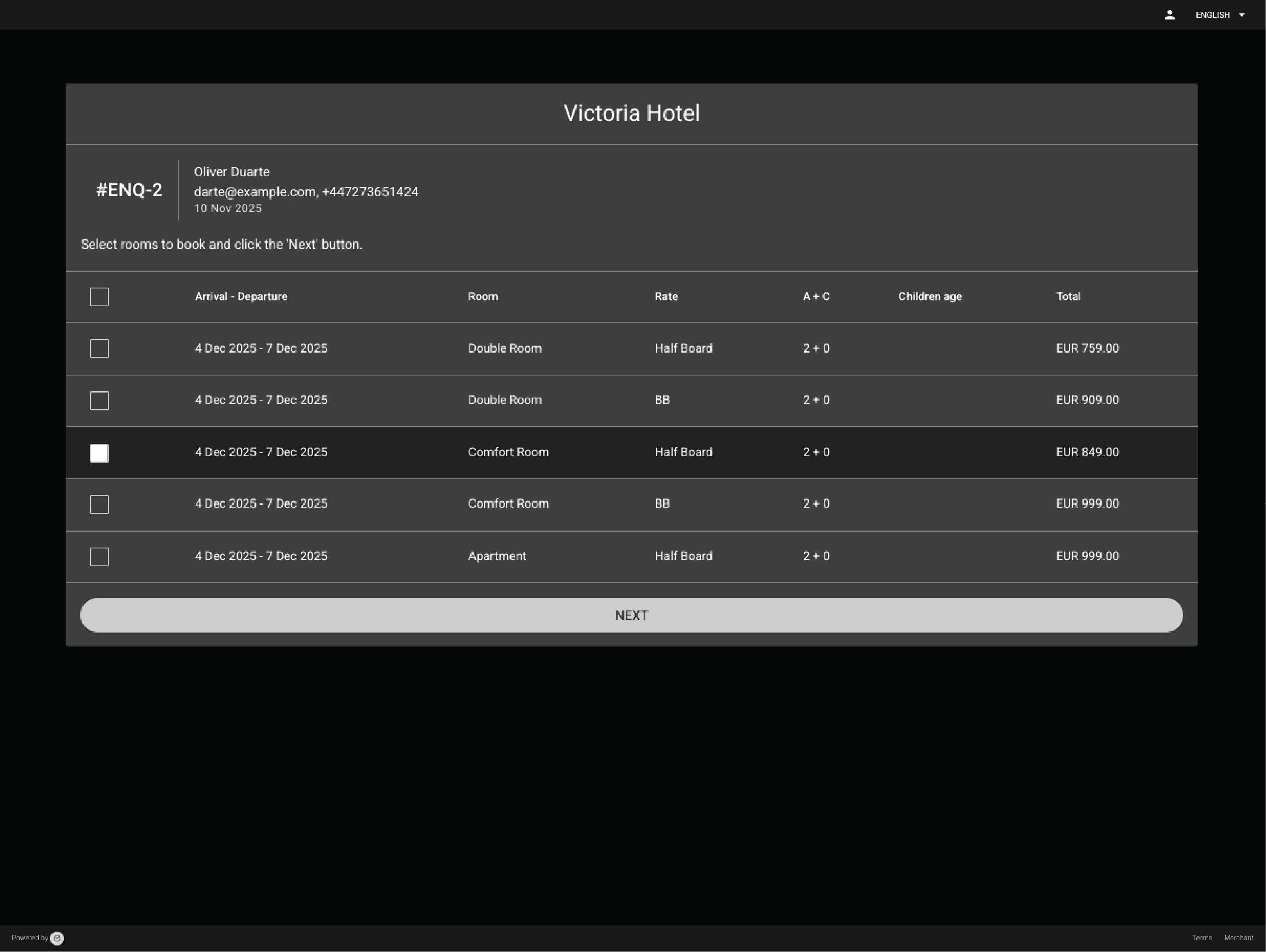
            Confirm events faster with online signing and payment

            Let organizers sign and pay online through the Event Confirmation App. Clock marks the event “Guaranteed” and posts payments automatically.
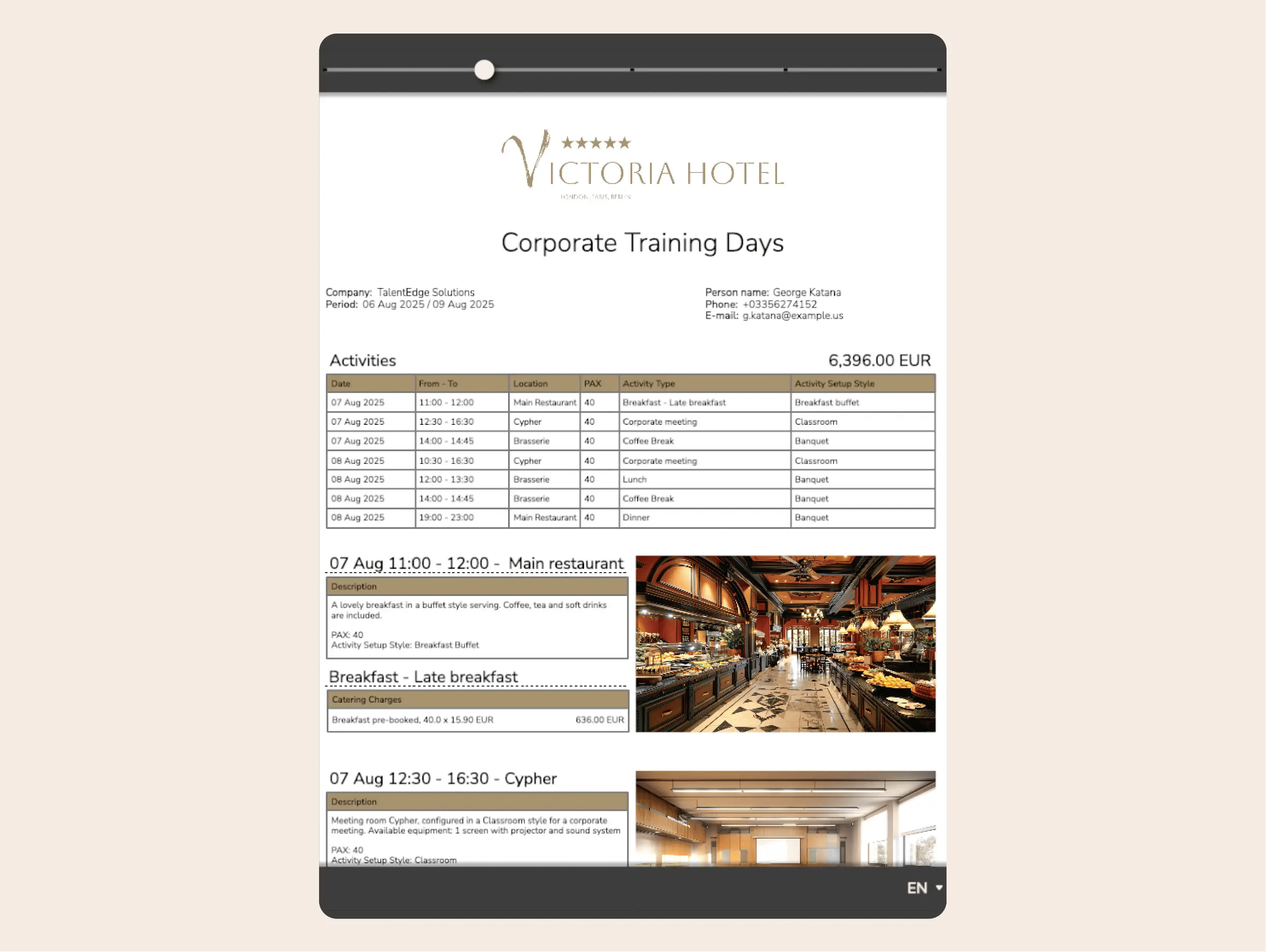
            Example:
            You email the proposal to the organizer, who signs it and pays the amount online. The payment is automatically posted to the event folio and reduces the remaining balance.
            Confirm events faster with online signing and payment

            Core hotel operations and guest experience

            Run daily hotel operations in one system

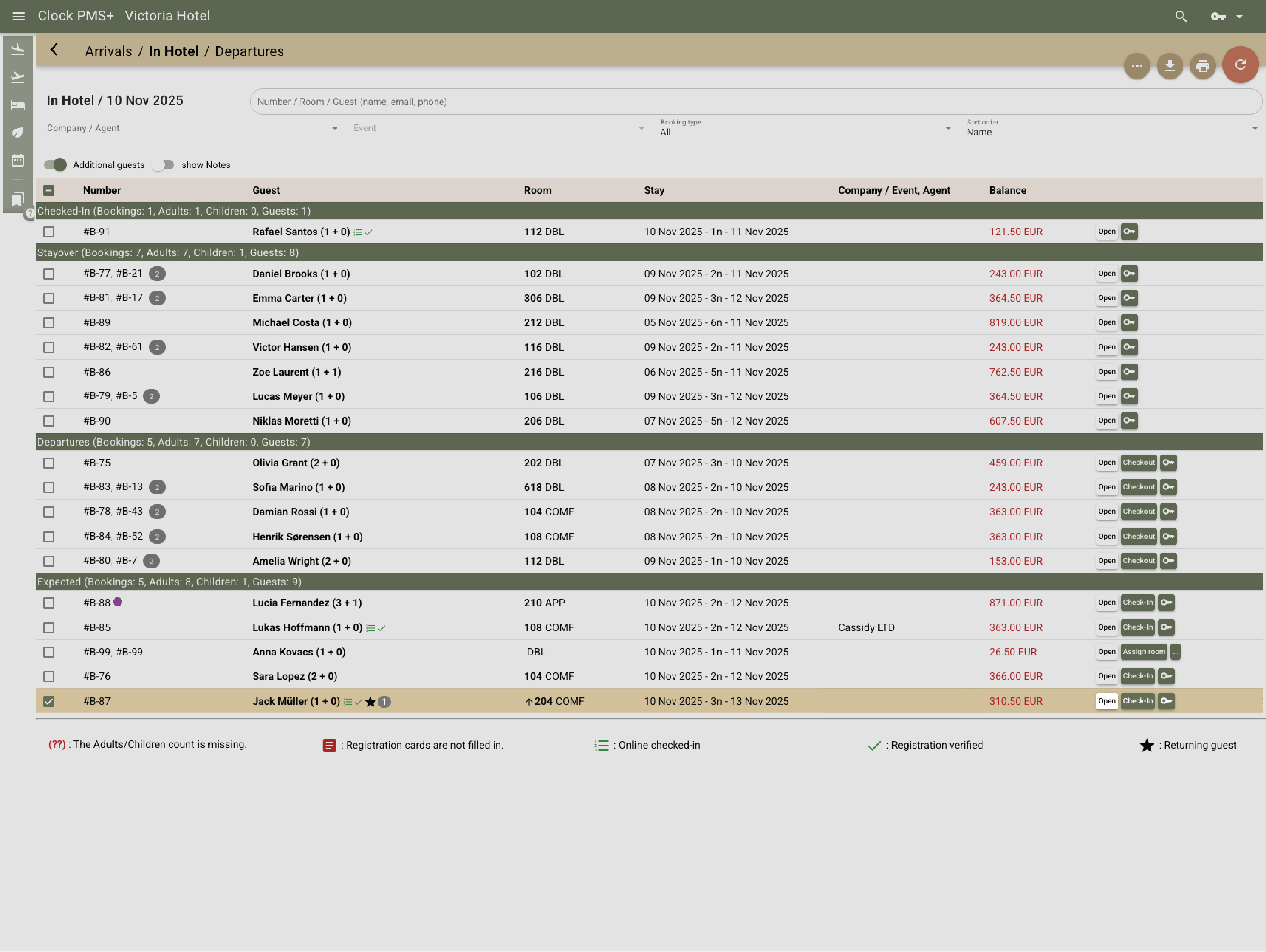
            Reservations, front desk workflows, housekeeping, billing, payments, and reporting all work with the same live data across teams.
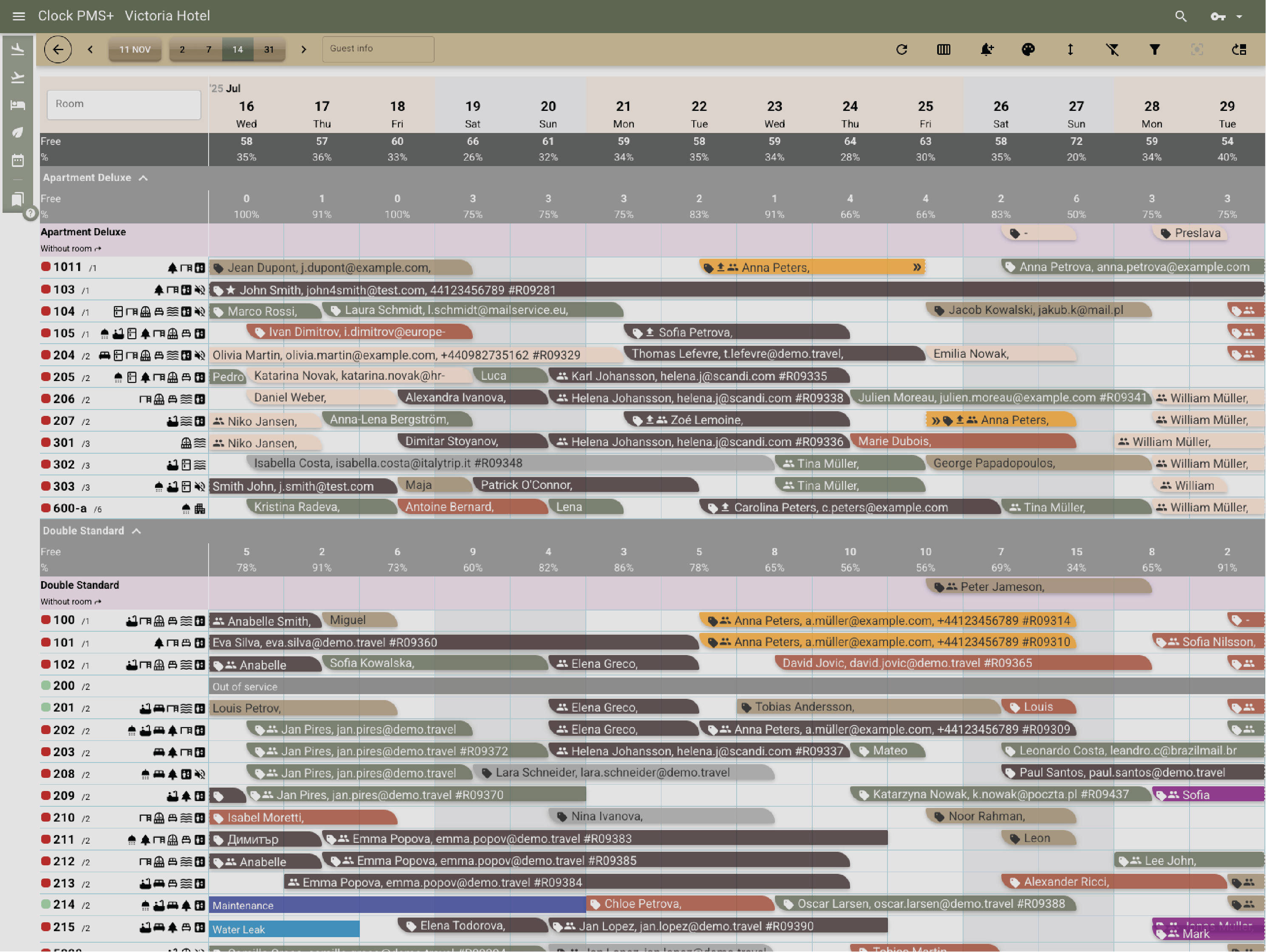
            Example:
            Front desk and housekeeping see the same room status and guest information, without duplicate updates or manual handovers.
            • Run daily hotel operations in one system (1)
            • Run daily hotel operations in one system (2)
            • Run daily hotel operations in one system (3)
            • Run daily hotel operations in one system (4)
            • Run daily hotel operations in one system (5)

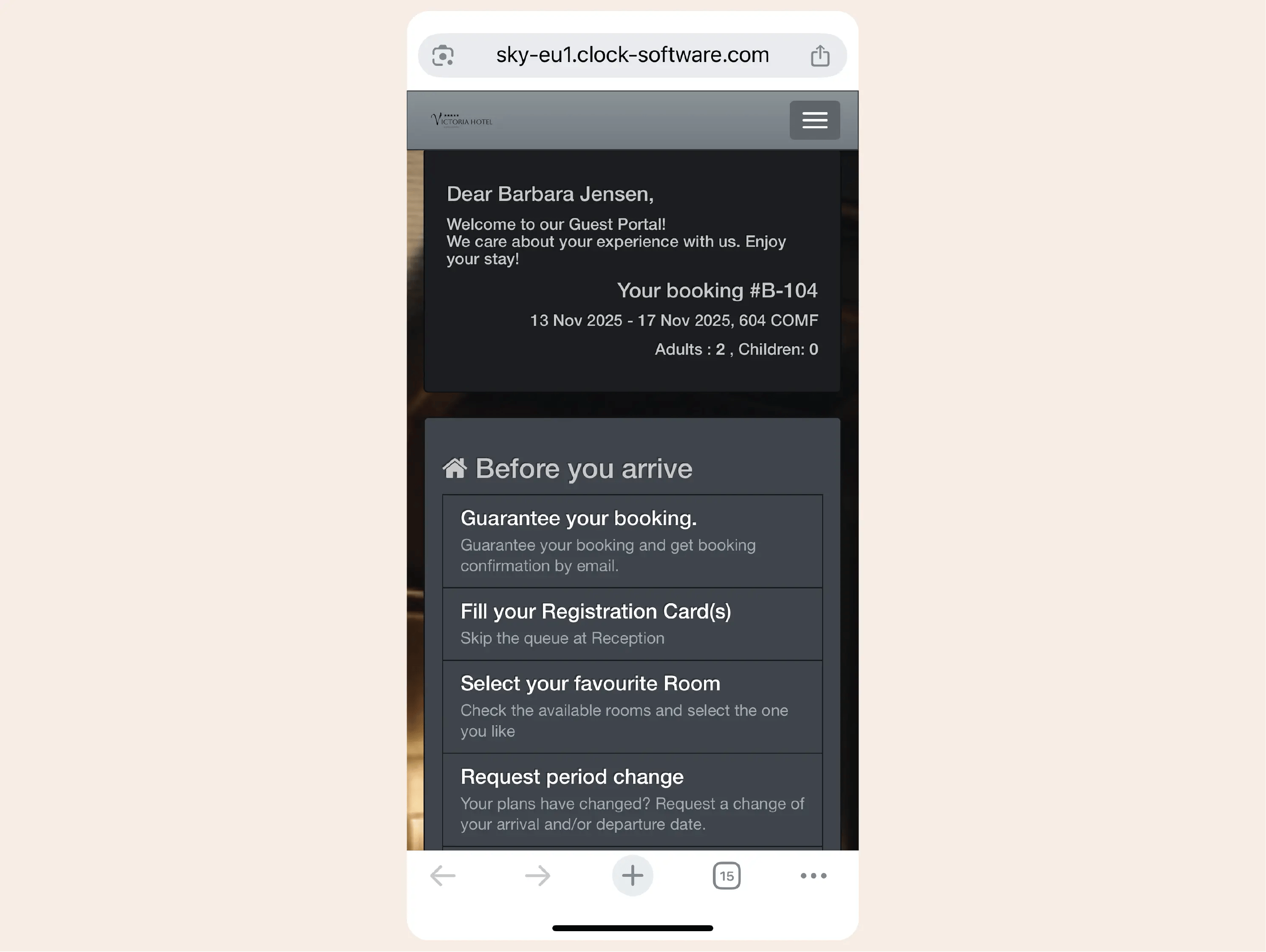
              Offer digital guest interaction and self-service

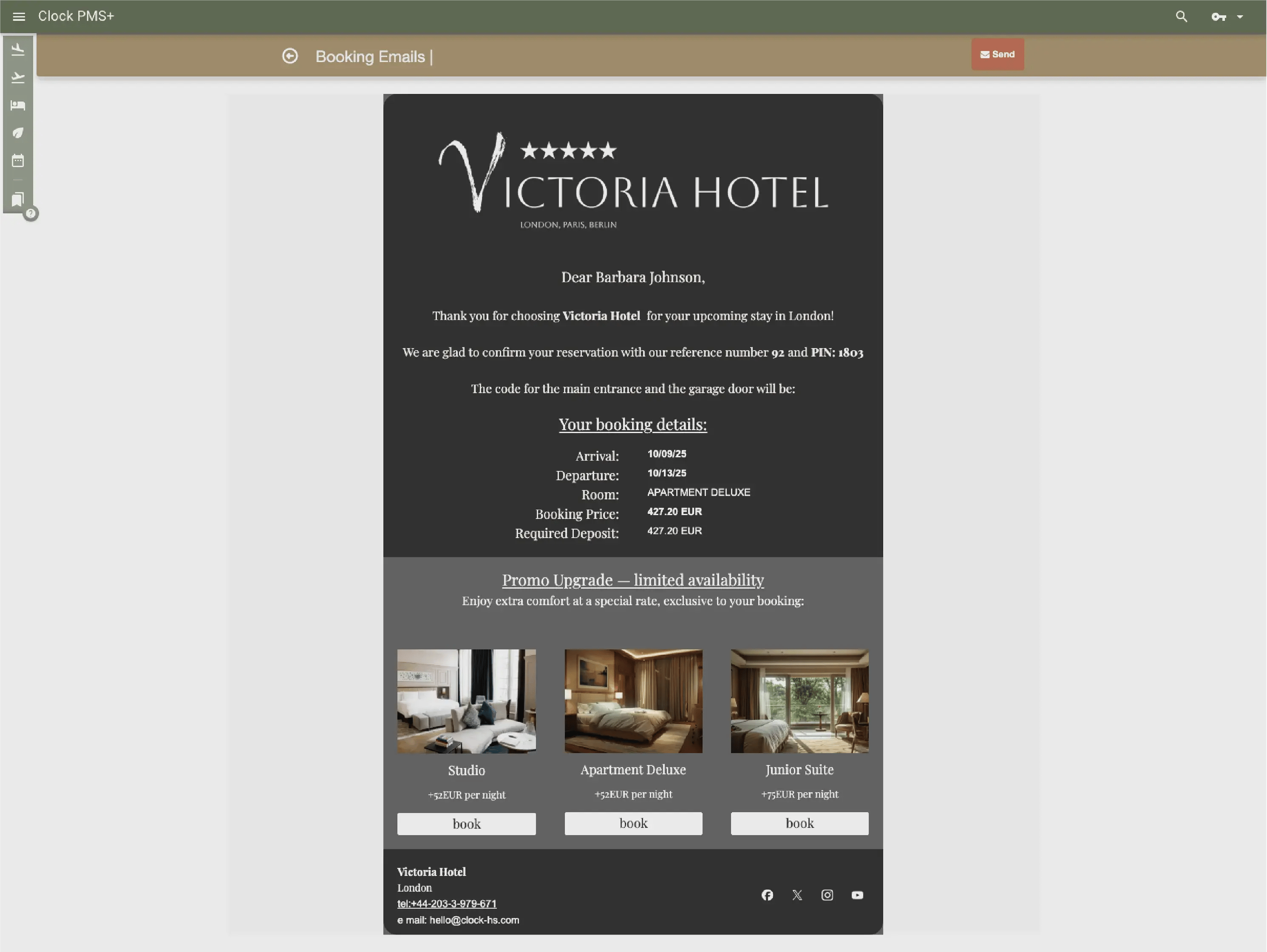
              Guest messaging, online check-in, and the guest portal reduce manual work while giving guests more control over their stay.
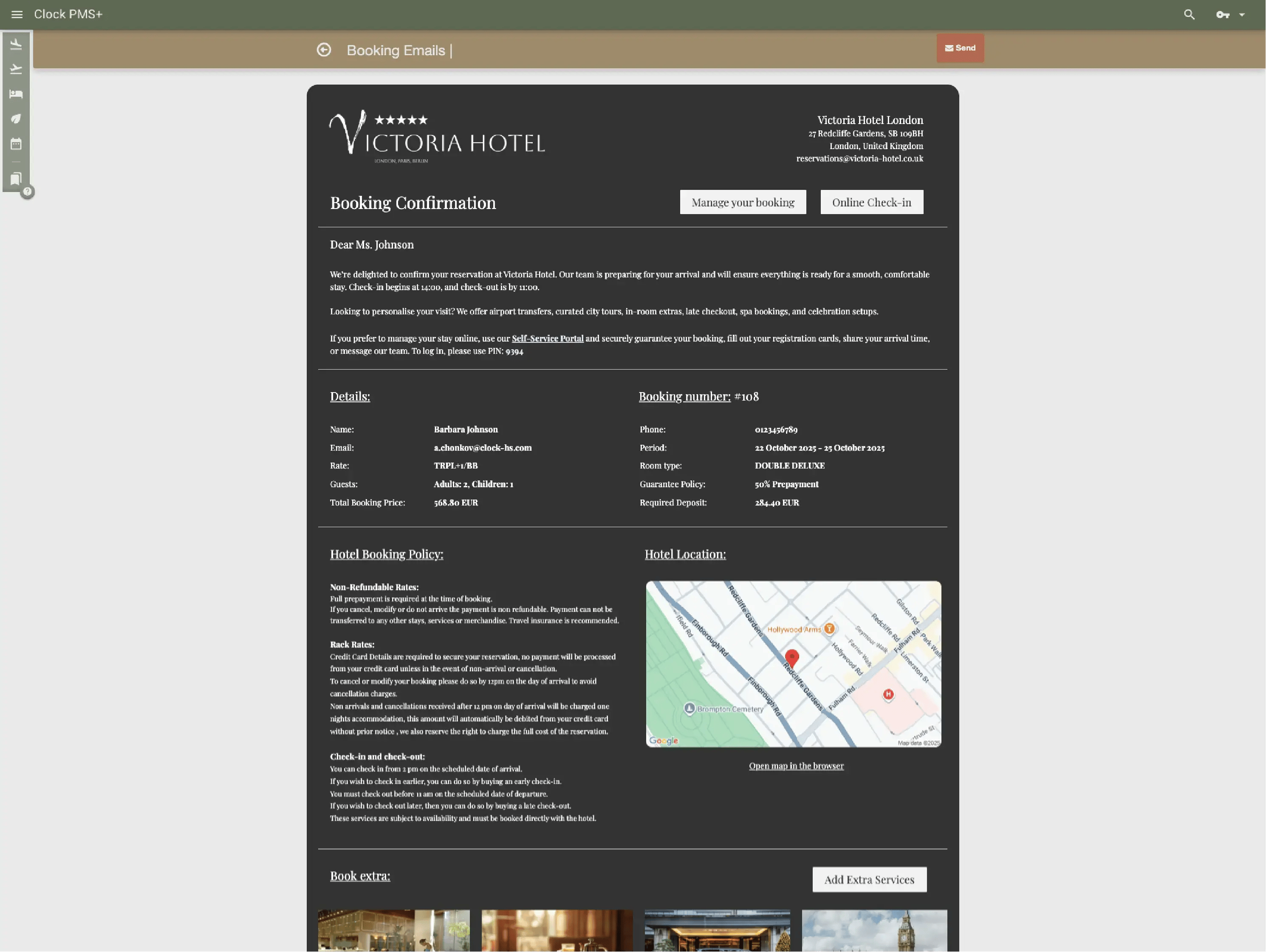
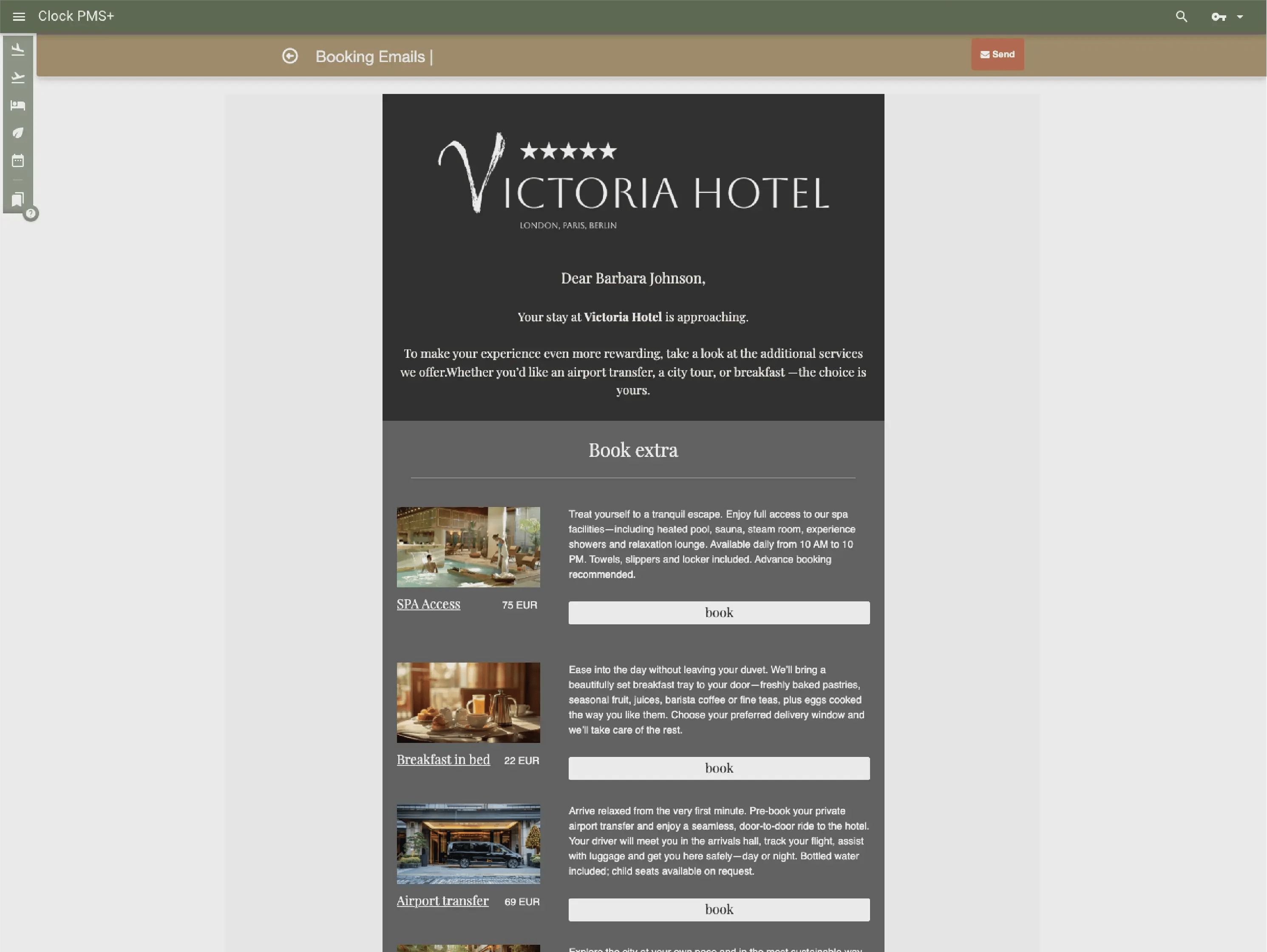
              Example:
              Guests receive arrival information, complete online check-in, and manage requests digitally before and during their stay.
              • Offer digital guest interaction and self-service (1)
              • Offer digital guest interaction and self-service (2)
              • Offer digital guest interaction and self-service (3)
              • Offer digital guest interaction and self-service (4)
              • Offer digital guest interaction and self-service (5)
              • Offer digital guest interaction and self-service (6)

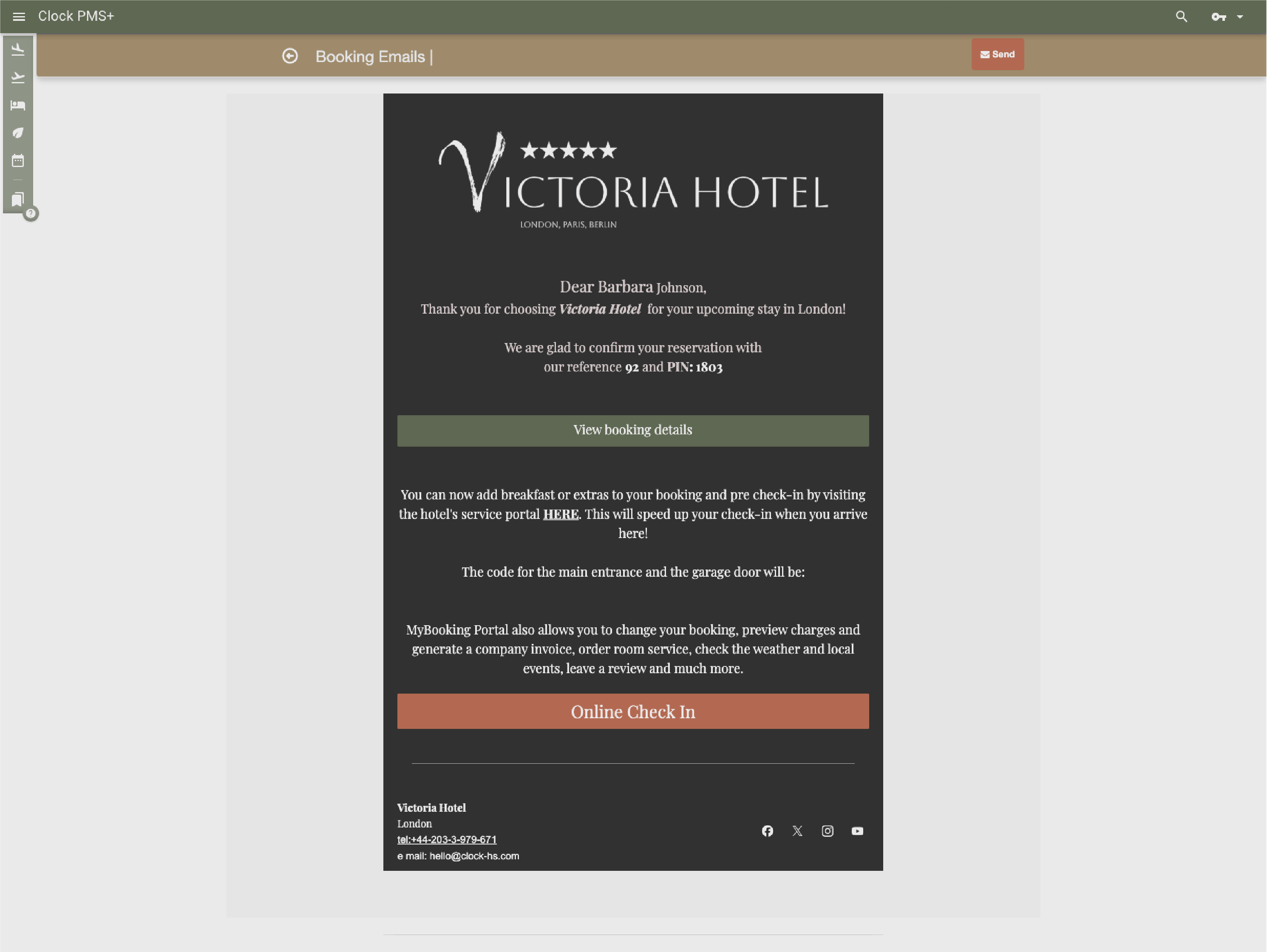
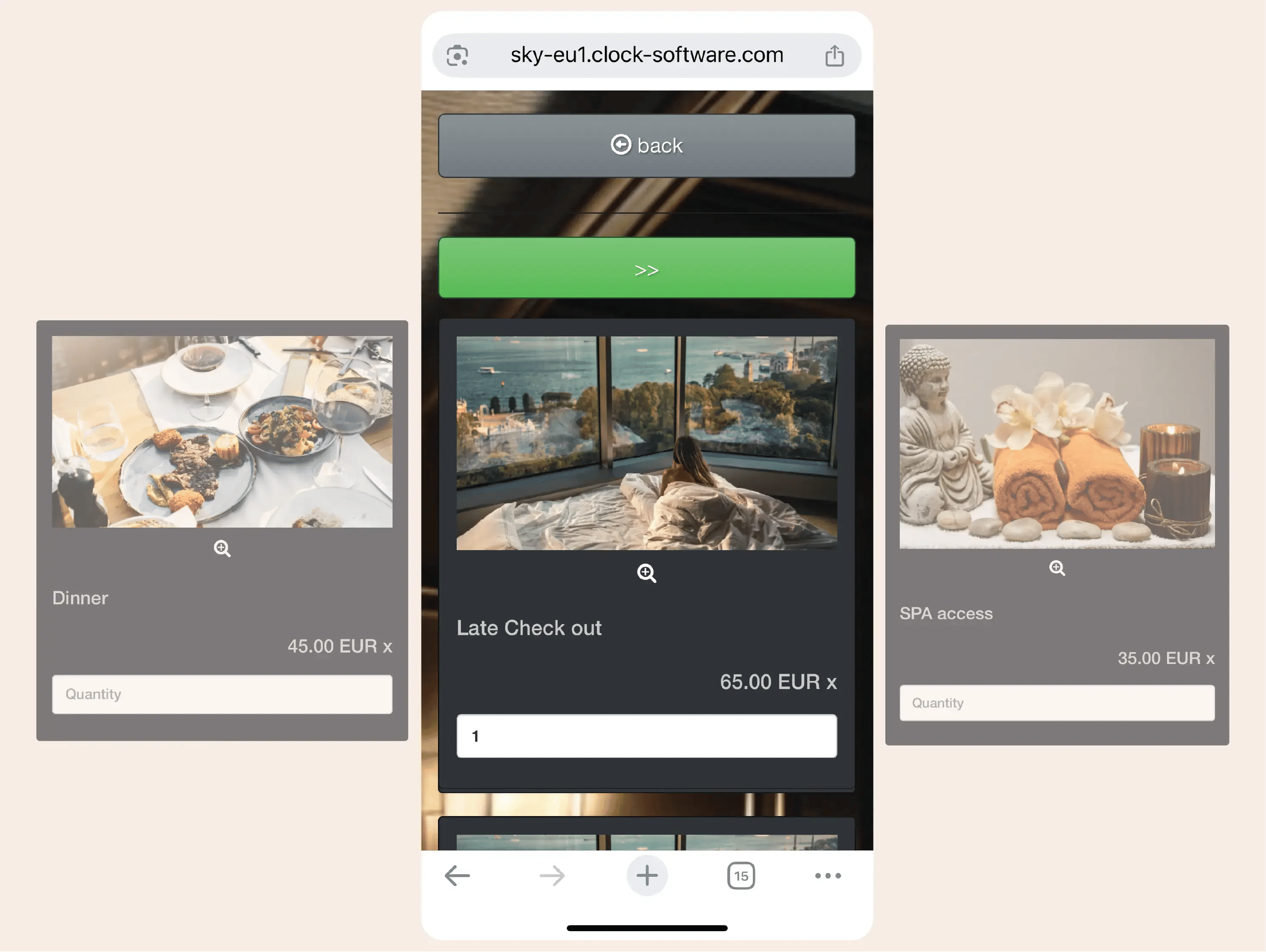
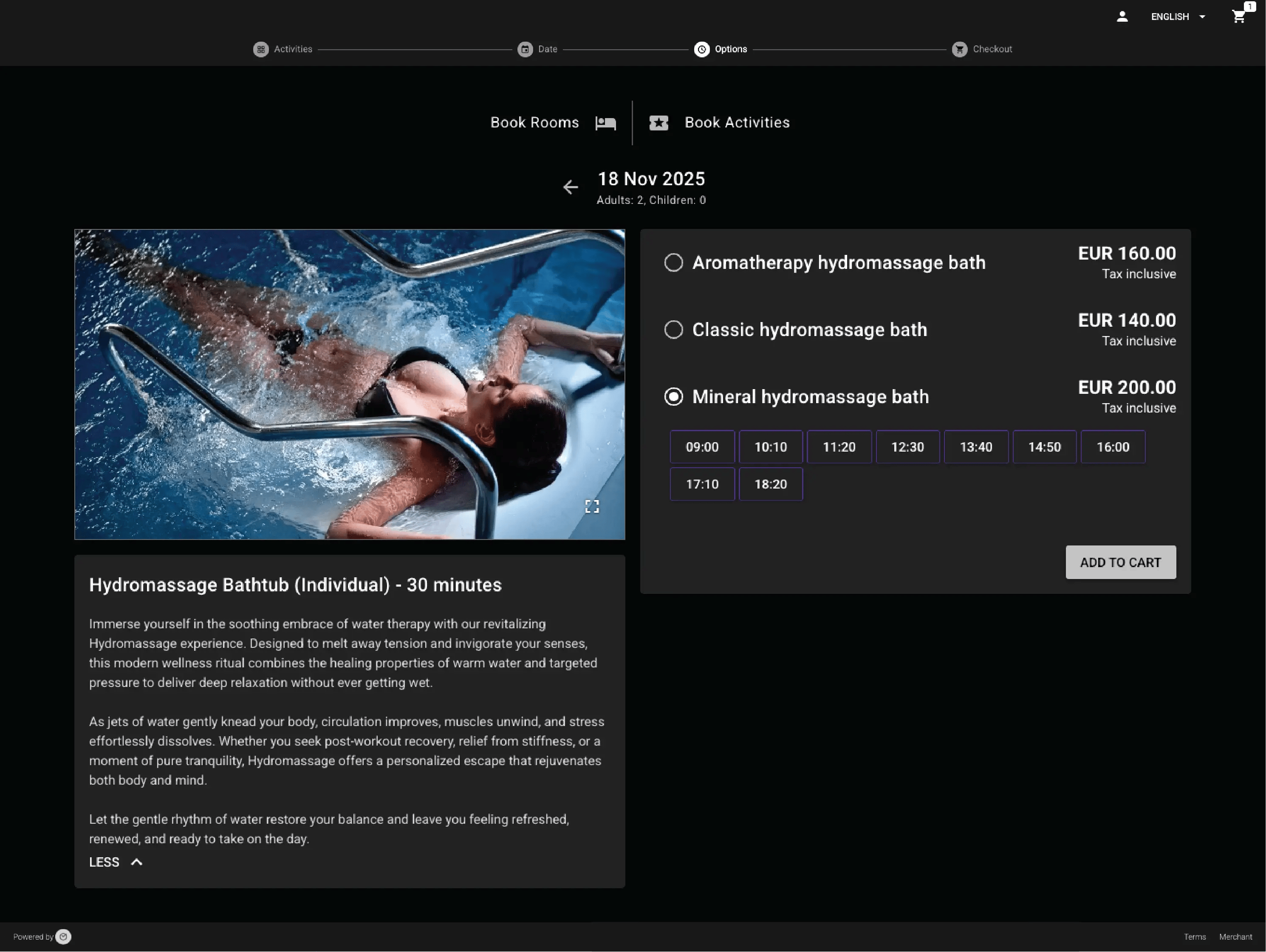
                Sell stays and extras together through your website

                Rooms, add-on services and activities can be offered in a single booking flow via your direct booking engine, with prices and availability managed centrally.
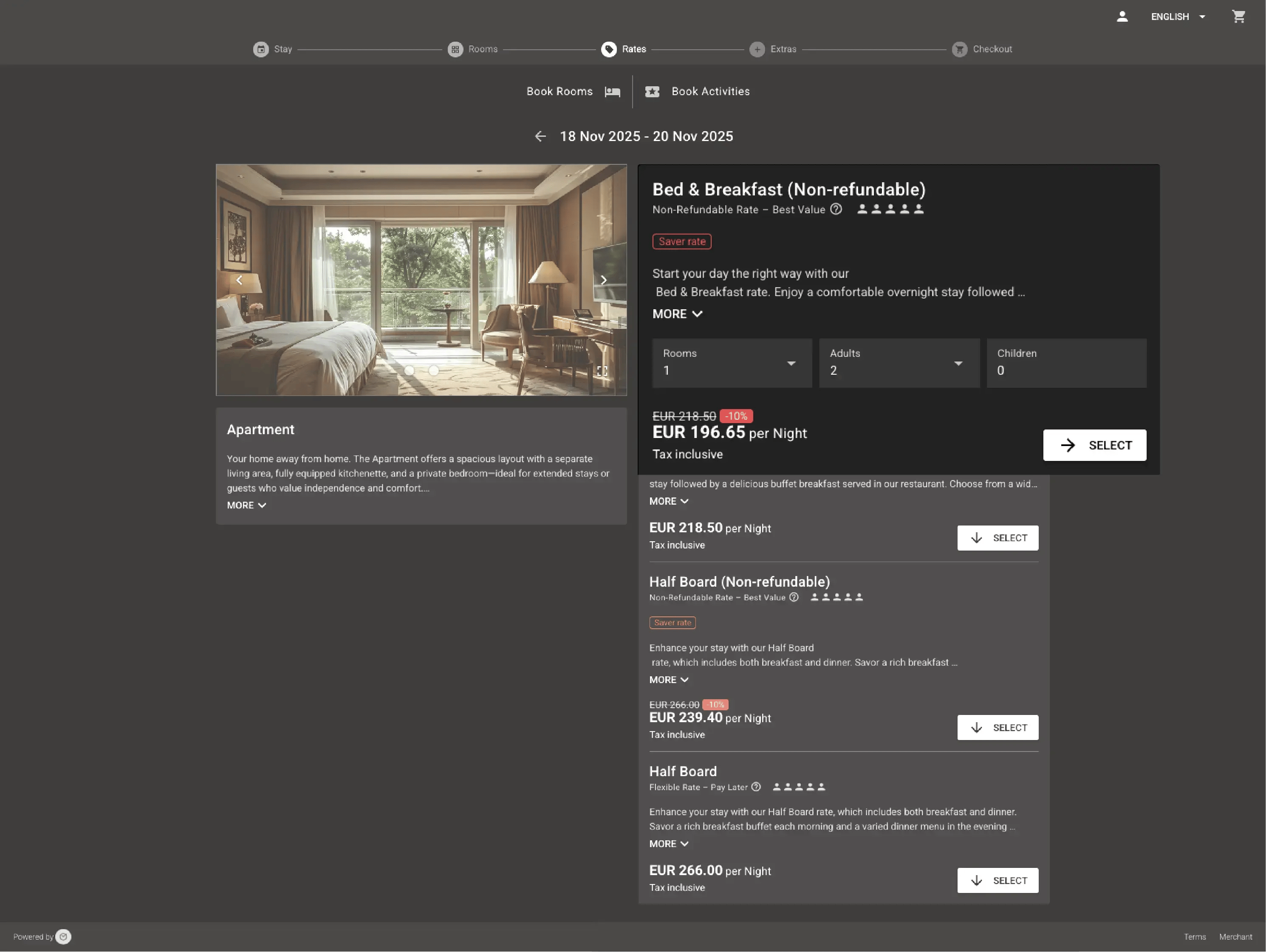
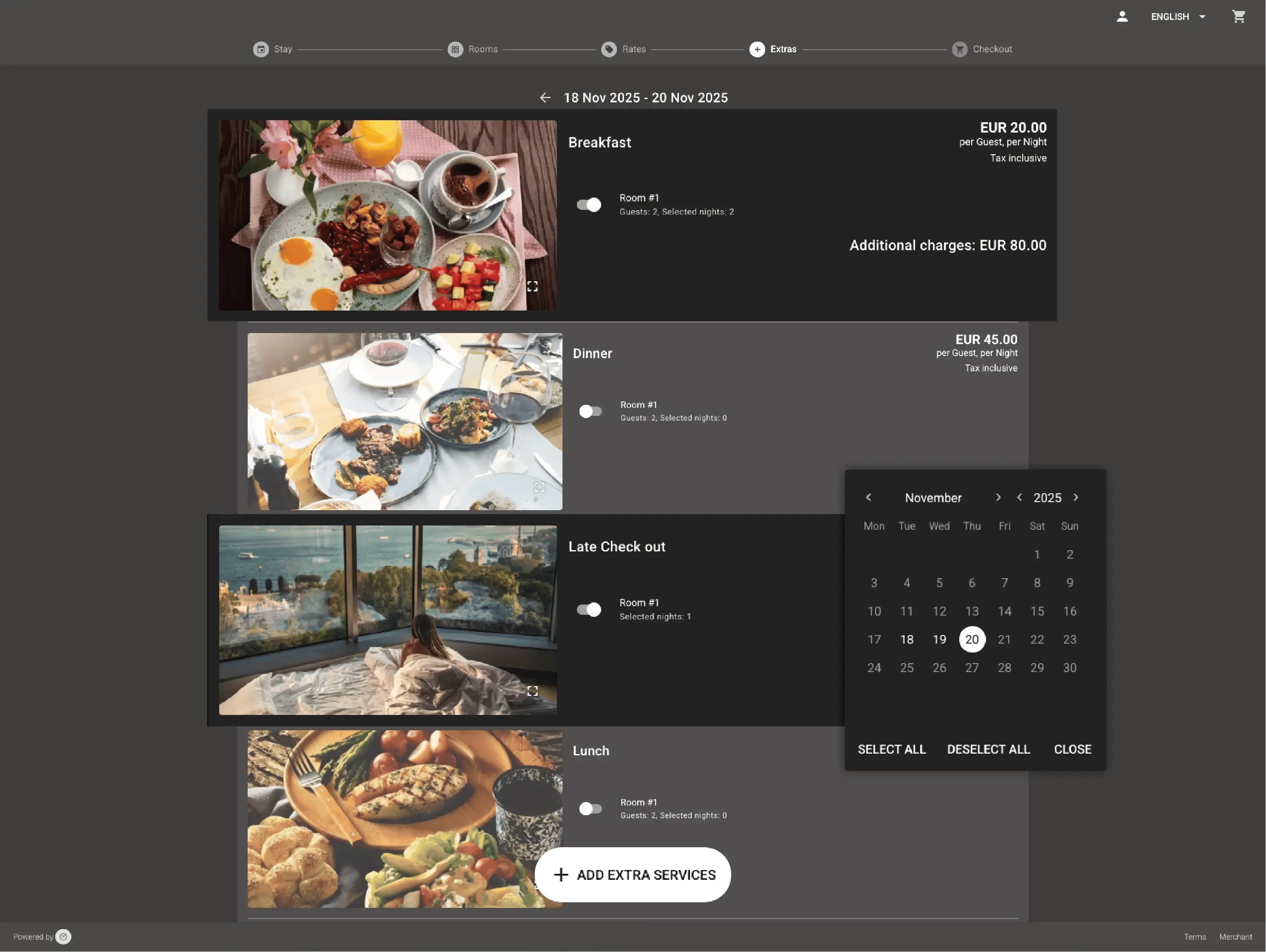
                Example:
                A guest books a stay and adds breakfast or parking during the same online reservation.
                • Sell stays and extras together through your website (1)
                • Sell stays and extras together through your website (2)
                • Sell stays and extras together through your website (3)
                  Around the world

                  Reservations, rooms, guests, payments, housekeeping, messages — there’s a lot to keep straight. Clock gives hotels one clear place to stay on top of it all.

                  In their words

                  How do customers feel after switching to Clock?

                  We asked our customers: What changed for the better since you switched to Clock? Here’s some of what they said…

                  Use the previous and next buttons or the left and right arrow keys to move through reviews.

                  Slider position

                  1. We chose Clock because of the tool's flexibility, its ability to integrate with our entire IT ecosystem, and also for its multi-property management, which is really the strong point for us.
                    Marine Bossanne Project Manager Operations and Quality at Elegancia
                  2. The strength of Clock is that it brings everything together in one system. What we previously had to accomplish using multiple tools, we can now do with a single solution.
                    Ruggero Carpino Head of Customer Service & Training at Algilà Ortigia Charme Hotel, Syracuse
                  3. It was very important for us to look at the stability and the future proofness of the system. And Clock is a company that has the knowledge and the expertise.
                    Steff de Groot Owner & General Manager, WICC Hotel & Congress Centre
                  4. Faster processes, faster training, more time for staff, to focus on the guests, and tasks that used to be done manually are now automated.
                    Carsten Werblow Head of Operations Gambino Group
                  5. Better price management, a comprehensive system API, and a dynamic company that continually develops the software.
                    Marco Coppola Owner & Chief Navigator Officer, The YellowSquare
                  6. By automating routine processes with Clock, we were able to completely restructure how our staff spends their time. Now, the efforts are focused on more meaningful and more profitable activities.
                    Lyubomir Stamboliyski Commercial Director of St. Constantine & Helena Holding
                  7. Technologies are advancing, and it's normal to move our data to the cloud. I was firmly convinced that this is the right path, and I think we made the right decision.
                    Elena Ivanova Founder & Owner, Hi Hotels Group

                  Think Clock might fit your hotel?

                  Use this module for shared intro content patterns that need eyebrow, heading, supporting copy, and a compact CTA area.

                  “Easy to use” “Fast, intuitive, and reliable” “Saves a lot of time” “New staff learn it quickly” “Accessible from any device” “Less manual work” “Fewer booking mistakes” “Responsive and helpful support”