Event management

Make selling and running events feel easy

Manage event details, bookings, tasks, and changes in one workflow, so nothing gets lost between teams. Meeting room setups, spaces, activities, services, accommodation, and billing stay aligned as the event changes, and everyone knows what comes next.

See how events actually work

See how events actually work

What you can do with events

Find availability for everything in one place

Find availability for everything in one place

See live availability for all event essentials — meeting rooms, restaurants, venues, hotel rooms, rental equipment, — together on one screen. No switching tabs or juggling tools.
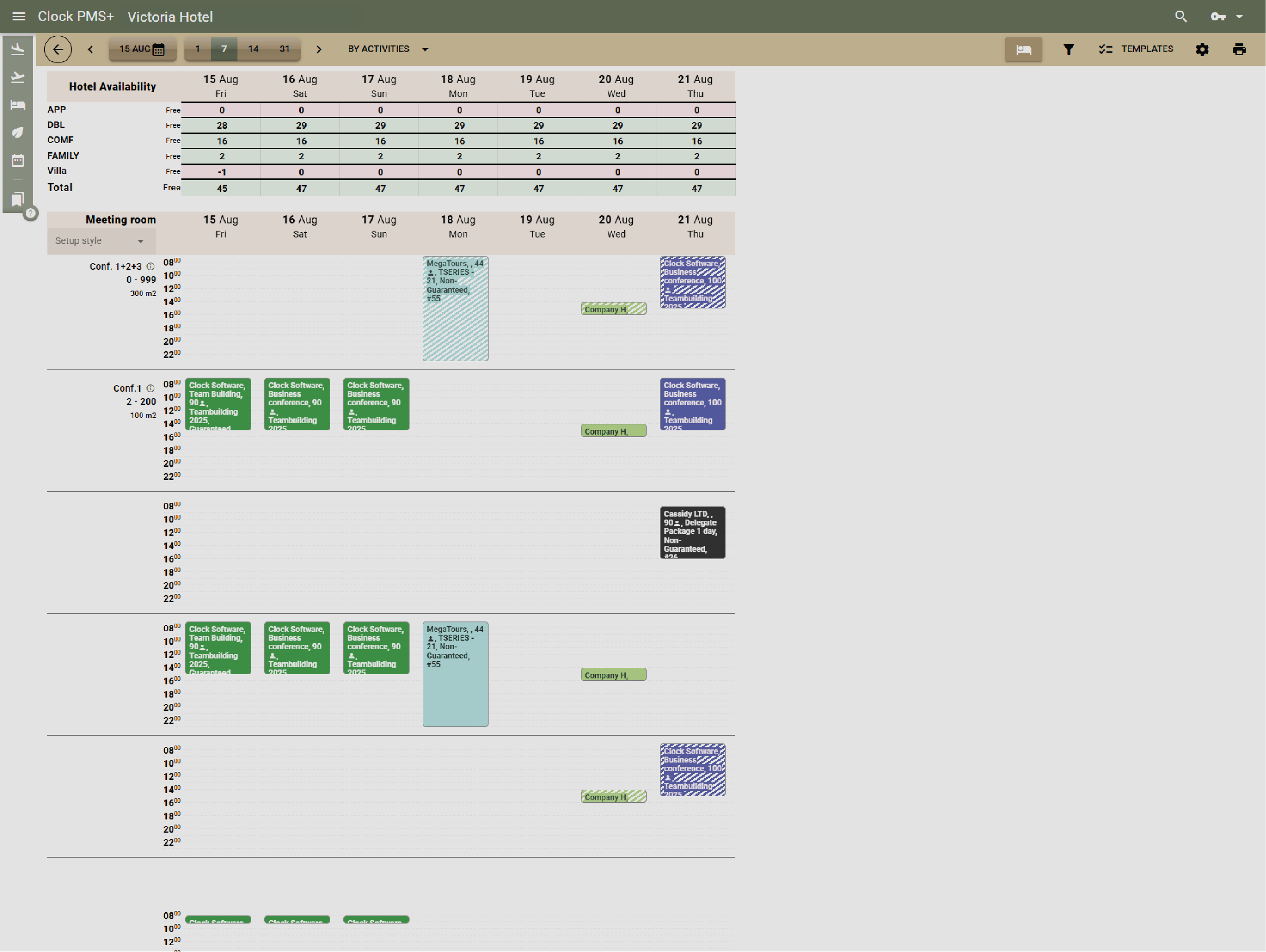
Example:
A coordinator plans a corporate retreat and, in minutes, books the meeting room, evening restaurant slot, guest rooms — all in one view.
See every event in one complete view

See every event in one complete view

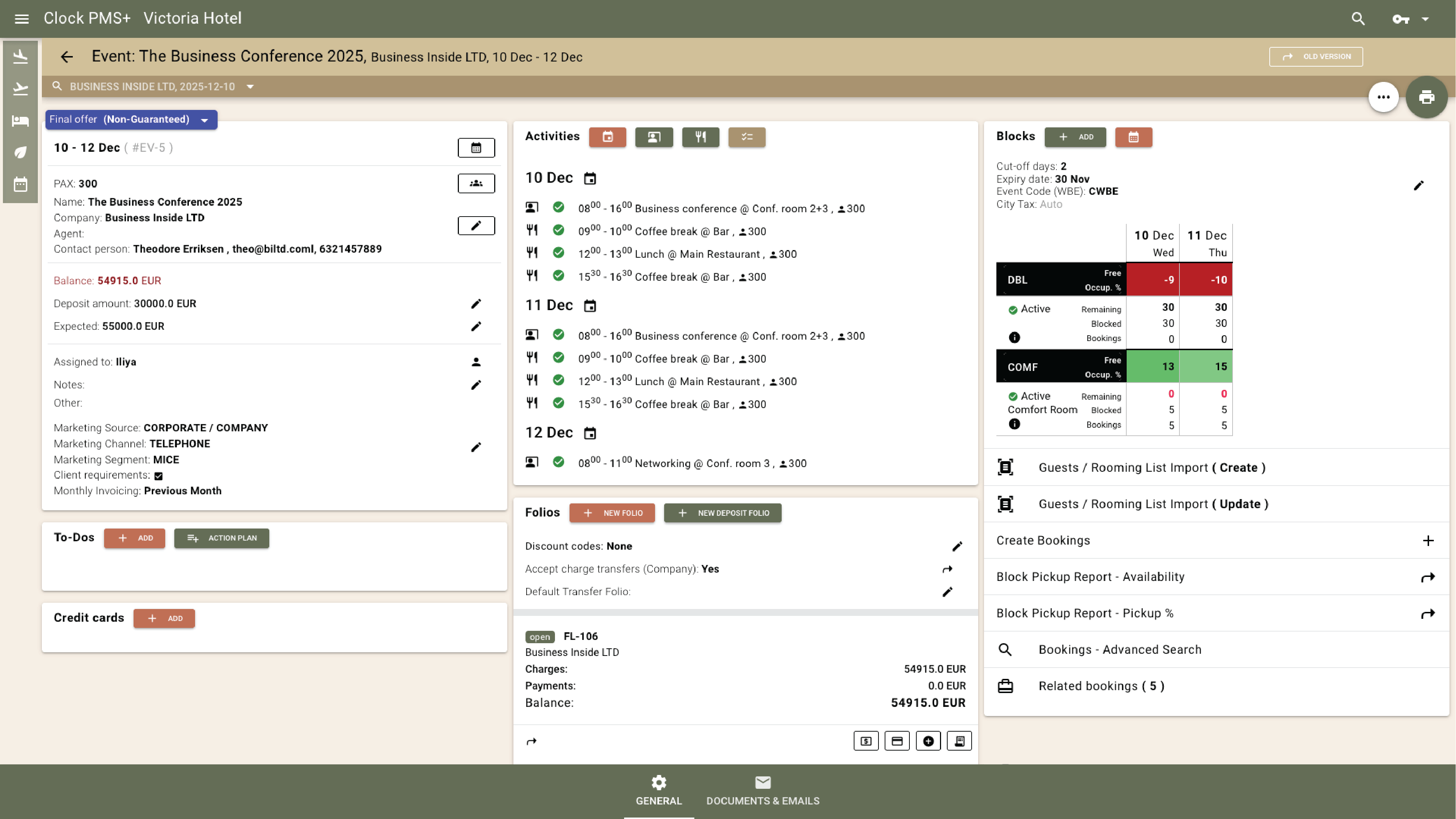
Each event has one record showing spaces, bookings, folios, charges, deposits, and To-dos — all live and linked.
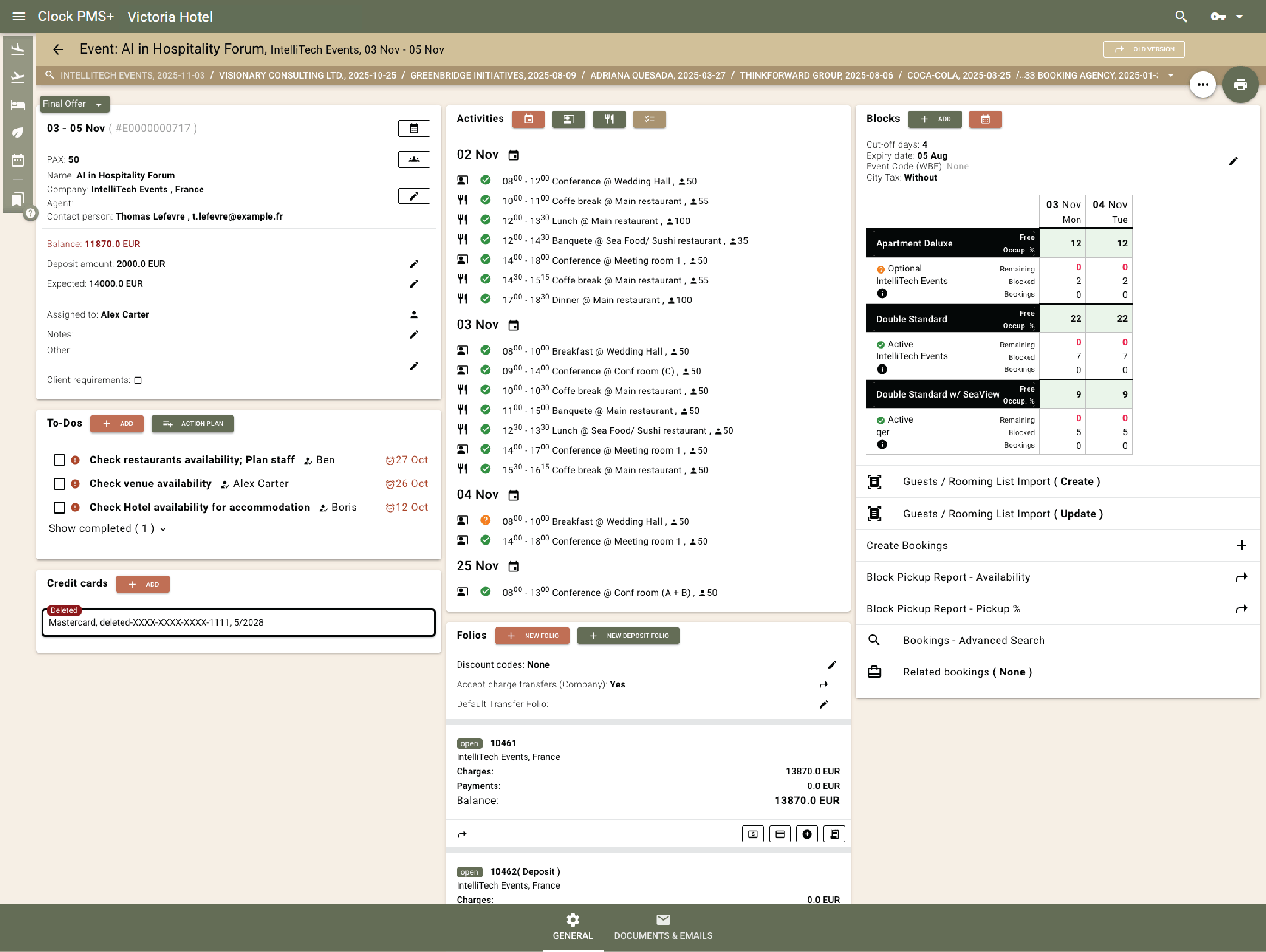
Example:
The planner opens a wedding record and sees room pickups, catering charges, and pending tasks, all connected in one place.
Plan setups and layouts with confidence

Plan setups and layouts with confidence

Choose from layouts like U-shape, classroom, theatre, or banquet. Clock shows capacities and auto-selects the best match.
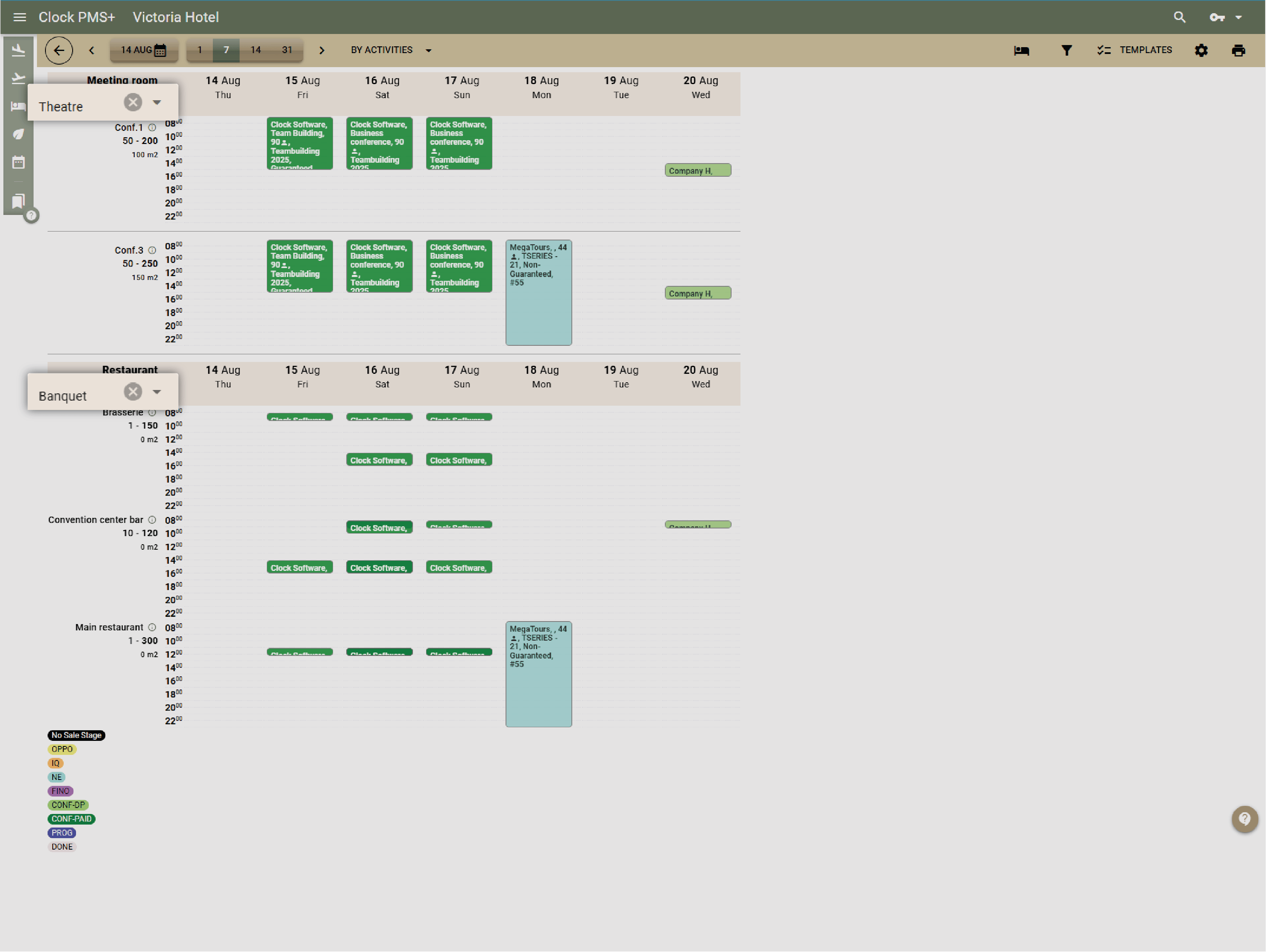
Example:
A 60-person workshop fits in Room A in theatre style; tomorrow it switches to U-shape for 40 — function sheets update instantly.
Manage modular and shared venues

Manage modular and shared venues

Combine or split composite rooms with ease. Shared spaces like restaurants track capacity and prevent overbooking.
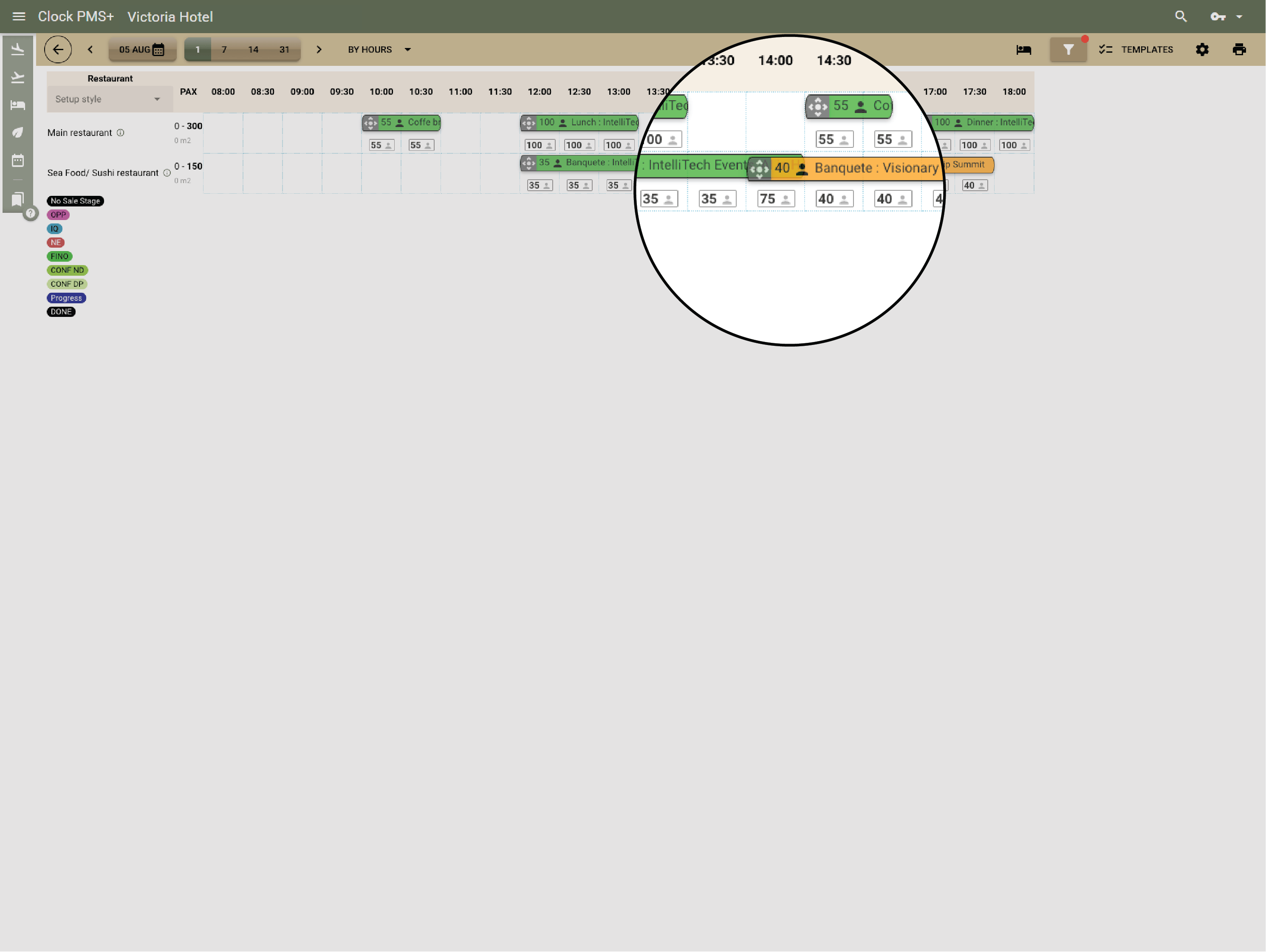
Example:
Today the whole ballroom hosts a big event for 300 people. Tomorrow, it is split to 3 smaller rooms — Clock keeps both bookings conflict-free.
Start faster with event templates

Start faster with event templates

Reuse pre-set templates for conferences, weddings, or dinners — including layouts, menus, and pricing.
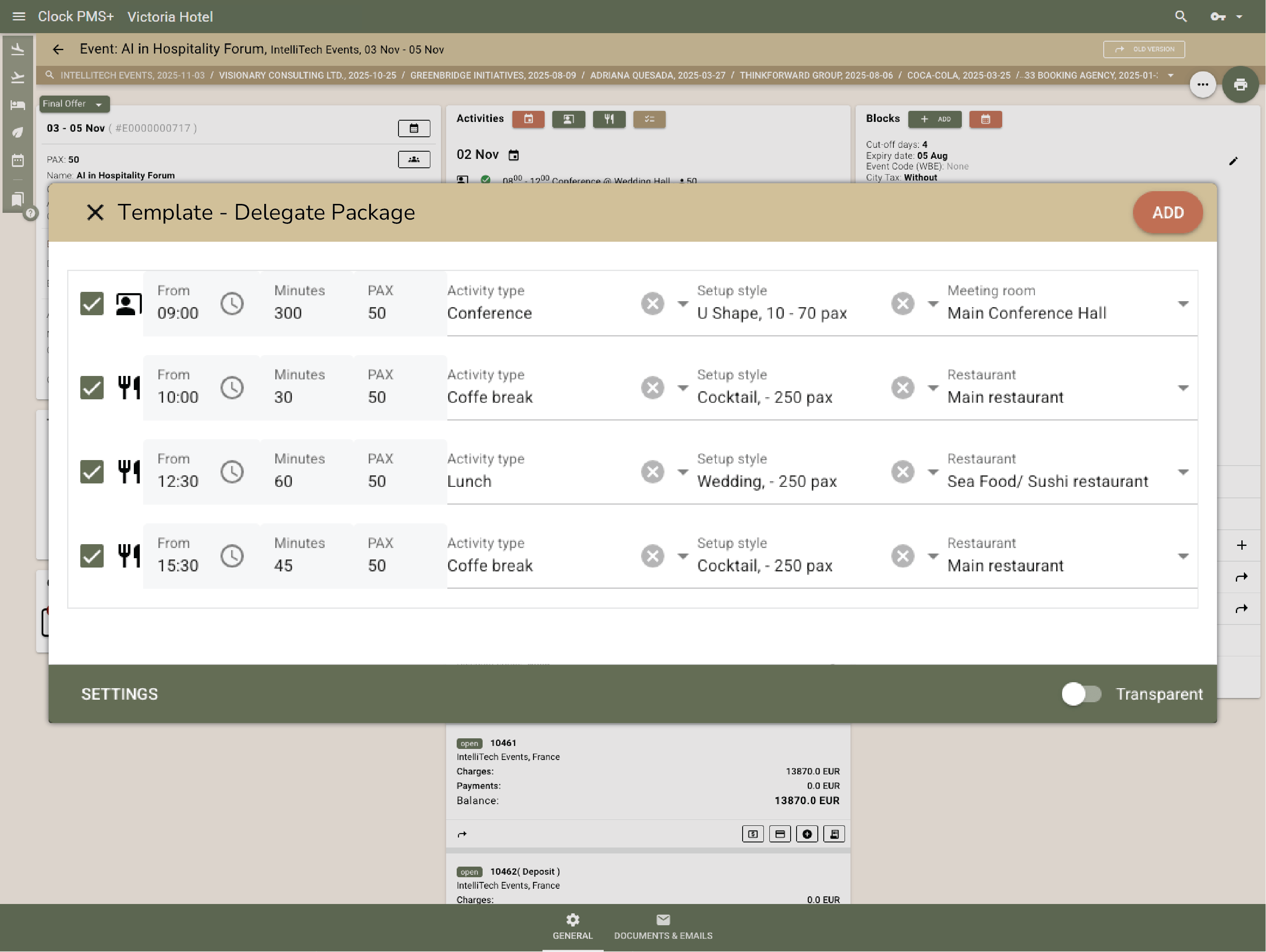
Example:
Selecting the “Conference Attendee Package” adds the hall, catering, audio-video equipment rental, and deposit plan in seconds.
Track your sales pipeline

Track your sales pipeline

Switch between list and visual views to see all enquiries, quotes, and confirmed events. Each deal card shows value, date, and stage.
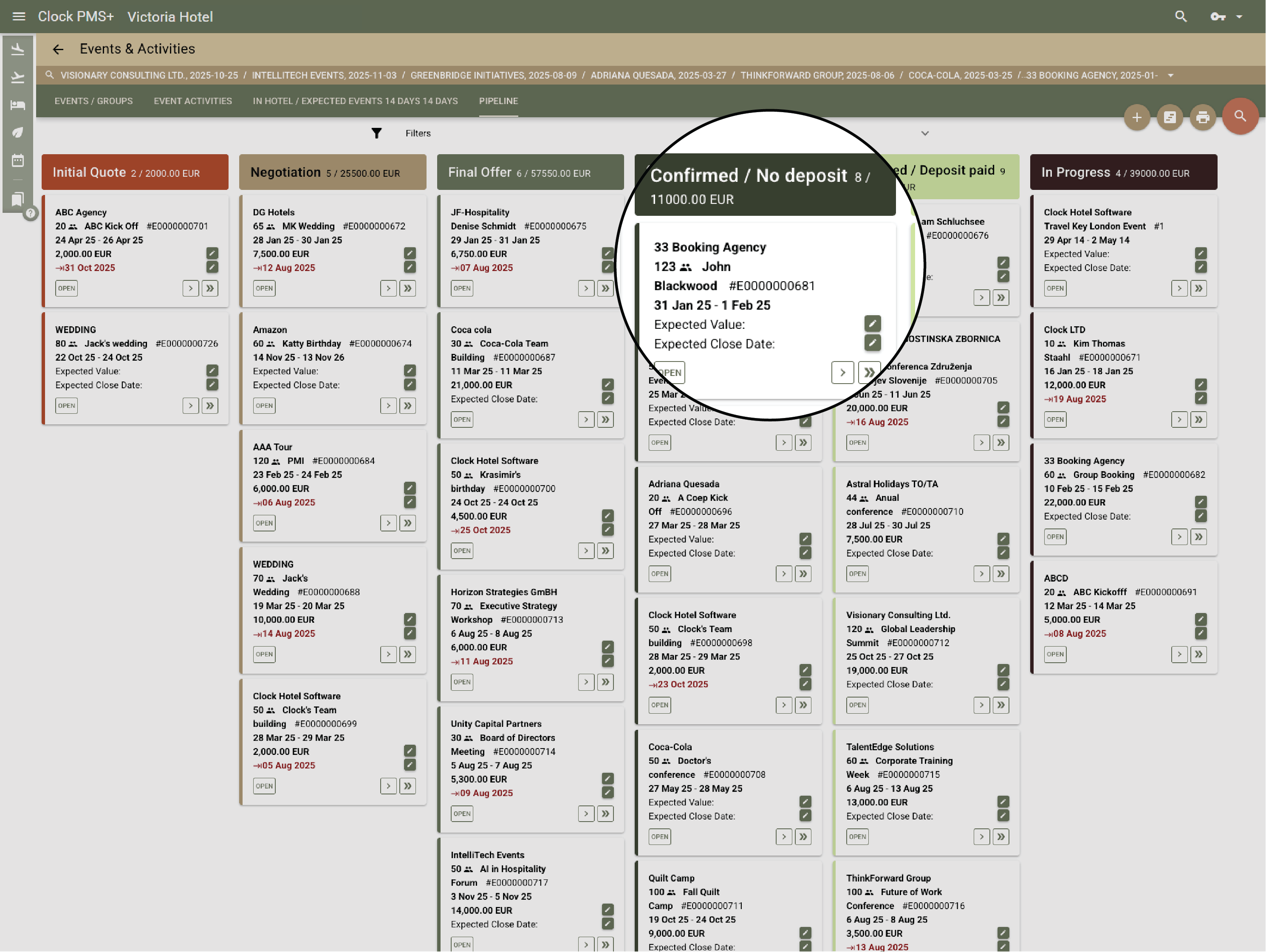
Example:
The sales manager reviews the pipeline, spots two high-value corporate leads, and assigns follow-ups instantly.
Respond fast with on-brand documents

Respond fast with on-brand documents

Send quick, branded responses straight from Clock. Share brochures, venue details, or sample menus without searching or attaching files.
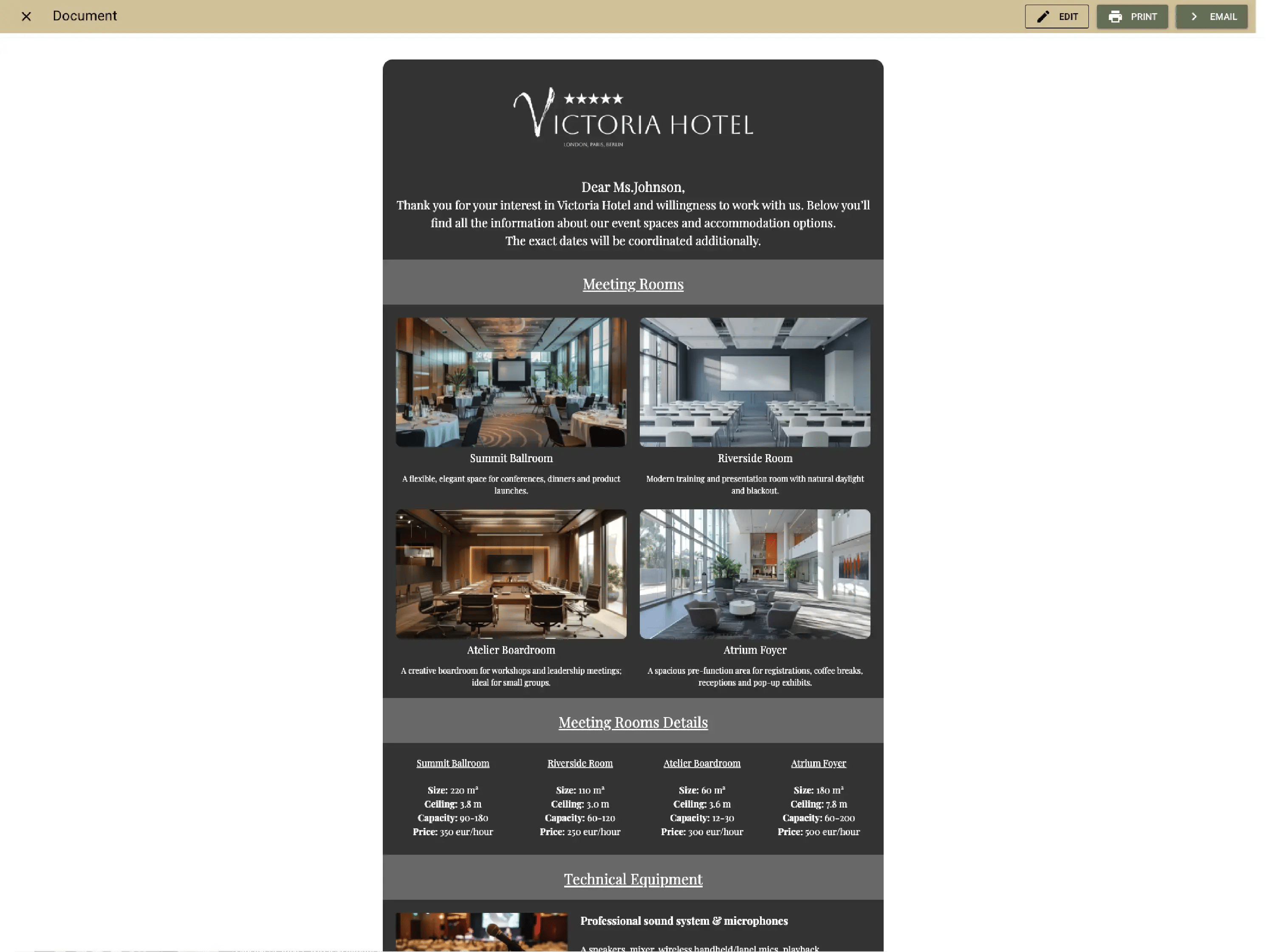
Example:
A new enquiry arrives — the team sends a pre-made, branded brochure with room capacities and menus in seconds.
Create and update proposals easily

Create and update proposals easily

Generate and update branded proposals or BEOs in minutes using saved on brand templates. Updates apply live for every department.
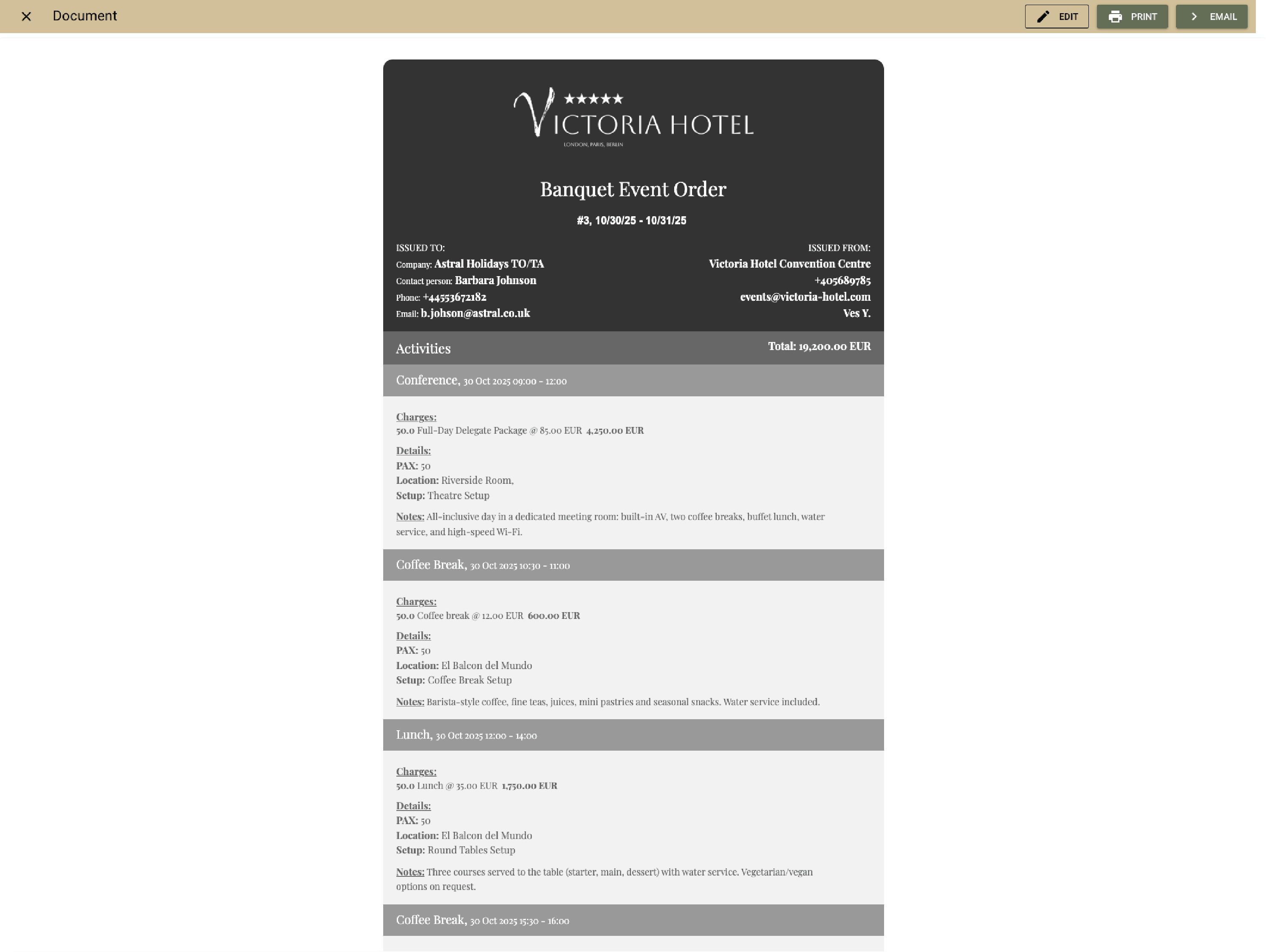
Example:
The organiser asks to change timing — the new BEO is ready and shared instantly, no rework when the time is updated.
Keep every message in one place

Keep every message in one place

Emails and attachments link automatically to their event record, creating a full conversation history.

Example:
The organiser sends updated seating — the email and file attach to the event, visible to sales and F&B immediately.
Confirm and collect deposits instantly

Confirm and collect deposits instantly

Let organisers sign and pay online through the Event Confirmation App. Clock marks the event “Guaranteed” and posts payments automatically.
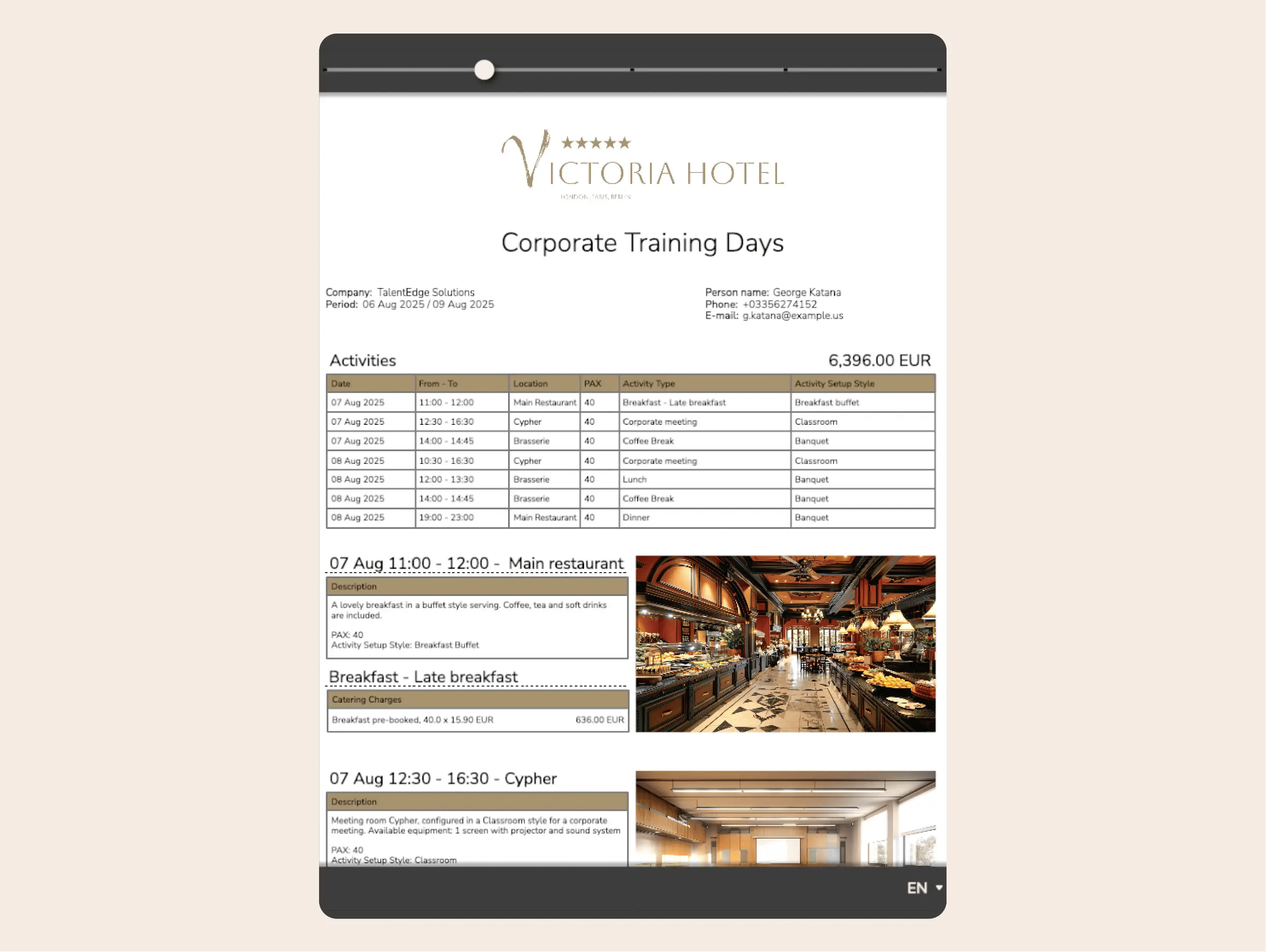
Example:
The client signs on mobile, pays instantly, and every team is notified — no chasing signatures or deposits.
Stay aligned with function sheets

Stay aligned with function sheets

Function sheets update live with every change — menus, timings, or setups. Every department sees the same version.
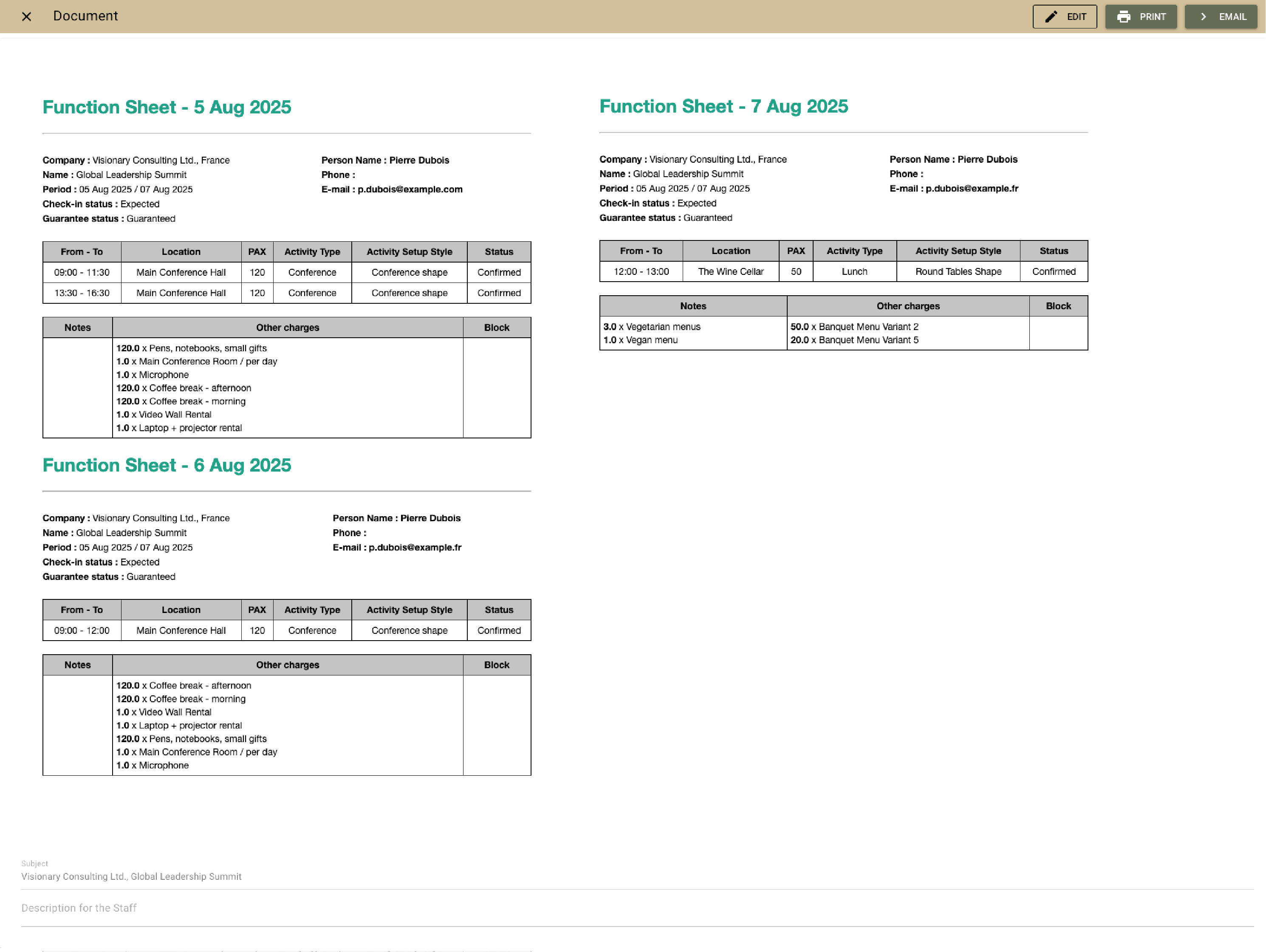
Example:
The events team adjusts the catering timing, and the front desk and service see it instantly—no reprints or confusion.

Coordinate with To-dos and action plans

You can add To-dos and action plans to every event— a few automated tasks triggered before or after the event. They keep prep and follow-up perfectly timed.
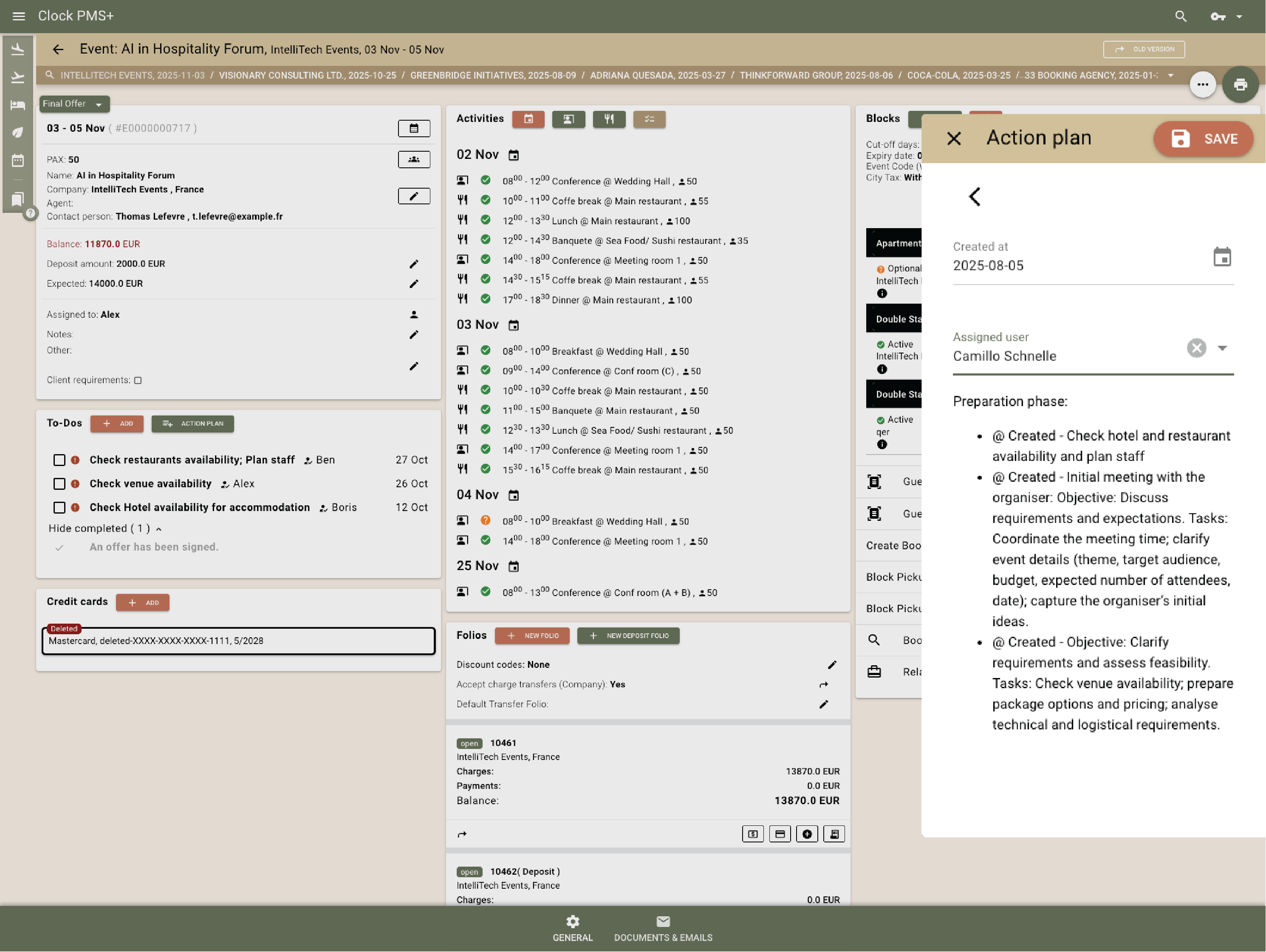
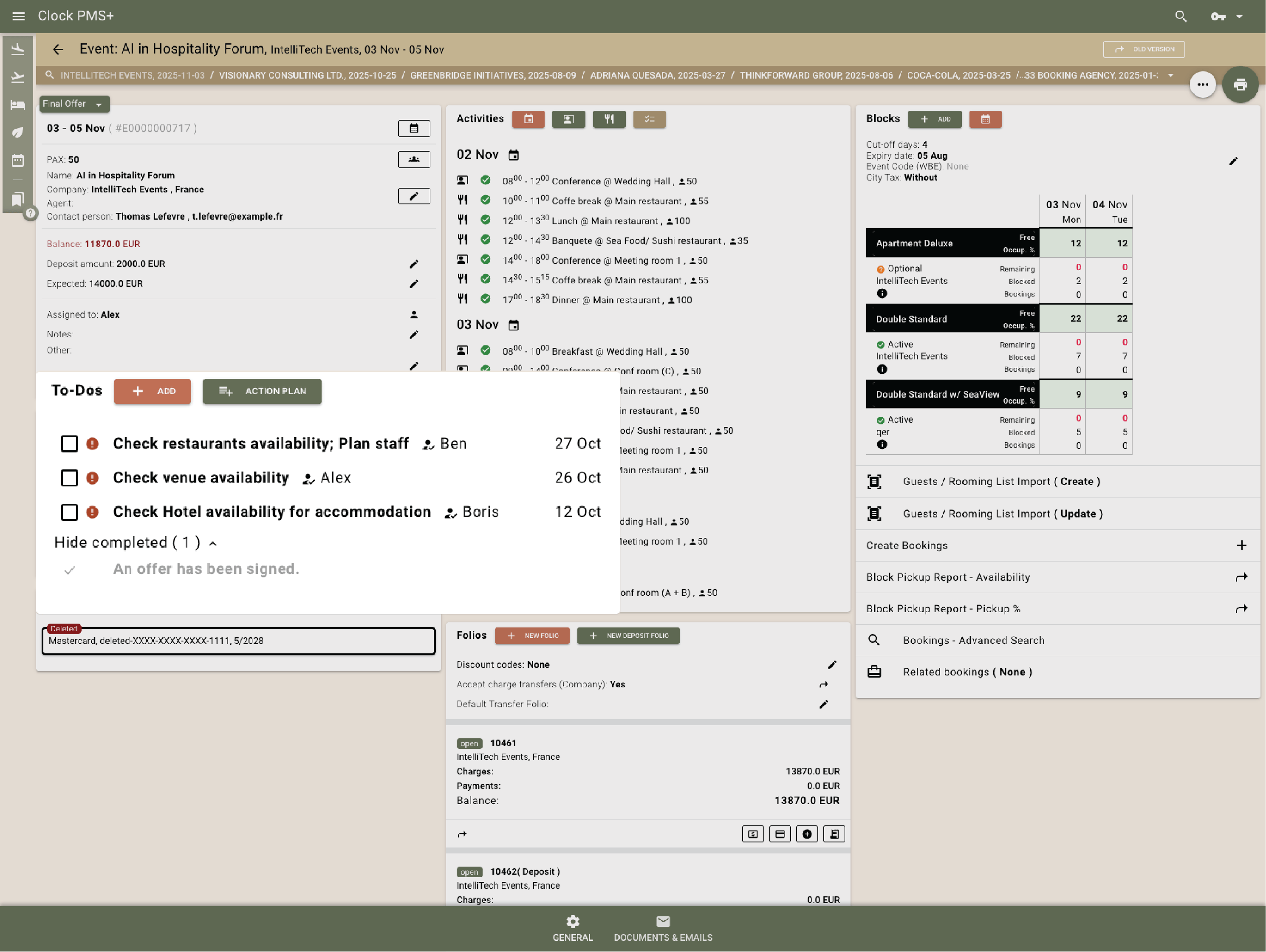
Example:
Two weeks before the event, the system is set to automatically create a To-Do reminding the events team to request the final attendee list from the client.
Manage room blocks easily

Manage room blocks easily

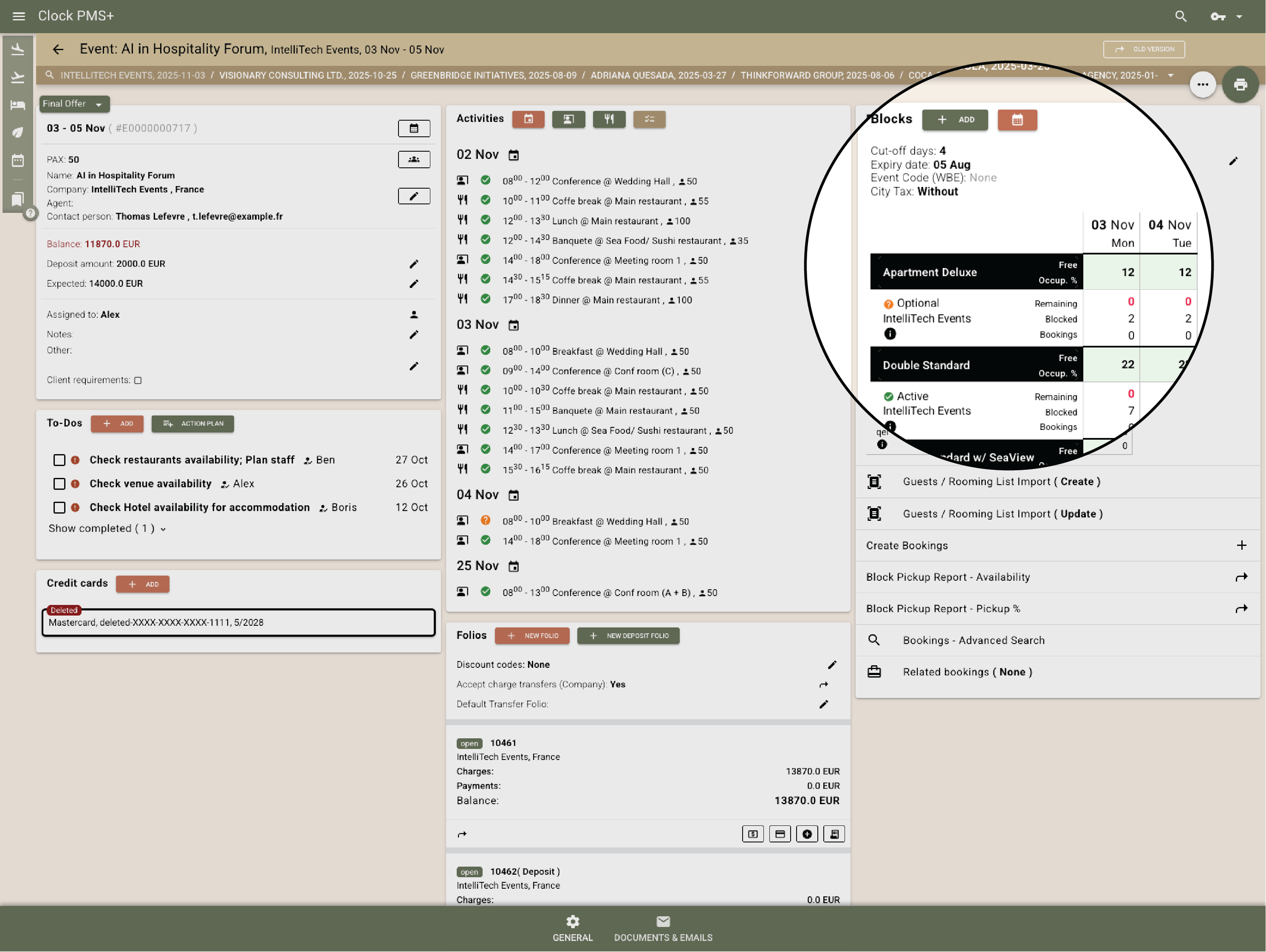
Create blocks with pickup tracking, release dates, and booking codes. Guests book directly and updates reflect instantly.
Example:
A 100-person conference block releases unused rooms three days before arrival — no manual edits needed.
Route charges automatically

Route charges automatically

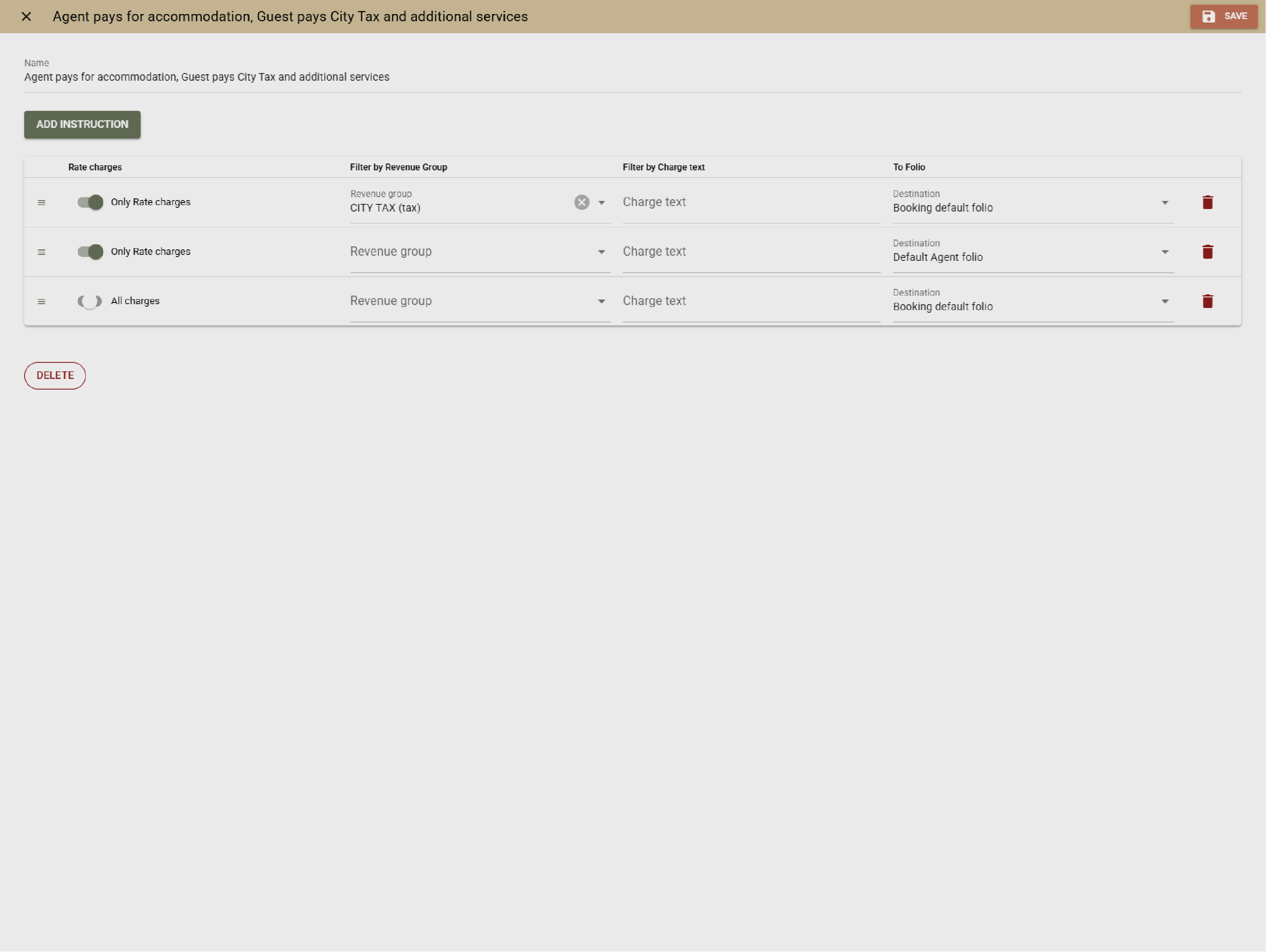
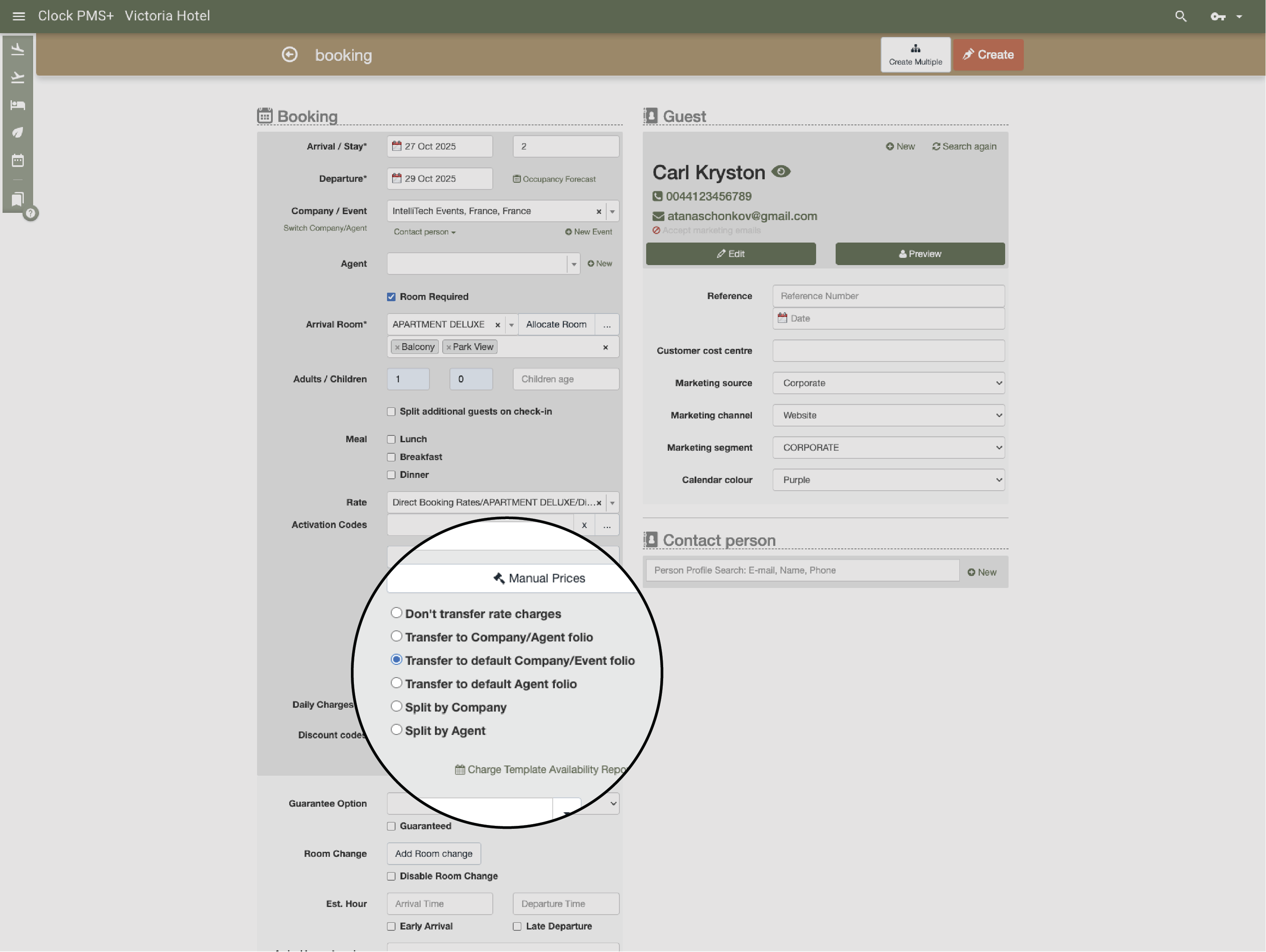
Catering, venue, and extras route to the right folio — organiser, company, or guest — automatically, based on rules. (coming soon)

Example:
All meeting room and coffee break expenses are charged to the organizer. Accommodation fees are likewise billed to the organizer, whereas city taxes are to be settled directly by the guests.
Invoice and settle without stress

Invoice and settle without stress

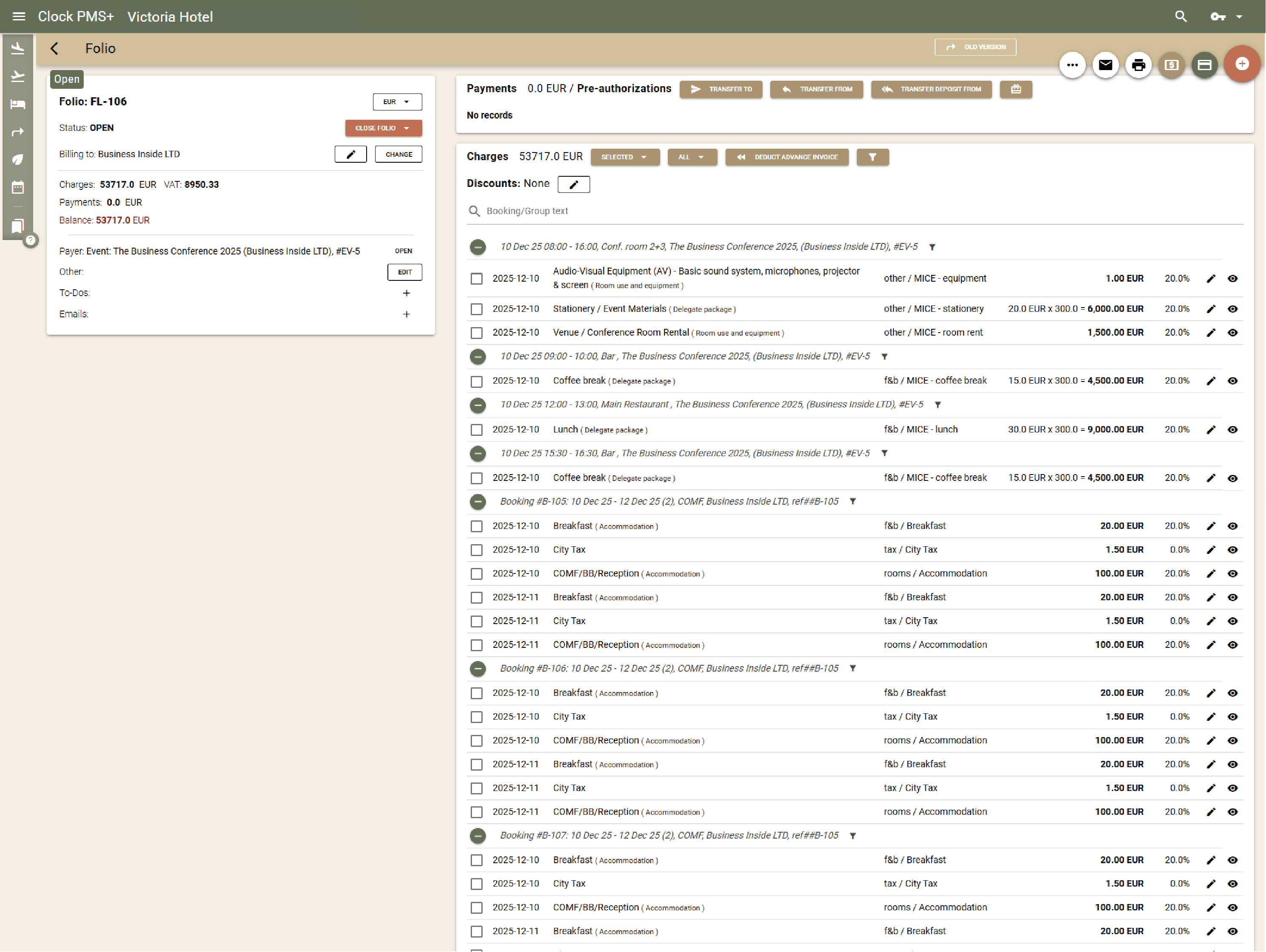
Send one invoice or split by service type. Deposits, corrections, and payments sync automatically with audit-safe logs.
Example:
After a multi-day event, Clock issues the organiser invoice, handles adjustments, and posts payments instantly.
See performance clearly

See performance clearly

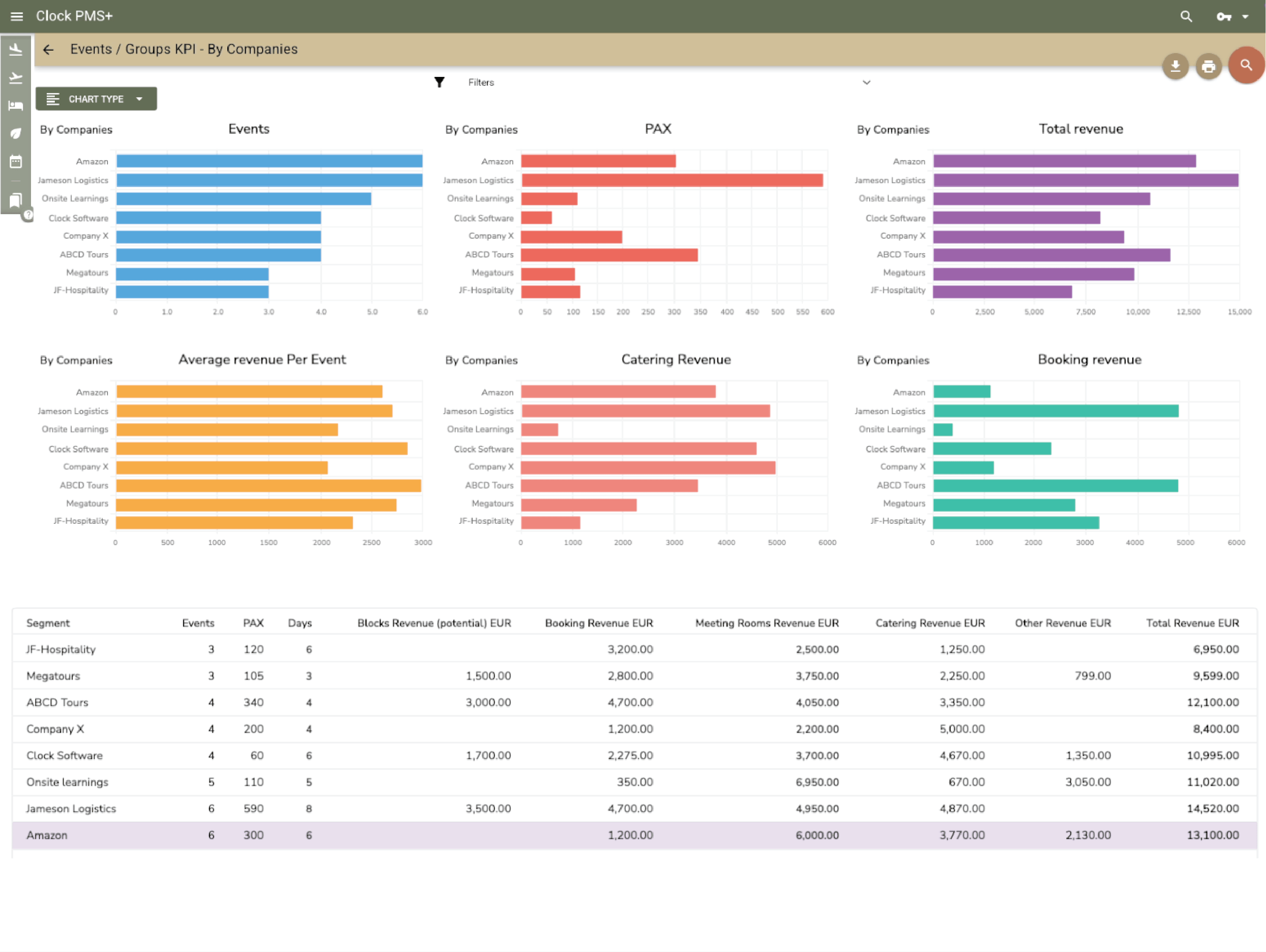
Use dashboards to track sales, occupancy, and space utilisation. Reports reveal your most profitable event types and clients.
Example:
Data shows weddings bring 30% higher spend per guest than corporate events — marketing focus adjusted accordingly.

+50% event revenue!

5 hours saved daily!

Out of numbers

Have questions?

Just ask