





Wellness and activity retreats

Rooms and bookable activities in one system

Clock is a hotel PMS for wellness hotels and activity retreats that run bookable sessions alongside accommodation — typically 10–100 rooms, with daily classes, treatments, tours, time slots, or rentals that have limited capacity and a fixed start time. It covers rooms and day-to-day hotel operations, and it also lets you schedule, price, sell, and manage those sessions in the same system — for overnight guests and day visitors

Examples of activities you can run in Clock

A few common setups:

  • Yoga, Pilates, breathwork, meditation classes
  • Spa and wellness sessions with fixed time slots (massages, facials, sauna slots)
  • Fitness coaching sessions (for example on-the-hour consultations)
  • Tastings and workshops (wine tasting, cooking class)
  • Guided outdoor activities (hikes, bike tours)
  • Water activities (kayak, boat trips)
  • Equipment rentals with time slots (bikes, SUVs)
  • Kids activities with an animator
  • Transfers (airport shuttle, local transfers)

Bookable activities and wellness services

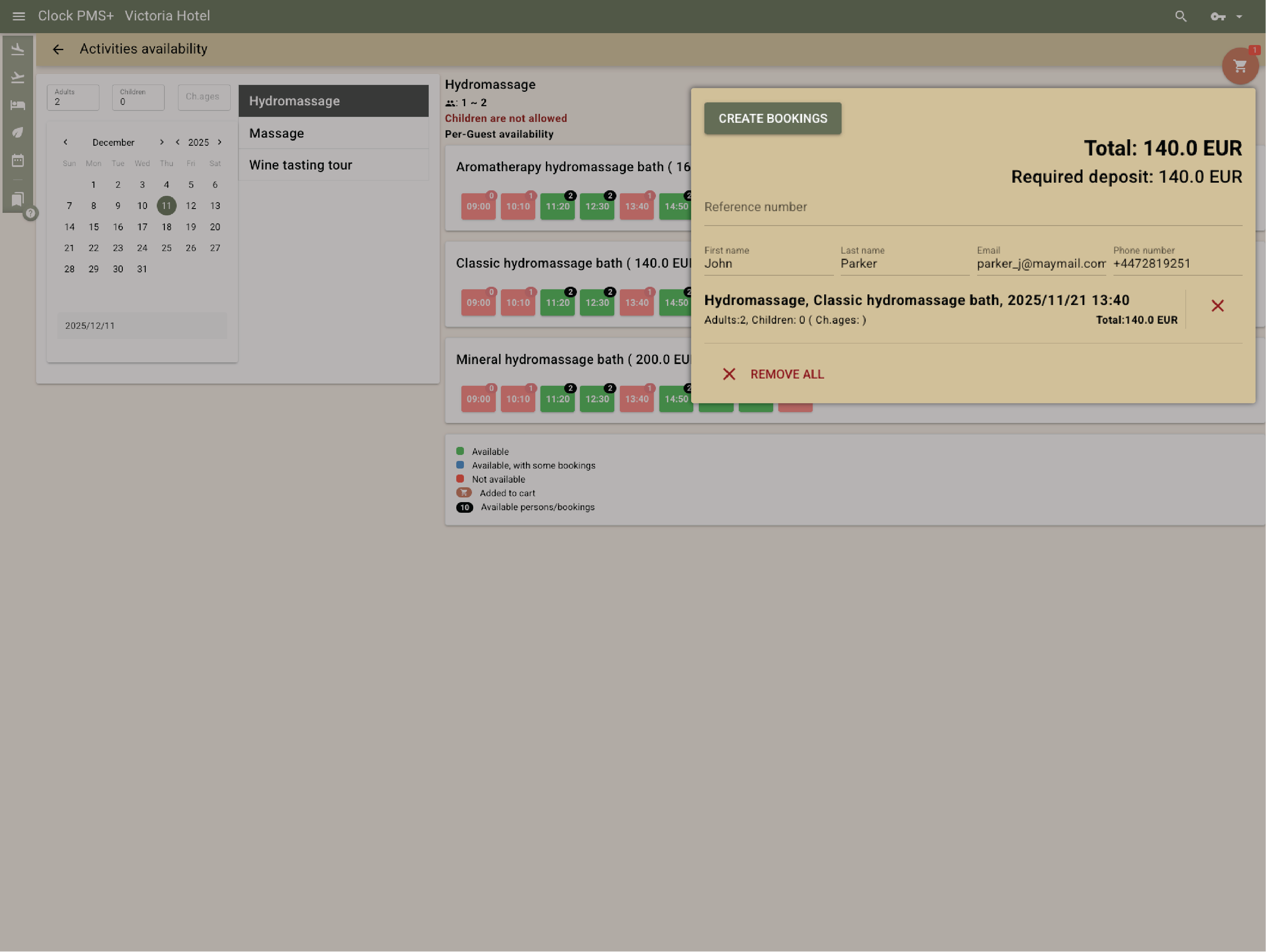
Sell activities with capacity and time slots

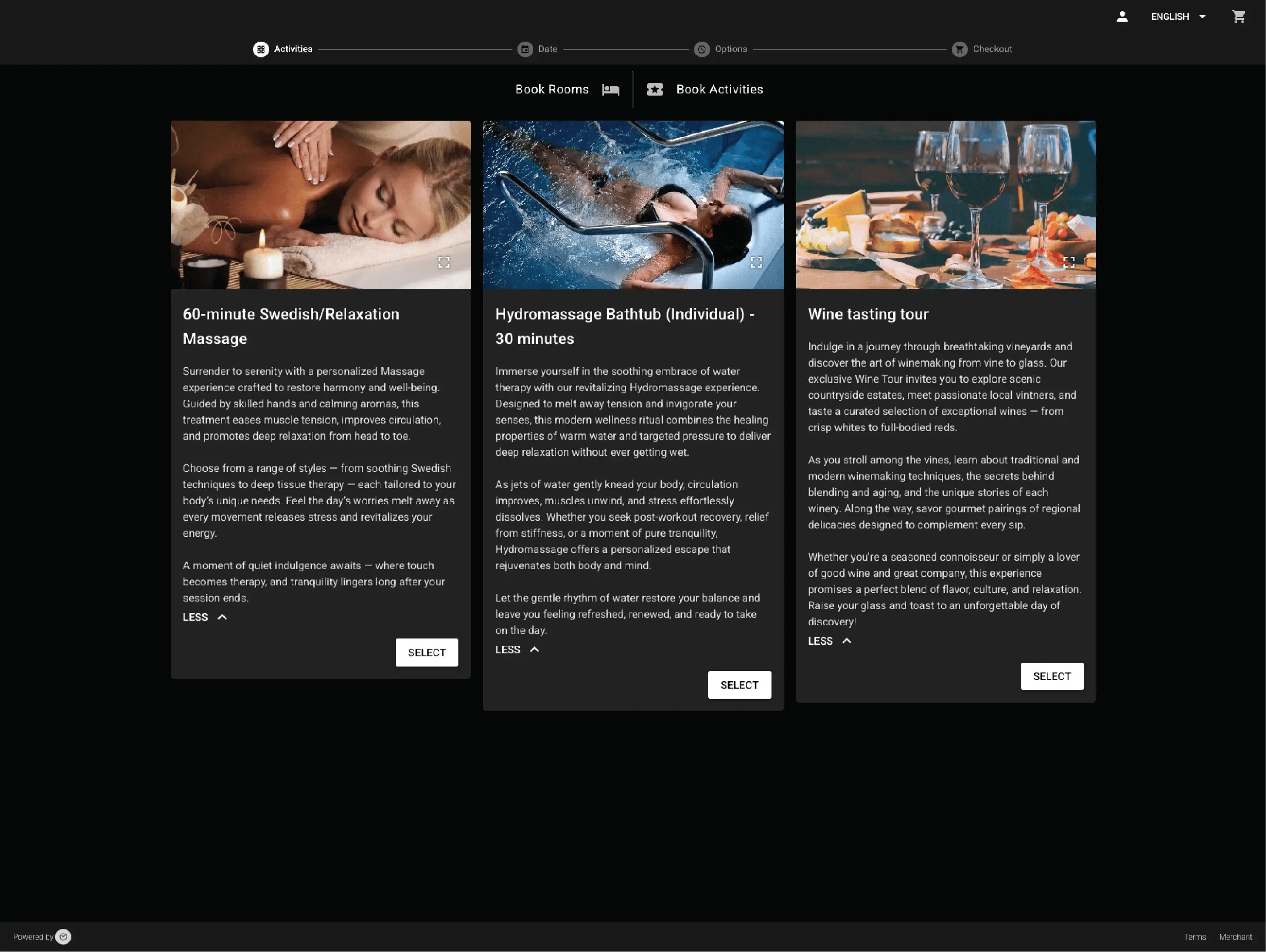
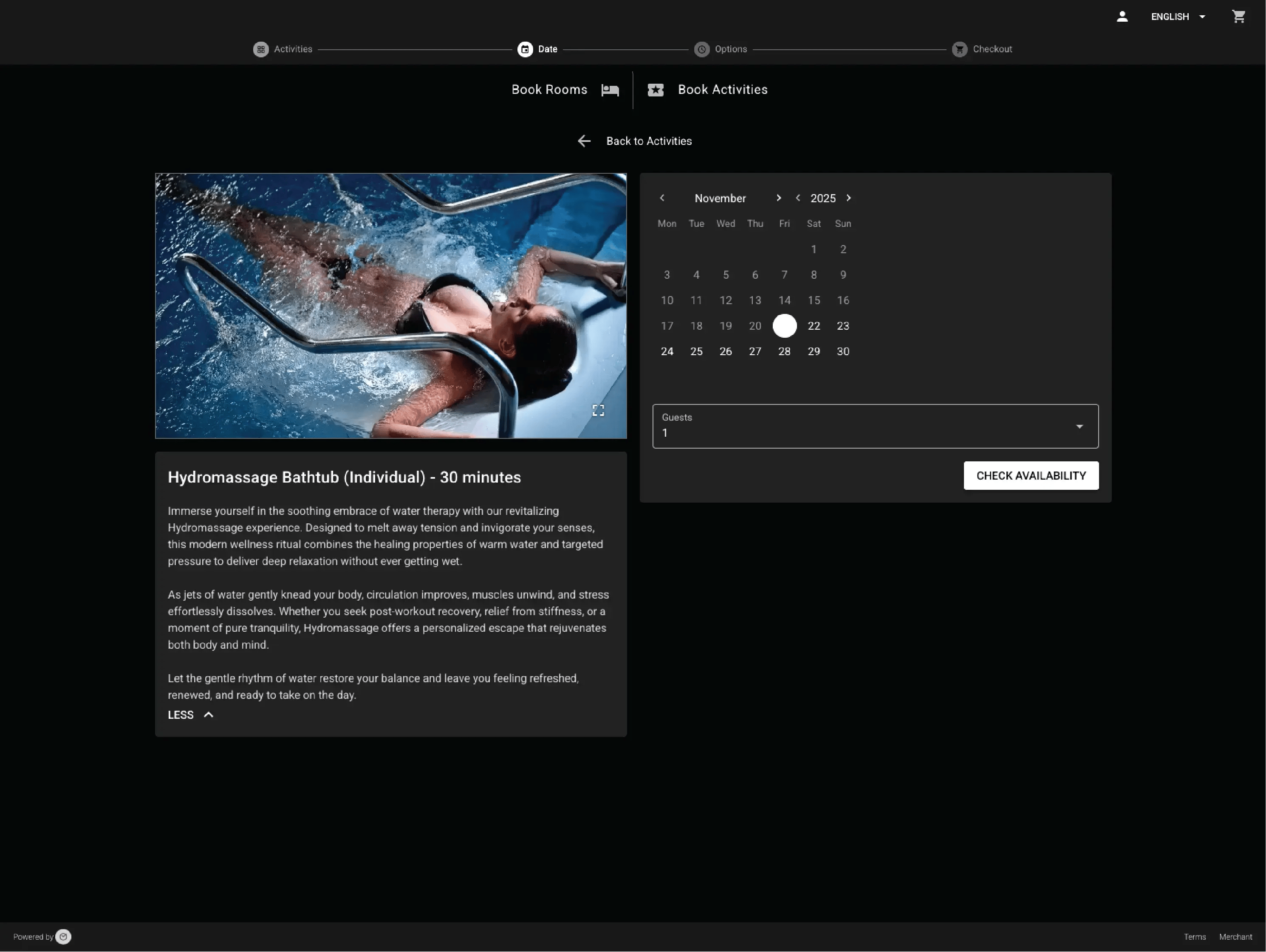
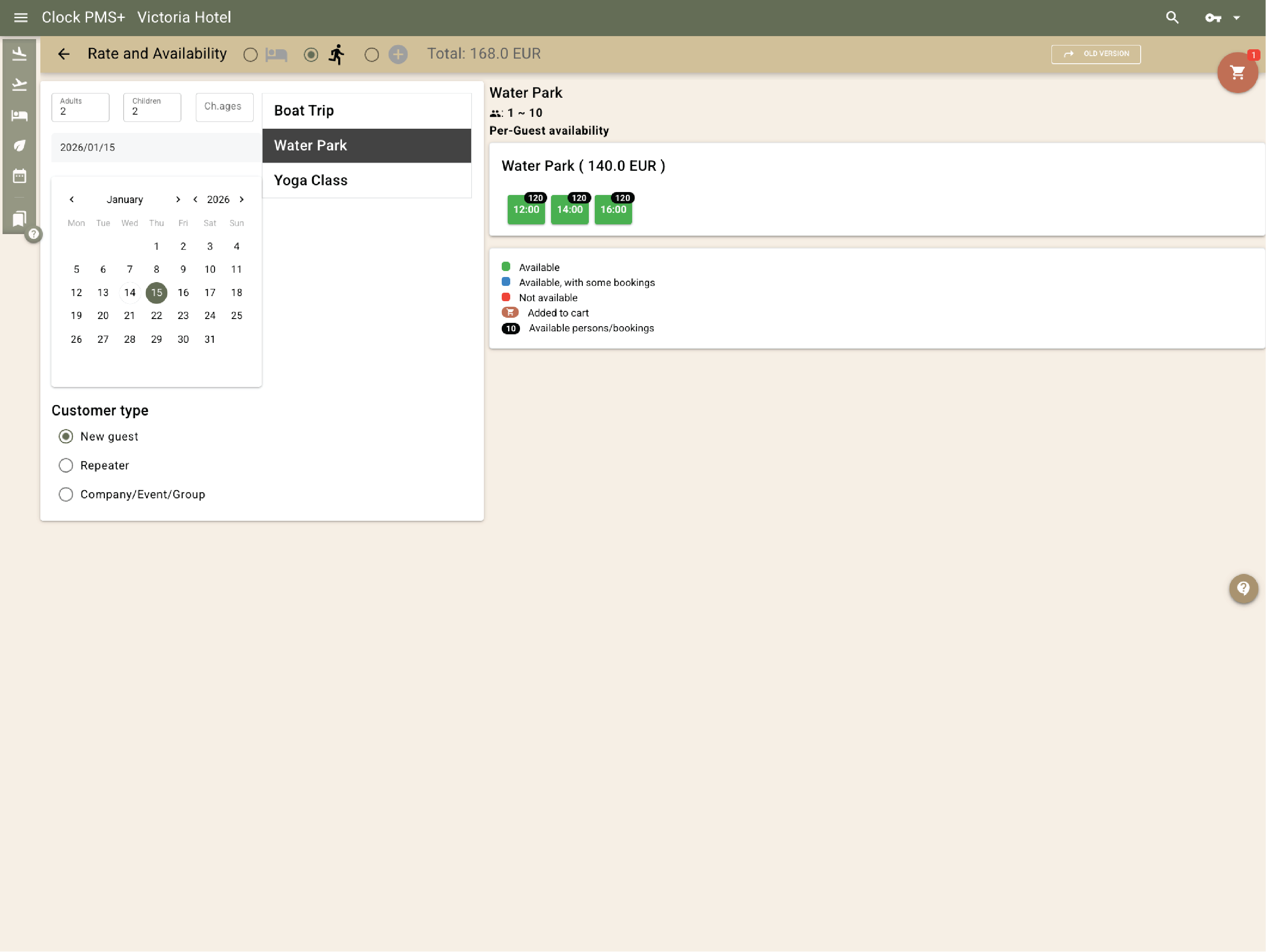
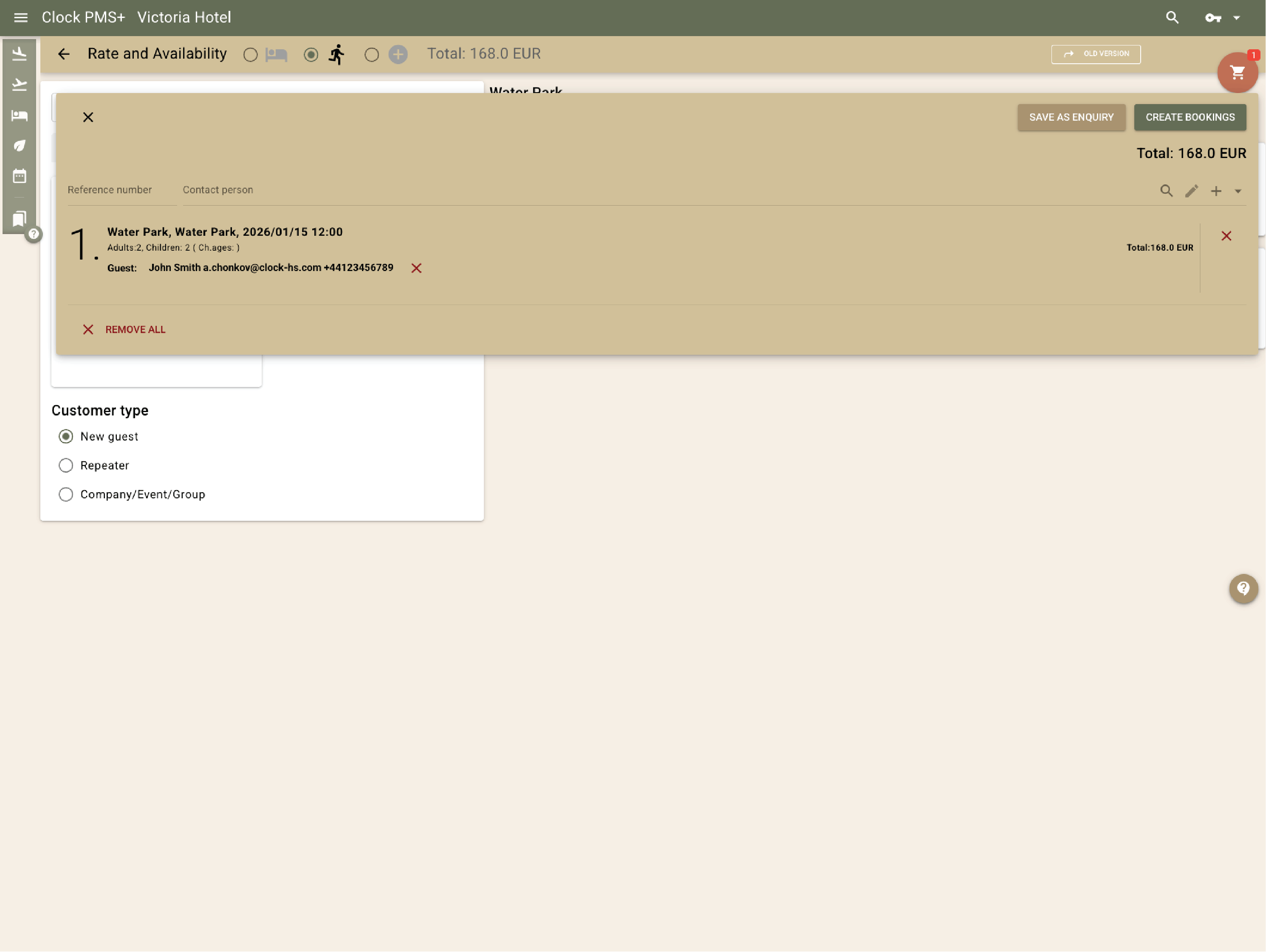
Create activities that have a fixed start time and limited spots — classes, treatments, tours, rentals. You can add options and prices, and they become bookable online for guests or directly by staff.

This works best for sessions with a fixed start time and duration (for example consultations every full hour).
Example:
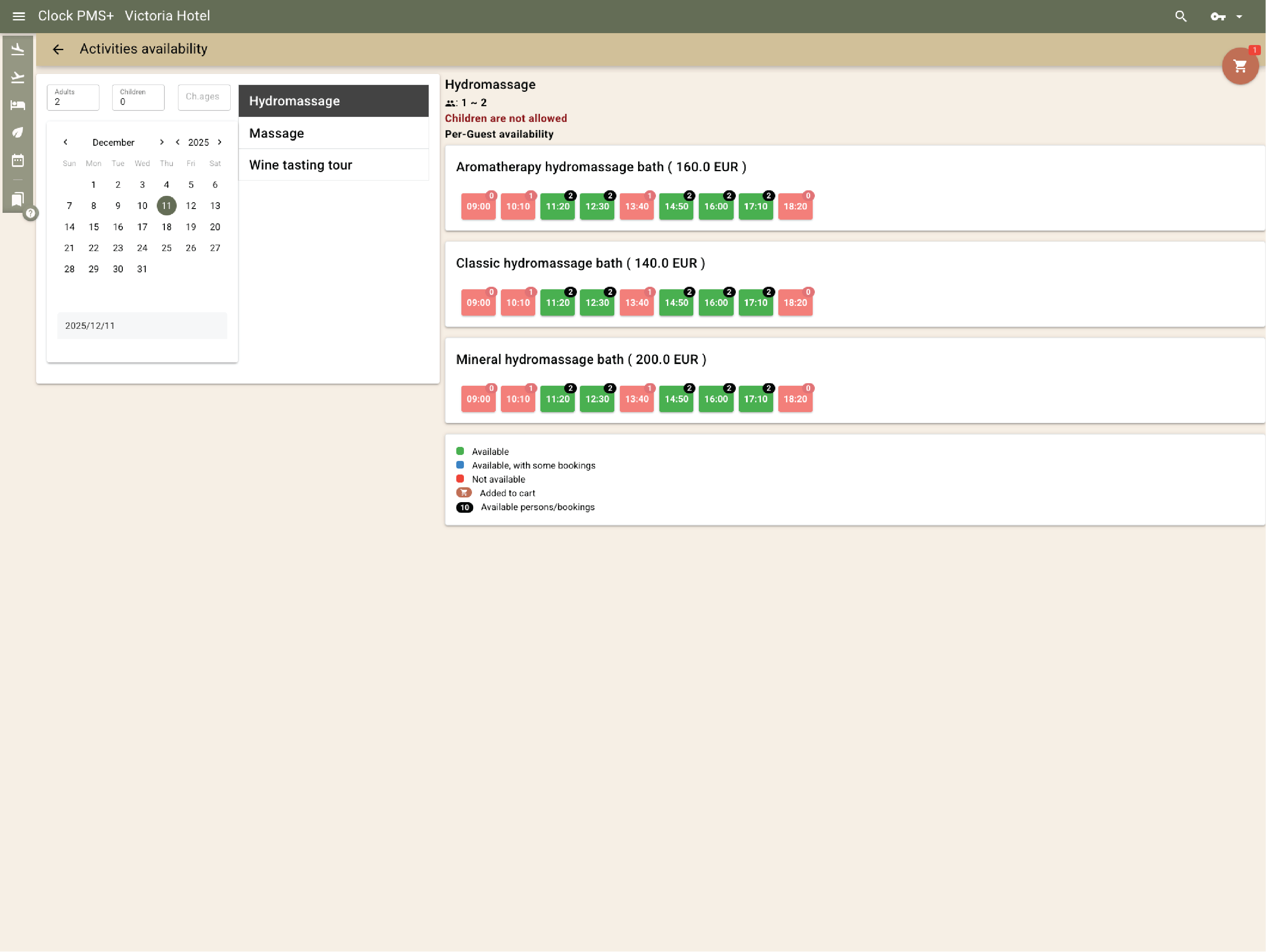
You set up a “Wine Tour” with two options that share one capacity of 10. When one option fills, availability updates for the other.
Frame 161 (1)

Keep schedules practical to manage

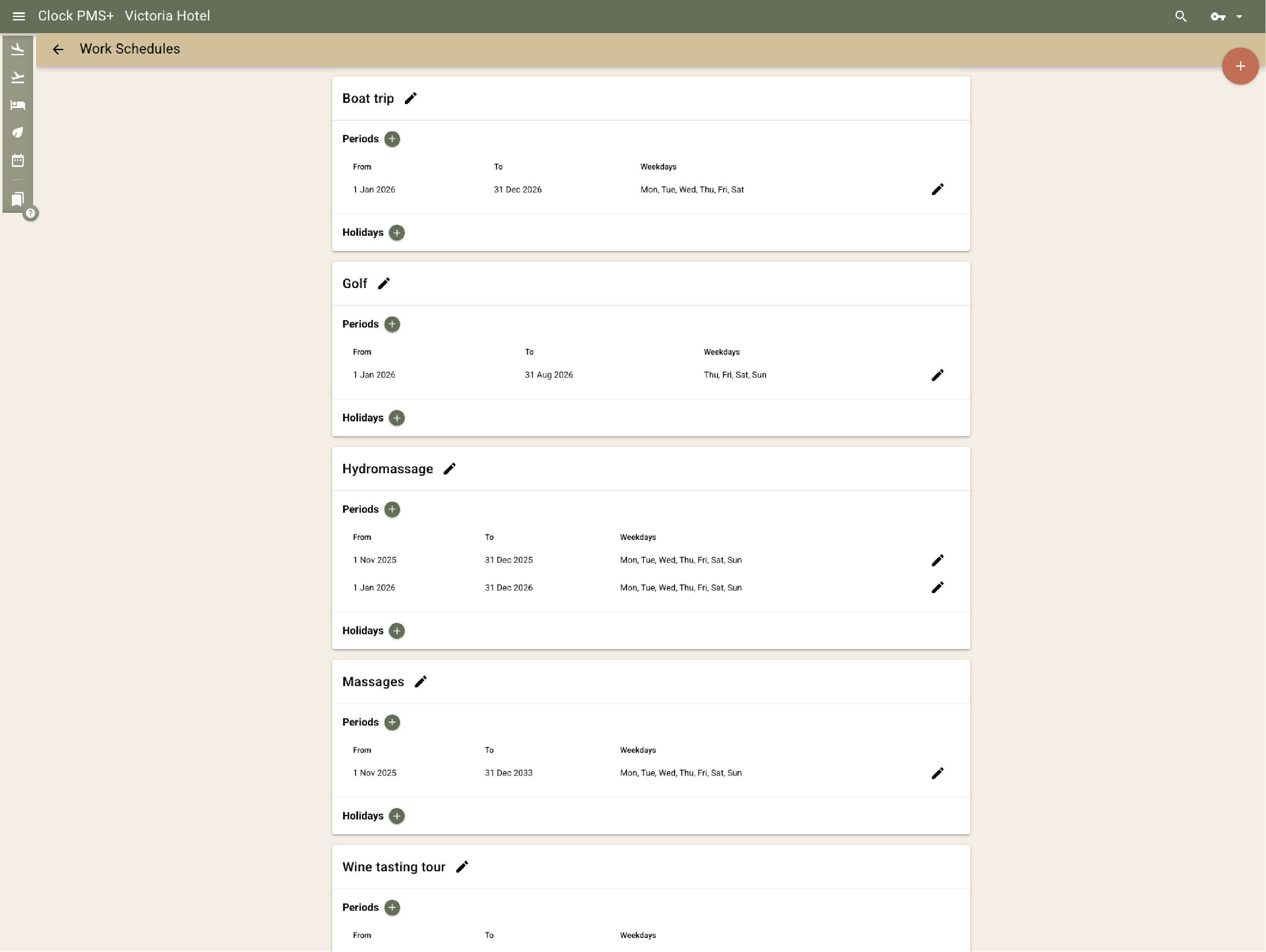
Build daily or seasonal schedules and let the system keep them in sync. Set hours, days, and exceptions, then add or copy time slots when you need a fuller program.

Example:
Golf slots run 09:00–18:00 in summer and 10:00–16:00 in winter. Clock switches schedules by season.
Frame 161 (1)

Price services without manual spreadsheets

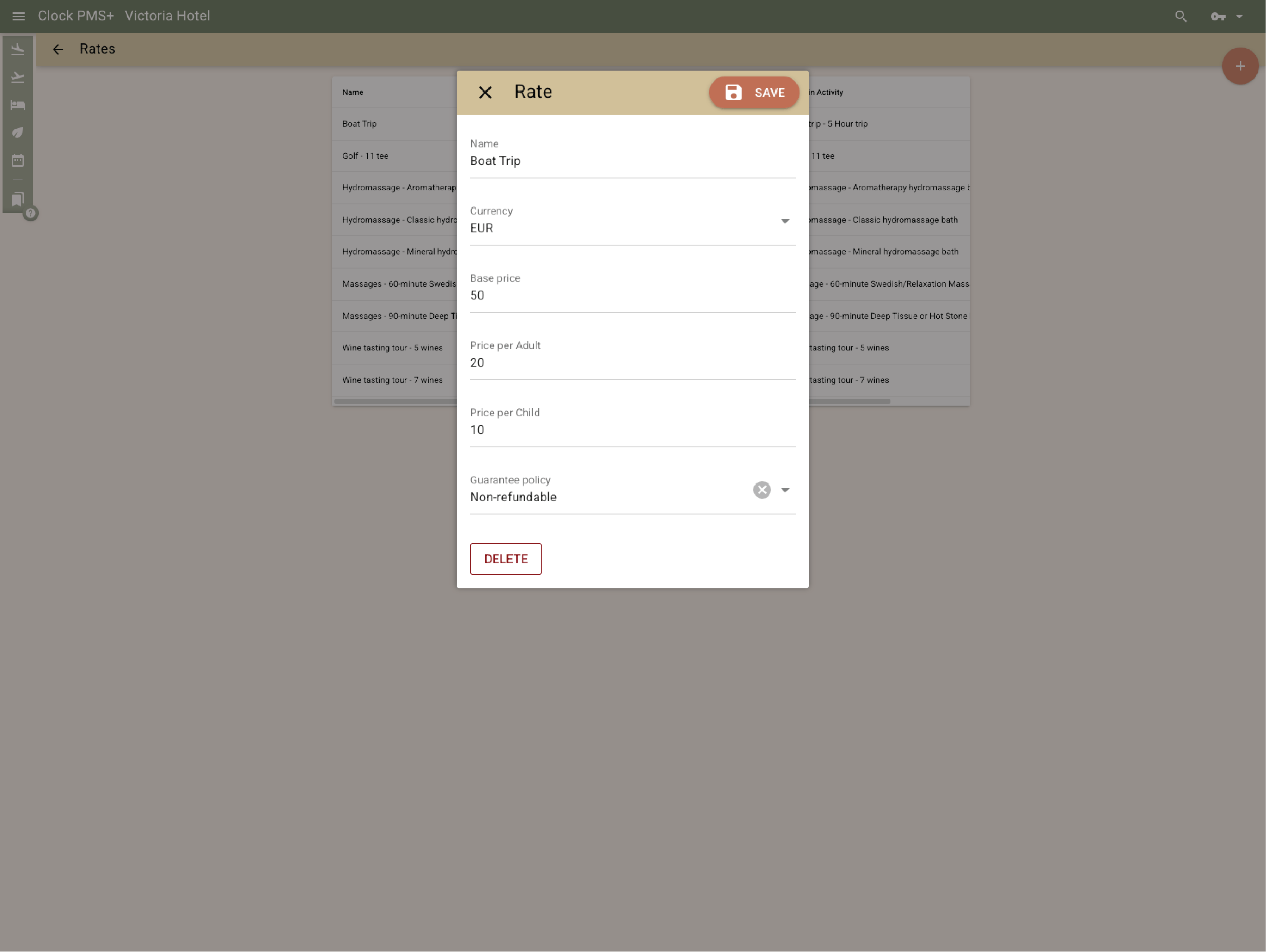
Use reusable pricing templates (for example base + adult + child) and apply them across activities, options, or seasons. The right total is shown to the guest and posted to the folio.

Example:
A “Boat Trip” is €50 base + €20 per adult + €10 per child. A family booking sees the full total and it charges correctly.
Frame 161 (1)

Guarantee policies and confirmations for activity bookings

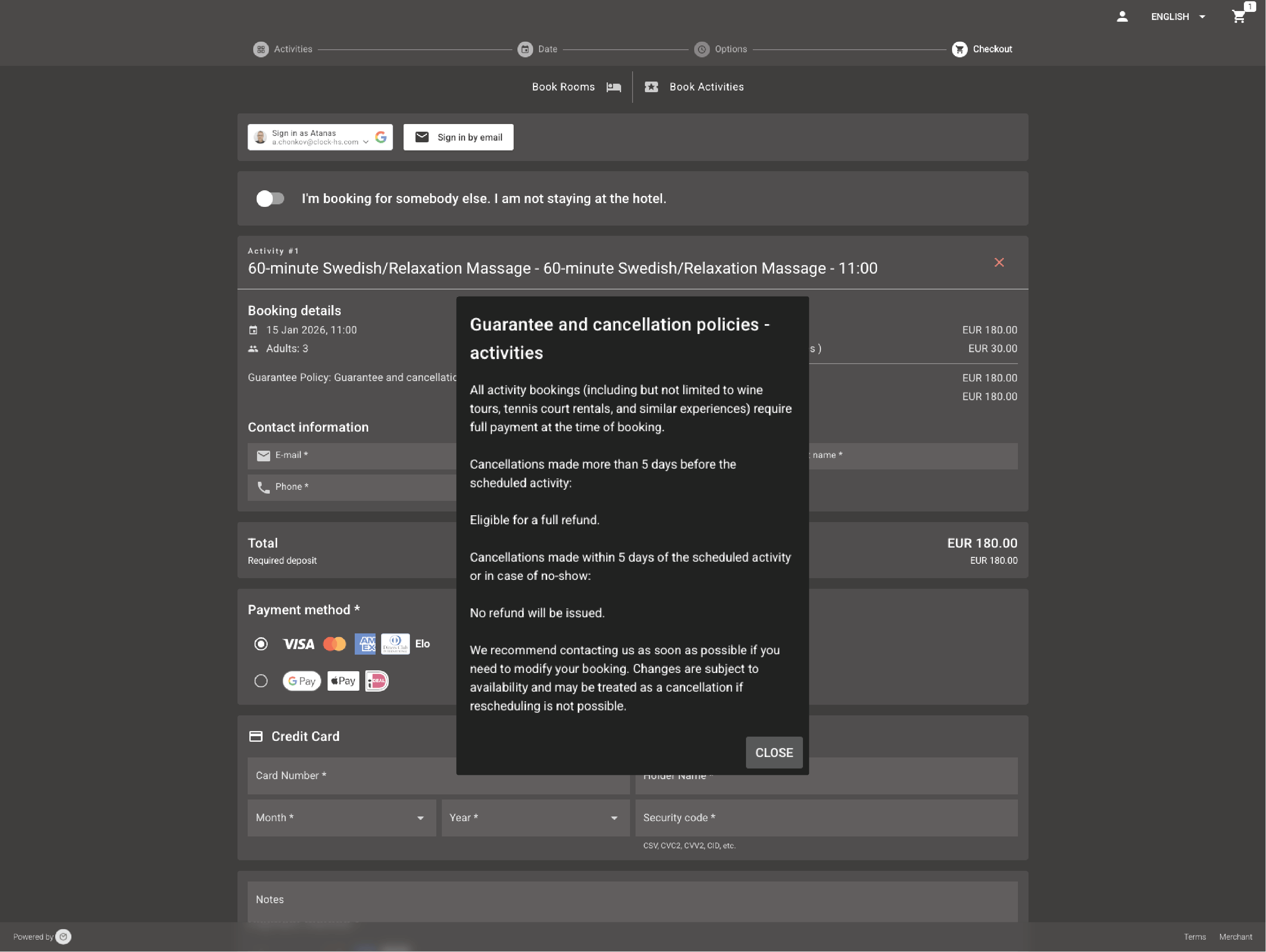
Each activity booking comes with a branded confirmation that includes the guarantee policy for that service, keeping guests fully informed from the start.

Example:
After reserving a treatment online, the guest receives a confirmation that clearly outlines the guarantee terms.
Frame 161 (1)

Packages that include services and sessions

Design packages that include rooms, meals, experiences, or special events — posted daily or on specific dates.

If a package includes activities, you can include them as value and schedule the specific time slots later, when the guest chooses a time.

Example:
You create a 3‑night “Yoga Reset” package that includes daily breakfast and one massage per guest. The stay is priced as a package, and the included massage is still booked as a specific time slot when the guest chooses it, then already with a zero price.
Frame 161 (1)

Rooms + activities in one booking flow

Let guests book stays and activities together

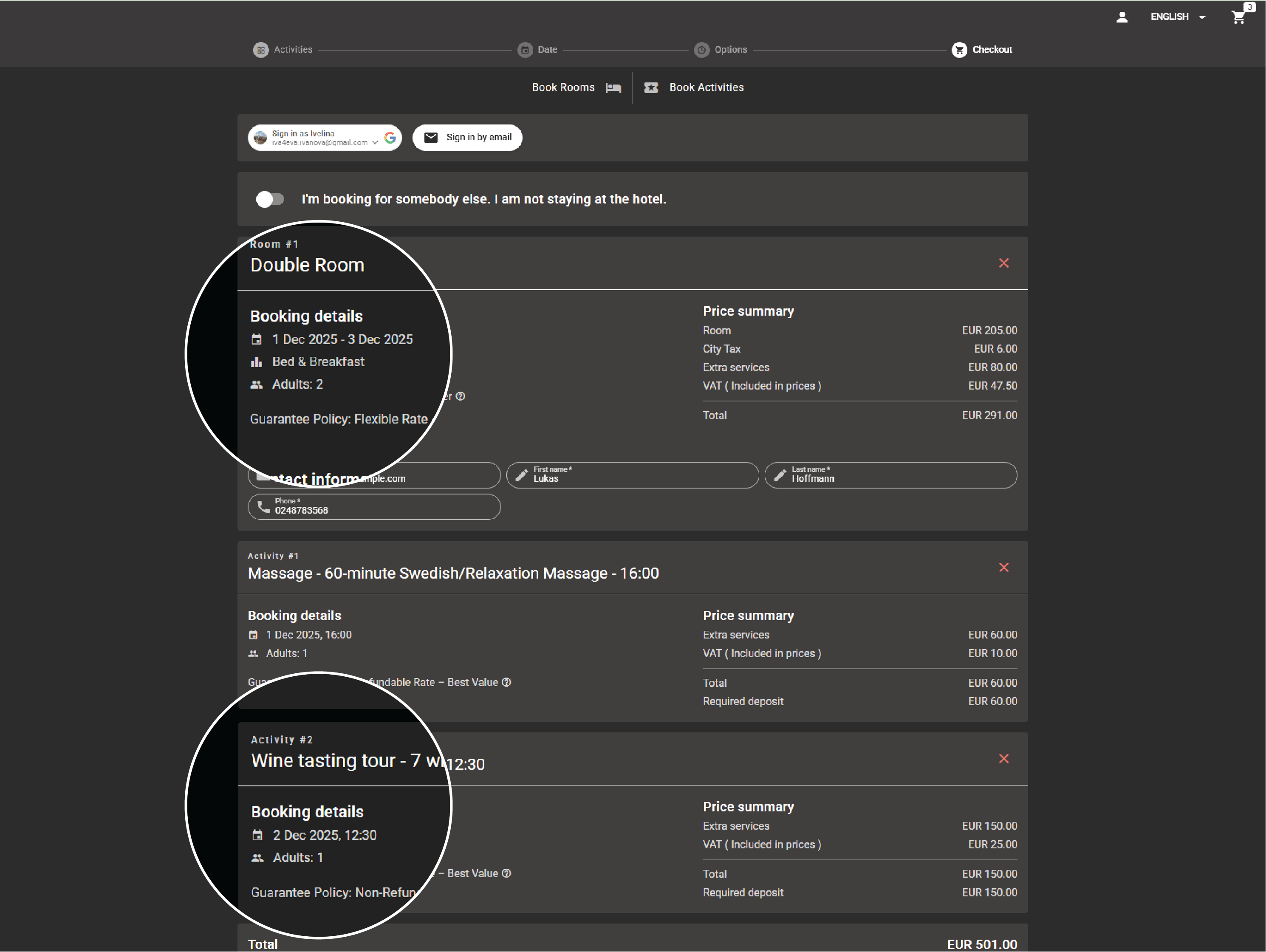
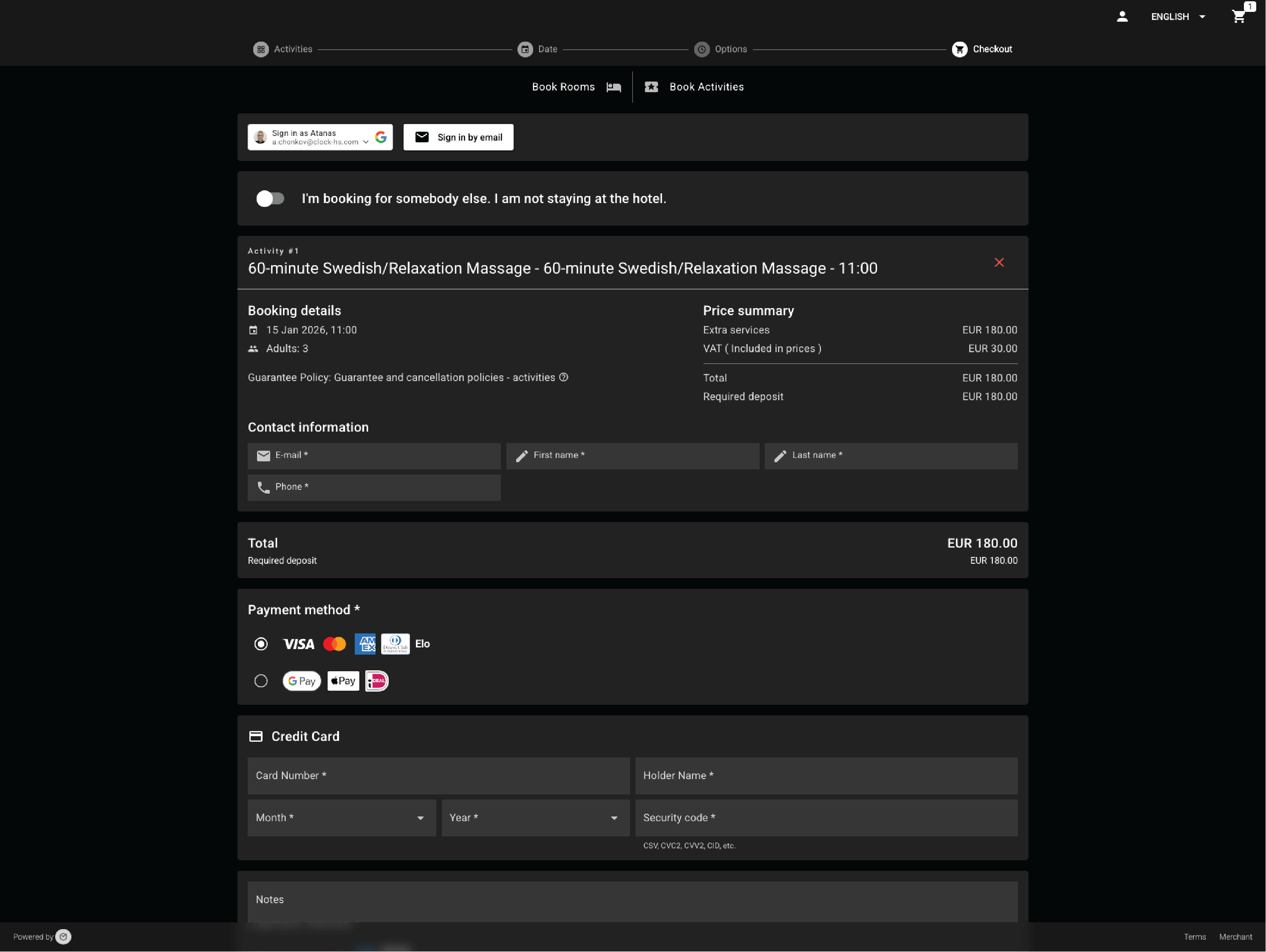
Guests can book accommodation and add sessions or services during the same process, depending on what you offer and enable.

Example:
A guest books a 3‑night stay and adds two treatments and one class before confirming.
Frame 161 (1)

Sell activities without an overnight stay

Offer standalone activity bookings for day guests and locals — without creating a room reservation.

Example:
A local books a spa time slot for Saturday.
Frame 161 (1)

Book online or create bookings in the back office

The same activities can be booked by guests online and also created by your team from the back office, using the same availability rules.

Example:
A guest books a class online. Later, reception adds one more guest to the same session by phone.
Frame 161 (1)

Keep one accurate guest history across stays and activities

Guest profiles keep a reliable history of stays and booked services. Profiles can be matched and merged when duplicates appear. If Smart AI tools are enabled, Clock can surface relevant past preferences when staff handle a request.

Example:
A returning guest is recognised and staff see relevant history from prior stays and booked services.

*AI profile deduplication is coming soon.

Frame 161 (1)

High-value enquiries as tracked opportunities (coming soon)

For complex or high-value requests, treat each enquiry as an opportunity you can track and follow up. Coming soon: a pipeline view with stages (enquiry → proposal → negotiation → confirmed), linked emails, and To-dos.

Example:
A retreat receives a request for a 7‑night program for 4 guests, with room types, meal plan, and a few bookable sessions. The enquiry is tracked through stages, while the email thread and To-dos stay linked to the same opportunity.
Frame 161 (1)

Core components for your daily operations and guest interaction

Run daily hotel operations in one system

Scale functionality per property

Match guest tools to each property’s needs

Activate guest-facing tools per property, based on what works for each hotel: Guest messaging, Online check‑in (with Kiosk and Digital keys options where available), and the Guest portal.

Have questions?

Just ask