Choose your server

Resorts

A single system for rooms, services, and experiences

Clock is used by resorts that combine accommodation with on‑site services such as restaurants, activities, spa, and events. It connects reservations, capacity‑based services, billing, and guest interaction in one system, so all departments work with the same data across the guest journey.

By automating routine processes with Clock, we were able to completely restructure how our staff spends their time. Now, the efforts are focused on more meaningful and more profitable activities.

Lyubomir Stamboliyski Commercial Director of St. Constantine & Helena Holding
Featured customer media

Trusted by independent hotels worldwide

Elegancia Four Sisters Collection Golden Tulip Greenstar hotel Grifid 1 Hampshire 1 HappyCulture Mitland Popinns Prinsenhof Relais&Chateaux Gambino Hotels
4.7 / 5

Based on 500+ reviews across

Your workday without Clock vs. with Clock

Before Clock

  1. A guest books a room. Then comes the back-and-forth to arrange parking, spa treatments, and everything else.

  2. The yoga class is full. Someone just booked two more spots. Now you've got a problem.

  3. An all-inclusive guest wants a spa treatment. Time to figure out what's included, what costs extra, and who pays for what.

  4. Forty wedding guests. A ceremony, a banquet, and a rooming list. All being managed in different places.

  5. Rooms, restaurants, spa, and activities. Everyone's busy. Nobody has the full picture.

  6. It's reporting day. Room revenue is here. Spa sales are there. Event income? That's another spreadsheet.

With Clock

  1. Let guests book rooms, services, and experiences together. One booking, all the good stuff.

  2. Set capacity limits for activities. Availability updates as bookings come in. No accidental extra guests.

  3. Keep package entitlements and extra charges connected to each stay. Everyone knows what's included.

  4. Manage room blocks, event spaces, schedules, and services together. One place for the whole celebration.

  5. Keep reservations, services, and departmental tasks connected. Less chasing, more getting things done.

  6. See room revenue, spa sales, and event income together in one custom dashboard. The full picture, at last.

Book rooms, services, and experiences in one flow

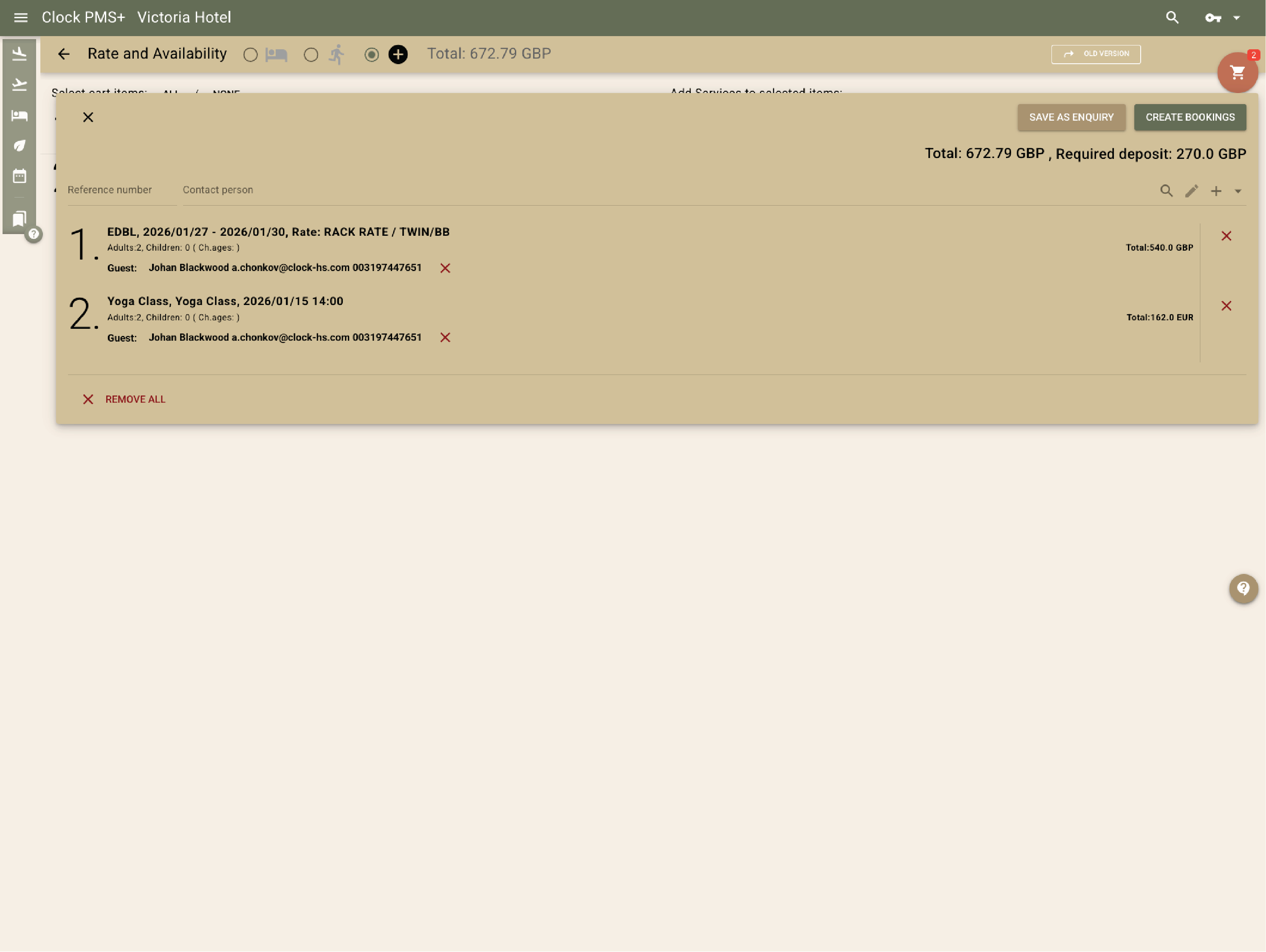
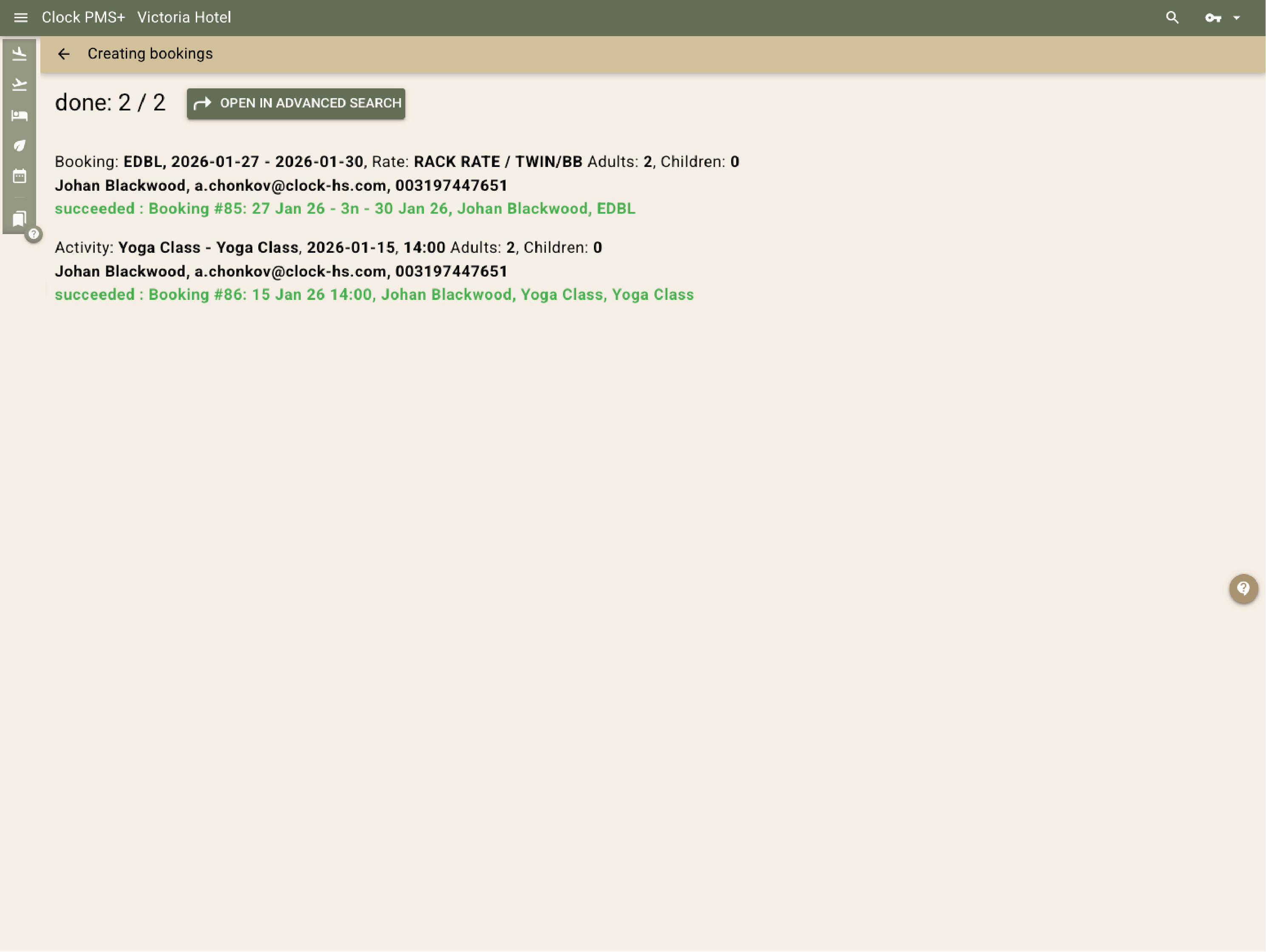
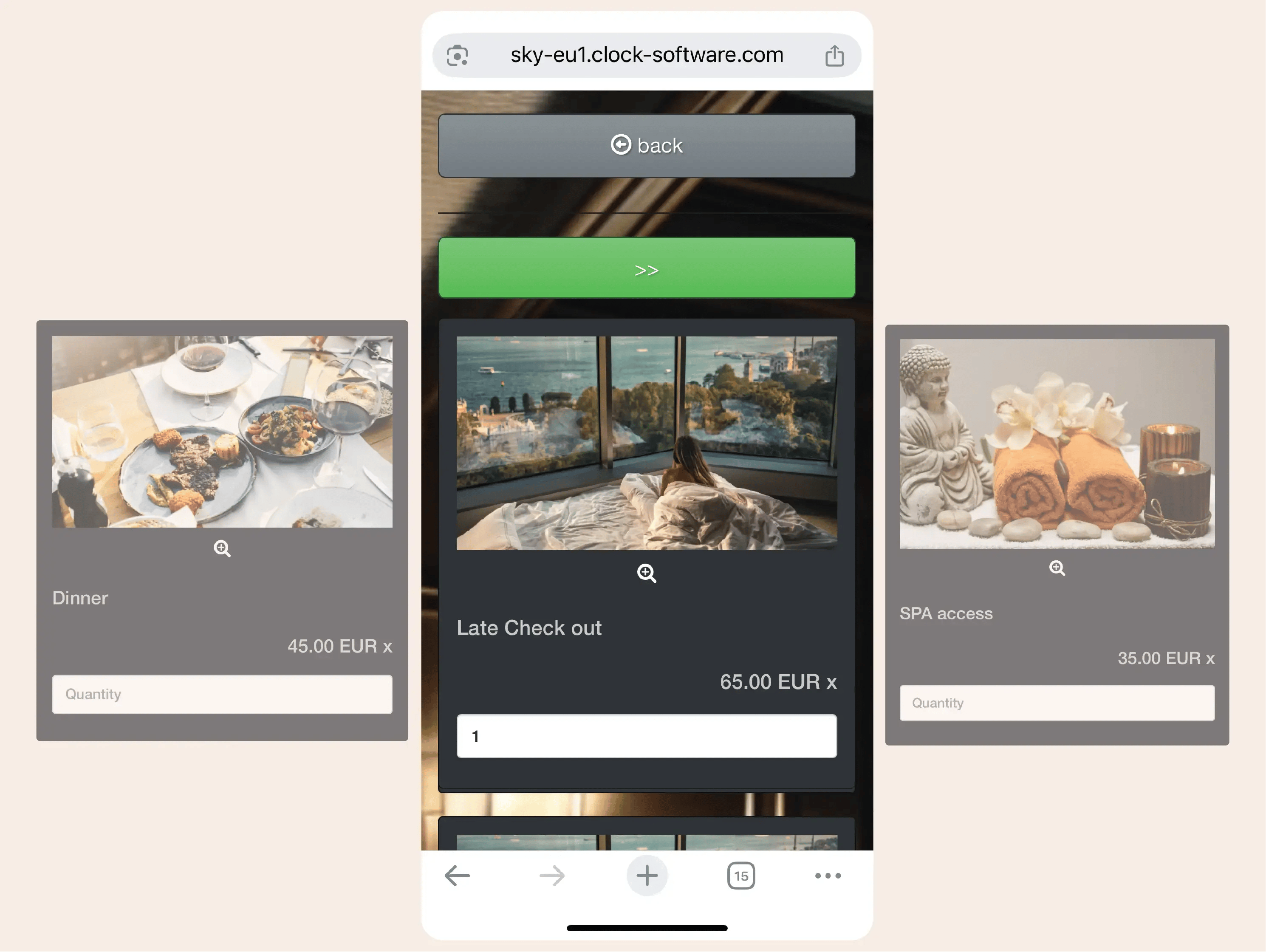
Clock supports selling accommodation together with services and activities in a single booking process. Availability, capacity, and pricing are managed centrally and reflected consistently at each step.
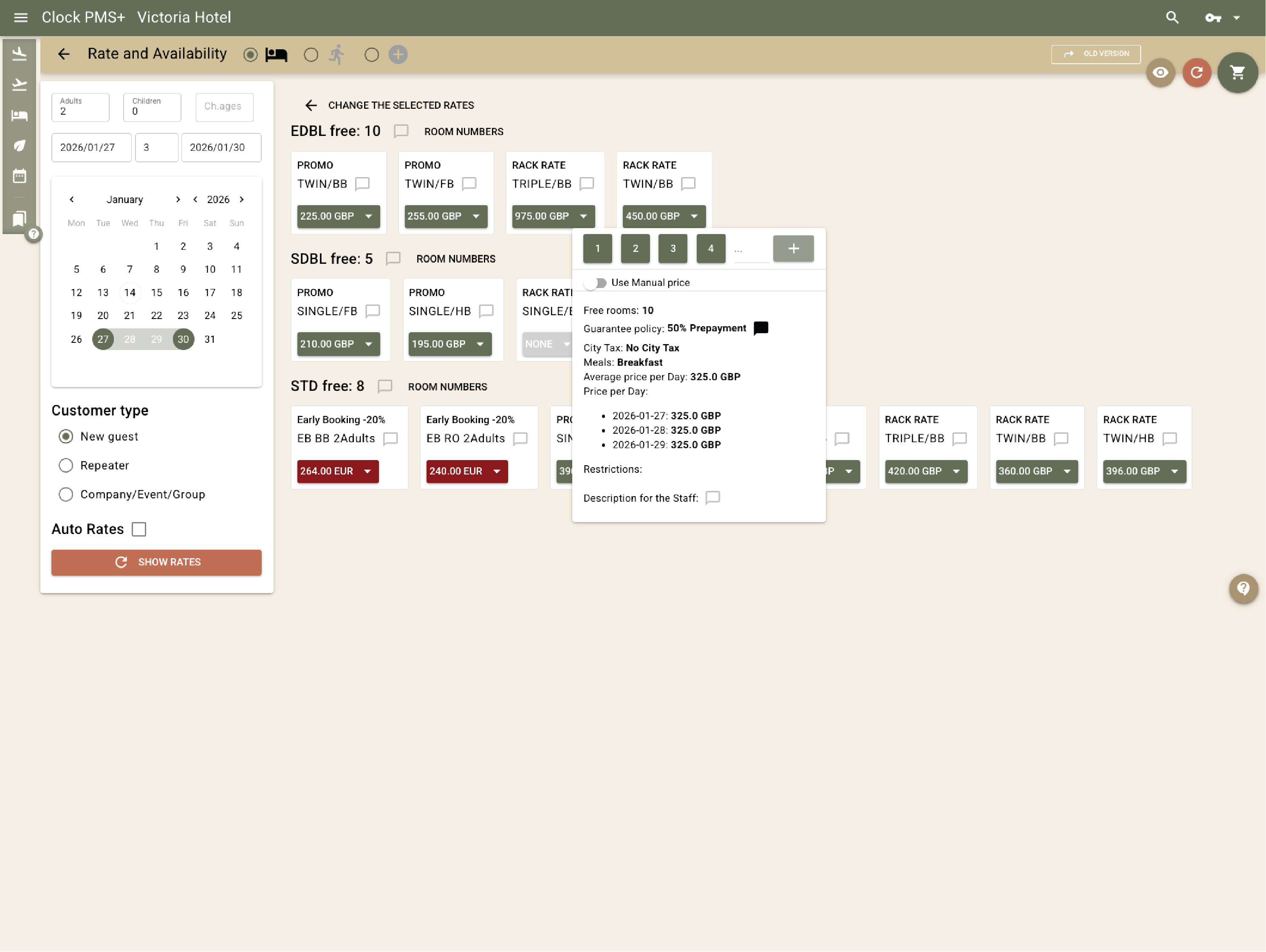
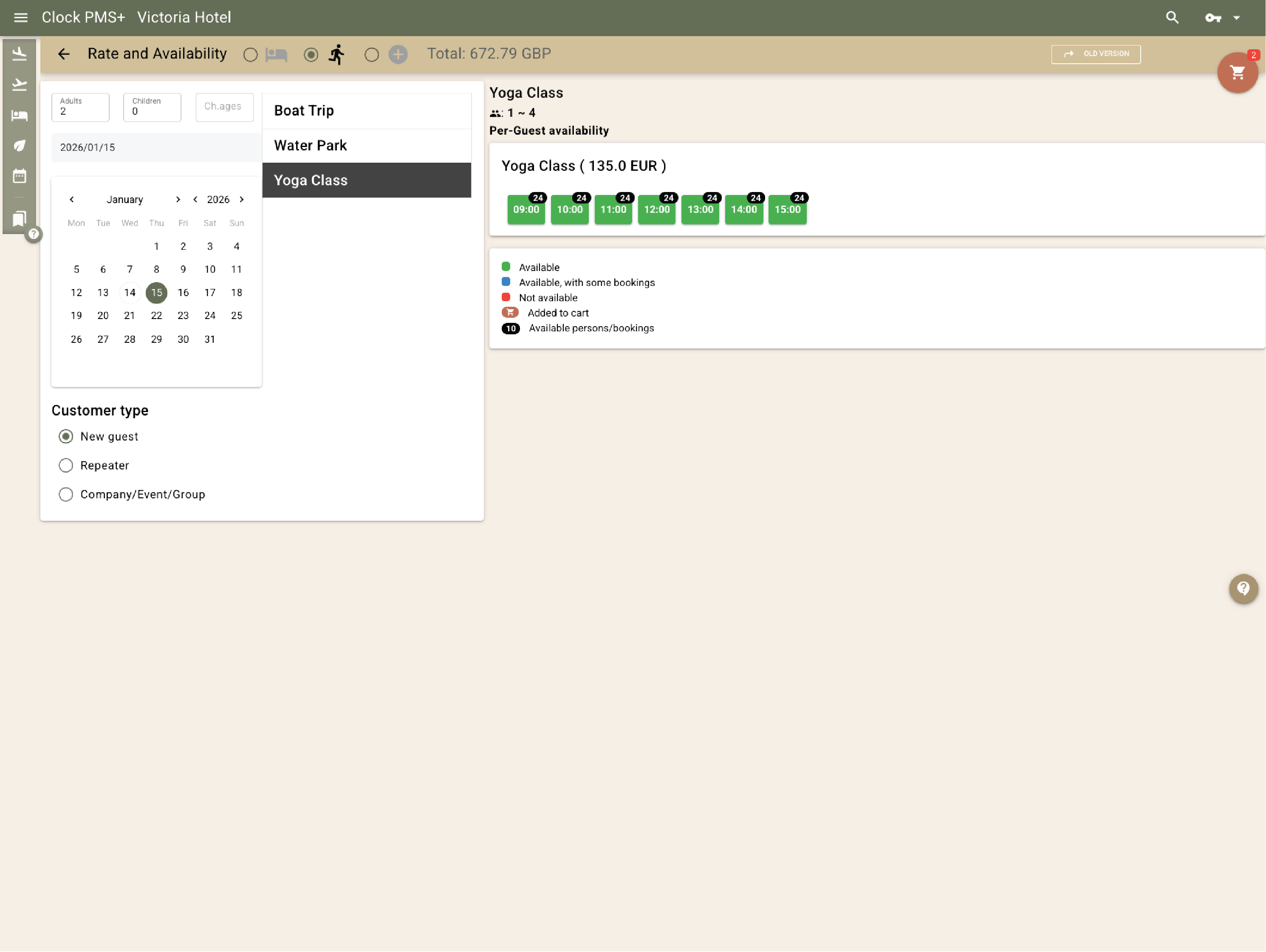
Example:
A guest books a room, adds a yoga class and parking, and all items are confirmed on the same reservation.
  • Book rooms, services, and experiences in one flow (1)
  • Book rooms, services, and experiences in one flow (2)
  • Book rooms, services, and experiences in one flow (3)
  • Book rooms, services, and experiences in one flow (4)

    Manage activities and services with real capacity control

    Activities are defined with time slots and limited capacity. Availability updates automatically as bookings are made by staff or online, and activities can be booked together with accommodation or added later.
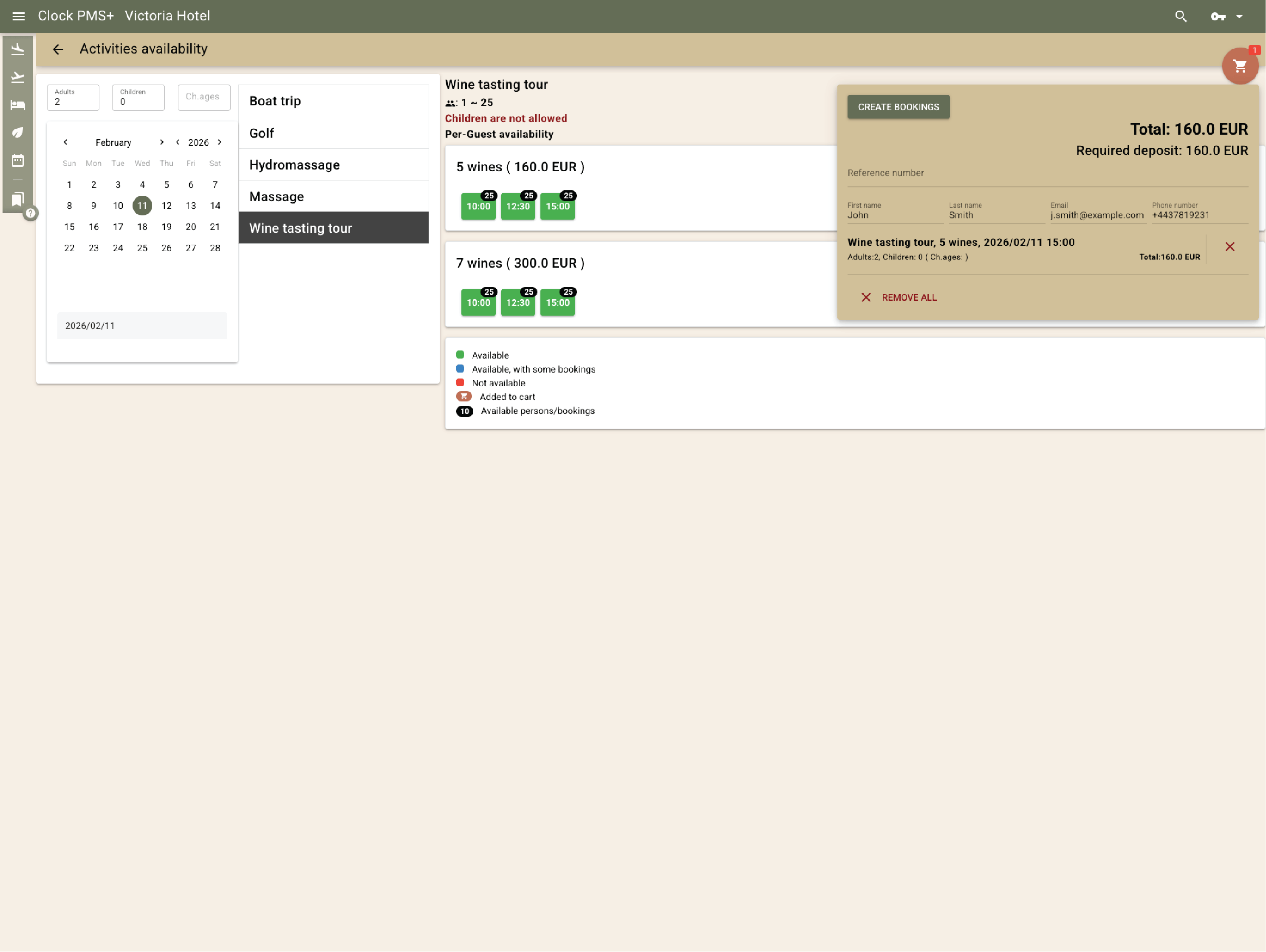
    Example:
    Parents book a morning kids’ tour to a nearby water park while already staying at the resort.
    Manage activities and services with real capacity control

    Build and manage boards and packages

    Packages can combine accommodation, meal boards, activities, or facilities access. Posting rules remain linked to the package, while time slots for included activities can be scheduled later.
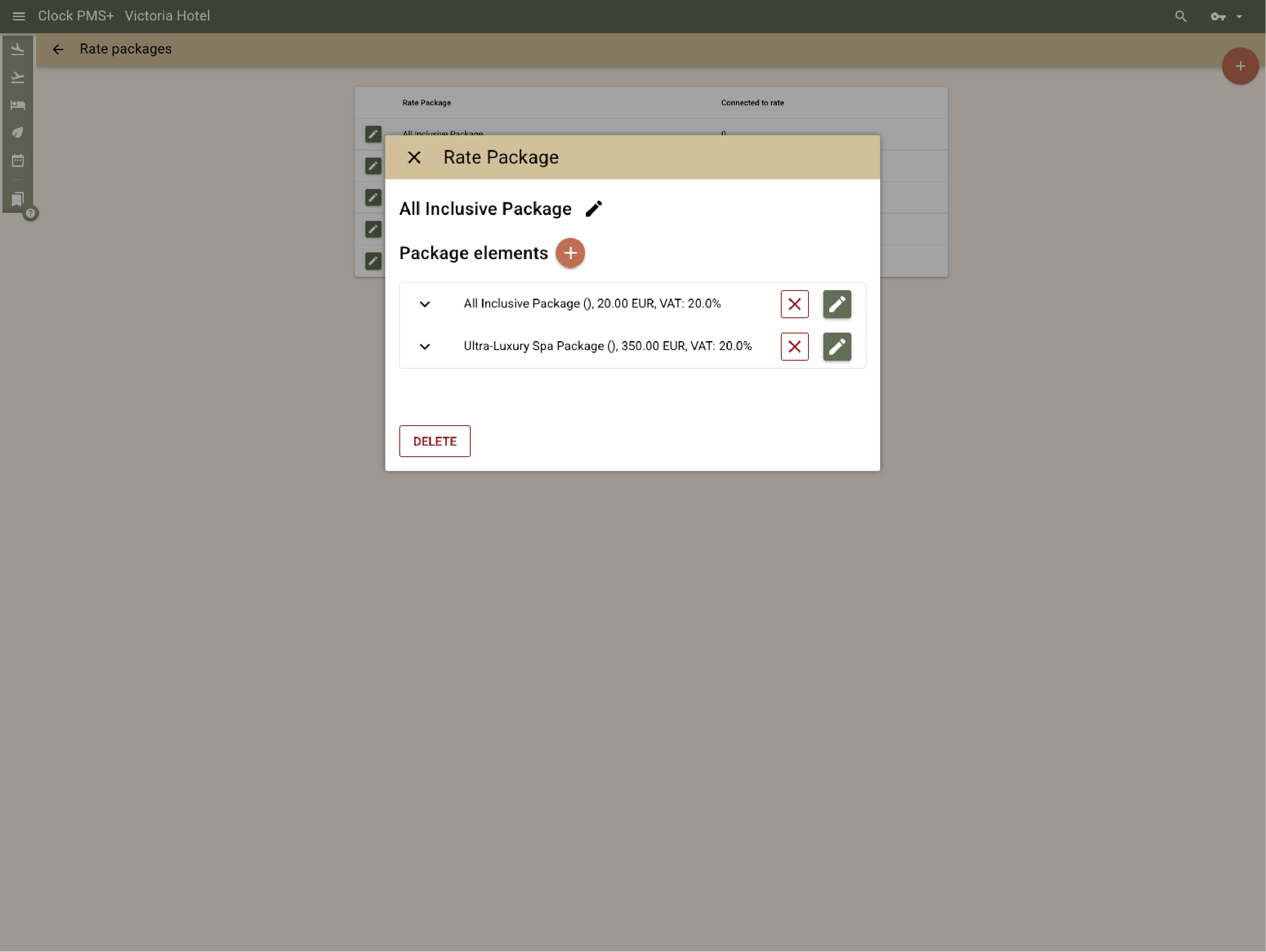
    Example:
    An all‑inclusive package includes full board and a spa treatment; the spa slot is booked later while the entitlement remains linked to the stay.
    Build and manage boards and packages

    Manage package entitlements and access control

    Clock manages package entitlements across dining, activities, and facilities. Identity tags, such as RFID wristbands, are supported and linked to the guest's reservation for posting additional charges via the POS and facilitating access validation based on stay and package type.
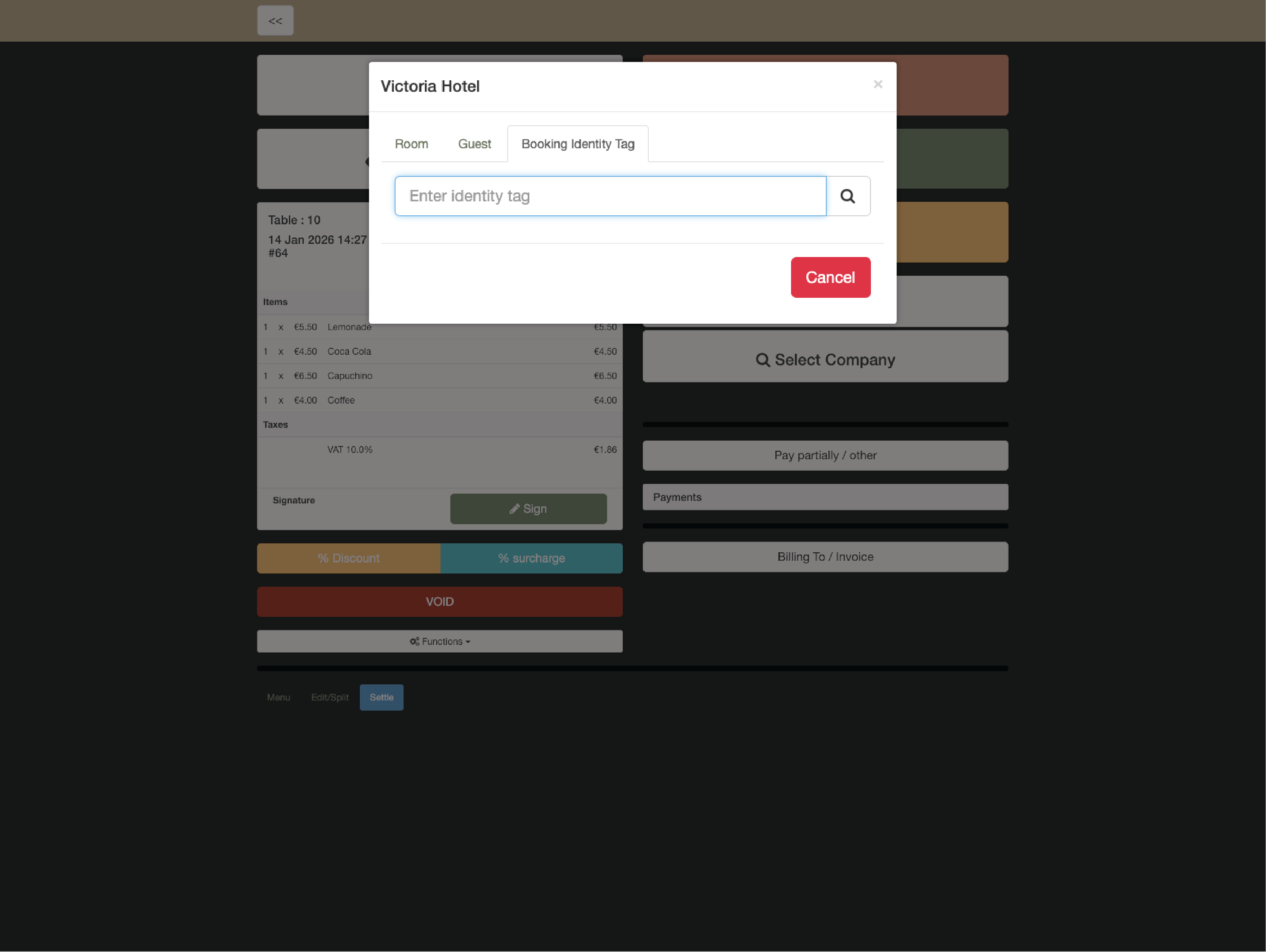
    Example:
    A guest uses an RFID wristband to access the SPA zone, the included fitness classes, while premium treatments are posted separately.
    Manage package entitlements and access control

    Run weddings, events, and group stays in one system

    Group stays and events are handled alongside individual reservations. Room blocks, pickup and release rules, rooming lists, and billing logic remain linked to reservations, while event handling covers function spaces, schedules, services, and required resources — all planned against overall resort availability.
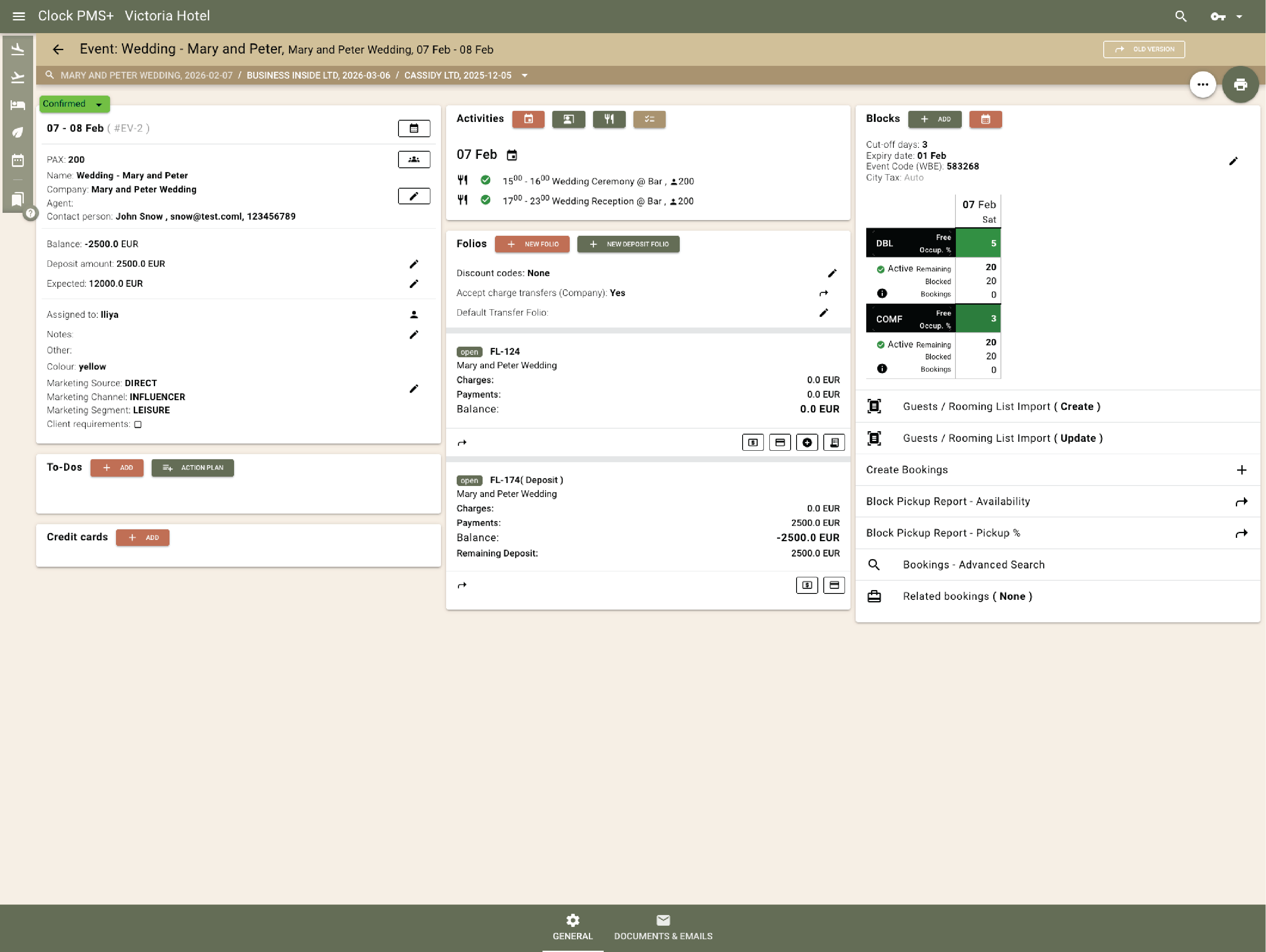
    Example:
    A wedding group reserves 40 rooms with staged release dates, while ceremony space, banquet setup, and catering services are scheduled in the same system.
    Run weddings, events, and group stays in one system

    Manage tour‑operator, company, and agent contracts

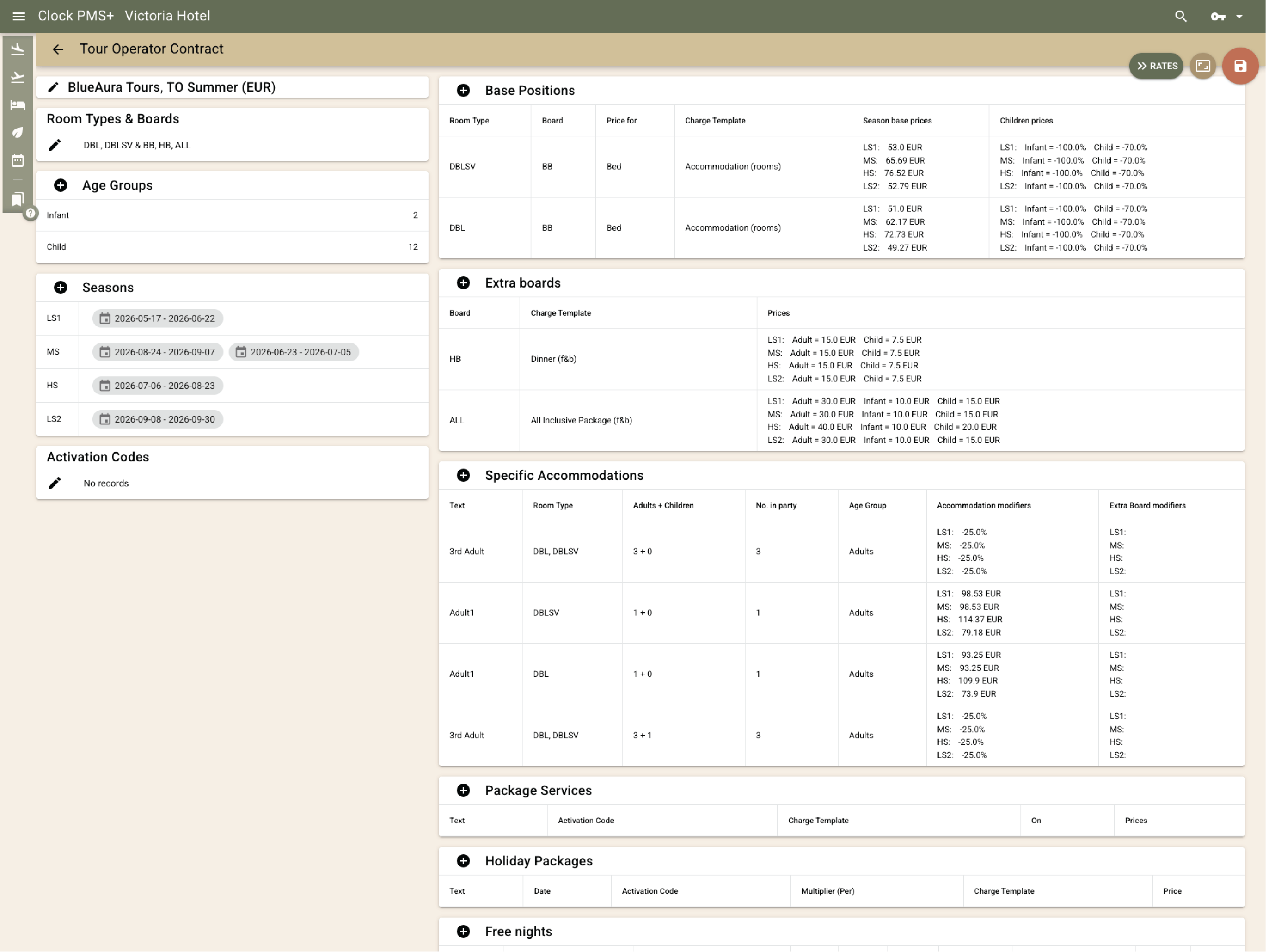
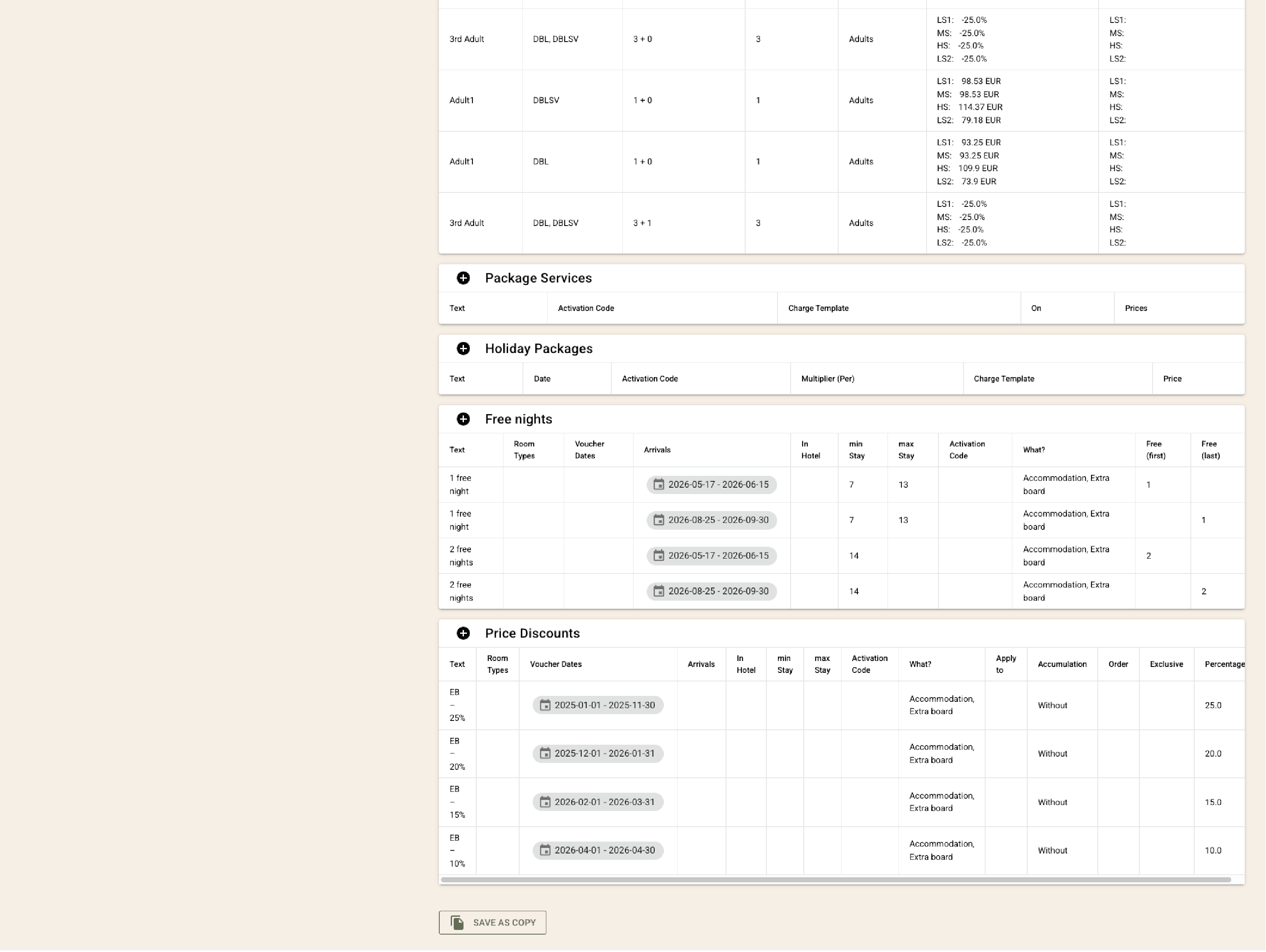
    Contracts support seasonal pricing, age‑based rates, occupancy rules, booking windows (voucher dates), promotional discounts (eg. 7=10) or marketing discounts. Terms are applied automatically to linked reservations and invoices.
    Example:
    A tour‑operator contract applies seasonal adult and child pricing, 7=10 discount, calculates charges automatically and the invoice is ready to be issued.
    • Manage tour‑operator, company, and agent contracts (1)
    • Manage tour‑operator, company, and agent contracts (2)

      Manage complex billing and invoicing scenarios

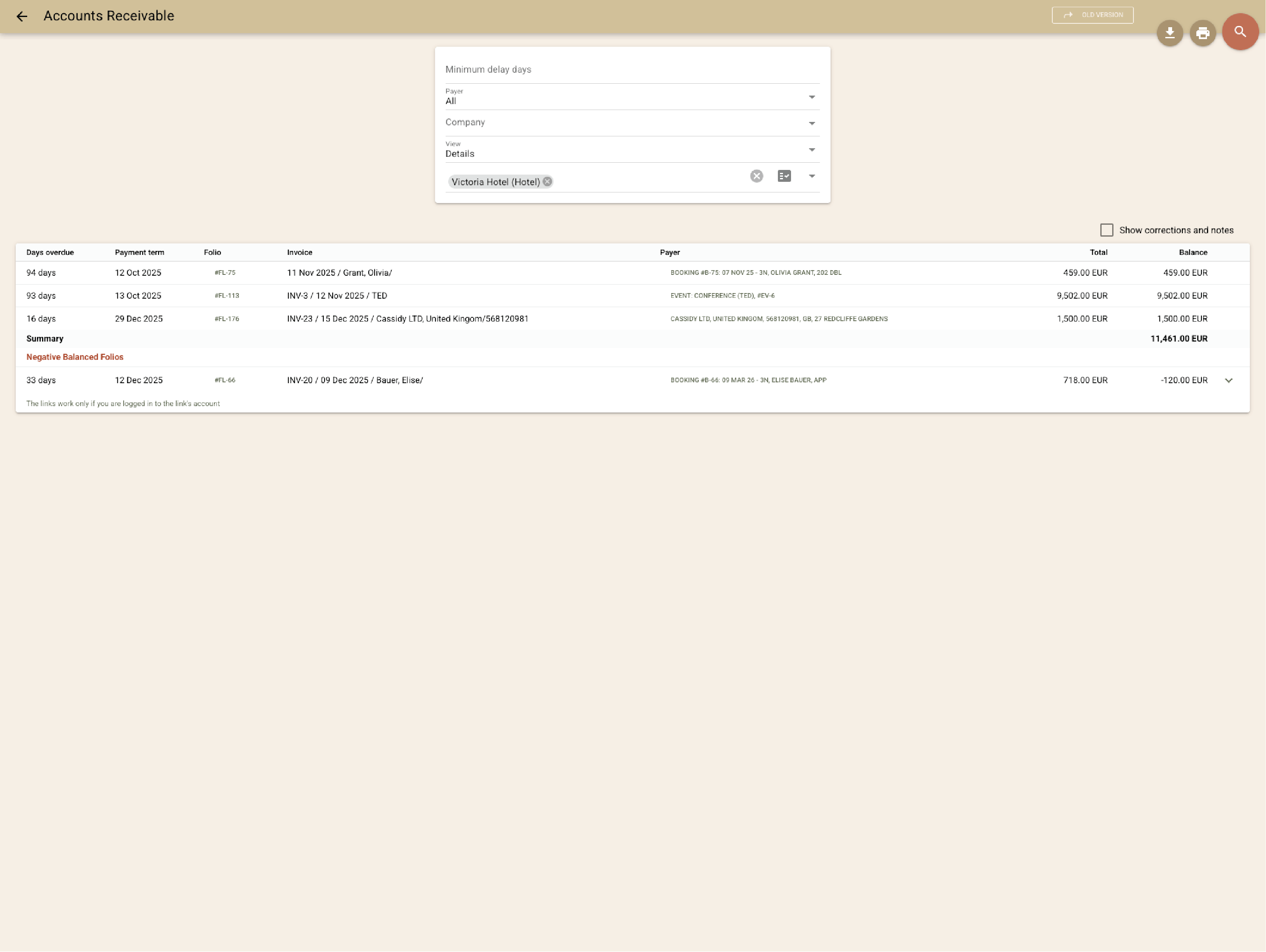
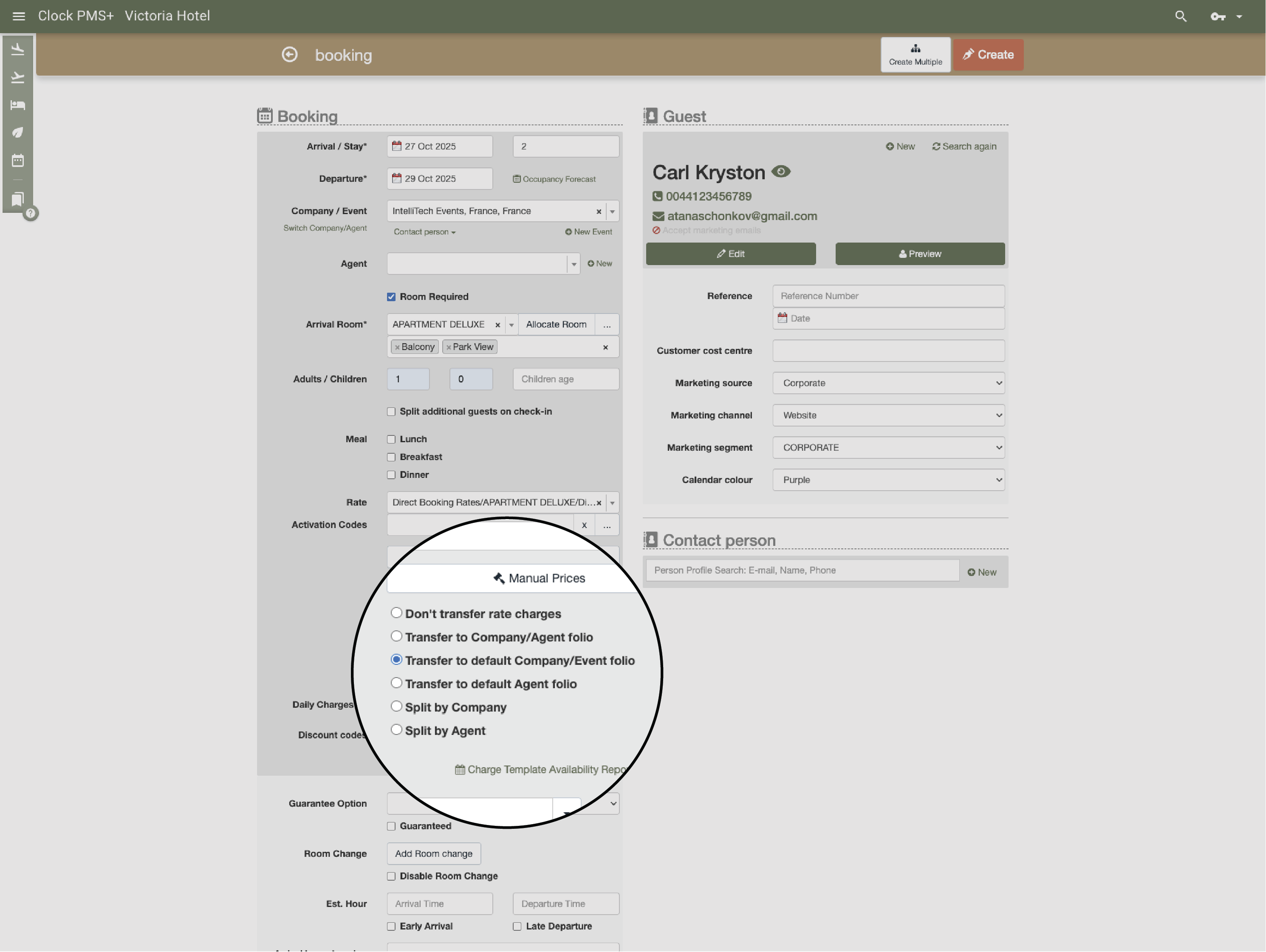
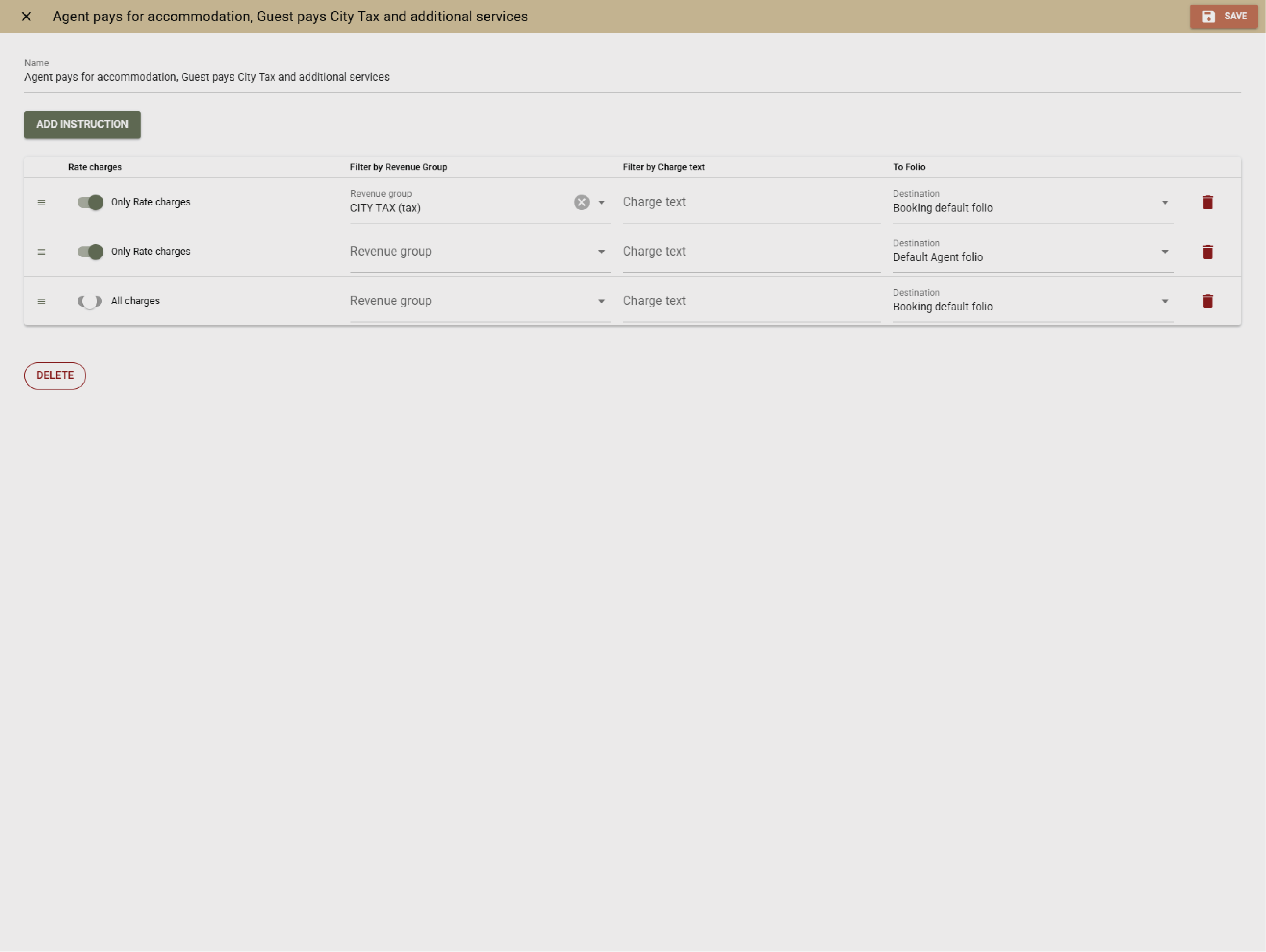
      Clock supports split charges, deposits, advance payments, and multiple invoice types. Charges can be routed to guest, company, or group folios with clear audit trails - manually or automatically.
      Example:
      Guest accommodation is billed individually, while event services are invoiced to a company account.
      • Manage complex billing and invoicing scenarios (1)
      • Manage complex billing and invoicing scenarios (2)

        Manage digital guest interaction and arrivals at scale

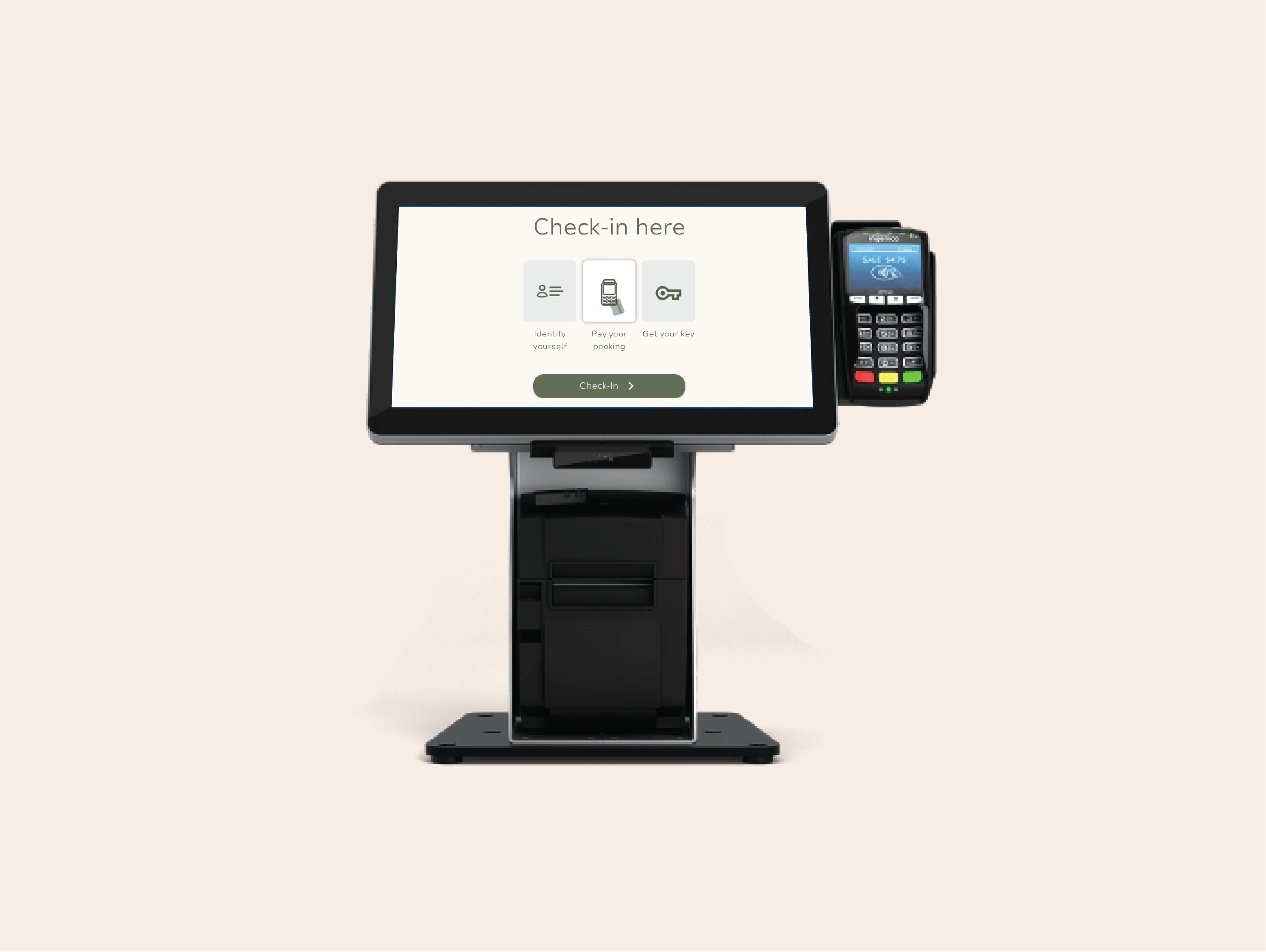
        Online check‑in, guest messaging, the guest portal, and kiosks reduce front‑desk workload during peak periods. Guests complete registration, upgrades, and payments in advance, while staff focus on welcoming and service.
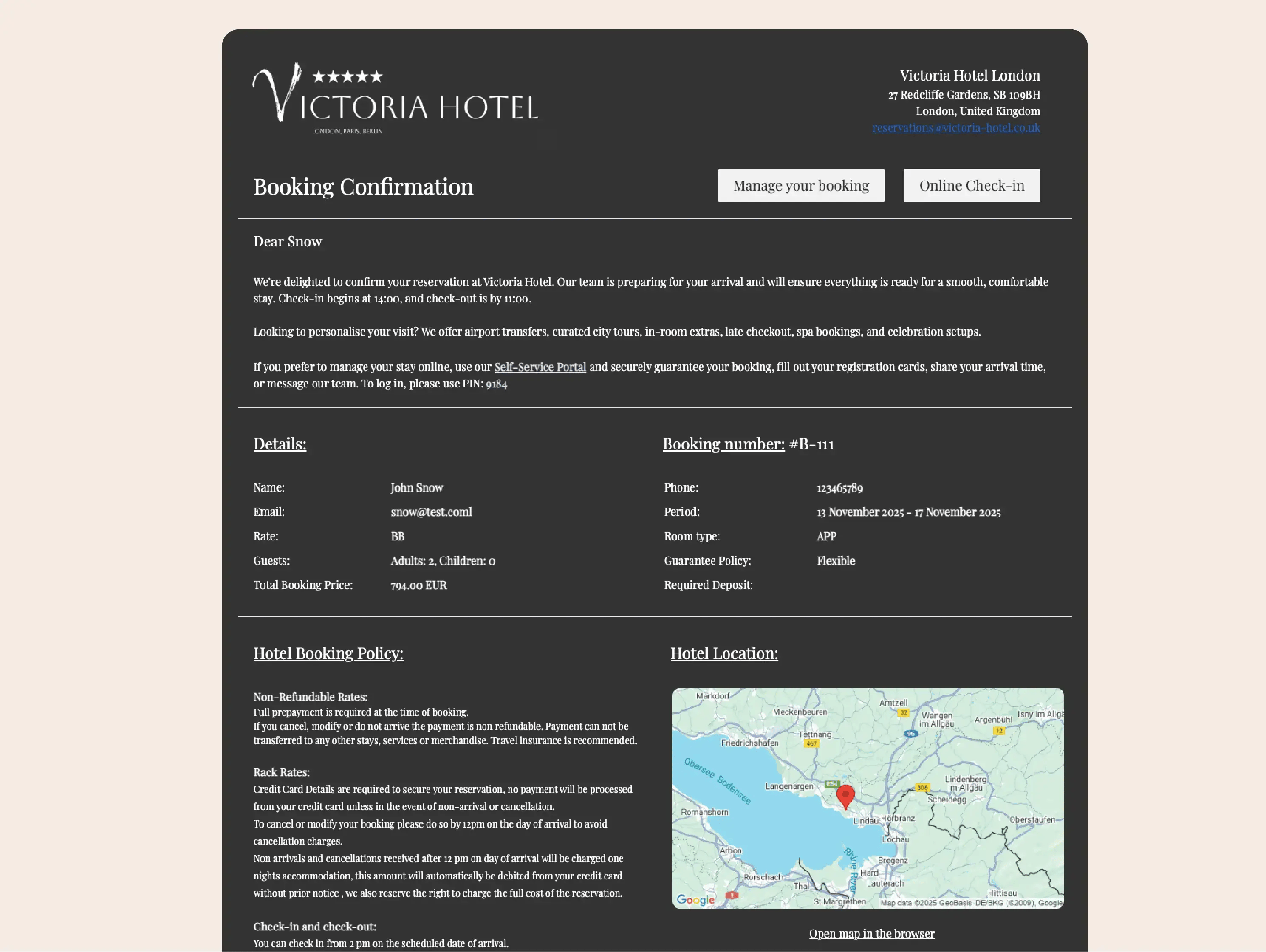
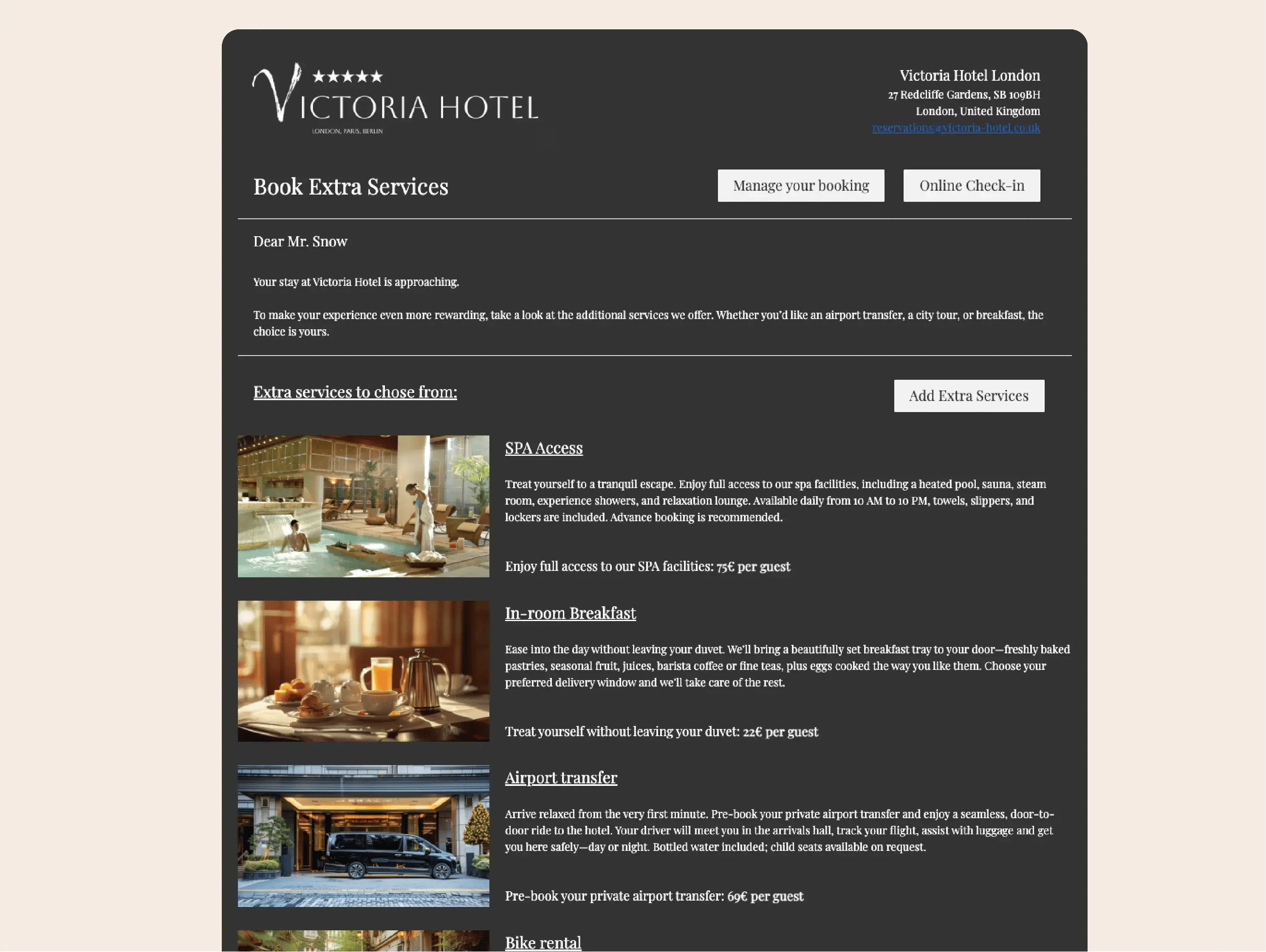
        Example:
        During peak arrivals, reception focuses on orientation instead of administrative check‑in steps.
        • Manage digital guest interaction and arrivals at scale (1)
        • Manage digital guest interaction and arrivals at scale (2)
        • Manage digital guest interaction and arrivals at scale (3)
        • Manage digital guest interaction and arrivals at scale (4)

          Keep complete guest and company profiles

          Guest and company profiles store stay history, booked services, billing data, and notes. Duplicate profiles can be automatically matched and merged to maintain a single, reliable record.
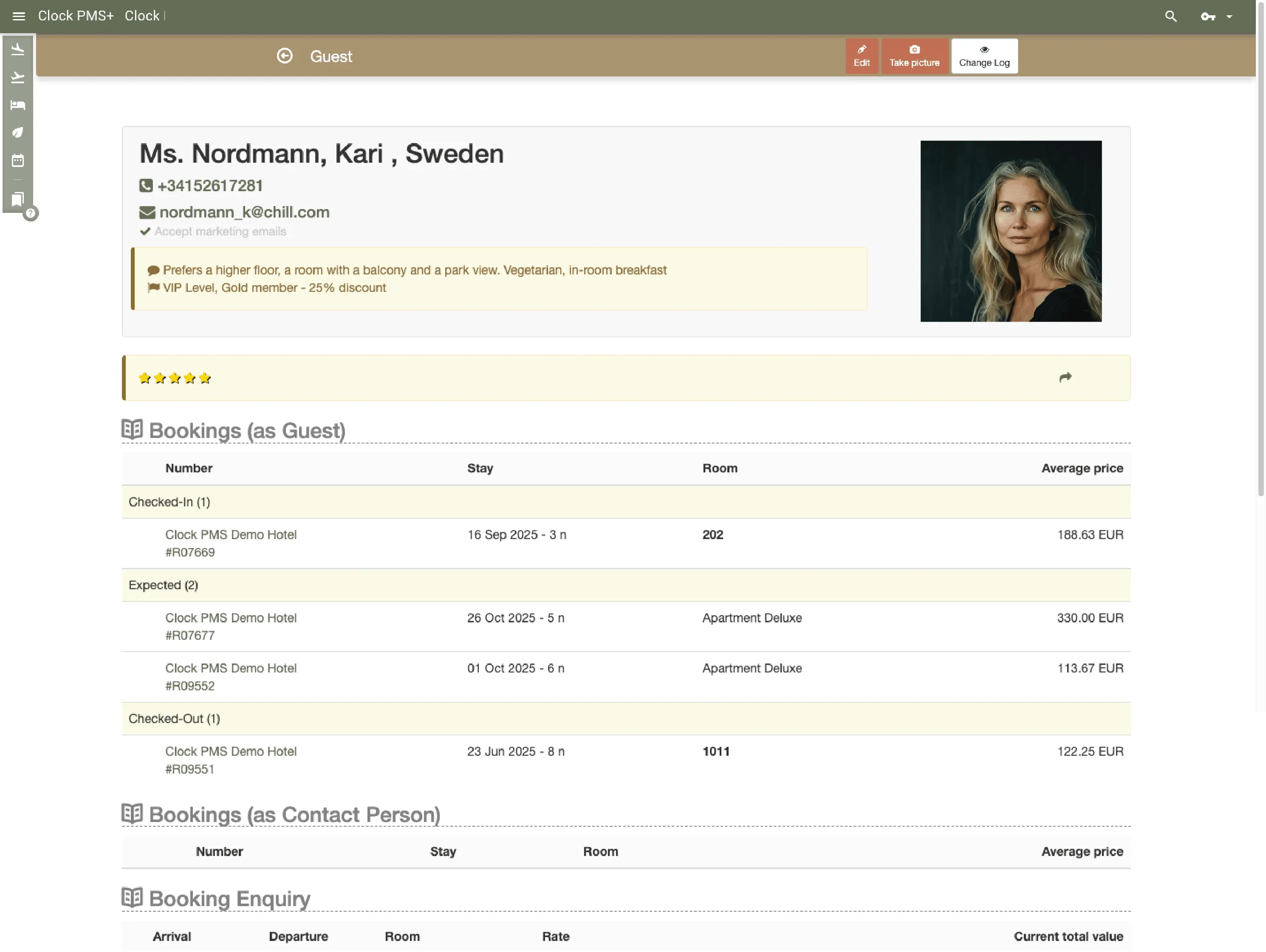
          Example:
          Staff recognize a returning guest despite bookings coming from different channels.
          Keep complete guest and company profiles

          Coordinate tasks across departments

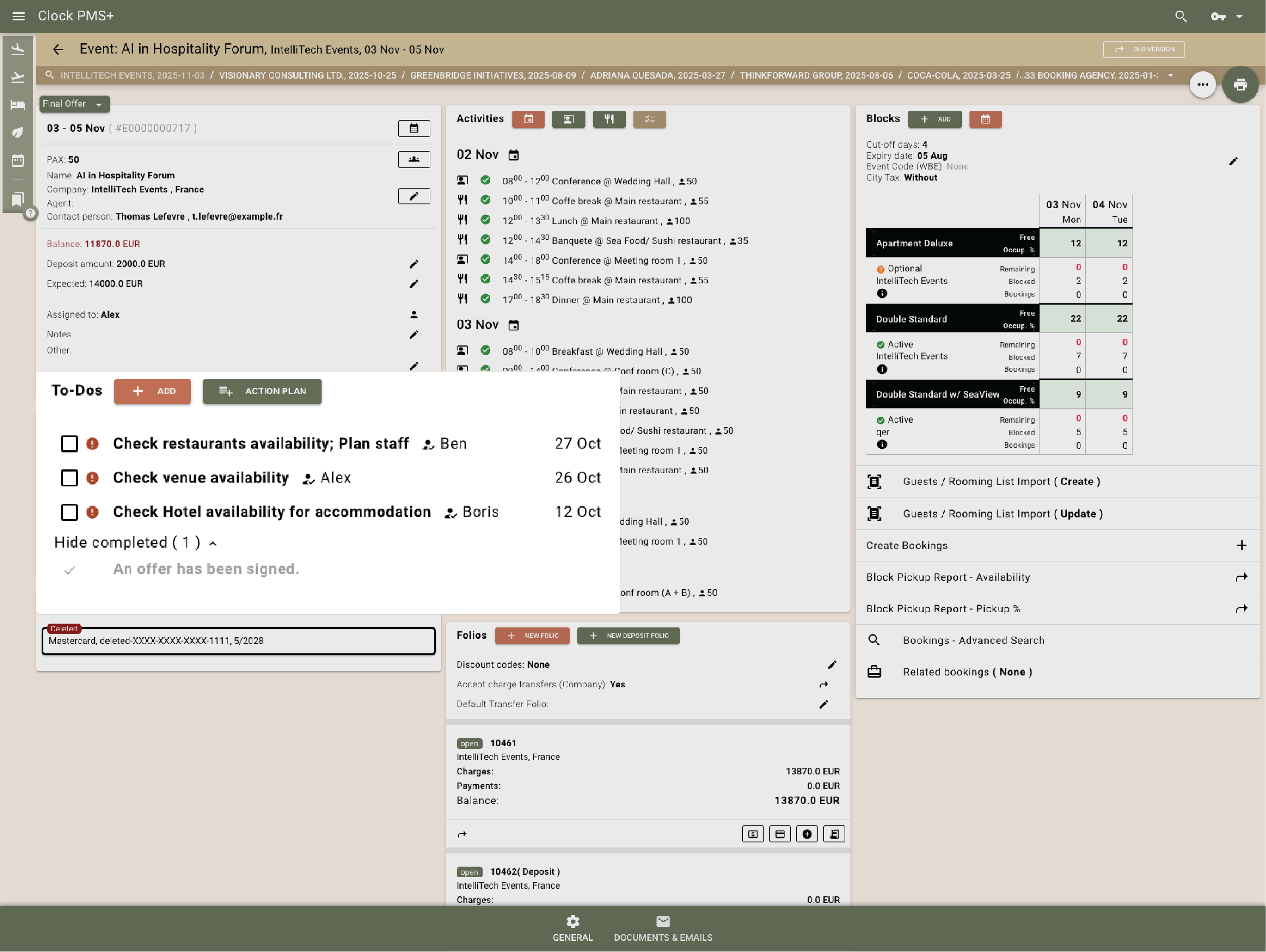
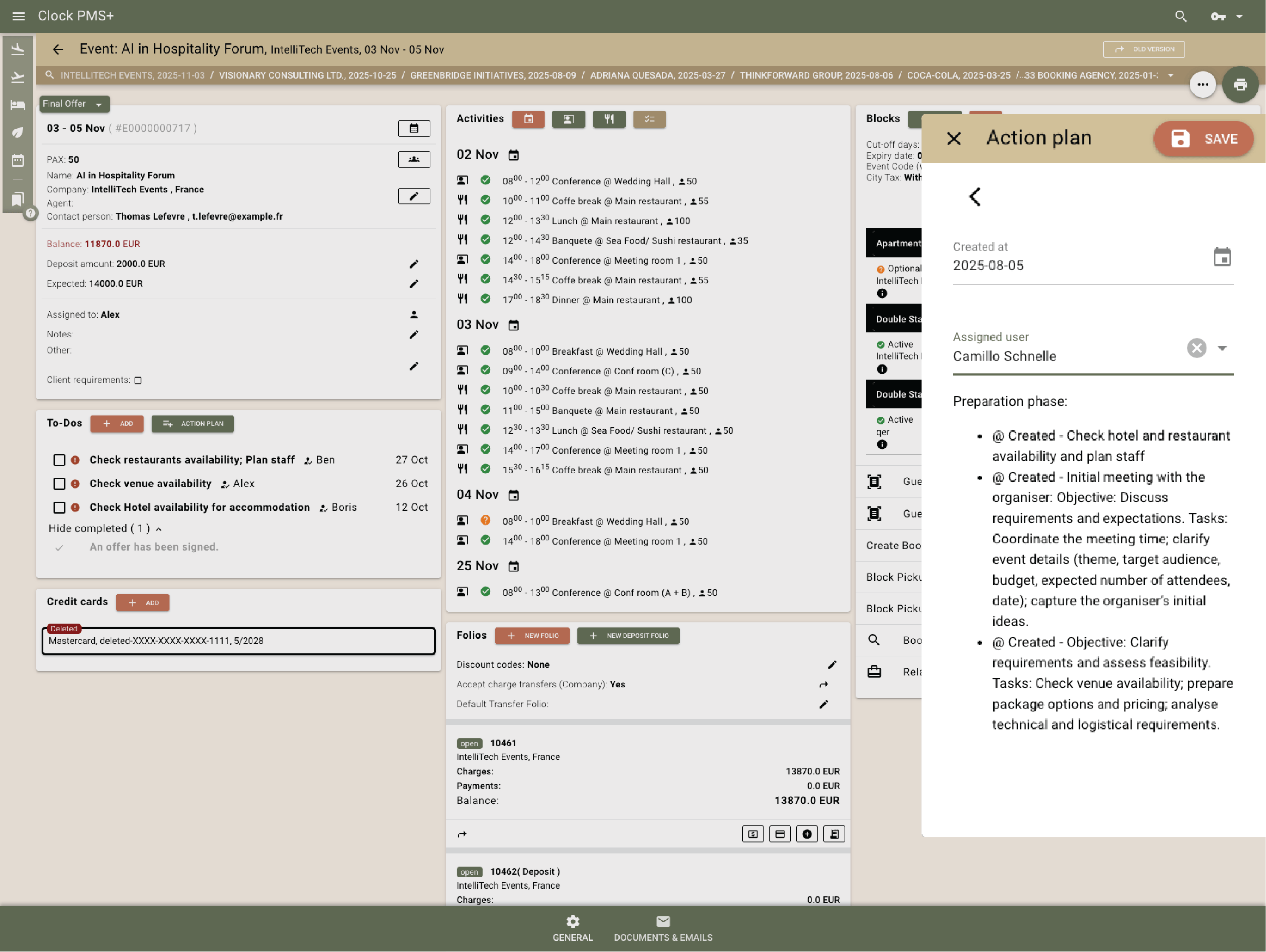
          Clock provides a shared task framework for front office, housekeeping and maintenance, sales, and events. Tasks and action plans can be created, assigned, and tracked with clear ownership and status, helping teams stay aligned during high occupancy or large events.
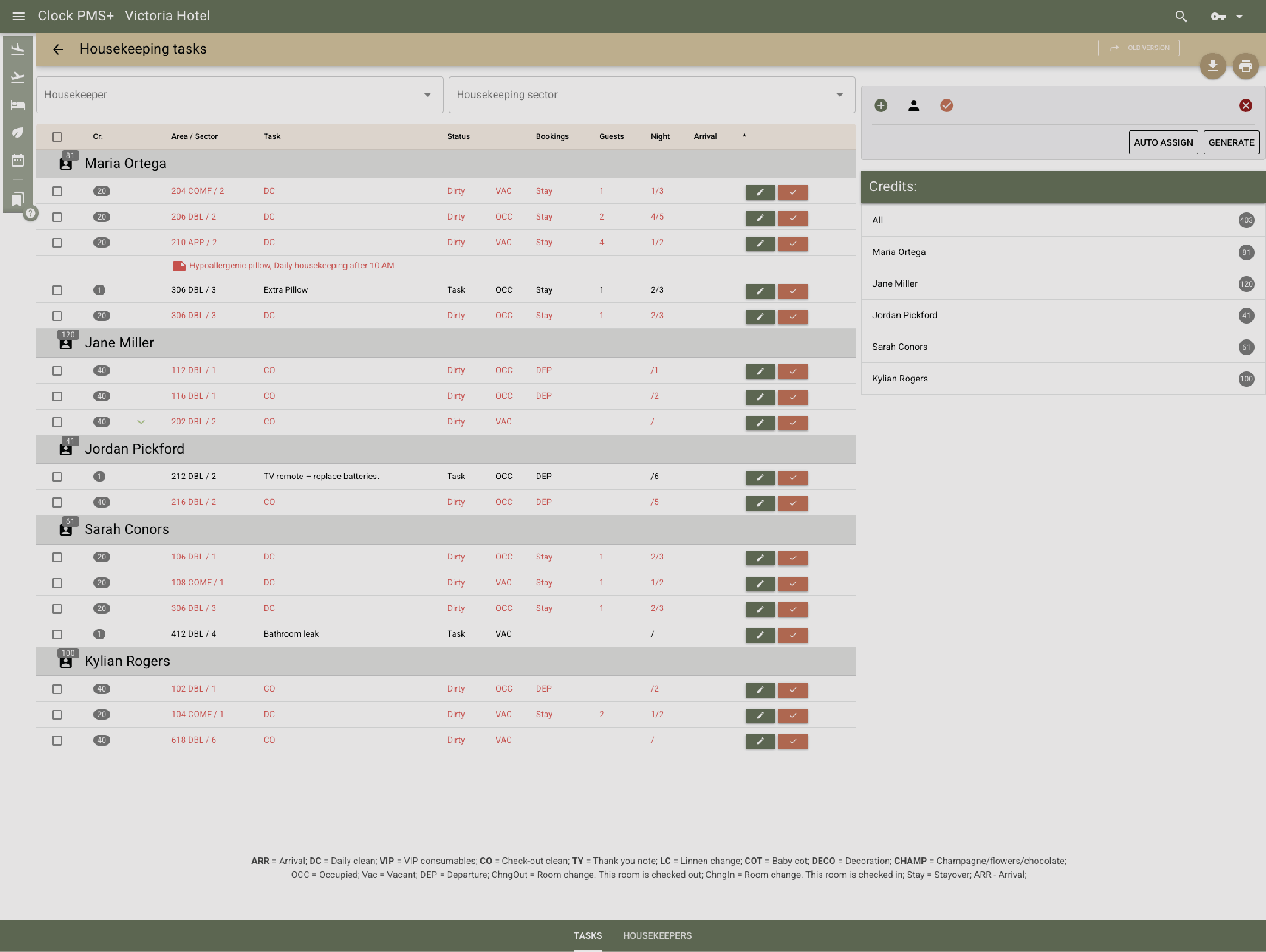
          Example:
          Housekeeping updates room status in real time, while sales uses To‑dos and action plans to track deals and deliver group or special guest requirements.
          • Coordinate tasks across departments (1)
          • Coordinate tasks across departments (2)
          • Coordinate tasks across departments (3)

            Use reporting that reflects resort operations

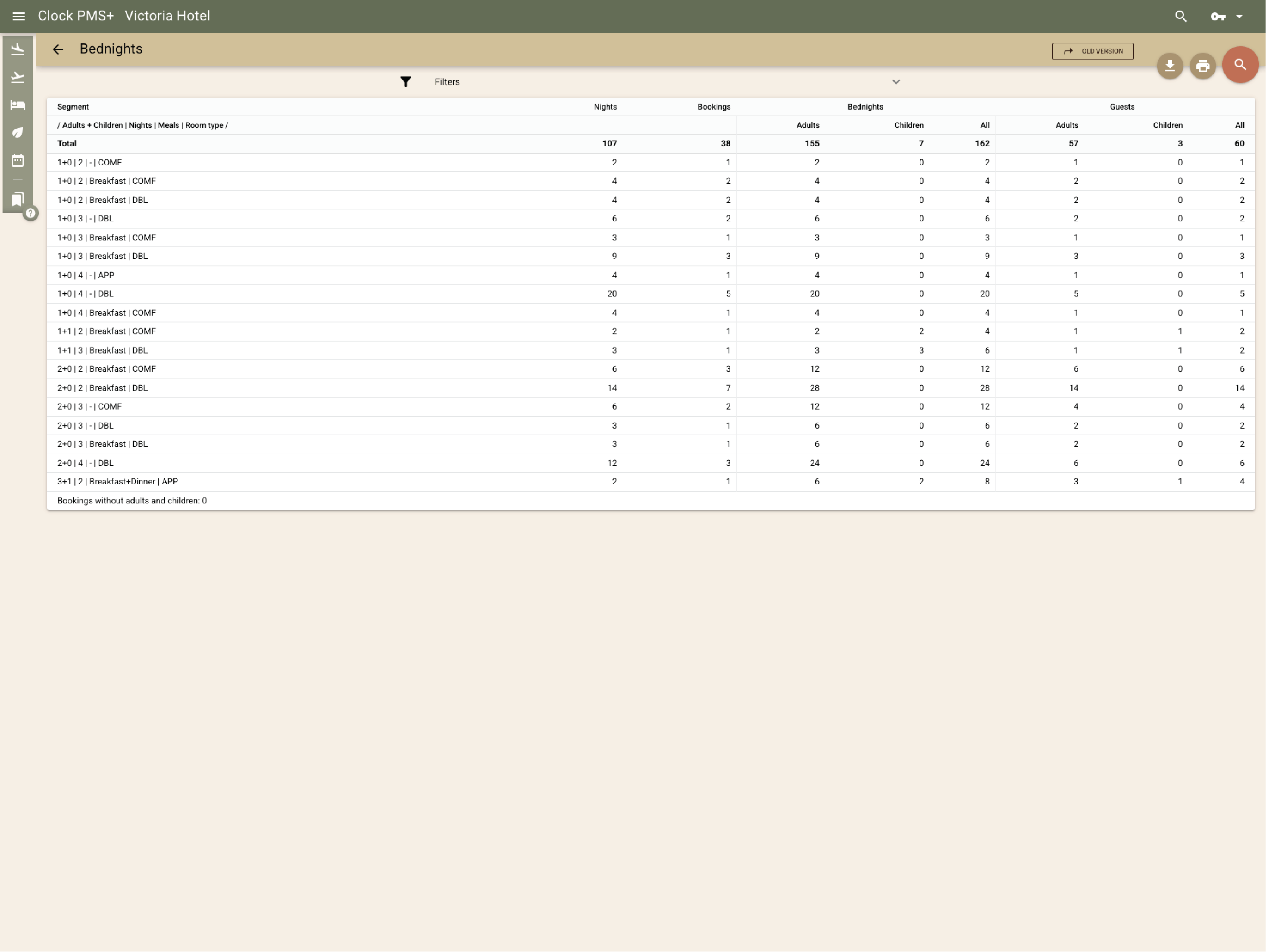
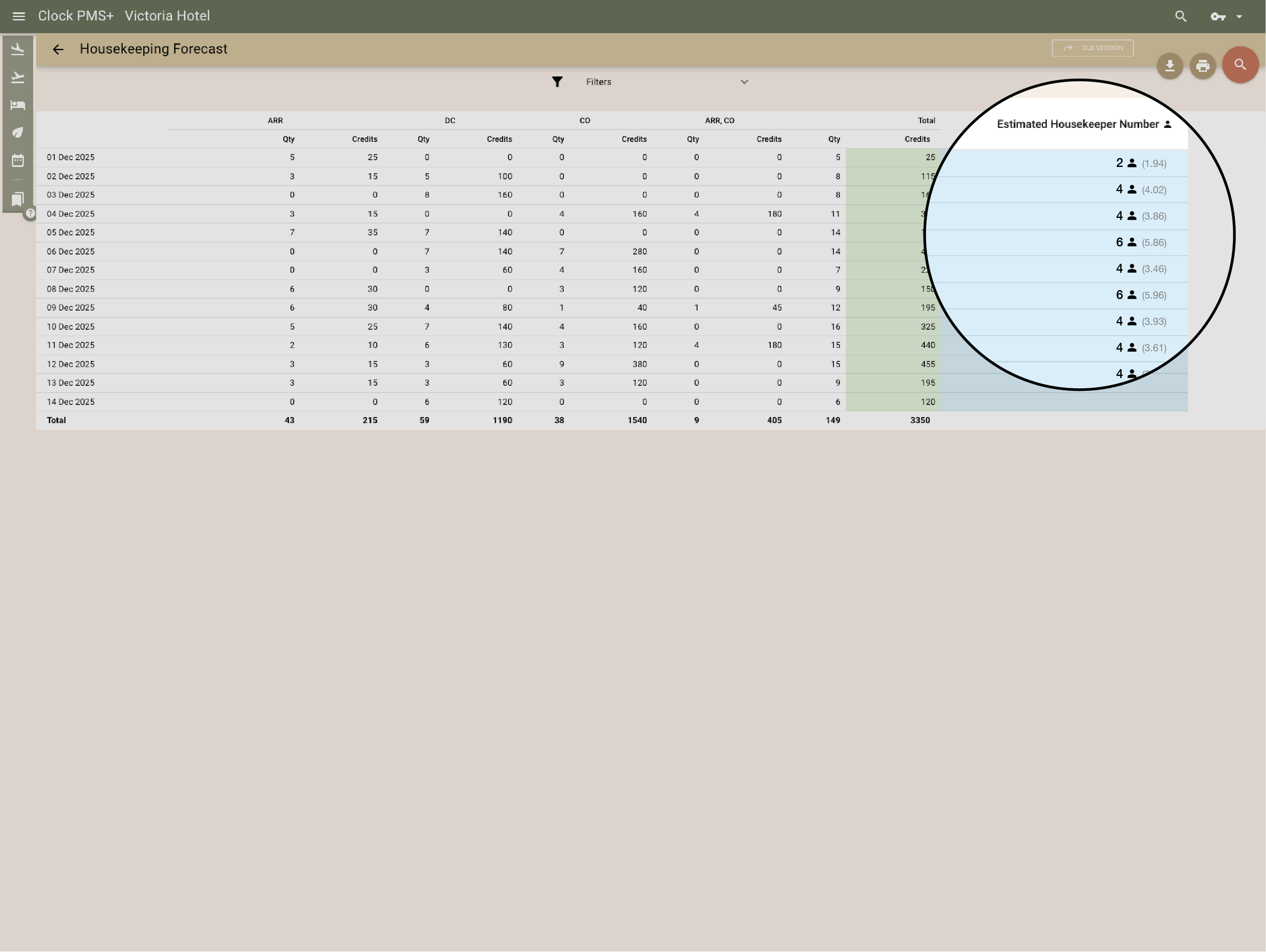
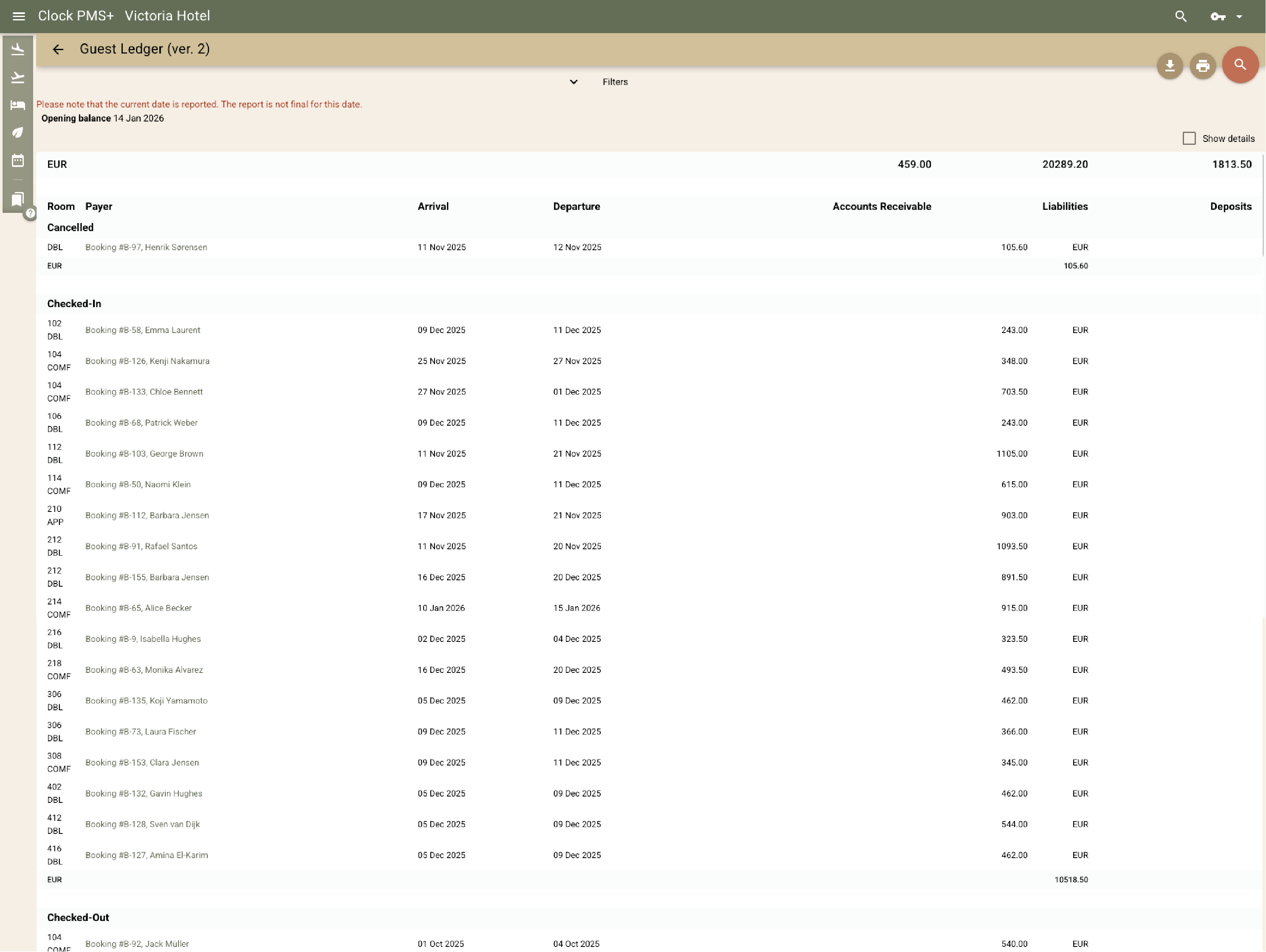
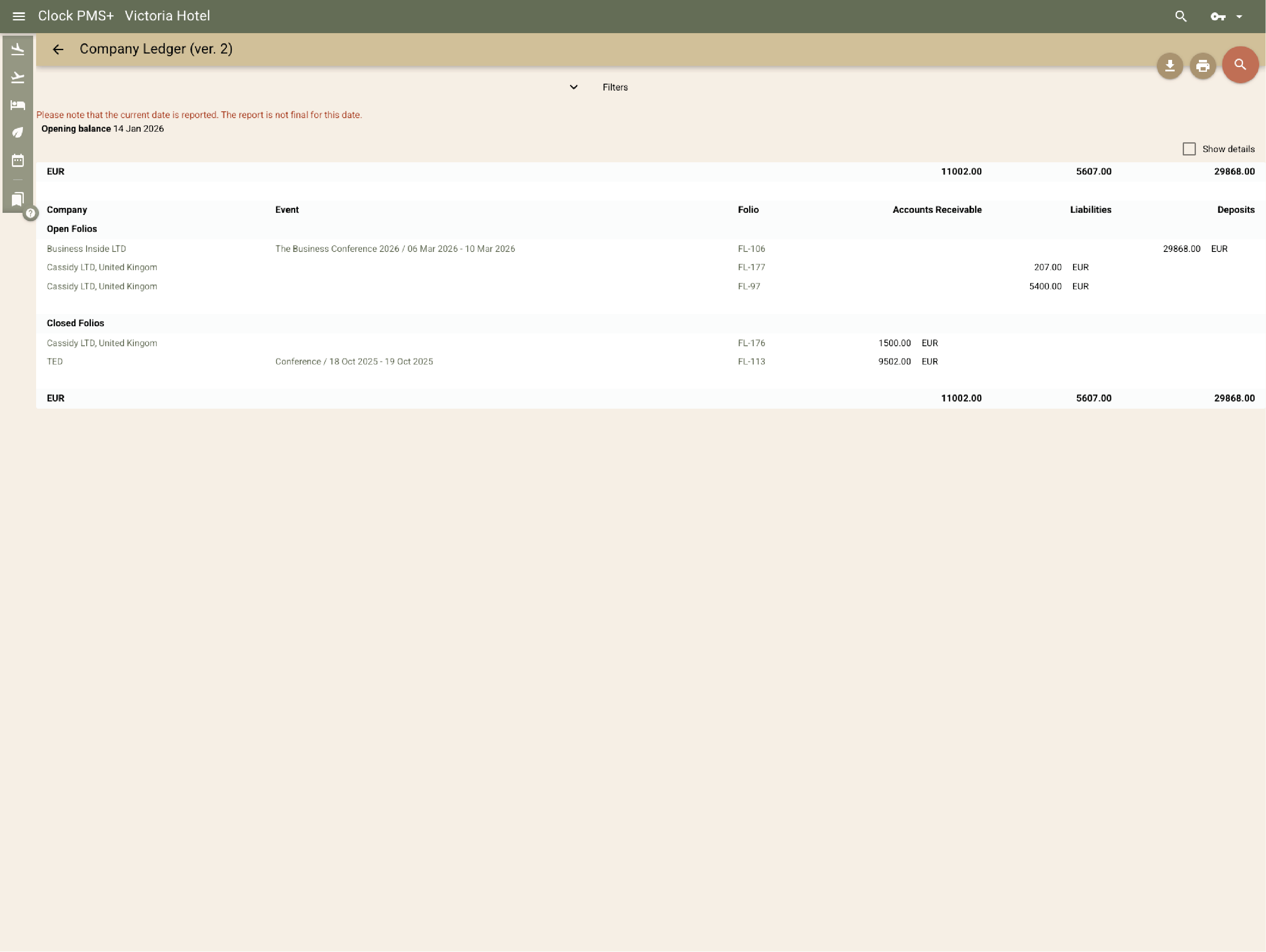
            Standard reports cover reservations, occupancy, revenue, charges, invoices, housekeeping, and KPIs. Custom dashboards can be created to reflect resort structure or seasonal operations.
            Example:
            Management reviews room revenue, spa sales, and event income together in a single custom-built monthly dashboard.
            • Use reporting that reflects resort operations (1)
            • Use reporting that reflects resort operations (2)
            • Use reporting that reflects resort operations (3)
            • Use reporting that reflects resort operations (4)
            • Use reporting that reflects resort operations (5)

              Support seasonal resort operations

              Clock supports seasonal operations through a simple interface for fast onboarding, role‑based access to limit actions, and automation that reduces manual work. Performance‑based pricing aligns fees with annual revenue rather than fixed room counts.

              How it fits different teams

              IT

              AWS hosting, open API, integrations, role‑based access, and high‑availability setup.

              Finance

              Invoicing, deposits, payment workflows, and accounting integrations.

              Operations

              One connected setup for rooms, services, events, housekeeping, and tasks.

              Sales / Revenue

              Live availability, packages, contracts, events and group sales, and sales to-dos and action plans.

              Distribution

              Reach more guests with a direct Booking.com connection and access to 500+ booking channels.

              Booking.com
              Expedia
              Airbnb
              Agoda
              Tripadvisor
              Hostelworld
              Customer support

              The right support for your staff, when they need it, and how they need it.

              Your staff can get help from our support team through chat, email, or our support portal. Prefer figuring things out yourself? We've got guides, articles, and video tutorials for that, too.

              1. Talk to our team

                Have a question or an issue? Our team is here to help.

              2. Find your answers

                Step-by-step guides and helpful articles to figure things out yourself.

              3. Watch and learn

                Short, practical video tutorials that show you how to get things done in Clock.

              Around the world

              Different countries. Different teams. Different ways of working. One place to keep the day from getting away from them.

              In their words

              How do customers feel after switching to Clock?

              We asked our customers: What changed for the better since you switched to Clock? Here’s some of what they said…

              Use the previous and next buttons or the left and right arrow keys to move through reviews.

              Slider position

              1. We chose Clock because of the tool's flexibility, its ability to integrate with our entire IT ecosystem, and also for its multi-property management, which is really the strong point for us.
                Marine Bossanne Project Manager Operations and Quality at Elegancia
              2. The strength of Clock is that it brings everything together in one system. What we previously had to accomplish using multiple tools, we can now do with a single solution.
                Ruggero Carpino Head of Customer Service & Training at Algilà Ortigia Charme Hotel, Syracuse
              3. It was very important for us to look at the stability and the future proofness of the system. And Clock is a company that has the knowledge and the expertise.
                Steff de Groot Owner & General Manager, Hotel Wander
              4. Faster processes, faster training, more time for staff, to focus on the guests, and tasks that used to be done manually are now automated.
                Carsten Werblow Head of Operations Gambino Group
              5. Better price management, a comprehensive system API, and a dynamic company that continually develops the software.
                Marco Coppola Owner & Chief Navigator Officer, The YellowSquare
              6. By automating routine processes with Clock, we were able to completely restructure how our staff spends their time. Now, the efforts are focused on more meaningful and more profitable activities.
                Lyubomir Stamboliyski Commercial Director of St. Constantine & Helena Holding
              7. Technologies are advancing, and it's normal to move our data to the cloud. I was firmly convinced that this is the right path, and I think we made the right decision.
                Elena Ivanova Founder & Owner, Hi Hotels Group
              Frequently Asked Questions

              Common questions about resorts

              Can guests book accommodation, services, and activities together in one reservation?

              Yes. Clock allows resorts to offer accommodation together with additional services and activities in a single booking process. Guests can book a room, add services such as parking, and reserve activities such as yoga classes or excursions. Availability, capacity, and pricing are managed centrally, and all items are confirmed as part of the same reservation.

              Can I manage activities with limited availability, such as spa treatments, tours, and sports classes?

              Yes. Clock allows you to define activities with specific time slots, prices, and capacity limits. Availability updates automatically as bookings are made by staff or online, helping prevent overbooking. Guests can book activities together with their accommodation or add them later during their stay.

              Can I create all-inclusive packages with accommodation, meals, and activities?

              Yes. Clock allows you to create packages that combine accommodation, meal boards, activities, and access to resort facilities. You can configure which services are included, how they are charged, and when they can be used. Activities included in a package can also be scheduled separately, allowing guests to select their preferred time after booking.

              Can guests use RFID wristbands to access resort facilities and charge purchases to their rooms?

              Yes. Clock supports RFID wristbands linked to guest reservations and package entitlements. They can help validate access to facilities according to the guest's stay and package type, while additional purchases can be posted to the guest's folio through the POS. This makes it easier to manage included services separately from paid extras, such as premium spa treatments.

              Can I manage seasonal contracts and special rates for tour operators?

              Yes. Clock supports tour operator contracts with seasonal pricing, age-based rates, occupancy conditions, booking periods, and promotional discounts. You can configure different prices for adults and children, as well as special offers such as free nights or early booking discounts. Contract conditions are applied automatically to eligible reservations and invoices. The tour operator contracts functionality requires the Vouchers add-on.

              Can I manage weddings, events, and group accommodation alongside regular resort reservations?

              Yes. Clock allows you to manage group reservations, room blocks, rooming lists, and events alongside individual bookings. You can allocate rooms to groups, define release dates for unused rooms, and coordinate event spaces, catering, schedules, and other required resources. This helps ensure that group stays and events are planned against the resort's overall availability.

              How can I manage billing when guests, companies, and event organizers pay for different services?

              Clock supports split charges, deposits, advance payments, and multiple invoice types. You can route accommodation charges to individual guest folios while assigning catering, event services, or other expenses to company or group folios. Charges can be transferred manually or automatically, with clear transaction records for easier financial tracking.

              Can I reduce reception queues during peak check-in and check-out periods?

              Yes. Clock offers online check-in, guest messaging, the guest portal, and kiosks to reduce administrative work at reception. Guests can complete registration details, arrange upgrades, and make payments before arrival. Depending on your kiosk configuration and connected hardware, guests can also complete check-in, collect room key cards, and check out independently.

              Can I maintain guest profiles across different stays and services within my resort?

              Yes. Clock stores guest profiles containing stay history, booked services, billing information, and internal notes. Duplicate profiles can be automatically matched and merged, helping maintain a consistent guest record even when reservations come from different booking channels. This makes it easier for staff to recognize returning guests and understand their preferences.

              How can I coordinate housekeeping, maintenance, and other departments during busy resort periods?

              Clock provides a shared task management framework for front office, housekeeping, maintenance, sales, and events teams. Staff can create, assign, and track tasks and action plans with clear responsibilities and status updates. For example, housekeeping can update room statuses in real time while the sales team tracks group bookings and special guest requirements.

              Can I track accommodation revenue, spa sales, and event income in the same reports?

              Yes. Clock provides standard reports covering reservations, occupancy, revenue, charges, invoices, housekeeping, and other key performance indicators. You can also create custom dashboards that reflect your resort's structure and seasonal operations, allowing management to review different revenue streams together.

              Does Clock support the seasonal operations and staffing needs of resorts?

              Yes. Clock supports seasonal resort operations with an intuitive interface, role-based access permissions, and automation that reduces repetitive tasks. New and seasonal employees can be onboarded quickly, while permissions help ensure that staff members only access the functions relevant to their roles. Clock's performance-based pricing model also aligns fees with annual revenue rather than a fixed number of rooms.

              Still have questions? Our team is here to help. Get in touch and we’ll point you in the right direction.

              Getting started

              Get up and running with Clock in three simple steps.

              1. Step 01

                Tell us about your hotel and what you want to improve.

              2. Step 02

                Get a personalized demo focused on how Clock can work for your hotel.

              3. Step 03

                Get up and running with help from our team, and start welcoming guests with Clock.

              Think Clock might fit your hotel?

              Explore how Clock can help your team, your guests and your growth.

              “Easy to use” “Fast, intuitive, and reliable” “Saves a lot of time” “New staff learn it quickly” “Accessible from any device” “Less manual work” “Fewer booking mistakes” “Responsive and helpful support”